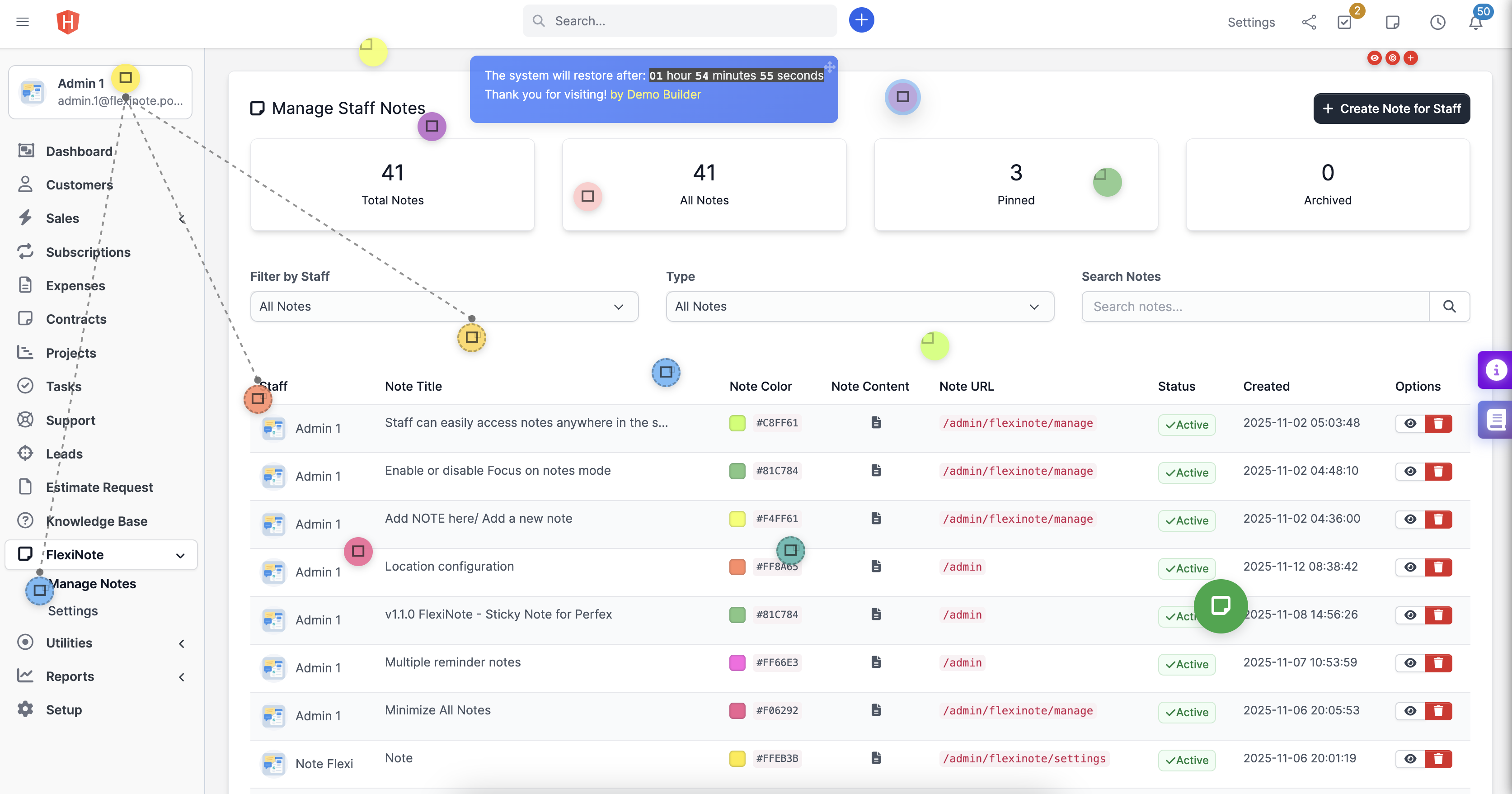
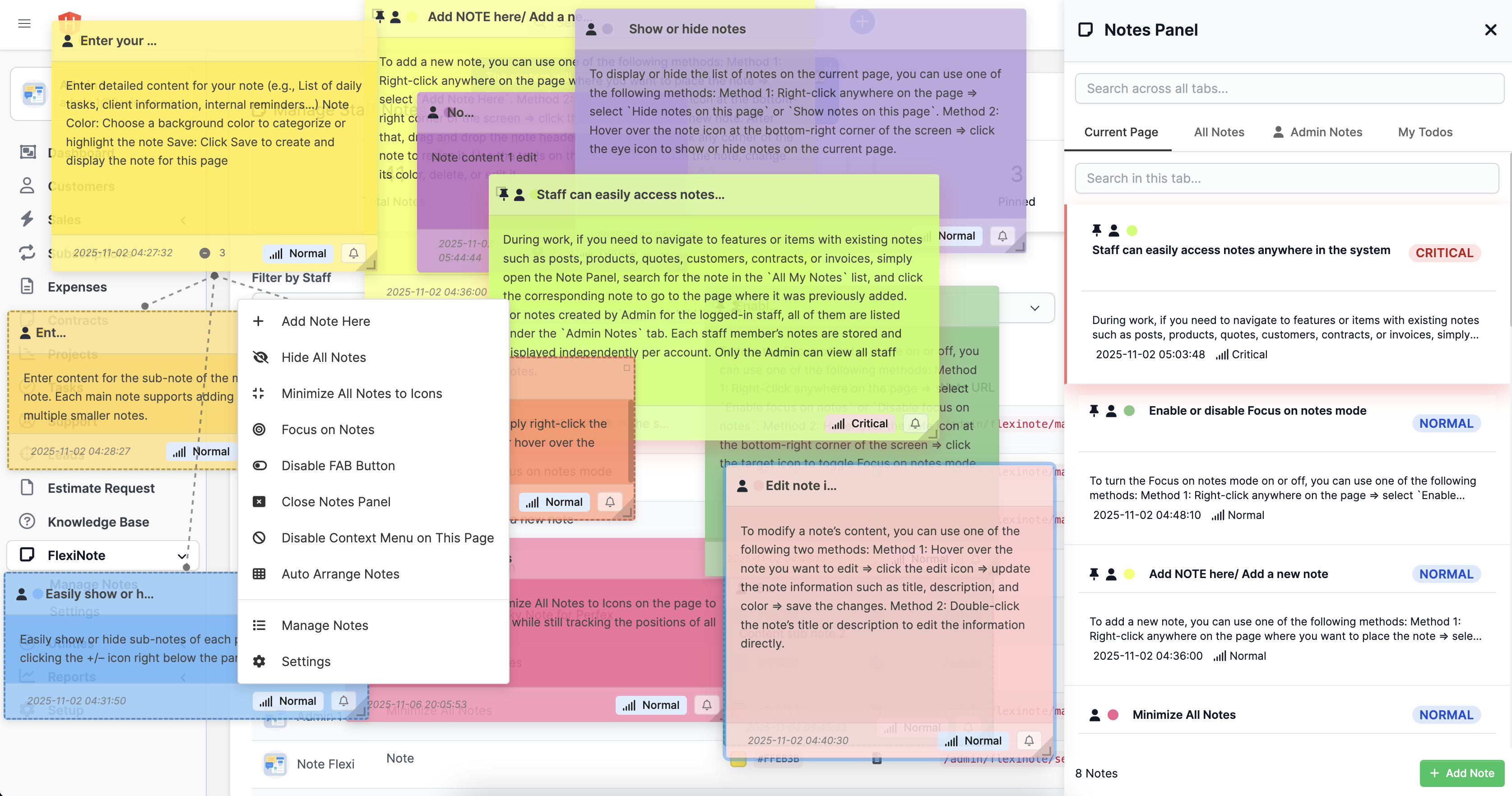
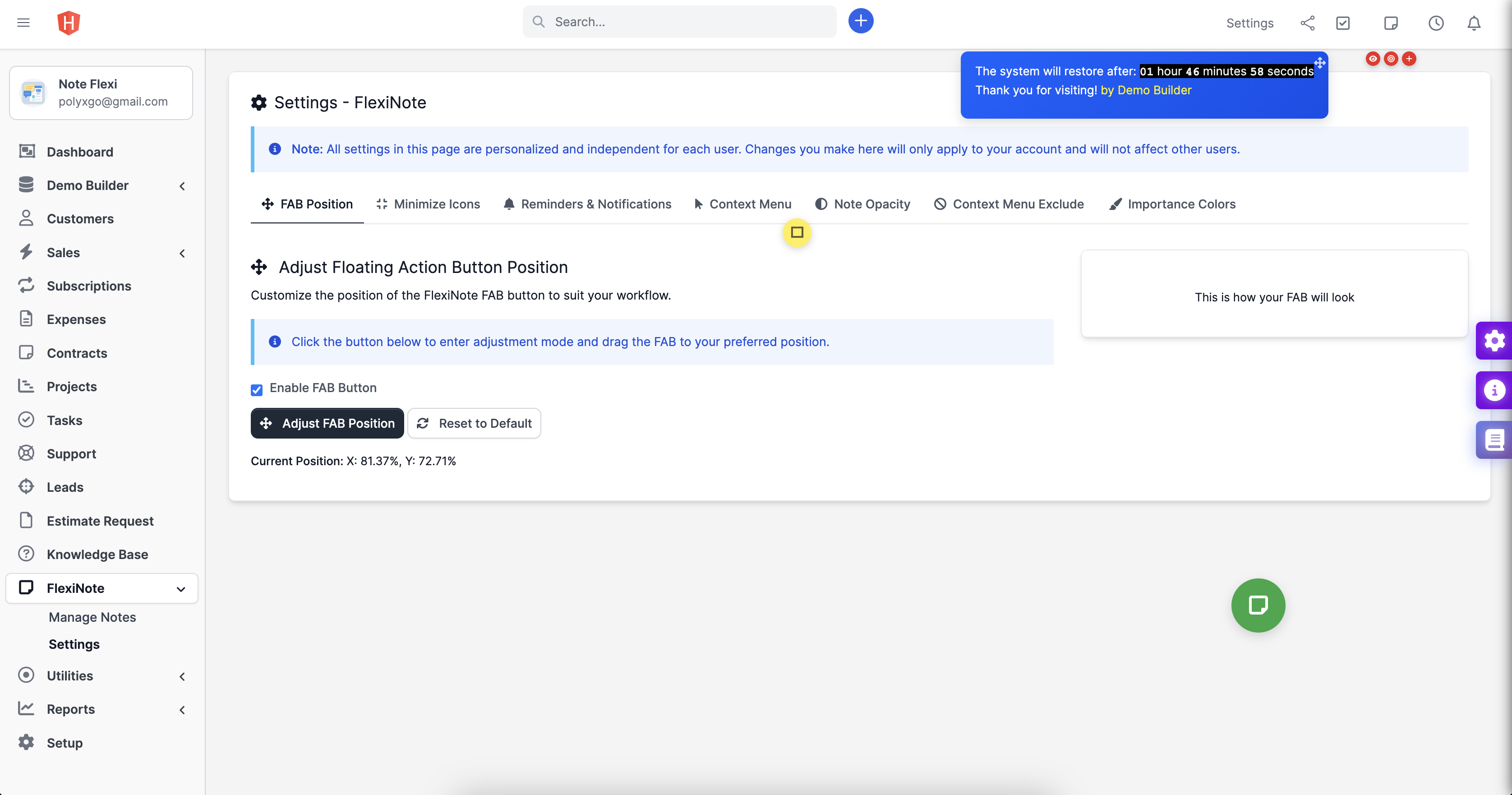
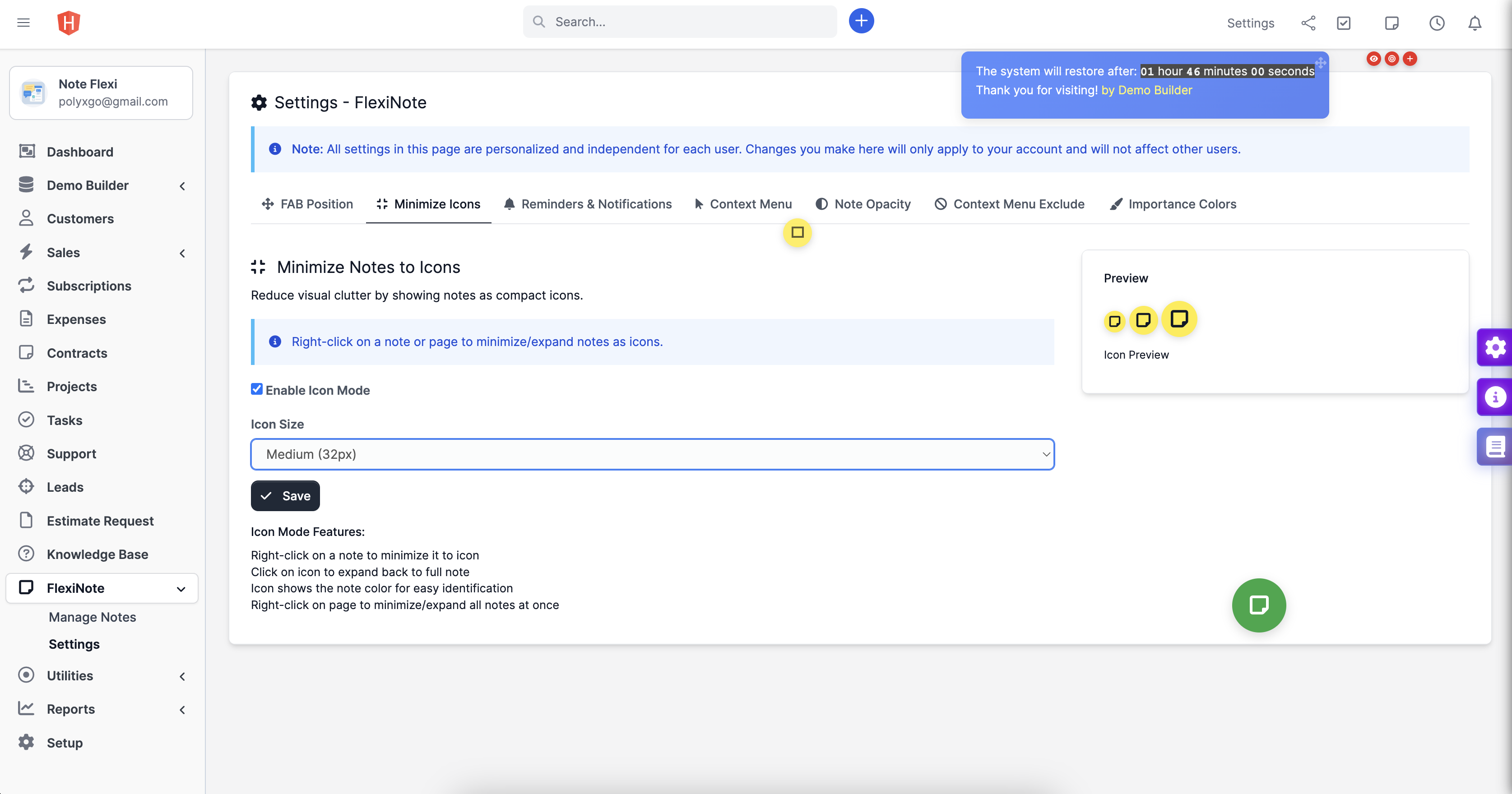
Add-note-FlexiNote-for-PerfexCRM.jpg Admin-dashboard-FlexiNote-for-Perfex-CRM.jpg Admin-dashboard-FlexiNote-for-Perfex-CRM.png Context-Menu-FlexiNote-for-PerfexCRM.jpg Context-Menu-FlexiNote-for-PerfexCRM.png Edit-note-FlexiNote-for-PerfexCRM.jpg Edit-note-color-FlexiNote-for-PerfexCRM.png Focus-on-Notes-FlexiNote-for-PefexCRM.png Minimize-all-notes-to-icons.png Panel-notes-FlexiNote-for-PerfexCRM.png Settings-FlexiNote-FAB-Position-for-PerfexCRM.png Settings-FlexiNote-Minimize-Icons-for-PerfexCRM.png Settings-context-menu-flexinote-for-perfexcrm.png Settings-important-colors-FlexiNote-sticky-notes-for-PerfexCRM.png Settings-reminders-notifications-sticky-notes-for-PerfexCRM.png Sub-notes-FlexiNote-for-PerfexCRM.png
Note: This Add-on functions as a module for Perfex CRM
Click here to view the Changelog & Tasks in Progress
FlexiNote extends note-taking capability inside Perfex CRM. Supports staff creating and managing personal notes instantly from any admin page. Notes can attach to independent pages such as Projects, Orders, Tasks, Tickets, Invoices, Payments, Modules, or Settings, giving users an overview each time they start a new session. Workflow becomes faster, more consistent, and more efficient.
Core Features
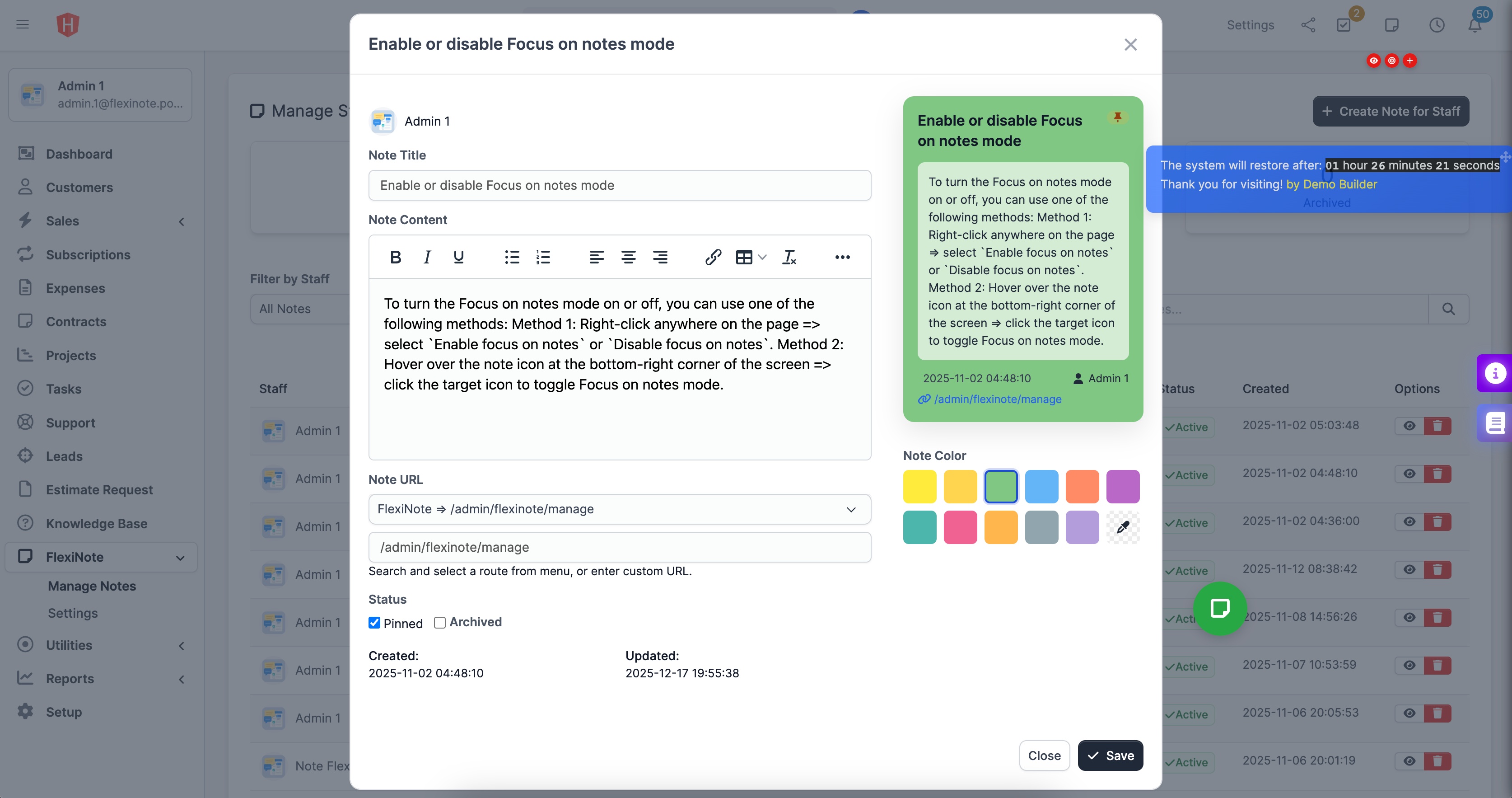
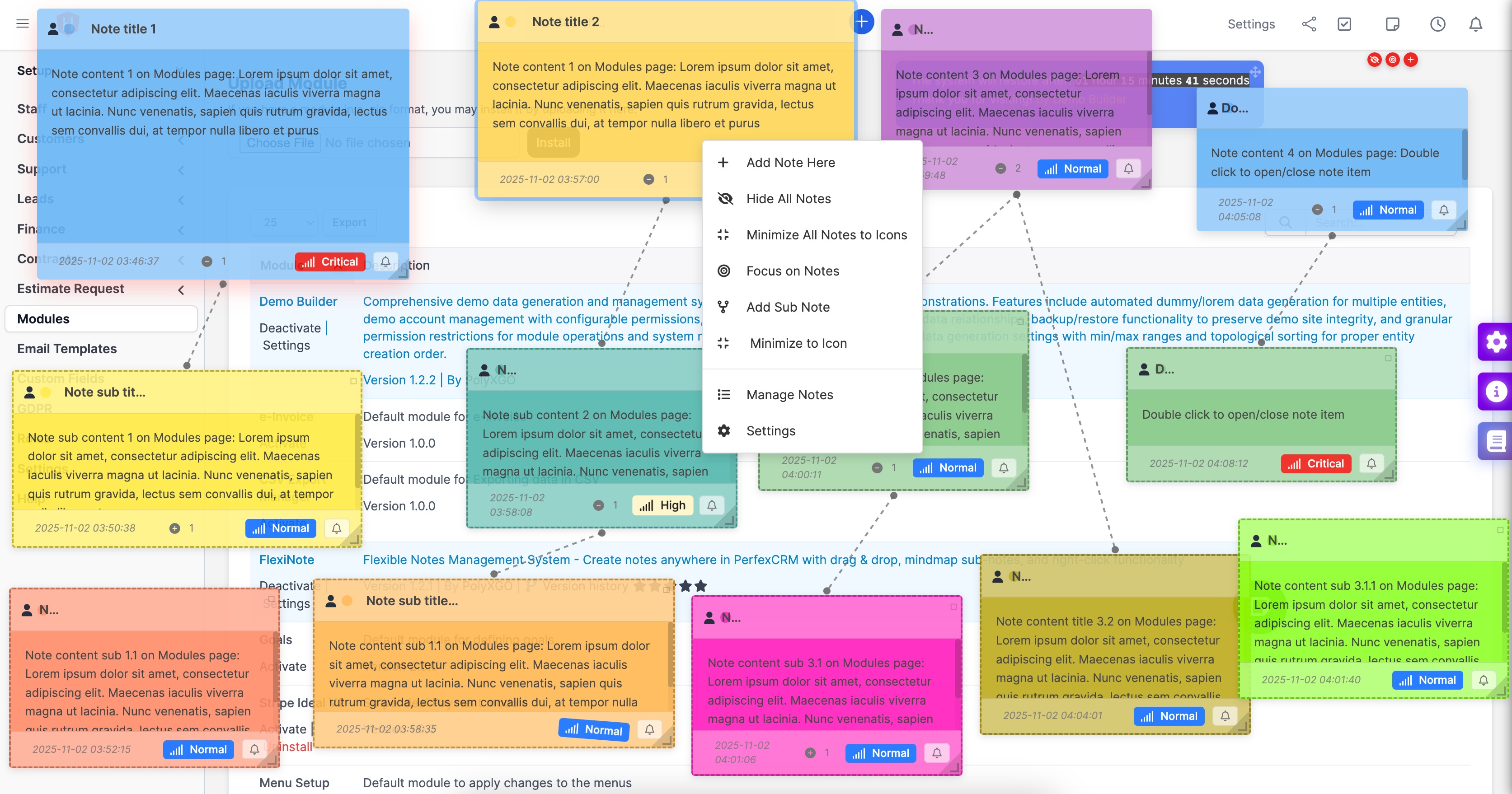
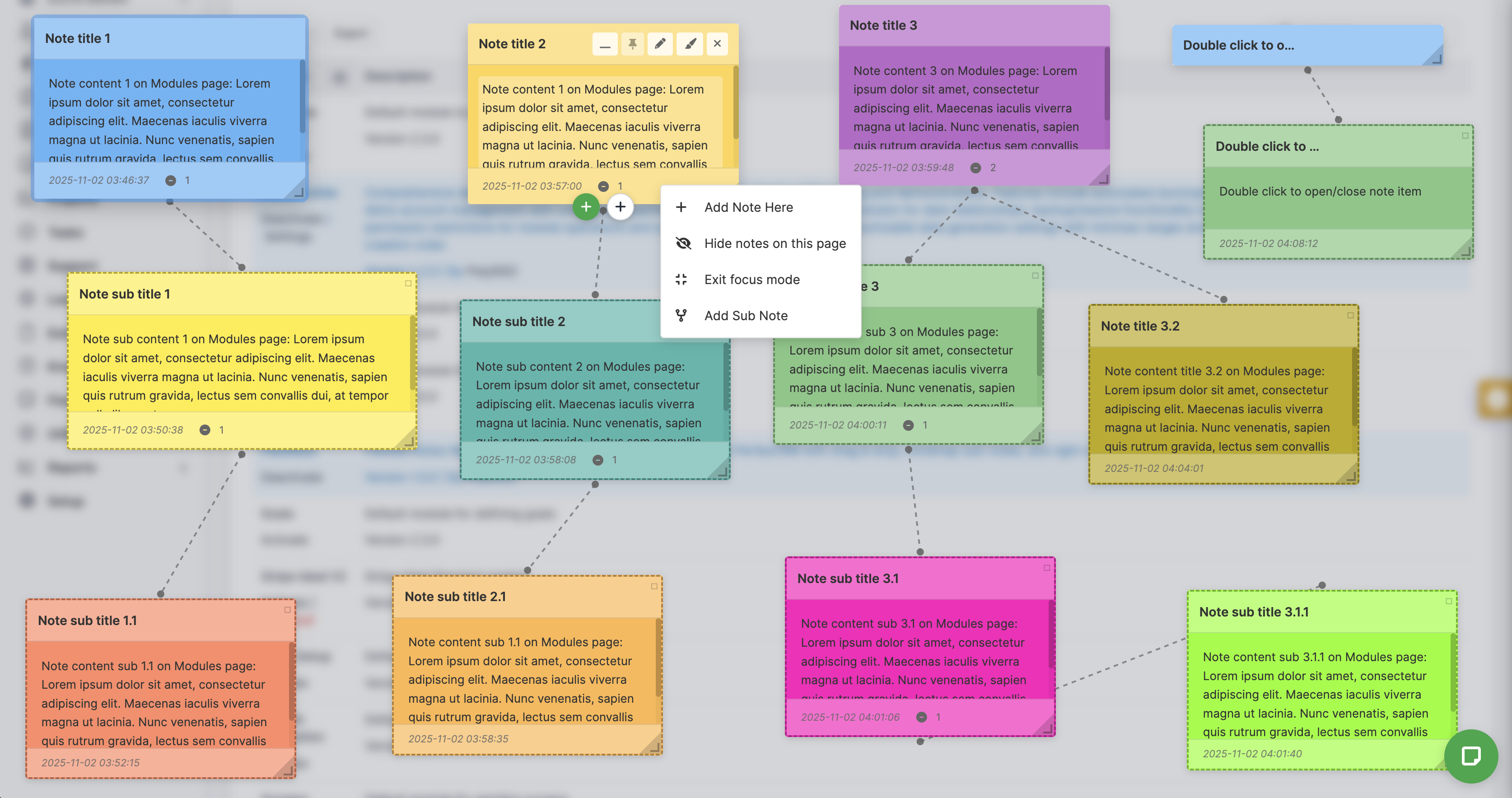
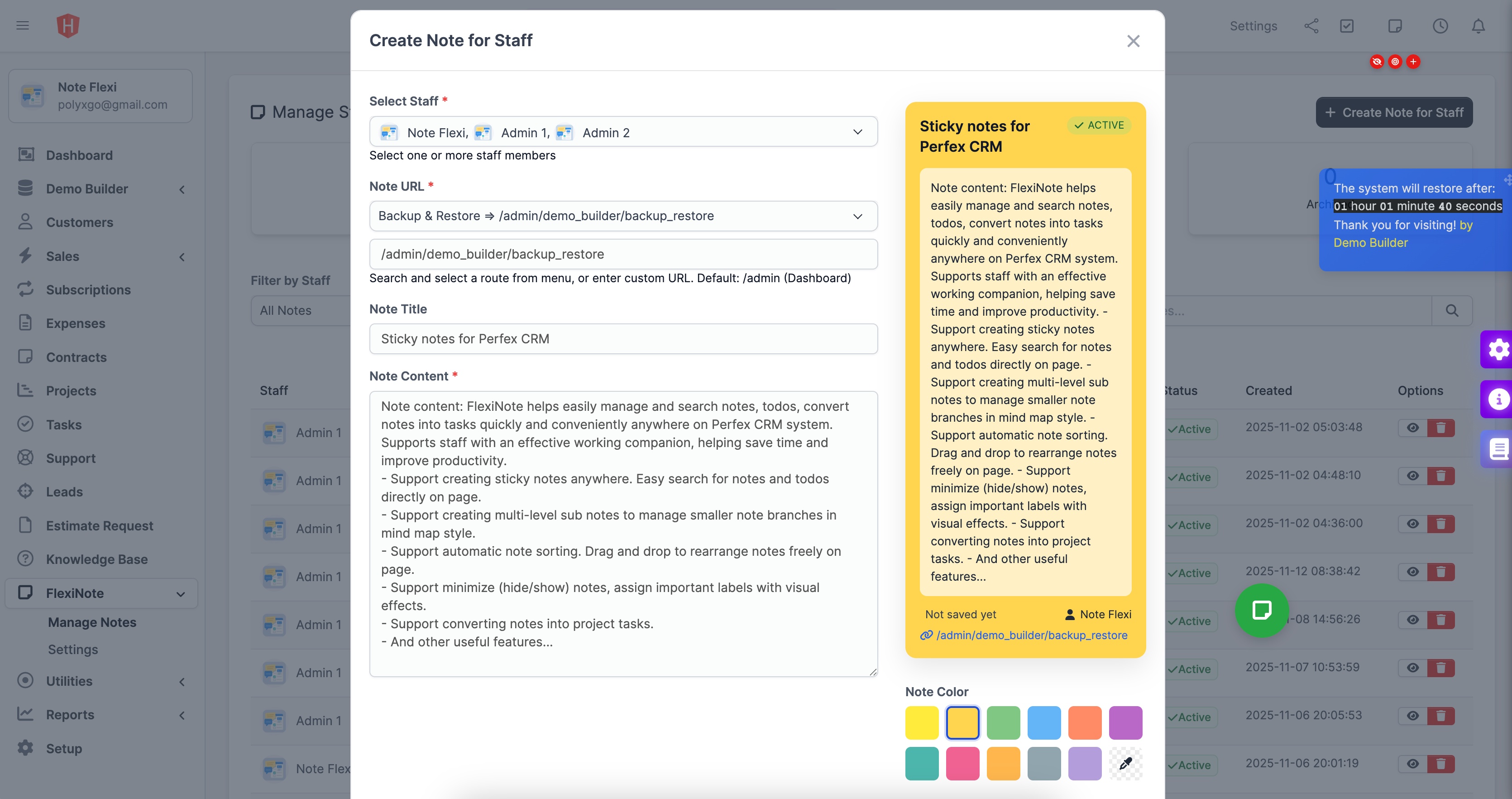
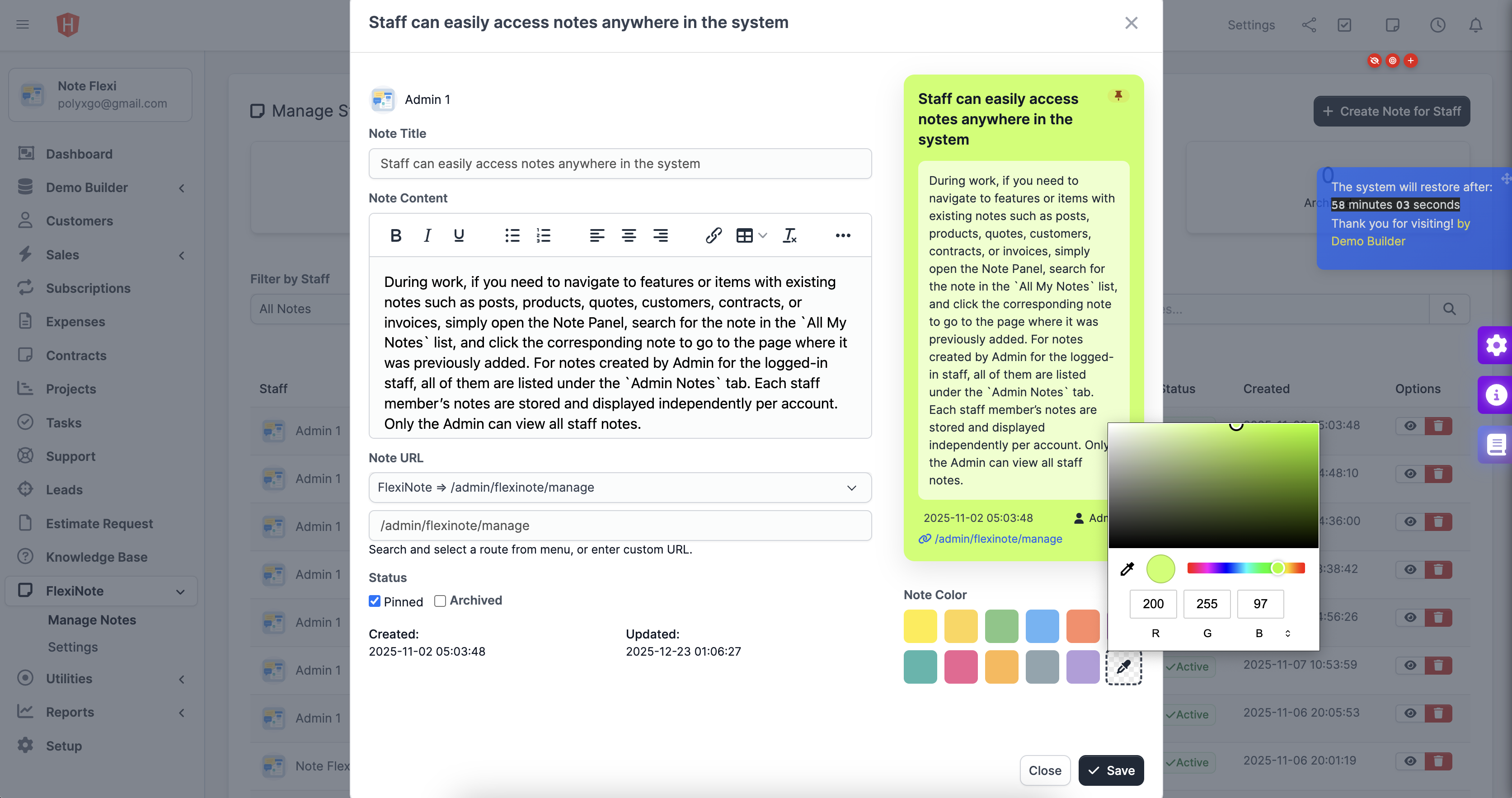
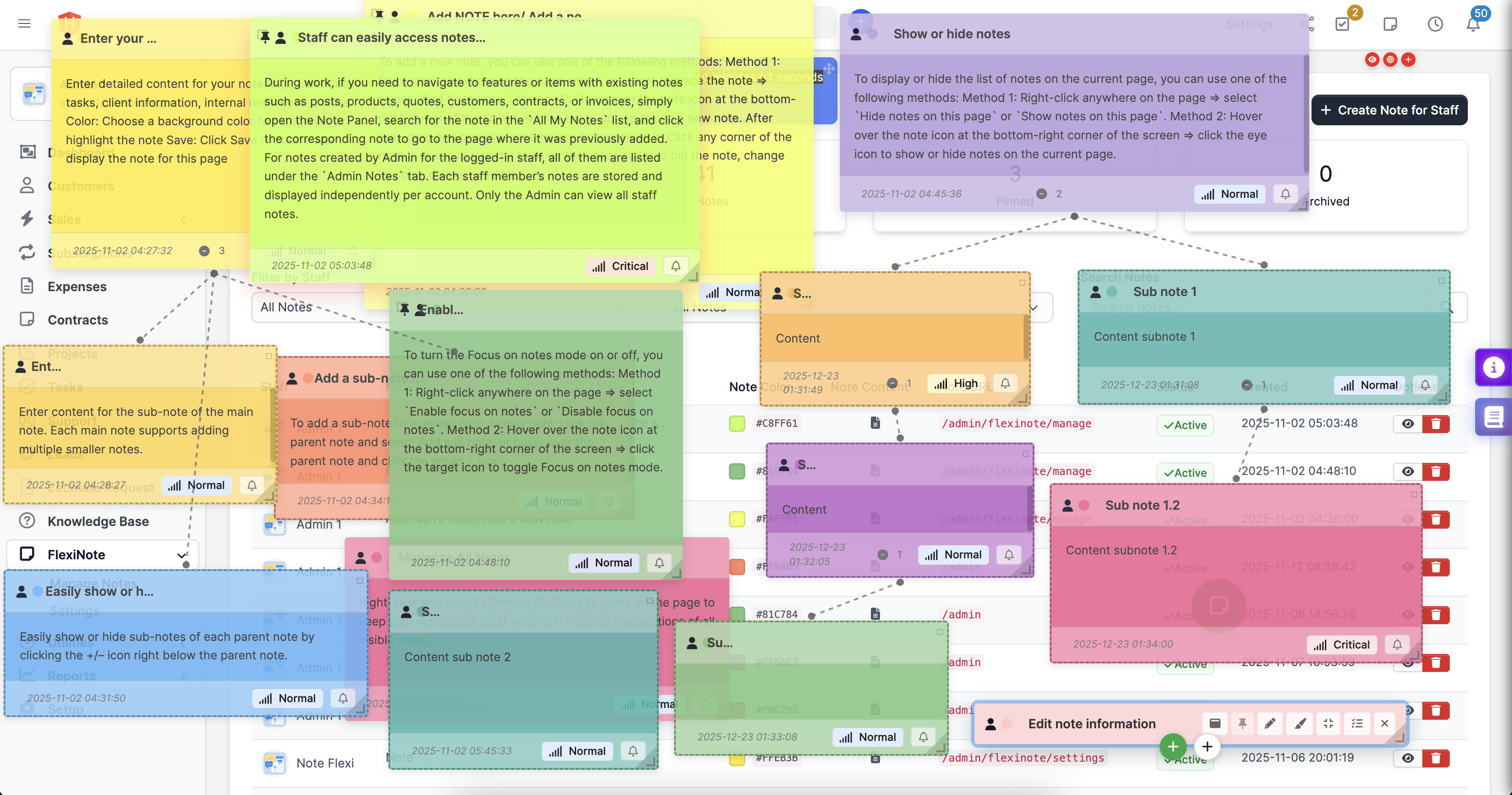
Add Note: Create or edit notes quickly on any CRM page without limit.Floating & Draggable UI: Notes float over interface; add, edit, drag, resize, hide or show independently per page; move freely across Perfex layout.
Mindmap Sub Notes: Build unlimited hierarchical sub notes up to 8 depth levels, with visual connecting lines showing relation to parent notes.
Panel Notes: Display and search notes through three tabs — Current Page Notes, All Notes, and Admin Notes. Each note includes quick link redirecting to its attached page.
Expand/Minimize & Pin to Top: Collapse, expand, or pin important notes on top of list.
Color & Layout Customization: Assign colors, freely adjust size and position.
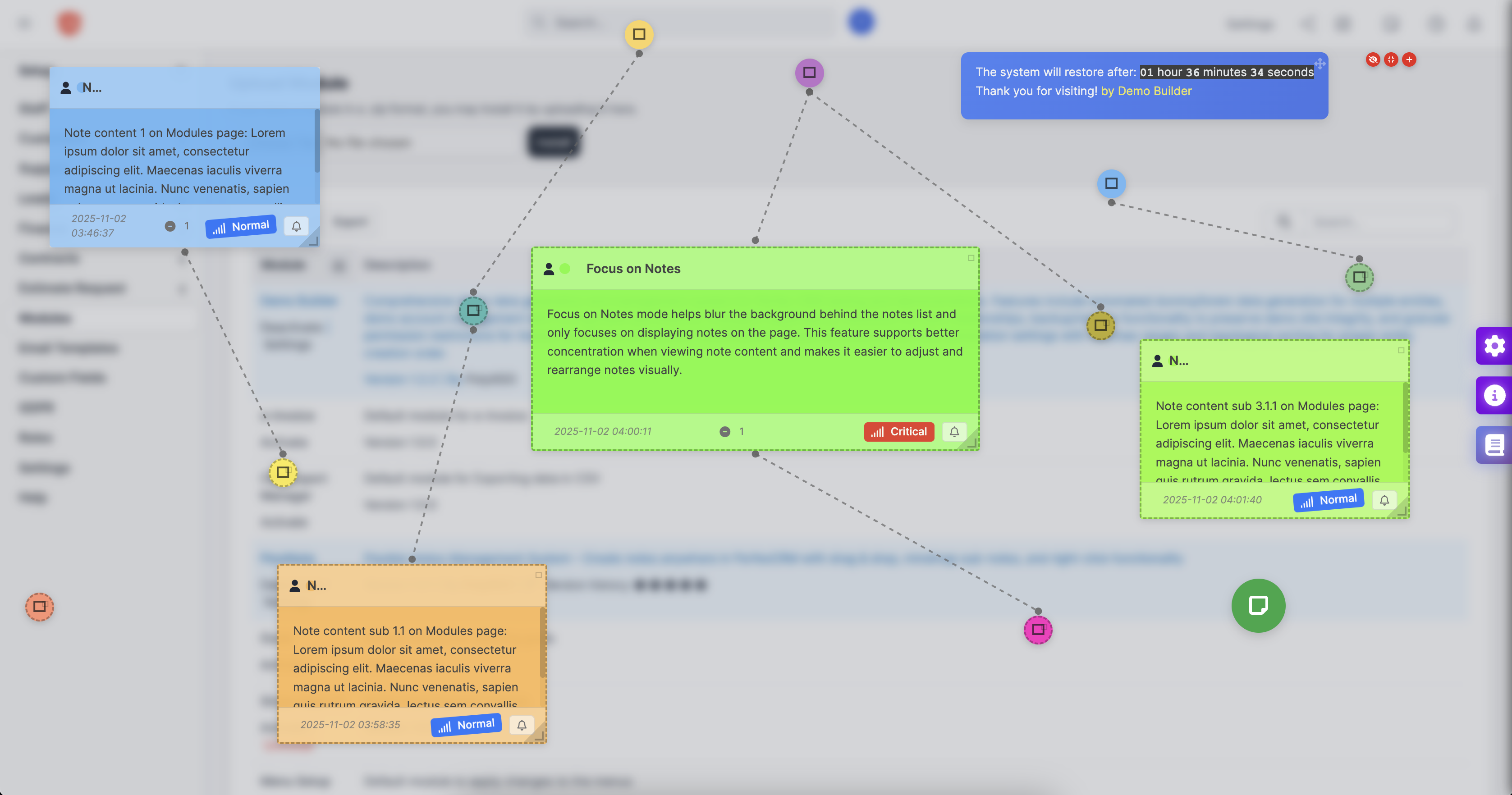
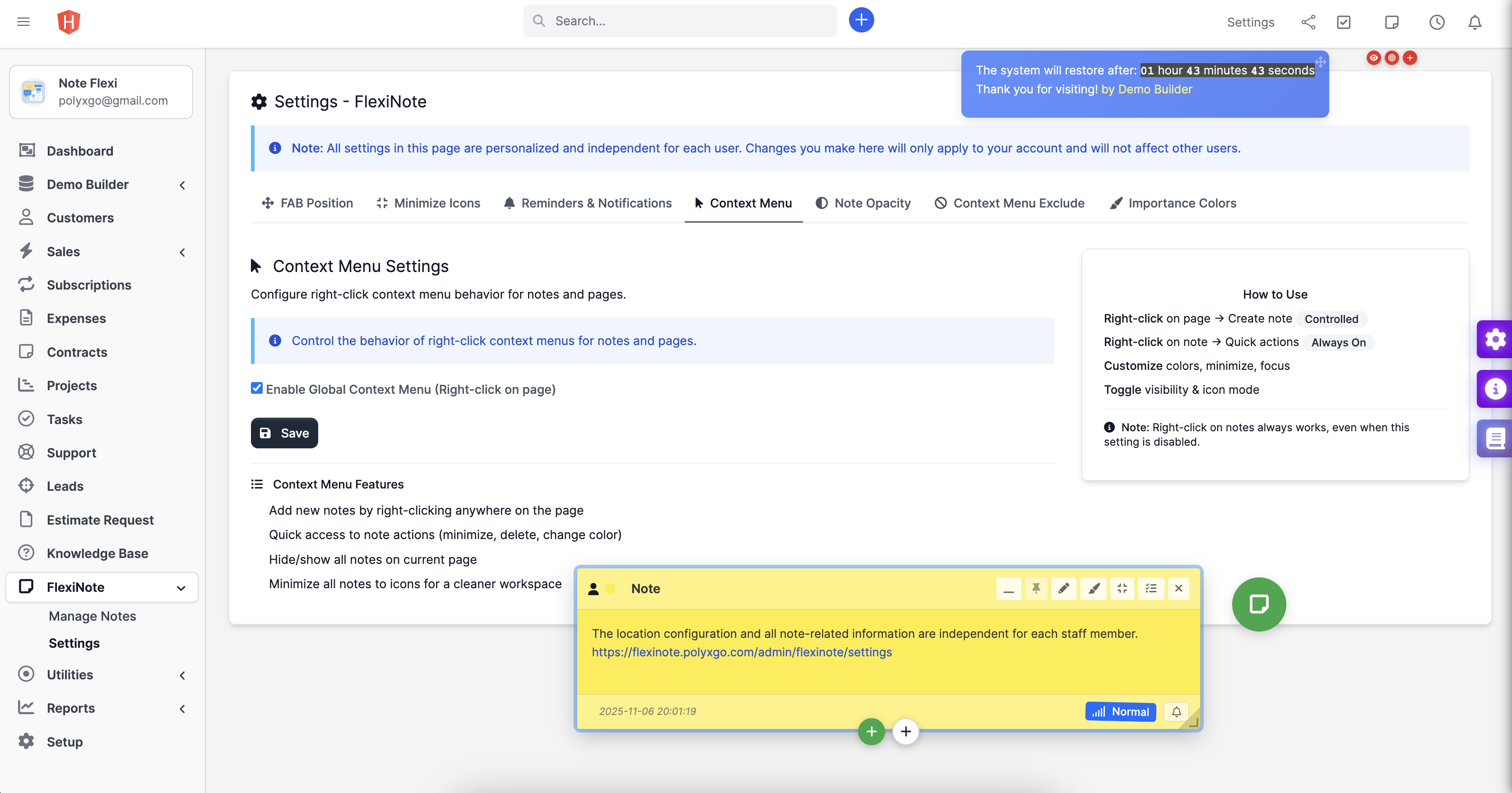
Context Menu: Right-click menu adds new note or sub note anywhere on page, toggle all notes on/off, or switch to focus view mode.
Language: Supports all languages integrated in Perfex CRM core: English, Bulgarian, French, German, Greek, Portuguese, Portuguese (Brazil), Russian, Spanish, Turkish, Vietnamese, Japanese, Chinese, French (Canada), Indonesian, Dutch.
Collaboration & Control
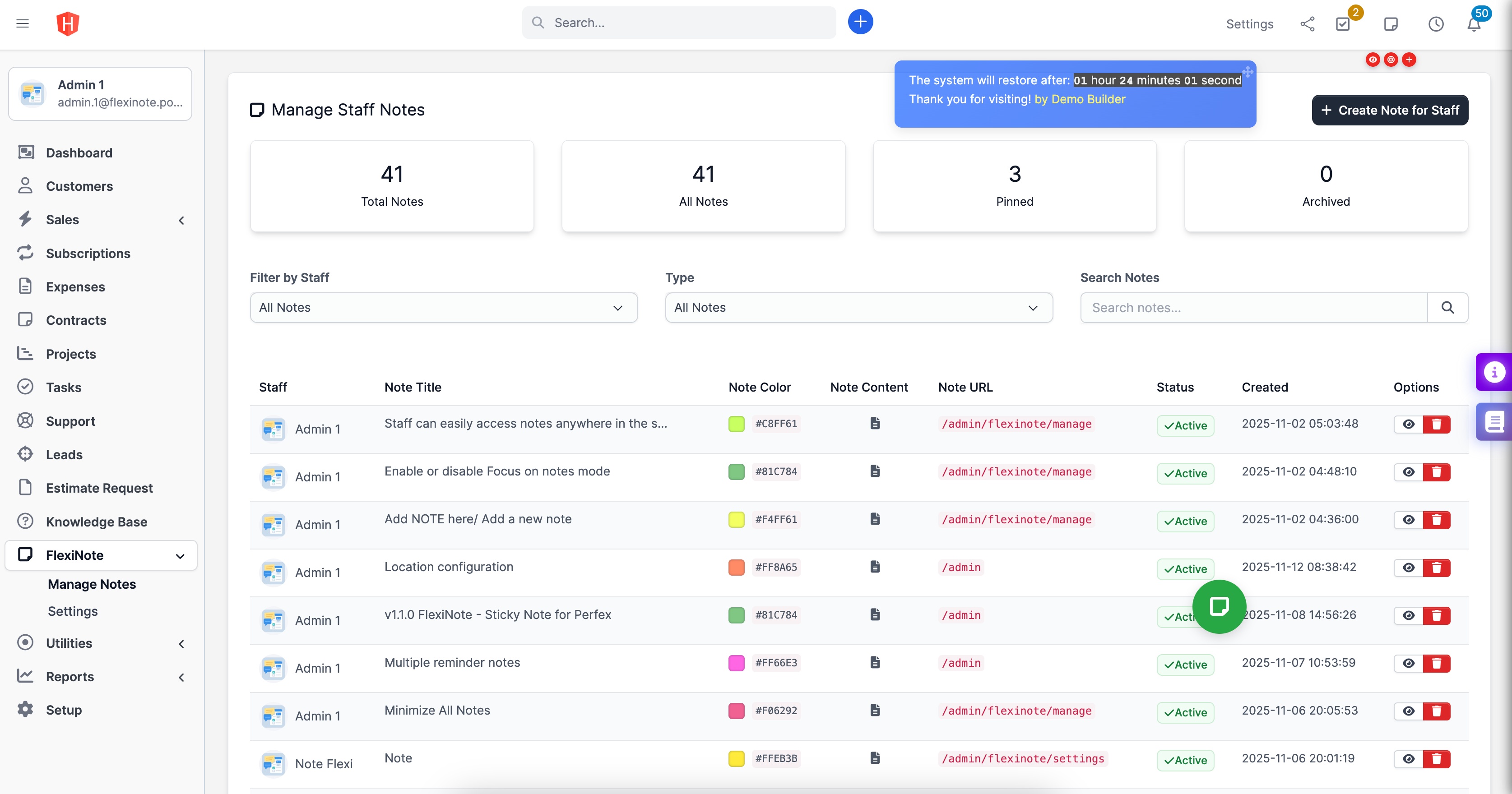
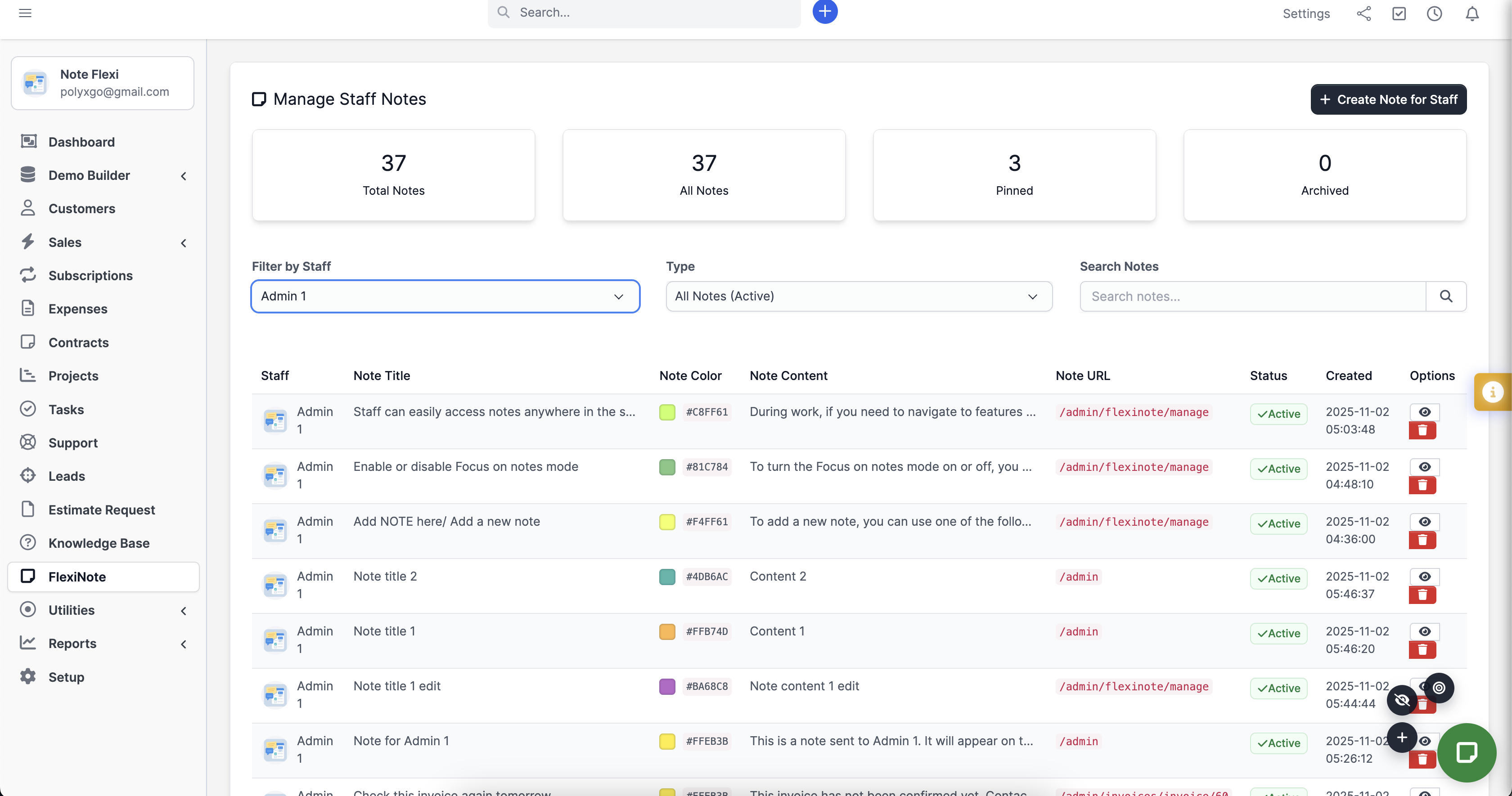
- Admin Dashboard: View, filter, and search staff note activities across CRM system.
- Permission Control: Define access for view, create, edit, delete, and manage.
- Admin Notes: Managers can create shared or task-specific notes for staff. When staff log in, admin notes appear directly on dashboard.
Documentation & Support
Installation guide and feature documentation included in attached .zip package.For support, submit a ticket in Codecanyon comment section – team will respond as soon as possible.
Changes
NOTE: Minimum PerfexCRM version required is 3.2.0
P/S: In case you encounter any conflicts during usage, please leave feedback or contact me at polyxgo@gmail.com. I will support you right away! Thanks.

-------- Version 1.2.1 (December 23, 2025) --------
NEW
- Todos display integrates show more/show less to avoid displaying long content. (December 22, 2025)
- Integrate confirm modal for confirmation actions, e.g., delete note. (December 17, 2025)
- Integrate icons for hide/show all notes, exit/focus on notes, add note right below Toggle Panels icon for convenient note operations when FAB Button and Global Context Menu (Right-click on page) are disabled. (December 20, 2025)

CHANGED
- When a note is active, all sub-notes in mindmap if any are displayed above other notes for easier manipulation. (December 17, 2025)
- Remember Focus on Notes state on page refresh. (December 17, 2025)
- Remember active tab state and search keywords for notes/todos in Notes Panel. Adjust active tab style for better visibility. (December 17, 2025)

FIXED
- Fix and improve stability of Minimize to Icon state persistence for individual notes. Then Minimize All Notes to Icons. (December 17, 2025)

TASKS IN PROGRESS
Note: 1.2.1
- Integrate encrypted password and account sharing in notes between staff. (November 2, 2025)
- Integrate forwarding notes to other staff with confirmation, used to send password info, files, images. (November 2, 2025)

P/S: These features will be integrated to meet the needs of customers using the module and requiring integration within the system.

-------- Version 1.2.0 (November 28, 2025) --------
NEW
- Automatically arrange notes on the page when clicking the Auto Arrange Notes icon. (November 27, 2025)
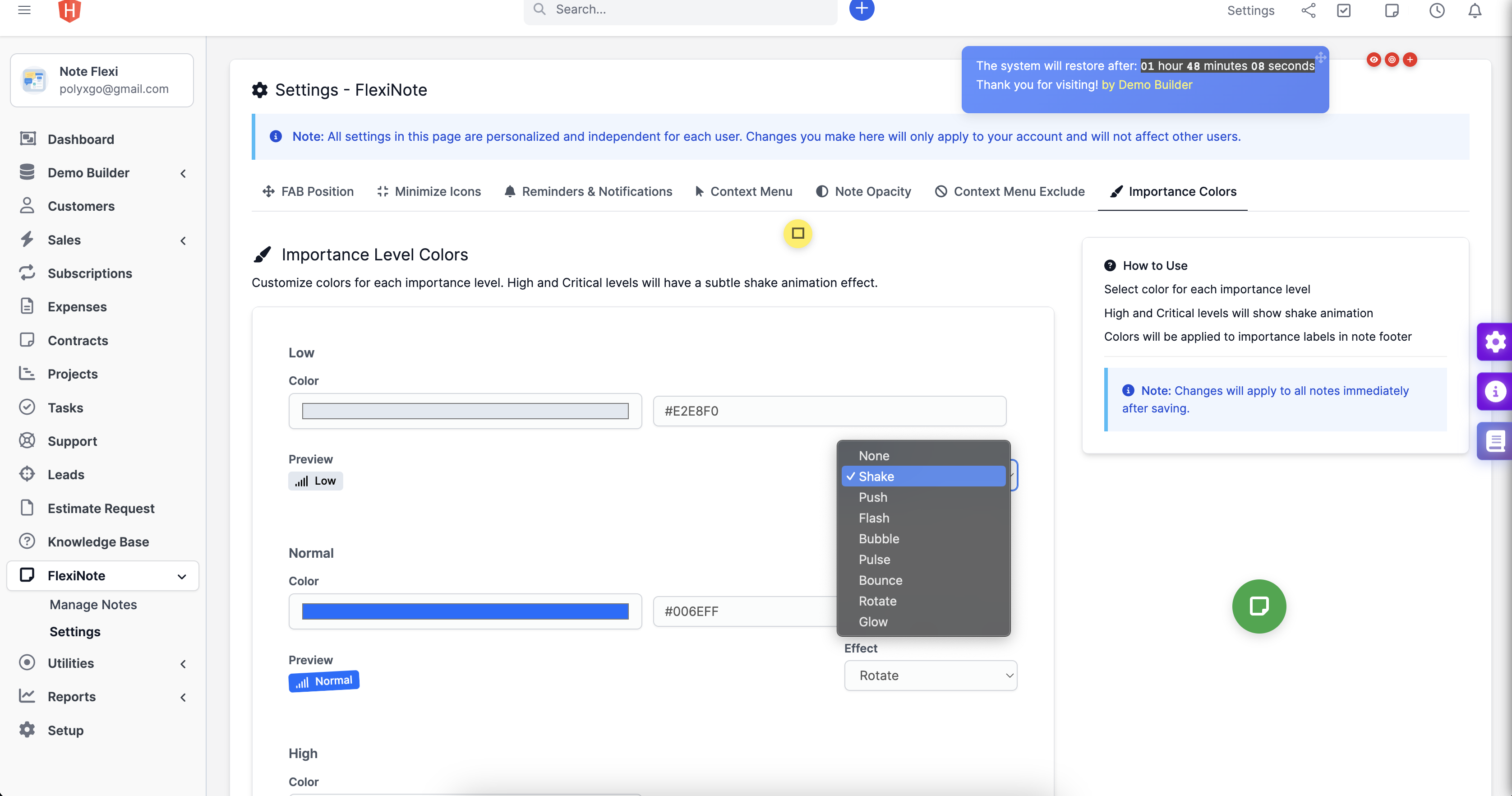
- Integrated importance level labels (Low, Normal, High, Critical) with customizable colors to mark note priority. Added animation effects to visually identify note importance levels. (November 28, 2025)

CHANGED
- Convert to Task: convert to blank text before converting into Task Description. Do Task Description does not support HTML tag. (November 26, 2025)
- Adjust when selecting which active note will be on top to facilitate operations. (November 26, 2025)
- Adjust the support of drag drop move when active into note. (November 26, 2025)
- Adjust the customization of the Pin-it button to show/hide. (November 26, 2025)
- Adjust the width of the note up to 80% of the screen width. (November 26, 2025)
- Remove the resize effect in the process of resizing the note size. (November 26, 2025)
- Remember the expand/ collapsed state of each level of sub-notes. (November 27, 2025)

-------- Version 1.1.0 (November 8, 2025) --------
NEW
- Added FlexiNote/Settings option to support drag-and-drop adjustment of the Floating Action Button (FAB) position. (November 2, 2025)
- Added feature to minimize notes into tiny note icons on the page. (November 6, 2025)
- Added opacity setting for each individual note to reduce workspace distraction - full visibility on hover. (November 6, 2025)
- Added context menu settings: allow excluding context menus on specific pages or disabling them entirely. (November 6, 2025)
- Added auto-close Panel when clicking outside the Panel, reducing the need to move the cursor to the close icon. (November 6, 2025)
- Context menu integration for icon mode (Minimize to Icon / Expand from Icon) (November 6, 2025)
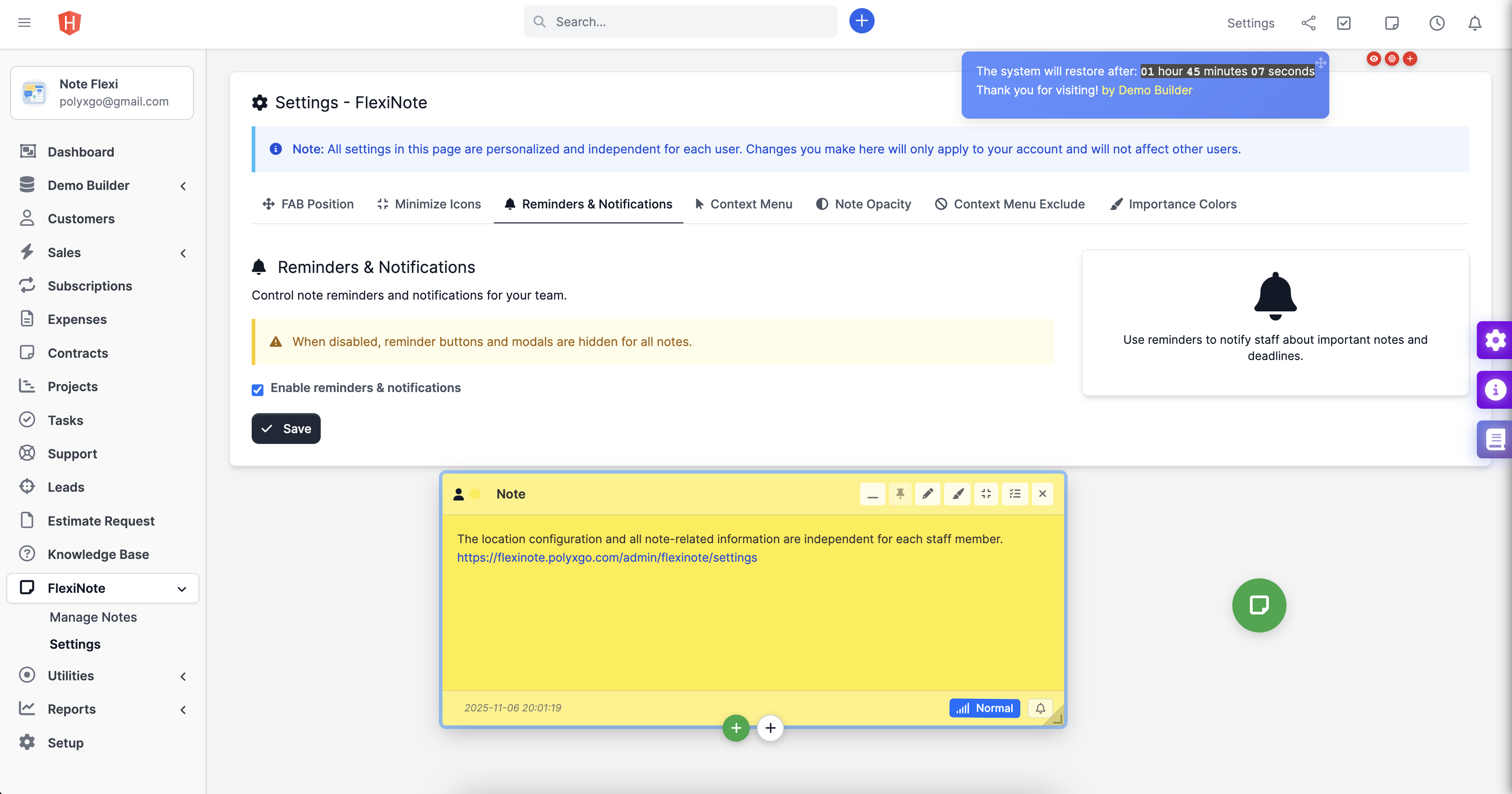
- Added reminder/notification feature. Admin can enable or disable this option based on their needs. (November 7, 2025)
- Integrate converting notes to tasks. (November 2, 2025)
- Integrate text formatting, insert images and links, and embed video links in notes. (November 2, 2025)

FIXED
- Fix conflict with Perfex core hotkeys when entering note content. (November 3, 2025)
- Fixed issue where multiple hidden notes briefly appeared and disappeared when accessing or refreshing a page. (November 6, 2025)

-------- Version 1.0.0 (November 2, 2025) --------
- Initial release