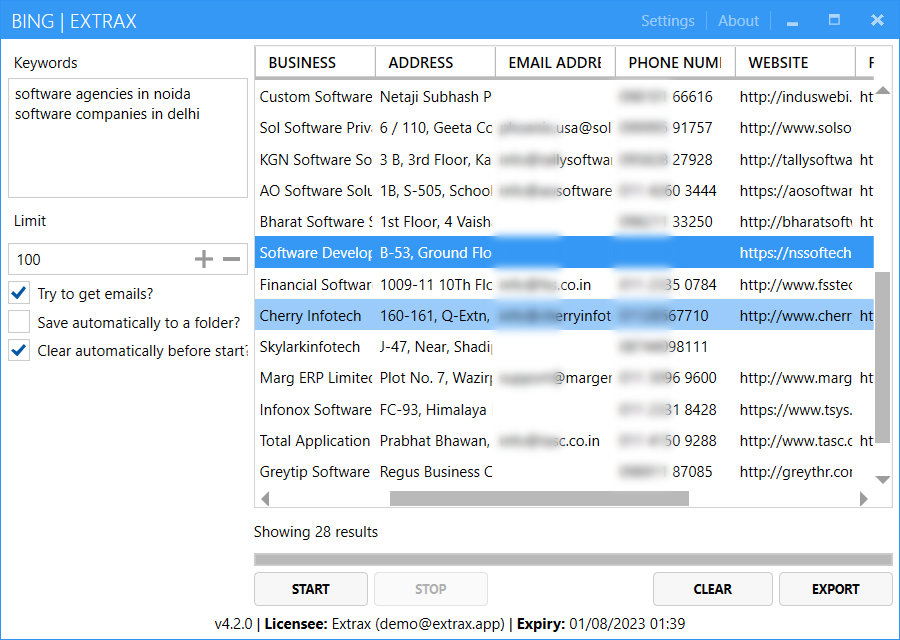
Scrape business information from Google Maps into Excel easily. Extrax for Google Maps extracts business name, category, address, email, phone, website, rating, reviews, latitude, longitude, and more.
The tool supports keyword and location combination searches, automatic browser driver management, English and Chinese language support, and clean Excel export. It uses Microsoft Playwright with your installed Chrome or Edge browser.
Features
- Business name and category
- Email address
- Phone number
- Street address
- Latitude and longitude
- Website URL
- Rating and reviews
- Closed status
- Keyword and location combination search
- Automatic browser driver updates (Chrome, Edge, Firefox)
- Multi-language support (English, Chinese)
- Auto-save keywords and locations
- Excel export functionality
System Requirements
- Windows 8 or later (Windows 10/11 recommended)
- .NET Framework 4.7.2 or higher
- Chrome, Edge, or Firefox browser (latest version recommended)
- Internet connection
Activation
After purchase, download and install the software, then enter your Envato purchase code when prompted. Your license is bound to your computer. To transfer the license to another computer, reset it first at https://envato.syncloudsoft.com/.
Support
For technical support (only after sales), please send an email to sales@syncloudsoft.com.
Source Code
Please note carefully, source code is not included with any of the license variants. If you need white-labelled or custom branded versions of our tools with cloud based license management system, please contact us for reseller pricing.
Quality product by Syncloud Softech.