16 comments found.
I had to destroy my server and rebuild my demo site. When I put the purchase code back in it says: This is a trial version of the plugin. Automatic updates for this plugin are disabled. Please activate the plugin from below, so you can benefit of automatic updates for it!
Hello,
Please send me your purchase code to my email kisded@yahoo.com
I will help solve this issue.
Regards, Szabi – CodeRevolution

Hi! Great plugin but is there documentation on exporting each customer’s demo site into a quickstart package so that they can easily deploy on their production site? Thanks!
Hello,
Thank you for contacting me.
Currently, exporting the demo is not possible, but you can contact me at my email kisded@yahoo.com
I can try to implement this feature into the plugin as a payed custom update.
Regards, Szabi – CodeRevolution
OK, thanks, then perhaps I misunderstood this text on your page under main features: “Export your demo to your customers: With Demo My WordPress, you can export each customer’s demo site into a quickstart package so that they can easily deploy on their production site.”
Oh, sorry, this was added there by mistake. I fixed now the description and removed this part.
Thank you for pointing this out.
Regards.
Demo is down with error:
Bandwidth Limit Exceeded The server is temporarily unable to service your request due to the site owner reaching his/her bandwidth limit. Please try again later.
Hello,
Thank you for letting me know of this issue, I am working with my hosting provider’s support for a fix on this issue.
Until then, you can check a demo of the plugin, here: http://143.198.112.144/
Regards, Szabi – CodeRevolution.
Are you planning to add a feature to use an email ( stored somewhere, too, of course for marketing purposes ) instead of captcha for login ?
Hello,
Currently, the plugin allows the users to enter their email and the plugin will send the URL of the demo to their entered email. You can enable this if you go to the plugin’s ‘Main Settings’ menu -> ‘Send Demo URL To User’s Email Address’ checkbox. You can configure also ‘Email Subject Template’ and ‘Email Content Template’.
Also, I noted your idea regarding storing the emails for marketing purposes.
Regards, Szabi – CodeRevolution
Thanks for the information, please, keep me informed once the feature is added.
Sure.
I thought about adding email address login instead of captcha, but based on my findings, this can be exploited easily by bots, which can spam and attack your site with DoS attacks.
But I will think more on this, maybe I find an alternative implementation.
Regards.
Oh, I see now. I can add this feature to the plugin as a payed custom update. For details, please contact me at my email kisded@yahoo.com
Regards.
Have I not received any updates for this plugin? If so, does this plugin not receive regular updates? If it lacks updates, there is a possibility that it may stop functioning correctly when WordPress releases new updates.
Hello,
Thank you for contacting me.
The plugin is maintained and updated, it will be updated if it is required to maintain full functionality of the plugin.
So far there were not needed any maintenance updates, as the plugin continued to work properly also with newer WordPress and PHP versions.
Regards, Szabi – CodeRevolution.
hey there, im having this issue: https://snipboard.io/gjkvcE.jpg when trying to create the demo site..
Hello,
First of all, thank you for your purchase.
Please send me temporary admin login credentials to your site, so I can check on this issue. My email is kisded@yahoo.com
Regards, Szabi – CodeRevolution.
Hi, is it possible to show anywhere (perhaps in the backend of the created demo site) a counter when the demo is expiering?
Kind regards, Ole
Hello,
Thank you for contacting me.
Currently, this is not available in the plugin. If you are interested in getting this feature into the plugin, please contact me at my email support@coderevolution.ro
Regards, Szabi – CodeRevolution.
Hi,
For a cuatom quote? Or will you Release this as Feature Update?
Please provide an exact description of your request in the email. Depending on its complexity, it will be a payed update or a free one (if it is trivial to implement).
Regards.
Gateway timeout while waiting after click Create Demo button. Any solutions?
Hello,
First of all, thank you for your purchase.
Please send me temporary admin login credentials to your site, so I can check on this issue. My email is kisded@yahoo.com
Regards, Szabi – CodeRevolution.
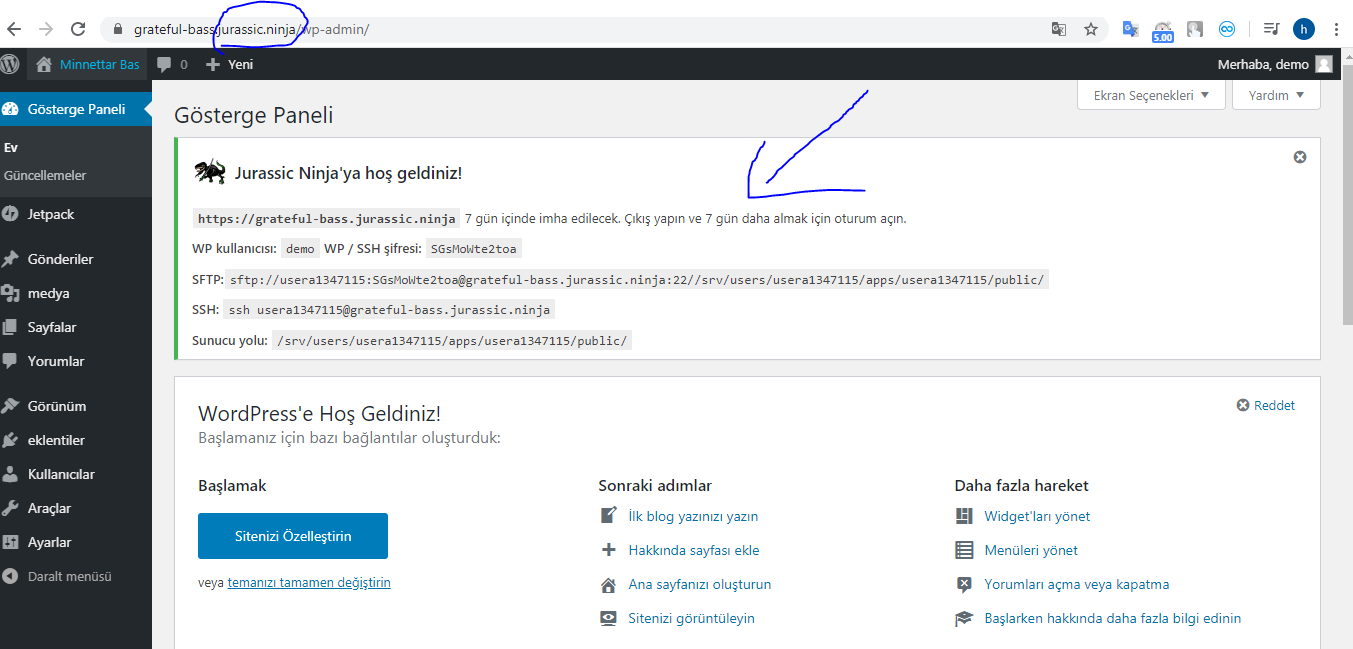
1- Can you answer my questions? 2- Can we close and open the areas on the left side of the Wordpress panel as required? (Themes, plugins, comments …) 3- Can the created demo site self-delete at a certain time? Can the user delete the created demo site?- 4- Can the user delete the created demo site? 5- Can we create more than one demo site? 6- Is the demo site loading like this? demosite.com/demo (Subdirectory) 7- Is the demo site loading like this? demo.demosite.com (Subdomain) 8- Is there a way to make such a notification screen? 9- Do you have a road map? 10- Will there be an update? 11- Can I make the wordpress language settings in Turkish? 12-Is reCAPTCHA being added
13- https://i.hizliresim.com/Z5r00G.png Can we do something like this?
Hello,
Thank you for your questions, here are my answers:
1. Sure.
2. Yes, the plugin supports this, please check it’s tutorial video, here: https://www.youtube.com/watch?v=Ime8RmZBu0I
3. Yes, auto-deletion is supported after a period of time.
4. No, the user cannot delete the site.
5. Yes, multiple demos will be created, one for each user.
6. Depends on your multisite configuration.
7. Depends on your multisite configuration.
8. The plugin is not supporting notifications, but this can be added with some other plugins that do this for multisite installs.
9. I keep the plugin functional and add features to it when I feel that a new feature is needed.
10. The plugin is updated each time I fix an issue or add a new feature to it.
11. You can translate the plugin to Turkish, by default, it contains only English text.
12. ReCaptcha is a good update idea, I added this to my plugin update ideas list.
Regards, Szabi – CodeRevolution.
13. The image you sent is not loading for me.
13- https://pasteboard.co/IT13xlQ.png Can we do something like this? 14 Can users remove or add themes on demo sites? 15- Can users remove or add plugins on demo sites? 16- users must be able to delete demo sites. Can you add this to your roadmap? This is found in other plugins.
Thank you
13. This feature is not supported.
14. No, not supported. They can just activate themes.
15. No.
16. I added the idea, but it is not fitting the initial idea of the plugin. I look into this.
Regards.
Can you give me a site where I can see and test the plugin’s panel? I want to take a look first.
All the demo sites for my other plugins are created using this plugin. Example: http://wpinitiate.com/coderevolution/newsomatic-demo/
I need to see the settings for this plugin.
Please check it’s tutorial video, linked in description.
Hey there. I just purchased your plugin and got it running correctly but I have a question. Do you have a way to duplicate a site and save custom options that can be selected for the plugin that is being demoed? I would like to have my plugin setup a certain way for the demo so the users can see the full experience of the plugin and make changes. Is this possible?
Hello,
First of all, thank you for your purchase.
I am glad that the plugin works well for you.
What you wish to achieve, can be done by adding some custom code to WordPress.
Please check the accepted answer from here, it provides details on how to acheve this:
https://stackoverflow.com/questions/10339053/wordpress-multisite-how-to-add-custom-blog-options-to-add-new-site-form-in-neRegards, Szabi – CodeRevolution.
Can you use 1 shortcode, and have that shortcode launch a demo based on the url that shortcode is located? Let me explain how i’d like to use it.
I want to add a notification bar to appear on all subsite that supports shortcode, then I’ll add your shortcode demo plugin [dwp…] and whenever someone clicks on that “Launch Demo” button, your demo shortcode would somehow know to create the demo of the site they’re on. Does this make sense?
Hello,
Yes, I understand what you wish to achieve. I think the plugin can do this, however, you must use the ‘activate_plugins’ and the ‘switch_theme’ parameter for the shortcode, to activate plugins on the newly created demo blogs.
This will allow you to create custom demo environments from each separate shortcode that you add from the plugin, each will have different theme and active plugins.
Regards, Szabi – CodeRevolution.
can you create a time limit for certain demos?
what happens when a user leaves the demo and stops using it, can it autodelete itself after a certain time?
Hello,
Yes, the plugin can set a time limit for demos, after which they are automatically deleted. By default, this is set to 24 hours.
Regards, Szabi – CodeRevolution.
Can you create custom time limits though? Like for demo 1-7, it’s 30mins, demos 8-14 it’s 70mins,etc…
Hello,
No, right now this is not possible, all demos have an unique time limit.
Regards.
Hi, does this plugin support subdomain multisite or only subdirectory
and can I control which role is granted to the user for a demo?
Hello,
Thank you for contacting me.
Yes, it supports also subdomain multisites.
Regards, Szabi – CodeRevolution.
can I control which role is granted to the user for a demo?
No, the user will be always with admin privileges, for the new site only that was created for him.
Awesome plugin smooth installation and very easy setup. I do have one small issue. When I replicate the steps in the video tutorial the only thing that displays with the shortcode is the button, email option. The button however does setup the demo as expected.
Any idea why this is happening?
Thanks for your time, Fish911
Hello,
First of all, thank you for your purchase.
If you wish to display also the image, please use this as the content of your post where you display the test form:
<img class=" wp-image-98 aligncenter" src="https://cdn1.imggmi.com/uploads/2019/3/19/0e55da0c0d81f198e4bfdb0cc2f52437-full.png" alt="" width="879" height="129" />
<h4><strong>To create a new 'Hand of Midas' Demo, just fill the simple math captcha and click 'Create Demo'!</strong></h4>
[cds_register]
Regards, Szabi – CodeRevolution.
Thank you but it’s still not displaying anything except the button. No email option, no captcha , no image, only the button that build the demos sites. And that works perfect.
This shortcode and code are both getting placed in the editor.
Would you like for me to send you an email with the screenshot and URL?
Thanks for your time.
Hello,
Can you send me, please, temporary admin login credentials to your WordPress install, so I can check this issue out? Send it, please, to my email address: kisded@yahoo.com.
Also, please let me know what exactly you wish to put in the page and is not appearing for you – so I know how to help.
Regards, Szabi – CodeRevolution.
Also, please note that in my time zone it is 12:00 AM, so I will check on this tomorrow morning. 
Regards.
I got it cleared up. I placed the shortcode behind
and it worked as expected. I’ll leave a 5 star review shortly.Thanks again for the fast response.
Paragraph tags and it’s working fine now.
Great. Happy to hear this. 
Regards.
Does this work if you have 20 different demos? How would that work for each?
Hello,
I am not sure if I understand your question.
You are asking if there would be 20 different demo instances of the same demo page, or 20 different pages of 20 different products?
In the first case, there would e no difference, in the second case, you need to install each of the 20 demo pages on a different multisite WordPress installation.
Regards, Szabi – CodeRevolution.
Nice Work, Good Luck With Selling!
Thank you.
Great Work, Congratulations GLWS
Thank you.