Car Wash Booking System is a powerful and user-friendly WordPress plugin that enhances your website with a full-featured car wash reservation system. Benefit from an easy booking process with online payments, automated notifications, WooCommerce compatibility, support for Google Calendar, and straightforward backend management. Plus, set it up as a mobile car wash.
Designed for: car wash services, auto detailing businesses, and websites offering cleaning packages. Ideal for mobile car washes, full-service detailing, and specialized vehicle cleaning. Suitable for personal and commercial vehicles, from motorcycles to large SUVs. Perfect for scheduling appointments, managing service packages, and enhancing customer bookings.
Latest Version: 19 November 2025 – v3.0. Check the changelog
Responsive Layout
The Car Wash Booking plugin is fully responsive, meaning that every element adjusts seamlessly to any screen size. It works great on all mobile devices and tablets.
Locations
The Locations module allows you to create an unlimited number of customized booking forms, each with its own independent settings. You have full control over options such as form currency, tax rates, whether to display packages and/or services, and the overall look and feel of the booking form. You can also fine-tune availability rules, calendar behavior, notifications, payment settings, and much more. Each location can define its own number of workplaces. See the complete list.
Mobile Car Wash
The Car Wash Booking System can be configured for mobile detailing services by enabling a customer address field with optional Google Places autosuggestion. You can also restrict the service area to selected countries or a custom radius around your base location.
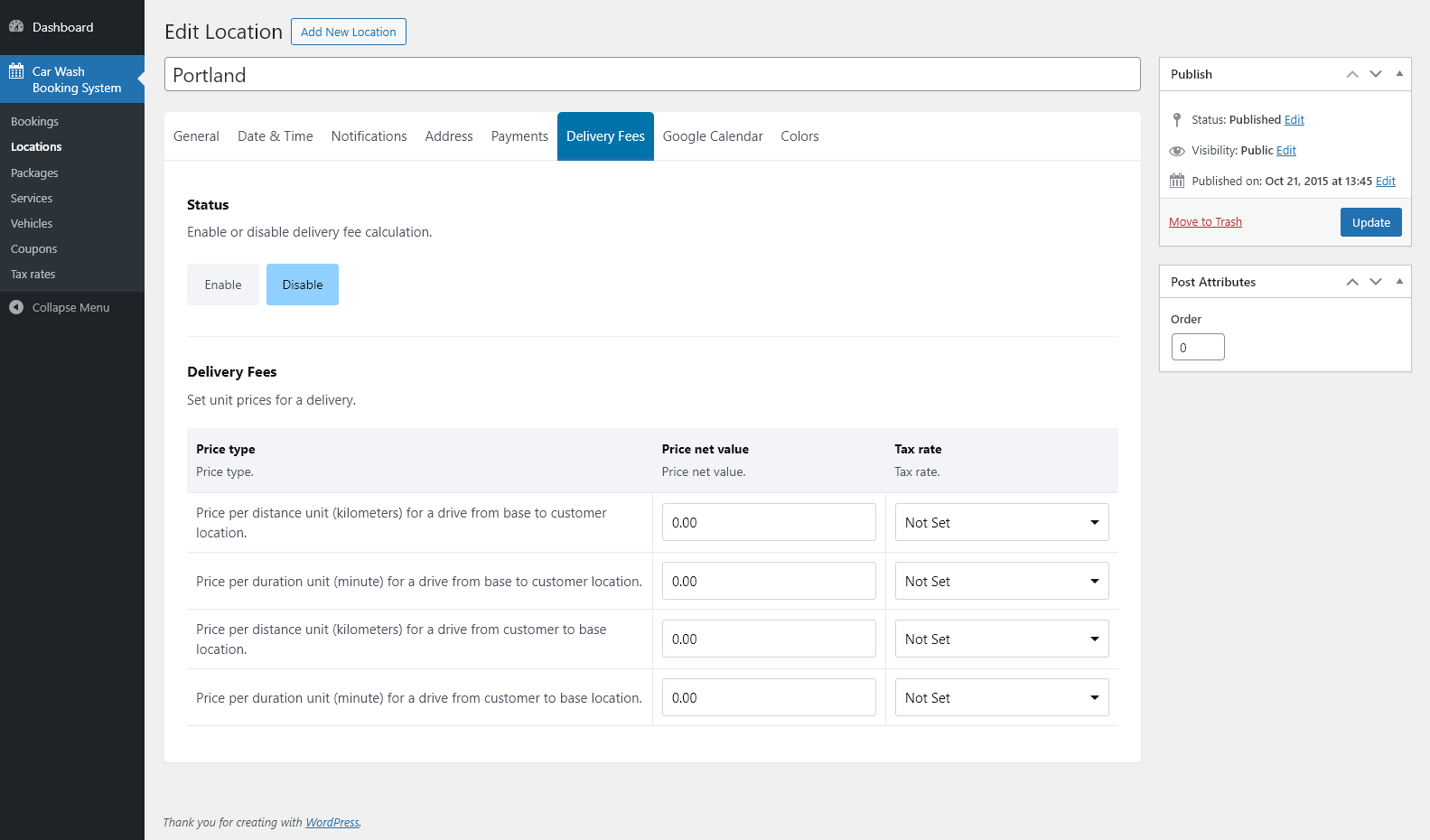
The system can automatically calculate a delivery fee based on actual driving distance or time using Google Maps API. Pricing can be defined per distance unit or per minute for both the trip to the customer and the return route, with the fee added directly to the booking total.
Tailored Sales Menu
Customize how services are presented to your clients: display service packages only, packages with related services, or a simple list of individual services. This flexibility helps you adapt the booking form to different customer needs and sales strategies.
Services
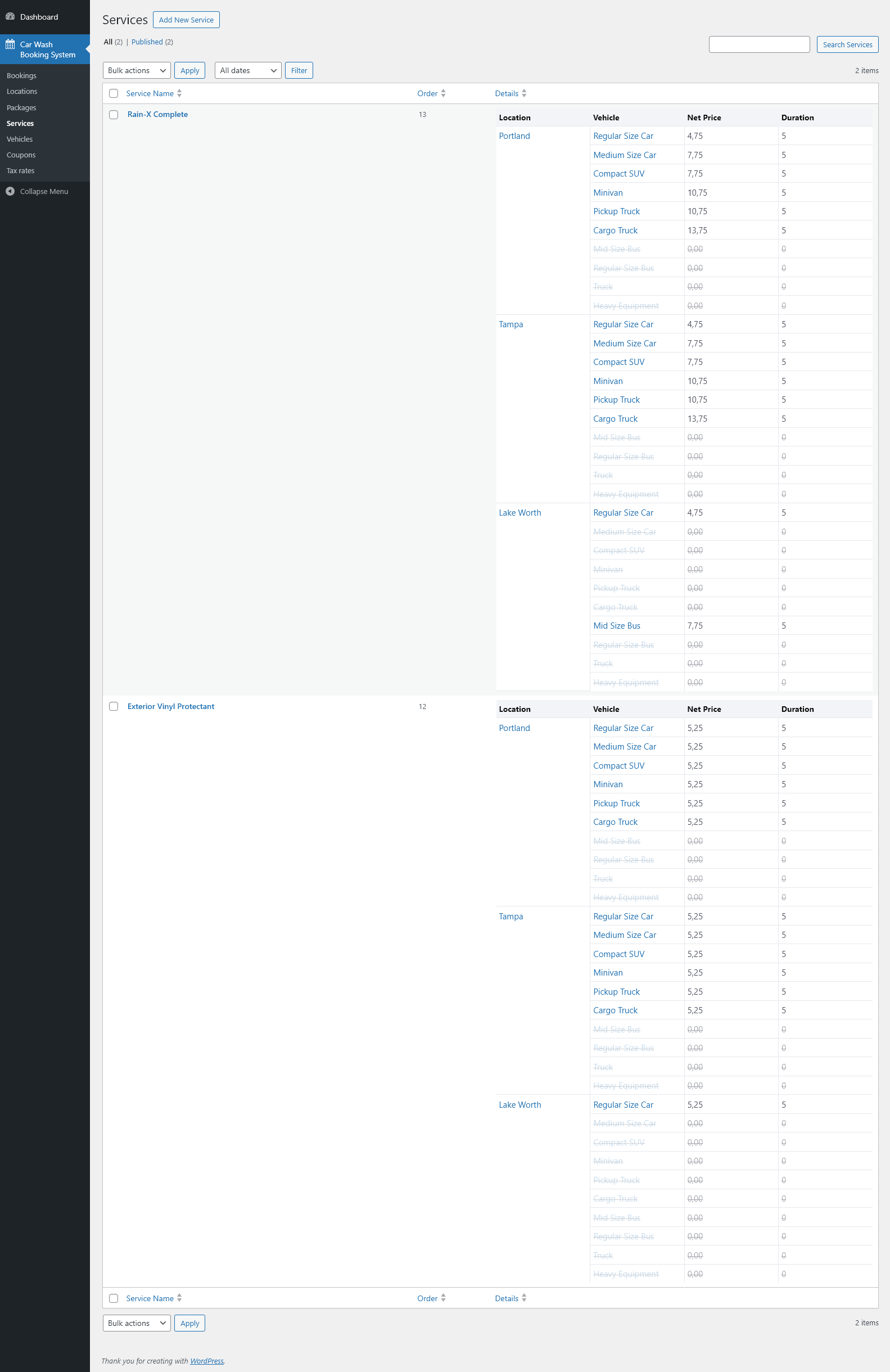
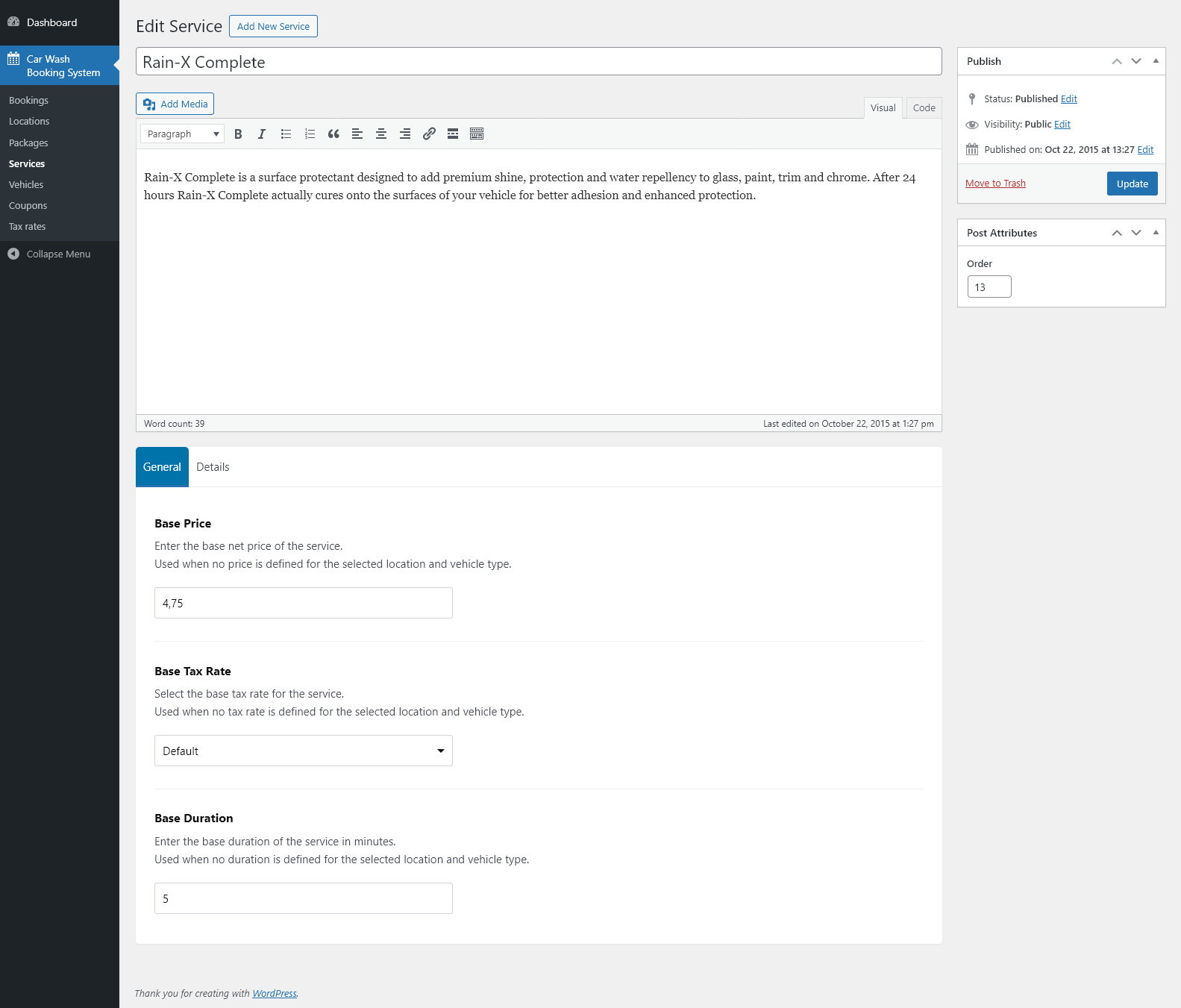
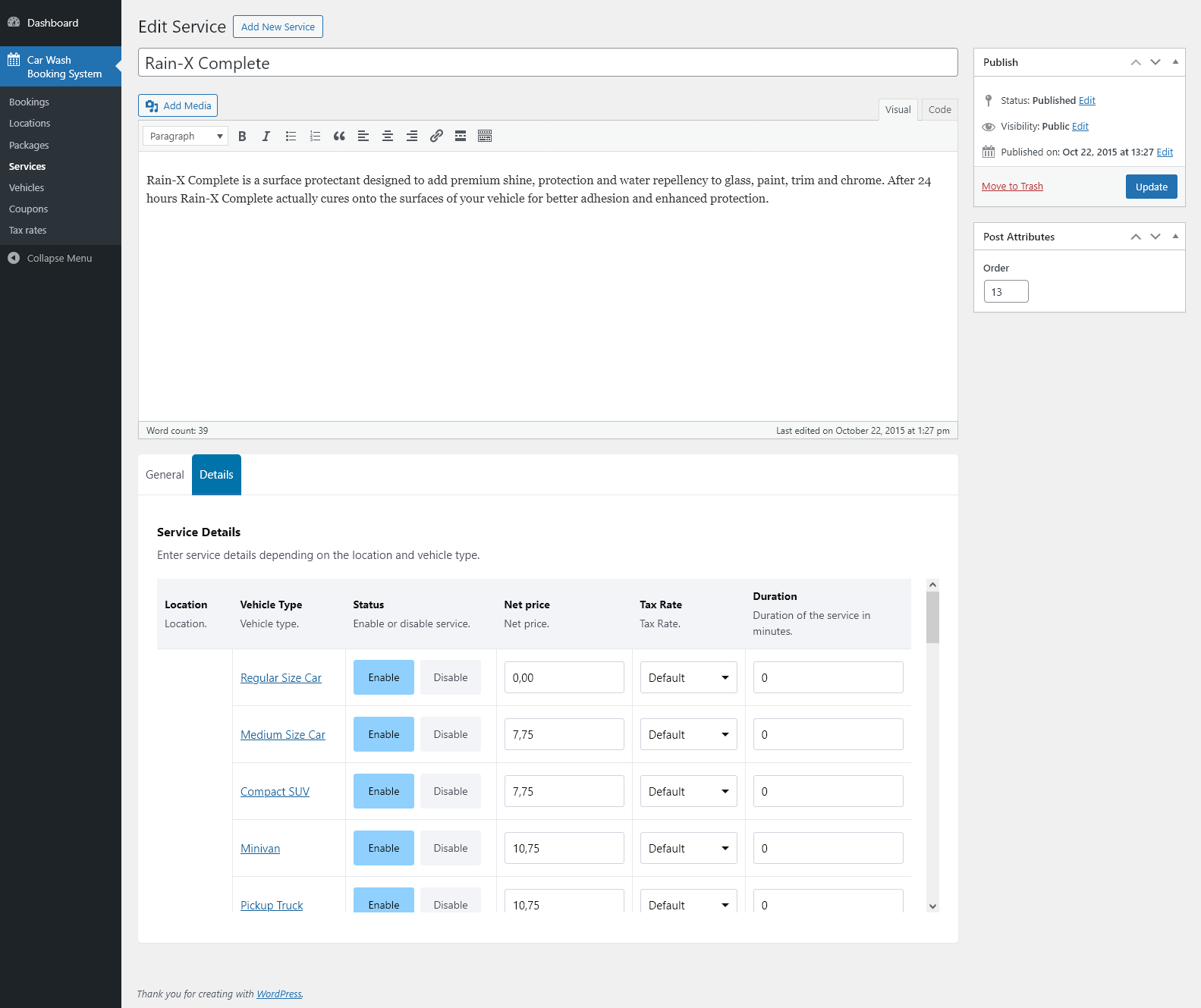
The Services module allows you to easily create and manage all service types offered to your customers. You can group services into packages, adjust their availability and pricing per location, and define custom durations for each one. This gives you full control over how your service offerings are organized and presented in the booking form.
Packages
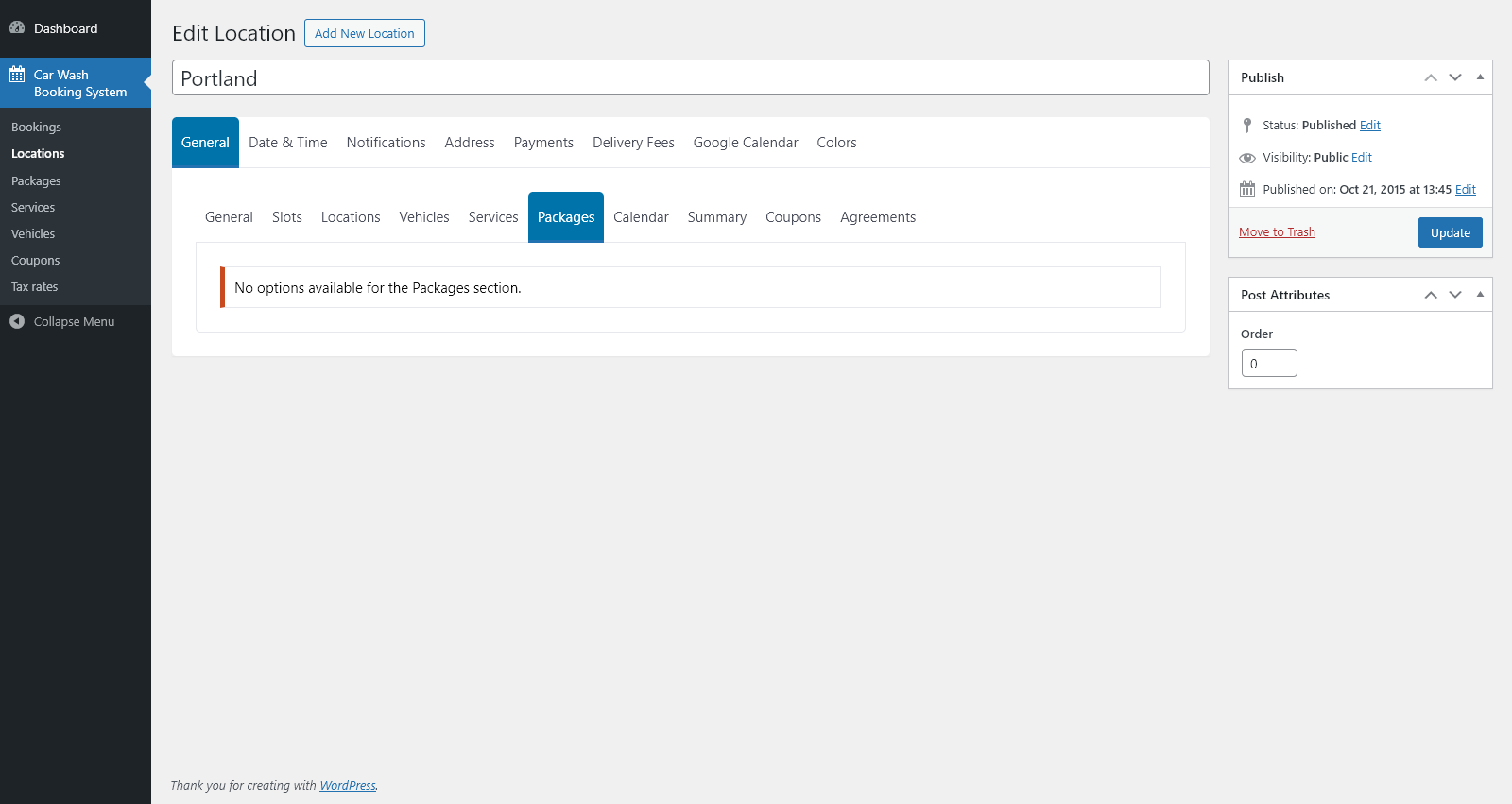
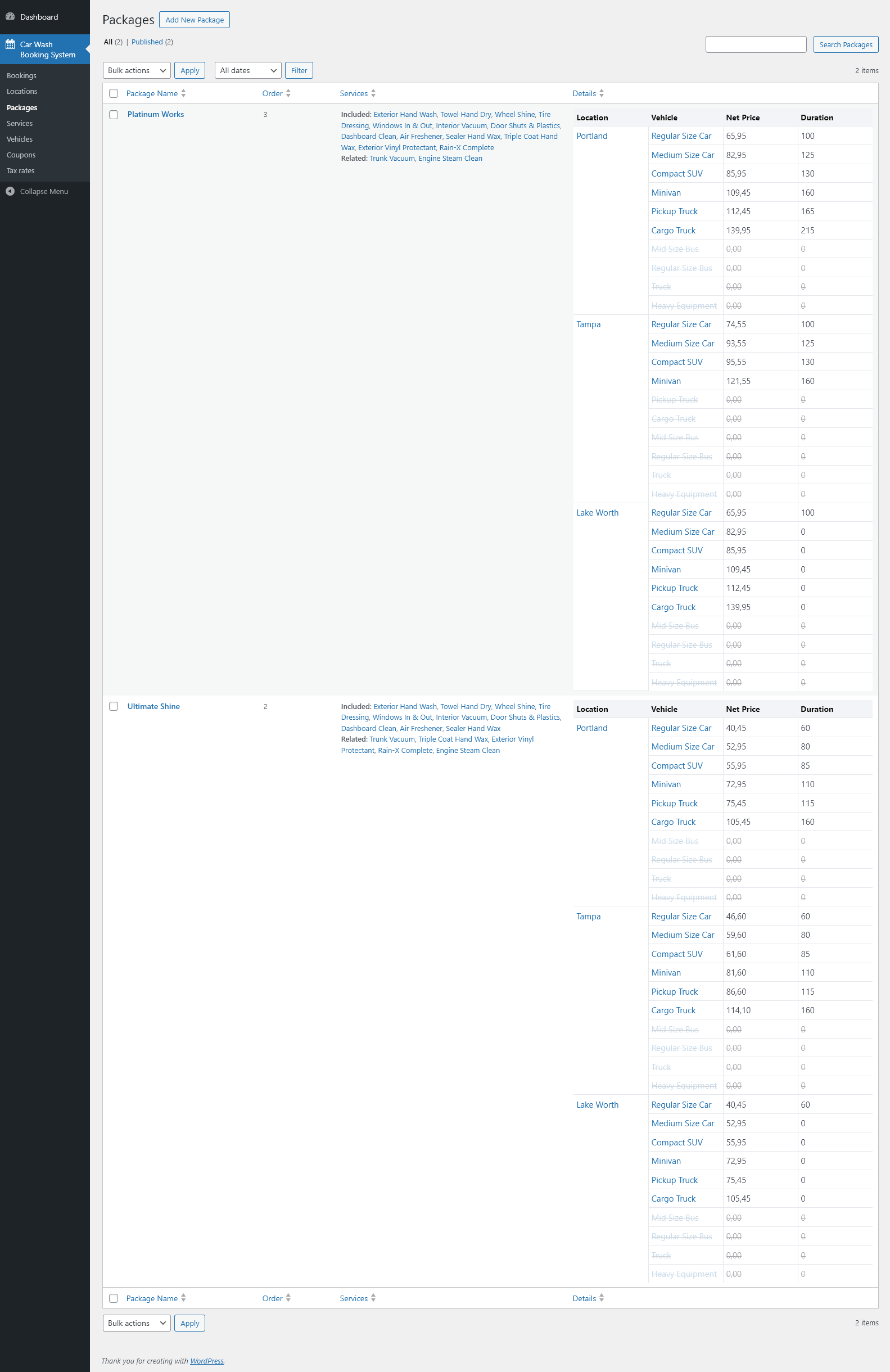
The Packages module helps you organize and offer bundled services in a clear, customer-friendly way. You can check package availability for each location and vehicle type, and customize every package with add-on services, flexible pricing, and location-specific tax settings.
Vehicle Types
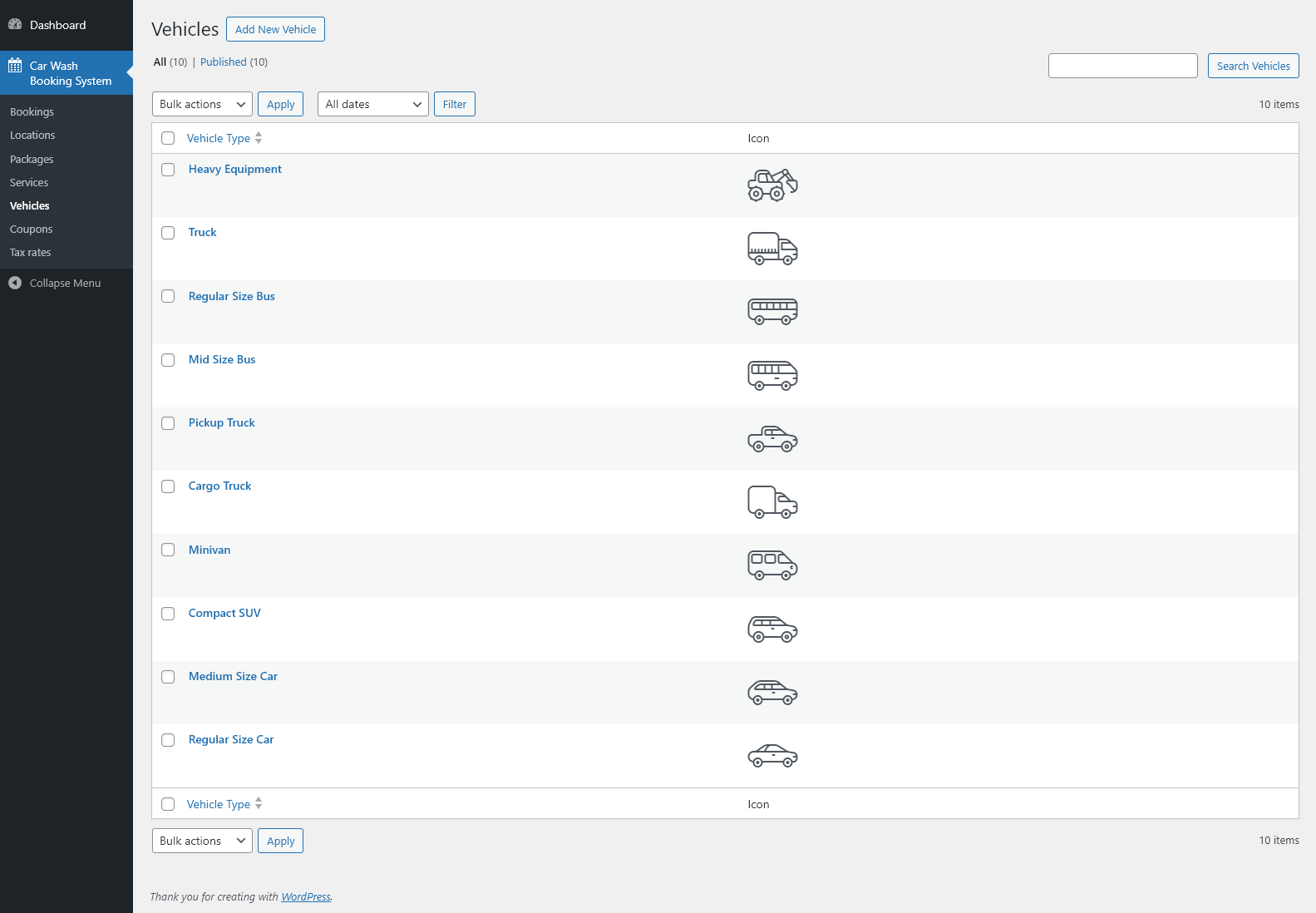
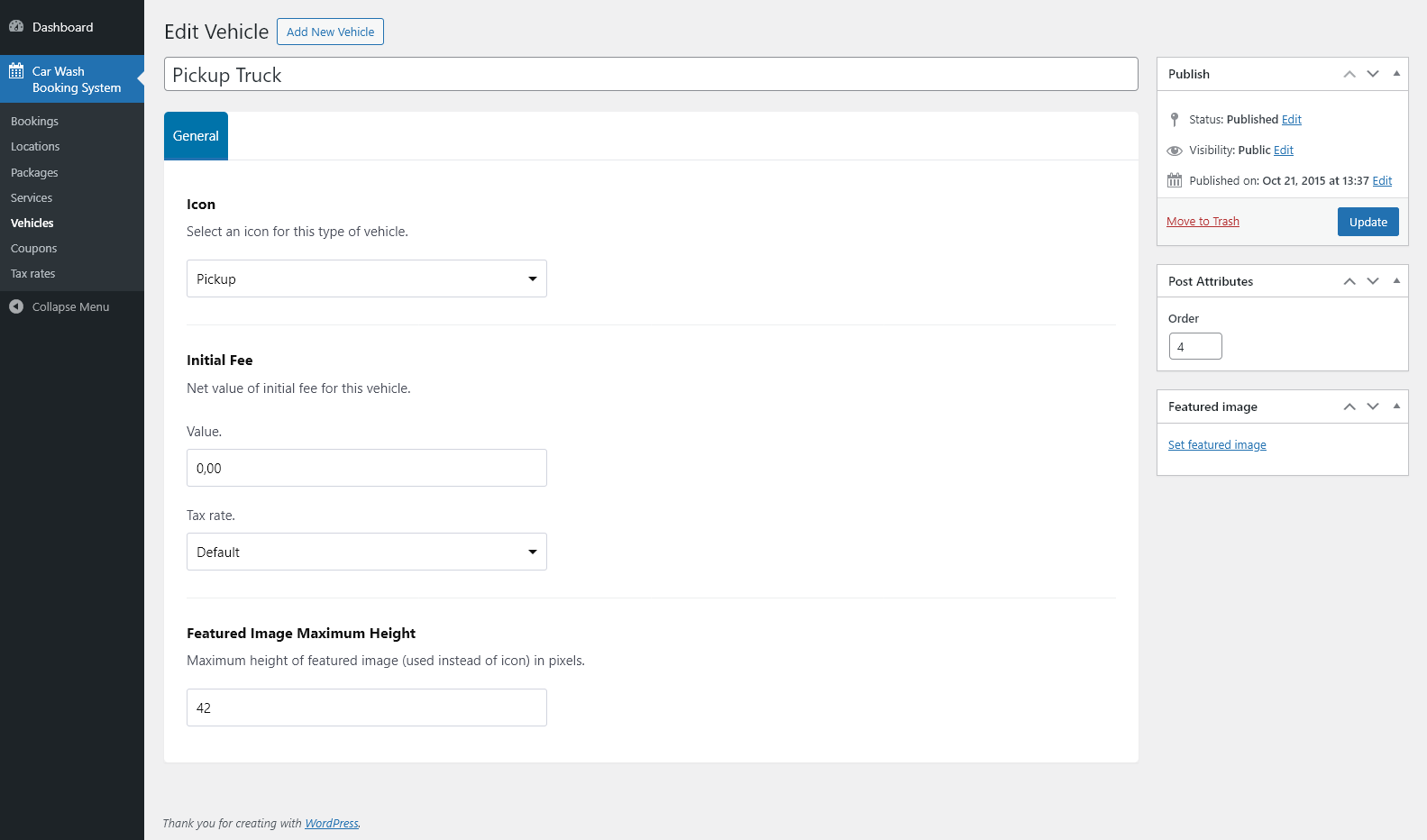
With this module, you can easily add and manage different vehicle types such as sedans, SUVs, vans, or buses. Assign one of the 24 built-in vehicle icons or upload your own custom icon to match your branding. You can also define an initial fee and tax rate for each vehicle type if required.
Vehicle Images
Instead of using icons, you can choose to display real vehicle photos uploaded directly from your media library. This allows you to present your offer more visually, making the booking form feel clearer and more appealing to customers.
Multi-Step & Single-Step Forms
The booking form can be displayed in two modes. In the multi-step layout, customers complete the process step by step — selecting a vehicle type, choosing a package, picking a date and time, and entering their details. Each stage is shown separately for a clean and focused user experience.
Alternatively, you can use the single-step layout, where all form sections are visible on one page. After selecting an option, the form can automatically scroll to the next section, ensuring fast and intuitive navigation.
Availability
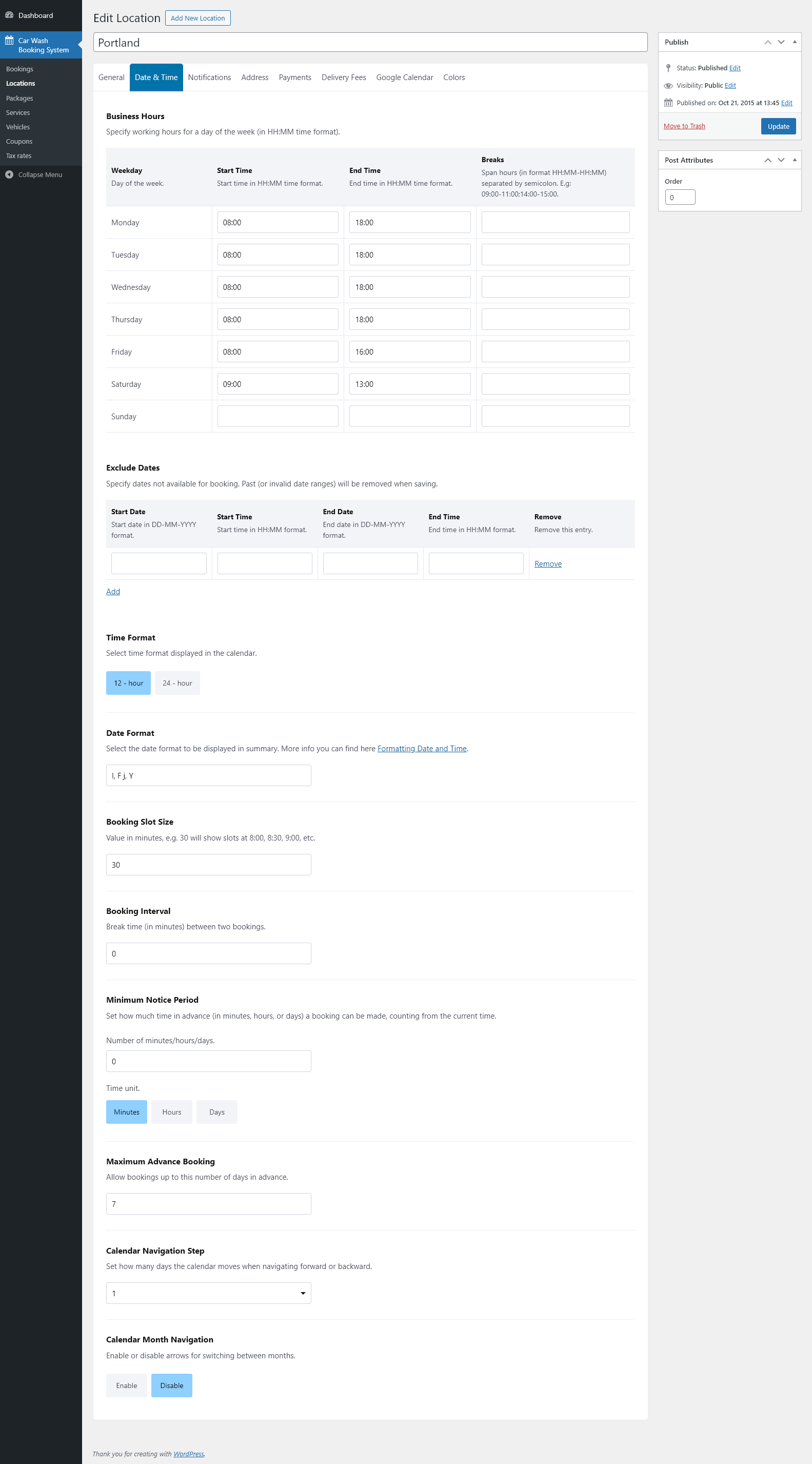
The Car Wash Booking plugin allows you to define working days, business hours, and break periods with full precision. You can also exclude holidays and custom dates to ensure accurate and reliable availability for every booking.
Booking Calendar
Choose your preferred time and date formats for the calendar and booking summary. Configure the booking slot size to control how customers select available appointment times. You can also define lead time, determining how early customers can begin booking, and set an advance booking period to limit how far into the future reservations may be made. Additionally, you have full control over calendar navigation — including how many days ahead users can browse and whether month switching should be enabled or disabled.
Multiple Payment Methods
The plugin supports a range of payment methods, including cash, Stripe, PayPal, and any additional gateways available through WooCommerce integration.
Workplaces & Global Currencies
Define the maximum number of workplaces (service slots) available at each location to ensure accurate booking capacity.
The plugin supports all world currencies and flexible tax rate configuration.
Coupons
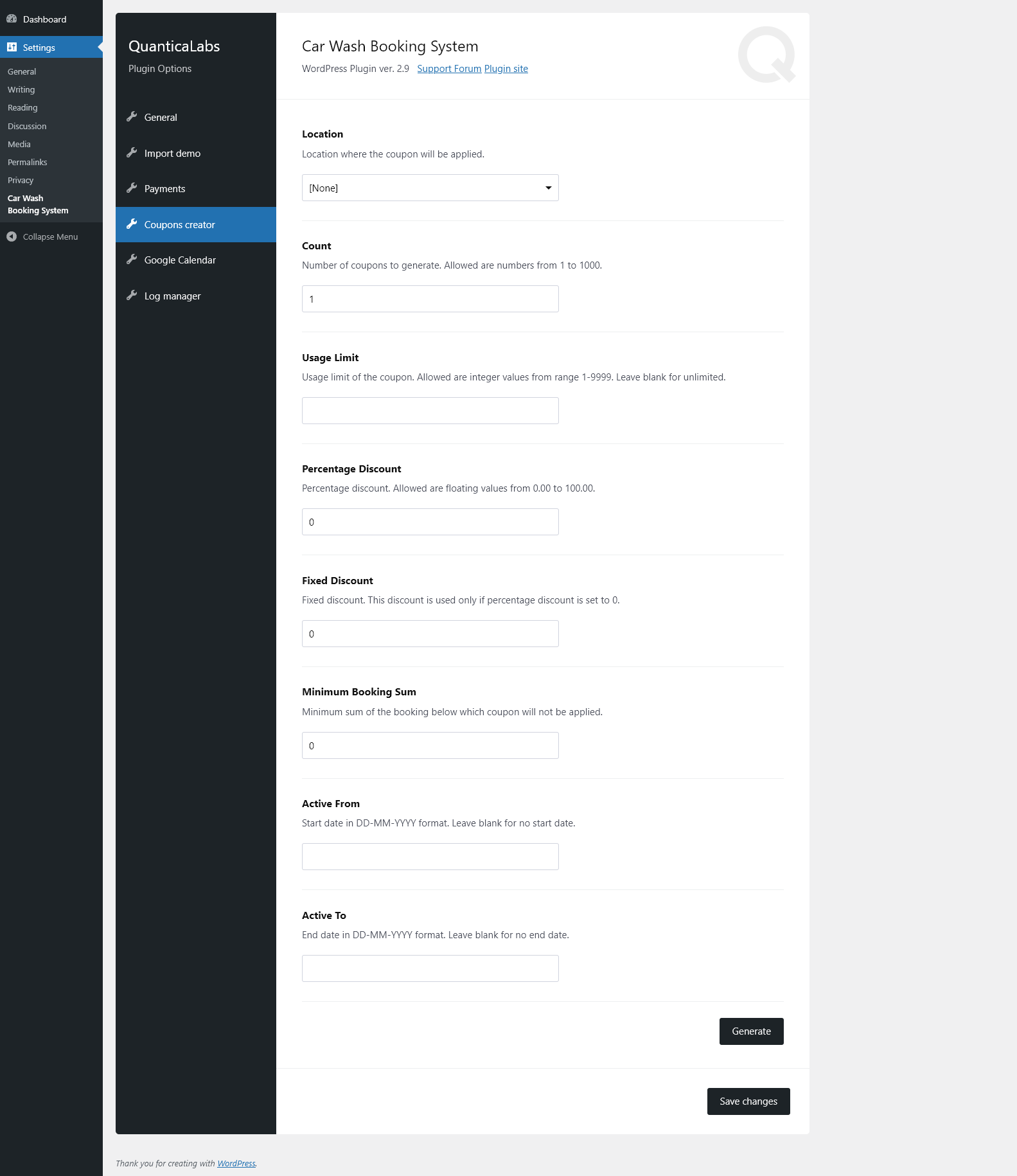
The plugin includes a built-in coupon generator that lets you create discount codes with either fixed or percentage-based reductions. You can set usage limits, activation dates, and other restrictions. A convenient bulk generator allows you to create multiple coupons at once, eliminating the need for manual entry.
Sticky Summary
The plugin offers an optional sticky summary bar that stays visible at the bottom of the screen while customers scroll through the form. It displays key booking details such as the selected date and time, total service duration, and the final price — ensuring customers always have essential information at hand.
Dependent Services & Google Calendar Integration
You can bind selected services to specific packages as add-ons. These dependent services become available only when the corresponding package is chosen — with full support for vehicle types and location-specific configurations.
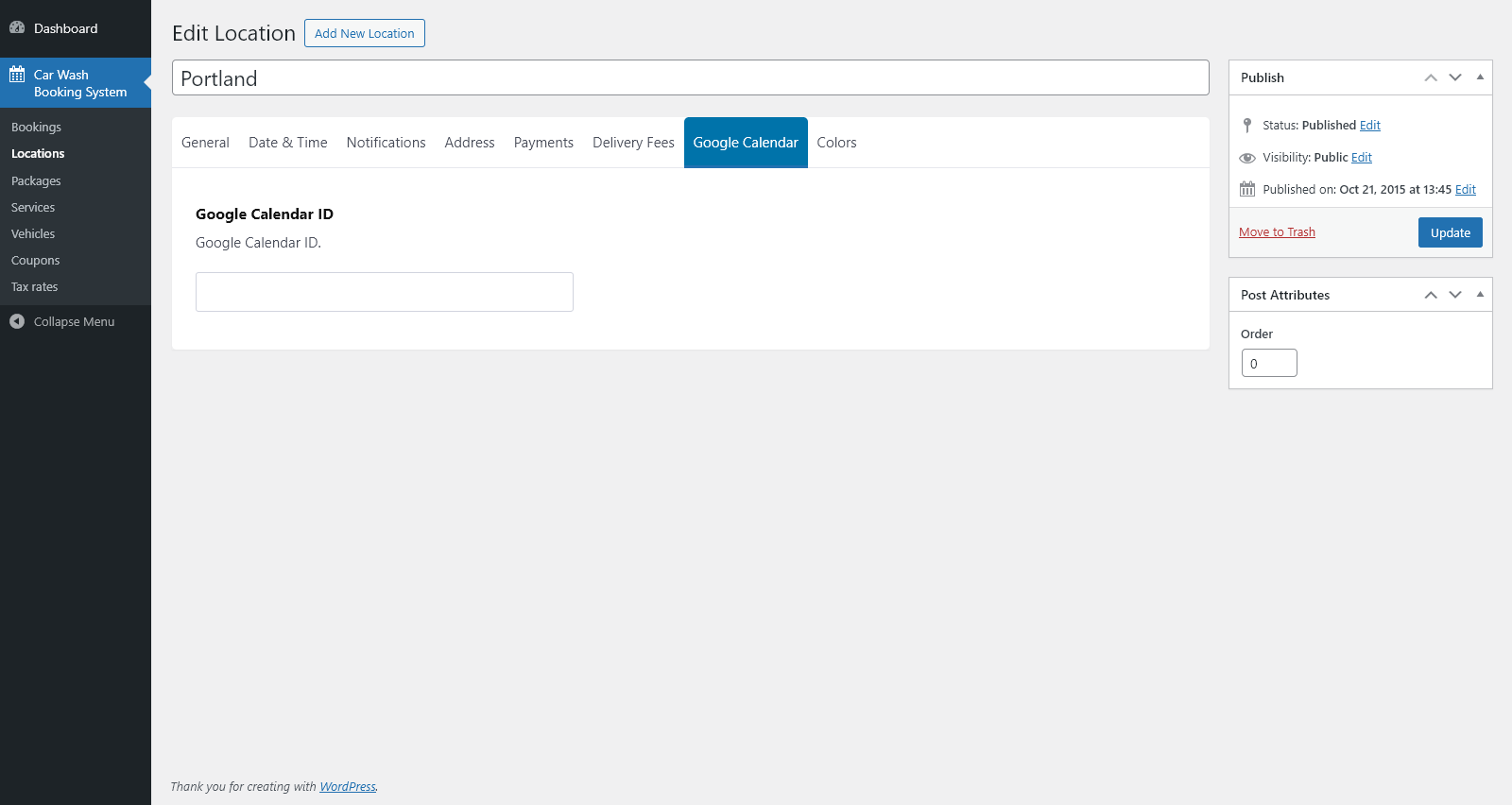
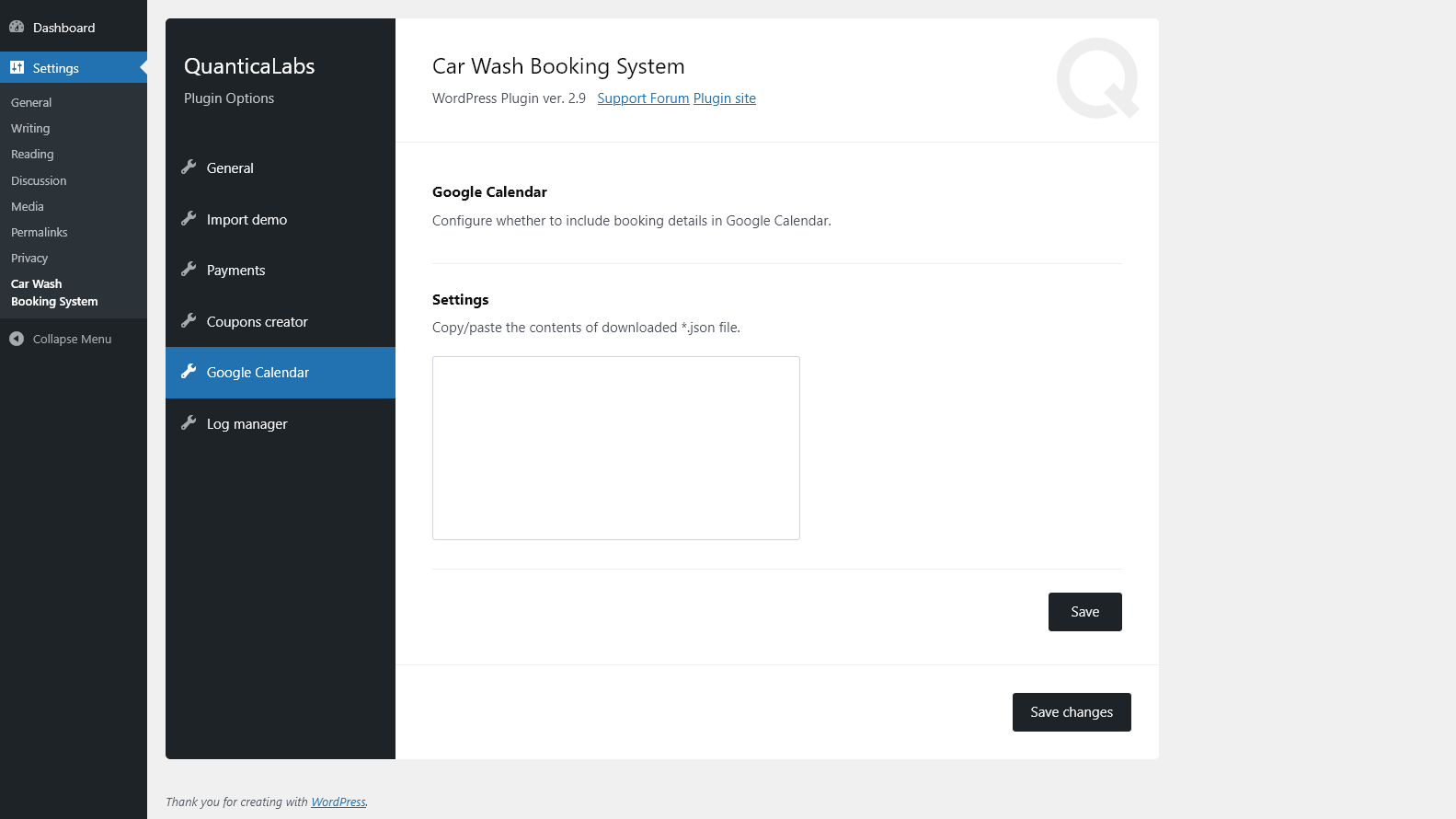
The plugin also integrates with Google Calendar, allowing you to sync bookings and keep your schedule organized across devices.
Notifications
The plugin offers built-in email and SMS notifications, helping you stay informed about new bookings and important updates.
Custom Agreements & Color Picker
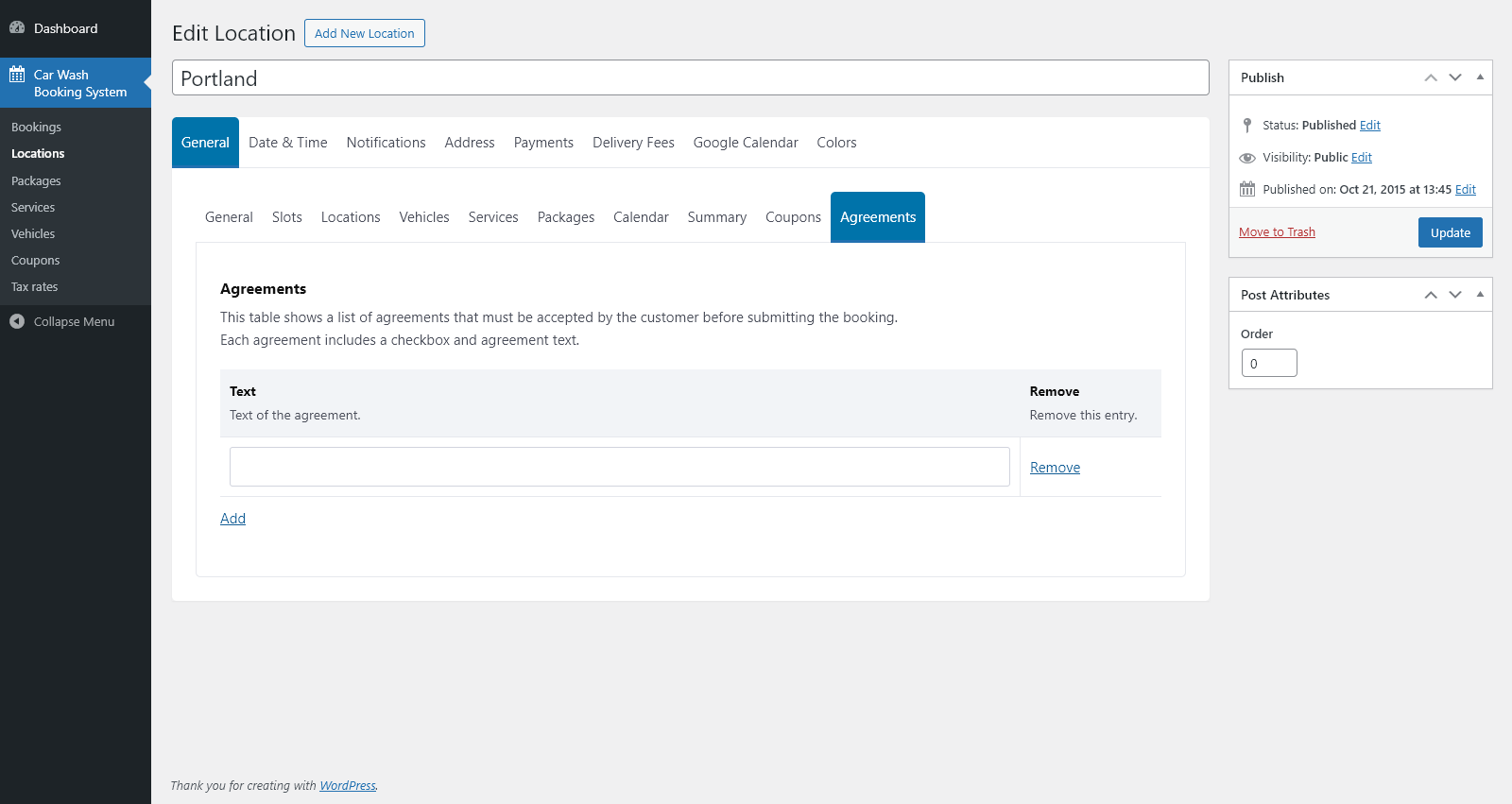
The plugin lets you create multiple agreement fields that customers must accept before submitting the form. Each field can be optional or required, making it an effective tool for meeting GDPR and other compliance needs.
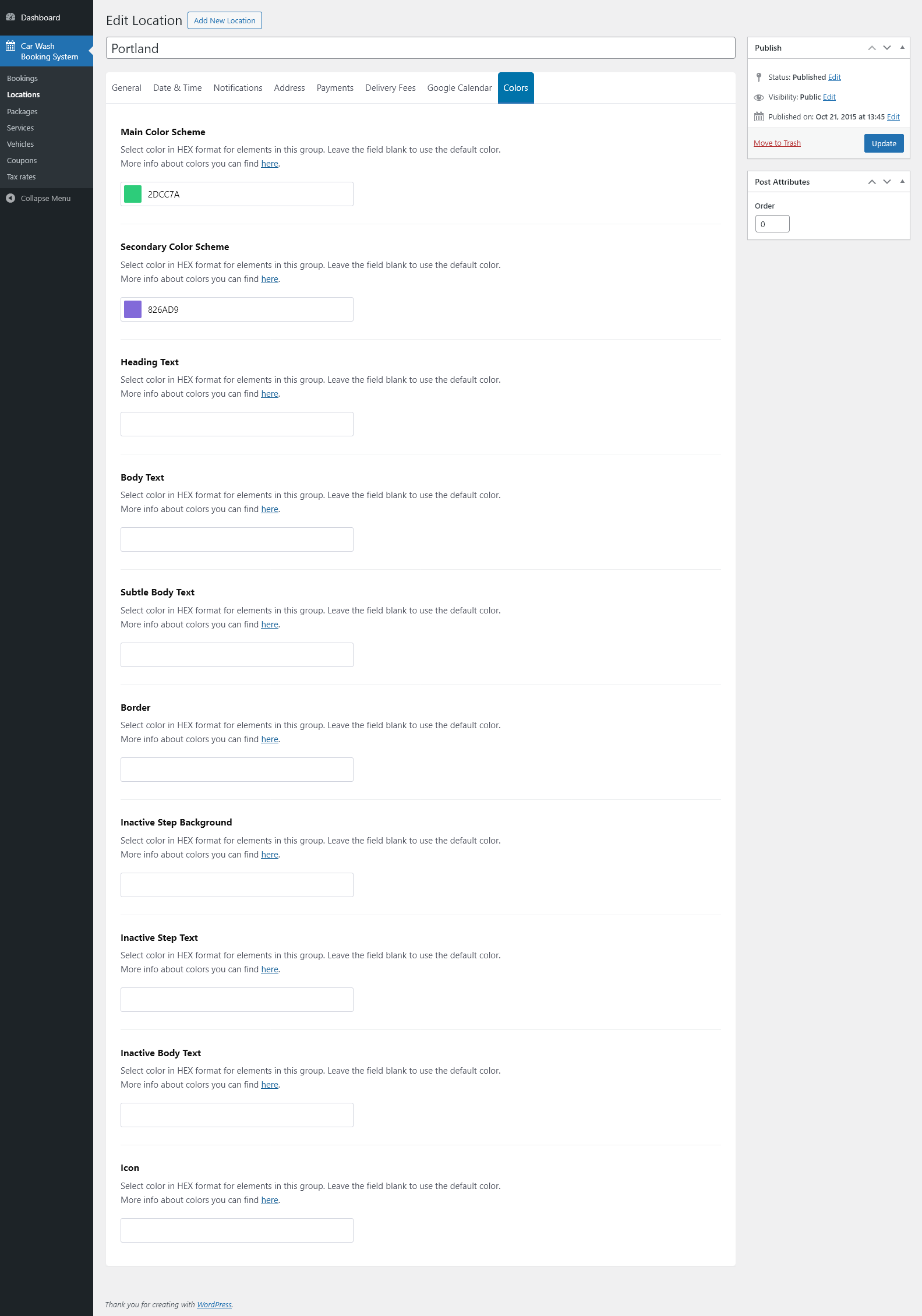
A built-in color picker allows you to customize the booking form’s colors, ensuring it blends seamlessly with your website’s design.
WooCommerce
If your website uses WooCommerce, the plugin integrates seamlessly with it. Login, registration, order handling, and additional payment gateways are fully supported through WooCommerce. The Car Wash Booking System also works perfectly as a standalone solution without WooCommerce installed.
Compatible with WPML
The Car Wash Booking plugin is fully compatible with WPML, making it easy to run multilingual websites. Translation files (.po and .mo) are included, allowing you to localize the plugin to any language.
One Click Install
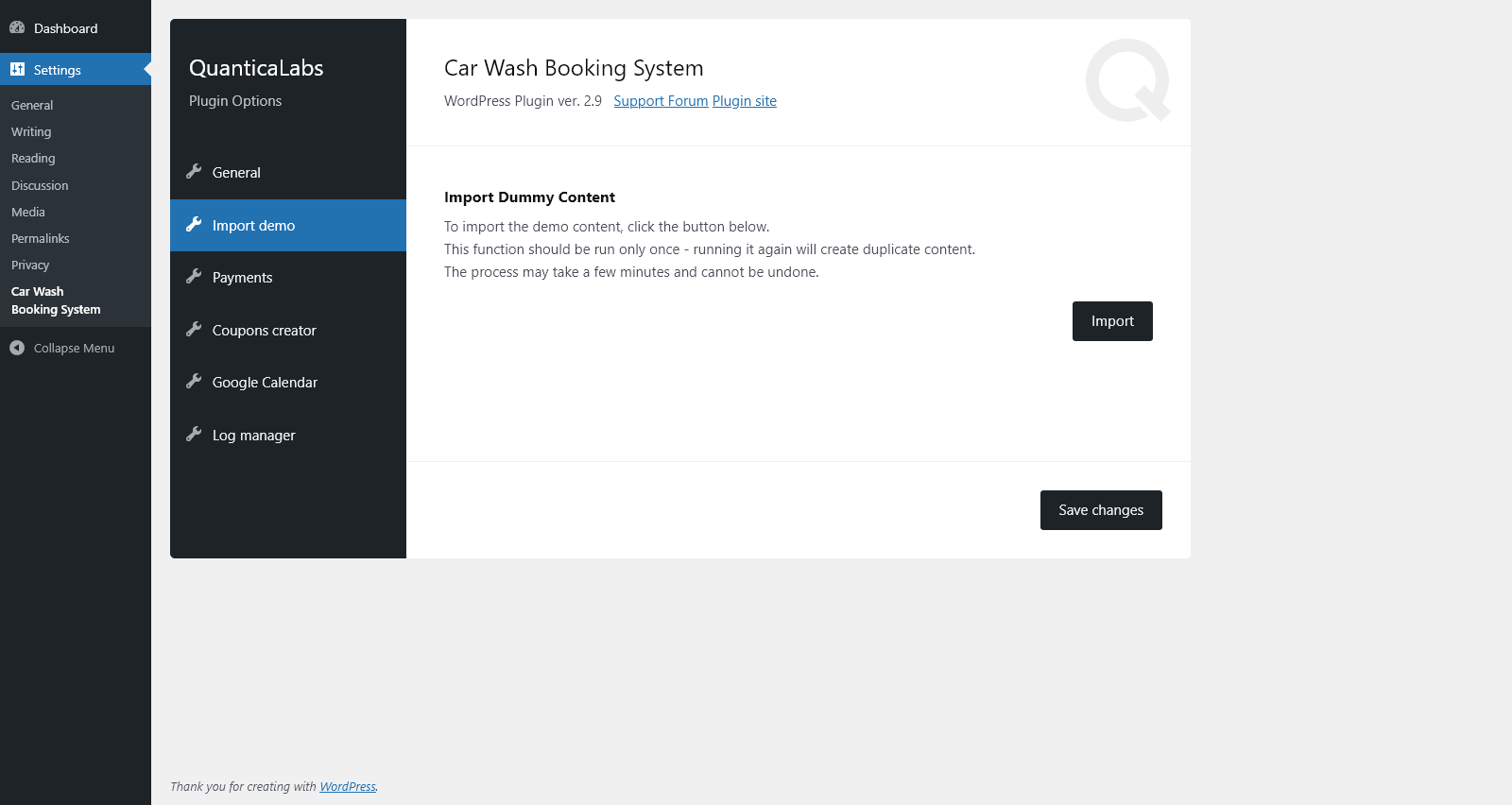
Quickly import demo content using the plugin settings to get your booking form up and running in minutes.
Key Features of Car Wash Booking System for WordPress
- 100% responsive and mobile compatible.
- High resolution and pixel perfect layout.
- Multi-step or single-step booking form with optional auto-scroll.
- Unlimited booking forms, reservations, vehicle types, services, and packages.
- Three ways to present services: individual services, packages with related services, or both combined.
- Service availability, pricing, and duration can vary by vehicle type.
- Service availability, packages, pricing, durations, and other settings can vary by location.
- Automatic calculation of prices and service durations for packages.
- Dependent services supported (available only when assigned packages are selected).
- Support for multi-day service bookings.
- Calendar-based booking with configurable time slots, lead time, and advance booking period.
- Configurable minimum advance time required before a booking can start.
- Support for multiple car wash workplaces (service slots) per location.
- Flexible slot management based on date, time period, or day of the week.
- Availability management: working days, business hours, breaks, holidays, and excluded dates.
- Display vehicle types using built-in icons or uploaded images.
- Booking summary showing date, time, calculated duration, and total price.
- Sticky booking summary bar for improved user experience.
- Mobile Car Wash mode with customer address field and optional Google Places autosuggestion.
- Service area restrictions by country or radius around a selected base location.
- Automatic delivery fee calculation based on distance or time using Google Maps API.
- Payment processing with support for cash, PayPal, Stripe, and WooCommerce payment gateways.
- Email and SMS notifications.
- Built-in discount coupon generator (fixed or percentage-based).
- Google Calendar integration.
- CSV (Excel) booking report export.
- Support for all world currencies.
- Flexible tax rate configuration.
- Color picker for customizing the appearance of each form.
- Custom agreements builder for GDPR-compliant consent fields.
- WooCommerce integration (plugin works fully without WooCommerce installed).
- User registration and login support.
- RTL (right-to-left) layout support.
- Automatic plugin update checking.
- One-click demo content importer.
- WPML compatibility for multilingual websites.
- Fully translatable with .po / .mo files.
- Valid HTML5 code.
- Cross-browser compatible.
- Documentation included.
Admin Features of Car Wash Booking System for WordPress
Bookings Module
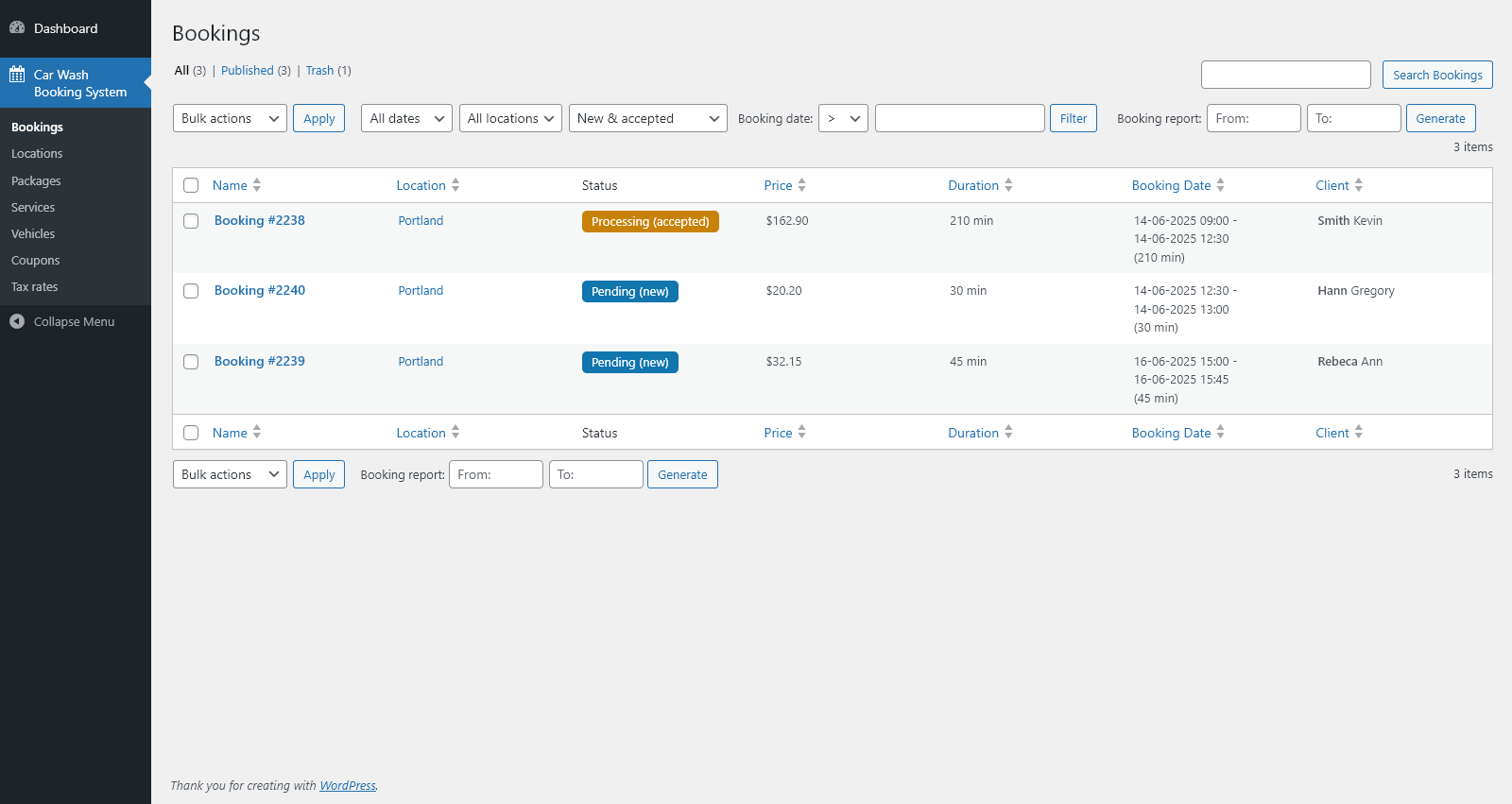
Displays a complete list of all submitted bookings in the system, allowing administrators to manage reservations efficiently.
- Browse, edit, or delete submitted bookings.
- Sort bookings by name, location, status, price, duration, booking date, or client.
- Filter bookings by date range, location, and status.
- Generate booking reports in CSV (Excel) format for any selected date range.
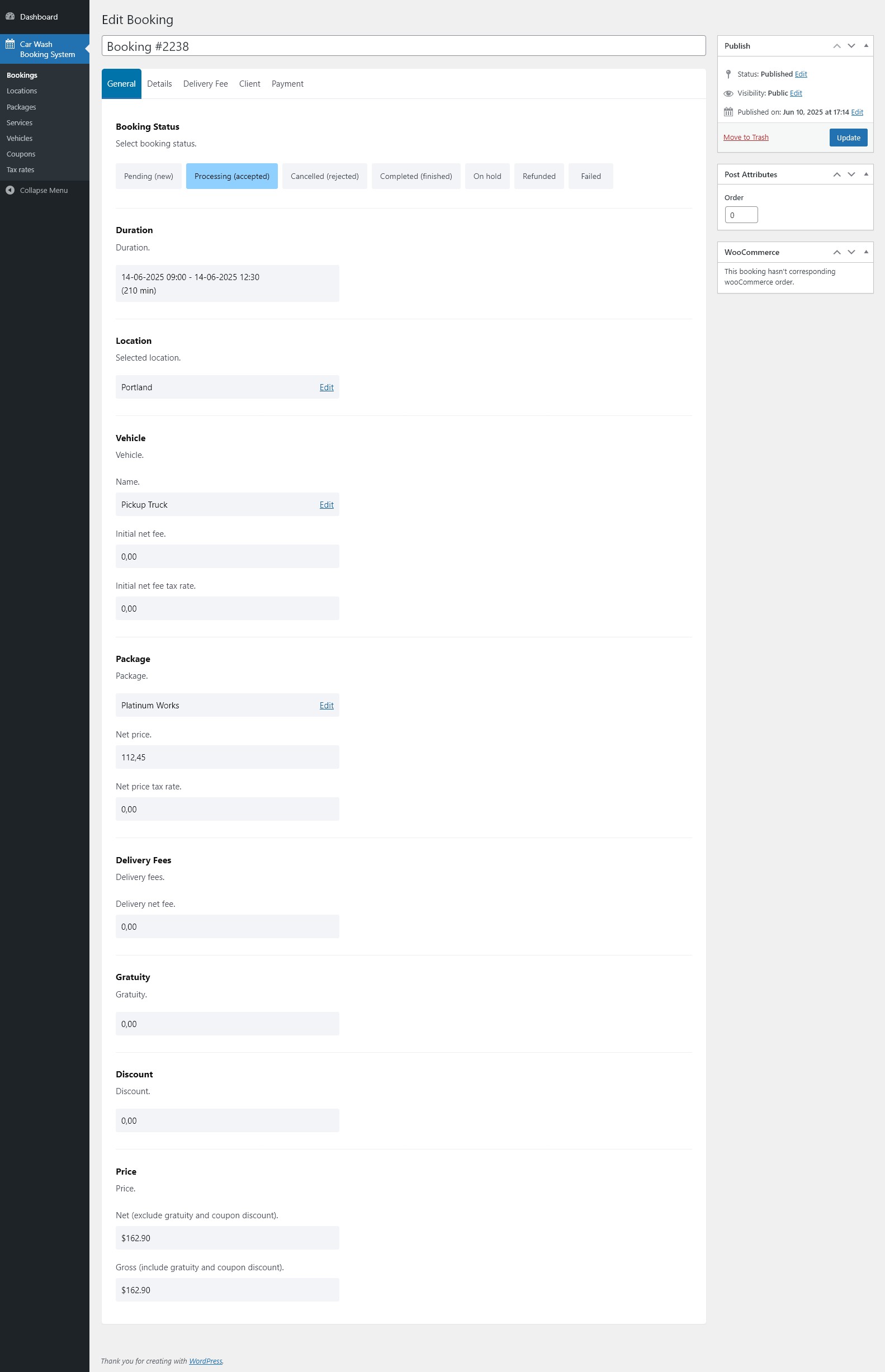
- Set booking statuses: Pending (new), Processing (accepted), Cancelled (rejected), Completed (finished), On Hold, Refunded, Failed.
- View booking duration, including start and end timestamps and total minutes.
- View the selected location.
- View vehicle type, vehicle name, and vehicle-related fees.
- View package details including package name, net price, gross price, and tax rate.
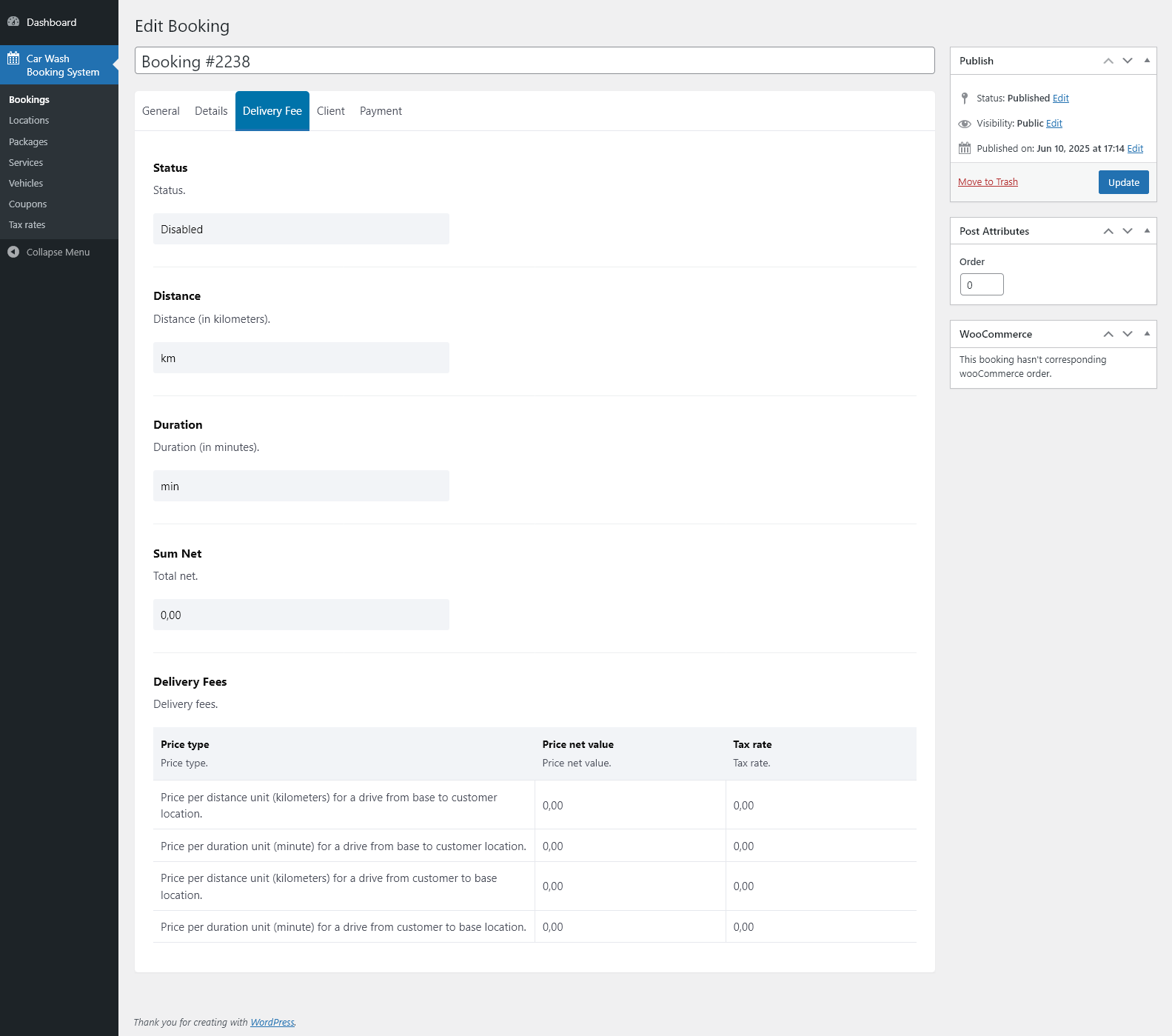
- View applied delivery fee and all delivery fee parameters (distance, duration, price types).
- View gratuity and discount values.
- View full price breakdown: net price, gross price (including gratuity and coupon discounts), and total price to pay.
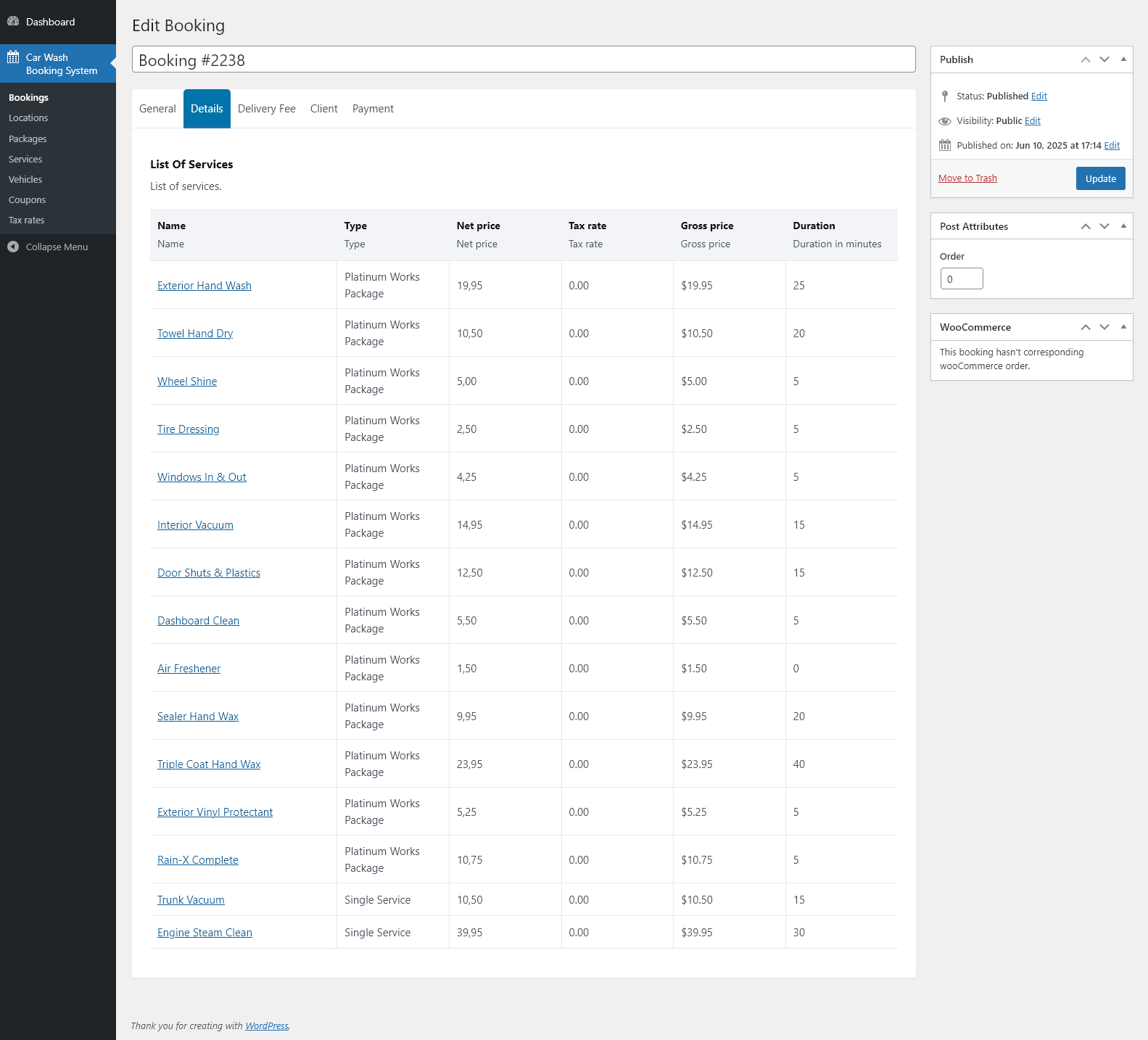
- View a detailed list of all ordered services. Packages are automatically expanded into individual services for clarity. Each service includes: name, type (package/single), net price, gross price, tax rate, and duration in minutes.
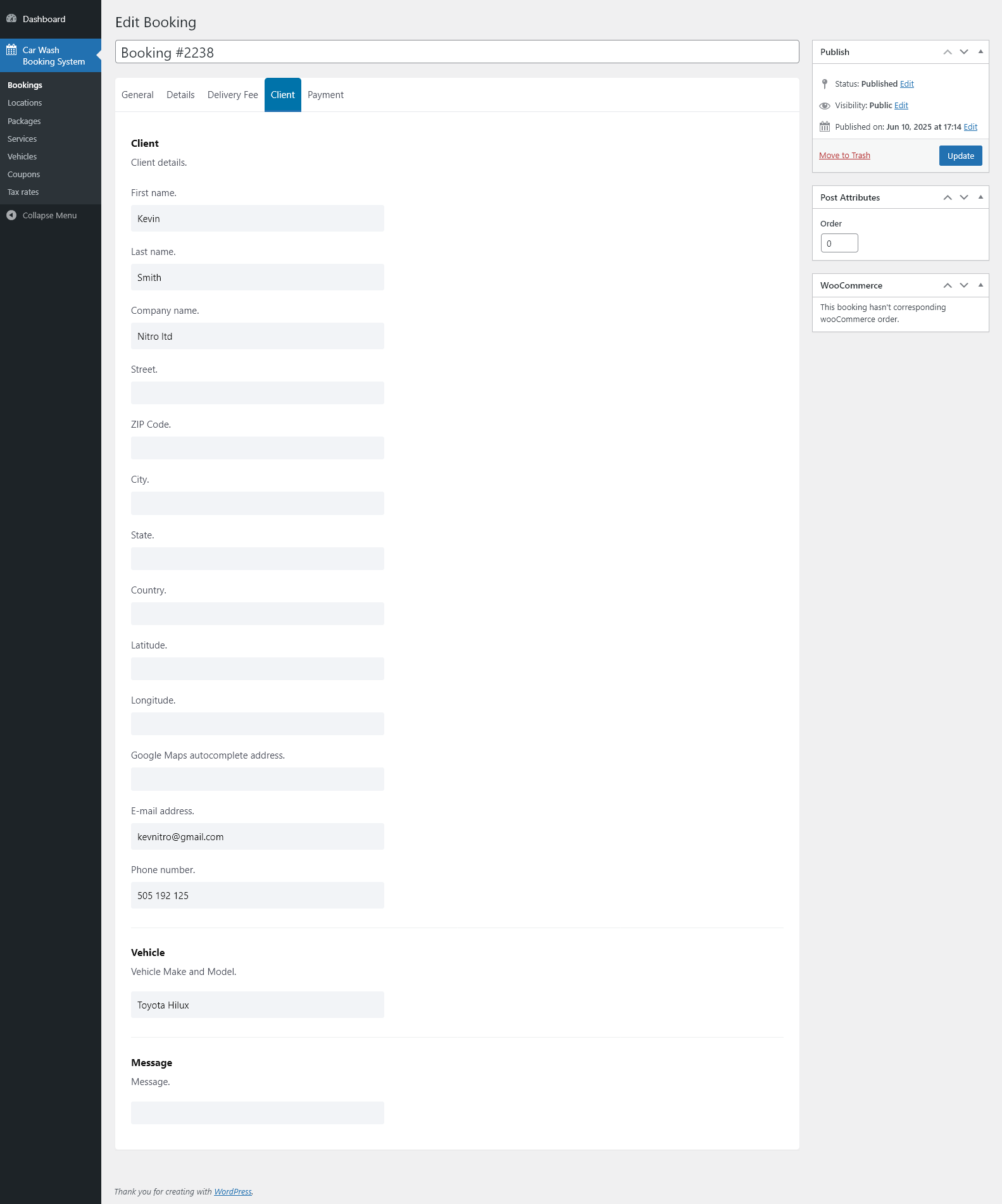
- View client details: first and last name, company name, full address (street, ZIP code, city, state, country), email address, phone number, vehicle make and model, and an optional customer message.
- View both coordinates and Google Maps autocomplete address (for mobile car wash bookings).
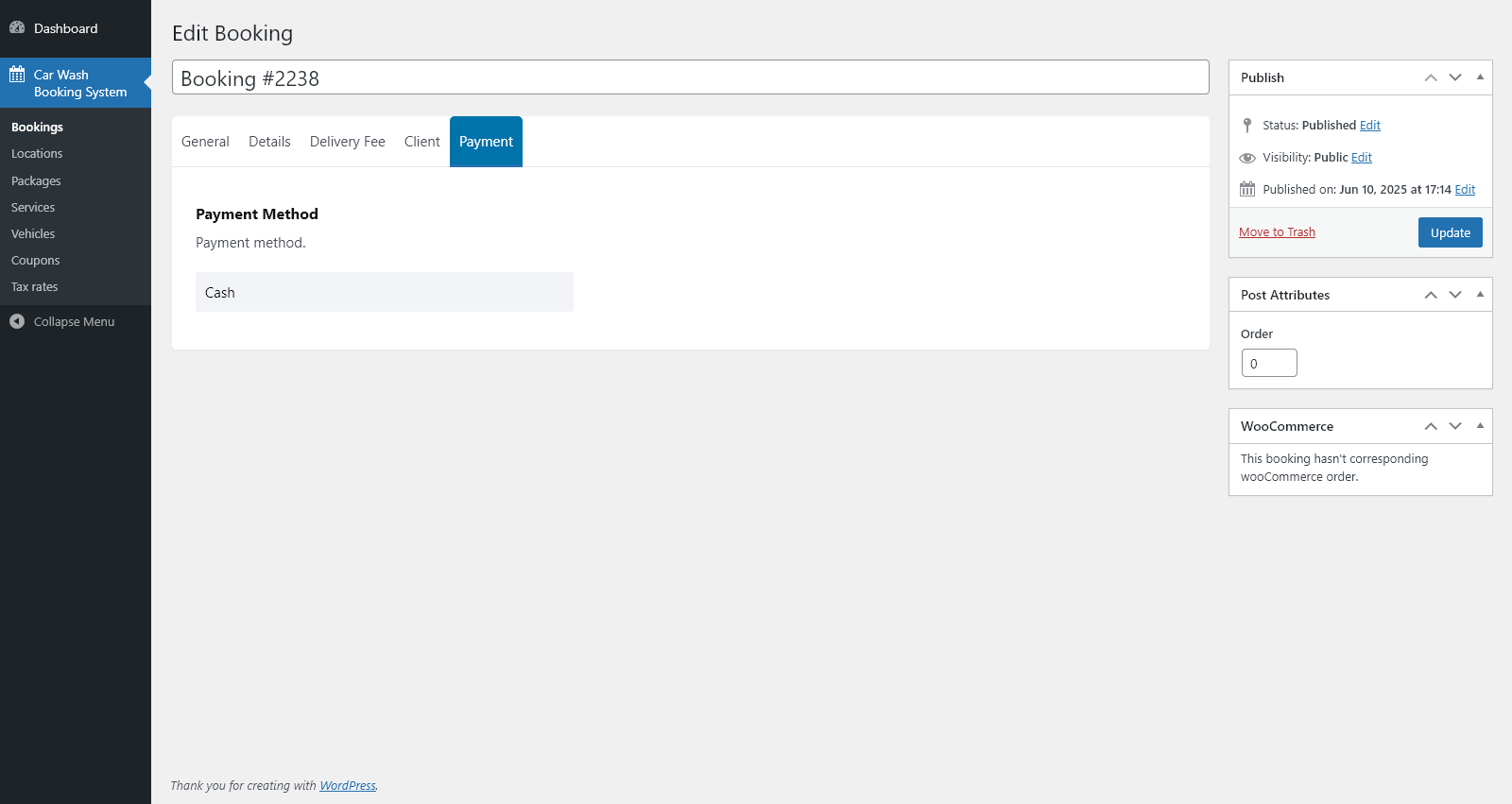
- View payment details, including selected payment method.
- See WooCommerce order information (if the booking is linked with WooCommerce).
Locations Module
Allows you to create and manage an unlimited number of booking forms (locations), each with its own independent configuration, calendar, pricing, and availability settings.
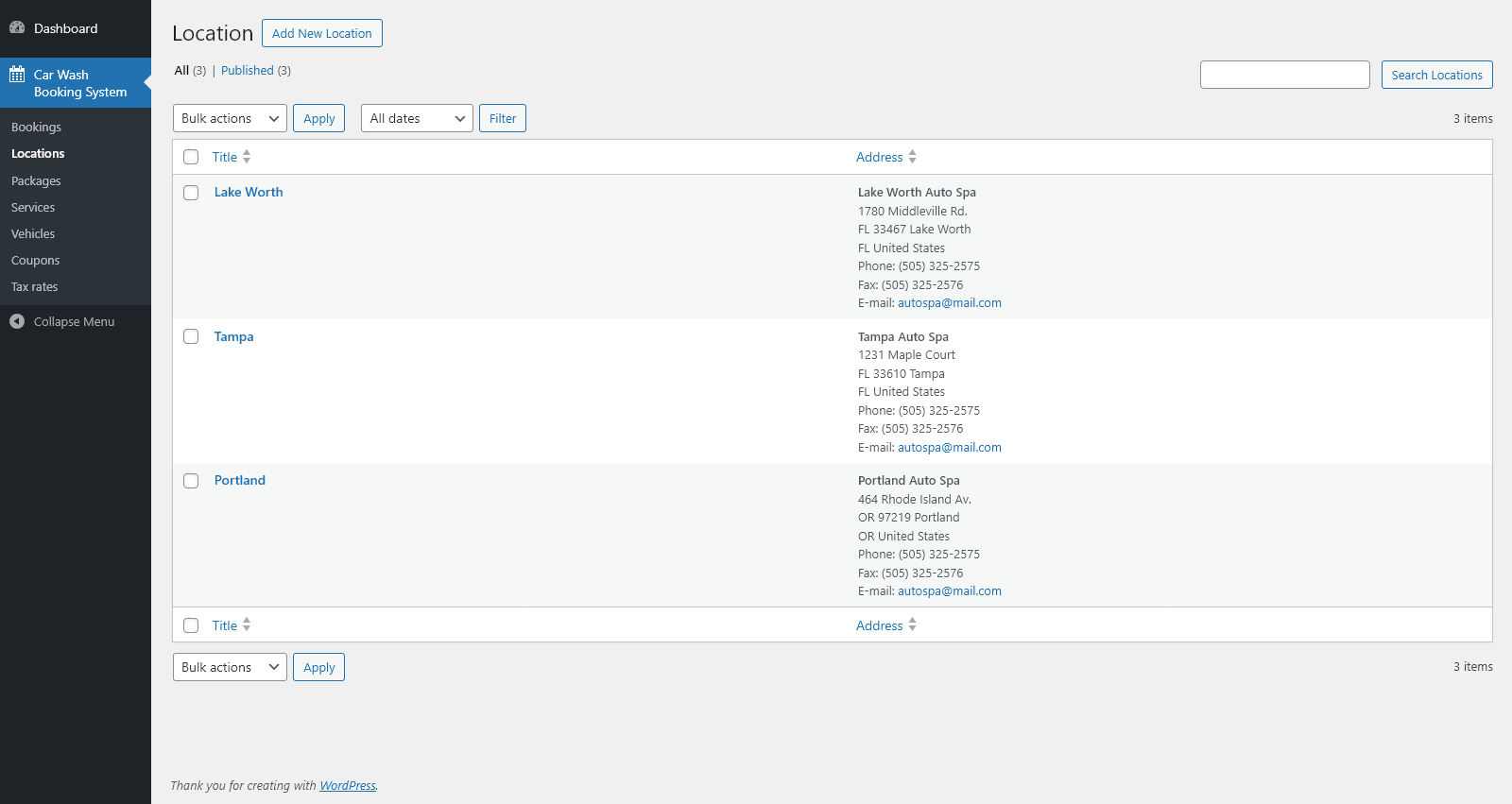
Location List
- Browse, add, edit, or delete locations.
- View key details such as location title and full address (including phone, fax, and email).
- Search locations by name and filter by date.
General
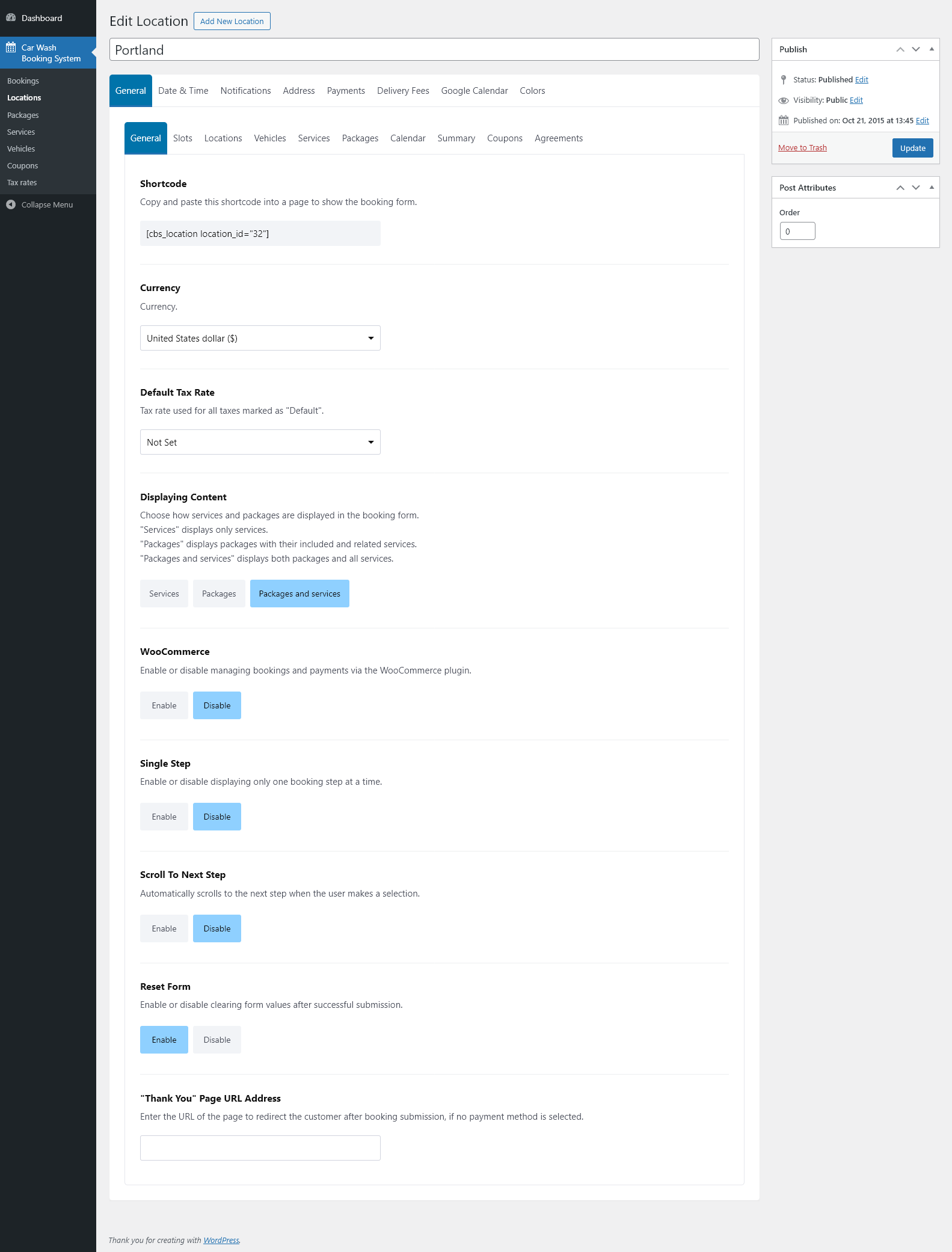
- Generate a shortcode for each location and paste it into any page to display the booking form.
- Select the location currency from all available world currencies.
- Set the default tax rate used for package and service prices at this location.
- Choose how services and packages are displayed in the form: only services, only packages with their services, or both combined.
- Enable or disable booking and payment handling through WooCommerce.
- Enable or disable single-step mode, where only one booking step is visible at a time.
- Enable or disable automatic scrolling to the next step when the user makes a selection.
- Decide whether the form should be reset after a successful booking or keep the entered data.
- Define a custom “Thank You” page URL to redirect customers after submitting a booking when no payment method is selected.
Slots
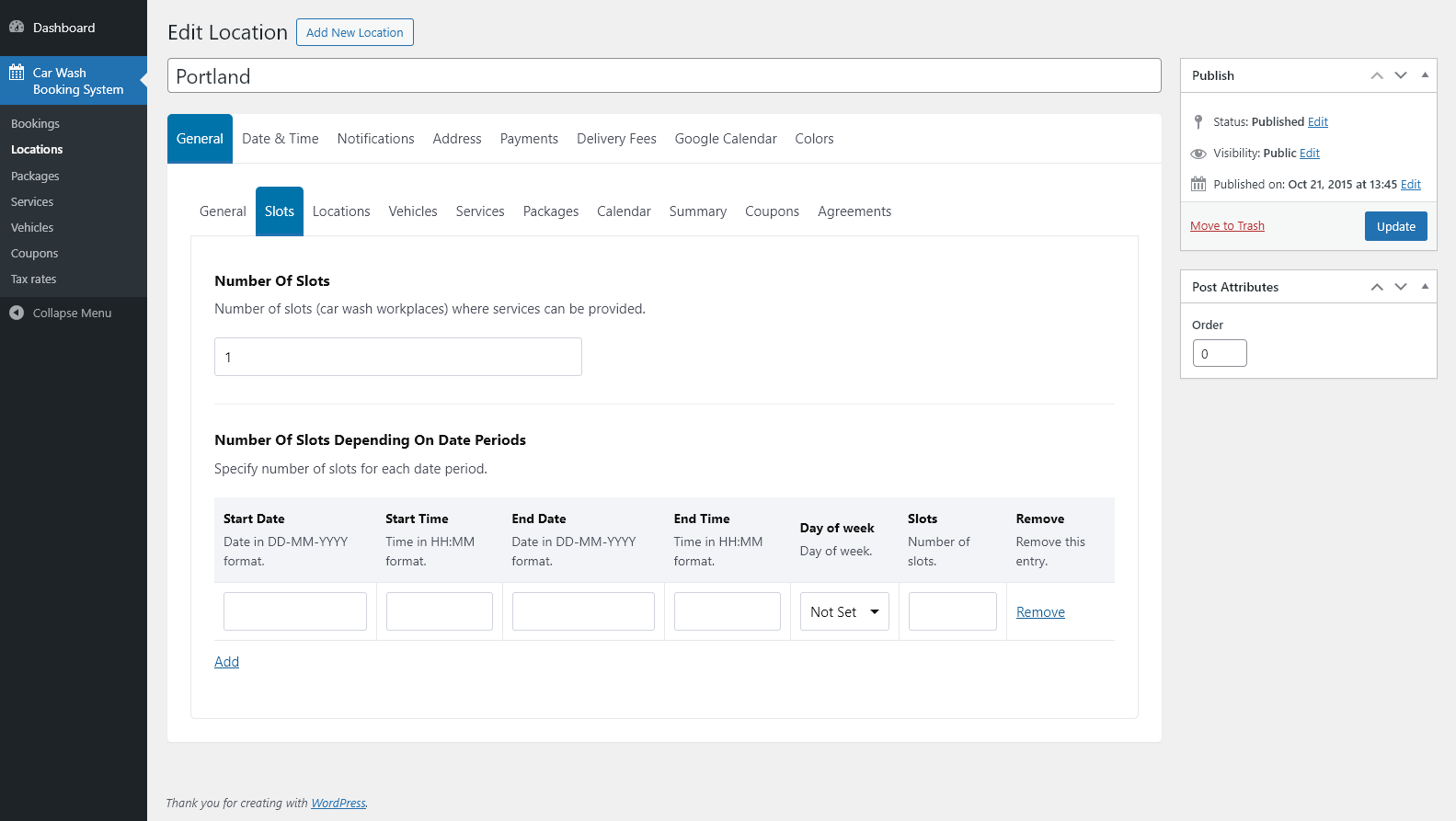
- Set the default number of slots (car wash workplaces) available at the location.
- Override the number of slots for specific date and time ranges, and optionally by day of the week.
- Create multiple date-period rules and manage them from a single table.
Locations
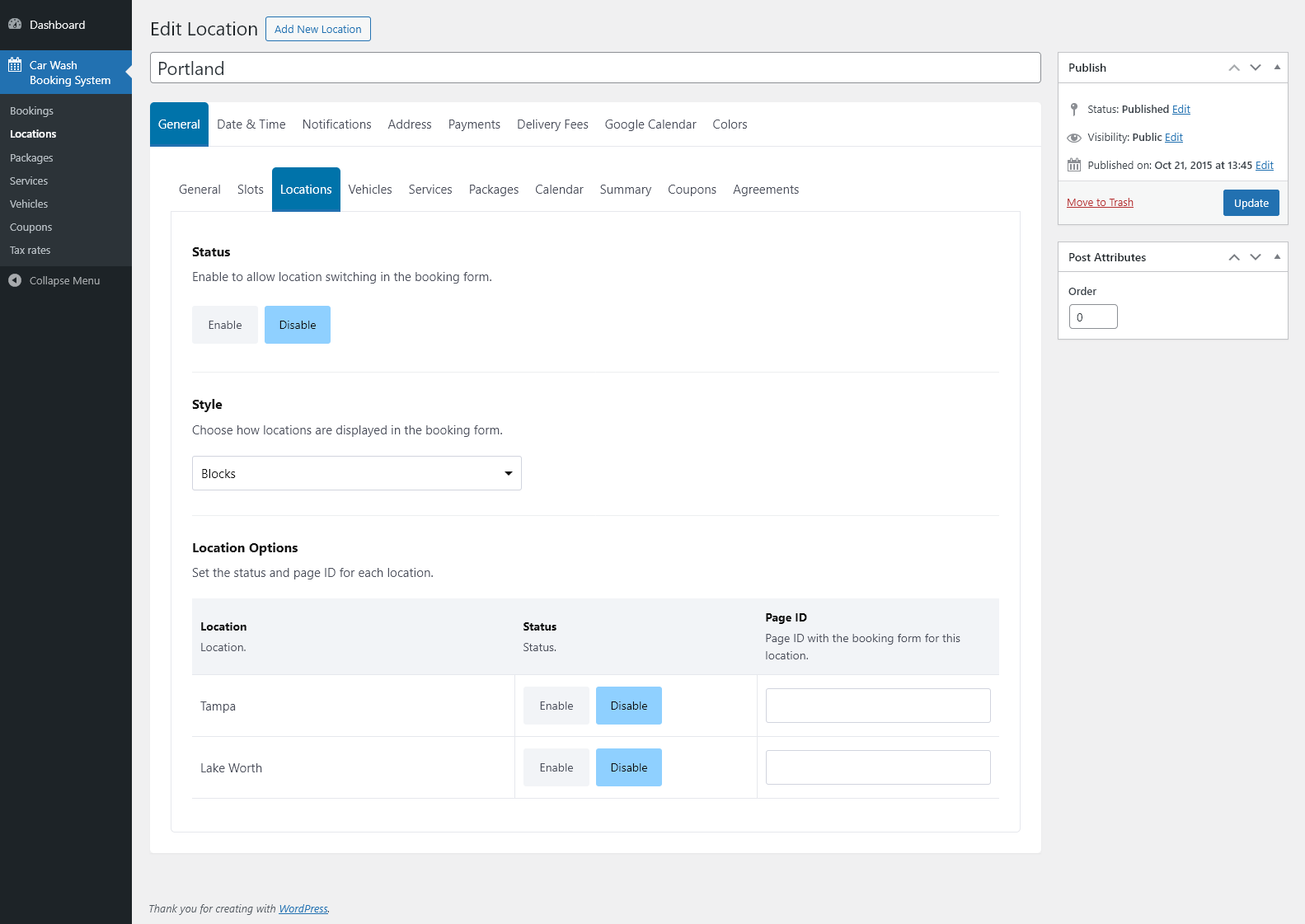
- Enable or disable location selection in the booking form.
- Choose how locations are displayed to customers (e.g., as blocks or a drop-down list).
- Set the status (enabled/disabled) and page ID for each location used in the selector.
Vehicles
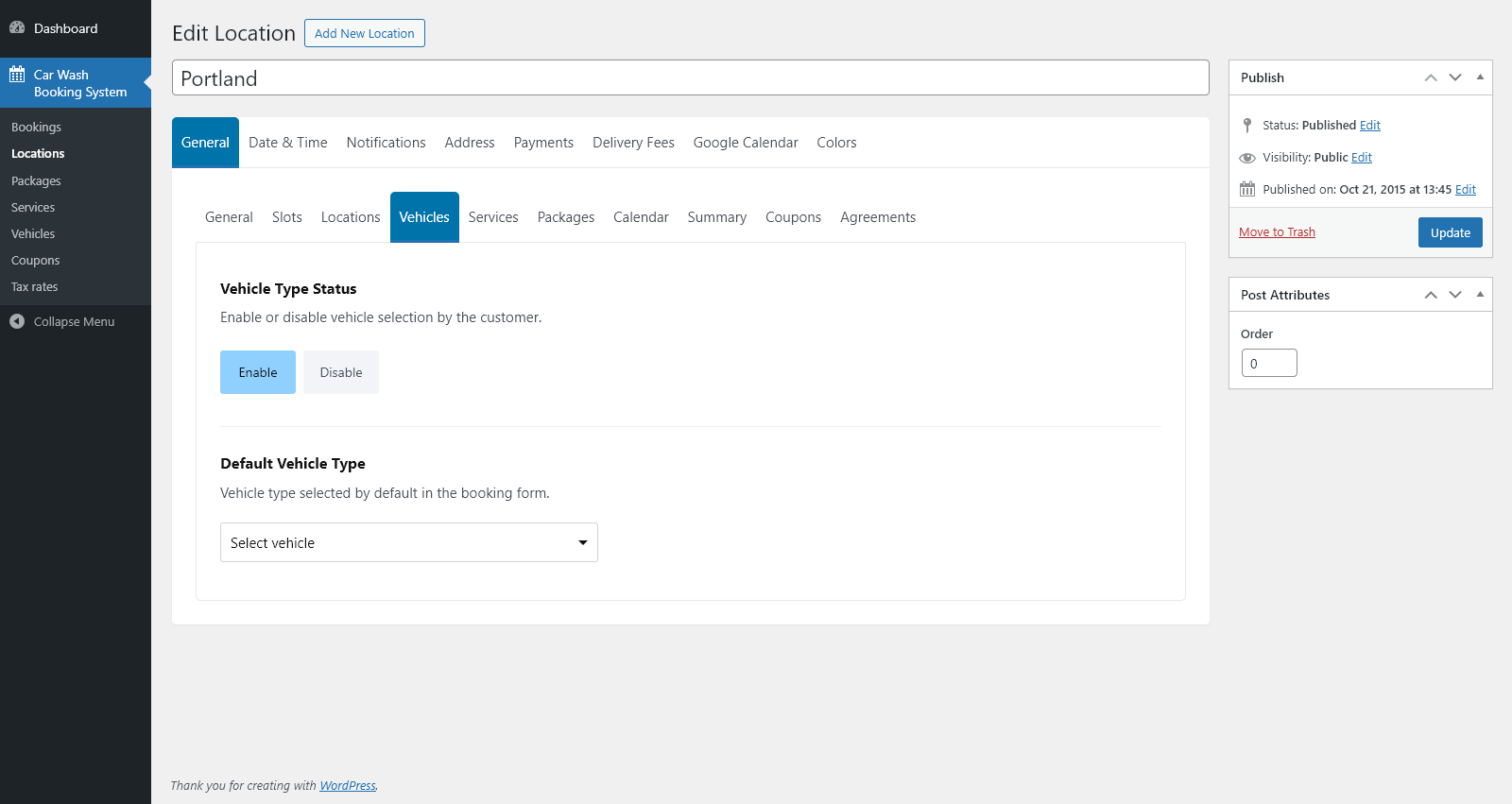
- Enable or disable vehicle type selection in the booking form.
- Choose which vehicle type is selected by default for this location.
Services
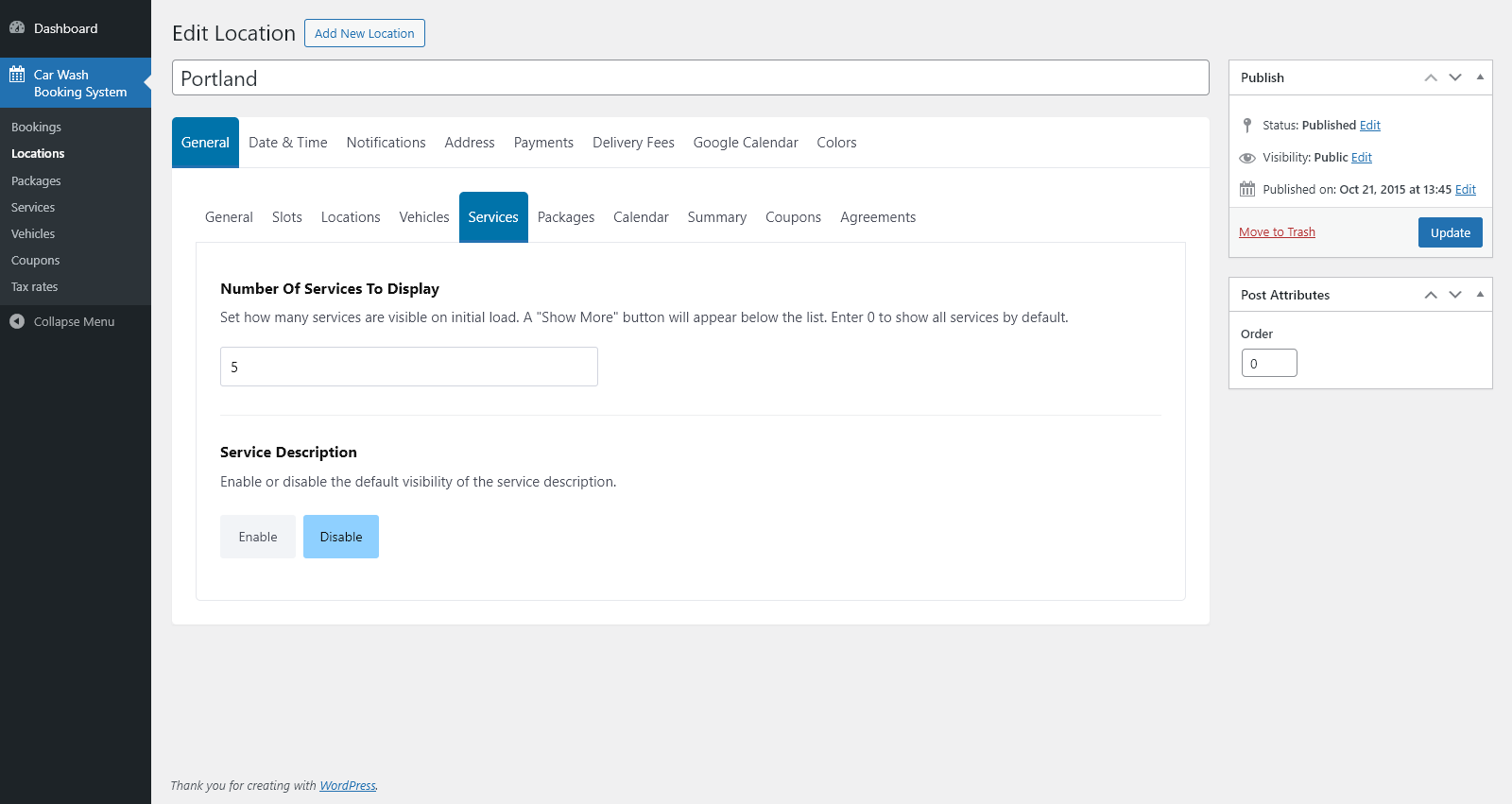
- Set how many services are visible when the page first loads; automatically display a “Show More” button if the list is longer.
- Enter 0 to display all services by default without a “Show More” button.
- Enable or disable the default visibility of service descriptions.
Calendar
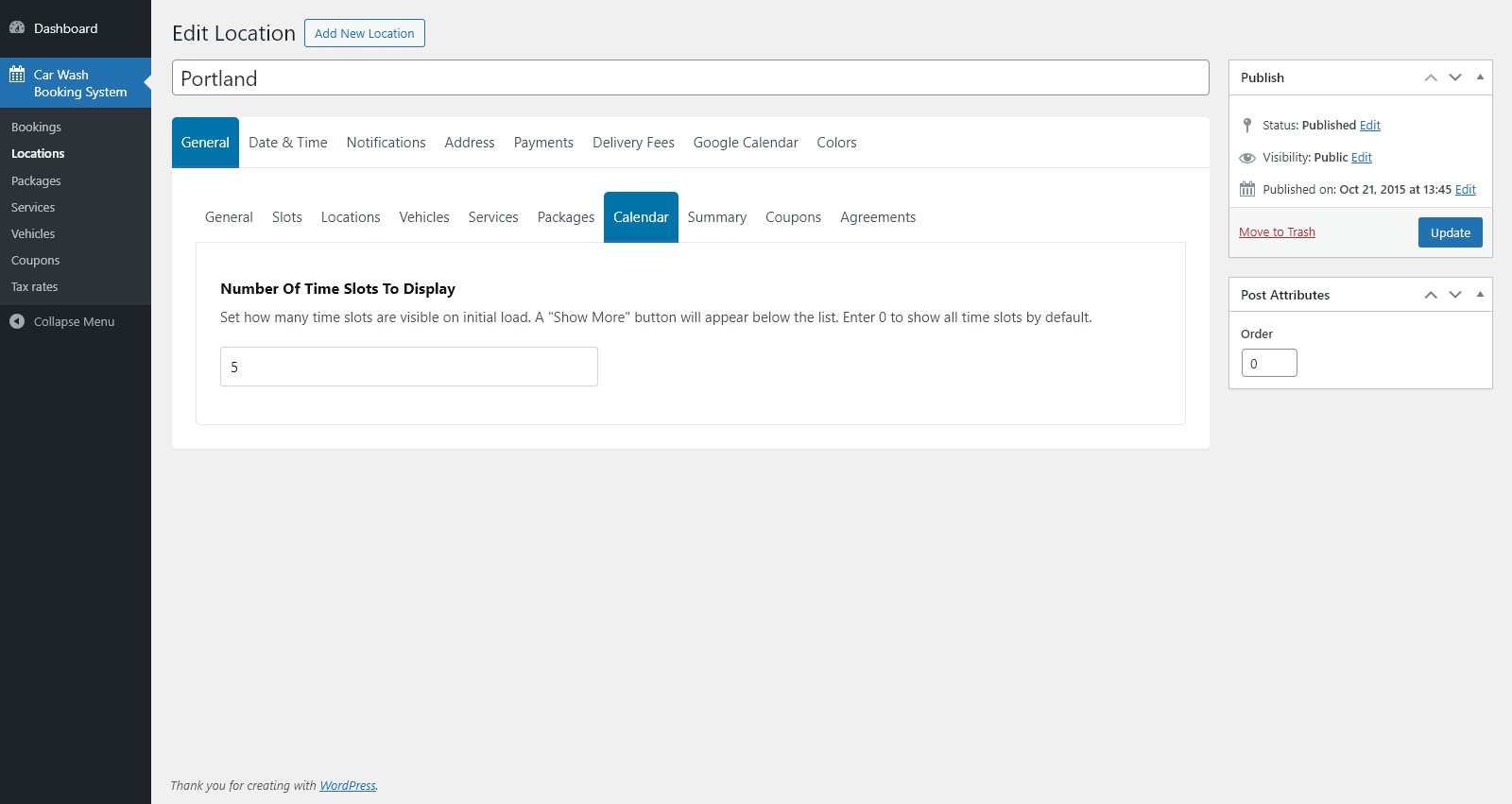
- Set how many time slots are visible in the calendar on initial load.
- Automatically display a “Show More” button if more time slots are available.
- Enter 0 to display all available time slots by default.
Summary
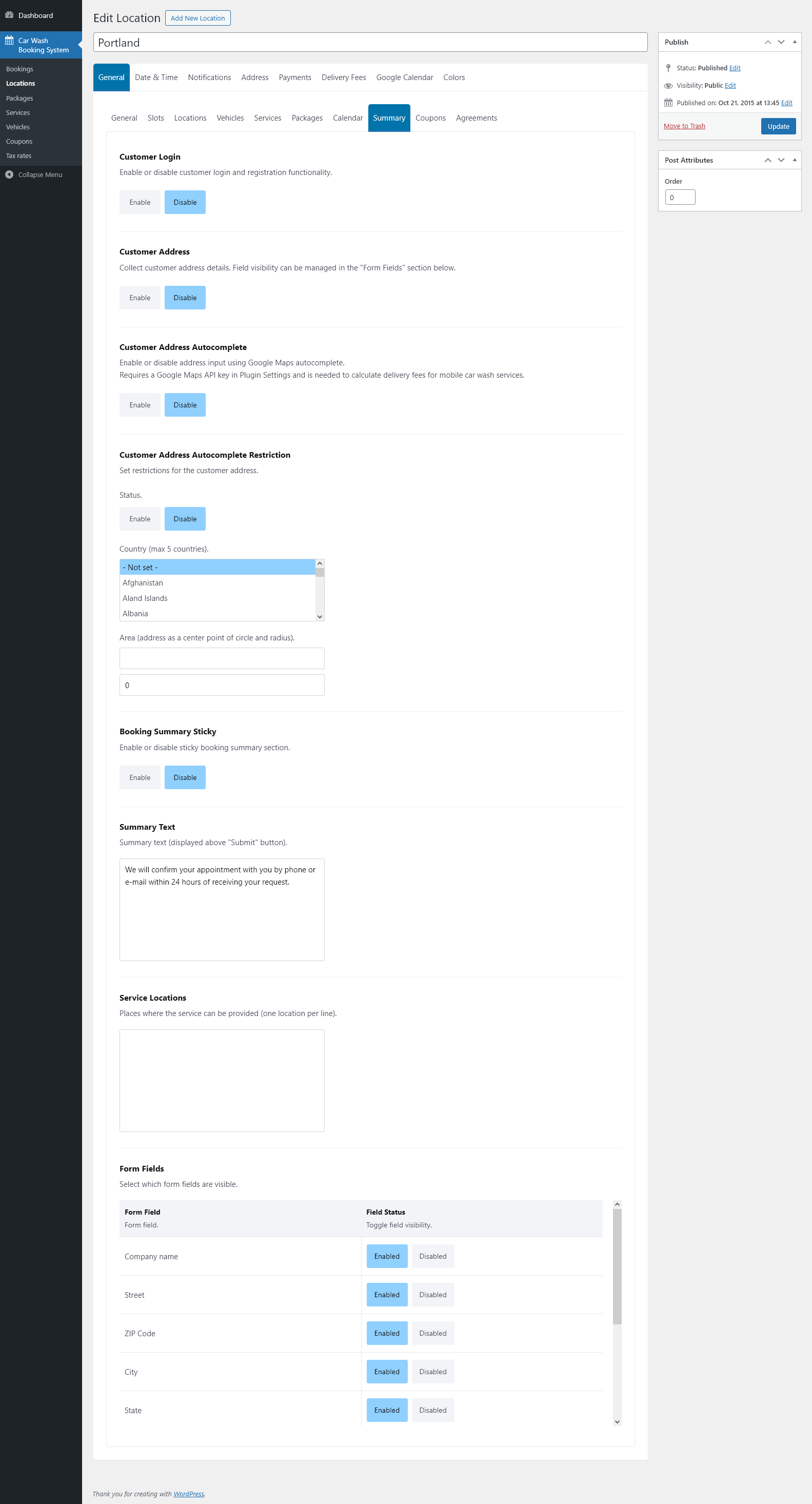
- Enable or disable customer login and registration functionality for this booking form.
- Enable or disable collection of customer address details.
- Enable or disable customer address autocomplete using Google Maps (requires a Google API key and is used for mobile car wash services).
- Configure address restrictions by enabling autocomplete restriction and selecting up to five allowed countries.
- Define a base address and radius to limit service availability for mobile car wash bookings.
- Enable or disable the sticky booking summary section displayed during the booking process.
- Enter custom summary text displayed above the “Submit” button.
- Define service locations (places where services can be provided) as a list of entries.
- Control the visibility of individual form fields (company name, street, ZIP code, city, state, country, custom message, gratuity, and more) by enabling or disabling each field.
Coupons
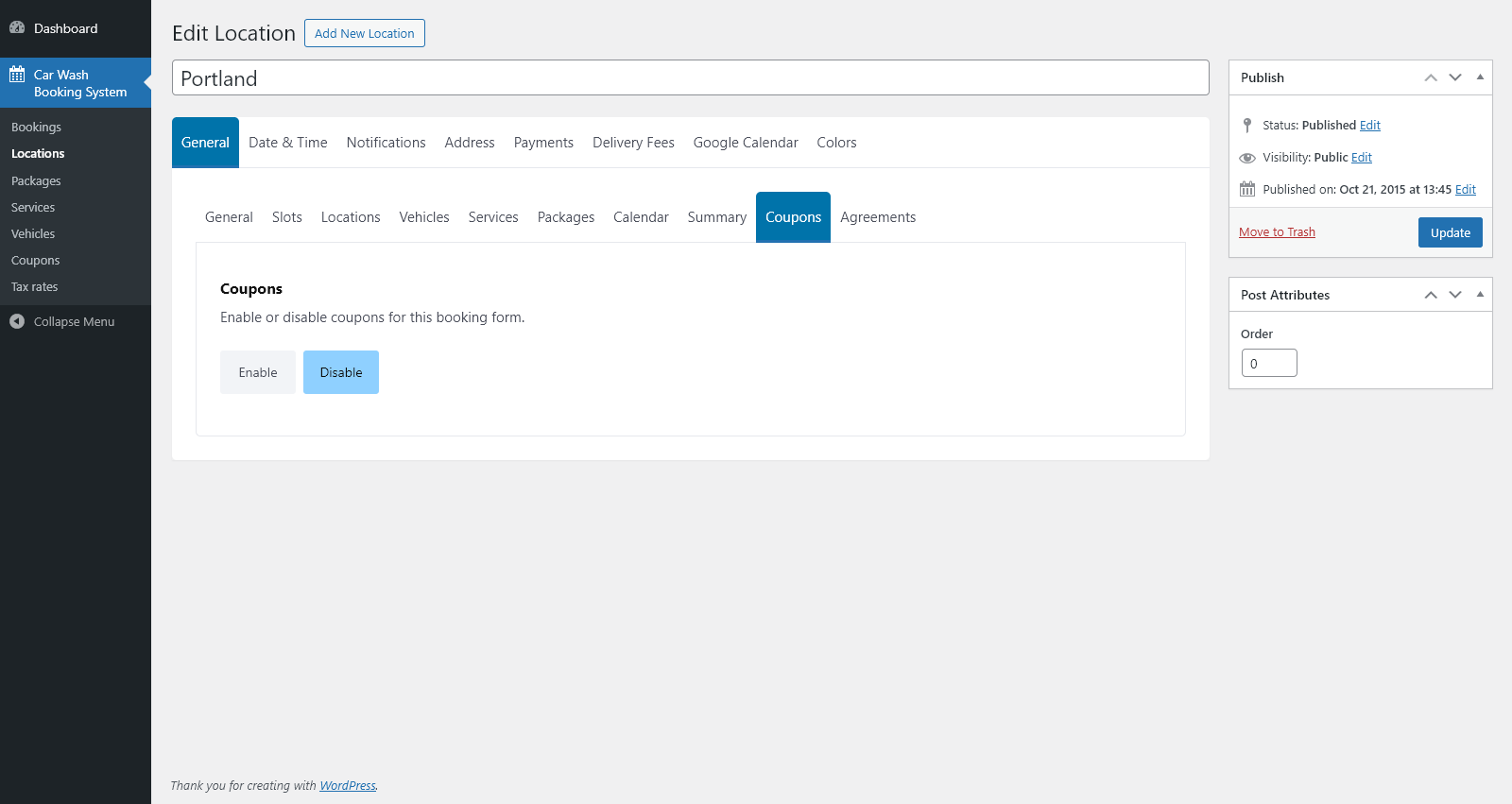
- Enable or disable the use of discount coupons for this specific booking form.
Agreements
- Create a list of agreements that customers must accept before submitting the booking.
- Each agreement includes a checkbox and custom agreement text.
- Add or remove agreements directly from the table.
Date & Time
- Define business hours for each weekday, including start time, end time, and multiple break intervals (e.g., 09:00–11:00; 14:00–15:00).
- Add or remove excluded dates and time ranges to prevent bookings on holidays or unavailable periods.
- Select the time format displayed in the calendar (12-hour or 24-hour).
- Choose the date format used in the booking summary.
- Set the booking slot size in minutes (e.g., 30 minutes shows slots at 8:00, 8:30, 9:00, etc.).
- Specify the break interval (in minutes) between consecutive bookings.
- Define the minimum notice period required before a booking can be made (in minutes, hours, or days).
- Define the maximum number of days in advance for which bookings are allowed.
- Set the calendar navigation step — how many days the calendar moves when navigating forward or backward.
- Enable or disable month-to-month navigation in the calendar.
Notifications
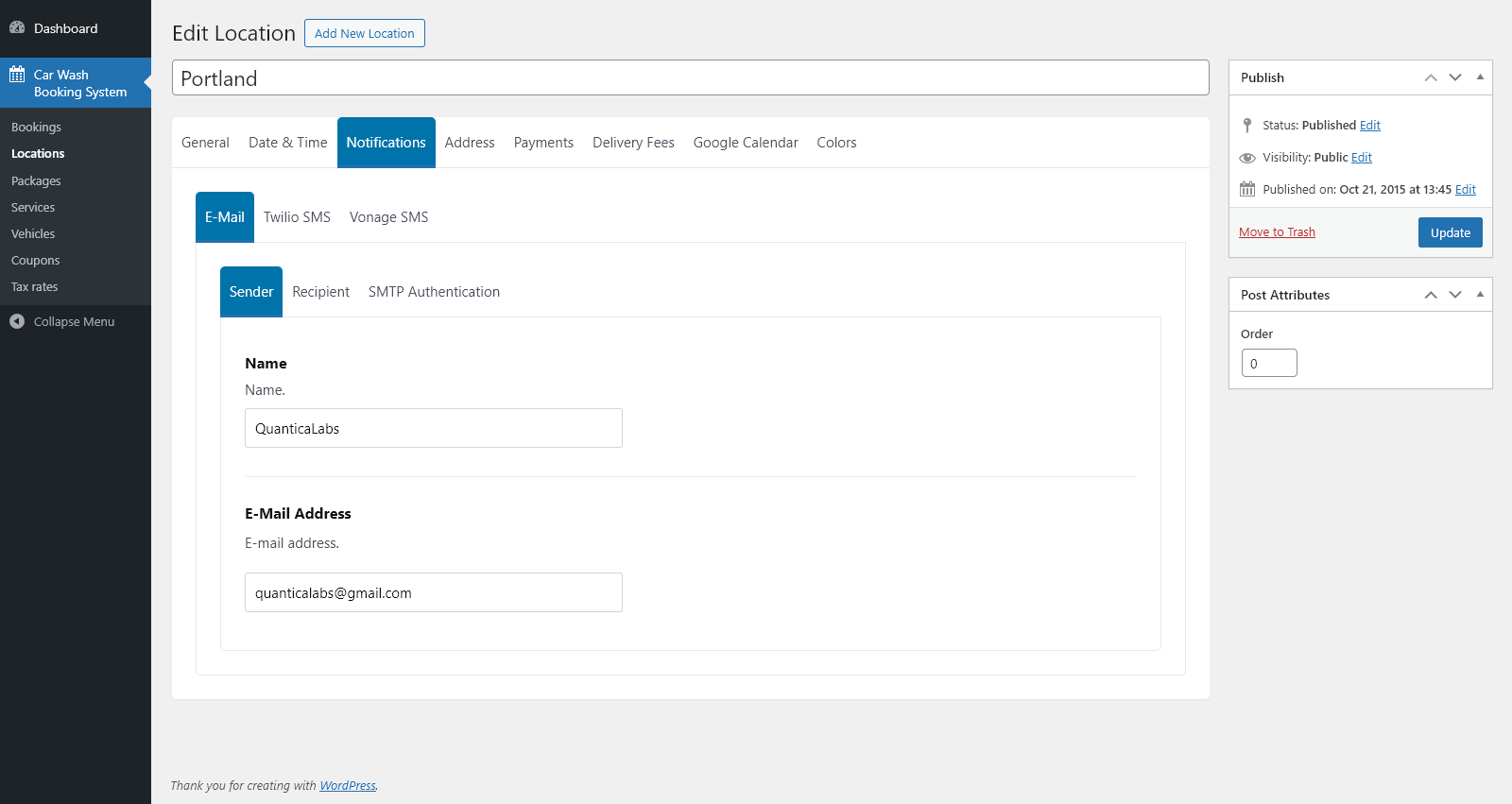
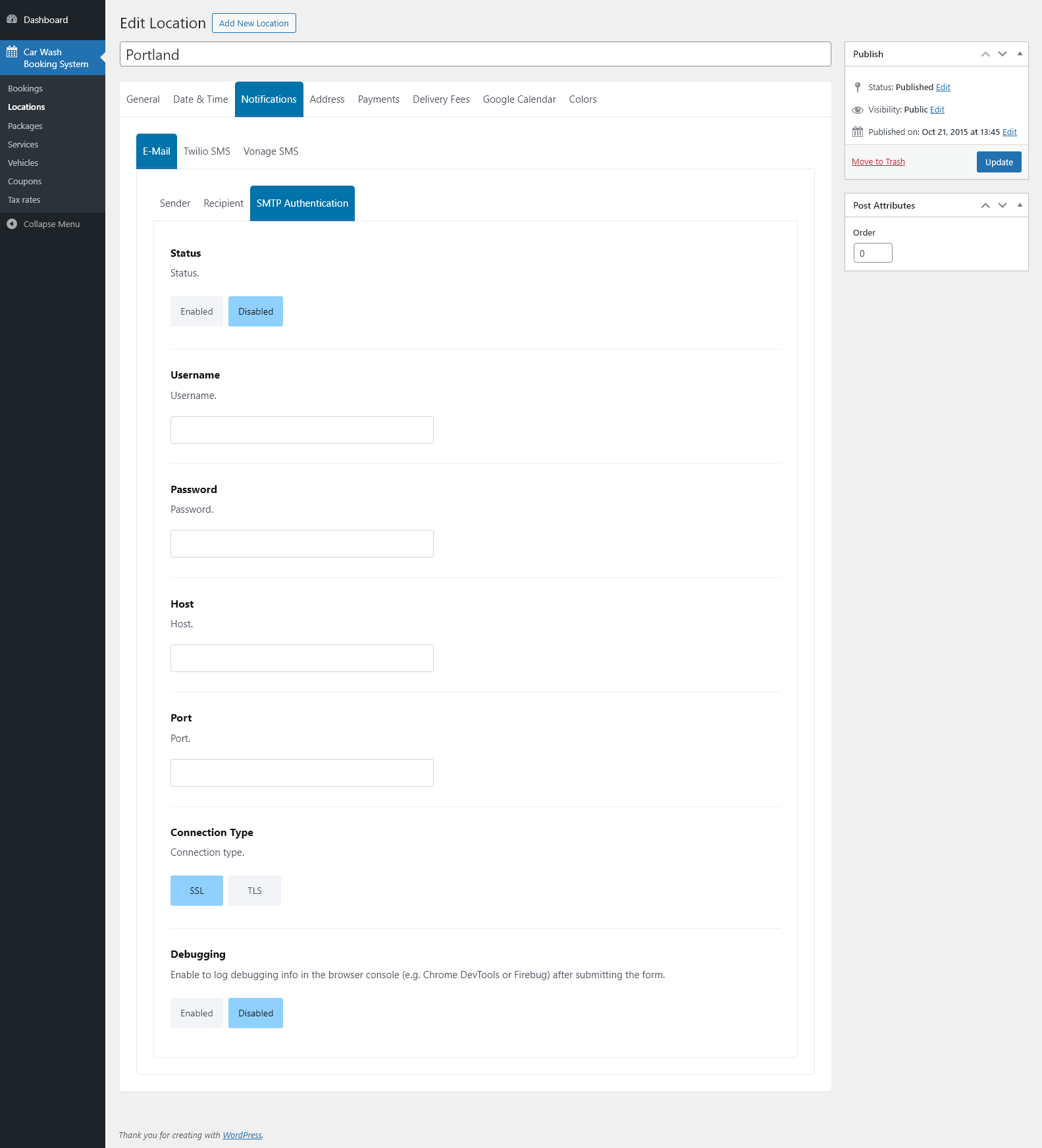
- Configure how the system sends e-mail and SMS notifications for this location.
- Set the sender name and e-mail address displayed in outgoing messages.
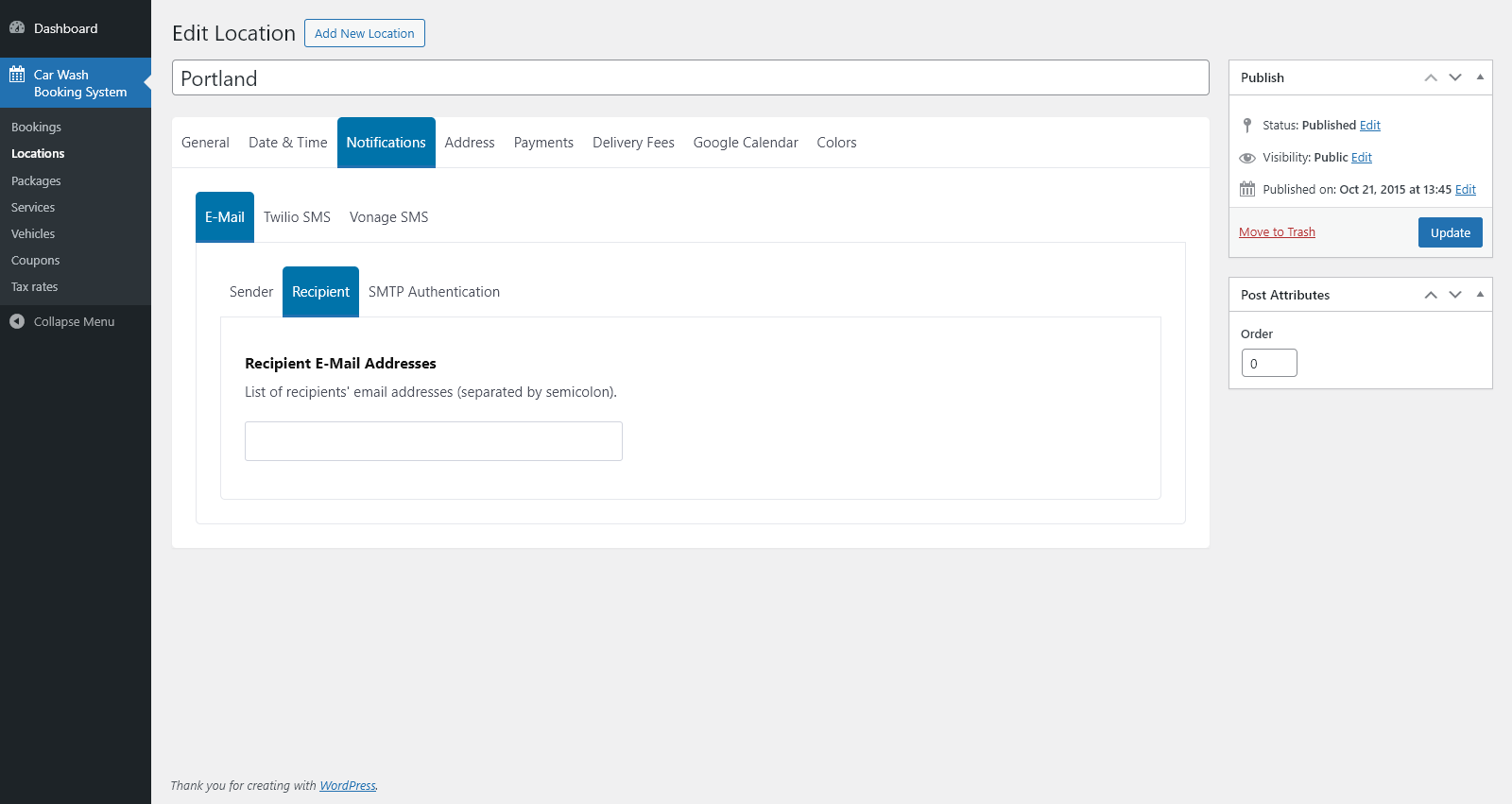
- Define one or more e-mail recipients (semicolon-separated).
- Enable SMTP authentication and configure username, password, host, port, connection type (SSL/TLS), and optional debugging mode.
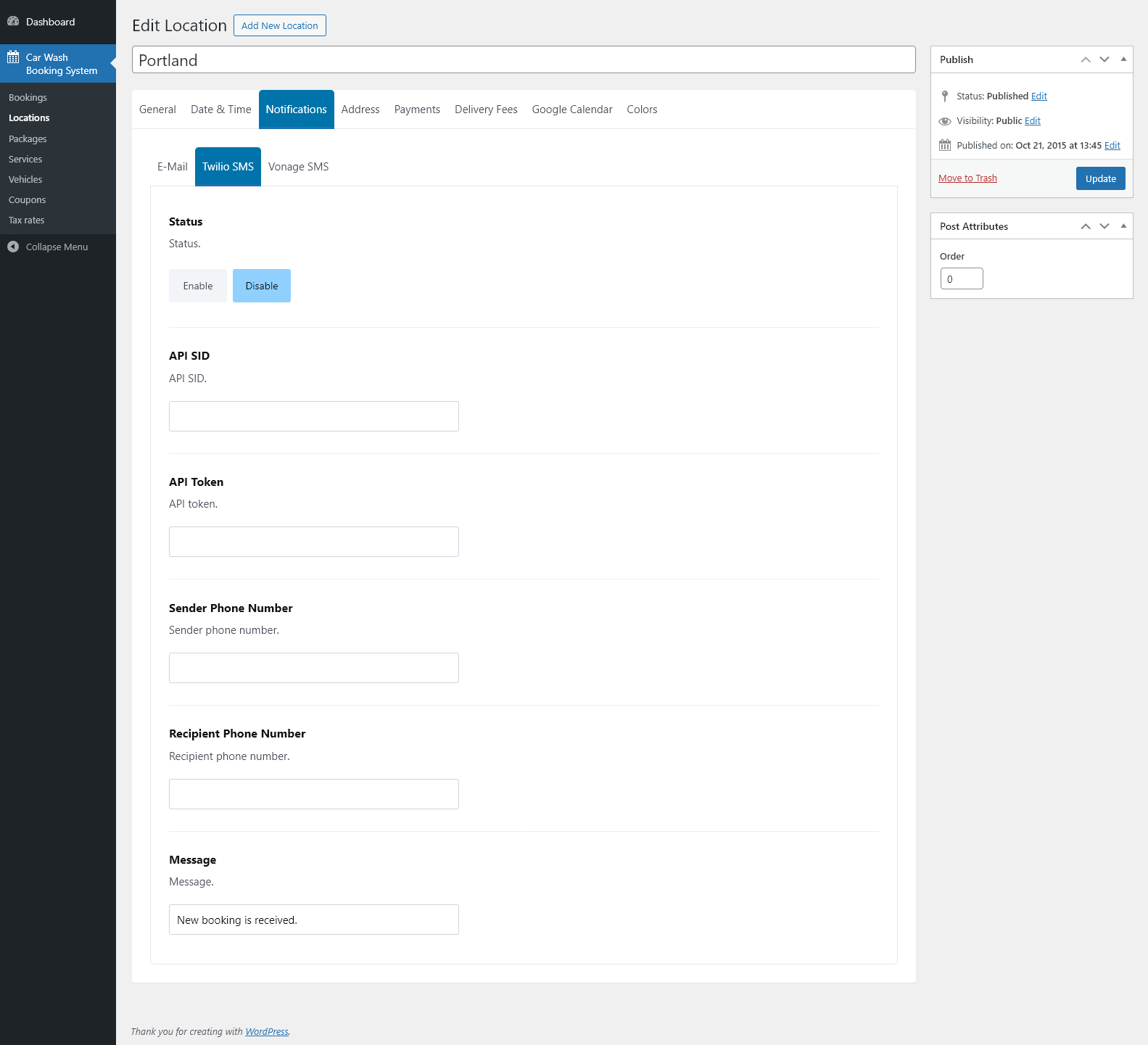
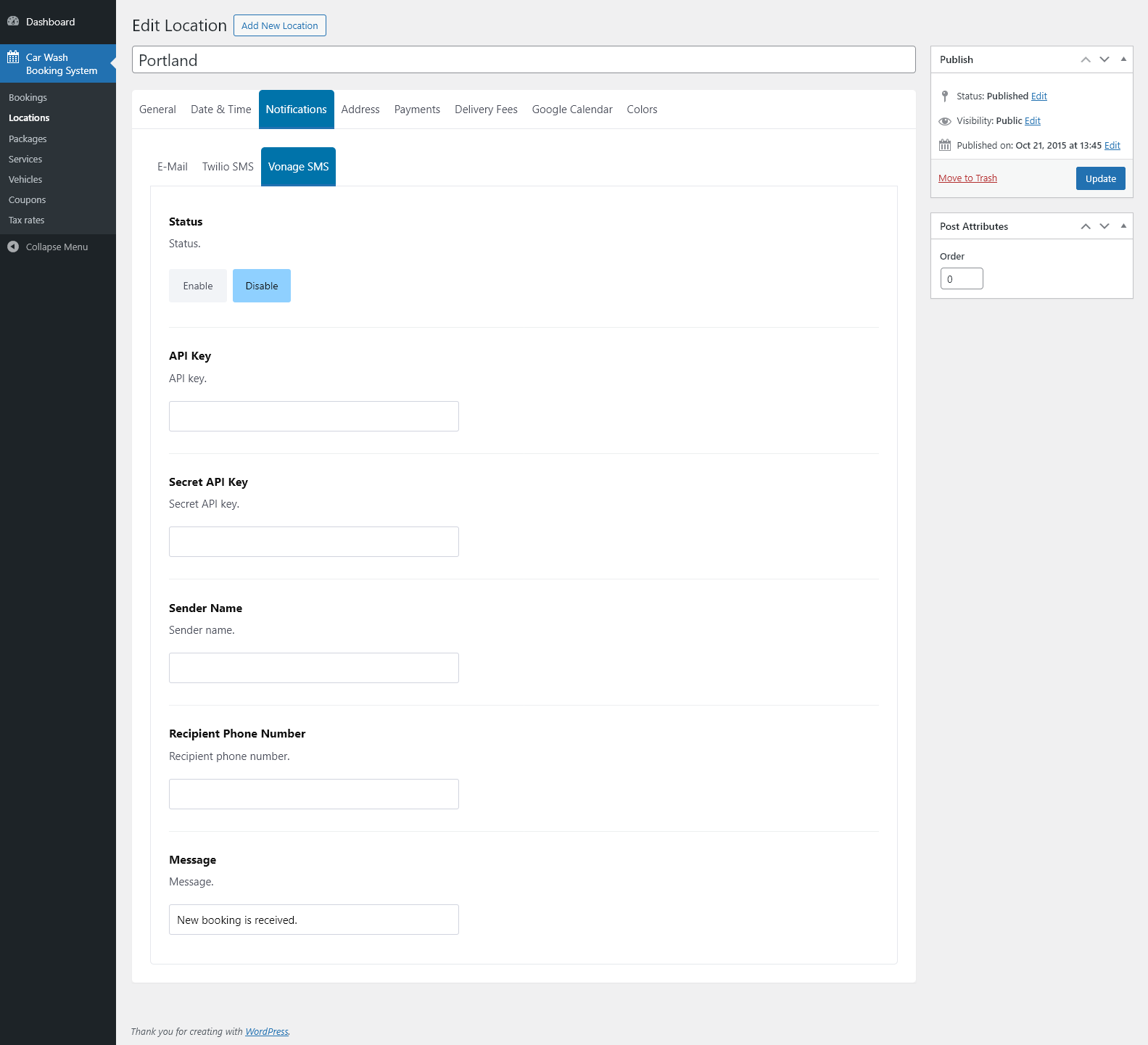
- Enable or disable SMS notifications via Twilio or Vonage.
- Enter API credentials (SID/Token for Twilio, API Key/Secret Key for Vonage) and configure sender/recipient phone numbers.
- Customize the SMS message that is sent when a new booking is received.
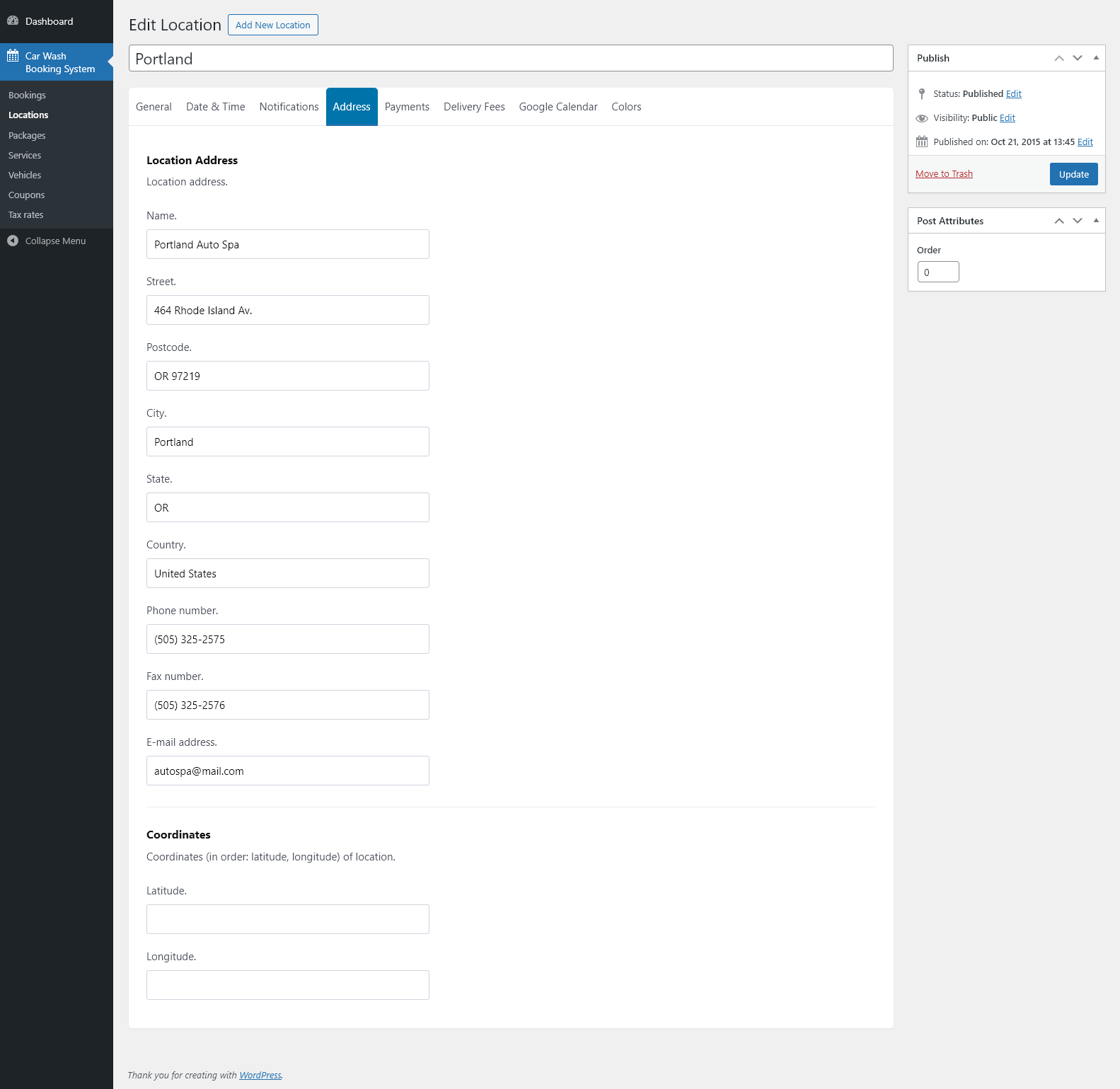
Address
- Set the full address of the location: name, street, postcode, city, state, and country.
- Enter contact details including phone number, fax number, and e-mail address.
- Provide location coordinates (latitude and longitude) for map positioning and distance-based features.
Payments
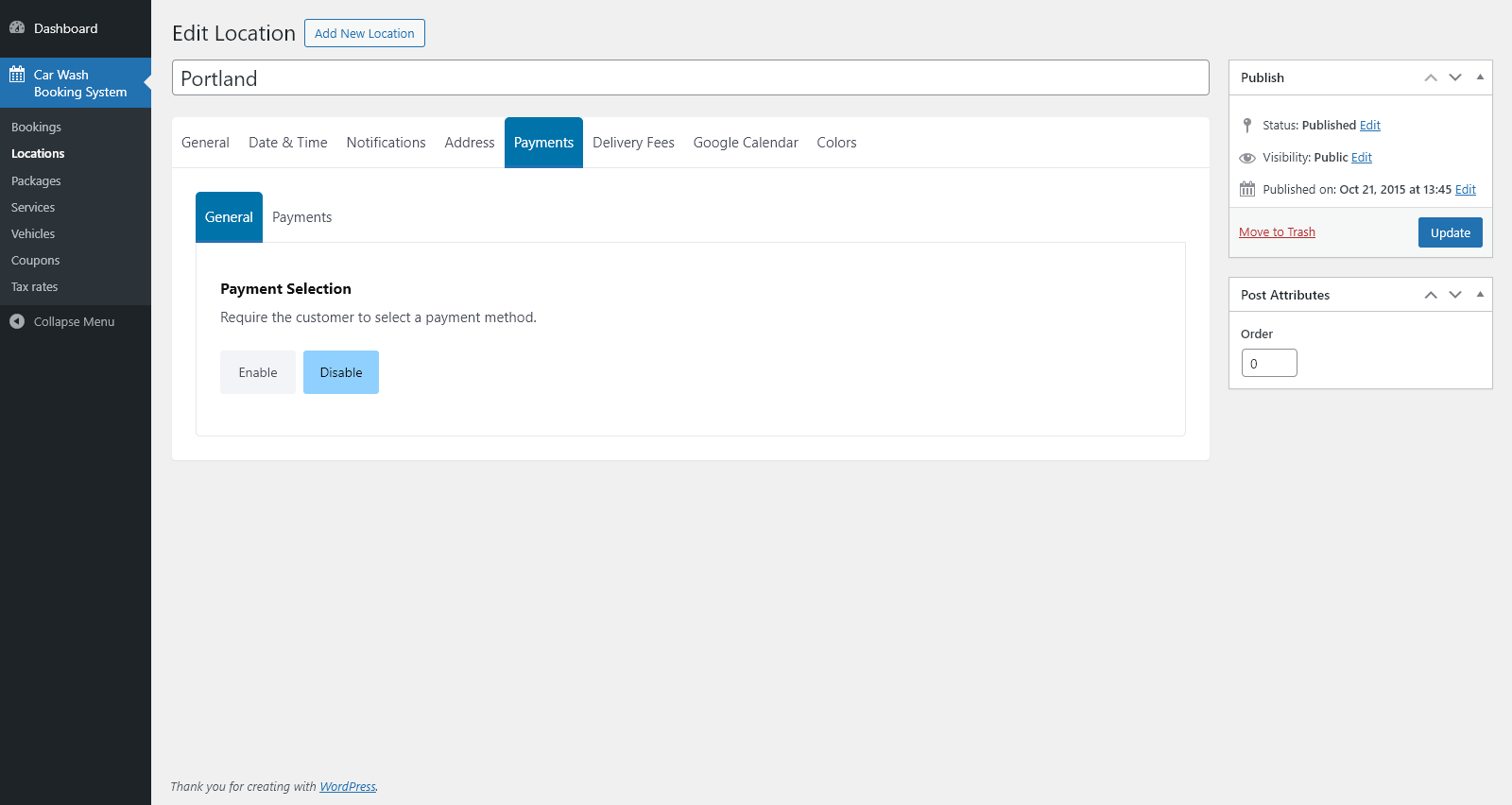
- Enable or disable the requirement for customers to select a payment method in the booking form.
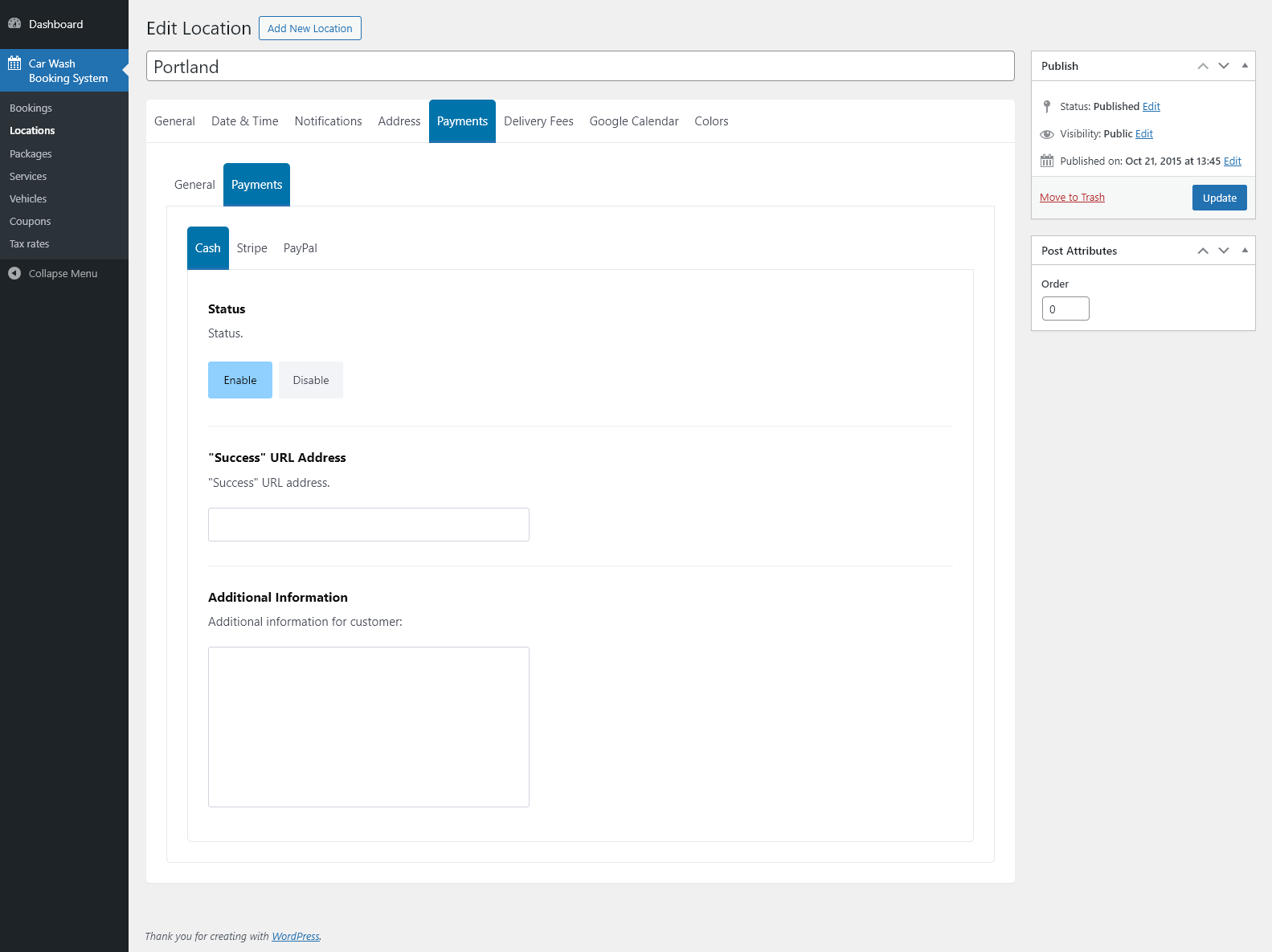
- Configure cash payments, including optional “Success” URL and additional information displayed to customers.
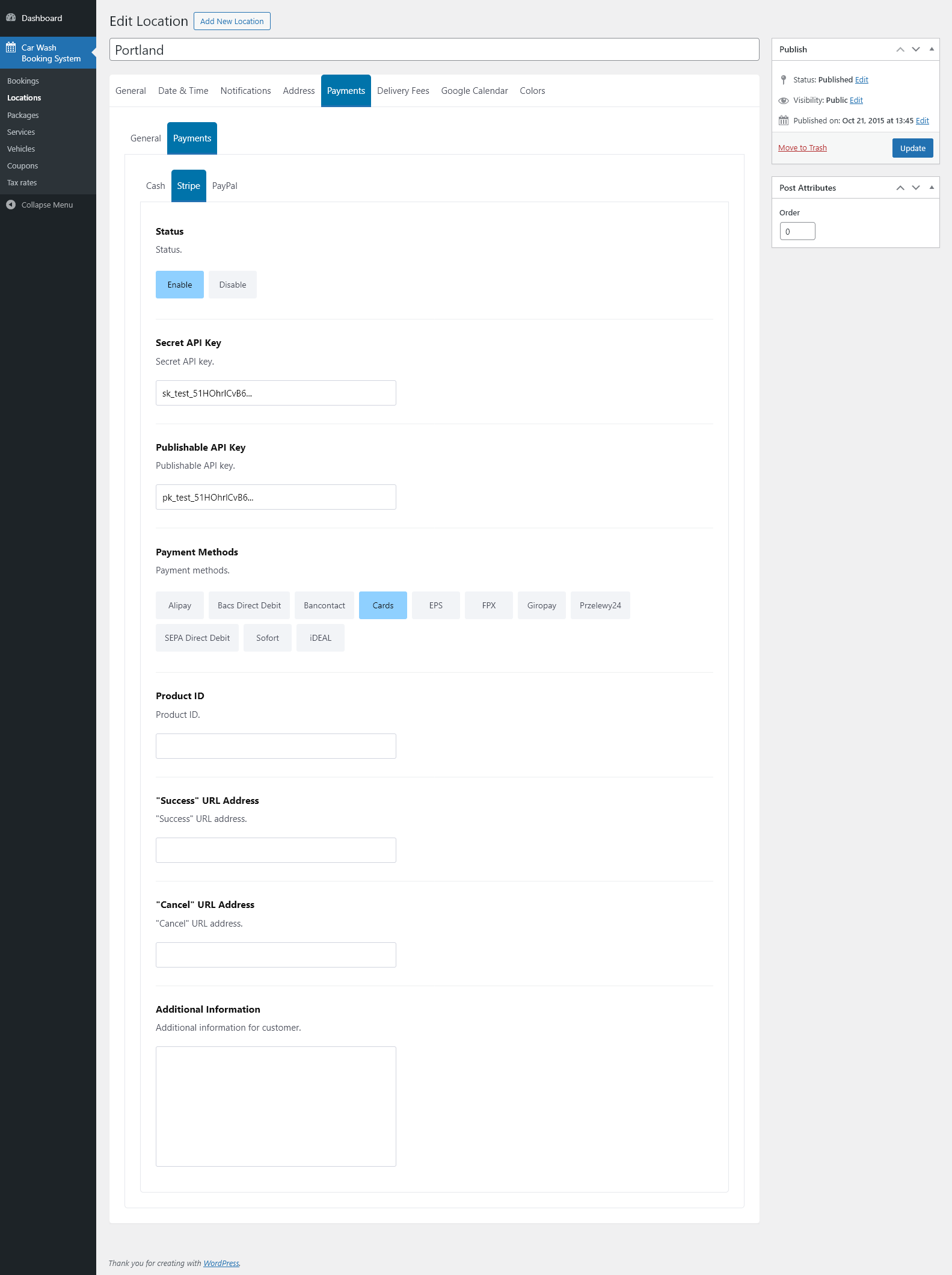
- Configure Stripe payments: enable/disable, enter Secret and Publishable API Keys, choose supported payment methods (cards and local payment options), set Product ID, and define “Success” and “Cancel” URLs plus additional customer information.
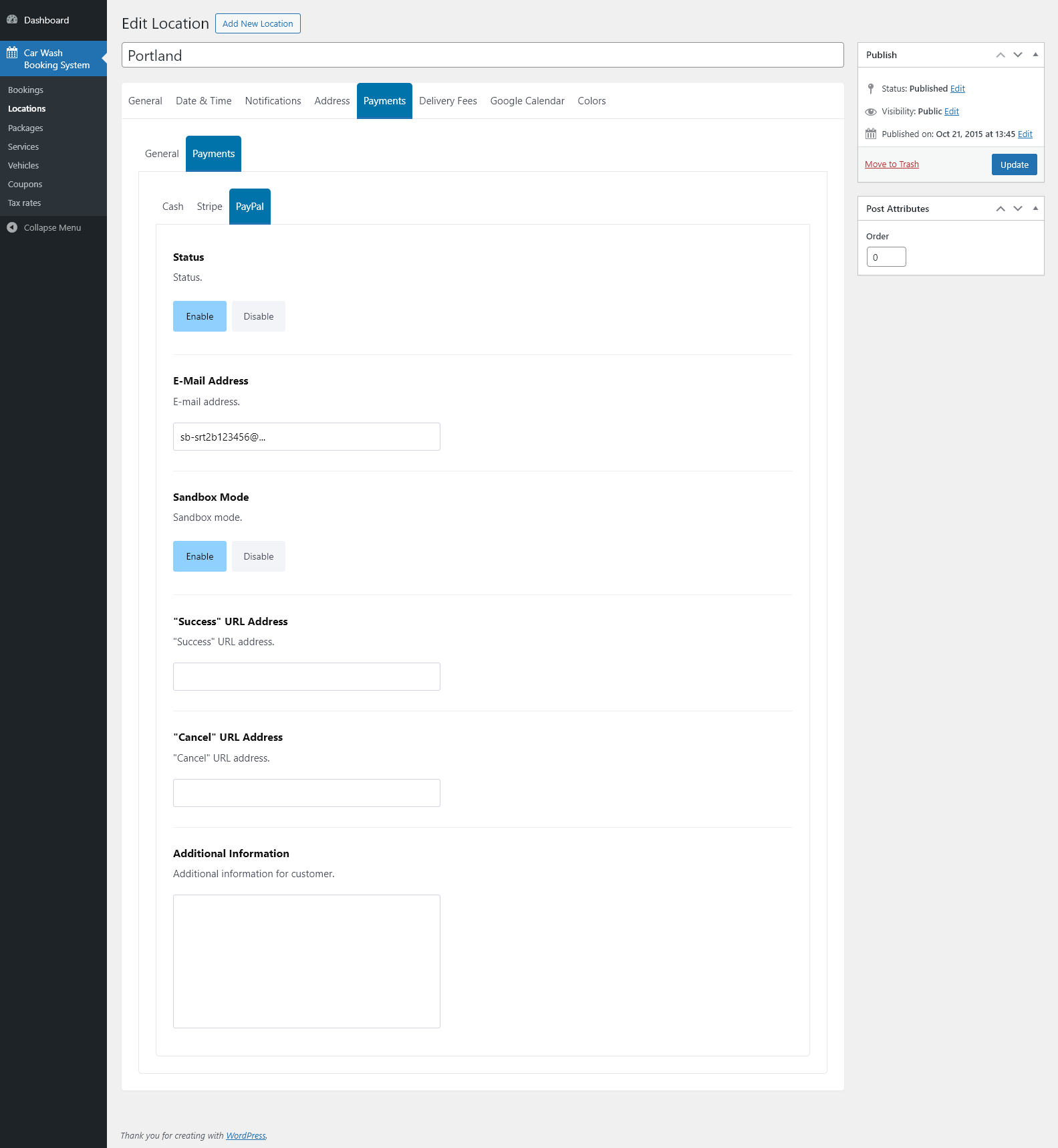
- Configure PayPal payments: enable/disable, set the PayPal e-mail address, toggle Sandbox mode for testing, and define “Success” and “Cancel” URLs along with additional customer information.
Delivery Fees
- Enable or disable delivery fee calculation.
- Define price per distance unit for a drive from base to customer location.
- Define price per duration unit for a drive from base to customer location.
- Define price per distance unit for a drive from customer to base location.
- Define price per duration unit for a drive from customer to base location.
- Select individual tax rates for each fee type.
Google Calendar
- Enter a Google Calendar ID to sync bookings with an external calendar.
Colors
- Set custom colors for the main color scheme.
- Set custom colors for the secondary color scheme.
- Customize heading text color.
- Customize body text color.
- Customize subtle body text color.
- Customize border color.
- Customize inactive step background color.
- Customize inactive step text color.
- Customize inactive body text color.
- Customize icon color.
Packages Module
This module allows you to create and manage service packages, each combining multiple services with flexible pricing per location and vehicle type.
Package List
- Browse, add, edit, or delete packages.
- View assigned services (Included / Not Included / Related).
- See package availability for each location and vehicle type.
- View net prices and duration values for all locations and vehicle types.
- Search packages by name and filter by date.
Services
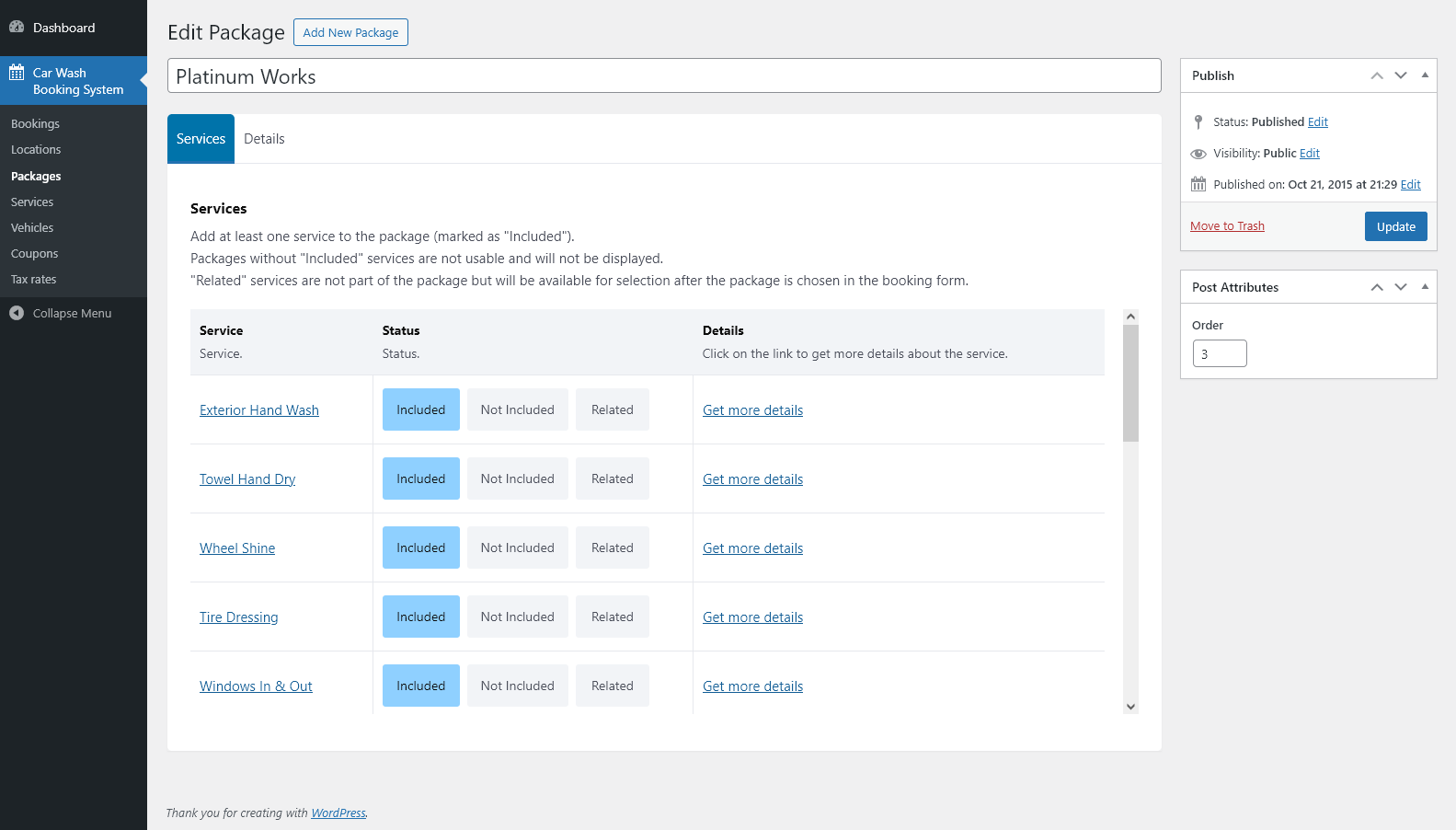
- Add any number of services to a package.
- Mark each service as Included, Not Included, or Related.
- Included services are part of the package price.
- Not Included services are ignored and not displayed.
- Related services are not included in the price but become available for selection after choosing the package.
- View detailed information for each service.
Details
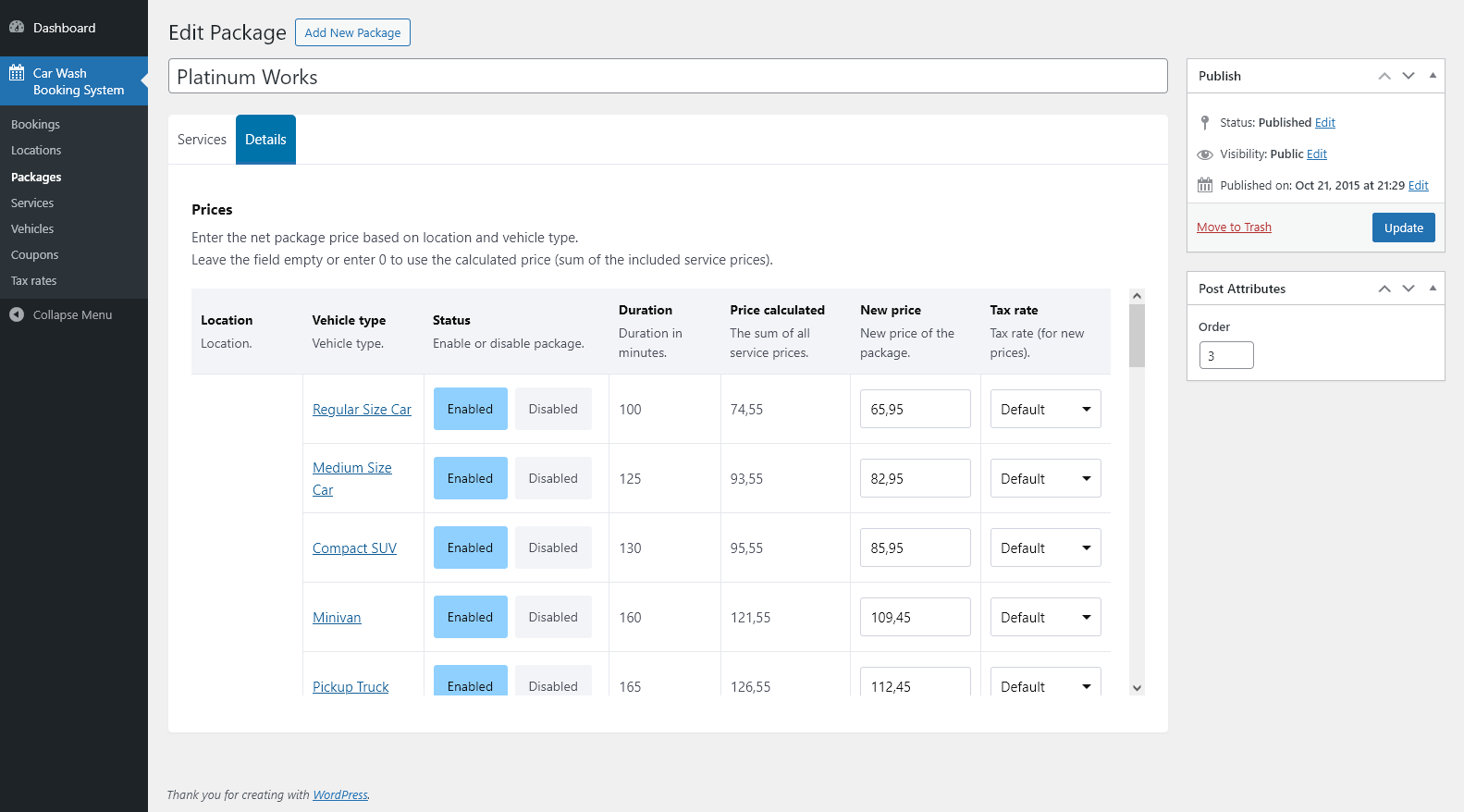
- Define package pricing separately for each location.
- Define pricing separately for each vehicle type.
- Enable or disable the package for specific location and vehicle type combinations.
- View the calculated total duration of all included services.
- Set a custom package price.
- Automatically calculate package price based on included services.
- Select a tax rate for each price configuration.
Services Module
Manage individual services that can be booked separately or as part of packages.
Service List
- Browse, search, add, edit, or delete services.
- View service availability per location and vehicle type.
- Check net price and duration values directly in the table.
- Filter services by status or creation date.
General
- Set a base net price for the service, used when no location/vehicle-specific price is defined.
- Select a base tax rate, used when no tax rate is defined for a given location and vehicle type.
- Define a base service duration in minutes, used when no location/vehicle-specific duration is defined.
Details
- Configure service parameters separately for each location and vehicle type.
- Enable or disable the service for specific location and vehicle type combinations.
- Set a net price for the selected location and vehicle type.
- Select a tax rate.
- Set a service duration in minutes.
Vehicles Module
Manage the list of vehicle types available in the booking form and configure their fees and appearance.
Vehicle List
- Browse, add, edit, or delete vehicle types.
- View each vehicle together with its assigned icon or image.
- Search vehicles by name and filter the list by publication date.
- Sort vehicles by column headers (e.g. Vehicle Type, Icon).
- Use bulk actions to quickly modify or delete multiple vehicles at once.
General
- Select an icon for the vehicle type that will be displayed in the booking form.
- Set an initial fee value for the vehicle; this amount is added to the booking total when the vehicle is selected.
- Choose a tax rate applied to the initial fee.
- Define the maximum height (in pixels) of the featured image used instead of the icon.
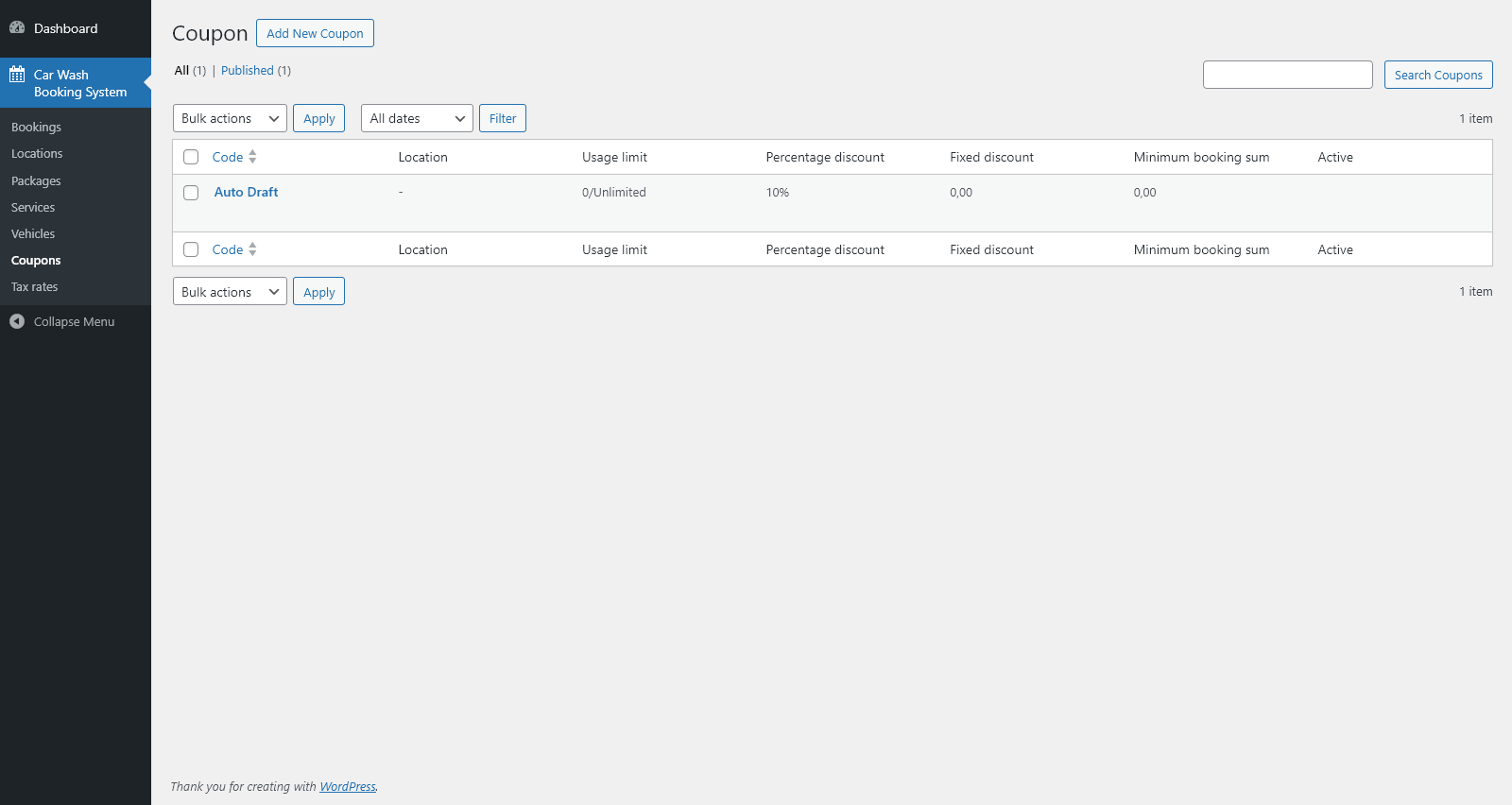
Coupons Module
Manage discount coupons that customers can apply during the booking process.
Coupon List
- Browse, add, edit, or delete coupons.
- View key information such as coupon code, usage limit, percentage discount, fixed discount, minimum booking sum, and active status.
- Search coupons by code.
- Filter coupons by publication date.
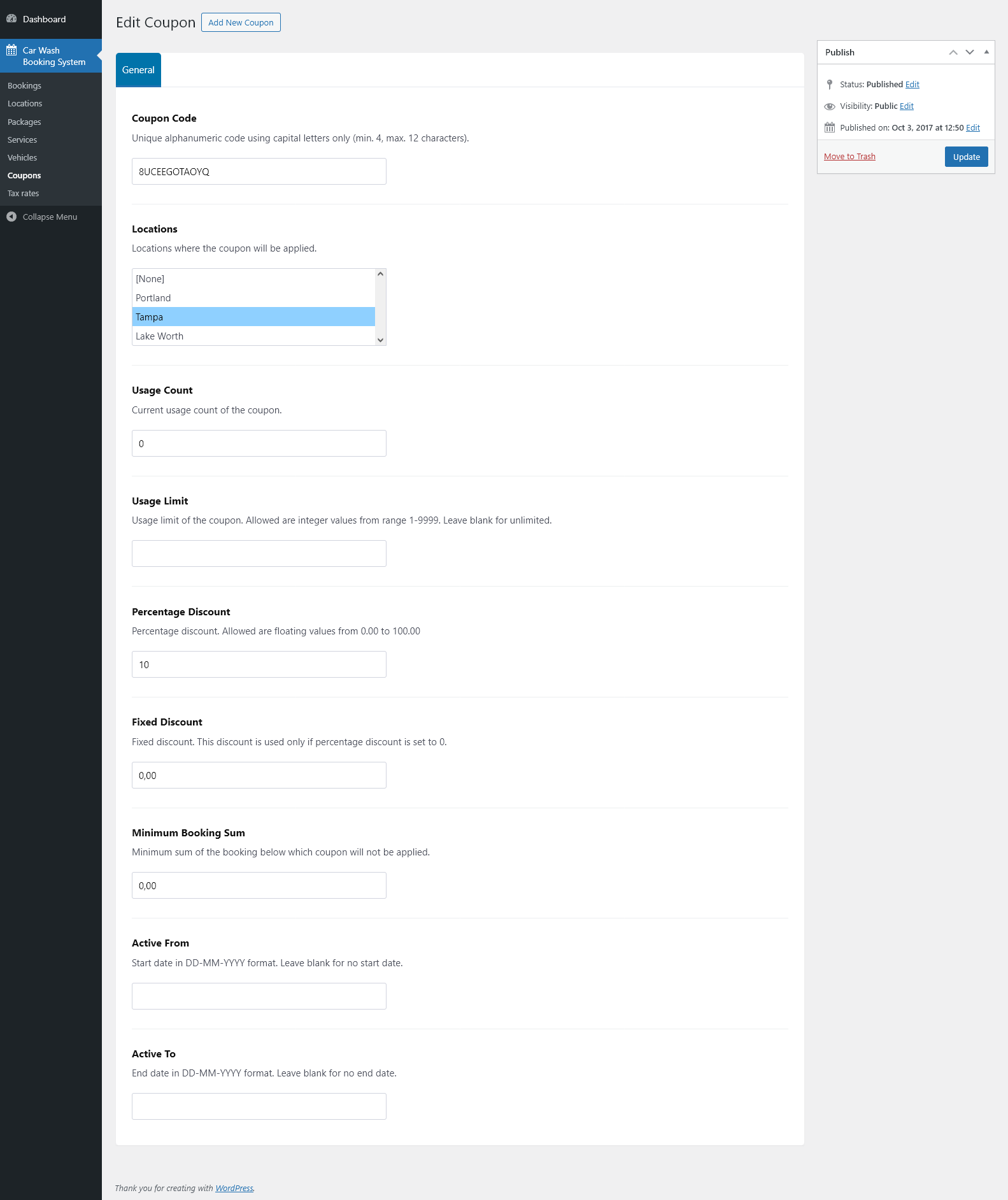
General
- Create a unique coupon code.
- Select the locations where the coupon will be active.
- View current usage count.
- Set a usage limit or leave blank for unlimited usage.
- Define a percentage discount.
- Define a fixed discount.
- Set a minimum booking sum required to apply the coupon.
- Specify the coupon’s active date range.
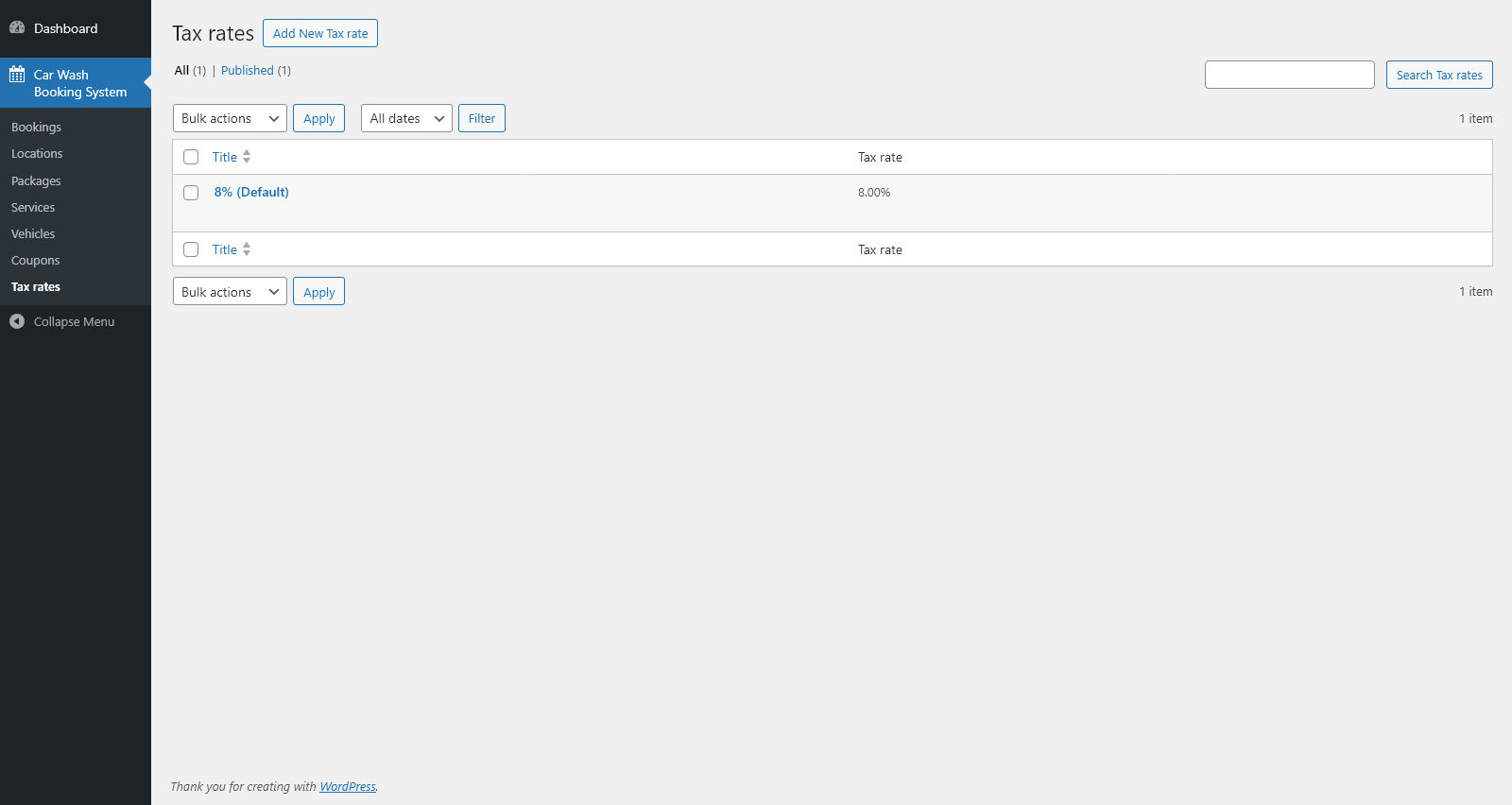
Tax Rates Module
Manage tax rate definitions used across services, packages, delivery fees, and other price configurations.
Tax Rate List
- Browse, add, edit, or delete tax rates.
- View all defined tax rates along with their percentage value.
- Search rates by name and filter by date.
- Set one tax rate as the default.
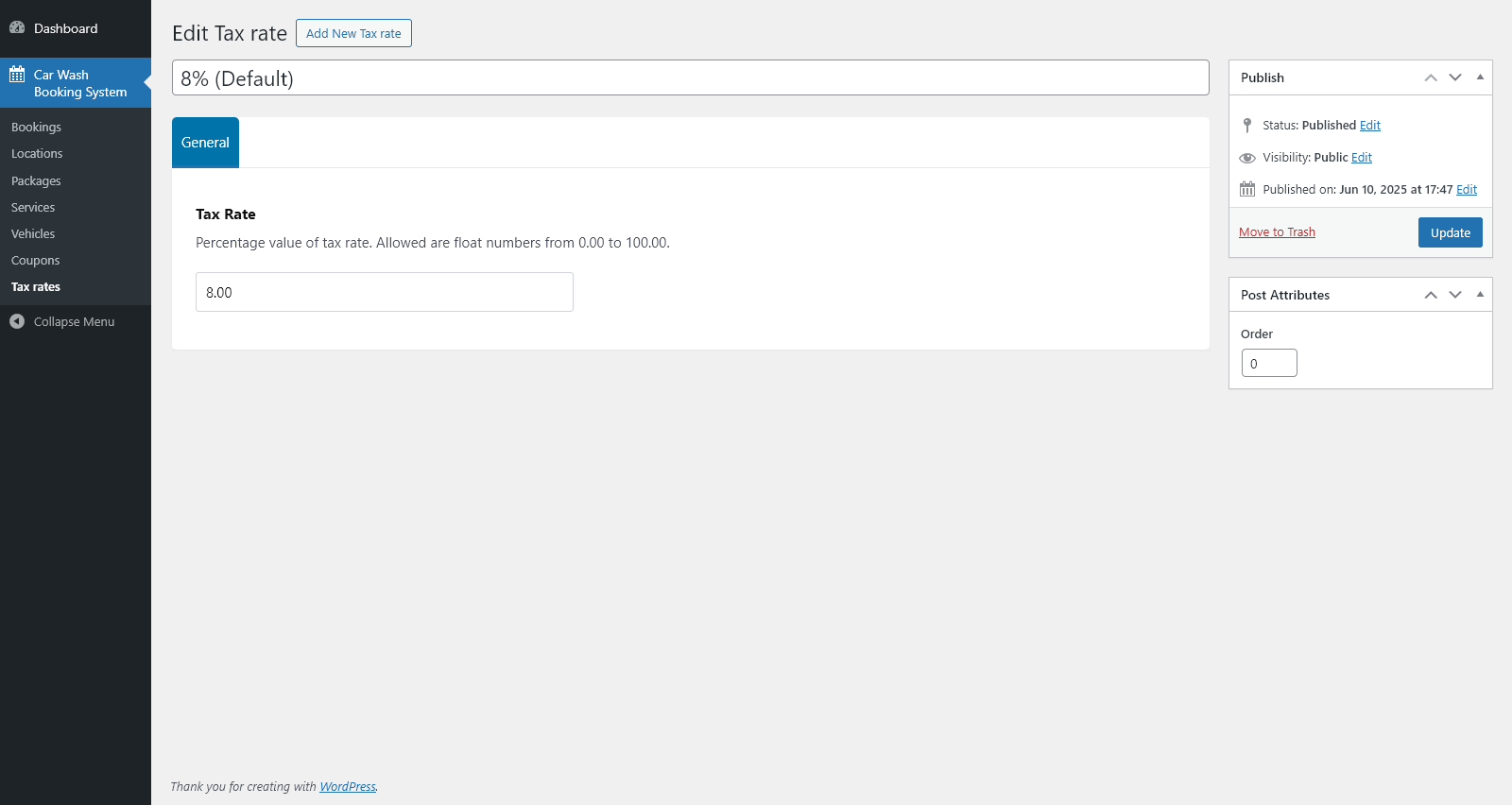
General
- Enter the percentage value of the tax rate.
- Use tax rates in all price-related settings across the system (services, packages, delivery fees, etc.).
Global Settings
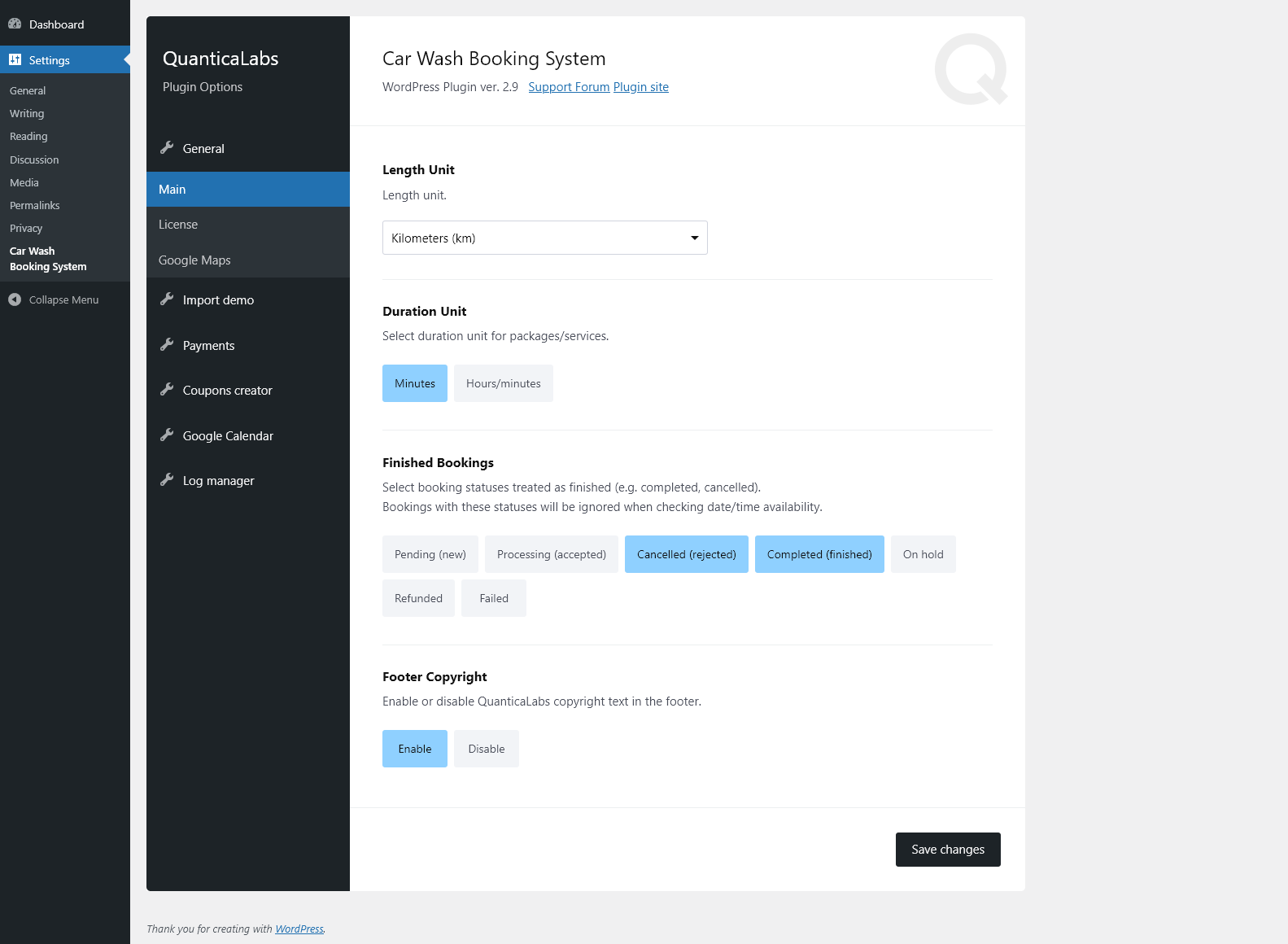
- Select the length unit used across the plugin (kilometers or miles).
- Select the duration unit for services and packages (minutes or hours/minutes).
- Define which booking statuses are treated as finished for availability calculations.
- Enable or disable the QuanticaLabs copyright text in the footer.
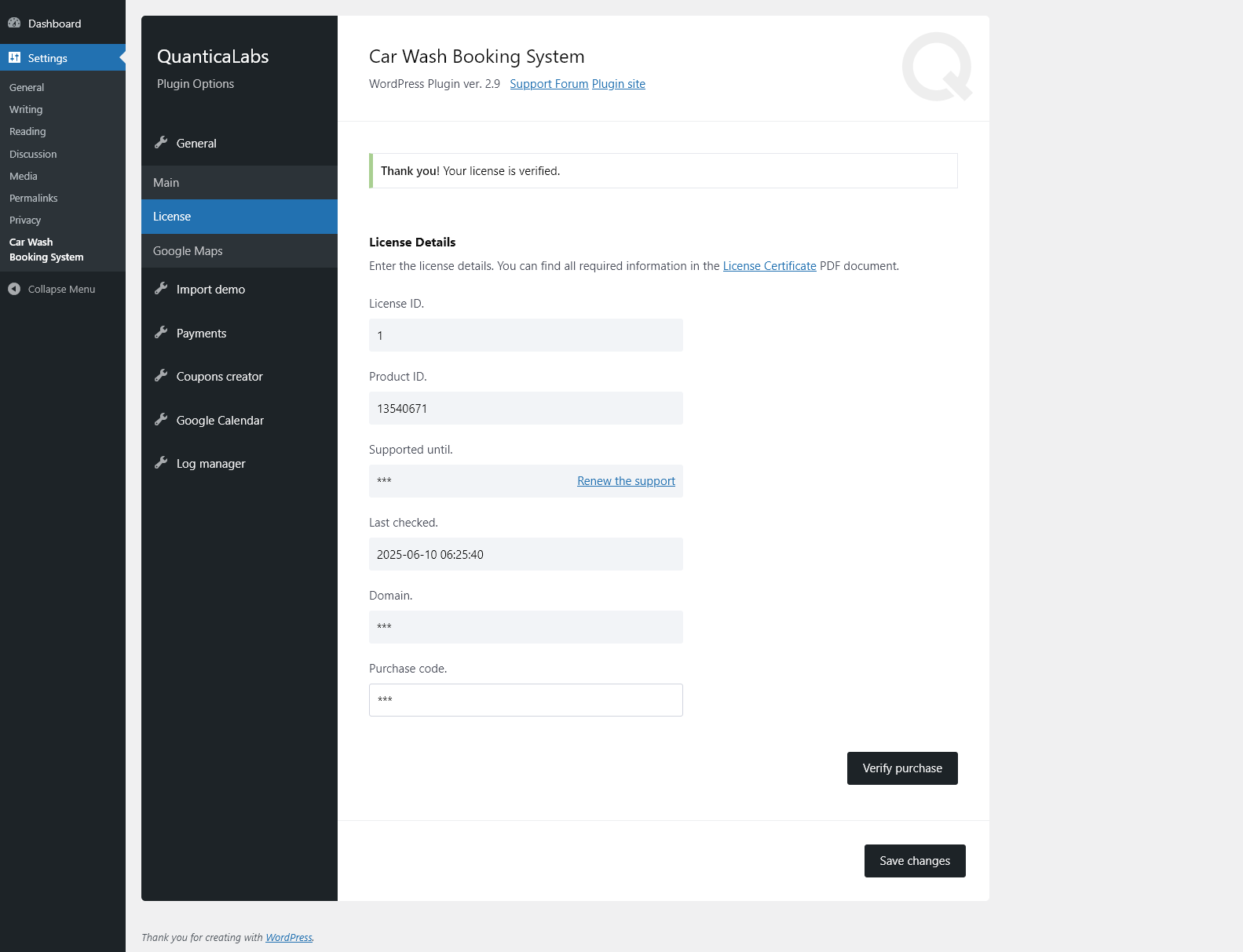
- Enter and verify your license details, including purchase code and supported domain.
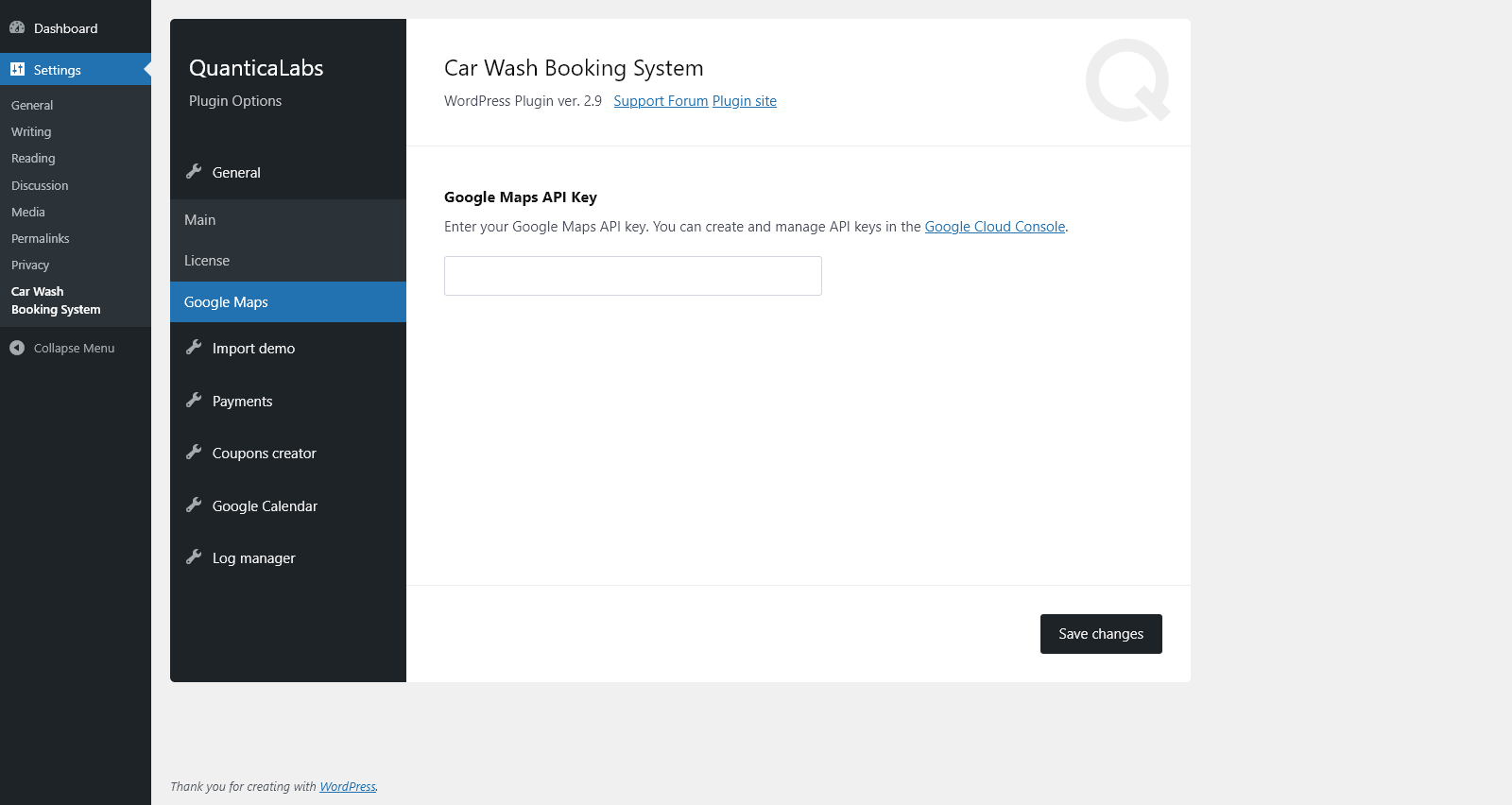
- Provide your Google Maps API key for location and distance-based features.
- Import demo content.
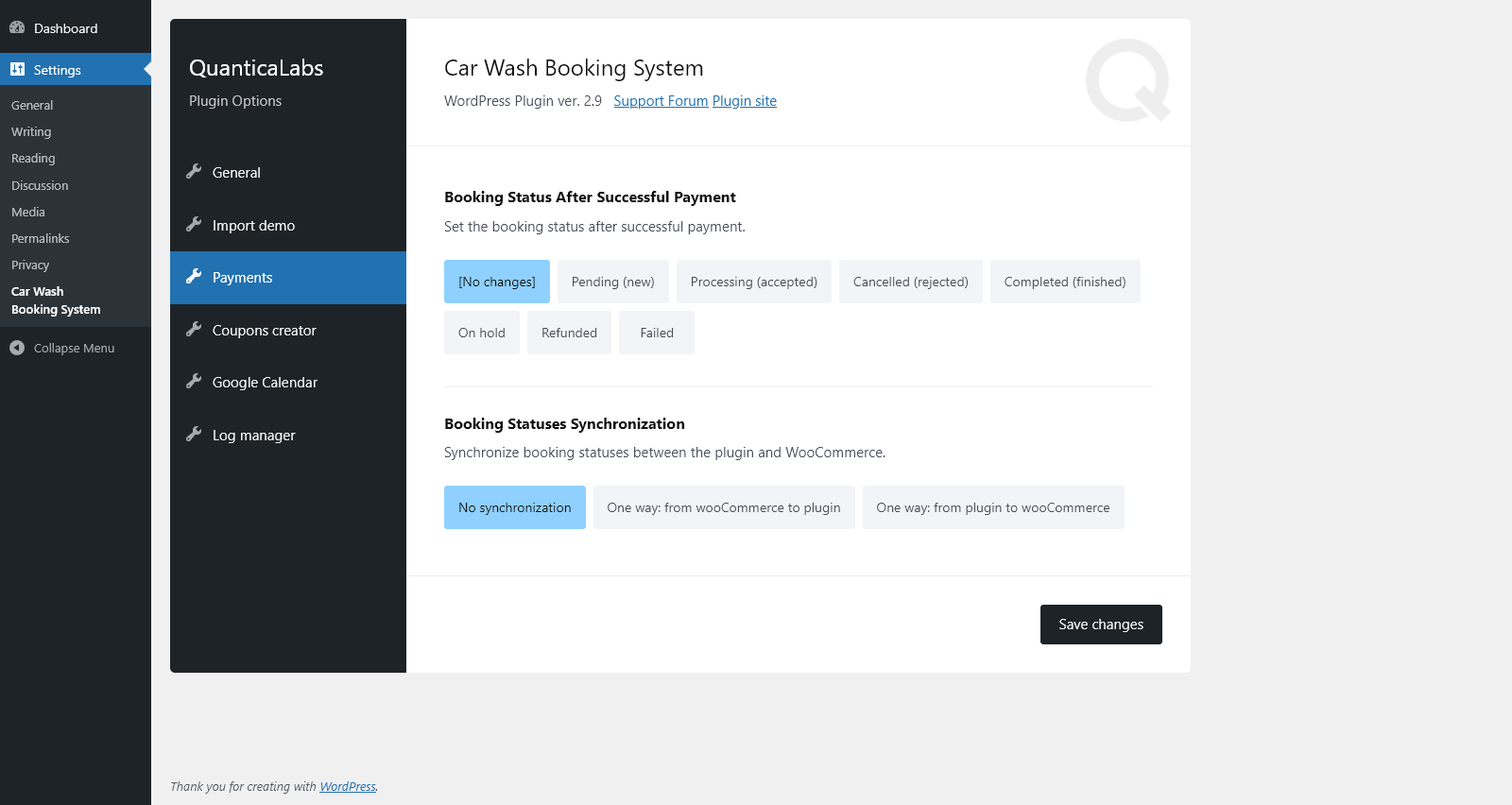
- Set the booking status applied after a successful payment.
- Configure one-way or no synchronization of booking statuses with WooCommerce.
- Generate multiple coupons at once using the built-in coupon generator.
- Configure Google Calendar integration.
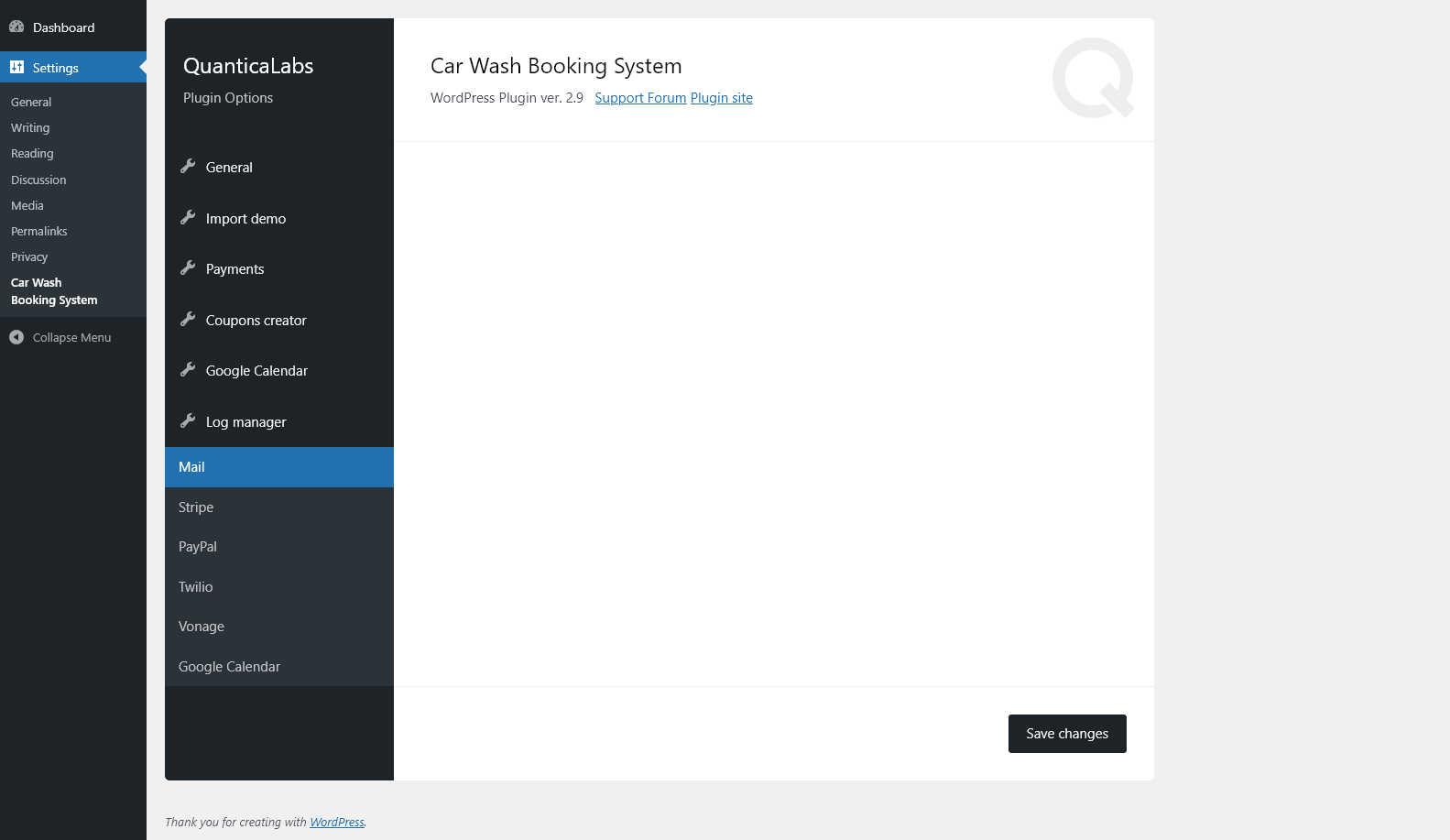
- View system log entries using the Log Manager.
- View mail logs (Mail tab).
- View Stripe payment logs.
- View PayPal payment logs.
- View Twilio SMS logs.
- View Vonage SMS logs.
- View Google Calendar sync logs.
This Item is Supported
Support is conducted through our Support Forum. We’re in GMT +1 and we aim to answer all questions within 24 hours on weekdays. In some cases, the waiting time may be extended to 48 hours. Support requests sent during weekends or public holidays will be processed on the next Monday or the next business day.
We Are Trusted by 125,000+ Customers
We are a team of passionate people with 20+ years of experience and 15+ years on Envato Market. We specialize in WordPress, design, and development. Please follow us to stay up to date as we continue to craft new products.