AI Book Writer – User Documentation
Introduction
AI Book Writer is a desktop application that helps you create complete books using artificial intelligence. From initial concept to final manuscript and cover design, the app guides you through the entire book creation process.
Transform Your Ideas into Books
Transform your book ideas into complete manuscripts with AI-powered writing assistance. AI Book Writer combines artificial intelligence with professional writing tools to streamline the entire book creation process.
This desktop application helps authors overcome writer’s block and create professional-quality books faster than ever before. From initial concept to final manuscript and cover design, AI Book Writer guides you through every step.
Key Features:
-
AI-Powered Writing Assistant
- Generate complete chapters automatically
- Develop character profiles and storylines
- Maintain consistent narrative flow
- Available in multiple languages
- Support for multiple AI providers (OpenAI, OpenRouter, Gemini, Claude, Groq, DeepSeek)
- Local AI integration (Ollama, LM Studio)
- Latest AI models: GPT-5.1, GPT-5.2, Claude Opus 4.6, Claude Sonnet 4.6, Gemini 3 Pro Preview
- Smart content chunking for better organization
- Real-time log window for seamless progress tracking
- AI-powered repetition detection for engaging content
-
Professional Story Structure
- Five-act framework for engaging narratives
- Plot development assistance
- Character arc management
- Scene planning tools
- Genre-specific templates and rules
- Narrative perspective selection
- Enhanced book format system
- Textbook format support for educational content
- Enhanced context management for better story consistency
- Advanced emotion analysis and tension management
- Adaptive content generation with repetition detection
- Enhanced chapter prompt generation with opening strategies
-
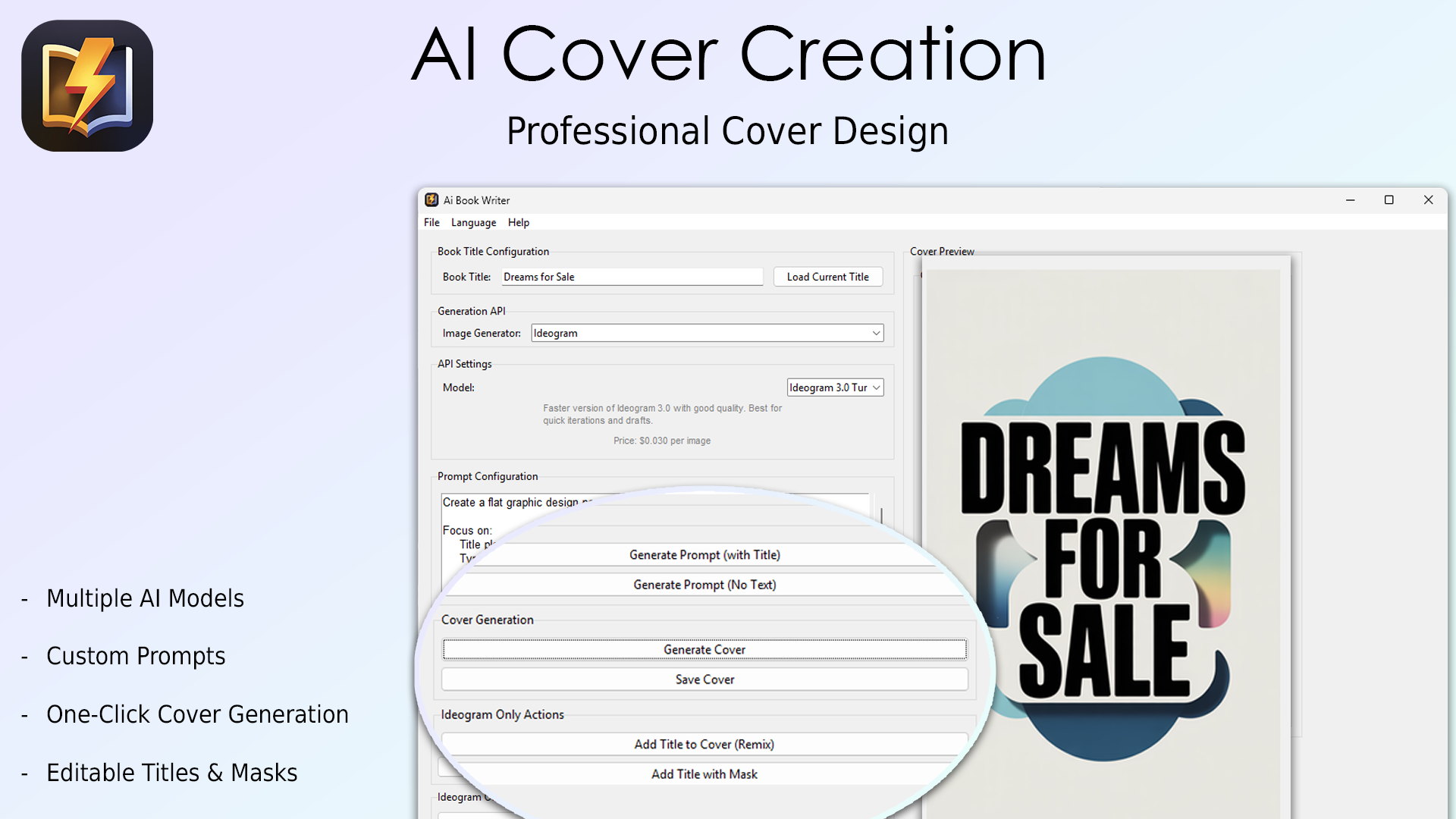
Cover Design Generator
- Create unique book covers with AI
- Professional typography integration
- Multiple style options
- High-resolution exports
- Enhanced with Ideogram API integration
- Support for latest models (V3, V3-TURBO and V3-QUALITY)
- GPT Image support with enhanced quality settings
- Improved prompt generation for flat graphic design posters
-
Document Management
- Export publication-ready manuscripts
- Professional formatting
- Chapter organization
- Industry-standard DOCX format
- Enhanced markdown support
- Professional footer text support
- Automated backup system
- Complete application translations in German, Spanish, French, Italian, and Dutch
Start your author journey today with AI Book Writer – your intelligent writing companion.
License Terms
Important: This software is licensed for personal and commercial use only. No reseller rights are included with this purchase. Redistribution or resale of the software is strictly prohibited.
System Requirements
- Windows 10/11 (64-bit) or macOS (Apple Silicon and Intel)
- 4GB RAM minimum
- Internet connection
- API key for at least one of the supported services:
- OpenAI API
- OpenRouter API (for GPT-5 and other advanced models)
- Google Gemini API
- Anthropic Claude API
- Groq API
- DeepSeek API
- Ideogram API (for cover generation)
- Local AI options: Ollama or LM Studio (optional)
Getting Started
Full Walkthrough Video
Watch this complete tutorial that covers the entire process from idea generation to final cover design:
▶️ Watch Complete Tutorial on YouTubeComplete walkthrough: Idea → Concept → Book Generation → Cover Design
1. Installation
-
For Windows:
- Download
AIBookWriterSetup.exe - Run the installer
- Follow the setup wizard
- Launch AI Book Writer
- Download
-
For macOS (Intel x86_64 or Apple Silicon M1/M2):
- Download the
AIBookWriterSetup.dmg - Double-click the downloaded file to mount or open the installer
- For a
.dmgfile, drag & drop AI Book Writer to your Applications folder - After installation, launch AI Book Writer from your Applications folder
- Note: If macOS shows a security prompt (Gatekeeper), right-click on the app and select Open, then confirm to run the application.
- Download the
2. API Key Setup
The app supports multiple AI providers:
OpenAI API Key
- Visit OpenAI
- Create an account or sign in
- Go to the API keys section
- Create a new key
- Copy the key to the app settings
OpenRouter API Key (For GPT-5)
- Visit OpenRouter
- Create an account or sign in
- Generate an API key
- Copy the key to the app settings
- Access cutting-edge models including GPT-5
Google Gemini API Key
- Visit Google Cloud Console
- Create a Google Cloud account or sign in
- Enable the Gemini API
- Generate an API key
- Copy the key to the app settings
Anthropic Claude API Key
- Visit Anthropic Console
- Create an account or sign in
- Generate an API key
- Copy the key to the app settings
Ideogram API Key
- Visit Ideogram
- Create an account or sign in
- Generate an API key
- Copy the key to the app settings
Groq API Key (Optional)
- Visit Groq
- Create an account or sign in
- Generate an API key
- Copy the key to the app settings
DeepSeek API Key (Optional)
- Visit DeepSeek
- Create an account or sign in
- Generate an API key
- Copy the key to the app settings
Local AI Options
The app also supports local AI options:
- Ollama: Install Ollama on your computer and configure it in the app settings
- LM Studio: Install LM Studio and set it up as a local server
LM Studio Integration Tutorial
Learn how to integrate LM Studio with AI Book Writer in this detailed tutorial:
▶️ Watch LM Studio TutorialStep-by-step guide for local AI integration
3. Quick Start Guide
- Open AI Book Writer
- Click “Settings” and enter your API keys
- Save settings
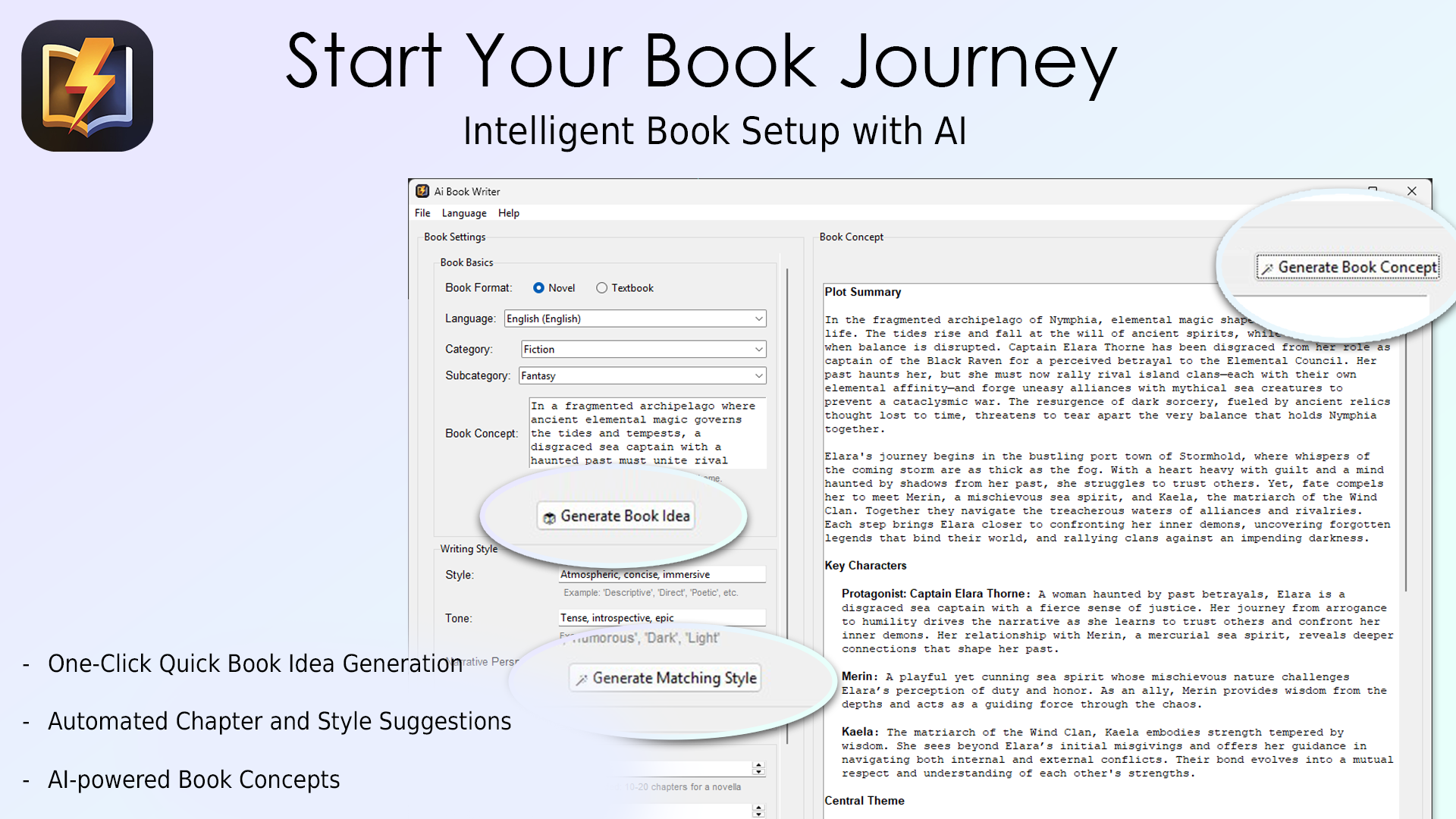
- Enter or generate a book idea
- Enter or generate writing styles
- Set chapters, paragraphs, and words per paragraph
- Choose book category and style
- Generate or enter a book concept
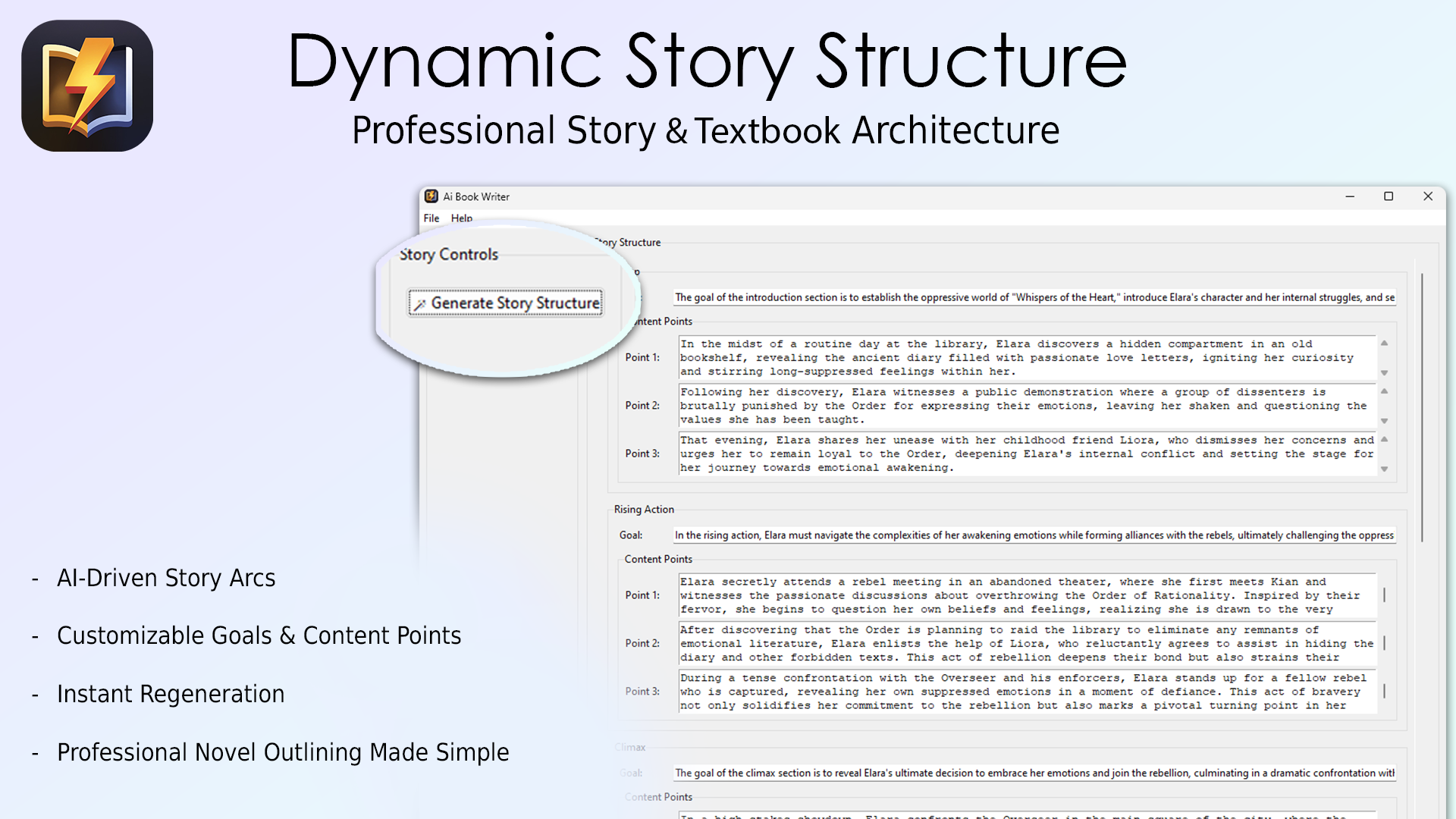
- Go to the next page and enter or generate the story structure
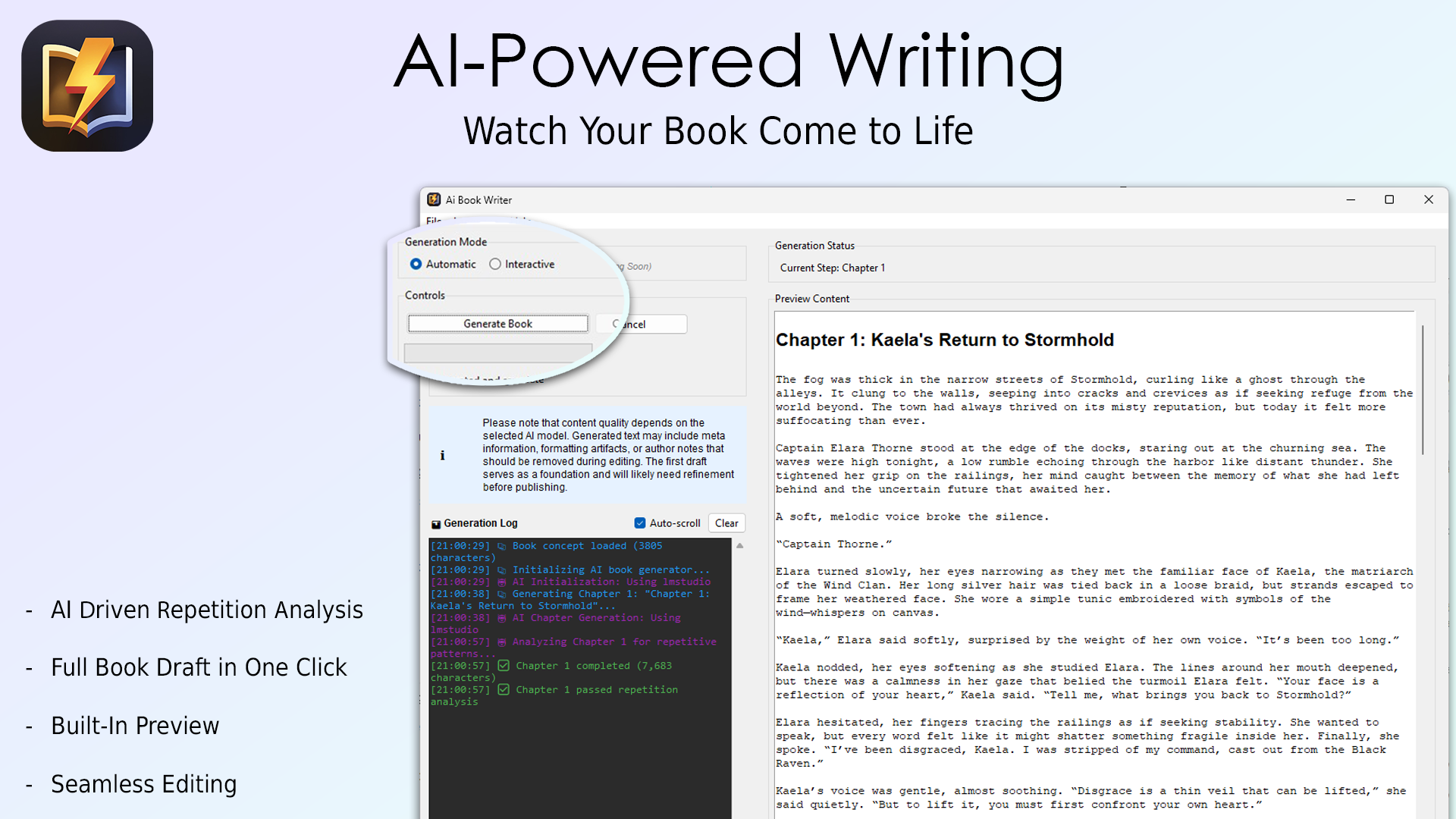
- Go to the next page and generate the book automatically or via interactive mode (generation time depends on the number of chapters)
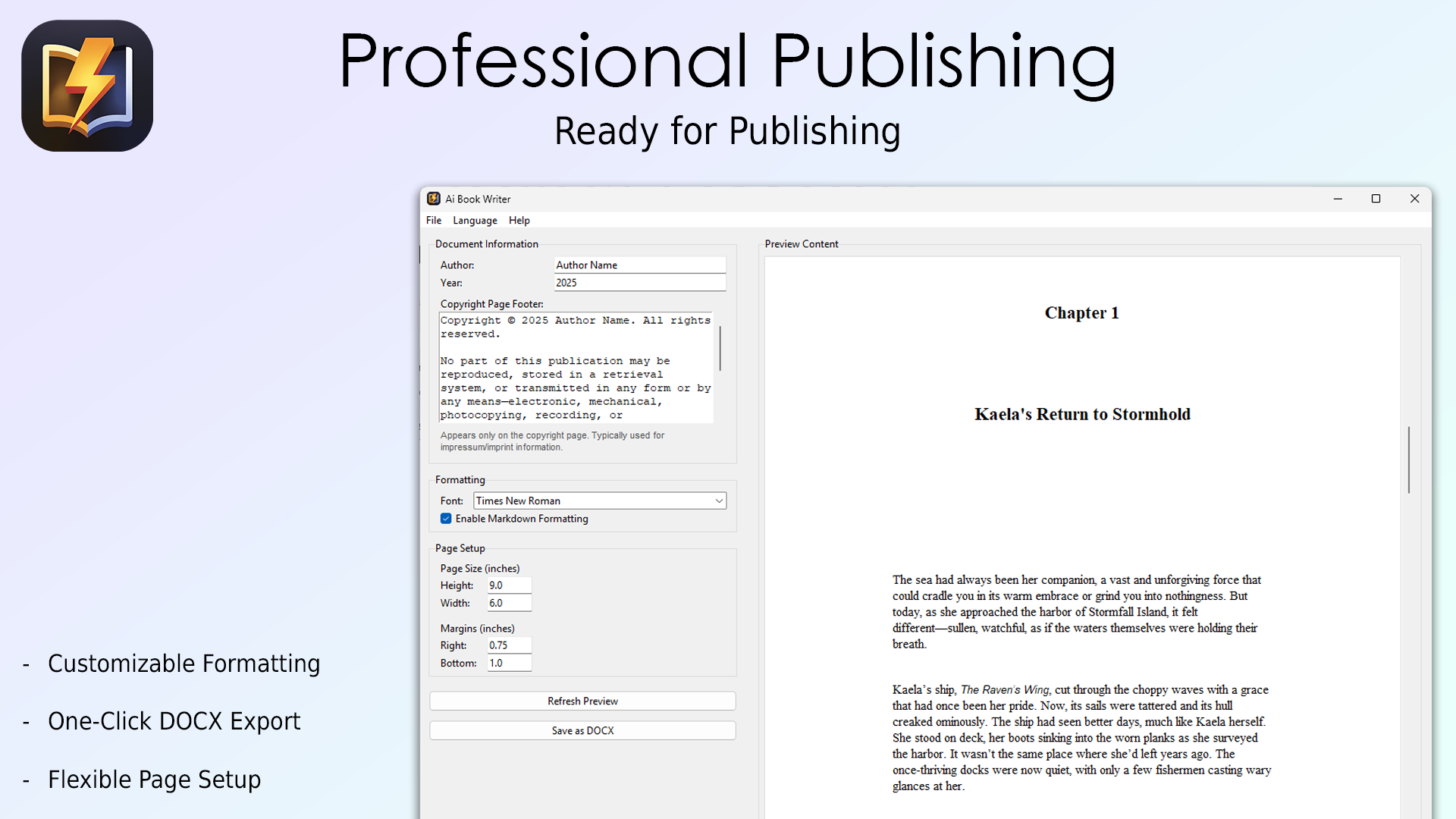
- Go to the next page and set the author and year
- Review your book, change fonts and settings if needed
- Save the book as a DOCX file on your PC
- Go to the next page and create a cover generation prompt
- After the prompt is created, click on “Generate Cover”
- Refine or remix the generated cover with the other generation options
Creating Your Book
Step 1: Book Setup
- Enter or generate the book idead and writing style
- Select the target language
- Choose the book genre
- Set the approximate book length
Step 2: Story Structure
- Navigate to the “Story Structure” tab
- Generate or enter plot points
- Review and edit the story outline
- Confirm the structure
Step 3: Content Generation
- Go to the “Generate” tab
- Click “Generate Book” to start
- Monitor progress in real-time
- Review generated chapters
- Edit content as needed
Step 4: Document Formatting
- Switch to the “Document” tab
- Choose a formatting style
- Preview the manuscript
- Export to DOCX format
Step 5: Cover Design
- Open the “Cover” tab
- Enter a cover description
- Generate cover options
- Select the preferred design
- Export the final cover
Features Guide
Book Generation
- Interactive Mode: Review and edit content while generating
- Automatic Mode: Complete book generation without interruption
- Style Control: Adjust writing tone and style
- Language Support: Generate in multiple languages
Story Structure
- Five-act framework
- Character development tools
- Plot point generation
- Scene organization
- Story consistency checking
Document Management
- Professional formatting
- Chapter organization
- Table of contents
- Multiple export options
- Automatic backup
Cover Design
- AI image generation
- Typography tools
- Multiple style options
- High-resolution export
Troubleshooting
Common Issues
API Connection Problems
- Check your internet connection
- Verify the validity of your API key
- Ensure you have sufficient API credits
- Check the API status pages
Generation Errors
- Restart the generation process
- Clear temporary files
- Check available disk space
- Reduce content length
Export Issues
- Close the document in other applications
- Check write permissions
- Ensure sufficient space
- Try an alternative location
FAQ
Q: How much does API usage cost?
A: Using the gpt-4-turbo model, 5 chapters typically cost around 10-20 euro cents. Costs vary based on chapter length and selected AI model.
Q: Can I edit generated content?
A: Yes, all generated content can be edited in the interactive editor.
Q: Are there language limitations?
A: The app supports major languages, but quality may vary by language.
Q: Do I own the generated content?
A: Yes, you retain full rights to all generated content.
Q: Can I import existing books?
A: Currently, the app focuses on new book creation.
Support
For additional help:
- Email: support@aibookwriter.de
- Documentation: AI Book Writer Docs
- Updates: Check “Help > About” for version info
Books Written with AI Book Writer
Check out these sample books created using AI Book Writer:
- Berlin Schatten: Mörderjagd im Kalten: Ein Journalist deckt mörderische Geheimnisse der Teilung auf
- Chaos in the Home Office: Tim and Julia’s Hilarious Remote Work Adventures
- Chaos im Homeoffice: Ein Mann zwischen Arbeit und Haushaltskatastrophen: Von Schreibtisch zu Waschmaschine: Lachen garantiert!
- Roboter-Witze und Pixel-Pranks: KI zum Schmunzeln
Best Practices
1. Regular Saving
- Save progress frequently
- Use the automatic backup feature
- Keep backup copies
2. API Usage
- Monitor API credit usage
- Update API keys before expiry
- Use test generations for experiments
3. Content Review
- Always review generated content
- Check for consistency
- Verify factual accuracy
- Edit for style preferences
What’s New in Version 1.8.1
- Enhanced AI Model Support: Dive into the world of creativity with our latest integration of Claude Opus 4.6 and Sonnet 4.6! These advanced AI models empower you to generate richer narratives and more sophisticated dialogue, helping you craft stories that captivate your readers like never before
What’s New in Version 1.8.0
- Advanced AI Models Support: Elevate your writing with cutting-edge AI technology! We’ve integrated support for OpenAI’s GPT-5.1 and GPT-5.2, Anthropic’s Claude 4.5, and Google Gemini 3 Pro Preview. Create more nuanced and engaging narratives with greater ease
- Improved Localization: Enjoy a smoother writing experience with updated localization in multiple languages. Express your creativity in your preferred language without any hiccups
- Speed and Stability Upgrades: Experience faster generation times and improved reliability thanks to enhanced stability in AI models. Increased HTTP client timeout means less waiting and more writing
- Streamlined Content Management: More efficient content cleanup during textbook generation for a cleaner, more polished final product
- Enhanced Exception Handling: Improved error handling across all components allows for a smoother, interruption-free writing experience
What’s New in Version 1.7.0
- OpenRouter API Support: Experience seamless writing with our new OpenRouter API integration. This feature connects you to a world of advanced AI models, empowering your storytelling capabilities and giving you the creative freedom to explore new ideas
- Introducing GPT-5 Models: Dive into the latest advancements in AI with GPT-5 support! This powerful model enhances your writing process, allowing you to generate richer narratives and more detailed character development
- Gemini 2.5 and Claude Models: Expand your creative toolkit! With the integration of Google Gemini 2.5 and Anthropic Claude models, you now have access to even more diverse writing styles and perspectives
- API Architecture Overhaul: Improved API architecture provides a smoother and more reliable writing experience with faster and more efficient interactions
- Smart Health Checks: New background health checks ensure that all systems are running smoothly, minimizing disruptions and allowing you to maintain your creative flow
- Faster Startup Times: Enhanced startup speed thanks to smarter health checks, allowing you to jump right into your creative process
What’s New in Version 1.6.1
- Indonesian Language Support: We’re thrilled to announce that AI Book Writer now supports the Indonesian language! Create and publish books for a whole new audience, expanding your reach and impact without any language barriers
- Enhanced UI Responsiveness: Experience a smoother and more responsive application. Our enhancements ensure that the app is faster and more efficient, reducing frustration and allowing you to write with ease
- Startup Update Check: Never miss out on the latest features! Our new startup update check will notify you if there’s a new version available, ensuring you always have the best tools at your fingertips
What’s New in Version 1.6.0
- Real-Time Log Window: Experience seamless writing with our new real-time log window! Stay informed about your book’s progress and catch any issues on the fly, allowing you to focus on your creativity without interruptions
- AI-Powered Repetition Detection: Say goodbye to repetitive phrases! Our advanced repetition detection system helps you craft more engaging and varied content, ensuring your narrative flows beautifully
- Enhanced Cover Generation: Bring your book to life with our upgraded cover generation feature! Easily edit titles and concepts to create stunning visuals that capture your story’s essence and attract readers
- Emotion Analysis and Tension Management: Unlock the emotional depth of your narrative! Our refined emotion analysis tools help you manage tension and create a gripping reading experience that keeps your audience on the edge of their seats
- Adaptive Content Generation: With our RepetitionDetector, enjoy a more dynamic writing process. This feature adapts to your style, helping you produce fresh ideas and content that resonate with your readers
- Chapter Prompt Generation: Spark your creativity with enhanced chapter prompts that include opening strategies and constraints. Get inspired and maintain your story’s momentum with ease!
- Streamlined Book Generation Process: Enjoy faster book generation with improved loading management. Spend less time waiting and more time writing!
- Enhanced Error Handling: Our improved error handling and logging ensure a smooth writing experience. Quickly identify and resolve issues, reducing frustration and allowing you to focus on what you love—writing your next bestseller!
- Refined Document Generation Support: Benefit from enhanced support for .docx files, ensuring your manuscript formats perfectly every time
What’s New in Version 1.5.2
- Smart Rate Limit Management: New comprehensive rate limit handling ensures your AI requests are processed smoothly without hitting service limits
- Proactive Configuration: Enhanced system that automatically manages your API connections for optimal performance
- Real-time Usage Tips: New helpful messages and tips to guide you on rate limits and usage optimization
- BYOK (Bring Your Own Key) Guidance: Clear instructions and localization support for setting up your own API keys with confidence
- Updated Documentation Access: All documentation links now point to the latest English resources with unified, up-to-date paths
- Better Help Integration: Seamless access to the most current guides and tutorials
- Enhanced Reliability: Smart rate limiting prevents API timeouts and service disruptions for fewer interruptions
- Improved User Guidance: Clear guidance on API usage helps you make the most of your writing sessions
What’s New in Version 1.5.1
- GPT Image Support: Added GPT Image as a new cover generation option with enhanced instruction following and quality settings (Low/Medium/High)
- Improved Cover Generation: Better prompt generation for flat graphic design posters with clearer instructions
- Enhanced Language Support: Complete application translations for German, Spanish, French, Italian, and Dutch
- Generation Cancellation: You can now cancel cover generation mid-process if needed
- Better Error Messages: Improved error handling for API connections and cover generation with clearer explanations
- Better User Interface: Improved layouts for cover generation controls and action buttons
- Performance Improvements: Faster cover generation processing and improved responsiveness
- Enhanced Verification: Added helpful links for GPT Image organization verification requirements
What’s New in Version 1.5.0
- Enhanced AI Model Support: Added support for latest GPT-4.1 models (GPT-4.1, GPT-4.1-mini, o4-mini)
- New Textbook Format: Added support for educational content generation with specialized templates
- Smart Content Chunking: Improved content organization and learning materials structure
- Enhanced Book Format System: Better content organization and structure management
- Improved Document Formatting: Enhanced markdown support and professional footer text
- Automated Backup System: New backup management interface for project safety
- UI Improvements: Better document preview, story structure UI, and content editor
- Quality of Life Updates: Enhanced error messages, better content flow, and improved section management
Previous Releases
Version 1.4.0
- Enhanced API Support: Added support for Groq API, DeepSeek API, and improved local AI integration with Ollama and LM Studio
- Improved Story Structure Generation: Enhanced with flexible settings and genre-specific rules
- API Health Monitoring: Real-time status indicators for API connections
- Narrative Perspective Selection: Choose between first-person, second-person, or third-person narrative
- Comprehensive Error Handling: Better feedback for API connection issues
- Genre-Specific Templates: Optimized prompts based on book genre
- Improved UI: Enhanced settings dialog with better organization
- Cover Generation: Enhanced with Ideogram API integration, supporting latest models (V-2A and V-2A-Turbo)
- macOS Support: Improved support for both Apple Silicon and Intel Macs
Version 1.3.0
Features:
- Enhanced input validation and genre rules integration into story structure generation
- Incorporated genre rules into concept generation with enhanced prompt structure
- Added narrative perspective handling in concept generation
- Implemented genre-specific rules for content generation
- Added new story calculation logic with genre-specific generation
- Enhanced concept generation with improved validation and structured prompt creation
- Added support for multiple narrative perspectives
- Improved macOS support with architecture-specific builds for Apple Silicon and Intel
Improvements:
- Enhanced logging functionality with UTF-8 encoding support
- Improved error handling and user experience
- Streamlined genre-specific guidelines retrieval
- Enhanced UI layout and responsiveness
- Optimized data processing for improved efficiency
- Improved character development tracking and management