8274 comments found.
Hello! Is there any function to enable or disable the rel = “nofollow” links? Or maybe to just disable in free links?
Hello,
If you are referring to the Website field under the Contact Info section, then yes, you can disable rel=”nofollow” (and also rel=”external”) by editing the field from Directory -> Listings -> Fields.
> Or maybe to just disable in free links?
This is unfortunately not possible.

Is there a way to make the site, a pay site for visitors? And limit which listings can be seen by visitor role?
Hello,
If you have installed the Sabai PaidListings plugin and activated the DirectoryPaidListings add-on from Settings -> Sabai, then you can have users pay to submit their listings.
> And limit which listings can be seen by visitor role?
This is not possible but you can limit which custom fields can be viewed by user role. This can be configured when you create/edit custom fields from Directory -> Listings -> Fields -> Manage Form.
After the most recent update I’m now getting the following errors:
Fatal error: Call to undefined method Sabai_Addon_Markdown::fieldGetFilter() in /wp-content/plugins/sabai/lib/Sabai/Addon/Field/Helper/FilterImpl.php on line 27
Warning: Cannot modify header information – headers already sent by (output started at /wp-content/plugins/sabai/lib/Sabai/Addon/Field/Helper/FilterImpl.php:27) in/wp-content/plugins/sabai/lib/SabaiFramework/Application/HttpResponse.php on line 96
Any advice?
Ok nevermind, I reloaded the FieldUI addon via settings and now everything is working again.
Great, also clearing the cache from Settings -> Sabai should fix the issue.
Hello! I have apre-sale question:
Is it possible to change the URL format? I’d like this way:
Directory page: site.com/directory
Category page: site.com/directory/category
Subcategory page: site.com/directory/category/subcategory
Listing page: site.com/directory/category/listing or site.com/directory/category/subcategory/listing (if in a subcategory)
Thanks!
Hello,
Thank you for your interest in the plugin. Unfortunately that is currently not possible however we will see what we can do for the later version of the plugin.
Hi onokazu,
For some reason, I am not able to view reviews after I added them from the admin panel. They are not visible on the site and I am getting an error message. I posted a review for testing. Can you help?
For reference, you can see the page: http://gradsup.com/career-services-listings/listing/troons-resume-cover-letter-and-essay-services Click on the 1 Review link
Hello,
Can you make sure that the payment plan the listing is associated with has the reviews feature enabled? You can check your payment plans from Directory -> Listings -> Plans. You can also check which plan the listing is associated with by editing the listing in the backend.
That worked! Thanks. Great plugin and looking forward to future updates and added features.
How can we use different map markers for different category like your demo site?
Hello,
You can upload custom map marker image when adding/editing categories from Directory -> Categories.
I would like to use sabai directory as events directory could you please help us
Hello,
You can add a Date type custom field and sort and filter listings by that field, so it is possible to use the plugin as an events directory if that is what you need for your directory.
Hey, I had setting for image to scale rather then crop, it was working fine and all the image were scale to required size but now after last two upgrade those scale feature is not working correctly. i have check all the setting again and again but i can’t work out how to scale the image to get correct thumbnail display. please help
Hello,
If I remember correctly there was no change in that function that would have caused the issue with recent updates. Can you tell us in more detail how it is not working correctly?
i have check again and again and thumbnail is not scaling the image. for example in widget area thumbnail is not showing scaled image but cropped image. For summary view i have put large image otherwise images were crop there too. i have double checked and it set to scale setting
Have you re-uploaded the image files after changing the resizing method? Can you try again and see if that works?
I have tried again, still having the same issue. also photo field setting always changes to thumbnail on summary view. but i have to put to large image because thumbnail photo is not scaling the photo. Could you please help, how can i solve the issue
Hey just want to drop by to appreciate for maintaining and updating this plugin 
Thank you! 
Is it possible to use Sabai directory as an events directory if you use the date custom field for example? I see many users in the past requested events support, has anything changed to allow it?
Also, where does the plugin get the geo location information from? For example, if I type an address or city into the “Enter location” field is it all pulled from Google maps?
Hello,
You can add a Date type custom field and sort and filter listings by that field, so it is possible to use the plugin as an events directory.
As for the address suggestions displayed in the location field, the plugin is fetching them using the Google Places API.
Sabai Directory DOES NOT ALLOW recurring billing with Authorize.net! WHY??? Authorize.net has a recurring billing API. This is VERY VERY frustrating.
PLEASE update your Sabai to allow recurring billing with authorize.net customers. PLEASE!!
Hello,
Currently recurring payment is supported with PayPal and Stripe payment gateways only. We will see if we can add support for that to Authorize.net as well.
The API is available on the Authorize.net website.
Is it possible to add some descriptive text at the top of the “add-directory-listing” page?
You can use the custom HTML field type and place it at the top of the form. The form editor can be found at Directory -> Listings -> Fields -> Manage Form
Hi there,
I have installed the plugin.
I am getting 404 error in ..../add-directory-listing/ and ..../directory-dashboard/
Cleared cache, saved settings.
Please advise what to do.
Thanks
Hello,
That sounds like that you are installing version 1.3.15 of the plugin. Please update the plugins to 1.3.16 to fix the issue.
Hi, i want to disable URL, Mail on the overview (the long list) but enable this on the listing view. How can i do that?
Sorry here a other question: it says Showing 1 – 20 of 2k results i do not want 2K but actual numbers. Where can i change that?
ohh (sorry) but why can’t Yoast or XML Sitemap Generator voor WordPress see the listings?
Hello,
Please see the following FAQ for details on displaying certain fields to various sections of the plugin. The FAQ says it is for custom fields but it does apply to default fields as well. http://codecanyon.net/item/sabai-directory-plugin-for-wordpress/4505485/faqs/17466
> Showing 1 – 20 of 2k results i do not want 2K but actual numbers.
That will require modification to one of the template files, directory_listings_pager.html.php. Please see the following FAQ for more details on handling template files. http://codecanyon.net/item/sabai-directory-plugin-for-wordpress/4505485/faqs/15151
> why can’t Yoast or XML Sitemap Generator voor WordPress see the listings?
We use our own sitemap which you can see the details about it here: http://codecanyon.net/item/sabai-directory-plugin-for-wordpress/4505485/faqs/16605
Hi….does this plugin support tags & permalinks for the listings? Also, does it support logos as thumbnails for the listings? Can we customize search form? Also, I read in the comments that the plugin doesn’t support pagination. Then will it support infinite scroll?
Also, one more clarification. If it supports permalinks is it possible to strip categories from the permalinks the way we do with standard wordpress posts to avoid duplication of the same listing under multiple categories?
Hello,
There is no tags, and yes it does support permalinks, logos and thumbnails. You can add fields to the search form but you can add fields to the filter field displayed on the directory index page. The plugin does support pagination, I don’t think we every mentioned that it doesn’t. Please see the demo site where you can find more details on the plugin. http://demo.sabaiapps.com/sabaidirectory/
There are no categories in the permalink and the permalink will always be unique for each listing so there shouldn’t be any URL conflict.
Hi….thank you for the clarification…....Are the listings compatible with SEO by Yoast? Can I have custom excerpts for the listings similar to standard posts?
Do you mean meta description for each listing? The plugin is compatible but will not be using the fields provided by WP Seo. Please see the following FAQ to enable meta title and description fields for single listings. http://codecanyon.net/item/sabai-directory-plugin-for-wordpress/4505485/faqs/16758
Hi,
I would like to restrict access to the directory and would like only participants to access the directory and see listings in it: how can I do it?
Thanks, Romain
Hello,
Unfortunately that is currently not possible.
oh ok.. Thanks Ono
Hello Kazu,
I just switched to the KLEO theme since they are very strong on BuddyPress and bbPress, and I noticed that they are considering integration of their theme with another directory plugin due to so many requests from KLEO users for a directory integration, so I did my part in trying to convince them to integrate their theme with Sabai instead, and they are sort of considering it. Perhaps you can take a look at the theme and issue some sort of compatibility pack or guarantee so that your directory gets integrated instead of the other one they are considering, which of course will make your sales skyrocket. Here is a link to the comments on this issue:
http://themeforest.net/item/kleo-next-level-premium-wordpress-theme/6776630/comments?page=91Hello,
You should be able to use the directory plugin with the theme without any customization. Does it mean that there was an issue using the plugin with the theme?
Oh no, sorry that I did not make myself clear. No issue at all – in fact I have not yet installed Sabai since I purchased KLEO just today, but since the author is thinking of integrating a directory plugin with the theme, I would like them if possible to integrate Sabai instead of another directory, so that I can use their design integration, instead of me having to do all the design and integration with their theme, since I am not a coder or layout designer in any sense of the word. That’s really all there is to it. Thanks for letting me know that I do not need to customize your plugin using their theme.
Great, thank you letting us know in details.
A few questions if I may:
1. Can ratings be disabled on listings?
2. Would a grid type view like this (http://i.imgur.com/W0ysV.png) be possible in a future release where we can specify what fields appear?
3. Are there any plans for a comparison function for listings?
4. Is it possible to disable listing claim functionality completely?
5. Can we simply add/change the reasons (from the defaults) for flagging a listing?
6. Can we specify what custom fields appear depending on the category?
7. Is it possible to have certain fields only be editable by admins (ie: affiliate links)?
Hello,
Thank you for your interest in the plugin.
1) Yes, you can just disable the Ratings field in Reviews.
2) That looks interesting and we will see if we can addd that view to the later version of the plugin.
3) Currently no.
4) Please see the following FAQ: http://codecanyon.net/item/sabai-directory-plugin-for-wordpress/4505485/faqs/22429
5) You can’t change or add any options, but users can enter their reason for flagging listings.
6) You can restrict fields to be displayed in submit listing form by categories.
7) Yes, you can specify which user roles have the permission to edit each field.
Thank you for your reply.
I am very excited to see your positive feedback about possibly adding #2 from above! That would be a great feature add for Sabai Directory.
Another few questions if I may (sorry):
1. Is there a field to show what user posted the listing?
2. Is is possible, from a user’s buddypress profile page, to show the listings they have added?
3. Is is possible to give users a score/ranking based on the number or listings/reviews they have submitted to help encourage more submissions by them?
1. Currently no, but we will be adding that to the later version of the plugin.
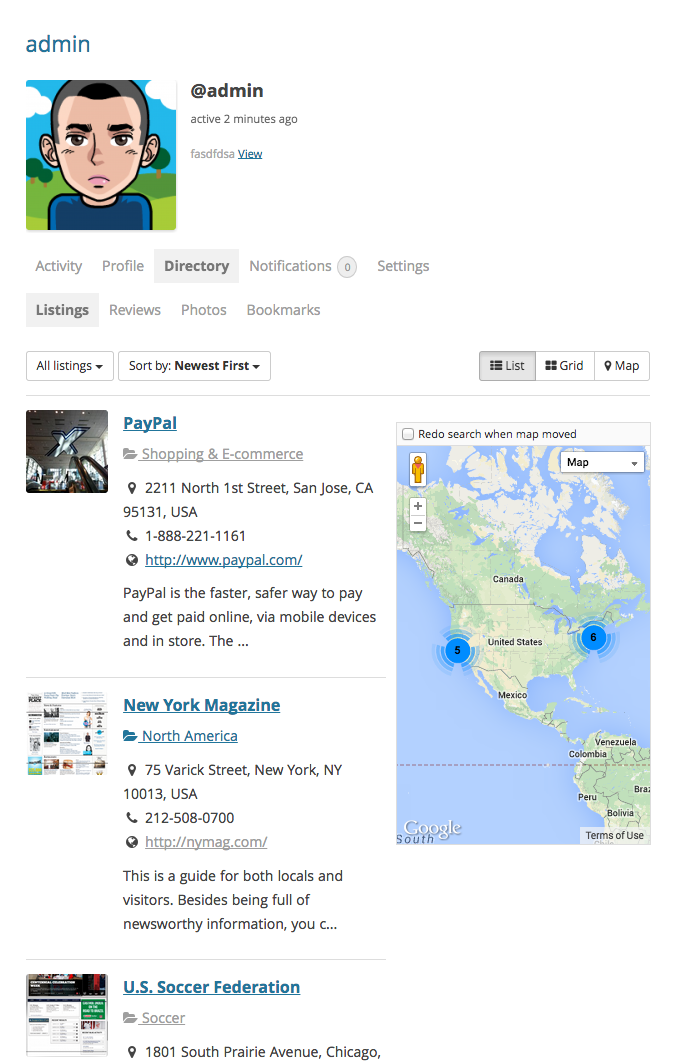
2. That is already possible with the plugin. Please see the screenshot: https://0.s3.envato.com/files/110984192/screenshots/buddypress_profile.png You can find more screenshots here: http://codecanyon.net/theme_previews/4505485-sabai-directory-plugin-for-wordpress?url_name=sabai-directory-plugin-for-wordpress
3. That sounds interesting, however there is currently no such feature with the plugin.
Regarding point #1. Do you imagine that it will be added in a near future release (next version?) or not for a while? I ask as I require it for my project. Thank you.
We will not be adding it for a while but you can still display the listing owner on single listing pages by editing the template file directory_listing_single_full.html.php to add tags below.
To show the author name:
<?php echo $entity->getAuthor()->name;?>
To show the author name with avatar and with a popup showing author details when author name is clicked:
<?php echo $this->UserIdentityLinkWithThumbnailSmall($entity->getAuthor());?>
Thank you for sharing this information. I notice that you share a lot of useful information like this in the discussion threads. Do have a “tips & tricks” (faq) page that has lists all of these? I am sure it would be very useful to many of your customers and potential future ones too.
Claim option is not visible and contact tab is now visible even I select it for free users from settings, could you tell me how to fix it?
Hello,
Can you also make sure the users have the permissions to Add Leads and Claim existing listings in Directory -> Settings -> Access Control?
Hi,
Yes, subscriber has the permission to add leads and claim existent listing in directory settings but still I can’t see claim button, could you please help?
Thanks
I essentially need contact us tab and assume it would only be shown after the listing has been claimed… please help, thanks
Sorry but I am a little confused about your issues. Is the listing claimed or not yet claimed? If the listing is already claimed, the the claim listing button should not be displayed, so that is fine if you do not see the button.
is there a language file hook that i can attach to, to change the wording on certain things? i am using it as a CRM rather than a business directory so i wanted to change some of the wording without having the changes get erased whenever i update it.
Hello,
There is no hook but you can create a new english language files and modify the phrases you wish to change, by following the instructions in this FAQ: http://codecanyon.net/item/sabai-directory-plugin-for-wordpress/4505485/faqs/15147
Hello, unfortunately the new feature “slider” is not working on my theme (Sahifa). I have tried the shortcode: [sabai-directory-photo-slider photo_size=”thumbnail”] both for my homepage and in a sidebar without any result. Is there some extra parameter to add? Thank you so much and again compliments for this great plugin
Hello,
If you are not using the shortcode inside page content, then you will need to add return=1 to the list of parameters of the shortcode.



)