5966 comments found.

Hi, I’ve installed FormCraft Basic on my WordPress/BuddyPress site with the Sweet Date theme http://themeforest.net/item/sweet-date-more-than-a-wordpress-dating-theme/4994573?WT.oss_phrase=sweet%20date&WT.oss_rank=1&WT.z_author=SeventhQueen&WT.trending=trending&WT.ac=search_thumb . After I activated the FormCraft Basic plugin, the theme’s icons were no longer visible but when I deactivated the FormCraft Basic plugin, the Sweet Date theme icons were visible again.
Please tell me how I can have the Sweet Date theme icons remain visible with the FormCraft Basic plugin activated. I am currently testing FormCraft Basic with the hope of purchasing FormCraft Premium WordPress Form Builder.
Hello,
Please give me a link where I can replicate the issue. I’ll look into it.
I did some testing and found that if I remove the fontello folder from wp-content/plugins/formcraft-form-builder/assets the font-awesome icons will display properly in the Sweet Date theme, but I imagine that this could have some negative consequences on FormCraft not being able to display fontello, right?
Is there a way that fontello and font-awesome can both be functioning at the same time without having this problem?
Try this. Edit the file formcraft.css in fontello/css and find the line:
[class=" formcraft-"]:beforeReplace this with:
.nform [class^=”formcraft-”]:before, .nform [class=” formcraft-”]:before
This should work!
I checked every css file in the plugin but I didn’t find the file or the code that you mentioned. I’m using FormCraft Basic Version 1.0.1. I searched inside my cpanel public_html/wp-content/plugins/formcraft-form-builder/assets/fontello/css animation.css fcb-codes.css fcb-embedded.css fcb-ie7-codes.css fcb-ie7.css fcb.css
public_html/wp-content/plugins/formcraft-form-builder/assets/css add-form-button.css common-elements.css dashboard.css fcbmodal.css form-page.css form.main.css foundation.min.css
Please provide me with the correct path to find the correct css file and code. Thank you.
Apologies. I forgot that part!
Find the file fcb.css and find the line:
[class=" icon-"]:beforeReplace this with:
.formcraft-css [class^=”icon-”]:before, .formcraft-css [class=” icon-”]:before {
}
The code that you mentioned [class=” icon-”]:before does not exist in the fcb.css file. I’ve pasted below some similar code from the fcb.css file. Please show me how to modify this code to resolve the problem:
*/
.formcraft-css [class^=”icon-”]:before, .formcraft-css [class=” icon-”]:before {
} { font-family: “fcb”; font-style: normal; font-weight: normal; speak: none;
Oh, never mind. You should be able to see the option to update the plugin.
The plugin update seems to have resolved the problem. Thank you
how do you take off the (powered by FormCraft form builder)
Hello,
Please enter the purchase key and click on verify.
Hi! I urgently need the help!! I wait for you 2 days. ticket #646
Are you okay?
I’m 2 days for help, and you manufacture that password does not match.
Have a conscience guys?
Somebody, help me
Apologies for the delay. I have replied to your ticket.
Hi!
The author replied that he had done all it requires WordPress
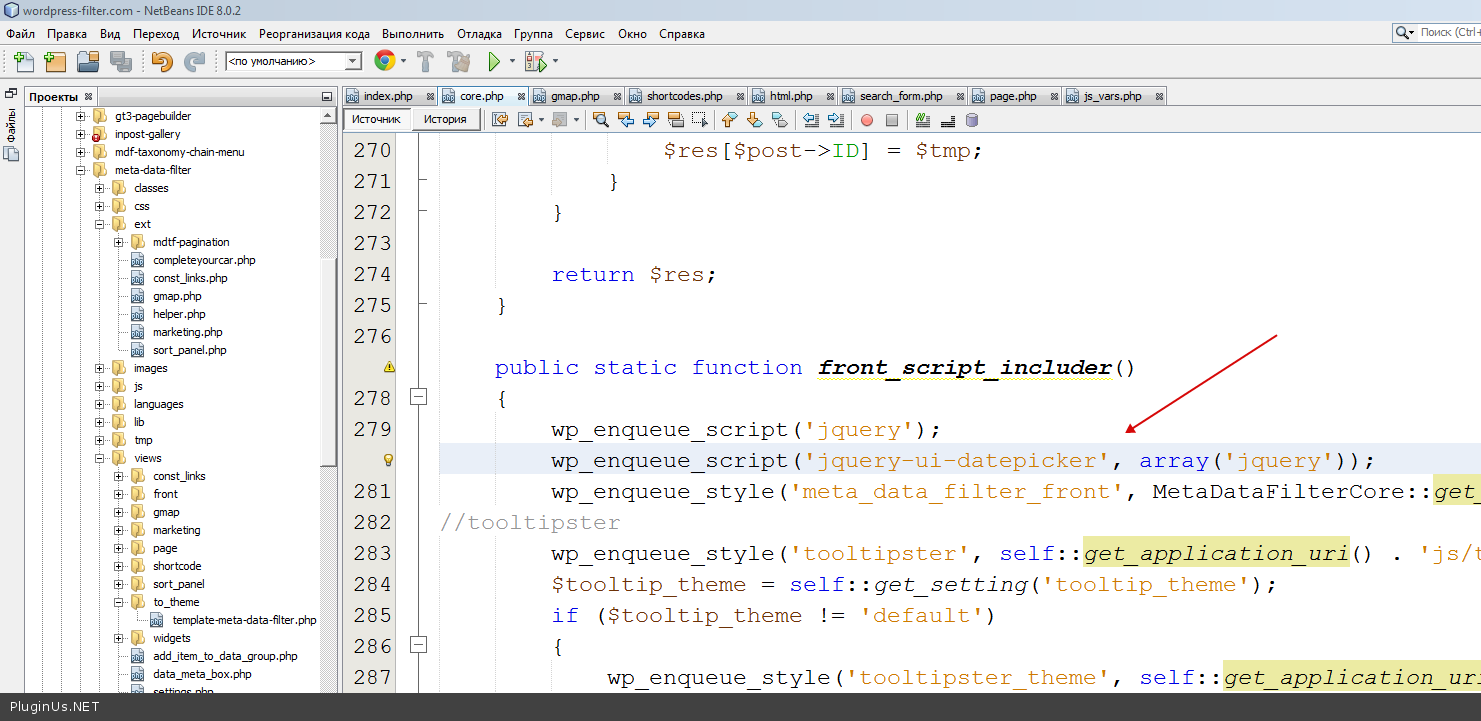
http://codex.wordpress.org/Function_Reference/wp_enqueue_scriptThat’s the way it connects
http://c2n.me/3elKUQT.pngI have replied to your email.
When my customer submit the form, an email with a random code will be sent to them.How can i do this?
Sorry, this isn’t possible
Hello,
I always find it confusing where in the setting i can add the email where the form needs to be sent to. Can you please advice 
Thank you,
Madalina
Go to Options -> Email Notifications -> Add Email Recipients
lovely thank you
is email recipients – Sender Email?
ok i found it  I have saved the changed and tried to do the test email – but not to much luch.
Emails can be a tricky thing. You would see two methods of sending emails – try the SMTP method. It is more reliable. Also, save the form before you try test mail
So where is the form going to? the wordpress main admin email address?
The form will go to the email address(s) entered under Email Recipients.
Hello, I want to do a few things and want to know if your plugin can do it
1. Can it retrieve information from a database? I will email customers and ask them to enter their unique promo code, (e.g. abc123) when they enter the promo code i need for it to auto populate the name field. So it basically match the promo code with name
2. Can it send the email in xml format? ExampleABC123
<FirstName>JOHN</FirstName>
<LastName>DOE</LastName>
1. Sorry, this isn’t possible
2. This isn’t possible either
OK thanks’
Hello, the inline labels do not display…
Please help!
Please elaborate the issue, and give me a link to the form, if possible.
Hi nCrafts,
I’m quite impressed by your FormCraft but am still considering the purchase. Would like to check by with you whether the following plugins will be smoothly integrated: - MyMail - EnFold Theme / X Theme
Also, does your plugin provide the following features as well: - Suscribe to unlock - Opt-in checkboxes - Insert logos / brand images into form
Hope to hear from you soon! Thank you!
Hello,
We have in-built integration for MyMail, and our plugin would work fine with the above themes.
We have support for adding images / logos, but not opt-in checkboxes.
Hi nCrafts,
May i also check whether is it possible for the form to submit a dropdownlist option, where upon submission, the filled up form will be directed to a specific mailing list in MyMail, as listed as the dropdownlist option? Is that possible?
Sorry, that isn’t possible!
Hi there,
I’ve just purchased ur plugin and attempted to use it but it displays an unknown top and bottom link on the form, may I know how do I remove it as I didn’t manually add any of the links.
LINK: http://www.capturefusephotography.com/subscribe-photo-updates/#anchor_92398_anchor
Please advice. Thank you.
It’s a small conflict with the theme. Add these lines to Styling -> Custom CSS:
.nform > a, .ref_link { display: none !important; }
Thank you it works. However, there is another bug, the textfields seems to not fill up the same width (eg. the Event textfield is now shorter than the other 2 textfields), either normally or when resized to mobile sized, where the email textfield is shorter.. Hope you can rectify this. Thank you.
I believe you are referring to the short email field? Edit the fields, and set the width of each field to 100%.
Hi nCrafts,
I’ve set all of them to 100% and the error persisted in both scenarios, thus I have sought for your aid. Not too sure why I’m experiencing this bug.
Try adding this to Styling -> Custom CSS:
@media all and (max-width: 520px) { .emailfield-cover { width: 100% !important; } }
Thank you. it works perfectly now. 
I want to use FormCraft to allow users to create guest posts (not logged in)
- Can FC create the post if the user is not logged in? - Can the post be moderated, ie. goes to draft status by default? - Can the poster be notified when the post is live? - Can the admin collect email address of the person who is posting? - Can the user upload multiple images?
Thanks
FormCraft allows creating posts, through forms, but it can’t restrict this to user state.
Yes, the post can be sent to draft by default.
You can send an autoresponder when the post is first submitted, but not afterwards.
Yes.
Yes.
with the plugin you can send email to different accounts according to the department? For example: shopping > shopping@dominio.com sales> sales@dominio.com support> support@dominio.com
Yes, this is possible.
You can have a checkbox which allows users to select a department, and then email the right department based on what the user selected.
Hi!
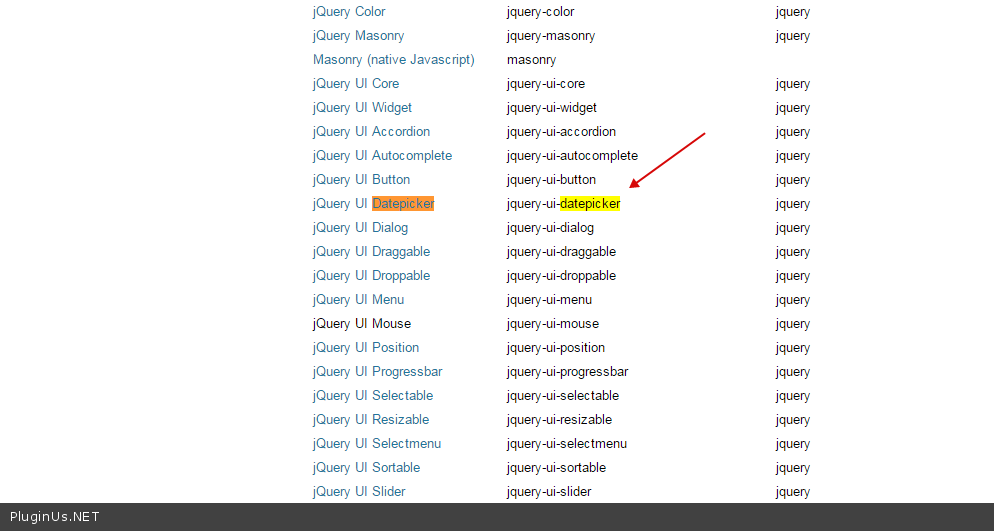
I have a problem with Formcraft plug-in. Its scripts clash with the calendar which is adjusted by JQUERY UI TIMEPICKER which is used at me in the filter.
Also Formcraft changes styles, and registers the CSS code everywhere, suppressing completely all others. At shutdown of forms the calendar in the filter works when again I include Formcraft, functions of a calendar become inaccessible.
I very need your plug-in, but also I need the filter.
Help me please

You ignore me?
I have replied to your email message.
Hello, I like you Form-plugin and want to buy it. But first I got a little Question. Is it possible to add a Ad-Words Converstion tracking code after sending the form? On the Demo “On Form submisson” tab I couldnt find anything that look like that.
Hello,
This would require a small tweak in the code, but it is possible. I can guide you on this.
My client just started running SSL on their domain I am getting messages that formcraft is using unsucure html
here is Insecure URL: http://mydoamin.com/wp-content/plugins/formcraft/libraries/pie/PIE.htc
How can this fixed for SSL ?
Please give me a link to the page itself. I’ll have a look.
Hi, does your plugin work with MyMail? Thank you
I found my answer, thanks!
Hi,
i can´t edited one form
this is the error it shows: {{con0.form_title}}
can u help me?
Please reach me with temp WP access. I’ll have a look.
I would like to give you my credentials as a private message, is it possible?
Yes, use the contact form on my profile page.
Credentials on your mail.
Credentials on your mail
Hi, Credentials on your mail.
Can u help me?
I don’t seem to have received any message from this ID. Please try using our forum instead: ncrafts.net/forums/forum/formcraft-for-wordpress/
With your new math logic, I was wondering if this is possible:
Radio buttons with yes/no Each yes=1;no=0 At end, form displays total #
Does your form plugin handle this functionality?
Absolutely.
The options would be:
1==Yes 0==No
And then you can use math formulas. Read more here: http://ncrafts.net/formcraft/docs/working-math-logic/Hi, before i write my question but dont answer please answer me
In AutoReply Email Settings inside the Body of Email i need to add: Hello [name]
in the field ONE LINE TEXT in the option: Custom: (what is this) i add [name]
it doesnt work… i need AutoReply Email say “HELLO MICHAEL”
How please tell me how do this with a screen shot or step by step please
regards
Hello,
Yes, this is quite possible. The Custom column is un-related to this, so ignore that.
What is the label of your name field? If it is Your Name, then use:
Hello [Your Name]
Please note that this is case-sensitive.
Hi there, I am trying to work out how to do a simple “subscription signup” form that adds any email signup to a user in Wordpress so that they are notified of any new posts I publish. I am trying to simplify this by avoiding any external mail system such as MailChimp. Can you help?
Hello,
I’m afraid this functionality is outside the purview of FormCraft. To send emails on published posts, you need a newsletter system.
Hi,
Is there any way to include HTML styling in the multi line text??? If not you guys seriously need to add it!
The plugin looks modern and has some good features but without html styling it will never match up with other form plugins on code canyon.
Also, I would strongly suggest adding some sort of grouping to the form builder. I created a large form with conditional logic, then needed to add a few extra fields…means you have to rewrite ALL the conditional logic rules! It makes building and testing forms a real nightmare.
Allowing html in multi line text opens up security loopholes, but we are consider this for our update.
Please make sure you are using the latest version of the plugin. We changed the way how you add fields to the conditional logic, allowing to add multiple fields to the same logic, and the logic doesn’t need to be re-done after adding fields.
edit

This item was featured on CodeCanyon

Elite Author
Contact the Envato Market Help Team