44 comments found.
Hi,
I would like to know if I can change the size or format pages. I mean now they are portrait, can i use in landscapes/horizontal?
Thanks.
Hi
Yes of course. You can change the size of the pages.
Hello,
I use WordPress 4.1. Does this plugin work with this version of Wordpress wihout any issues.
Thanks Nevein
Hi
Yes. Plugin works with WordPress 4.1.
Thanks for the information.

Formatted the “left side descriptor page” with text formatted with H3, p, ul,li, and ol tags. But when shown in flipbook. The ul is missing bullets and when using ol it defaults to letters (i.e. a-x). What is needed to get bullets appear and use numbers 1-n). At times ol does not work at all.
Hi
Did you buy this product? Send a private message and show the license purchase.
Yes I bought the product. I have sent by private the information and the two problems that exist.
I am trying to use this on my multilingual site, but I am seeing an error on the page. Here is my Japanese flipbook, the pages are not turning even when I remove my styles from the page.
The error I am seeing says: jquery.js?ver=1.11.1:2 Uncaught Error: JQMIGRATE: Invalid selector string (XSS)
http://www.bestfriendofmindjp.com/work-with-me/%E8%87%AA%E5%B7%B1%E7%B4%B9%E4%BB%8B/Thanks!
Can an one help me with this issue?
Hi
It does not work only with multilingual plugin?
Normally work?
It may be a conflict with this plugin. What is a plugin? What’s the name? Send the name of the plug-in and check it out.
mqTranslate most up to date version, Version 2.9.1.2
Is this a conflict between the plugins? Or do you know what the JQMIGRATE error could be caused by?
I installed the plugin Version 2.9.1.2 mqTranslate and book works perfectly.
Did you try to set up one page in 2 different languages? I did a reinstall, added my English Title, then added my Japanese title and the page broke on the live site again. Prior to that, the page was displaying correctly.
So I did and it works for me. The reason is not my plugin.
Hello, When i activate Exclusive FlipBook – jQuery, it disables wp admin toolbar on front end. Is there a way to activate the plugin but still displays wp admin toolbar?
Hi
This will be corrected after the update.
My client would like to have Arrows added in the bottom corners of the flip book. I have attempted to do this using the before and after method and it’s not working, can you let me know a way to do this?
http://www.bestfriendofmind.com/work-with-me/about-me/#work-with-me/Thanks
Hi
Sorry but I can not give you a ready solution. This requires custom coding.
Version 1.4- 1.XII.2014
+ I fixed table of content
Is it possible to add a custom background image on the pages so that each page looks like an old book? I tried to figure it out looking at the html, but I wasn’t sure. Perhaps it’s something I can do with CSS? Thx
Hi
Yes, of course it is possible.
How can I accomplish a 3 column setup in this?
Hi
You can do this using css styles.
Hello,
Table of contents link is not working, I mean when u click on any link it should send on that page, but nothing happen….
Link : http://www.vretta.com/?page_id=5004#mbf/
also in bottom, Next, previous button not working, Please help me…
Thanks, Arshi
Hi
Did you buy this product? Send me a private message and show the license purchase.
Version 1.3- 30.X.2014
+ fixed the error "error load book"
Hi
How come when I enter the catalog page says: ‘error load book’ how can I do?
thanks
Hi
He is working on an update now. After the update the problem will be solved.
Perfect thank you! Last thing, how do I change the index above the background?
Thanks
https://0.s3.envato.com/files/80431846/preview/09.jpg
Now it’s interesting. I’m in doubt between this product and the Diamond. The Diamond has logo, not this one. But I prefer the navigation arrows on the bar instead of icons. Can I remove the arrow Diamond, or insert logo in Exclusive?
One more thing: I can insert sound Flip?
Hi
Exclusive no logo. You can remove the arrows at the Diamond.
There is no sound for flip .
The effect of the flaps of the pages works fine with internet explorer, but does not work with chrome. In chrome, only the navigation arrows. Other Versions (Diamond) works with the effect of flaps on the pages in chrome. What happens?
Hi
Thanks for the information. It’s working now.
i have a requirement for my client where i want to give my client functionality to upload their monthly book in pdf or image format and it shoud display in book list in archieve automatically. like january 2014 ferbruary 2014 etc…. is it possible with you plugin explain in brief and i buy it now. also i want all images or pdfs watermarked with their logo. also i want it mobile friendly.
Hi
You can create an unlimited number of book. As for the archives, you can create a post (for each book) and there to give you a link to the book (then you will be in the archive). Watermark need to create manually (no watermark function)
This project has no option to insert YourLogo?
Which project should be lighter? JQuery or Flash?
Can you add sound to flip?
The images are loaded from the library or can be an external link?
Each book will average 50 pages 100kb each, totalizing 5mb. Will take to load?
Thanks
Hi
There is no separate logos. But you can put a logo in the background.
You can not add sound to the flip.
Photos can be loaded from the library or from any other url.
50 pages of this little book. This will work correctly.
Hi i just bought your plugin to build a 150 pages flip book. I sadly noticed that there is no ajax loading so the load time of the flip book is very long. (i managed to downscale my images but even with a 100kb per image the complete book is 20mb big).
Can you assist me in to making a modification to the plugin so it will load the next page on click event(probably via ajax) and not having to load all the pages before it shows the book?
Thanks in advanced.
Hi
The problem is somewhere else. Here is loaded only a few pages.
So do not speed up ajax loading – will be the same.
Send a private message and provide a link to the project.
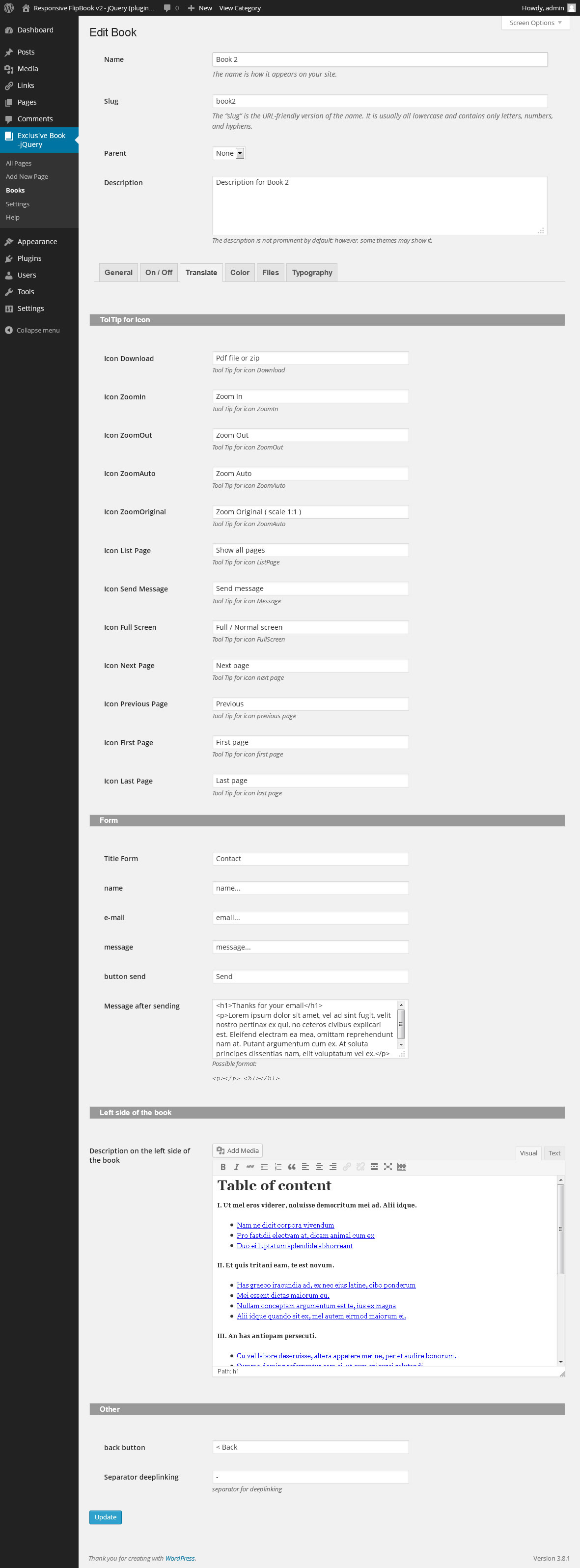
hi, where to edit the table content beside the cover page?
Here:
https://d2mdw063ttlqtq.cloudfront.net/files/80431846/preview/09.jpg
( Description on the left side of the book )
thanks
Prepuchase question…..how many pages are allowed in the book, and can I upload them all at once, or do I have to upload each page separately?
Hi
Number of pages is unlimited. You can upload all the images to the library in wordpress. Then you have to create each page separately.
can u upload a pdf and have it convert to a flipbbok using you tool. io noticed their is a upload pdf file in your screen shots but you mention nothing of it as a feature ein description. This would be very helpful to be able to convert existing pdfs into a flipbook using you plug in.
Hi
You need to convert pdf to jpg. But there are many programs that automatically convert pdf to jpg (type in google “convert pdf a jpg”)