915 comments found.

Hello,
is there a way to change all images for the glossary posts via Database? Where are these links stored? Thank you very much!
Hi there,
Thanks for purchasing this plugin. I would be happy to help you.
This plugin uses a custom post type for all these terms in the same way WordPress comes with default posts and pages. You just need to see how WordPress manage images for all these default post typess and the same will work for this plugin too.
Please let me kmow if you still have any questions for me.
Thanks, WP Instinct Team
Hi, after using your plugin for more than one year, I saw today, that there is a strange error. Where should be the linked word, there is now the excerpt and a “read more” link. As an example, on this blog post here: https://marymattiolo.com/queer-als-unternehmerin/
There you can see, after the sentence: “binären Geschlechtersystem identifiziert. Mann,” that the excerpt shows up. Any idea, what’s happen?
I greatly appreciate your help!
Hi there,
Thanks for purchasing this plugin. I would be happy to help you.
Please provide me your website’s FTP and Admin credentials at wpinstinct@gmail.com so that I can troubleshoot the reason and fix it.
Thanks, WP Instinct Team
Hello, I would also like to know how to filter categories on pages so that I only see one category on each page
Best Regards
Hi there,
Sorry, I don’t know how did I miss this message and just found on CodeCanyon while looking to do something else.
You can filter terms by categories by using these two parameters in the shortcode:
taxonomy="glossary_cat" taxonomy_terms_to_include="optional/1,2,3.."
Thanks, WP Instinct Team
Hello, this time I can’t see the alphabetical list, also I would like to space the lines more (as in the attached example) and use a lowercase font with Capital Initial (as in the attached example) I hope you can help me
https://imgur.com/fAsSy5PBest Regards
Hi there,
Thanks for purchasing this plugin. I would be happy to help you.
Please provide me the page URL where I can see the issue. It will help me to write some CSS rules accordingly.
And if you don’t see the alphabetical list, where you are looking me to add more space among lines? I didn’t understand it. I think it will be more clear to me as soon as I have the page URL itself.
Thanks, WP Instinct Team
Greetings, I would like to move the initial letters from the edge because they are too attached it is possible to show me how because it is already the second time I buy your plugin, which works fine, the only thing I can not manage is the choice of font but I i had already provided a css code and the shift from the left margin, hope you can help me this time too?
I am attaching a photo of the problem
https://imgur.com/3VRPrtxBest Regards
Hi there,
Thanks for purchasing this plugin. I would be happy to help you.
Please try this CSS and let me know if it helps or not:
.wpg-list-block-heading {
  padding-left: 15px !important;
}
I will wait for your feedback.
Thanks, WP Instinct Team
Hi there,
Thanks for purchasing this plugin. I would be happy to help you.
As I can see you are using a fresh WordPress setup with default theme and no changes on the home page. I can provide you the shortcode but rest you have to contact your theme/website developer who can put this on the home page.
In case you would be using a page or a content builder on the home page, I can put it for you, but now while your home page is supposed to show all the recent posts from the blog section, it’s not possible to add this shortcode.
Are you sure if you are going to keep the same WordPress setup with no new theme or home page customization?
Thanks, WP Instinct Team
Hello, can you help me how to stay your glossary in homepage?
Thank you
Hi there,
Thanks for purchasing this plugin. I would be happy to help you.
About showing the glossary in the home page, it all depends on your theme if it allows you to keep a shortcode or widget on the home page. I can provide you a shortcode only which you have to keep/adjust on the home page.
Thanks, WP Instinct Team
Hello! I wrote a few days ago asking about the Linked Item in the Divi Builder and I sent the credentials to my website. I am following up to see if you had the chance to take a look. Thank you!
“Hello! I am using divi theme builder to customize the linked page for each glossary term. I created a category for my glossary terms called Glossary Term. Then I created a custom page in Divi Builder for any terms with that category. When I click on the glossary term the page is blank. Do I need a specific short code in that custom page to show the linked term? Everything worked fine until I tried to build that custom page. So I am not sure what I am doing wrong. Thanks!”
Hi there,
Thanks for purchasing this plugin. I would be happy to help you.
I have sent you a reply, please check.
Thanks, WP Instinct Team
What are all the plugins and themes needed to make this website look like the demo
Hi there,
Thanks for purchasing this plugin. I would be happy to help you.
I am using a customized theme so it wouldn’t be easy to get the same until you do some custom work. If you want me to do it for you, it will cost you a few additional charges.
Please contact me at wpinstinct@gmail.com if you want to discuss it further.
Thanks, WP Instinct Team
hello, I wonder if this plugin could be customised to display the glossary similar to how this site does it: https://read.84000.co/translation/toh122.html
Hi there,
Thanks for your interest in this plugin. I would be happy to assist you.
If I look into the reference website, I don’t think you are on the correct page. This plugin comes with a completely different functionality.
Thanks, WP Instinct Team
Hello! I am using divi theme builder to customize the linked page for each glossary term. I created a category for my glossary terms called Glossary Term. Then I created a custom page in Divi Builder for any terms with that category. When I click on the glossary term the page is blank. Do I need a specific short code in that custom page to show the linked term? Everything worked fine until I tried to build that custom page. So I am not sure what I am doing wrong. Thanks!
Hi there,
Thanks for purchasing this plugin. I would be happy to help you.
Please provide me following details at wpinstinct@gmail.com so that I can troubleshoot the reason and fix it:
1. Your website URL
2. Admin login details
3. FTP credentials
4. Purchase code
Thanks, WP Instinct Team
how to add custom post via shortcode
Hi there,
Thanks for your interest in this plugin. I would be happy to assist you.
This plugin is not about adding a new custom post type but is about showing the existing post type on Glossary Index page. Can you please explain more if you are talking about something else?
Thanks, WP Instinct Team
Can we show specific category through shortcodes on page or post
Sorry but I am not getting your requirements. This plugin is not even about showing a category.
Are you looking to show the posts from a specific category on a page? Yes, its possible using this plugin but it will follow the Glossary Index page design in the same way you see in the reference website.
Thanks!
which plugin ?
It seems you are on a wrong page. I can’t assist you until you provide me full requirements with some reference URLs.
Can we make a website like this – http://kavitakosh.org/kk/ using this plugin
Yes, you can but it would still require a lot of work in your theme in order to get the 100% same functionality. With this plugin, you will get only get a page which lists the terms like this: http://kavitakosh.org/kk/%E0%A4%B0%E0%A4%BE%E0%A4%9C%E0%A4%B8%E0%A5%8D%E0%A4%A5%E0%A4%BE%E0%A4%A8%E0%A5%80
Thanks!
Hello,
I just purchased your tool!
I want to use it in combination with Elementor. Everything is working, but I can’t work on my Terms with the Elementor Editor.
Do you know how to fix that?
There was someone three years ago who had the same Problem, here is a small excerpt from the support request:
“So you basically want to use Elementor for Glossary details page in same way you use it for all other existing post types. It will provide you more options to style the Glossary details page. Am I getting it correct this time?
If that’s what you wanted then I think it should be easy to do. There should be kind of setting of action filter which should make my cusotm post type compatible with Elementor too.
Still if you want one from your custom post types then I have to do a bit of work in my plugin on your server. Please provide me your website’s FTP and Admin details so that I can make required changes.
Thanks!”
It was with “MrMics”
Did you solve the problem meanwhile?
Thank you!
Hi there,
Thanks for purchasing this plugin. I would be happy to help you.
Please add the following custom script in your current running theme based functions.php file and let me know it helps or not:
function wpg_elementor_template_fix ( $args ) {
    $args['show_in_nav_menus'] = true;
    return $args;
}
add_filter ( 'wpg_post_type_glossary_args', 'wpg_elementor_template_fix' );
If you still face the same issue, provide me your website’s FTP and Admin credentials so that I can troubleshoot the reason and fix it. You can share these details at wpinstinct@gmail.com
Thanks, WP Instinct Team
Hello,
thank you for your support, unfortunately it does not work.
Do you have any other Codes? I have no way to edit the lexicon posts in any way, they look really crappy.
https://moanatea.de/glossary/gyokuro-tee-sorte/I don’t share admin passwords with people I don’t know, sorry.
Thank you!
Hi there,
It would really be hard for me to troubleshoot the reason without having website credentials. I can understand your concern also. Please provide me your Email ID where we can contact further and come out at a solution,
Thanks!
Hi there
We have purchased the Plugin and we intend to make a page to display categories and posts related to the category under..
same as the one you have here: http://glossary.wpinstinct.com/categories-glossary/
but I can not figure out what I am doing wrong and why I can not get the page to display correctly instead regardless of the settings I do it is displaying the alphabetical order.
this is the code used: [wpg_list title=”” layout=”two_column” template=”alphabet”]
All good figure it out in the end using this code worked well: [wpg_list template=”category” layout=”two_column”]
Hi there,
Thanks for purchasing this plugin. I would be happy to help you.
As I can see you have managed to figured it out yourself, let me know if you still need my help anywhere.
Thanks, WP Instinct Team
Hi, I’m interested in purchasing this plugin but the preview is not working.
Can you have a look?
Cheers,
Hi there,
Thanks for your interest in this plugin. I would be happy to assist you.
As I can see, the preview is working fine at my end. Please give this URL a try and let me know if you still face any issue: http://glossary.wpinstinct.com/
Thanks, WP Instinct Team
Hi, is there a code/setting to change the “A-Z index” font weight to “light”? I only see the option to change font sizes. Thx a lot!
Hi there,
Thanks for purchasing this plugin. I would be happy to help you.
It would require minor CSS work in order to lighten the font weight. If you provide me glossary page URL, I can share a CSS rule with you for the purpose.
Thanks, WP Instinct Team
fine, happy to do this: https://www.moeller-consult.com/glossar-begriffe/ If you have a CSS snippet to make the term entry titles (as “Agiles Projektmanagement” appear lighter as well, it would be great
Please try this CSS somewhere in your theme based custom CSS panel and let me know your feedback:
body .wpg-list-filter-container .wpg-list-filter a, body .wpg-list-block .wpg-list-item strong a {
    font-weight:normal;
}
Thanks!
It works  thx a lot!
Great! You are welcome.
Please leave a 5 star rating on CodeCanyon if you like this plugin and my support. Thanks!
Hi, a great plugin, very smart to handle. My question: I want to show the A-Z index (just the Index w/o entries/terms) on top of each term in order to offer an addtl. “one-click back to index” option. How can I realize this? Thx a lot!
Hi there,
Thanks for purchasing this plugin. I would be happy to help you.
There is no such way to enable A-Z filter over all term details page until you show a complete Glossary Index on those pages.
However, if you want it only for taking users back to original Glossary Index page, I would suggest you to enable the “Back Link” like you see in this screenshot: https://s3.envato.com/files/371856470/screenshots/12_screenshot.png
Thanks, WP Instinct Team
Thx a lot. Back Index is Clear
Maybe I was unclear: I need Not a Filter, just the Characters A, B, C, … By clicking on one of them the related items would be shown
Great!
Regarding the characters filter on the top of all pages, sorry but it wouldn’t be possible without having much customization in the plugin files. It will make the plugin no longer updateable and will also cost you a few additional charges.
Thanks!
Hi I have Avada Theme on my WP. But the Pages of WP Glossary do not appear in the Avada Layout Sections (only Posts, Sites…) and the Glossary Pages can not be styled like the others in WYSIWYG… is there any possibility to handle the Glossary pages like the others?
Hi there,
Thanks for purchasing this plugin, I would be happy to help you.
Please try adding the following code in your current child theme based functions.php file and let me know if it helps or not:
function wpg_avada_layouts_conflicts_fix ( $args ) {
    $args['show_in_nav_menus'] = true;
    return $args;
}
add_filter ( 'wpg_post_type_glossary_args', 'wpg_avada_layouts_conflicts_fix' );
If you still face any issues, please provide me your website’s FTP and Admin details at wpinstinct@gmail.com. Also a few screenshots showing me the exact location where I can see the problem.
Thanks, WP Instinct Team
It works! Great support, thanks.
Great! You are welcome.
Please leave a 5 star rating on CodeCanyon if you like this plugin and my support. Thanks!
We are looking to set up our Dictionary like your Glossary what are the full details on how to do that and what is the setup cost to get it done so all we need to do is upload the words and definitions
Hi there,
Thanks for purchasing this plugin. I would be happy to help you.
1. Once you are done with installing and activating this plugin, please go to the "GLOSSARY" menu from the left sidebar in the backend panel.

2. Create all the words/terms you want to have on your website. You can also try any plugin which allows you to upload posts for a custom post type in bulk and the same should apply to this plugin as well.

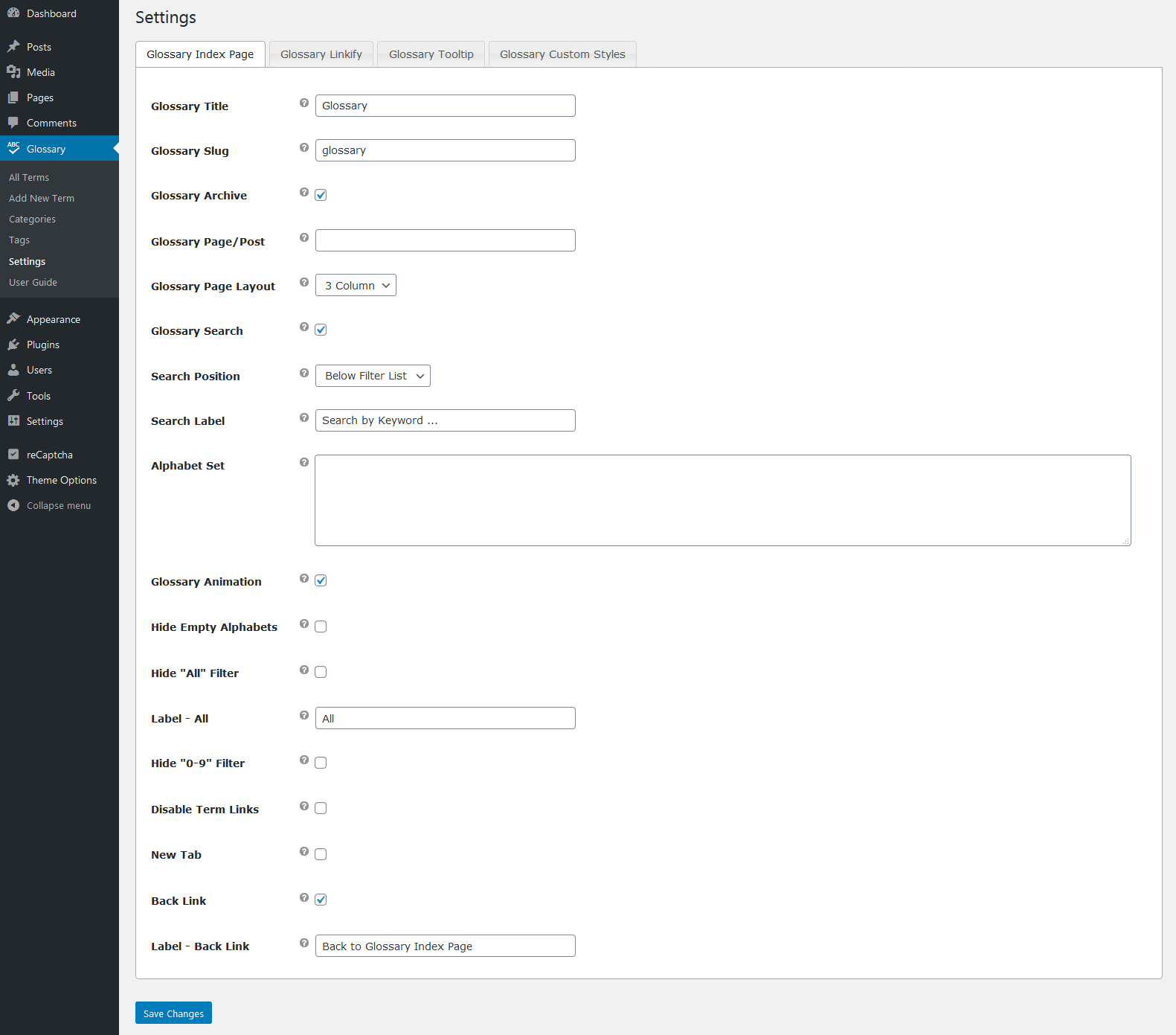
3. Once done, go to the "SETTINGS" sub menu from the main "Glossary" menu and do the required setup.

4. Use this plugin based shortcode anywhere you want to show a Glossary Index like you see on my demo website.

5. You can find more about the basic setup information if you visit the "USER GUIDE" sub menu under the main "Glossary" menu.

6. Please let me know if it helps or do you still have any doubts! please ask.
Thanks, WP Instinct Team
hello, is it possible to make some of the files only readable for some people and not shown public
Hi there,
Thanks for your interest in this plugin. I would be happy to assist you.
While you say the word “Files”, do you mean the glossary terms? If yes, you can try any plugin which allows you to add your requested feature for other post types and the same should apply to my this plugin too.
Thanks, WP Instinct Team