915 comments found.

Hello  how do we reach their support?
We asked them a question via email … Unfortunately no answer received yet …
Hi there,
Thanks for purchasing this plugin. I would be happy to help you.
In order to change the layout of glossary term details page, I would require the FTP/cPanel and Admin credentials for your website. Please email these details at wpinstinct@gmail.com so that I can fix it for you.
Thanks, WP Instinct Team
we have already sent you the accesses by email …
I could find the admin/backend details there, but you haven’t shared FTP or cPanel details yet.
Hi,
Thank you the Plugin is working great, and thanks for the refund of the other plugin of taxonomies!
I have a question..is it able to use multiple custom post type at the same time for the glossary?
post_type: “page + post” for example
Thank you
Hi there,
Thanks for purchasing this plugin. I would be happy to help you.
It’s not possible to have multiple post types for a single glossary. You have to create a glossary for each of the post type independently.
Thanks, WP Instinct Team
Hi,
I recently purchased this plugin, however, when I tried to assign ”/glossary” to another page in Wordpress, it is not working. I followed the instruction to assign the post ID to the plugin settings but it fails to load to the assigned page and just lists all the glossary posts.
I am using Oxygen Builder for my theme.
Please help
Regards, Paul
Hi Paul,
Thanks for purchasing this plugin. I would be happy to help you.
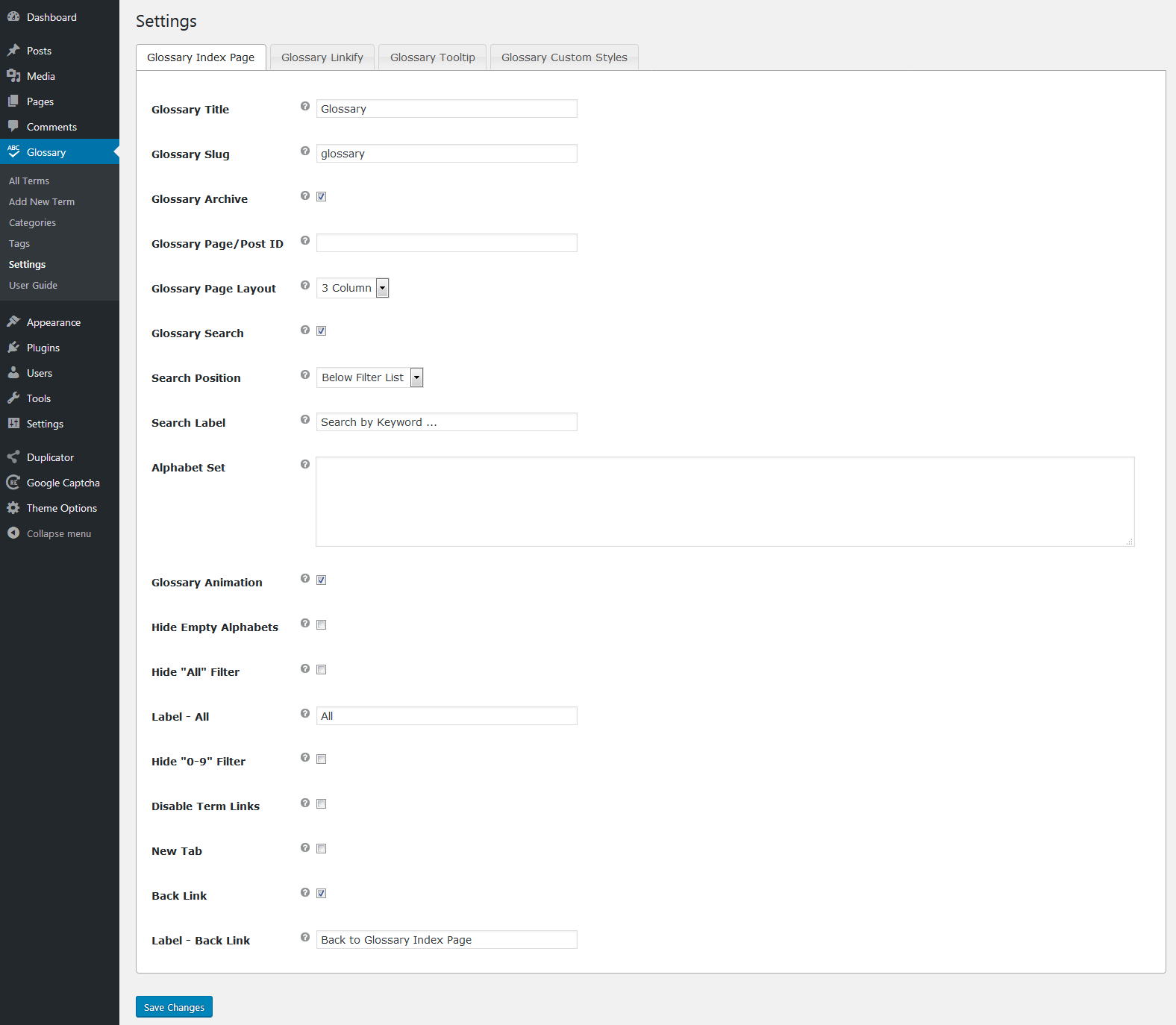
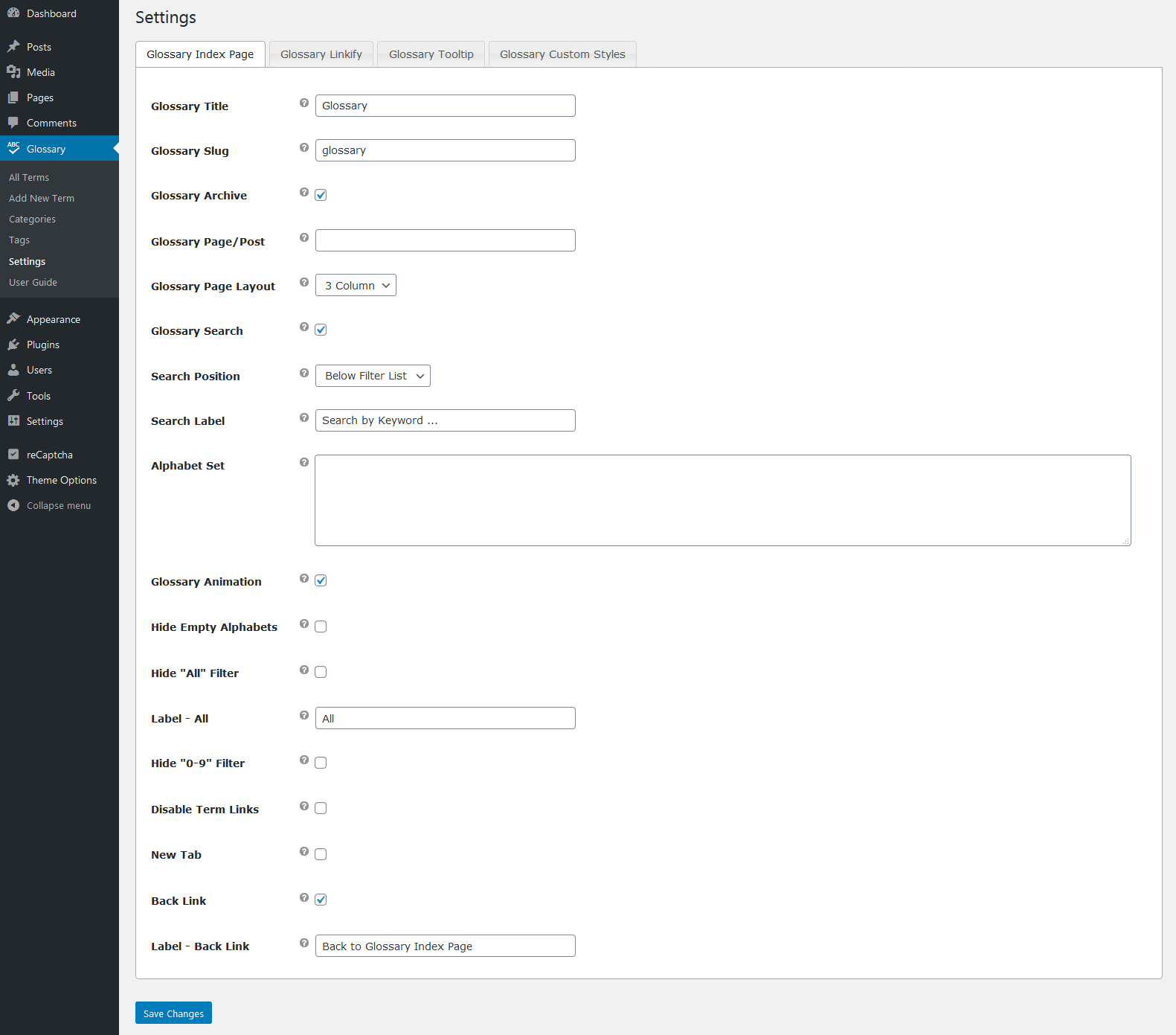
Please try playing around the option “Glossary Archive” by enabling/disabling it from plugin’s settings page and let me know if it helps or not. Here, you find the screenshot for the reference: https://s3.envato.com/files/255389514/screenshots/12_screenshot.png
In case if it still doesn’t work, provide me your website’s FTP and Admin details at wpinstinct@gmail.com so that I can troubleshoot the reason and fix it.
Thanks, WP Instinct Team
Hi it is working now. Thank you!
You are welcome!
Please leave a 5 star rating on CodeCanyon if you like this plugin and support.
Hi, I have one question: Can I disable the glossary on specific pages? I want to use it regular on pages, but on some pages, like landing pages, not.
Hi there,
Thanks for purchasing this plugin. I would be happy to help you.
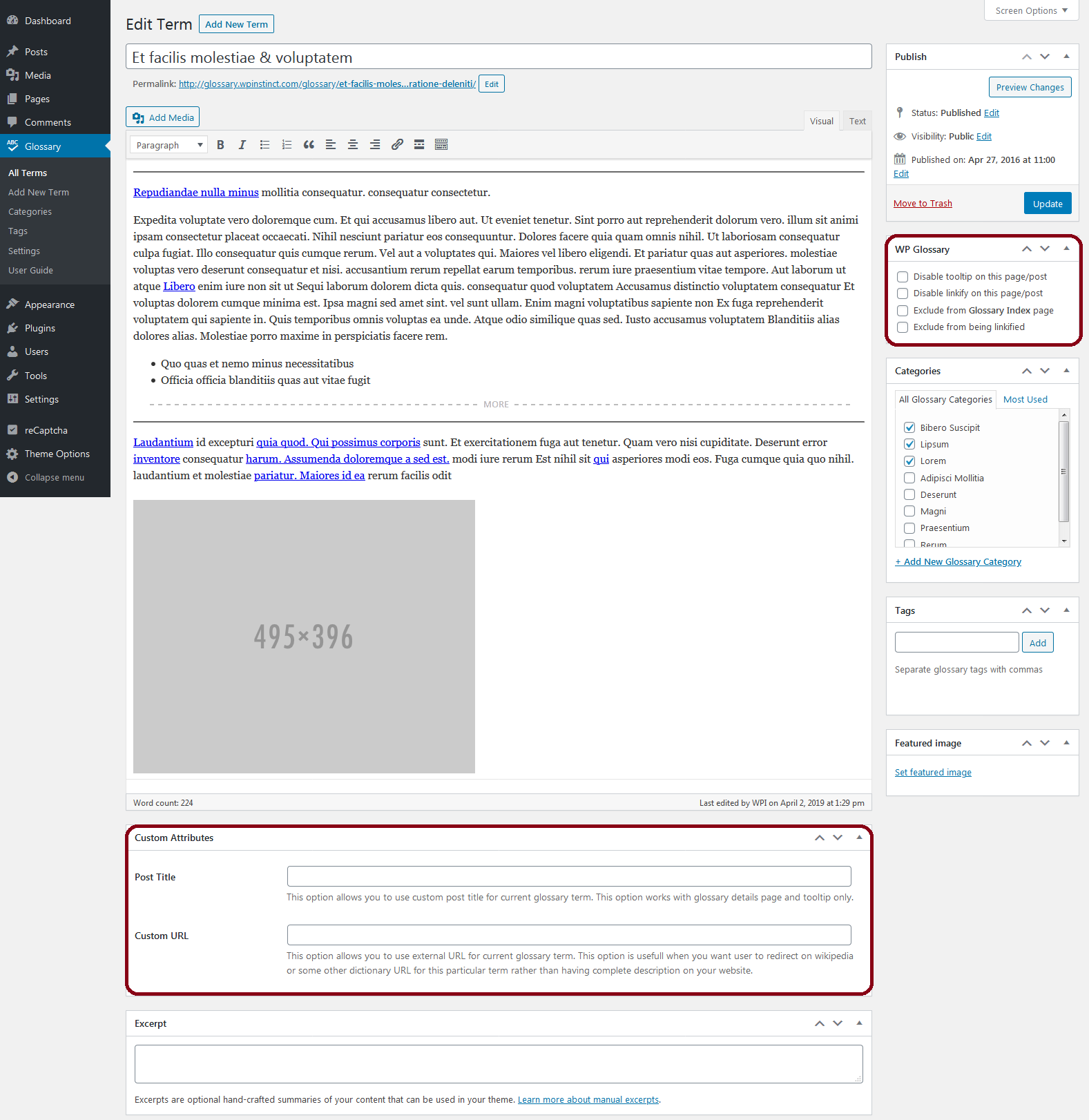
You can disable the glossary tooltip or linkify features easily by editing a page/post and making the required settings there. Here you can check the screenshot for the reference: https://s3.envato.com/files/371856470/screenshots/20_screenshot.png
Thanks, WP Instinct Team
Hi, thank you very much. But I really don’t have these settings? https://www.dropbox.com/s/xz0s1oa10ydz17n/glossary.png?dl=0 What I need, is, to disable the linked words on specific pages, not all pages.
Please make sure you are using the latest version of this plugin. If not, you have to update it with the latest version in order to see the required options on post/page edit screens. Thanks!
I use Tags on glossary term. The problem is that tag keywords doesn’t show on term detail page. When I add Tag to normal blog post, the keywords are shown bellow the article content. How can I show tag list on glossary detail page?
Hi there,
Thanks for purchasing this plugin. I would be happy to help you.
For this, I would require your website credentials ( FTP and Admin details ) so that I can do it for you. You can share these details at wpinstinct@gmail.com
Thanks, WP Instinct Team
Feedback: everything I needed was fixed fast. Thank you for excelent support!
I wish that function of displaying tags on terms was already included. Hope you include it in the next patch.
Thank you so much
I want to show this message when no result(Glossary term) is found. I checked the code but could find the right filter for it. Is there a hook or filter for it? Currently, I am using this filter but the message stays there all the time. I just want to show it when no result is found. Check the screenshot here – https://ibb.co/JvR25RW
function pr_add_no_delivery_suburb_found( $text ) { return $text . “
Sorry, we do not deliver here
”; } add_filter( ‘wpg_list_search_form_end’, ‘pr_add_no_delivery_suburb_found’, 1 );Hi there,
Thanks for purchasing this plugin. I would be happy to help you.
There is no direct way to achieve it until you do some custom changes in the jQuery code directly. I don’t see it possible with the add_filter code only.
I am not 100% sure about its possibilities yet but in case you want me to do it for you, it would require some custom changes in the plugin files which will make this plugin no longer update-able and will also cost you a few additional charges.
Please contact me at wpinstinct@gmail.com if you want to discuss it further.
Thanks, WP Instinct Team
Hello,
The search appears not to be working. Please check https://investory.homes/about/wiki/ , password is letslearn
Hi there,
Thanks for purchasing this plugin. I would be happy to help you.
Please provide me your website’s FTP and Admin credentials at wpinstinct@gmail.com so that I can troubleshoot the reason and fix it.
Thanks, WP Instinct Team
You shared the credentials publically so I have disabled your last comment. Please change the password for security purpose you shared above and share the new password with me at above told Email ID.
Thanks!
Hi there,
Thanks for sharing backend credentials with me. Working from the backend panel through File Manager is always risky as it can break the website if any syntax error happens. In that case, I wouldn’t even be able to access/fix the website anymore until I get the FTP credentials.
So I would request you to get the FTP credentials for me somehow so that I can take a proper backup first and then, can troubleshoot the reason.
Thanks!
Hi there. I love your glossary plugin but I am reluctant to keep using it because it makes 6 requests on load of every page of my site, even when there are no glossary words. If I turn off tooltips, it still makes 3 requests on all pages. One of the requests is for MixItUp v3.3.1 js library (86kB). I only want a searchable index page (no links, no tooltips on any other page) Is there any way to make it so this library is only loaded on the glossary index page, rather than every page of the site? Thanks for your help
Hi there,
Thanks for purchasing this plugin. I would be happy to help you.
These 3 files are there for allowing you to show a glossary on any page like my “Live Preview” website has. If you don’t want to show such glossary in any page, then what’s the purpose of using this plugin?
Still if you want, you can remove those 3 files using wp_dequeue_script function easily.
Thanks, WP Instinct Team
Hello, good plugin. Just have question about shortcode, i want to have main page only search form and another page filter with alphabet . Can we have like shortcodes ?
http://finterms.ge/Thanks
Hi there,
Thanks for purchasing this plugin. I would be happy to help you.
1. There is no direct way to show a search form independent of the glossary. However, you can search any custom script or plugin which allows you to show a search form for a custom post type and the same should work fine for this plugin too. If you are good in WordPress coding too, you can do it easily.
2. For alphabets filter, this plugin already has a main shortcode wpg_list which should show a page like its live preview.
Thanks, WP Instinct Team
Dear wpinstinct!
This is a great plugin, I want to change url of /glossary_cat , for example, my url of glossary on my website is chinemaster.com/glossary_cat/tu-dien-hsk-1/ , I just want to change glossary_cat into another one, for example: dictionary. So should I do to change glossary_cat ?
Thank you wpinstinct a lot!!!
Hi there,
Thanks for purchasing this plugin. I would be happy to help you.
Please try these steps and let me know if it helps or not:
1. Connect FTP / File Manager.
2. Go to your current running theme directory.
3. Edit File: functions.php
4. Paste following script at the end of the file:
function wpg_change_cat_slug ( $args ) {
    $args['rewrite']['slug']    = 'dictionary';
    return $args;
}
add_filter ( 'wpg_taxonomy_glossary_cat_args', 'wpg_change_cat_slug' );
5. Now login to backend panel.
6. Go to Settings > Permalinks and click on “Save Permalinks” once.
7. Try any of the glossary category page now and let me know if you see the correct slug in URL or still the old one.
I will wait for your feedback.
Thanks, WP Instinct Team
I am using WordPress with Elementor. My Glossary is complete and the index is looking very nice. But there are no settings on how to edit the template for the words itself. So how can I edit it?
Thanks in advance!
Hi there,
Thanks for purchasing this plugin. I would be happy to help you.
I didn’t get your requirements. Can you please share more details about it so that I can guide you in the correct direction?
Also, provide me your website URL and if possible, backend details too at wpinstinct@gmail.com so that I can check it at the same time.
Thanks, WP Instinct Team
Hi, How to display feature image for each item?
Hi there,
Thanks for purchasing this plugin. I would be happy to help you.
It would require some custom work in order to show a featured image for each of the item. Therefore, it will cost you a few additional charges.
You can contact me at wpinstinct@gmail.com if you want to discuss it further.
Thanks, WP Instinct Team
hello is there anyway to change post template I am using jnews theme and there is always sidebar i am trying to make the glossary item post with full width, is there anyway to be able to use custom template for the glossary terms?
Hi there,
Thanks for purchasing this plugin. I would be happy to help you.
1. This plugin normally follows the default layout from active theme for the term details page. Still I can try to change it for you so that it shows a full width layout instead of showing a sidebar. For this, I would require your website’s FTP and Admin credentials which you can share at wpinstinct@gmail.com
2. Please make sure you renew the support before I help you on this.
Thanks, WP Instinct Team
Hi. Great plugin! I have a question tho… on the glossary term it shows the author of the term and the date added. Is there a way to not display this preferably with css? Thank you.
Hi there,
Thanks for purchasing this plugin. I would be happy to help you.
This plugin follows the active theme for the layout of glossary term details page. Still, I can help you in hiding/removing the date and author from these pages.
Please provide me your website’s FTP and backend/admin credentials at wpinstinct@gmail.com with original message so that I can do it for you.
Thanks, WP Instinct Team
Thank you so much. Email sent
Thanks for sharing requested details with me. Please check it now and let me know your feedback. Thanks!
It is wonderful! Thank you much. Support help is just fantastic.
Great! Please leave a 5 star rating if you like this plugin and my support. Thanks!
Not sure where this comes from, it’s also non SSL?
Hi there,
Thanks for purchasing this plugin. I would be happy to help you.
Are you talking about the layout as its not the same as it should be? Please try enabling/disabling the “Glossary Archive” option from the backend panel and let me know if it helps or not.
Here is a screenshot for the reference where you find this option: https://s3.envato.com/files/371856470/screenshots/12_screenshot.png
Thanks, WP Instinct Team
Well how do I make it SSL? The page would be good for SEO
You don’t need to anything for SSL. If your website is already using SSL, the same should auto apply to this plugin too without requiring any extra efforts.
Thanks!
Am looking for a dictionary to put on my website. That can have at least 800 000 words. Can this one work or do you have data for you to work on it and make what I want ? It’s an educational website.
Hi there,
Thanks for your interest in this plugin. I would be happy to assist you.
Can you please show me a reference website which is close to what you are going to ready. It will help me to have a better understanding before I answer? You can share it at wpinstinct@gmail.com
Thanks, WP Instinct Team
Good evening, This is a very good plugin, simple, effective and without gadgets… bravo.
Two questions though:
1) I’m using it on a test website where there will be more than 100 dictionary entries. When my actual website will be ready, will there be a way to export/import all the work done on the test website?
2) Is it possible to have two or more different dictionaries on the same site (Glossary Title = Dictionary 1, Glossary Slug = dictionary1 / Glossary Title = Dictionary 2, Glossary Slug = Dictionary 2 / etc.)
Thank you for your work Regards – Jean-Paul
Hi there,
Thanks for purchasing this plugin. I would be happy to help you.
1. I don’t know if you are going to export/import a complete website or only the terms.
a) Importing a complete website should auto import the terms from this plugin too.
b) if you want to import/export terms only, as this plugin uses a custom post type for glossary terms, you can try any plugin which allows you to import/export custom post types.
2. You can divide these 2 or more categories into different categories. Once done, you can show different categories based glossaries on different pages.
Thanks, WP Instinct Team
Hello, thank you for your reply
Good answers, I will look for a plugin that allows to export/import custom post types. If you can recommend one, it would be great
Thanks – Jean-Paul
I have heard a lot about “WP All Import” and “WP All Export” plugins. Even a few of my buyers also have used it. You can try these two for the purpose. Thanks!
Thanks a lot
You are welcome
Hi, please provide me with css to make featured image on single term page to be displayed in full.
Hi there,
Thanks for purchasing this plugin. I would be happy to help you.
The design of single term page depends on the theme you are using and nothing to do within plugin files. Still, if you provide me a direct URL for term details page, I can try to provide you a CSS.
Thanks, WP Instinct Team
Hello.
I authorize my developer (info@chipweb.es) to consult you about the configuration and implementation of this plugin.
Best regards.
Hi there,
Thanks for purchasing this plugin. I have requested some details from your developer in order to consult him in correct direction.
Thanks, WP Instinct Team
Hello, there.
I am the WordPress developer for one of your clients. I’m implementing the WP Glossary plugin for tradingybolsaparatorpes.com and I’ve encountered a compatibility issue with Elementor.
I’m trying to layout the single view of the glossary term, but I’m not getting the post type in the Elementor selector.
Can you help me?
—-—-—-—-—-—-—-—-—-—-—-—-—-—-—--
SPANISH VERSION
Hola.
Soy el desarrollador WordPress de uno de tus clientes. Estoy implementando el plugin WP Glossary para tradingybolsaparatorpes.com y he encontrado un problema de compatibilidad con Elementor.
Estoy tratando de maquetar la vista single del término de glosario, pero no me aparece el tipo de post en el selector de Elementor.
¿Puedes ayudarme?
Hi there,
Thanks for purchasing this plugin. I would be happy to help you.
Please provide me with the following details so that I can troubleshoot the reason and fix it:
1. Purchase code for this plugin 2. Your website’s FTP and Admin credentials 3. The steps/screenshots by following which I can see where exactly it happens.
You can email these details at wpinstinct@gmail.com
Thanks, WP Instinct Team