7852 comments found.

The dashboard link is not working…
Hey there, jah_studios
The dashboard link is properly working, though.. You can check it on the demo.
Regards,
AltumCode.
is there an option to insert html code on the pages?
Hello there, Nilorq
On what pages, more specifically?
Regards,
AltumCode.
on any page created with buttons, can i add an html code?
Yes, with the Pro Pack -> https://gumroad.com/l/phpbiolinks-pro-blocks
where can i see the demo of this extension?
because I didn’t find it in the demo available here at codecanyon
Hey!
There is no public demo on this plugin, only the screenshots which you see in there.
By the way, did you purchase the actual phpbiolink main product?
Regards,
AltumCode.
Hi, Is it possible to connect PayU?
Hey there,
This is something that would need custom development, but yes, it can be done by a developer.
Regards,
AltumCode.
Hello there,
I am writing this as a quick update to let you know that RazorPay, PayU, PayStack & Mollie payment gateways were just introduced to phpBiolinks.
Regards,
AltumCode.
Hi there, do you have demo site with regular license for me to check? I don’t need it to accept payment, but I will need to create users, with different limitations. Is regular license enough for my use? Thanks
Hey,
The demo is written in the description of the product, here: https://phpbiolinks.com/demo
Yes, the regular license will be enough for that. Keep in mind, you are still not allowed to charge those users from any outside source for membership access.
Regards,
AltumCode.
Hi there,
I am having some challenges on the installation page. I’ve configured everything correctly, added the database details correctly, added the purchase id code(regular license) but when I hit the finish installation button, nothing happens.
Please help 
Looking forward to your reply.
Best, Joe
I followed every single step as described. I am clicking the finish installation button multiple times but nothing happens. Is there anything else I’d need to check for this let me install successfully?
Hey hey!
Good morning from my side,
Can you please try again now and let me know if it works for you now? (make sure that the database is clean first). If not, I can definitely check this for you if you send me the details in order to install it, no problem!
Regards,
AltumCode.
I just tried it and it’s still not working. Which details should I send to you? And also to which address?
I will need the FTP details, database credentials, website link to the installation and the license key. You can send those privately to my email from the contact form on my profile page.
Sure, let me do that right away.
Sent you the email. Let me know if there’s anything else you’d need. Thanks in advance
Hey
Thank you
I just checked it and the problem was that you were missing a lot of files from the whole product. It seems that not all the files were uploaded to your host. I simply re-uploaded the files and ran the install and it is working.
You can login with the default:
U: admin
P: admin
Enjoy!
Hey you are the best! thank you very much It works perfectly.
any plans to add ordering system with the project?
Hey there,
As of now, there are no such plans. Maybe in the future, as a plugin for this product, might be possible, yes.
Regards,
AltumCode.
I’d like to trigger an event so that I can see the conversion to registration from the main site + registration page.
as per https://developers.google.com/analytics/devguides/collection/gtagjs/eventsThe following script needs to be fired on registration:
gtag(‘event’, ‘sign_up’, { ‘event_category’ : ‘engagement’, ‘event_label’ : ‘method’ });
Where would I need to add this?
Hey there,
This is something that you would personally need to implement in the themes/altum/views/register/index.php file, when the submit button is clicked via custom JS.
You could add this js on the submit button, like:
<button ...etc onclick="gtag()" ..etc
Regards,
AltumCode.
I have installed the app on my domain vay.it
The software give me that there aren’t problem on the install configuration. Program complete the installation but now I received error 500.
What’s the problem?
Hey there, italianhub
Please send me your website link, along with the FTP details via the contact form on my profile page and I will personally check this for you and see what went wrong.
Regards,
AltumCode.
my setup isnt allowing the smtp info to be stored, after you hit update it clears, but then gets declined after a test user signs up
ECDHE-ECDSA-AES128-GCM-SHA256:128 CV=yes: SMTP error from remote mail server after end of data: 550-5.7.1 [198.37.103.76 14] Messages missing a valid address in From:\n550 5.7.1 header, or having no From: header, are not accepted. e3si12782830pjd.151 – gsmtp
Hello, BUCS2424
Did you make sure to add your SMTP credentials -> hit update -> make sure the details are saved -> hit then the test button?
Regards,
AltumCode.
Hi I was contacting you through mail, asking you about my question. The question is how can I make sure there will be a unique “custom alias” , once one user add their alias, then when other users add the specific alias the response of the website will be , “your selected Short URL already exists”
example: website.com/john then automatically no other users can add “john” as the custom alias
Hey hey!
This is already happening, if a user chooses website.com/john, then other users will not be able to choose this alias for this particular domain.
Regards,
AltumCode.
Hello, the product is still up-to-date, or like a legacy product? Are there some new updates incoming, if so what? Regards!
Hey
You can go to https://codecanyon.net/item/biolink-boost-instagram-bio-linking/20740546 and scroll down to the Changelog section. You can see how many times this product has been updated lately and you will barely find another product that has been updated as many times and as often as my product here on Codecanyon.
An update was launched recently, so no plans for any near-future one, but it will definitely be still getting updates.
Regards,
AltumCode.
I wanted to know especially if the product is still under development or not. Thank you!
Hi! I have bought both regular and extended license, May I ask for refund on regular license payment? I appreciate it.
Hey,
Of course, you can open a refund request here: https://codecanyon.net/refund_requests/new and I will gladly issue a refund on the regular license.
Regards,
AltumCode.
Is there a tutorial that will show us how to create a user via API? We would like to offer this as an addon from our current Wordpress membership site. We can easily build the flow that sends the endpoint, is there somewhere that tells us how to get that info into BioLinks to create the account?
Thanks in advance.
Hey there!
All the API documentation on how to create a user via the API with phpBiolinks is listed in the Admin panel. The actual implementation would need to be done by you (or your developer) based on the available documentation.
Regards,
AltumCode.
hello, do you plan to add the option to create links by api?
Hey there,
As of now, there are no near-future plans. It could happen, though!
Regards,
AltumCode.
Hi There,
Thank you for fixing the vCard issue, everything works fine now! There are 2 little things which are think are very important which are missing and wondered if it’s possible to add them. “company name” and “position (within the company)” are quite important when sharing your business card. Looking forward to hearing from you.
Best, Joshuua
Hey, Joshua
Thank you as well for the comment and suggestions!
Regards,
AltumCode.
Is this something you can include? or will this maybe only happen with the next update?
Thanks, Joshua
Yes, it is something that I can include and I will most likely do. (but of course, on future update(s)).
If I buy the basic license, what is involved in moving up to the extended license? (is it just a new key or do we need to update code at all?)
I can install on my own shared hosting, but would you be able to help with migration to DigitalOcean when we get to that point?
What tier is the minimum one to start at DigitalOcean with?
Hey there,
Wish you a great day!
1 – Yes, only the key and other background things stuff (but the code remains intact).
2 – Yes, I can help with migration later on.
3 – The minimum is $5/month as of now
Regards,
AltumCode.
having same issue as others with the finished installing button not doing anything emailed via the form.
any ideas?
Hey,
I am going through all the emails now and I will get back to you as well!
Regards,
AltumCode.
Hello there,
Hope you’re doing good .
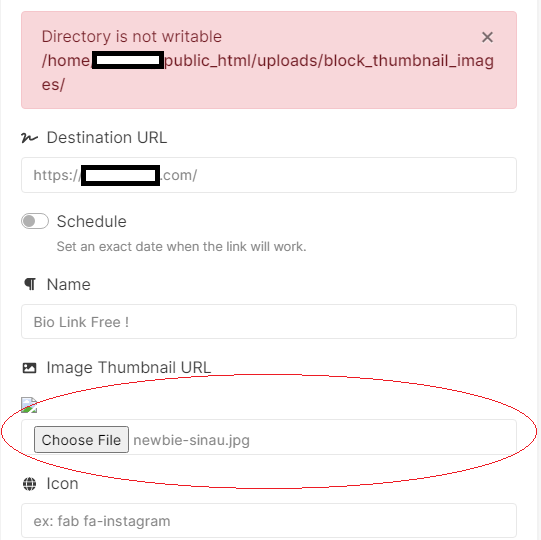
The error is telling you the exact problem. You must CHMOD 777 the folders that you have inside of the uploads/ folder.
PS: You would need to renew your support to get further support on other matters, as it is expired.
Regards,
AltumCode.
it’s a great product, I wish you add features from this website hipolink.net , especially the payment, and Applications receiving and CRM system,
Hi! I want to upload my very own pattern background for my own brand. But what dimension should I follow. (I mean 1920 by 1080, 1440 by 1080 etc). I am confused because whenever I try to upload an image it automatically cutdown some important parts. So if I got the dimension that will be suitable for both desktop and mobile versions.
Still didn’t get any answers. Is there any support limit in 1 week. Because I have asked some more questions this week (After the time when I have purchased), and got the answers. Is that the case why I am not getting the reply. Also after using this script I am getting lot’s of lacking on branding.. Like there are always your brand green color in the button border, login page and soo on. I don’t think it’s a ideal thing as we are paying for the script for our own brand. And nor allowing to change the color from the admin panel is not a good thing. Hopefully it will be fixed in future updates.
Hello there again, 60Pixelz
No, there is no support limit in 1 week. It is just that I am also human and some times I either miss one comment or I have too much work / support to offer that I don’t get to the comment. This is why in the support tab of the product it is mentioned that it can take up to 5 business days.
The actual branding of a product is done by modifying it, depending on what you want to change.
You can change the colors of absolutely anything from the admin panel with custom css.
You can’t choose the color of the branding with one color picker from the admin panel, if that is what you’re referring to, and that is because of performance reasons and bloating that would be highly added to the product. To give a bit more background on this, so that you understand: This product uses bootstrap 4, for the CSS library, which comes in .scss (where you can edit the colors and compile them) and in .css (which is already ready to go css), you can not do a “simple” color picker for the whole theme in the admin panel on already compiled colors in a CSS file without adding bloating to the product, which is not what I want to do, nor it is normal.
Keep in mind, custom modifications to the product, in any way, are fully your responsibility, but I am either way always trying to give a hand in cases where I can. So, you have 3 methods of changing the branding colors:
1 – Write custom css that overwrites the already existing colors and save it in the admin panel – website settings – custom css.
2 – Edit the themes/altum/assets/css/bootstrap.min.css file and use search & replace to replace the colors.
3 – (advanced) SASS edit the themes/altum/assets/scss/bootstrap.scss file and recompile back to CSS – which is the best option, but more advanced.
To add to the automatic branding from the admin panel: A php script can’t do either of option 2 or option 3, which are the best options to change the branding, and this is because of how Bootstrap was built. This is why I am mentioning that it will result in adding bloating to the product, because only option 1 (that I presented above) would work, which is not a solution that I want to add, in detriment of performance, bloating and maintainability from my own point of view.
Again, replacing images, changing colors and branding texts with your own is extremely simple. What you need to do most of the times is simply find the image in the themes/altum/assets/images/ folder and replace it. If you want to change any CSS, again, you can either replace it or recompile it. Changing texts, simply change the language file – all these things are normal and take no more than 5 minutes each.
Hey! Thanks so much for the help. And sorry for the late reply from my end. I totally forgot about this. But finally left a very big review. I hope it will make the decision taking process of the new comer more easier. Keep it up. Thanks a lot once again.
I will try your mentioned method
Hey, 60Pixelz
My pleasure and thank you for the review, I really appreciate it!
Wish you a great week ahead!
Is it possible to add OTP login via firebase?
Also, is there a way to convert the currency before sending the customer to payapl? I want to use Saudi Riyal, which is not supported by paypal, so i want to convert the price from Saudi Riyal to USD before the customer is sent to paypal.
Hey there,
Wish you a great Friday!
1 – This is not integrated, it would have to be customly made.
2 – The same as 1, but it is possible with changes, yes.
Regards,
AltumCode.