615 comments found.

hi, can you upload html5 content as a part of the courses… html+js+json+css for example? if yes, can you show me working example pls. and also can we show iframe content as a part of the courses? 10x in advance
Hi,
In this case, it should be fine. You can put the iframe directly in the course content area.
Any chance that this plugin creates a badge that a user can display on their website showing that they are a member and completed the course? I don’t want the badge to be duplicatable.
Hello,
Sorry, we don’t have that feature. Students get the same badge as the others who have completed the course.
Okay. Is the badge able to be displayed on someone’s website?
They can copy or download the badge image to show it on their site. There’s no particular option to embed it.
You said the preview theme is not include in plugin, so, will I need to buy a separate theme to run this kind of product?
Hi,
This is the plugin only, not the theme. Normally when you install Wordpress site, you will also need the theme to run your website. If you’re using another theme, you can use this plugin with that theme..
However, if you don’t have any themes yet, I suggest you to check on this theme instead: https://themeforest.net/item/clever-course-learning-management-system-theme/8645312 (By purchasing this theme, you don’t need to purchase GoodLMS plugin anymore as it’s already included in the theme.)
I can not test your demo.
Please try to test from our theme demo instead : https://demo.goodlayers.com/clevercourse/test-lms/
Hello, can it make affiliation courses from other online learning site?
Hi,
Sorry we don’t have that feature.
The student past the test but can not locate the certificate. Where can the student find their certificate after passing test?
Can you please submit ticket in our support website? Our dev and supporters only provide support in there, not here 
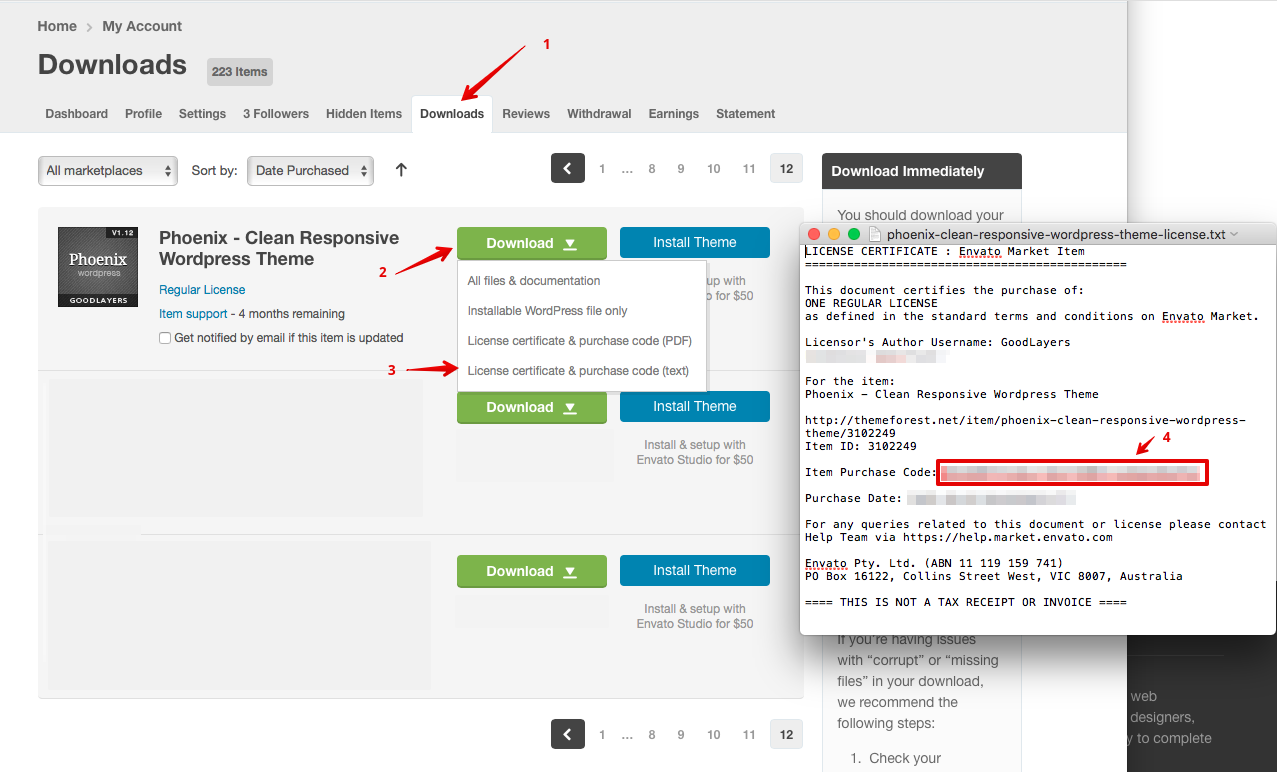
Please note that, Right now, all support will be conducted through https://support.goodlayers.com/(Purchase code can be found here : https://support.goodlayers.com/purchasecode.png )
Thank you very much! 
Hello, Is it possible to create Udemy-style video courses?
Sorry, We don’t have the exact same style as Udemy :/
Hi i want use to postgresql db. İs it posible
Hi,
I’m not sure about that. This plugin based on WordPress. You may have to check if you can do that with WP or not.
Thanks for your interest by the way
Hi
I have a few pre-sale questions. Does your plugin creates invoices and what about taxes? Do I have the possibility to change them manually?
Is it possible that users only have access to a course for a certain time and are then blocked for it?
Thanks and regards
Hello,
The invoices are sent from payment processors like paypal. Sorry, there’s no tax option in the plugin. You will need to customize the plugin to add them.
Yes, you can add a start and end dates on the course and restrict access between these dates.
Ok, thank you very much!
Dear,
I am planning to create a video course and thinking of buying your plugin to do this. However, I have three quetions:
1. I am using Optimizemember for my current membership pages, this plugin is integrated with my payment provider. Can I also use this plugin when I use your plugin for creating the course? I guess this is possible, since the only thing Optimizemember does is protecting the page from free visitors.
2. Is it possible to drip the content? I have 22 videos and I want to make 1 video per day available for my cusotmers.
3. Is it possible to embed the videos via for example YouTube, so I don’t have to put the videos on my own server?
Thanks a lot .
Regards,
Robbert
Hello Robbert,
Thank you for your interest
1. I am not familiar with the optimizemember plugin, but this is most likely not possible. The students have to register separately.
2. Yes, you can make them wait a certain amount of days before accessing the next section.
3. Yes, you can embed videos from external sources like YouTube.
Regards.
Hello! Could you update ur changelog please? Thanks!
Oh ok, done
Thank you! Happy New Year!
Hi GoodLMS. I love your work and really appreciate the plugin. But I read at Jetpack.com the following: ” Insecure versions: All Versions Known since: 2020-11-13 20:12:31 Description: The Good LMS WordPress plugin was vulnerable to Unauthenticated SQL Injection in its ‘id’ parameter of the gdlr_lms_cancel_booking action. “
- Is this, according to you, true? And when is an update comming to solve the issues in v. 2.1.5
We just pushed the update. Can you try to update and see if it’s fixed or not?
Hi is there a way to create an invite link? So someone becomes a paying member from our own processor.. Can we just send them a link to create a profile and get access to the course they paid for?
in summary a simple signup system..
Hi,
First of all, Thanks for your interest
Unfortunately, we don’t have such a feature.
Hi. Id like to translate it to Portuguese(Br). How can I Proceed?
Can you please submit ticket in our support website? Our dev and supporters only provide support in there, not here
Please note that, Right now, all support will be conducted through https://support.goodlayers.com/(Purchase code can be found here : https://support.goodlayers.com/purchasecode.png )
Thank you very much!
I really enjoy your product. My Wordpress version is 5.6. Does work?
Hello,
Thank you for your interest!
Yes, it works fine with WordPress 5.6
The sections in the course descriptions do not open. why is that?
hi, why can not view course price. only view money format.
Can you please submit ticket in our support website? Our dev and supporters only provide support in there, not here
Please note that, Right now, all support will be conducted through https://support.goodlayers.com/(Purchase code can be found here : https://support.goodlayers.com/purchasecode.png )
Thank you very much!
Presale question: is there posibility to replace featured images with video in single course? Thanks
Hi,
First of all, Thanks for your interest
Unfortunately, the featured image for course doesn’t support video.
Hi Goodlayers Support. I would like to buy your plugin but I have few questions regarding the same before purchase
1) Can you install the same on our server with wordpress 2) I will purchase a 1 year support from your end also for bud fixing and updates 3) Can we install the same plugin in a wordpress theme or I can go forward with default wordpress theme 4) How many days it will take to fully make the website working on our hosting 5) Can I have a demo test link ? Basically I need the LMS for Free courses initialy 6) is there is a possibility to customize the LMS in future (Paid service)
Hello,
1. Do you want us to install the plugin on your site? Yes, we can do that for you.
2. Yes, the 1-year support will include bug fixes, update, and plugin support.
3. Yes, our plugin will work fine with any theme that’s built according to WordPress standards.
4. That depends on the theme you use and the number of courses you want to add. We can’t be sure about that :/
5. You can sign up on our demo site as a student. Sorry, there’s no demo for instructors, you can check their backend screenshots here: https://demo.goodlayers.com/goodlms/instructor-backend/6. Sorry, the dev-team don’t do custom work. You will have to hire a freelancer to help with it.
Regards.
Pre Sale Question, Videos can be uploaded and played with a player in the course ? And The Course can have expiration so users can access the course they purchased for amount on days ?
Hello,
Yes, videos can be uploaded and played in courses.
Yes, you can set an ‘End date’ after which the course can no longer be accessed.
Hi, I’m trying to setup an instructor. I have no problem creating the instructor account, but when I access it and click the instructor’s name in the top bar it just takes me to the default profile editing page (the backend normal one), not to that fancy styled page.
Also, the shortcode for Instructor List is giving me no results. Do the instructors have to be in a course to appear in the list?
And I don’t quite get how to use de Instructor by ID shortcode. How do I get the ID? It’s supposed to be “Instructor’sName_Instructor’sLastname”?
Ok, I found out that the fancy dashboard shows up when you click the [lms_login], not the top bar. I feel pretty dumb about it. I’ll manage to make it look ok. Still, I don’t know why the instructors don’t show up in the list or how to use the other shortcode for one instructor.
Hi,
You need to select a style in the instructor shortcode for it to work properly, like so:[lms_instructors role="instructor" style="grid-2" column="3" num_fetch="6" num_excerpt="20" thumbnail_size="full" ]
Same with the lms_course shortcode:
[lms_course category="" style="grid-2" column="3" num_fetch="6" thumbnail_size="full" orderby="date" order="desc" pagination="yes"]Instructor ID can be found when you click on the ‘edit user’ link, similar to the page id: https://www.wpbeginner.com/beginners-guide/how-to-find-post-category-tag-comments-or-user-id-in-wordpress/
If you still see the issue, then please open a ticket with your site URL so we can take a look: http://support.goodlayers.com/