1312 comments found.

I really love your script , I cant find nearest alternate your script . I bought your script and requested the refund [bcz of your support it takes 36 hours to get response frrom your side ]
my only problem is loading the template file ( json file ) when the page load
i am getting same reply from you to check the url https://support.vebto.com/help-center/articles/10/11/37/loading-state
I tied many times and i wasted 5 days on the same issue, but no use i cant load the json file , you are telling that load the json file as state . I given the local json file url local.json like this
var pixie = new Pixie({
onLoad: function() {pixie.http().get('local.json ').subscribe(function(response) {var state = response.state;pixie.loadState(state);});}});
but i failed many many many times, your docs are good but they just giving the information that is hard for newbie .
i think if you give the help files with examples that will reduce the hundreds of hours for searching the solutions in google .
Hi,
It’s hard to say what is the issue exactly without taking a look at the site, please create a ticket regarding this on our support site and include your site url: https://support.vebto.com.
Thanks!
hi, can I integrate it to prestashop?
Hi,
Yes, you can integrate pixie into any existing site or project.
I uploaded all the contents from the Pixie folder, everything but the images seem to be showing up, like the example images or filter images etc…. When I copy the image address of the broken image it shows up as
assets/images/samples/sample1_thumbnail.jpg
rather than
http://domain.com/assets/images/samples/sample1_thumbnail.jpgI see it in the documentation but It doesn’t specify which file i need to edit as the index.php doesn’t have it..
Hi,
Please create a ticket regarding this on our support site and include your site url: https://support.vebto.com.
Thanks!
I bought the pixie , I place ticket on support. after 20 hours I got reply.
I think customers must wait for 10 hours to 20 hours to get support from you for simple queries, you must include in the description this point * MUST WAIT FOR 10 HOURS TO 20 HOURS FOR SUPPORT*.
after selling the 2.3k+ packages the support is slow down.
Just now I again ask the query on same issue , I am very lucky if I get the reply from you by tomorrow.
Hi,
Sorry about the delay. We had an unusually large amount of tickets last few days so response times might be a bit slower then usual.
I am still waiting for the support, ( completed 48 hours after creating ticket )
pleasE help me anybody i want to load the local json data int o pixie when the page loads, using tthe code below not working
onLoad: function() { pixie.http().get(‘http://localhost/moviefontposter/clone/image.json') .subscribe(function(response) { var state = response.state; pixie.loadState(state); }); }
- please help me stucked in this problem since 8 days you can see my previous comments
You can request a refund via Codecanyon, we can’t initiate it.
Hi, I have a couple of questions: 1. Can I load from a BASE64 image instead of open and selecting one? 2. Can I get the BASE64 of the edited image instead of downloading it? I need to place the BASE64 (edited) image info a hidden field.
Thanks.
How to resize imported image? I want to do something like:
pixie.getTool(‘import’).openFile($(this).attr(‘data-image-url’)).then(function(obj) {
pixie.getTool(‘resize’, obj).apply(50, 50); // <— this doesn’t work of course
});
According to https://support.vebto.com/help-center/articles/10/12/40/resize I should be able to resize images and canvas, but there is no example how to use it on images, I can resize whole canvas only.
Hi,
There’s no built in function to resize only specific image on canvas currently, I’ll see if we can add this for next update though.
(You could do this via internal API, however there’s no documentation for it).
can you help me
1) to load the json data as variable
2) function to load the json data and save it to image automatically
3) is it possible to apply the my own css to the text element
4) can I add new fonts from the server
var state; //previously saved editor state var pixie = new Pixie({ onLoad: function() { pixie.loadState(state).then(function() { //state has been loaded }); } });
in the above code the state means? json data or need to do any process before that?
I need only two functions from your script with php 1) saving the data 2)load the data 3) generating the image with json data
can you help me in above code
I dint understand ,
what is the state there?
I am loading the json url or json data as state
but the data is not loading in to the pixie when I am trying to loading the json data or json url in the server .
Hi,
It’s hard to say what the issue is without taking a look, please create a ticket regarding this on our support site and include your site url: https://support.vebto.com.
Thanks!
once I click the Merge icon after doing some edits on an image which is little heavier in size then the editor seems to be stuck for a while, So I would like to use a loader Image during this time when clicking the merge option but the issue I am currently face is when can I handle the merge done event and remove the loader?
Hi,
There’s no event for this currently, you would need to modify some code to achieve this functionality.
can we have progress bar when saving the image from editor using ajax?
Hi,
There’s no built in progress bar currently. You would need to set it up manually based on your specific use-case.
Is there a file size limit when uploading background images?
Hello, I have Purchase a Pixie – Image Editor template. We tried to modify some functions but we can’t do it. Because you have provided minified Javascript file along with some html code. We have tried unminifying js file but couldn’t able to execute it as its having some issues while unminifying. Can you please help us to address this issue or let us know any other way around it if possible.
Hi,
You can find original sourcecode in the .zip downloaded from CodeCanyon. You can use “npm start” command to start local development server.
If you still encounter any issues, please create a ticket regarding this on our support site: https://support.vebto.com.
Thanks!
Hello, I want to implement this pixie editor to CodeIgniter, but I don’t know how to manage the icons and images path. please help me on this
Hi,
Please create a ticket regarding this on our support site and include your site url: https://support.vebto.com.
Thanks!
can we have progress bar when saving the image from editor using ajax?
also please help me on how to upload the image in Codeigniter from pixie editor using ajax
can i export json file ?
Hi,
Yes, you can export editor state as .json file and import it back later.
I would like to be able to set up this online for people to use it. But I would like to create templates with it and store them, and let users pick up those templates to edit them and download them, but that they might be able to SAVE their changes and also be able to edit them further later on.
Im not clear with rights. Am I able to rebrand this app if I buy? Am I able to edit the code? This wont be the main app, this will be a benefit from a paid membership Im setting up. I need people to be able to edit cover templates I will build and they would been to download.
Im really close to buy bro, but I need to clarify the rebranding thing. I wont sell it as a service and it wont be for another client. It will be for me but it will be a benefit inside a paid Membership I will be running. But I do need to be able to change the name at least.
You are free to rebrand and modify the code as needed, however if users are charged for using pixie you will need extended license.
i am interested in buying, but i see as minimum 2 bugs and 1 strange UI flow. try to explain:
bugs:
- i am unable to apply filter to the image, which width/height is more than 4096px. what is the nature of this restriction? your application doesn’t show any human-like error in this case, i see only javascript-error in the console ( https://drive.google.com/open?id=11jSqWo4OYxDSujIm0L-IWzFMk3leRNNx )
- problem with crossOrigin. please follow my steps:
a)new Pixie({ image: 'https://picsum.photos/4096/4096', ui: { visible: true, openImageDialog: false, mode: 'overlay', }, crossOrigin: true, });
editor is visible now and we see crossOrigin-image. for testing i can save image by press Save-button successfully
b) click Filter and click on any filter to apply it
c) click Cancel. after this it seems image reloads itself from source, BUT WITHOUT crossOrigin, because after this i am UNABLE TO SAVE image with message “Could not export canvas with external image.”. also after this moment when i try to apply any filter (and some other actions) to the image i see errors in the js-console (for ex. https://drive.google.com/open?id=1E_fLxwSttiYCfDNVYVLW_y1uFDJpWZw3 )
strange UI flow:
- open any image to edit
- click Filter and choose several filters for ex. “Invert” and also filter, which have gear-settings (for ex. Pixelate). now we applied to image 2 filters (Invert and Pixelate)
- click on gear-button of the Pixelate-filter
question:
what i should to do if i don’t want to Cancel or Apply, but only to return BACK from gear-settings of Pixelate-filter to 1 level up to see currently selected filters ( screencast https://youtu.be/n4wespFCUeg )? as for me you should have that Cancel-button works like BACK-button to return from gear-setting. also Apply-button in gear-settings level should apply settings changes ONLY for this current filter. in opposite when we see all filters row and user presses Apply – then he want to apply all selected filters to the image. and when user presses Cancel-button – then he wants to cancel ALL filters from the image.
Hi,
1. This restriction is mostly to save memory on mobile devices as users rarely modify images that large. You can increase the restriction via configuration though.
2. This will be fixed with next update.
As for filters, I’ll if we can improve that with future updates.
1. do you have some roadmap about the planned time of the next update (it will be good to get fixes before buying and integrating Pixie on my side, this fixes are critically important)?
2. how works this case: user buys Pixie v. X.0.0, author make update and it become version X.Y.Z, can user get this updated version for free or not?
thanks
1. We’ve no exact date yet, but it should be available sometime this month.
2. Yes, you can download latest update free of charge from CodeCanyon.
- how i can be notified when new version will be released? can you send email to me?
- i used your suggestion to increase textureSize to 5000 (my image is 4656×2618px). it works, but with some problem: filter is applied, but after that i see transparent image. if i change zoom level + or -, then image is rendered with applied filter successfully. this problem is reproducable. please see this on screencast: https://www.youtube.com/watch?v=zYXhXEK5O2I&feature=youtu.be . can you fix this in the next update also?
- FYI: i checked how for ex. photoeditorsdk.com works with textureSize-restriction. they resizes image on load to size 4096*4096. maybe you can implement such behaviour using config-option? i am not an expert in texture-restriction, how wide is the problem among devices.
thanks
You will receive a notification from CodeCanyon once new update is available for download.
As for the text issue, could you create a ticket regarding this on our support site and include your site url: https://support.vebto.com.
Thanks!
As for the text issue, could you create a ticket regarding this on our support site and include your site urlDear author,
i am potential buyer, i am unable to create ticket currently. but as far as i wrote above i want to buy software without critical (at least for me) bugs, which i found in my own time and described to you in details.
it would be very helpful to fix it ASAP (i understand you have own terms for update) and i will buy it after testing.
P.S. please understand me that buying software, which unable to resolve needed for us tasks correctly is strange thing
big thanks!
Did you encounter those issues on demo site?
your demo starts with simple config, it doesn’t have those options, using which occur errors (textureSize, crossOrigin). i tried to reset editor using new config (saying including textureSize), but it seems editor didn’t apply my attempts.
so i use own demo, it based on v. 2.1.3. each error-case i showed on the screencast
1. jsfiddle for textureSize-bug: https://jsfiddle.net/cv7perwg/
a) open image with size more than 4096px (e.g. https://drive.google.com/open?id=1EjYt51NtqVfyQyfJau9G03IeQ3i2mB8m)
b) apply any filter and you will see transparent image (ONE ADDITION: noticed that bug in Chrome, my version is 77, in Firefox – works fine without zoom)
c) then zoom + or – and you will see fine rendered image
2. jsfiddle for crossOrigin-bug: https://jsfiddle.net/cv7perwg/1/
a) run fiddle
b) save image – works OK
c) apply any filter
d) press Cancel
e) save image – FAIL with message “Could not export canvas with external image”. it seems because image has reloaded from source (but not as crossOrigin) after Cancel-button is pressed
thanks
P.S. jsfiddle shows 502 error sometimes, please be patient:)
The cross origin issue will be fixed with next update. Filter issue can be fixed by the setting I mentioned in previous comment.
As for those fiddles, they might be using outdated or modified code, it’s not something we provide support on usually.
Filter issue can be fixed by the setting I mentioned in previous comment.sorry i don’t see in what comment you answered. can you repeat it here?
NOTE. if you mean to increase textureSize then i done it already and AFTER THAT i got bug in Chrome.
As for those fiddles, they might be using outdated or modified codemy jsfiddles use js and css from pixie.vebto.com-site, so it uses always latest changes.
Texture issue should be fixed with next update as well.
When a large image like a .jpeg of 7.9MB and a resolution of 5961 × 3974 is edited, and then saved, the filesize of the edited image is 38.8MB. That’s almost 5 times the size of the original image. Is this expected behaviour? I use server-side saving with PHP
Hi,
This is most likely because image encoding is not matched when downloading. You can change this via “DefaultQuality” parameter, reduce it until you get similar size to your original image after downloading from pixie.
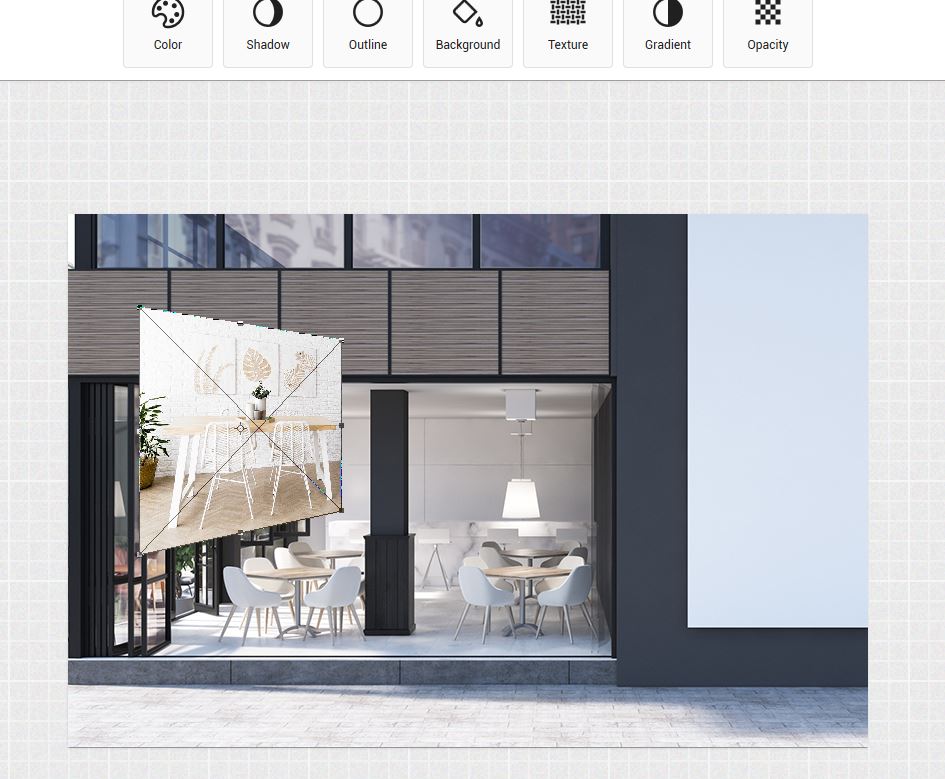
Hello again. I mean this effect that Photoshop has to distort the image. http://simuladorprocafe.vinilarte.com/imagenes/Captura.JPG
Hi,
There’s no built in way to do this currently.
Hello, can you distort the image?
Hi,
Yes, you can use built-in “blur” filter for this.
Hi,
Are we storing images on server ? i guess when user session is over this image will also be deleted from server…pls confirm that it will not consume space on my server.
Thanks
Hi,
Pixie runs in the browser only, it does not store anything on the server by default, although you can do this via pixie API if needed.

This item was featured on CodeCanyon

Power Elite Author
Contact the Envato Market Help Team