1984 comments found.

Hi, first thanks for this amazing plugin! Has saved me soooo much time editing products!
Can you tell me if there is a way to export views, and import them into another site? Not the actual data, but the view format? I have multiple sites. I have spent lots of time creating views showing my meta data and other stuff. Would like to export this view format to my other sites.
Hi,
Yes, in theory, but I haven’t tried it. You can export from wp_config table the options w3exabe_views and w3exabe_columns and import them to the new site.
Thanks!
Hi! The most useful plugin I have, really love it! Since the last wordpress updates, however, the CSV export stopped working for me. Could you please look into that issue. Thanks and regards!
Hi,
Thanks for the kind words!
What version of WordPress and WooCommerce you have installed ?
Hi, thanks for your reply! I’m running WooCommerce 3.5.3, WordPress 5.02 and PHP 7.2.13. I assume there might be an issue with the CSV and wordpress because the woocommerce CSV import also is not working properly and a workaround was to rename the CSV to be txt. When I try to export CSV from your plugin it just writes in a blank page the current date and time (Sat, 05 Jan 2019 19:05:21 GMT). Now I wanted to tell you exactly what it says and tried again and this time it exported it properly. Did a bit more testing and it seems it exports 1-5 items without issues but with more it keeps showing the blank page with the date.
I’ve tested with the exact same versions: PHP 7.2.13 WordPress 5.0.2 WooCommerce 3.5.3
and with 125 products. It exports with no issues or slow down.
For your issue, I suspect you might need to increase the PHP memory limit. Also if you can check the web server log for errors or the PHP error log, this could provide some additional info about the problem.
Thanks again for your input!
I managed to make it work for me. Changing the memory limit didn’t solve it and also I was not sure where to look for the log files and didn’t check those.
However I tried exporting CSV with separator comma ’,’ and it worked fine. Till now I always used ’;’ as separator and that’s the one which was not working. When the separator is comma it works just fine. I didn’t use it till now because I have regular commas in the descriptions and the file got messed up. I made a custom view with fields which don’t have commas and export that view and everything works fine.
Thanks for your help and I hope my comments are helpful to you 
Indeed, I’ve also tested with comma as a separator Will check the ”;” too.
Hi,
I’ve tested it with Wordpress 5.0.2 and WooCommerce 3.5.3 and it works fine. Haven’t found any issue yet.
does this work with the newest version of wordpress?
Yes.
Hello…
Happy new Year
There is a way to bluk edit “sale start date” and “sale end date” records of products?
thanks
Hi,
Happy new year!
Yes, you can bulk edit both sale start and end dates.
thanks, but can I change in mass the records? Now I can only edit one record at a time. How can i do it? Thanks
Yes, of course. Just enable the “Linked editing” option and select all the products you want to set sales date, then enter the date for one of the products and it will automatically spread the set date among the rest of the selected products. You can test our demo here:
http://www.wpmelon.com/demowhen i click save changes . it start saving for long time . before it breaks and fails . doing that to save changes of 176 products. how to make it faster ?
Hi,
I suppose there is some issue with the server and you get an error when saving the products. Otherwise it won’t break or slow down.
any idea what could it be… . its very slow
Do you get any error in Apache/Nginx log or in PHP error log ?
Great plugin that I was looking for! However, the VAT is not taken from Woocommerce. Instead, it only has the selection as a dropdown: taxable, shipping only or none. However, we have different tax rates like 7%, 2.5% and 0% added in WooCommerce. What we have to do?
Hi,
I’m not sure I got you, but if you want to have different tax rates, you can add them from WooCommerc and then bulk set it to products using the “Tax class” column in the grid or the same field in the Bulk Edit dialog.
with woocommerce 3.5.x doesn’t save correct image path url for variation.
Hi,
I’ve tried it on WooCommerce 3.5.2 and it saves the image correctly for a variation. How do you test it and get to the issue ?
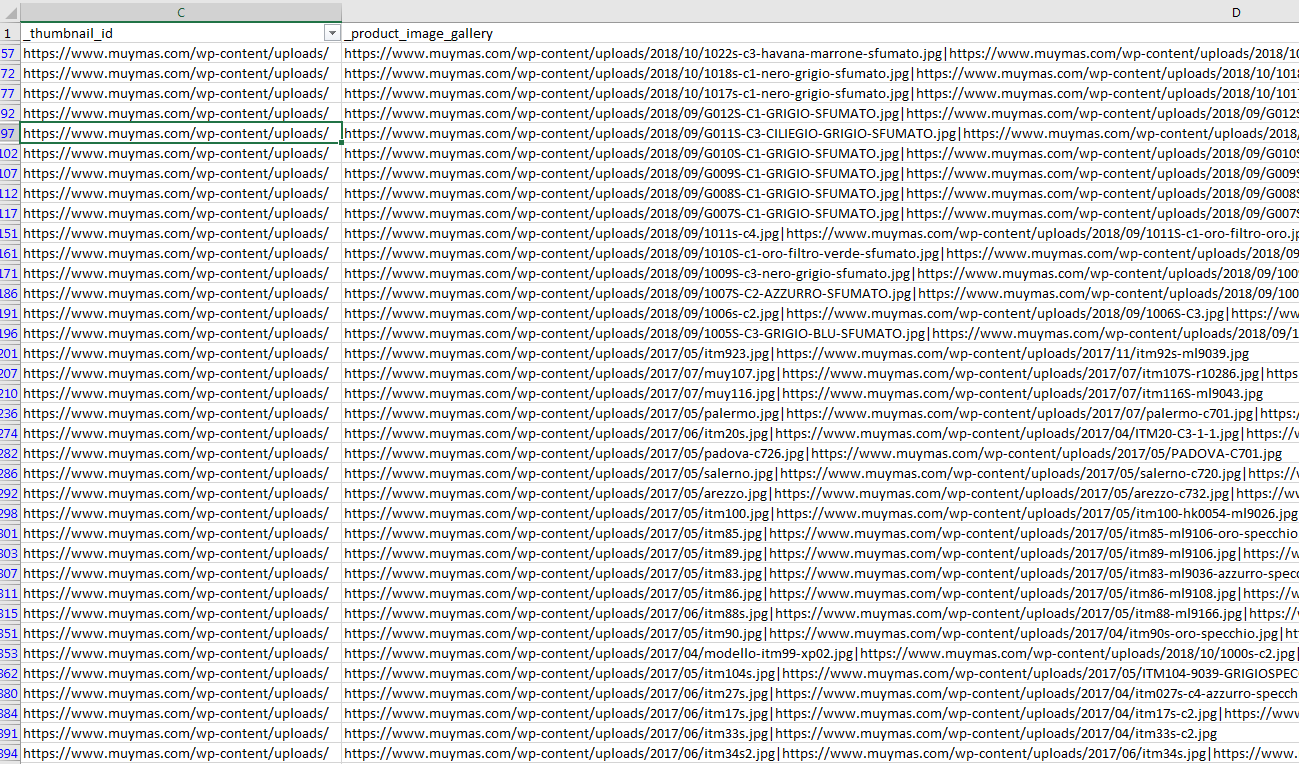
as you see here: https://i.gyazo.com/885dba940739390670f81e5dbaa08370.png product image gallery url is correctly formatted but not thumbnail id url. for other things the plugin is huge.
Oh, you mean when you are exporting to CSV. What version of WooCommerce Advanced Bulk Edit are you using ?
the latest 4.4.2
OK, please contact me via email and I will send you a fix for this.
sent now
Hi, Does the WooCommerce Advanced Bulk Edit plugin work with the Aelia Currency Switcher for WooCommerce ? Can I update in one shot different currencies for all the variations and also upload files for virtual products ? thanks
Hi,
I’m not sure as I never tested this plugin.
Hello, is the plugin working properly with custom fields from third party plugins?
Hi,
It depends on how the custom fields were implemented. The plugin detects some of them and others not. You can try for yourself and if it doesn’t work for you, I’ll refund you, no problem.
Hi i have one question. I have bulk edited variable and simple products to set the end date for sale price. On variable product the sale price disapear on date but on simple product the sale price is still showing? I didn’t check LINK EDITING and just do bulk edit. do i have to check LINK EDITING and set the start/end sale price that way to work?
I found out that after sale should end in still showing sale prices instead reglar prices, but in don’t show regular price with throughline it only show sale price.
HI,
Can you send me a screenshot via the email form, of how the Sale dates are set in the grid and how the product displays on the front end ?
HI, I can’t seem to enter the sale start and end date with the latest version. what could be wrong? thanks.
Hi,
Please, contact me via email, so I can send you the latest version with a fix.
hi, i have sent you an email. thanks
I cant find a way to access via the Bulk product editor a custom product attribute on a product.
By custom product attribute I mean when you just click on “Add” near “Custom product attribute” in the Product > Attributes tab (without selecting a standard attribute).
That custom attribute is not present in the Show fields list nor in the Find Custom Fields
Hi,
I’m not sure what “custom product attribute” you are referring. Can you provide a screenshot, please?
Check the following screenshot. Its when you add an attribute directly in the product, while the attribute does not exist in the attributes list of Woocommerce. https://i.imgur.com/29NBeVf.png
I don’t understand anything from the screenshot, because of the foreign to me language. Anyway, it is possible that the plugin doesn’t detect some of the custom fields, created by 3rd party plugins.
Hi,
we can’t find the search filter by stock status (instock/outofstock) to get products for edit,
Regards
Hi,
It’s not added yet. It will be in the next release.
{success not execute query”]},”erro
I had this strange error? How can I fix this? Thanks
It depends on what is causing the error. What is the issue? Can’t save products, can’t load products, ... ?
Can’t load products, its blank
Can you provide login, so I can check what’s the issue? Please, contact me via email.
Hi there, i have many photos in my descriptions. I imported lots of products from other sites and it comes with photos in description as well.
Can i see the photos and remove unnecessary ones from descriptions using your plugin.
Thanks Regards
Hi,
The Description field editor is WYSIWYG, so you should be able to see the photos rendered. If not, you can see it as an HTML code from the Text tab of the editor.
1.Can I remove variation images in bulk? 2.Can I uncheck attribute name “used for variation” in bulk`? EDIT: 1. Yes, need to click the image and check “apply action to all selected products”. 2. Yes, need to select the head of variable product, not the variations itself.
Hi,
Thanks for leaving feedback, so other users can benefit too.
good evening, pre-order question: are u going to translate the plugin to polish and is it working with the newest versions of woocommerce and wordpress. Also I have some problems with stock status for empty products (0 quantity and status is “on-stock” but should be “out of stock”. Solution for it is save again the product, but I have a lot of them. Does plugin have that functionality? Best regards, Greg
Hi,
No immediate plans for translating to Polish language. However if somebody send me the translation files, I’ll add it.
The Stock Status field depends on the Manage Stock field, if it’s enabled, then all empty products will auto get a status “out of stock”.
Hi there, A pre purchase questions. Is post author (vendor) based products editing restrictions possible with this plugin. For example, If I want to give access vendors (post author) only to bulk edit their own product.
Also administrators can have all edit permission as default.
Hi,
You can only change the post author. No permissions editing currently.
It would be very nice if this plugin has this feature, which really scale this plugin to various woocommerce marketplace website, hence reducing the load of vendors editing bulk products. Hope it will implement soon on priority.
Logically, according to me the flow should be like if a user has user role other than “administrator”, then it by default filter the product based on logic “post_author”=”currently logged in user”
Also, make this post_author field variable as some plugins works on different custom taxonomy.
And finally, make the settings to be optional, so that normal plugin functionality remain same as current, if in case, someone wants to give access to all products to their vendors.
Thanks for the feedback. We’ll consider it for adding in later releases.
Hi, is there a way to bulk edit the downloadable file path URLs for virtual products?
Hi,
Currently it’s not possible to edit the base path of downloadables.
Is it possible for you to include this feature in future updates? My friends and I are all sellers of digital file and we will greatly benefit from this feature.
Hi,
Please, email me with more details and your user case and if it will be usable for more users, I’ll implement it.