892 comments found.

Hi,
We are using this plugin for a while now and we are very satisfied. However lately the order of the client details moved to a wrong place. Also there are double text boxes with the same question.
Is this something we need to renew the support or is an easy fix?
Thanks in advance and kind regards,
Toby Atelier135
Hi Toby,
Thank you for choosing ARG Multistep Checkout.
Please send us your site url at support@argthemes.com and we will do our best to help you. Thank you and looking forward to assist you.
Have a great day,
ARG Team
Hi,
your plugin is awesome.
I would like to make one small customisation.
In the checkout section, when the customer has to fill in his adress etc..
I want to change the position of typing in “e-Mail” at the very top and also I want to delete some fields, like the insert company name row.
How can I do it?
I checked your php`s but you arent wokring with hooks.
Hi @empfehlung1,
Thank you for the kind words and purchase of ARG Multistep Checkout.
In order to remove fields from the checkout page please follow this online topic: Remove Checkout Fields.
The checkout forms and fields (login, register, coupon, billing, shipping, order table, payment methods…) are and work like on your default checkout page, we only transform them into a multistep for a better user experience during purchase.
Hope this helps. If you have any other questions or further assistance is needed please send us an email at support@argthemes.com and we will do our best to help you.
Have a great day,
ARG Team
Is it possible to validate the shipping and billing form before clicking at the payment button? Thanks!
How to make a field to be required?
Hi @raonisn,
Thank you for choosing ARG Multistep Checkout.
Sure, this is the normal behavior, to check if all required fields (doesn’t matter if those fields are new/custom or not) are correctly filled before proceeding to the next step. More than that, to validate each field on every step, ARG multistep uses the same rules as original WooCommerce plugin.
Please send us your site url at support@argthemes.com and we will do our best to help you. Thank you and looking forward to assist you.
Have a great day,
ARG Team
For some reason, if I press “Next” or click on another stage whene there is an empty required field, my entire website moves to the left : https://puu.sh/BY8NM/7d6f526a2e.png
How can I fix his?
Thanks in advance
Hi @Repczuk,
Thank you for choosing ARG Multistep Checkout.
Please send us your site url at support@argthemes.com and we will do our best to help you. Thank you and looking forward to assist you.
Have a great day,
ARG Team
Hi I am interested to buy this plugin because it seems to be what I need but I have two questions: 1. is it really possible to make custom steps? and it is only possible to make them in php? there are no dashboard settings to make new steps? 2. is it possible to show the multistep checkout on one side and the review order (summary box with thumbnail of the product etc) on the other side? instead of replacing the whole checkout page with just the steps that come from this plugin?
thank you Karen
Hi Karen,
Thank you for your interest in ARG Multistep Checkout.
Regarding your questions:
1. Is it really possible to make custom steps? and it is only possible to make them in php? there are no dashboard settings to make new steps?
Sure, it’s possible. The entire code is in our docs, just copy/paste it and the new step will be add to the multistep, please have a look at our online documentation: Add Custom Steps.
2. Is it possible to show the multistep checkout on one side and the review order (summary box with thumbnail of the product etc) on the other side? instead of replacing the whole checkout page with just the steps that come from this plugin?
Yes, ARG Multistep is highly customizable because we used the best practices when we implemented it but, at the moment, this functionality can be achieved only with custom code edits on your ends. As an alternative, you can add the woocommerce mini-cart as first step (the users will have the possibility to see/edits the products), just send us an email and we will provide you the entire code for this.
Hope this helps. If you have any other questions please feel free to ask or send us an email at support@argthemes.com and we will do our best to help you. Thank you!
Have a great day,
ARG Team
Hello,
The login file at checkout doesn’t appear when using this plugin could you please fix with these information below?
https://www.wandeethaikitchen.com.au/wp-admin/ Username: admin Password: demoThanks, Pete
Hi Pete,
Thank you for choosing ARG Multistep Checkout.
We had a look at the checkout page and everything seems ok, the multistep looks really well on your website.
The checkout forms (login, register, coupon, billing, shipping, order table, payment methods…) are and work like on your default checkout page, we only transform them into a multistep for a better user experience during purchase.
Hope this helps. If you have any other questions or further assistance is needed please send us an email at support@argthemes.com and we will do our best to help you. Thank you!
Have a great day,
ARG Team
Inline field description does not disappear when you fill in the field.
Hi @Rohmer,
Thank you for choosing ARG Multistep Checkout.
Please deactivate the plugin and see how things are working on the default checkout page because the checkout forms and fields (login, register, coupon, billing, shipping, order table, payment methods…) are and work like on your default checkout page, we only transform them into a multistep for a better user experience during purchase.
Hope this helps. If you have any other questions or further assistance is needed please send us an email at support@argthemes.com and we will do our best to help you. Thank you!
Have a great day,
ARG Team
Hi,
Love the plugin, playing about with it now. Having some styling issues though.
1) Force login or register error message is displaying incorrectly and forcing the login/register forms to get squashed over to the right side.
2) Coupon section before payment method is completely overlayed by the payment method, so it’s hidden and you cannot see it.
3) Possible the cause of point 2 – payment method (stripe) is all squashed over to the right side.
Any help on these issues would be appreciated. I assume it may be a conflict with my theme? Not sure. Theme is Jupiter.
Regards, Karam
Hi Karam,
Thank you for the kind words and purchase of ARG Multistep Checkout.
We’ve just sent a reply to your email. If any further assistance is needed, just reply back to the email we sent you and we’ll go from there. Thank you!
Have a great day,
ARG Team
How to implement Custom Field . I have seen the documentation, but there is no reference for storing. Widgets settings for hiding payment tab in checkout process.
Hi @bac_theme,
Thank you for choosing ARG Multistep Checkout.
The checkout forms and fields (login, coupon, billing, shipping, order table, payment methods…) are and work like on your default checkout page, we only transform them into a multistep for a better user experience during purchase.
Hope this helps. If you have any other questions or further assistance is needed please send us an email at support@argthemes.com and we will do our best to help you. Thank you!
Have a great day,
ARG Team
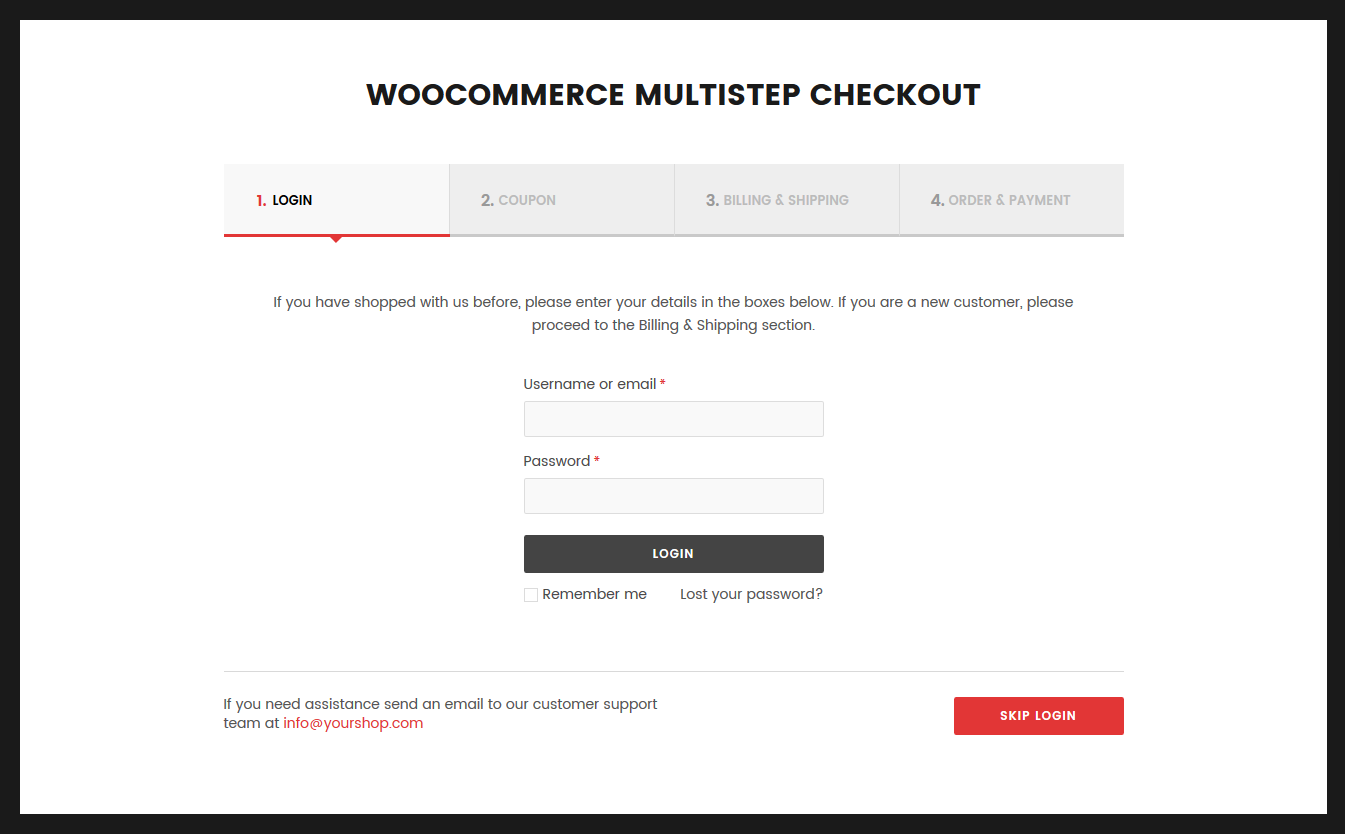
Hi, how can I remove or change the text of the paragraph above login form? Thanks!
Hi @raonisn,
Thank you for choosing ARG Multistep Checkout.
This text is part of the WooCommerce files and if you want to translate/remove strings that are added by WooCommerce, you will need to use the WooCommerce translation files: Translating WooCommerce.
The checkout forms (login, coupon, billing, shipping, order table, payment methods…) are and work like on your default checkout page, we only transform them into a multistep for a better user experience during purchase.
Hope this helps. If you have any other questions or further assistance is needed please send us an email at support@argthemes.com and we will do our best to help you.Thank you!
Have a great day,
ARG Team
I am talking about this message: https://s3.envato.com/files/210891689/ARG%20Multistep%20Checkout%20-%20Preview%20Screenshots/WooCommerce-Multistep-Checkout-03.png
Is it from woocommerce?
Thanks!
If the message you want to change is “If you have shopped with us before, please enter your details in the boxes below. If you are a new customer, please proceed to the Billing & Shipping section.”, then yes, it’s part of the WooCommerce files.
If you have any other questions or further assistance is needed please send us an email at support@argthemes.com and we will do our best to help you.
Thank you,
- ARG Team
Yes, this is the message. Thank you for your help! 
You’re welcome
- ARG Team
Hello,
I would like to create a website “print online”. Your plugin interests me, but I would like to ask you some questions:
1. Does your plugin appear directly after clicking on the “add to basket” button on the product sheet?
2. Does your plugin compatible with “Elementor”? ( https://elementor.com/ )
3. Is it possible to add the “Drag and drop” plugin as a new step on your plugin? ( https://codecanyon.net/item/woocommerce-drag-drop-uploader-ajax-file-upload/21067299 )
Thank you
Hi @JeanJacques18,
Thank you for your interest in ARG Multistep Checkout.
Regarding your questions:
1. Does your plugin appear directly after clicking on the “add to basket” button on the product sheet?
Sure, you can create any behavior on your site, this will be the same with the multistep plugin. The checkout forms and fields (login, coupon, billing, shipping, payment methods…) will be and work like on your default checkout page, we only transform them into a multistep for a better user experience during purchase.
2. Does your plugin compatible with “Elementor”? ( https://elementor.com/ )
Yes, ARG Multistep is fully compatible with this plugins and, as far as we know, with any plugin.
3. Is it possible to add the “Drag and drop” plugin as a new step on your plugin? ( https://codecanyon.net/item/woocommerce-drag-drop-uploader-ajax-file-upload/21067299 )
Sure it’s possible. First, create a new step using the following documentation guide: Add Custom Steps.
Second, add the “Drag and Drop” plugin shortcode as content to the newly created step.
Hope this helps. If you have any other questions please feel free to ask or send us an email at support@argthemes.com and we will do our best to help you. Thank you!
Have a great day,
ARG Team
My checkout has 4 steps and even if you do not fill out the required fields it allows you to continue to next step? Is there a way to require the fields before allowing to continue to next step?
Hi @Berkmh123,
Thank you for choosing ARG Multistep Checkout.
Sure, this is the normal behavior, to check if all required fields (doesn’t matter if those fields are new/custom or not) are correctly filled before proceeding to the next step. More than that, to validate each field on every step, ARG multistep uses the same rules as original WooCommerce plugin.
Please send us your site url at support@argthemes.com and we will do our best to help you. Thank you and looking forward to assist you.
Have a great day,
ARG Team
Hi guys, Great plugin, I was wondering if you could help. The ‘Ship to a different address?” box is by default checked. Is there a way that I can set it to unchecked by default?
Hi @sitandwonderjewellery,
Thank you for the kind words and purchase of ARG Multistep Checkout.
Sure, by default the extra shipping address fields are hidden. In order to show or hide them, the Ship to a different address? checkbox can be “checked” or “unchecked”, please have a look at this online guide: Change WooCommerce ‘Ship to a different address?’ Default State.
The checkout forms and fields (login, register, coupon, billing, shipping, order table, payment methods…) are and work like on your default checkout page, we only transform them into a multistep for a better user experience during purchase.
Hope this helps. If you have any other questions or further assistance is needed please send us an email at support@argthemes.com and we will do our best to help you. Thank you!
Have a great day,
ARG Team
Thanks so much for this! I thought it was a plugin setting but thanks for answering my question anyway, your suggestion worked.
You’re most welcome
- ARG Team
One of my friend using this plugin & I want to use this too. But my question is, This plugin isn’t updating frequently. Is that safe to use to ensure my site security?
Hi @Rifatspir,
Thank you for your interest in ARG Multistep Checkout.
Sure, the multistep plugin is very, very safe and it acts like a native woocommerce app because we used the best practices when implemented it (our customers already confirmed this in their reviews, please read the 4th review from Spado – “the performance is very good and it didn’t add any weight to the site like it is native to woocommerce”). For this reason, the multistep plugin is almost on autopilot and it won’t need many updates, and, as you can see on our Change Log, only from time to time we added the most wanted features demanded by our customers.
Hope this helps. If you have any other questions please feel free to ask or send us an email at support@argthemes.com and we will do our best to help you. Thank you!
Have a great day,
ARG Team
Is that possible to add checkout editor in future? I wish there are some option to edit or add checkout fields.
Undoubtedly, this plugin is really great and working good in our site
Thank you
Thank you very much for your kind words and support Rifatspir!
At the moment, the plugin transforms the checkout forms/sections (login, register, coupon, billing, shipping, order table, payment methods…) into a multistep for a better user experience during purchase. And yes, because we are always listening to our customers for feedback and feature requests, in the future we will add the most demanded options. In the meantime, please have a look at our online documentation to make an idea on how many cool editing options you have and feel free to ask us if you have more questions. Thank you!
Have a great day,
ARG Team
Hi there! Love the plugin. Just noticed an issue, though, on mobile devices where credit card lines go past their border. Looks like this isn’t just my site, but some others that use the plugin:
https://allusionink.com/wp-content/uploads/2017/11/B4265FB1-3112-40FE-AF89-5E40CE7F3AF8.pngAny ideas on how to fix this? Thanks!
Hi @oberseite,
Thank you for the kind words and purchase of ARG Multistep Checkout.
Sure, please send us your site url at support@argthemes.com and we will do our best to help you. Thank you and looking forward to assist you.
Have a great day,
ARG Team
Sent. Thanks!
We’ve just sent a reply to your email. If any further assistance is needed, just reply back to the email we sent you and we’ll go from there. Thank you!
- ARG Team
Hello .. Good evening. I am interested in purchasing “ARG Multistep Checkout for WooCommerce”, but first I need some clarification. I live in Brazil and some payment methods require certain form fields, such as CPF (Brazilian identification document). For this, I use the plugin “WooCommerce Extra Checkout Fields for Brazil” (https://br.wordpress.org/plugins/woocommerce-extra-checkout-fields-for-brazil/). This plugin also adds masks to the fields according to Brazilian standards. My question is: Is ARG Multiplex checkout compatible with this plugin? If not, is it possible to add form fields in ARG? Is it possible to configure the form fields to be compatible with the Brazilian standard? Thank you for your time and congratulations on your work.
Hi @thiamaro,
Thank you for the congratulations and the interest in ARG Multistep Checkout.
Yes, ARG Multistep is fully compatible with this plugins and, as far as we know with any plugin. The checkout forms and fields, including their styles (login, coupon, billing, shipping, order table, payment methods…) will be and work like on your default checkout page, we only transform them into a multistep for a better user experience during purchase
Hope this helps. If you have any other questions please feel free to ask or send us an email at support@argthemes.com and we will do our best to help you. Thank you!
Have a great day,
ARG Team
Hello, I’ve sent you by email. There are 2. Thank you!
Hi @Myukki,
We’ve just sent a reply to your email. If any further assistance is needed, just reply back to the email we sent you and we’ll go from there. Thank you!
- ARG Team
Hello, Presales Question. Does your plugin support “Google Address Autocomplete for WooCommerce” plugin that I use actually? Thank you.
Hi @Myukki,
Thank you for your interest in ARG Multistep Checkout.
Yes, ARG Multistep is fully compatible with this plugins and, as far as we know with any plugin. The checkout forms (login, coupon, billing, shipping, order table, payment methods…) will be and work like on your default checkout page, we only transform them into a multistep for a better user experience during purchase
Hope this helps. If you have any other questions please feel free to ask or send us an email at support@argthemes.com and we will do our best to help you. Thank you!
Have a great day,
ARG Team
Hello,
Thanks for your quick reply
OK, I will give it a try.
Just purchased and, Wow, I’m 1,000th buyer!!! Congratulations to the author!
Thank you very much for your congrats and support Myukki! A lot of work has gone into this and all of you have really helped us to make a success of our multistep plugin so far and we are excited to have you all on board. Thank you all!
-ARG Team
Hello,
I’ve installed on my test site and it seems to work fine! One thing, please see the screenshot: http://prntscr.com/l1dpl6 I’ve changed the display order (last name – first name, and zip code – city, these show correctly with my actual theme in one line) in WooCommerce Checkout Field Editor plugin, and it shows in 2 lines as you see in my screenshot. It should be: Nom (last name) – Prénom (first name) in one line (separated cases), Code Postale (Zip code) – Ville (City) in one line. Any solutions for this?Thank you.
Sure, please send us your site url at support@argthemes.com and we will help you. Thank you!
I installed the plugin and activated it, but the checkout of my site remains the same.
Hi @thiagoocastilho,
Thank you for choosing ARG Multistep Checkout.
Please send us your site url at support@argthemes.com and we will do our best to help you. Thank you and looking forward to assist you.
Have a great day,
ARG Team
GLWS, is it compatible with all languages?
Hi @divcoder,
Thank you for your interest in ARG Multistep Checkout.
Sure, the plugin is fully translatable and you can translate it using the built-in options, Loco Translate, POEdit, Polylang or WPML. For multilingual websites, first please translate it to your default website language using the built-in options, and after that, using WPML or Polylang, you can translate it to any language.
If you want to translate/remove strings that are added by WooCommerce, you will need to use the WooCommerce translation files: Translating WooCommerce.
Hope this helps. If you have any other questions please feel free to ask or send us an email at support@argthemes.com and we will do our best to help you. Thank you and GLWS for you too!
Have a great day,
ARG Team