541 comments found.

Can this plugin bulk update WooCommerce Subscription Sign Up Fee?
Hello
If that fee is in meta data – Yes: https://bulk-editor.com/document/woocommerce-products-meta-fields/
Hello
I think yes. Edit this as a meta field.
Video – https://bulk-editor.com/video-tutorials#video_1290
Read this please – https://bulk-editor.com/document/bulk-edit-of-serialized-jsoned-woocommerce-products-meta-data/
You can get free version – https://wordpress.org/plugins/woo-bulk-editor/
Hello, This looks very interesting, however I must ask, can I filter on Brands. We use a Brands field and all pricing and update info comes to us per Brand from different suppliers, thus the need to view on products for that Brand, and export to a xlsx per Brand.
Is that possible ?
If not, what would be the cost to ask you to add that Filter in for me please.
thanks
Hello
Yes, it’s possible. Please try free version – https://wordpress.org/plugins/woo-bulk-editor/
Hello, would it work with WC 3.2.6?
Hello, no, only v.3.3.1 and higher
other thing i see i can export product to csv but products variation title is product parent title, in this way how i can set regular price to variation basis if i must check variation id and go back to website this is time consuming why not add variation description? really not easy to use..
Hello
I’m not sure that I understood you correctly
Please write on support( use contact form ) – https://codecanyon.net/item/woobe-woocommerce-bulk-editor-professional/21779835/support
Paste your message.
We will discuss your problem in more detail and try to solve it. Maybe we will add new functionality.
i want to use your plugin to easy see and edit variation price (800 different variations regular price) , i can input price but it is never saved , what’s wrong ?
Hello
Please write on support( use contact form ) – https://codecanyon.net/item/woobe-woocommerce-bulk-editor-professional/21779835/support
Please paste your message + wp-admin access
Hi, can we sort variations from product or filter to easy find them ? i have some product with more 800 variation regular price to edit and can be a good idea to easy find them
Hello
Please watch video – https://bulk-editor.com/video-tutorials#video_2502
Check option – https://c2n.me/3X5FRQ5.png
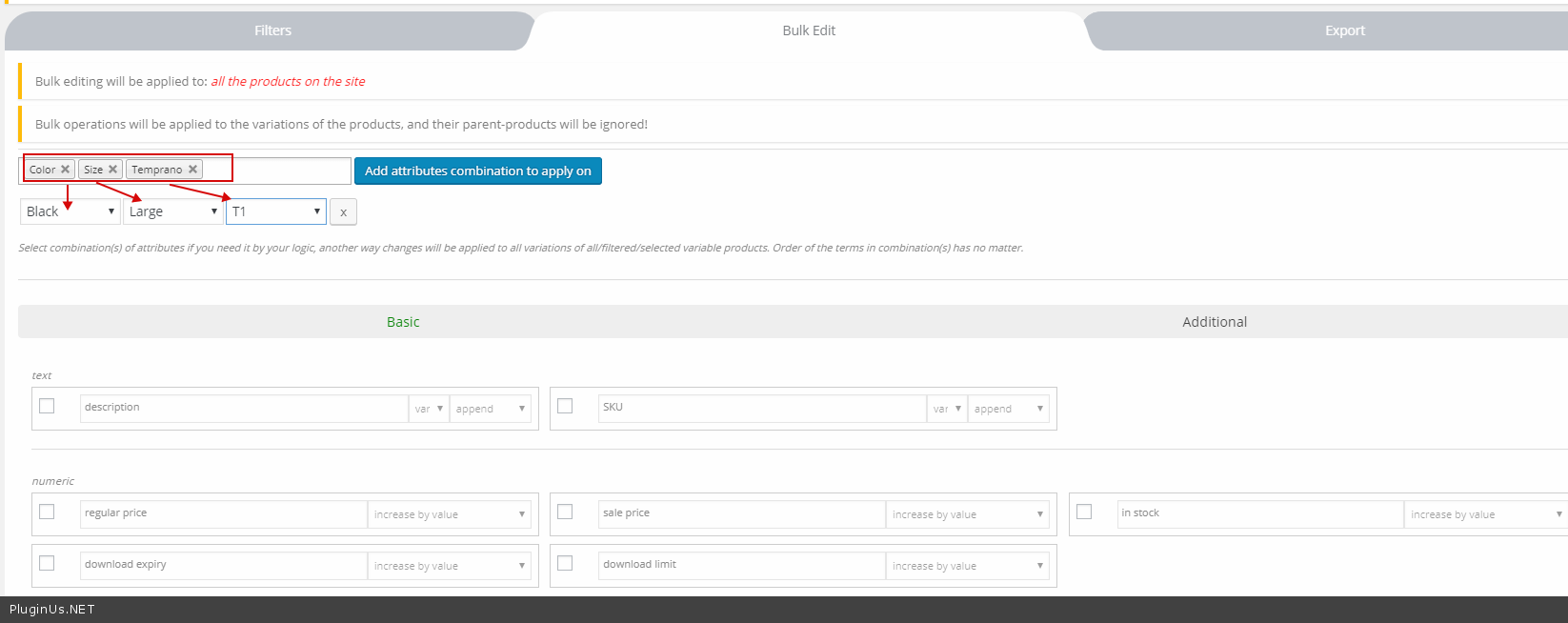
To bulk edit exact variants – https://c2n.me/3X5GbAs.png
Hi, I’ve bought the plugin yesterday and it’s perfect. I would like to know if I have 100 variations of a product, but I need to use only 4 images for the variations, can I add a picture for many variation in the same time? Thank you
Hello
Yes. Please watch video – https://bulk-editor.com/video-tutorials#video_2502
I want to filter a category by “tag”which i choose, but it seems that its only possible to exclude tags. I want to choose them and not show all others! Thats not possible?
Hello
Yes, it’s possible. This is how it should work.
Please write me on support ( use contact form ) – https://codecanyon.net/item/woobe-woocommerce-bulk-editor-professional/21779835/support
Paste your message. and wp-admin access
Describe what i have to do to get the error
Hello. Does it support RTL?
Hello
I think yes. But we did not do deep tests.
You can try free version – https://wordpress.org/plugins/woo-bulk-editor/
Hello,
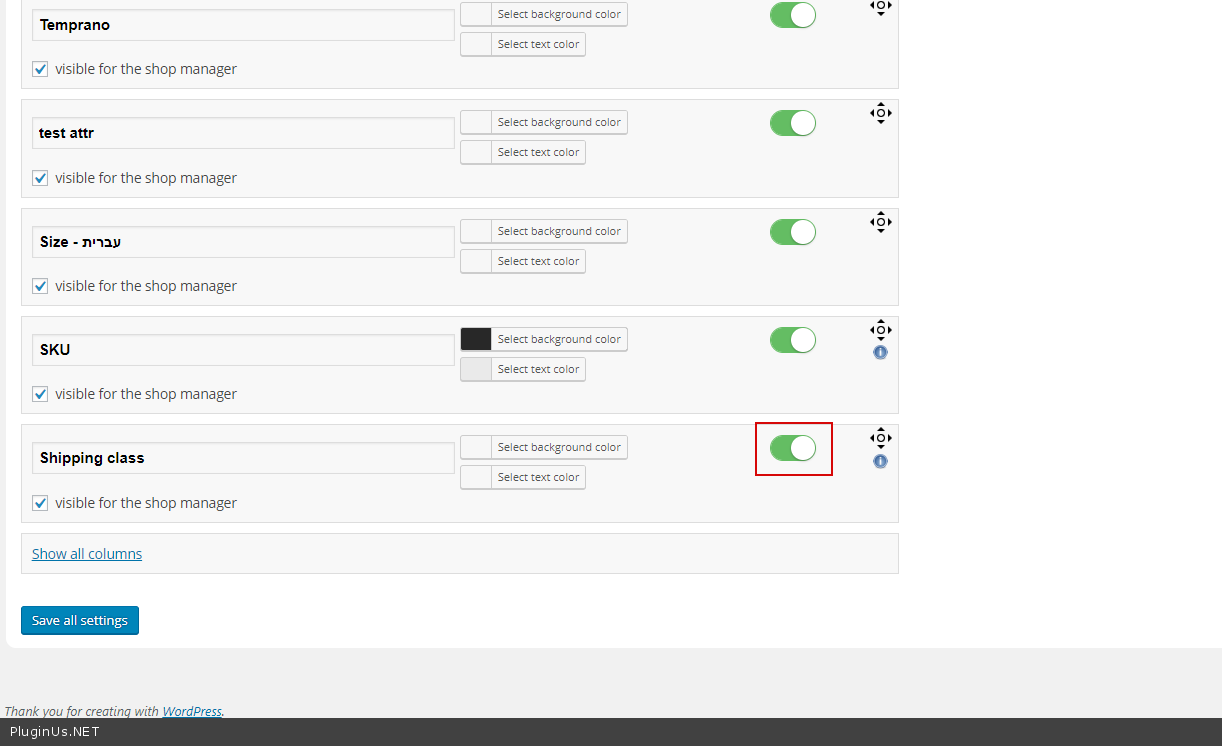
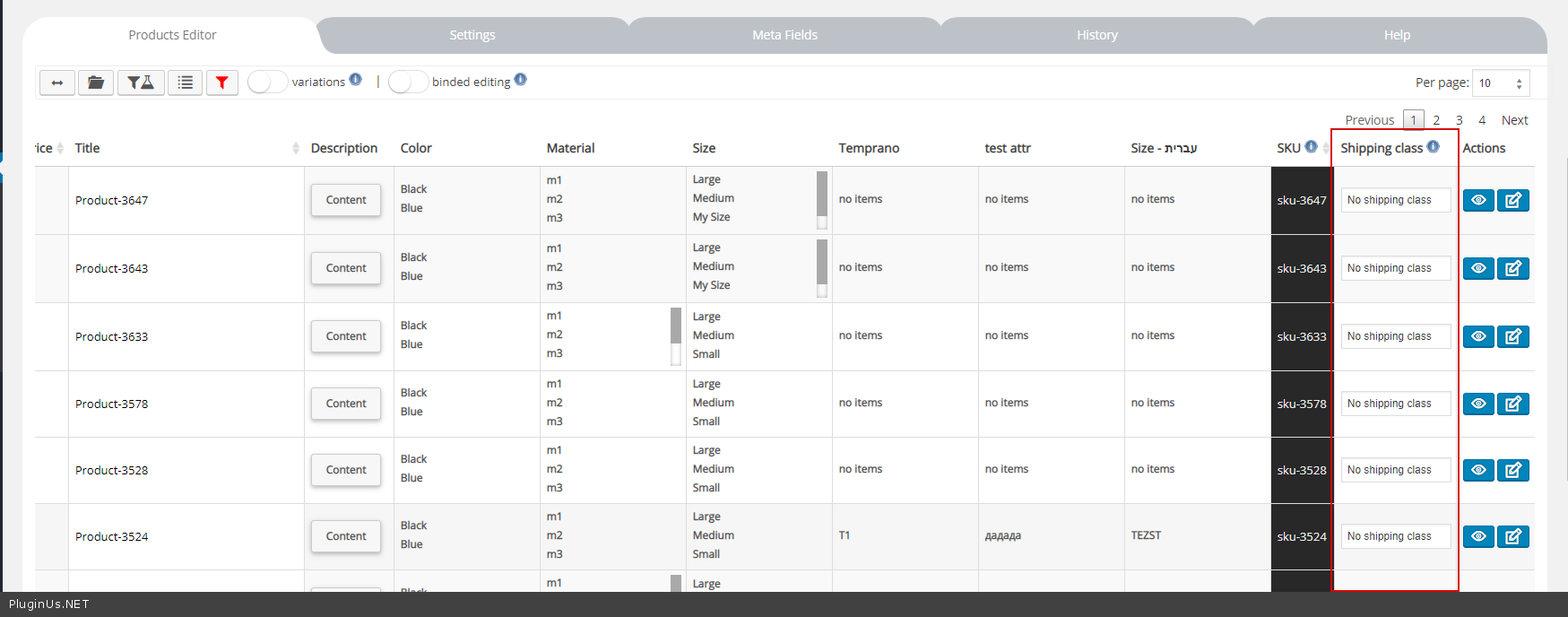
I bought your plugin and it works great but there is one thing I can’t manage to do. I need to bulk edit the shipping class field for some variations and I can’t find this option. Can you point the right way to do it ?
Thank you 
Hello
Activate it on a settings page – https://c2n.me/3WSwhep.png
And you can edit it – https://c2n.me/3WSwmXD.png ( but only for parents )
i click bulk edit , i show http error 500 . what happen?
Hello
Please write me on support(use contact form) – https://codecanyon.net/item/woobe-woocommerce-bulk-editor-professional/21779835/support Paste your message AND FTP+wp-admin access
I will fix it
Hello, I am looking to purchase this plugin. however, I have tried many bulk editors and I like wp all import pro plugin… my issue is I cannot bulk edit a specific element for a number of Products by a simple drag and drop type function ( ie from a Native CSV File from my desktop)to the data table set within the WP admin dashboard of the bulk editor. does this have the capability of that?
Hello
Unfortunately the plugin does not have this feature.
You can try free version – https://wordpress.org/plugins/woo-bulk-editor/
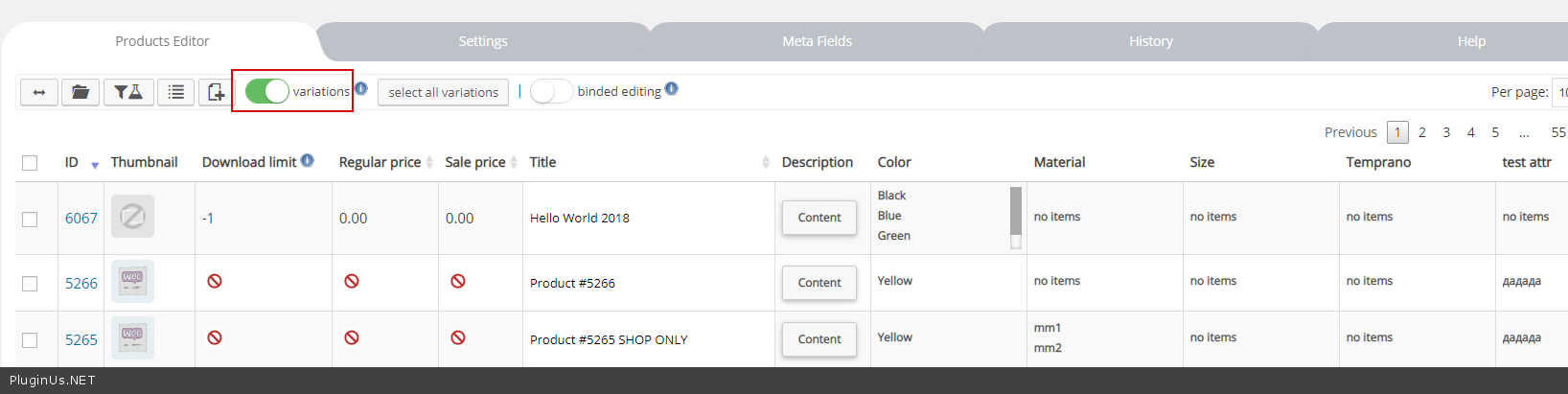
How can I see the titles of each of the variations? By default, only the title of the main product appears in the variations. I need to see what the variations are, now I only have the ID as a reference.
Hello
I answered you on email
The variants do not have their own titles.
Hi I installed the premium version, I´m trying to export mi products (variable products) as a .csv file but it appears an error screen. But when I exported single products everything works good. Can you help me to export variable products?? I need to change at least 200 and every product has 3 variant … so its a lot of work!! help me please!
Hello
Send me request to support here please: https://codecanyon.net/item/woobe-woocommerce-bulk-editor-professional/21779835/support with wp-admin access and short description what exactly you doing, maybe even short video.
Hello, I bought the Woobe and there was 2 bonus software when given 5 star rating which I have done, but I don’t see them in my downloads can you please help?
Hello
Thank you! As described request it on support please: https://codecanyon.net/item/woobe-woocommerce-bulk-editor-professional/21779835/support
hi I have 14,000 products. I need a solution to reduce all products in one go by 15%. Will this plugin do this for me?
Hello
Clarify please what you want reduce? Do you mean price? Try please free version: https://bulk-editor.com/downloads/ – free version works with price values
Hi, I am trying out the free version. My main use is to quickly add the same variants to multiple items. Here are the problems I’m having. 1. For each variant created it automatically turns the “Manage Stock” option to “yes.” I do not want this. 2. This then turns the item to “out of stock.” So then for every variant I have to change the option to no, and then back to “in stock.” 3. It’s automatically creating SKU numbers, which I also do not want. 4. It took me awhile to figure this, but the program lets you select an item to create variants, and looks like it is working, but then nothing happens. You have to first change the item from “single” to “variable.” Seems like this should be automatic, or at the very least give a message that the variants cannot be created until you make this change. Otherwise just sems like the program is not working.
Hello
Please watch video – https://bulk-editor.com/video-tutorials#video_2506 It’s automatically creating SKU numbers – plugin does not generate SKU
You have to first change the item from “single” to “variable.” - Yes!is it possible to bulk edit alt tag for images?
Hello
Unfortunately no
Hello
This plugin is for woocomemrce products only, media items in wordpress has their own post type – attachment. For images try another plugin, for example this one https://wordpress.org/plugins/auto-image-attributes-from-filename-with-bulk-updater/
Shop manager cannot update Stock Quantity. It’s Showing Forbidden in Free Version. Should I have to purchase premium for this Functionality?
Hello
this should work for all versions. you need to check this role – “Shop manager”
Do you use third-party plug-ins to change user roles?
This was answered by one of our users: The solution was set the level of the user “Shop Manager” from 9 to 10
Your template on my site does not work Return my money
This is not template, this is plugin for products bulk edit which has free version promoted on its page, if you have troubles send request on support here: https://codecanyon.net/item/woobe-woocommerce-bulk-editor-professional/21779835/support

This item was featured on CodeCanyon

Power Elite Author
Contact the Envato Market Help Team