66 comments found.
Good luck with your sales

The app is still using UIWebView in the code, you should update it or Apple will reject it.
OK, let me check and update the app .
Thanks! When the new version will be available?
Hi, I’ve just bought the app and I run into a problem.. it’s saying: ” Use of unresolved identifier ‘NSAttributedStringKey’ ” in SignUp.swift and Login.swift.. what should I do? Thanks.
Need more info on that, please send me some screenshot of the code to me in Private.
Hi,pre-sale question. Is it possible to translate this app?
Yes, you must provide the translated word for each word in the app, for each screen.
Hello,
Its Just an template or its full functional app?
thx
fully functional app template, as the video preview shows 
Super thanx
you’re welcome 
Hello, its Okey for Iphone X ?
Thx
yes it is
ty for your hep bro. I test your new update code. any other help?.
i need to see your Xcode console log when it crashes, otherwise i can’t help, so please send me that by my profile’s contact form. Thanks!
morning bro. I just update this new version and the app crash when I go to my profile and tap on filling or followers button. any help?. peace!
what is the Xcode console message on crash? if it’s relative to the numberOfSection issue, please check the Change Log in the app description, your swift files are probably missing the UITableViewDataSource and Delegate declarations and the correct syntax of the delegate methods
hi, tried your original updated code and crash on following/followers buttons inside Me profile: “Terminating app due to uncaught exception ‘NSInvalidArgumentException’, reason: ‘-[PhotoFeed.Follow tableView:numberOfRowsInSection:]: unrecognized selector sent to instance 0×7fa932558790”. ty
All right, my bad, i forget to add the UITableViewDelegate and UITableViewDatasource delegates in the class declaration of the Follow.swift file, and convert the tableView dekegates into Swift 4 syntax
i’ll update the app asap, thanks for sending the console message!
Hi! At the stage of “Export Compliance Information” do I have to declare that the app is using encryption, because it is connected to https like back4app.com or any other reason? Or do I have to check No? thanks
Hi, just check NO and go ahead.
PS: don’t forget to rate this app in case you haven’t done that already: https://codecanyon.net/downloads
In your new App Woopy it can add 3 photos and a short video in the post, I hope you can add these feature to this App as well? Thanks
And the tabs menu in Woopy is more beautiful, I hope you can use that as standard for these Apps, including the App Photo feeds. To put the write button in the middle on the bottom.
thanks for your suggestion
Is there a way on the app to make a user account private?
no, unless you build some custom code to make it happen, but it’s pretty complex if you’re not an experienced developer, and we’re sorry but we’re currently not available for freelance work.
Hi, is there any reason to why this has been updated?
Updated GoogleMobileAds.framework and its relative code
yes, please check the change log in the app description.
Yeah i’ve read that, but is there any reason to why it’s been done, is it critical to for my app
No, but you should at least update the googleMobileAds.framework and its code, otherwise banners may stop showing in your app if its live on the App Store.
How do you delete or remove a user from the app? I tired deleting a user from the Parse Dashboard but it still shows up on the app.
If you want to delete a user you should first copy its objectId from the User class, then delete it from User class and search for its objectId in all the other classes (Likes, Posts, Activity, Comments, Follow), and delete all the rows that have where such objectId into . You can use the Filter function, and just an example for the Activity class: click Filter, select ‘currentUser’, ‘equals’ and paste the objectId you’ve copied before, as this screenshot shows: https://s23.postimg.org/wwc1n1eaz/sample.png
Hello – is there a video demo?
yes of course, please check this app description and click on the big video preview banner
oops sorry! ... i thougt i was in the comment section for the android version
no problem, the Android version has a downloadable demo apk instead of a video preview
Hi sir when i try to post a comment without any text a blank comment posted. how can i resolve this issue? thanks
hi bro, scuse me but i found another issue, im registered with my name Dani, then publish a post, my post shows at Popular section an the if i enter my posts from there the icon for follow myself appears and then if i continue to navigate crash the app. Maybe if user enter their own profies by Popular section the follow icon can be hidden? thanks & peace bro.
we’ve tested the app an it doesn’t crash, so maybe you need to check if there’s some empty field in your Parse Dashboard, but we need to see your xcode console log when the crash occurs.
hi bro, i tested your app with your parse dashboard. crash with this error when follow me itslef and navigate some profiles: 2016-10-24 03:16:49.592220 PhotoFeed[8995:5195793] Warning: A long-running operation is being executed on the main thread. Break on warnBlockingOperationOnMainThread() to debug. AdMob loaded! 2016-10-24 03:16:52.240415 PhotoFeed[8995:5195793] Warning: A long-running operation is being executed on the main thread. Break on warnBlockingOperationOnMainThread() to debug. AdMob loaded! fatal error: Index out of range 2016-10-24 03:16:53.955201 PhotoFeed[8995:5195793] fatal error: Index out of range
Before using the app, you must create your own App on https:/ dashboard.back4app.com/appsPlease use your own Parse keys, we weekly clean our demo database, so of course you’ll encounter issues, the demo database is only for show purposes, you must use yours, it’s free on back4app.com
Cheers!
2016-10-24 04:00:49.468590 PhotoFeed.temp[9030:5208944] Warning: A long-running operation is being executed on the main thread.
 Break on warnBlockingOperationOnMainThread() to debug.
2016-10-24 04:00:49.585339 PhotoFeed.temp[9030:5209184] <Google:HTML> You are currently using version 7.10.1 of the SDK. Please consider updating your SDK to the most recent SDK version to get the latest features and bug fixes. The latest SDK can be downloaded from http://goo.gl/iGzfsP. A full list of release notes is available at https://developers.google.com/admob/ios/rel-notes.
AdMob loaded!
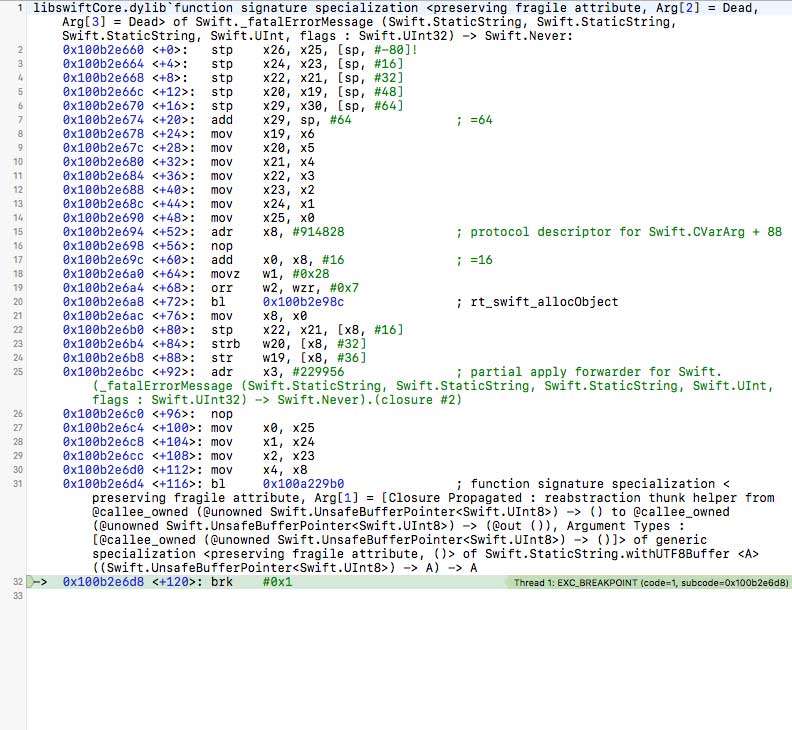
fatal error: Index out of range
2016-10-24 04:00:51.985817 PhotoFeed.temp[9030:5208944] fatal error: Index out of range
(lldb)
Hi sir when i try to post a comment without any text a blank comment posted. how can i resolve this issue? thanksAdd this code above dismissKeyboard() in the sendCommentButt method in Comments.swift file:
 if commentTxt.text == "" {
        simpleAlert("You must type something!")

    } else {
and add the if closure bracket “}” right above the last bracket of the method.
For the “fatal error: Index out of range”, we need to see a screenshot of your xcode window, don’t know what line of code that error points to.
Btw, have you downloaded the updated version of Photofeed 2 days ago?
<Google:HTML> You are currently using version 7.10.1 of the SDK.It seems you’re using an old, not updated version of Photofeed, we’ve updated the GoogleMobileSDK to its latest version in the update of 2 days ago, please download it, read the user guide and the change log in this app description.
Bro i updated to the new version. No google sdk issue but the same other issue, the app crash whe i follow my self and navigate other following/followers users. Please sir look the images. Peace!
http://imageshack.com/a/img921/9081/4U6SJk.jpg http://imageshack.com/a/img924/7268/LePL7p.jpg
Ok, so please click the line into the red rectangle and take a full screenshot of your xcode window: https://s13.postimg.org/vow333ecn/Le_PL7p.jpg
that option will point to the error line in the code, then please contact us by our profile’s contact form and send us the link to the screenshot, so we’ll go on from then. Thanks.
Hello, 1. is it possible to add a posttype, that every users sees, no matter if he is following a person or not? Better said, is it a small modification? 2. What happens to reported abuses, do I get notified? 3. is it easy to edit data in the backend? E.g. if I want to verify a post before releasing it and the setting a flag to released state? 4. Is there a complete registration process integrated, also with password recovery?
Thanks
Hi,
1. it would not be a small edit, it would require some customization job
2. no, you have to daily check your Parse Dashboard for reported users
3. yes, it’s easy, but for that purpose you would have to add a boolean column in your Dashboard and some custom code in the controller where a user posts a post
4. yes, sign up and password recovery are included
a demo of iOS app ?
we haven’t published this app on the App Store, hopefully some user will post a link to his version of this app
exist a back-end there ?
as the description says, it has Parse backend hosted on back4app.com
Hi i have created an admob banner on admob website. I completed the simple steps and then copied the Unit ID and replace in config.swift. But no banners are appearing?? Can you advise please?
you have to give time to AdMob network to process ads for your new Unit ID, it may take 24/48 hours, it’s not up to us
Hi,
I run the Android app in emulator, however, I ca not sign up, because after entered my info and click the sign up button, it says : ’’unauthorized’’ under buttons in gray area, and nothing happened. what is the problem ?
and also, eventhough I changed the keys ID, and run the app on android studio, when I check the bac4app dashboard, I can not see anything. it is empthy. I mean,it didnt happen as you said, automatic backend creation.
we really need a video tutorial, it can be very bad, but it is enough if it works.
and thirdly, there is no PARSE_APP_KEY in the back4app, there is only App ID in back4app settings page. In guide; it is mentioned parse app key, so is it App ID ?
Hi, thanks for your effort, however, sorry but, on this article, I can not find any solution for my problems.
it doesnt tell about how your application should be installed step by step, it is only mentioning about the technology. We already know these things.
Please put your foot on my shoes, I dont know anything about installation, I spend days, and still couldnt find a solution about very simple things, because of proper tutorial about installation of your application.
I opened android studio, and open the app inside it, changed keys and save, and run the app, but nothing happened on the backend.
please if possible, could you put some comprehensive details about installation on your guide for someones who dont know these things. or, the best, please click the start button of the screen record program and do whatever we must do for installation, and put this video on youtube, people drop some comment under it and your customer will be happy. it is also means an advertisement of your product. it takes 5 min fo you. but weeks of us.
please send a video link that tells how installation must be handled.
Sorry for inconvenience, but some part of your customers dont know even basic things.
anyway, lots of thanks,
but what do you mean nothing happens when you run the app? You should see the login screen at startup, tap on Don’t Have an account bitton and sign up as a new user, then you of course won’t see any post in the Home screen because you need to create at least another user and post something, then you can logout and login as your first user and search for that post, follow that user and you’ll see his post in the Home screen
namely, I can not see any changes in BACKEND,namely in back4app.
secondly, when I try to sign up in the android studio, it is said, ’’unauthorized’’.
I dont know the problem, but it seams there may not be a connection btw client and backend..
I tested this on emulator of Android studio.
Hi, first of all, please test it on a real device, emulator doesn’t work fine.
2. please contact us by our profile’s contact form and send us your Configs.java file, when it says “unauthorized” it usually means that there are not App and Client keys setup in Configs.java
Have you copied the App ID and client key from your app console on back4app and pasted them into Configs.java?
Yes, I did. then I click run, and in the emulator, authorization problem occured. and after that, I cheked the back4app, nothing changed there, everything seems as its initial position. no class eg..
Test the app on a real device if you can, it’s better. then please contact us by our profile’s contact form and we’ll get back to you asap
Hi the update you applied to chatty for the.plist for the 2 privacy rules could you submit an update for this version?
Also how easy is it to migrate to the latest version as I’ve got an app live pre update to reflect new additions to adding fields to the back4app backend site
We already did it, on Sep 27th, please check your Download page and download the updated version of Photofeed.
You will have to check the change log in the app description and compare the .swift files with your old ones to make changes.