131 comments found.

Does your plugin allow for me to post 2 points on a map and show the distance between the 2 points. Not by car; but by plane or as the crow fly’s.
Hi,
Sorry but no. It dones not show distance. But it shows nearest location. Like nearest schools from specific location or railway stations.
See demo here : http://plugins.sbthemes.com/responsive-google-maps-vc-addon/nearest-places-api/
Thanks 
Hi, I would like to add Location List in my map. I tried to add in HTML elements of Visual Composer (as you wrote some comments ago):
London New York
But it doesn’t work. Could you help me please? Thanks!
How do I set the “maxZoom” property of this map?
It looks like this is possible in the Maps API, according to this:
https://stackoverflow.com/questions/5991579/max-zoom-in-google-mapsI would prefer not to go above level 2 Zoom. I am happy to modify the plugin myself if need be to accomplish this.
Thanks!
Hi,
Right now there is no option for maxZoom property. I will surely consider this in next version. But for now you can modify plugin file if you want.
Path: /wp-content/plugins/sb-google-maps-vc-addon/assets/js/script.js This is where you can find map script.
Let me know if you have any other question.
Thanks
Thanks so much!
On another note, it appears that the map isn’t rendering all of our markers (!!!)
See our website:
http://dev.gearssports.com/There are supposed to be markers in China, South Korea, and two in Minnesota very close to each other at a minimum.
None of those markers are showing. We have “Clustering” turned off.
If we can’t have all our markers show, this will make the plugin not work for us. Please help.
Thanks!
Ah, yes I got it.
Let me explain how its working.
When you set address then first we request latitude, longitude via google API and map only works based on latitude, longitude.
So when you set more markers together then it send separate request to google for every marker and too many request together requests blocked by google sometimes.
So try to add direct latitude, longitude instead of address and it will work.
Let me know.
Thanks
I can see how that would be better, but the challenge that I have is that editing these markers in the map in Visual Composer in the admin panel is not going to be easy with that change.
Right now I have a list of addresses:
Map Marker Ebisu-1-Chome, Shibuya, Tokyo, Japan
Map Marker Ethan Allen Hwy, Ridgefield, CT 06877, United States
It is easy for me to see which marker I need to change if any of the descriptions need to be edited. I select the right address, click the pencil icon on the marker, and edit it.
If I change from using addresses to latitude and longitude to latitude or longitude as you suggest, my list of markers will be:
Map Marker (45.23423432,234.34324)
Map Marker (23.3442,320.234)
It will not be easy for me to know which marker is which!
Is there a way that I can change what is displayed under a map marker in Visual Composer in the admin panel to a title or the description or something that is not the latitude or longitude so I can easily edit 50 markers?
I’m happy to edit code if I need to on the plugin. I already added minZoom and it is working wonderfully!
Ok,
Can you wait for couple of days? I am going to launch new version. in which I will try to resolve this issue. I will generate latitude, longitude when you add address in field and will save it in hidden field so we dont have to add it manually. Also I will add maxZoom property so you can use it.
Thanks
Hello,
I have just purchased your google maps plugin and installed it on my wordpress site. I have an unexpected issue: the user can’t drag the map, zoom or anything else. Moreover, the markers are not visible. Could you help me please ? cf. my site: liveescapevan.com Regards
Best regards, Pavel
HI,
I think its because your server sending to many request to google and they skip some requests.
One solution is use latitude, longitude instead of address and it will decrease request to google and it will work.
if still not work then send me login details at sbthemes@gmail.com
Thanks
You have see this error, not load.
Thanks
Hi,
I checked on that page and its working for me.
Can you give me exact details what is error?
Thanks
Hi. Have the same problem. Plugin dont works. Save button dont works. Preview: https://dl.dropboxusercontent.com/s/vmwqqghdkwerv0u/record_170420_203306.gif
Thank you.
Hi,
I am trying to use your plugin with address input rather than Lat Lon. All adresses are located in France and in order to get the address, I copy from Google. ex: 1 Avenue de l’Impératrice, 64200 Biarritz, France
However, It never works. Only if I change for Lat Long which I would like to avoid…
Could you let me know if there is a specific format for the Addresses in order to work correctly?
Thanks in advance for your answer.
Regards
Philippe M
There is no format for address.
Map only works based on lat, lng so when you use address then server need to make extra call per marker to get lat, lng for that address.
And with more markers so many requests sent to google together and from that too many requests google blocking requests and thats why sometimes with addresses markers are not visible.
So better you use lat, lng as its fast and perfect and avoids so many extra calls.
Thanks
Hello @SBThemes,
I would like to use multiple maps on one page, but the plug-in only loads one map instead of 4. Can you help?
Kind regards, Boaz
Hi,
Please send me admin login details with page link where you are trying so I can check.
Thanks
To which email address should I send the details?
Oh sorry Send me at sbthemes@gmail.com
Hello SBthemes,
I’ve just send you an e-mail with the login credentials. Could you please take a look?
Kind regards, Boaz
yes sure, I will reply to personal email.
Thanks
Hello SBthemes,
Did you have any time to check, yet?
Kind regards, Boaz
Hey sorry for delay. I am checking and will reply
Thanks
Hi, I’ve a problem using this plugin. When I try to set up the map settings “Save changes” button doesn’t work, so I can’t use it because I can save not even the API Key. Thank you.
Done! It’s a web on maintenance mode. I was doing some tests on https://www.campeonatosdeporteysalud.es/instalaciones
Thank you.
Ok sure, I will check soon and will reply in personal email.
Thanks
I can not able to set my password.
Can you contact me to my personal email?
Thanks
Hi, after your last configuration the plugin was working but some days ago stopped working again. “Save changes” still not working so I can’t do tests to solve the problem.
Can you help me?
Send me all details at sbthemes@gmail.com again so I can check.
Thanks
Hi! is possibile insert more pin in the same map? thanks!
Hi,
Yes you can add many marker as you want.
Thanks
Hi, I have a couple of pre purchase questions. Is there a limitation to the number of markers i can add to one map? Is there a way to import markers to your plugin ( I have to add 100+ markers to single map). Thanks in advance.
HI,
There is no limitation for no of markers.
Sorry there is no way to import markers.
Thanks
Hello, i have problems with this lines:
San Juan Mendoza
Use html element in visual composer but when make click appear an error, Server Error…
You can check at: http://delsurymediaagua.com/wordpress/?page_id=4968
Any help are very appreciated, Thanks.
HI,
You used wrong link in href. What you used is ”javascript:”
Just use javascript: without any quote.
If still its not working for me then send me admin login details at sbthemes@gmail.com and I will do it.
Thank You
Hi, thanks for your response. Sorry but still no working. I sent an email at your gmail.
Ok I will reply in email.
Thanks
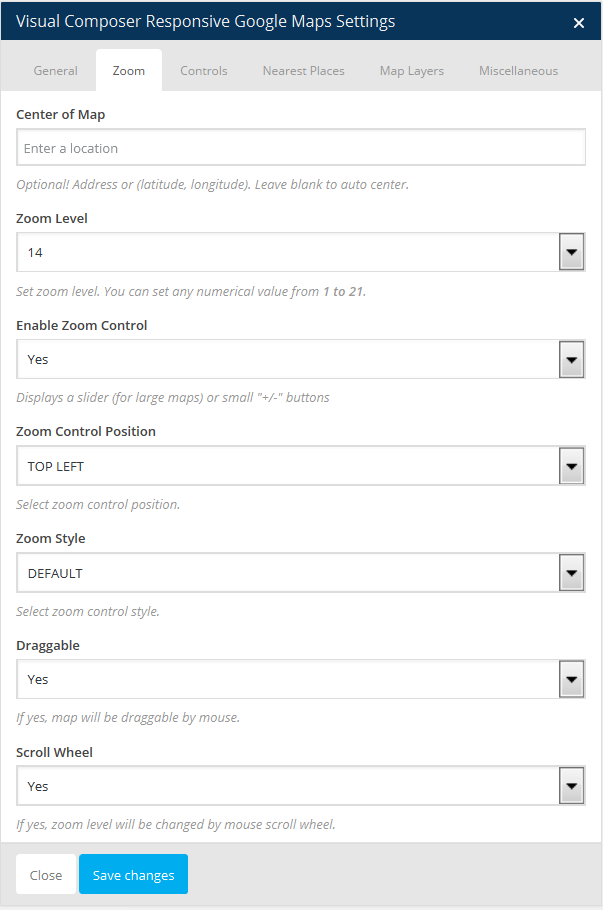
Hi, with 2 markers map does not set the correct zoom, but take the minimu zoom to show the marker and is not possible to show more large area… why?
HI,
By default when you have multiple markers then it overwrite zoom so all icons can be visible in screen.
If you want to control zoom for multiple marker then see this settings. http://plugins.sbthemes.com/responsive-google-maps-vc-addon/wp-content/uploads/sites/2/2015/05/screenshot-3.pngHere you have to set center of map lat, lng or address so we can use that as center and then you can control zoom settings.
Note: In this case it will not consider both markers position but it will make center points from center of map field.
Let me know if you have any other question.
Thanks
GREAT! it works.. thanks for your help 
Hi,
Map does not refresh on zoom.
Other map functions not working properly.
Disabled not needed plugins but still not working.
http://www.gmdesignservices.com/contact/Regards,
Gary
HI, Can you describe what exactly issue? Also describe which other function not working for you. Sorry I don’t get your point here.
Contact me at sbthemes@gmail.com
Thank You.
Hi,
I have bought your plugin and I have a question. I need to put in the map multiple “Near Places” with different icons, is there some way to do it?
Thank you!
Hi,
Sorry but there is no way to put different icons for nearest places.
Thanks.
Hi, bought this plugin mainly to add multiple pins, we have 30+ pins. But its not showing all pins. Also, the pins showed are very random. It changes pretty much everytime I refresh the page. Please help fix this. Thanks.
Hi,
Its seems your server sending too much request to google. Google reject request if it gets continuous requests.
So change your address with latitude, longitude and it should work.
Let me know if still you face any issue.
Thank You.
Hi,
Is it possible to set a marker and link it directly to googlemaps? So that no info-window is shown and the user is redirect directly to googlemaps?
Thanks, Chris
Hi,
Sorry but direct link on marker is not possible right now. But you can set text with link in info window with google map link.
Thanks
Hi there,
We have the VC Responsive Google Maps plugin v1.4 installed on our site and it’s not working properly.
We’ve updated Visual Composer to version 4.12.
The markers are on the map that we added, but all we can see in the backend (when editing the page) are a bunch or shortcodes as opposed to the visual of the map. This is making it tricky for my client o edit the map.
Please help fix the issue.
Thanks, Andy