31 comments found.

Hi there,
I have a problem that when I install the plugin then will appearing error “
Fatal error: Cannot redeclare cmb2_dir() (previously declared in /(block path)/plugins/wyde-core/inc/metaboxes/includes/helper-functions.php:18) in /(block path)/wp-content/plugins/vc-slick-slide-menu/inc/cmb2/CMB2.php on line 15
“
how can I fixed it?
Hey there I’ll check and let you know the solution or update.
I’ve checked it and probably you’ve installed CMB (custom meta boxes) as plugin or one of your theme/plugin “wyde-core” includes twice it. Don’t worry I’ll fix it by update asap.
If you don’t wait until update please provide us your email. We’ll sent it to you asap.
Regards, ThemeofWP.com Team
Hi there, thank you very much. I’m very urgency right now. My email is sliven0722 [@] gmail.com
Thank you again. Regards,
Okay I’ll sent updated plugin files asap.
Fixed plugin has been sent to your email. Please let us know if you have any issue. Also I’ll sent an update to codecanyon now. You can download updated version for the future.
Hi there,
Than you, the updated version is working.
But now I have other issue that bottom menu not working.
Can you give me the contact email and I will send you some private information.
You can sent info @ themeofwp.com
Thank you, I have been sent, please check the mail box.
Please check your email. Currently you’ve used theme comes with “Wyde Core” and this plugin prevented to work our plugin with .notouch, .notouch * css and other reasons.
Even activated Default WP theme + Wyde Core plugin it’s not working. But only any theme + our plugin working properly on your site. (Without Wyde Core plugin)
Regards ThemeofWP.com Team
Hi there,
Thank you! I will think about it.
I’m really appreciate that your team has high efficiency to fixed problem and responses answer.
Best regards,
Hi, you’re welcome. Please let us know your thoughts, we are ready to assist to you anytime.
Plugin updated to latest version but your theme plugin prevent it still.
Hi there,
I want to thank you for your help.Finally, I still decided to refund the Item but if I have similar require after, I will buy your item first.
Thank you again.
Best regards,
@sliven0722 Yes the item fee refunded to you. When you need you can buy it again.
Plugin Updated to v1.0.7!
1. Now custom icon position allowed 2. Custom icon fonts allowed 3. Design tab added 4. With some fixes more stable.
Is there a way to adjust the position on the hamburger icon to display the menu? The black admin bar covers it up on the top of the page when a user is logged in. It would be great if we could set padding + margin of the hamburger icon?! Thanks in advance!
Hey thanks for the purchases! Currently there is no option for this but we can add your suggestion with next version asap.
By now you can play with for the position in the plugins/vc-slick-slide-menu/assets/vc_slidemenustyle.css:
.lefttop { left: 20px; top: 20px; z-index: 99; }
.leftbottom { left: 20px; bottom: 20px; z-index: 99; }
.righttop { right: 20px; top: 20px; z-index: 99; }
.rightbottom { right: 20px; bottom: 20px; z-index: 99; }
Your satisfactions and suggestions very important for us and thanks for the pointed this to us.
ThemeofWP.com Team
Thank you! That did the trick. Also, the hamburger disappears if it scrolls over a black background. Would be nice to be able to specify the color or the hamburger, and an outline color (EG 2px/white). This way the end user could set the color to fit their designs.
Thanks!!!
Yes we’ll consider your suggestions. Thanks!
Plugin Updated to v1.0.7!
1. Now custom icon position allowed 2. Custom icon fonts allowed 3. Design tab added 4. With some fixes more stable.
Is there a way to have it already open on page load
Hey there yes it’s possible but you need to edit plugins/vc-slick-slide-menu/assets/vc_slickslidemenu.js a bit: Open the file and add this to first line.
jQuery(document).ready(function($) {
    $(window).load(function() {
          $(".c-menu, .c-mask").addClass("is-active");
    });
});
I’ve tested with this code, it’s working properly. I hope this helps to you.
By the way I’ll add this option to next version 
Thanks for the quick response. Since I’m messing with js is there also a was to delay it like 3 sec. If not no worries.
Hi again then you will need something like this:
jQuery(document).ready(function($) {
    function show_menu(){
      $(".c-menu, .c-mask").addClass("is-active");
       };
    window.setTimeout( show_menu, 3000 ); // 3 seconds
});
Hey there,
Both option already added in the plugin 1. When Page Load 2. Delay
here is the demo with delay http://wp.themeofwp.com/slickslidemenu/open-window-load/
Please wait the update or if you don’t please contact us via email info @ themeofwp.com we’ll sent to you latest version before the update.
Thanks!
Plugin Updated to v1.0.7!
1. Now custom icon position allowed 2. Custom icon fonts allowed 3. Design tab added 4. With some fixes more stable.
Hi, is there a way to change the color of the menu’s to a iOS frosty affect color? Thank you!
Hey there we’ll be update it within a couple days later. Also can you sent us a screenshot regarding with yours? Maybe we’ can resolve it before the updates for you.
Oh wow thanks! will look forward to the update! By any chance will you be adding the ability to change the hamburger menu icon to something else? also here is a link with an example of the iOS7 frosty effect (even if it is a fake version of it i am still fine with it as long as it looks frosty) https://twitter.com/ionicframework/status/429371638182731777
Hi there, with the update, you’ll get a lot of setting & newly added options with the plugin. And your answer is shortly yes you’ll be able to change icon with your own!
But the frosty effect does not supported at this time. But we’ll investigate & replicate it for you.
I hope those answers are clear
Thanks! ThemeofWP.com Team
Yes that was very clear!! And thank you so much for the swift responses!!! I’ll look forward to the updates!!! Thanks again!!
You’re welcome. You should know; your satisfaction is our success!
Plugin will be updated on codecanyon.net within 2 business days later.
Could you possibly add the frosty effect with maybe a css customizer option built in your plugin? Because then maybe i can look something up on how to do it via css?
Hey there, we’ll investigate that frosty effect and if that possible we’ll add it into the plugin.
Thanks! ThemeofWP.com Team
Thank you so much! I believe this would get you started on the right foot with the research https://www.google.com/webhp?sourceid=chrome-instant&ion=1&espv=2&ie=UTF-8#q=ios+blur+effect+css
also this screenshot can be of inspiration to you as well : https://drive.google.com/file/d/0B2x7IGi7EgKiMlBTZUl1a3AxZVU/view?usp=sharing
Thanks again!!! I hope the best for the success of your plugin!! it’s awesome as well as the customer service and response times!!
Thanks for your suggestions, kindly comments and service satisfactions. We’ll be inform your when the plugin updated.
Thanks! ThemeofWP.com Team
Hi there just I want to update your about your request regarding with iOS blury effect We’ve tried a lot of combinations but at this time it’s not possible.
The reason is coming across as the VC container is not outside of the container. The our main div should be outside of the main themes container.
Just I wanted to let you know the latest status. If this possible for the future we’ll let you know the latest updates.
Thanks for your patience and Best Regards
ThemeofWP.com Team
—
Thank you so much for even trying!! I really appreciate it and the fact that you updated me on the progress!! Much love and success to you guys!!!
You’re welcome! Thanks for your kindly comments. Please keep track our updates for the future.
ThemeofWP.com Team
Plugin Updated to v1.0.7!
1. Now custom icon position allowed 2. Custom icon fonts allowed 3. Design tab added 4. With some fixes more stable.
Hi. I see the options per page using VC but, is there an option to apply a Slick Menu site wide? 
And how does the widget input work? I mean how would I determine where the widget outputs in Slick menu and where the VC content outputs? Top, bottom, etc.?
Hi there, at this time there is no option site wide but we’ll add it as soon as possible.
You can select left, right, top, bottom position from the settings and you can enter the widget content in settings too.
Please check out the documentation: http://themeofwp.com/plugins/slick-slidemenu/doc/
And you’ll see the settings:
http://themeofwp.com/plugins/slick-slidemenu/doc/img/usage_3.jpg http://themeofwp.com/plugins/slick-slidemenu/doc/img/usage_3a.jpgThanks for your interested. ThemeofWP.com Team
Hi. thanks.
I’m still confused, though.
When you add content in Appearance > Widgets where and how does that content show up? I don’t see an option in the VC options to choose that.
By settings page you must mean the VC dialog options? - I don’t seen any screenshots of a settings page for the plugin itself. Am I correct?
Hopefully I’m not missing something, but does this create a VC element container so I can add VC rows and columns/content to the menu or can I only add text/editor content? I hope I can add VC content. This is why I wanted to know how the widget works.
And when can you add support for the sitewide option?
And some other suggestions/features would be.
- Force open on page load
- Force open and stay open for idea menus
- Option to make menu a pushed in menu instead of only appearing overlay
- thoughts?
Hi it’s very simple in fact; When you activated this plugin it will create a widget area names “Slick Side Menu”
Then it’ll appear under the slick side menu content
Also if you want to use any VC content in the slick side menu content or widget area just copy the VC content shortcode and paste in to the widget area or Slick Side menu content area.
We’ll add site wide options as soon as possible; this means we’ll work on it then update the plugin as your needs.
Yes, your suggestions are very valuable for us and we’ll consider your suggestions everytime. By the way this is good idea.
I hope those answers helps to you. If not please let us know.
Thanks!
Themeofwp.com Team
Hi. Thank you. This is good I adding to cart and will buy. I just need sitewide option soon. Hope you can. Thanks.
Hey okay great. When we’ve complete site wide option we’ll be inform you via comment.
Thanks for your interested.
Hi. Thank you. I’ll look out for the update. I purchased now Appreciate it!
Hi, Thanks for your purchases! We’ll update the plugin with extra options asap.
Okay, thanks again.
Hey there, your suggestion is almost ready we’ll be update the plugin within a couple days later after the tested.
here are what you suggested:
Plugin options added to itself and now you can use site wide + same widgetized area and options within the plugin.
Hi. Thanks for the update!!
I possibly have some better ways or other ways of implementing? May I draw UI and email you? My goal is that all of this work with Visual Composer content, not standard Wordpress content.
Why not make this slick and slide menu be a container too, so any VC content can be placed in side?
Hey again, Actually it can work with it only VC content or All contents. we’ll be add into these options too.
Also yes your point is very true and I accepted you. I’ll add this option for fully flexible plugin.
Please wait a bit more, we’ll add more options and your points into the plugin.
Thanks for your contribution!
ThemeofWP.com Team
Hi. Thanks. You’re welcome!
What I mean for VC content is will it support VC’s custom css from design options? This maybe not because only a few authors know how to do this. Visual Composer itself has not supported this yet I believe. This made me hire author to customize some plugins to output VC’s custom css outside of the post id.
See this plugin, which I use. It creates VC content for use as a widget. But it still outputs the custom css from VC’s Design Options for pages the widget is active one.
I can send you to test. I tested with your other plugin and this doesn’t work with your plugin yet. The custom css is not output. Can you make compatible for both plugins or take a look and let me know? I can send you the plugin to test and see what I mean.
Plugin reference: @ http://codecanyon.net/item/all-in-one-widget-for-wordpress/12298386
Hi, thanks for the sharing your experiences about the plugins and ours. Your suggestions will be added in the plugin of course!
Regards
ThemeofWP.com Team
Ok. Thanks. Let me know please because I would like to consider extended license with your approval, but I need the VC custom “Design Options” ti output the css. Again, if you need some help with the code to do so, let me know. I can provide the code to do this, because I paid for the code from a developer. Thanks.
Yes of course I’ll let you know when it’s done. By the way you can provide your code with us.
Regards
ThemeofWP.com Team
Hey again, your suggestions and ideas almost done. We’ll be update the plugin within 2 business days or before.
Now you can set it to site wide, you can use any VC or non VC elements in Slick Side Menu content. Also a lot of options added to plugin.
We’ll be update you when the plugin updated. Also can you share your experiments after the update plugin?
Regards Kevin JOY ThemeofWP.com Team
Great, thanks. Sure will do and I sent you a pm with the secret code  You can reply there. Thanks.
Hey thanks for the code. We’ll investigate how it’s working and let you know the result. Also I’ll sent you the Slick Slide Menu before the update for the test purpose.
Regards Kevin JOY ThemeofWP.com Team
Ok, thanks Appreciate it.
No problem. By the way unreleased for the beta test purpose plugin version has been sent to your email. You’ve already purchased that plugin. Thanks for your contributions again!
Thank you.
You’re welcome, let us know your thoughts then we’ll update it.
it’ll be updated soon a lot of options! Just FYI
Hi. Ok. I will try it right now and send my feedback. My bad on the delayed response.
It it is working fine. Thanks! I sent you a PM.
Hey I got your email. Thanks for your feedback!
Plugin will be updated on codecanyon.net within 2 business days later.
Plugin Updated to v1.0.7!
1. Now custom icon position allowed 2. Custom icon fonts allowed 3. Design tab added 4. With some fixes more stable.
Awesome! Thanks for the update. Appreciate the hard work.
You’re welcome! I hope you’ll like it more
just to clarify do i need to add this to every page or do i set it once and it auto shows on every page? hope that makes sense – thanks
Hey there, as far as you know this plugin depending / with Visual Composer. So you need to define it every page as your needs. Also as you can see, with this way you can change the menu direction.
You can use this plugin add-on different way for all your pages. For example; you can prepare a menu style on one page and then save as into the Visual Composer template and call any page without any effort. Here is the sample page.
http://tinyurl.com/z5wp7gs – http://easycaptures.com/fs/uploaded/946/2117435172.pngAlso you can take a look our different standalone WordPress plugin. http://codecanyon.net/item/overlay-menu-wordpress-plugin/15708036 this plugin working => install => activate > set => and go.
I hope those all answers above clear.
Best Regards ThemeofWP.com Team
Also Elegant Mega Addons http://codecanyon.net/item/elegant-mega-addons-for-visual-composer/15610542 comes with Overlay Menu & Mega Menu. just FYI
cool thanks for the heads up
You’re welcome and thanks for your purchases!
turned out perfect for what i need! GLWS!!!! Will be giving it 5 stars!!!
I’m glad you liked it & it’s fit your needs. Please don’t hesitate to contact us anytime if you need help.
Regards ThemeofWP.com Team
quick question – some of my links in my side panel are anchor links to items on the same page, i also have other links that link to other pages on the same site, do you have an jquery that would close the side panel when an anchor link has been pressed… thanks in advance
Hey again, if I’m not understand wrong, you want to use inline links like #about ; you can try like this
<a href="#about" class="c-menu__close">About</a>
Plugin will be updated on codecanyon.net within 2 business days later.
Plugin Updated to v1.0.7!
1. Now custom icon position allowed 2. Custom icon fonts allowed 3. Design tab added 4. With some fixes more stable.
Hi, i wanted to know if you could change the info in the menu per page? Like one one page i want the menu to have some text and then on another page i want the menus to have some videos? is this possible?
hey again yeah it’s possible you can create a side menu as visual composer template and you can use as template for your pages with different contents for each page. I’ve tryed a demo for you here. http://wp.themeofwp.com/slickslidemenu/different-menu-per-page/
Plugin will be updated on codecanyon.net within 2 business days later.
Plugin Updated to v1.0.7!
1. Now custom icon position allowed 2. Custom icon fonts allowed 3. Design tab added 4. With some fixes more stable.
Hi, i was trying out the demo on your site and i noticed that when i use my iphone the menu’s text is not coming up responsive (unless i turn the iphone longways) i was wondering if you had some advice in how i can go out ensuring that my users can see the whole text and info in the menu and not just half of it if they dont want to turn their text sideways?
Hey there do you have a chance sent out to me a screenshot about this? ?s the menu contains displaying different like this http://responsivetest.net/#u=http://wp.themeofwp.com/slickslidemenu/different-menu-per-page/|320|480|1
it’ll be updated soon a lot of options! Just FYI
Plugin will be updated on codecanyon.net within 2 business days later.
Plugin Updated to v1.0.7!
1. Now custom icon position allowed 2. Custom icon fonts allowed 3. Design tab added 4. With some fixes more stable.
Hi, i wanted to know if it is possible to change the icon from the hamburger icon to another one? Thanks
Hey there! thanks for purchased slick side menu. Yes actually it’s possible in the vc_extend.php line 185 but you should have php knowledge for this.
it’ll be updated soon a lot of options! Just FYI
Plugin will be updated on codecanyon.net within 2 business days later.
Plugin Updated to v1.0.7!
1. Now custom icon position allowed 2. Custom icon fonts allowed 3. Design tab added 4. With some fixes more stable.
i like this a lot – is it possible to have multiple off canvas panels? ideally i would need a left and a right one…
Hey there, good point. To be honest it’s working both side but not enough. We’ll modify it as your needs. And it’ll be updated within a business day later. Regards!
Implemented completed Now you will be able to add 4 menu at same time! I’ll sent an update now I hope you’ll love this functions.
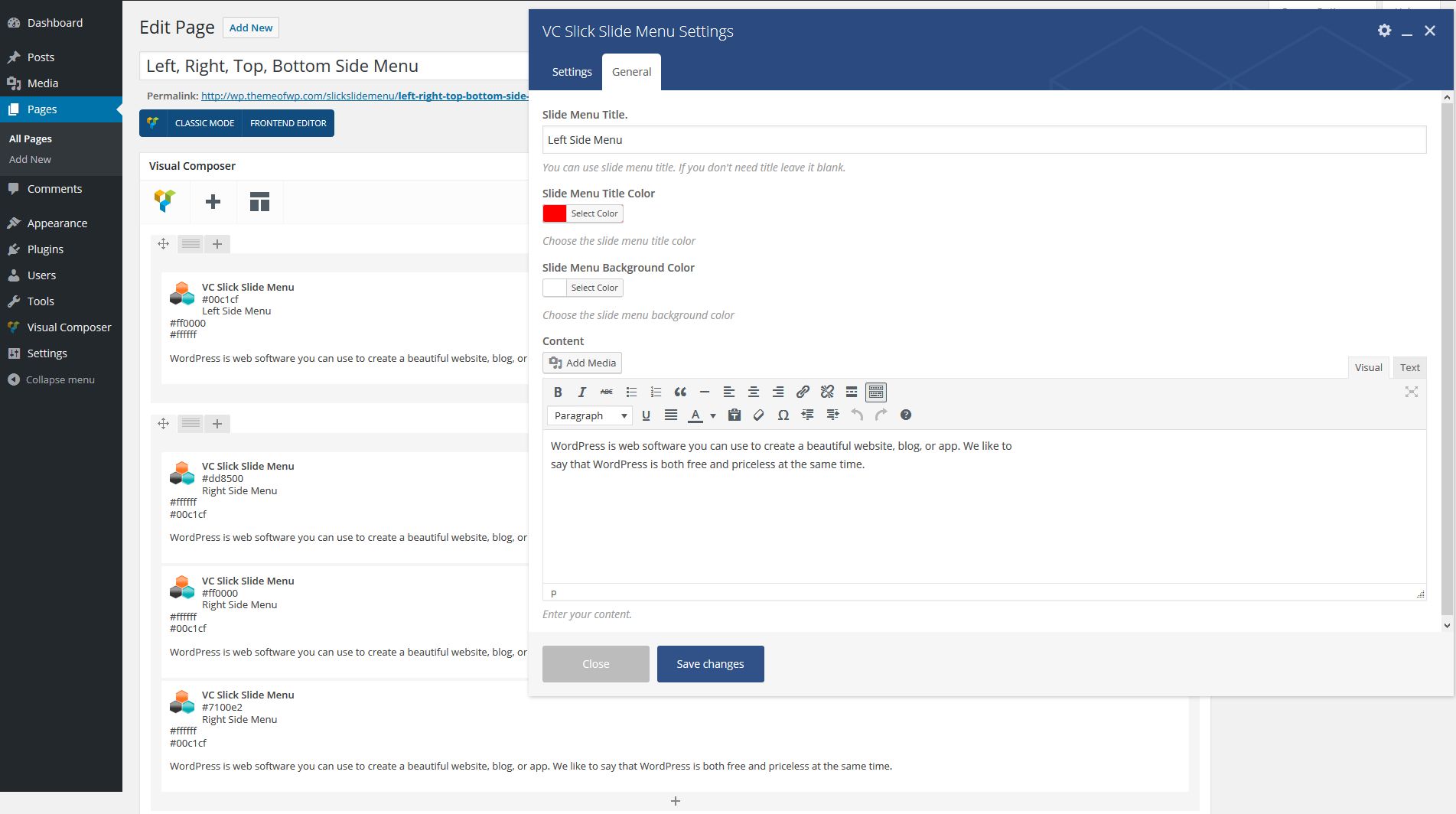
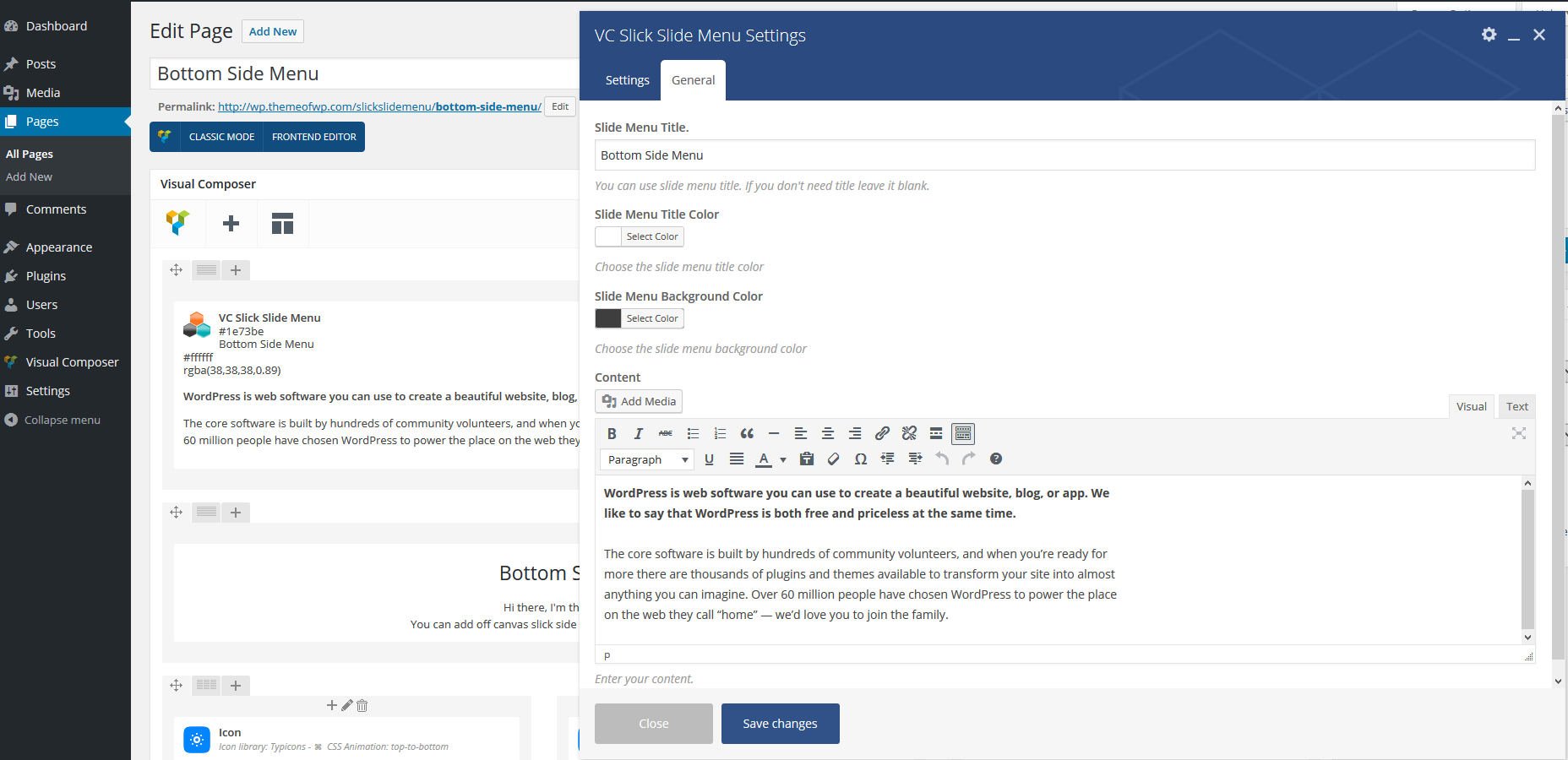
Here is the demos of the latest version: http://wp.themeofwp.com/slickslidemenu/left-right-top-bottom-side-menu/ and http://wp.themeofwp.com/slickslidemenu/left-right-side-menu/
it’ll be updated soon a lot of options! Just FYI
Plugin will be updated on codecanyon.net within 2 business days later.
Plugin Updated to v1.0.7!
1. Now custom icon position allowed 2. Custom icon fonts allowed 3. Design tab added 4. With some fixes more stable.
Looks nice! Is it possible not only to have the hamburger menu icon but also a botton and/or link to trigger the off canvas slide menu?
Thanks! no hamburger menu needed you can call it by any link. But right now it’s linked on hamburger menu. We can add as option in the plugin such as only trigger with a link.
Also that’s a good idea for the large usage. We’ll add it as an option in the plugin with next version.
Implemented completed Now you will be able to add 4 menu at same time, also you’ll be able to use anywhere with a link. I’ll sent an update now.
it’ll be updated soon a lot of options! Just FYI
Plugin will be updated on codecanyon.net within 2 business days later.
Plugin Updated to v1.0.7!
1. Now custom icon position allowed 2. Custom icon fonts allowed 3. Design tab added 4. With some fixes more stable.