1258 comments found.

Hi, How can I duplicate a table I already created?
Hi,
Support for all our items is conducted through our Support Forum.
Please register an account and search the forum or create a new topic, we’ll answer as soon as possible. Thank you!
thnaks
Pre Sales Question: Can your plugin highlight and show better separation for categories in rows shown as the blue rows in the attached image? I want to show each category product and what is included under each exactly how shown.
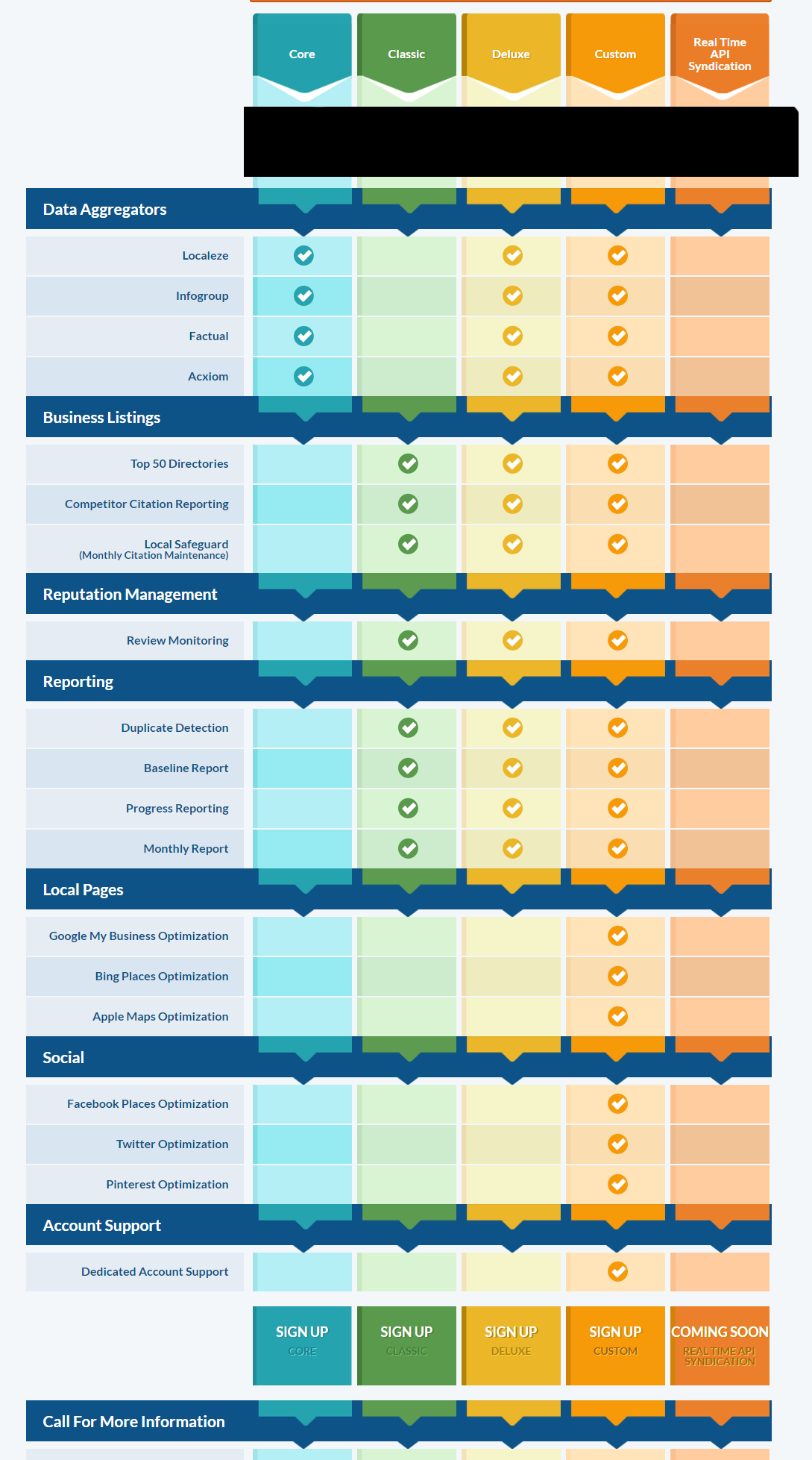
You can use css to make a row with specific background. You can also make specific row/rows higher. So yes, you should be able to do that. If you’ll have any problems, you can visit our Support Forum and our support team will help you.
So i got the client to buy it but can a table such as table_t1_s5 be set to be responsive on a cell phone with lets say 2 columns display and then underneath the other 2? (hope that makes sense)
Yes, it’s possible. You can set the percentage width. So if you have 4 columns, just set 50% width for each on responsive, then you’ll have 2+2 columns underneath layout.
Hello, thank You for awesome plugin! It is beautiful. could you pls check my misalignment at: http://petrkalkus.cz/testovaci ,and suggest what can i modify to set it right? Thank You, petr
Could you pls also help me with tooltip of 2nd column being partly hidden behind the first column. Is it also possible to change the shape of tooltip container? I would find it more convenient for reading if wider. Thank You, petr
Hello,
Support for all our items is conducted through our Support Forum.
Please register an account and search the forum or create a new topic, we’ll answer as soon as possible. Thank you!
Presales question, I’ve read that it will work in Visual Composer and in some comments that there is additional code. How does this work in VC, just by shortcode or have you made it more compatible with VC?
I’ve made it compatibile, so you should see the ‘Pricing table’ component on Visual Composer components list.
Hello!
Is there a way to override the plugins CSS?
The thing is I need to change colour of the column backgrounds, but they are set to !important; in your CSS..
I know I can change it inside the plugins CSS file, but I do not want that as when I update I will loose my changes.
Can I copy the CSS to my Child Themes folder, or somehow dequeue it in functions.php? What do you suggest? Its kind of urgent
Thank you, Emelie
Hello,
Support for all our items is conducted through our Support Forum.
Please register an account and search the forum or create a new topic, we’ll answer as soon as possible. Thank you!
mmmm
I am looking to build a table of prices with different currencies to 4 countries, but with the ability to show the list of coins so that the user can choose the type of currency and load the table with price according to their currency. can you do this with your plugin?
Yes, that’s possible with pricing cycles. I’ll prepare such an example in demo, great idea.
I’ve added an example. Please check example 4 here: http://quanticalabs.com/wp_plugins/css3-responsive-web-pricing-tables-grids/
Friend, thank you very much for responding. This project i am undertaking in Wordpress is somewhat different, serves the demonstration that your show me but only for the prices, apology that I have not mentioned before is another part that the project requires, i need in addition to being able to change the currency according to the country, I need that the values of some characteristics change as well, like I need even that some of the columns (plans) are displayed in a currency and not in others. Particularly as i can see how to create different price tables to display according to the selected currency to mode language selector, it doesn’t work to put something like WPML already that for example the countries Colombia, Argentina and Mexico are Spanish-speaking, but different currency and WMPL has only the spanish language. Thank you for your time.
In this case you can create multiple pricing tables and use for example some tabs plugin to switch between them.
I have another question.
So if I choose my, shortcode id and I choose table number Table_t1_s7.. And I fill out all my information in the settings..
If I change to lets say Table_t1_s8.. then all my table information is gone..
I mean, can’t I change the template of my table without loosing all my data?
Thanks Emelie
It’s not a template, it’s a sample table. So if you’ll edit it, then the previous data will be lost. So if you would like to keep the sample tables, please choose one from the list, then change value under Or type new shortcode id * field to your custom one and click on ‘Save Options’ button. From now, you’ll be able to edit your custom table but the sample one will be still available.
If you would like to change table style, please do that under ‘MAIN CONFIGURATION’ tab, you will find there Type and Style dropdowns.
Hello,
I have just bought your tables, looking good!
I want a table that looks like example 7 http://snag.gy/GuoHm.jpgBut I want it to behave like Example 3 when it goes to mobile size, so the far left column stays to the left like this:
http://snag.gy/4lrp1.jpgIs that possible?
Thanks
Hello,
Thank you for the purchase!
Under ‘Responsive’ tab you will find the Hide caption (first) column on small resolutions option, please set it to ‘No’. If you will need more help on that, please visit our Support Forum to get it.
Hi, I bought this plugin, and I am completely dissatisfied with it.I don’t mean that this is not a good plugin, but I think I choose a wrong one for my requirements.
First of all, I could not a step by step guide and all I figured myself is a long process to set up a single table, and it is really tough to edit them if I have some tables.
What I need is a table in each of my blog post, and I want an easy to update process on a weekly basis. I appreciate a refund as I have not used it to make a single complete table. Regards Chiman Lal
Hi,
You can get a lot of help on our support forum, especially under getting started and faq sections. You can also create new topic and our support team will help you to set things up.
Anyway if you would like to request a refund you need to contact envato support. Please check this article.
Your demo isn’t very responsive am I missing something? There are no break points.
Yes, it is. Please remove the iframe by clicking cross button on the top right corner or open directly using this url: http://quanticalabs.com/wp_plugins/css3-responsive-web-pricing-tables-grids/
I did. You need more than percentage widths to make it responsive. You also need break points. Otherwise you just end up with a bunch of unreadable thin columns.
The configuration for responsive in plugin settings is pretty complex. You can define break points and the width for each column on each break point. So I’m sure that you’ll be able to configure the responsive modes in the way which you would like to. Also in demo some tables are using percentage widths and some are using fixed widths (check example 5). Setting the percentage widths is the best/simplest method when the container for the table have defined fixed width, so you don’t need to take care about setting specific width for each column on each break point and you can still have responsive table.
hi, Notice your last update was 07.09.2015 – v10.1 – any new updates to follow soon ? Based on the comments above , you were suppose to include the pricing toggle last week?
Hi,
Yes, we’re still testing the newest update. It should be released very soon (in this month).
An update has been added today and after review it should be available later today or tomorrow.
only one design for the pricing cycle?
Yes, the colors in the dropdown will change depends on choosed style for the table but there is only one layout kind for the dropdown. You can define also the aligment of it: left, center, right.
I am looking to embed the full code of the table that I build into the visual editor. Does the plugin only work through shortcode or does it all pasting code where I can replace the text for each row/column with actual text? I need to insert Field IDs from Formidable Pro in a custom view and as long as I can do that this will work. Shortcode wont work.
Support for all our items is conducted through our Support Forum. Please register an account and search the forum or create a new topic, we’ll answer as soon as possible. Thank you!
Dear Support,
We are ready to buy your great tool, but we do have a question regarding the display of the events format. Our main issue is that we would love if we could depict different costs in a table form. You can see a very simple example from a table that we formatted in an excel sheet in order for you to understand what i mean: https://cl.ly/28430s322r0N.
So, as you can see we have 3 different categories (early bird, normal, late booker) and for each category there are 4 different prices.
It would be great for us if we could depict our prices through your tool in this form that i describe, because this is how it would be easy for our users to see in one-eye the difference between the prices and make their pick.
Looking forward to your response,
Christos
We’ve such a solution ready and we’re making last improvements right now. We’ll release an update with this functionality (we’re calling it pricing cycles) in this week.
An update has been added today and after review it should be available later today or tomorrow. We’ve updated also live preview, so you may check new pricing cycles functionality.
How can I full disable onhover effect on the table?
I have a table with two colums (both active), but when I go with the curson above one, the line between them moves (because of the “active” effect).
How can I disable onhover effect but let columns be active?
Thanks in advance!
Simply set the ‘Hover type’ to ‘Disabled’ under main configuration. If you’ll have more questions, please create new topic on our support forum: http://support.quanticalabs.com and our support team will help you.
Dude, if was that easy I wouldn’t contact you. It’s already on “Disabled” and doesn’t fix my problem.
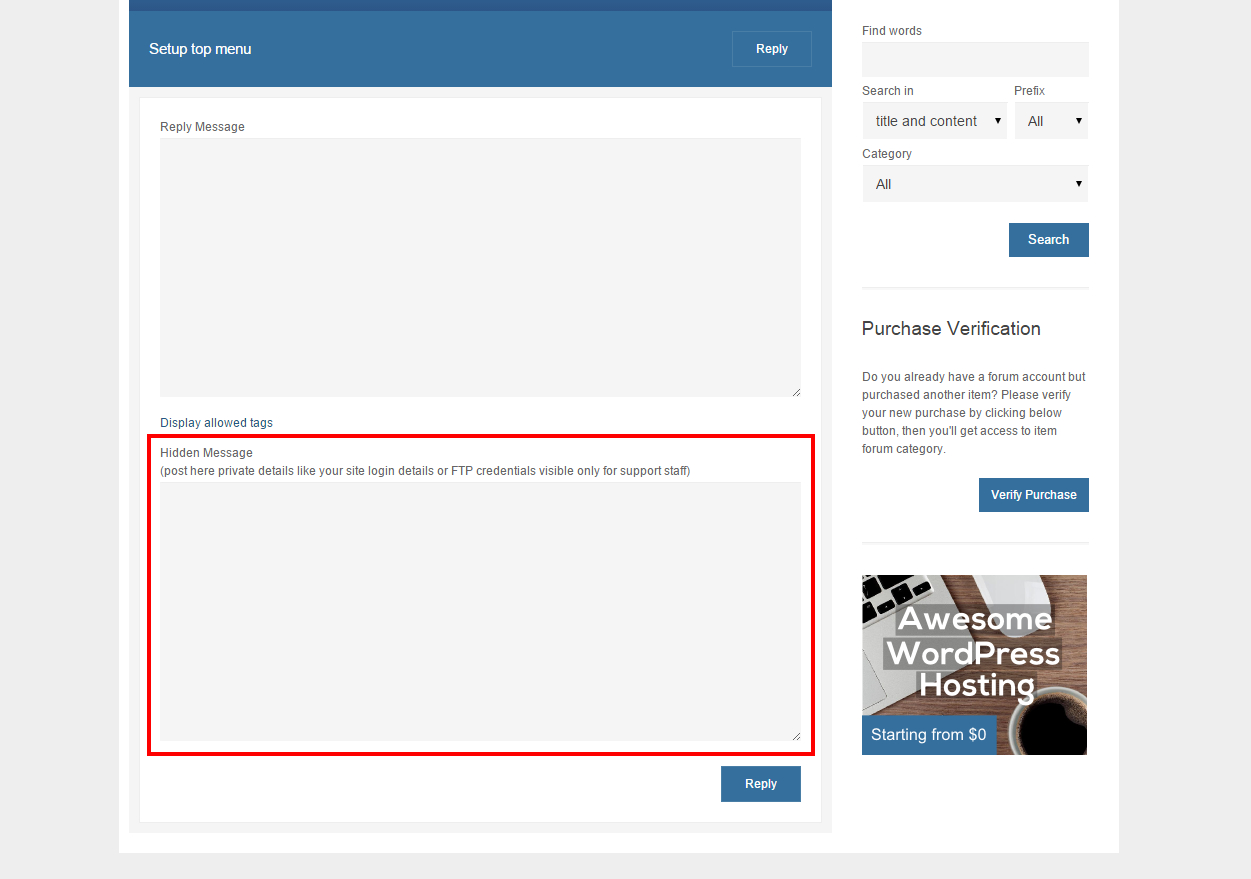
Should work in that way. So plase create new topic on the forum, you can post there your admin area login details under Hidden Message area, our support team will help you to fix that. Thank you!
Hi , before i purchased the product , i would like to know if its possible to add a toggle feature ? It’s for a comparison table .
Understand that this site is using ur plugin – but i dont see the features mentioned above
https://www.fastfollowerz.com/Hi,
Such a functionality will be available from next plugin version (we’ll release it in a couple of days). Mentioned site isn’t using our plugin.
An update has been added today and after review it should be available later today or tomorrow. We’ve updated also live preview, so you may check new pricing cycles functionality.
I want to make long compare table with sticky header. Is it possibile to sticky first row on top (as table header) while scrolling?
It’s not possible, plugin doesn’t offer sticky header functionality.
Why is the bottom row in style16 a footer? No way to turn it off.
Support for all our items is conducted through our Support Forum. Please register an account and search the forum or create a new topic, we’ll answer as soon as possible. Thank you!