

Best WordPress Security Plugins
Hide My WP
Is a highly customizable WordPress plugin that makes it easy to upgrade your site’s security in minutes and better defend it.
Over 100.000 secured websites, over 2,200,000 brute force attempts protection and over 140.000 monthly hacks stopped and counting.
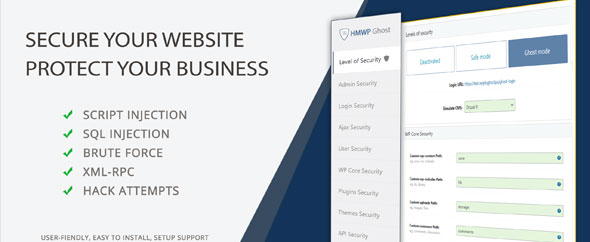
With Hide My WP Ghost, you can customize and hide commonly-attacked WordPress paths and files.
You’ll stop hacker bots in their tracks and keep them from compromising data like plugins, themes, and WordPress core files.
Protect your site against common attacks, such as script and SQL injection and brute-force, by camouflaging those vulnerabilities without physically changing any file or directory.
The plugin adds filters and security layers to prevent:- Scripts and SQL Injections
- Brute Force attacks
- XML-RPC attacks
- XSS, and more.
It changes and hides the WP common paths, plugins, and themes paths offering the best protection against hacker bots attacks.
Note! No file or directory is physically changed. All the changes are made by server rewrite rules without affecting the SEO or the loading speed.
After the common paths are changed, all the common paths are hidden from hackers to protect all the plugins and themes.
Hide My WP: Hide My WP
Contact and Support Websites: Hide My WP Ghost
Hide My WP Ghost provides multiple options to customize security features based on your needs.
Create custom login and logout redirects based on user roles. For example, you can ensure that subscribers don’t have access to the admin URL for login.
You can also hide the Admin Toolbar based on user roles, and change classes, names, and IDs in the site’s source code to hide your WordPress footprint.
Plus, you’ll get brute force protection with limited login attempts, reCaptcha protection, IP address blacklisting, and a customized lockout message and duration.
Hide My WP Ghost always keeps a close eye on your site’s security, so you know who does what. You’ll see every action users take when logged in to your site for the last 30 days.
Create instant email alerts to get notified of security-related events, like break-in attempts and unauthorized user actions such as deleting a post or plugin.
Know who’s trying to hack you with visibility into all brute-force attacks for the last 30 days, along with the full details of the attacker (e.g., IP, username, and date).
With all this data at your fingertips, you can instantly detect and defuse security vulnerabilities by taking timely preventive actions.
Add an EXTRA Layer of Protection to Your WordPress Site
Cheers! John


