WooCommerce Order Communication
WooCommerce Order Communication is a powerful plugin that makes it easy to communicate with your customers during the order process. This plugin allows you to provide real-time updates on order status, shipping information, and other key details, keeping your customers informed and engaged throughout the purchase process.
One of the key benefits of WooCommerce Order Communication is its ability to improve customer satisfaction. By providing real-time updates on order status, shipping information, and other key details, this plugin helps to eliminate confusion and uncertainty, and it can help to reduce the number of customer service inquiries. This can result in a more positive customer experience, and it can help to improve customer engagement and loyalty.
WooCommerce Order Communication is also highly scalable, making it a great option for businesses of all sizes. Whether you’re just starting out or you’re looking to grow your business, this plugin provides a convenient and customizable communication solution that can help you to achieve your goals.
In addition to its customer-focused features, WooCommerce Order Communication is also designed to be user-friendly and easy to use. This means that you can get up and running quickly, and you can start providing real-time updates to your customers with minimal effort. Whether you’re a small business owner or a large e-commerce retailer, this plugin provides the flexibility and ease of use you need to succeed.
So why wait? If you’re looking to improve customer satisfaction, streamline your communication process, and provide a better overall customer experience, WooCommerce Order Communication is the perfect solution. Try it today and see how it can transform your business!
Why choose our plugin?
All our products are meeting the WordPress quality standards including security, quality, performance and modern coding standards. For this, We are also awarded with WP Requirements Compliant Badge by Envato for our CodeCanyon Profile.
Features of WooCommerce Order Communication
- Admin can enable/disable the module functionality.
- Admin can enable the communication for different types of order status.
- Admin can enable/disable attachment sharing in order communication.
- Admin can enable/disable admin notification via mail when customer responds.
- Admin can enable/disable customer notification via mail when admin responds.
- Admin can set the font color of the sender’s message.
- Admin can set the background color of the sender’s message.
- Admin can set the font color of the receiver’s message.
- Admin can set the background color of the receiver’s message.
- Customers can communicate with admin from order view page.
- Admin can communicate with customer from edit order page.
- Complete Editor will be there for the communication.
- Messages will be private and secured.
- UI is completely responsive.
- Compatible with all the themes.
- WooCommerce Email Templates are supported for notifications.
- Multilingual is also supported with the given .pot file in the plugin.
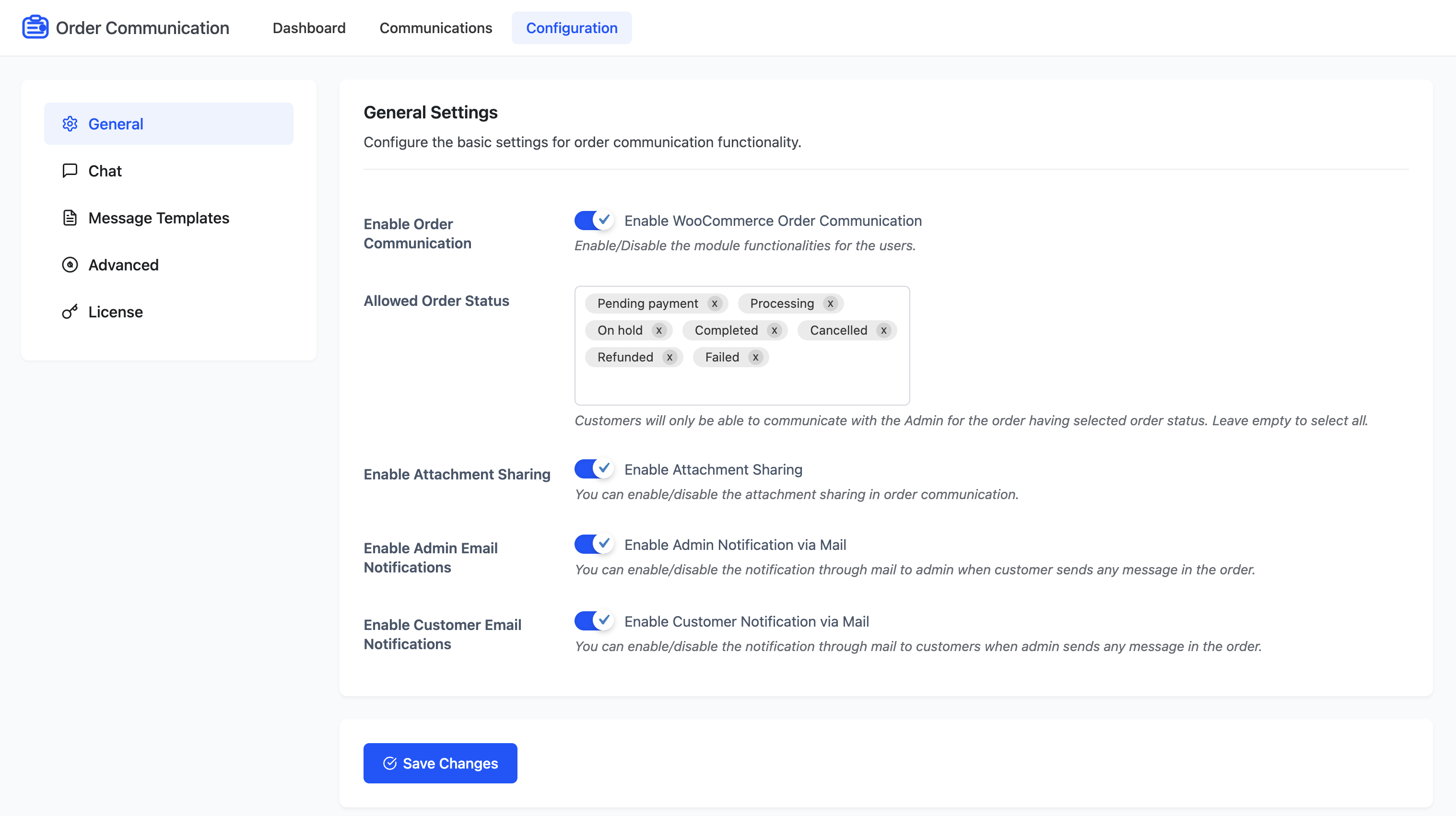
General Configuration – WooCommerce Order Communication
Configure the basic settings for order communication functionality.
- Enable Order Communication: Enable/Disable the module functionalities for the users.
- Allowed Order Status: Customers will only be able to communicate with the Admin for orders having the selected order status. Leave empty to select all.
- Enable Attachment Sharing: You can enable/disable the attachment sharing for order communication.
- Enable Admin Email Notifications: You can enable/disable the notification through email to the admin when a customer sends any message in the order.
- Enable Customer Email Notifications: You can enable/disable the notification through email to customers when the admin sends any message in the order.
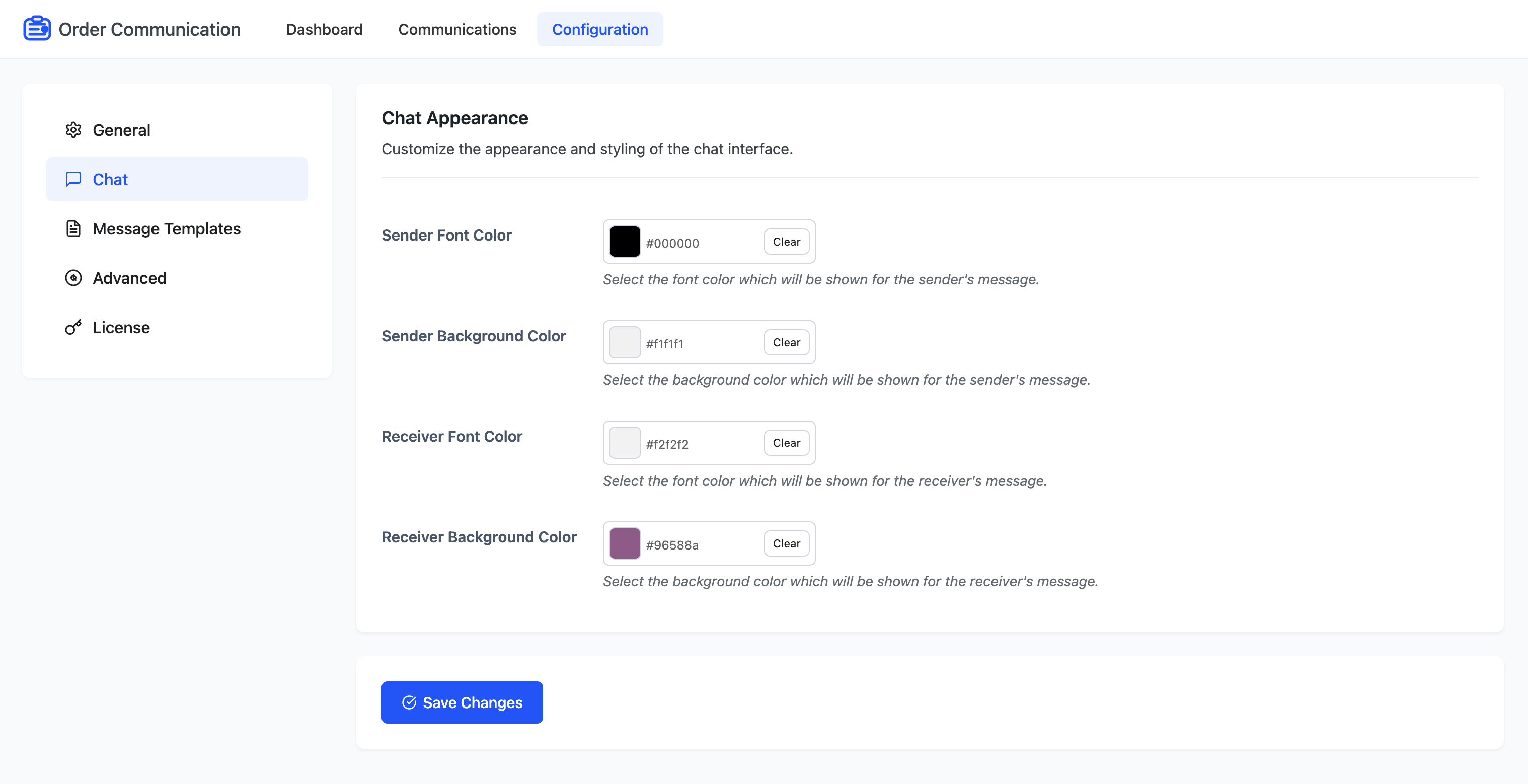
Chat Configuration – WooCommerce Order Communication
Customize the appearance and styling of the chat interface.
- Sender Font Color: Select the font color that will be shown for the sender’s message.
- Sender Background Color: Select the background color that will be shown for the sender’s message.
- Receiver Font Color: Select the font color that will be shown for the receiver’s message.
- Receiver Background Color: Select the background color that will be shown for the receiver’s message.
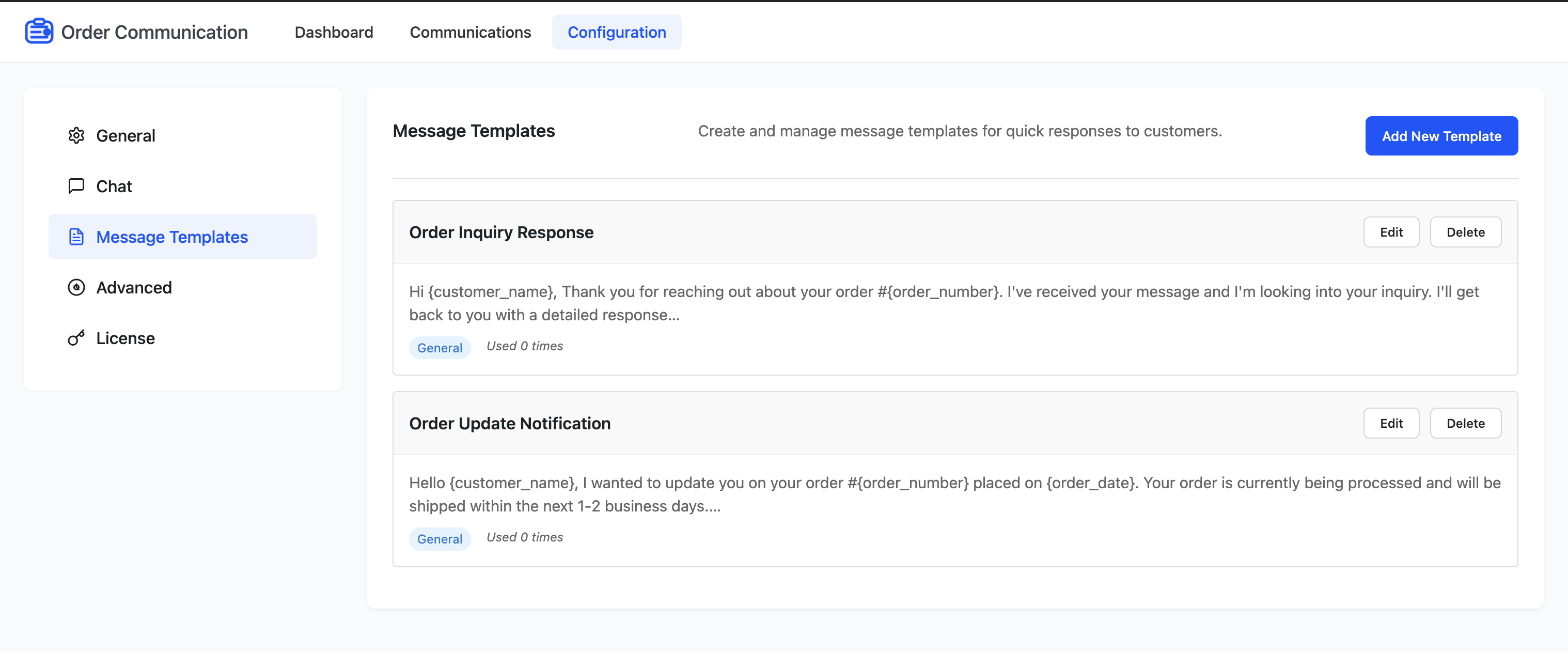
Message Templates Configuration – WooCommerce Order Communication
You can create and manage message templates for quick responses to customers, which will be helpful when you’re communicating with your customers, so you don’t have to re-write the same messages again and again.
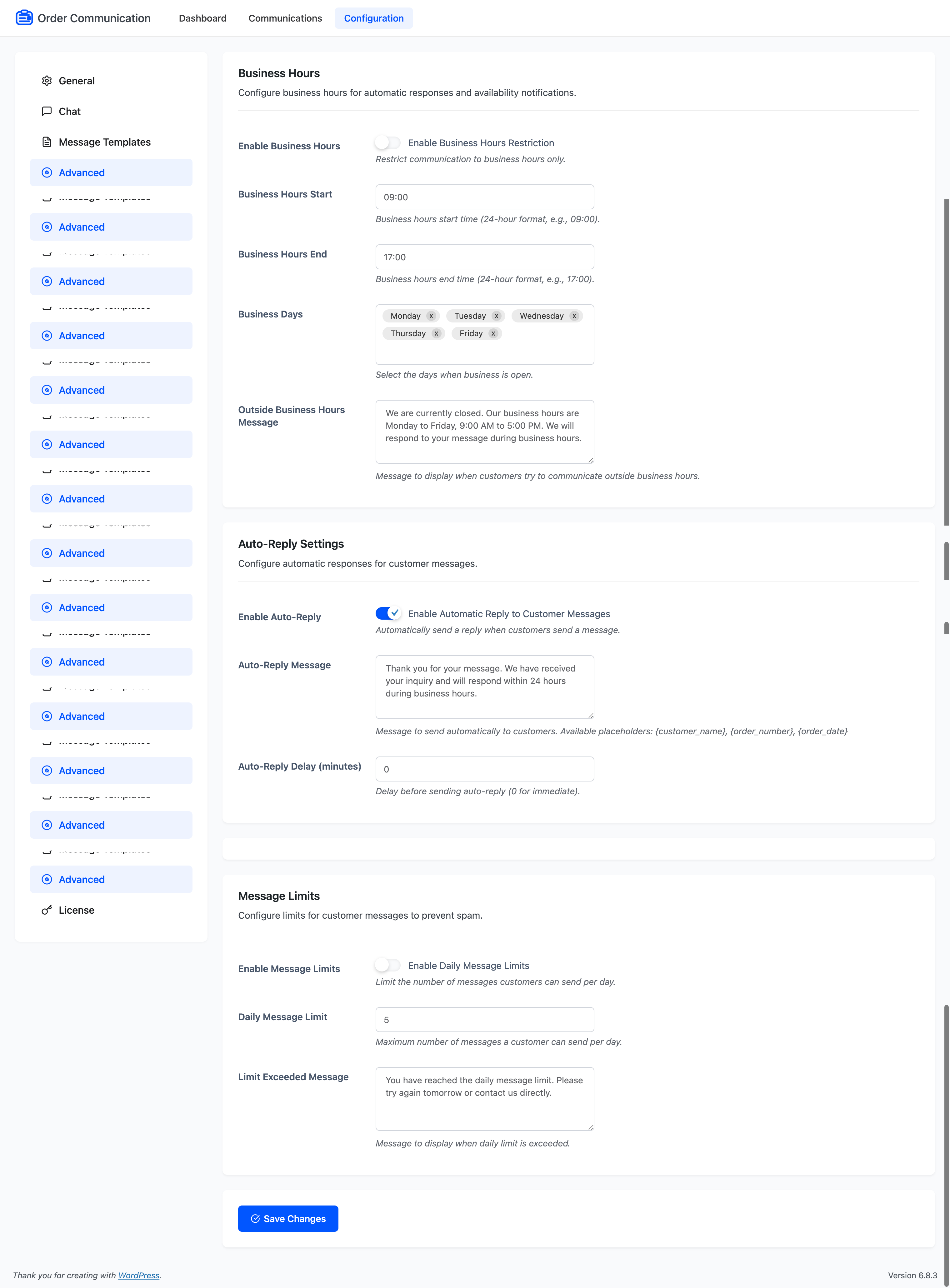
Advanced Configuration – WooCommerce Order Communication
Business Hours
Configure business hours for automatic responses and availability notifications.
- Enable Business Hours: Restrict communication to business hours only.
- Business Hours Start: Business hours start time (24-hour format, e.g., 09:00).
- Business Hours End: Business hours end time (24-hour format, e.g., 17:00).
- Business Days: Select the days when business is open.
- Outside Business Hours Message: Message to display when customers try to communicate outside business hours.
Auto-Reply Settings
Configure automatic responses for customer messages.
- Enable Auto-Reply: Automatically send a reply when customers send a message.
- Auto-Reply Message: Message to send automatically to customers. Available placeholders: {customer_name}, {order_number}, {order_date}
- Auto-Reply Delay (minutes): Delay before sending auto-reply (0 for immediate).
Message Limits
Configure limits for customer messages to prevent spam.
- Enable Message Limits: Limit the number of messages customers can send per day.
- Daily Message Limit: Maximum number of messages a customer can send per day.
- Limit Exceeded Message: Message to display when the daily limit is exceeded.
Dashboard – WooCommerce Order Communication
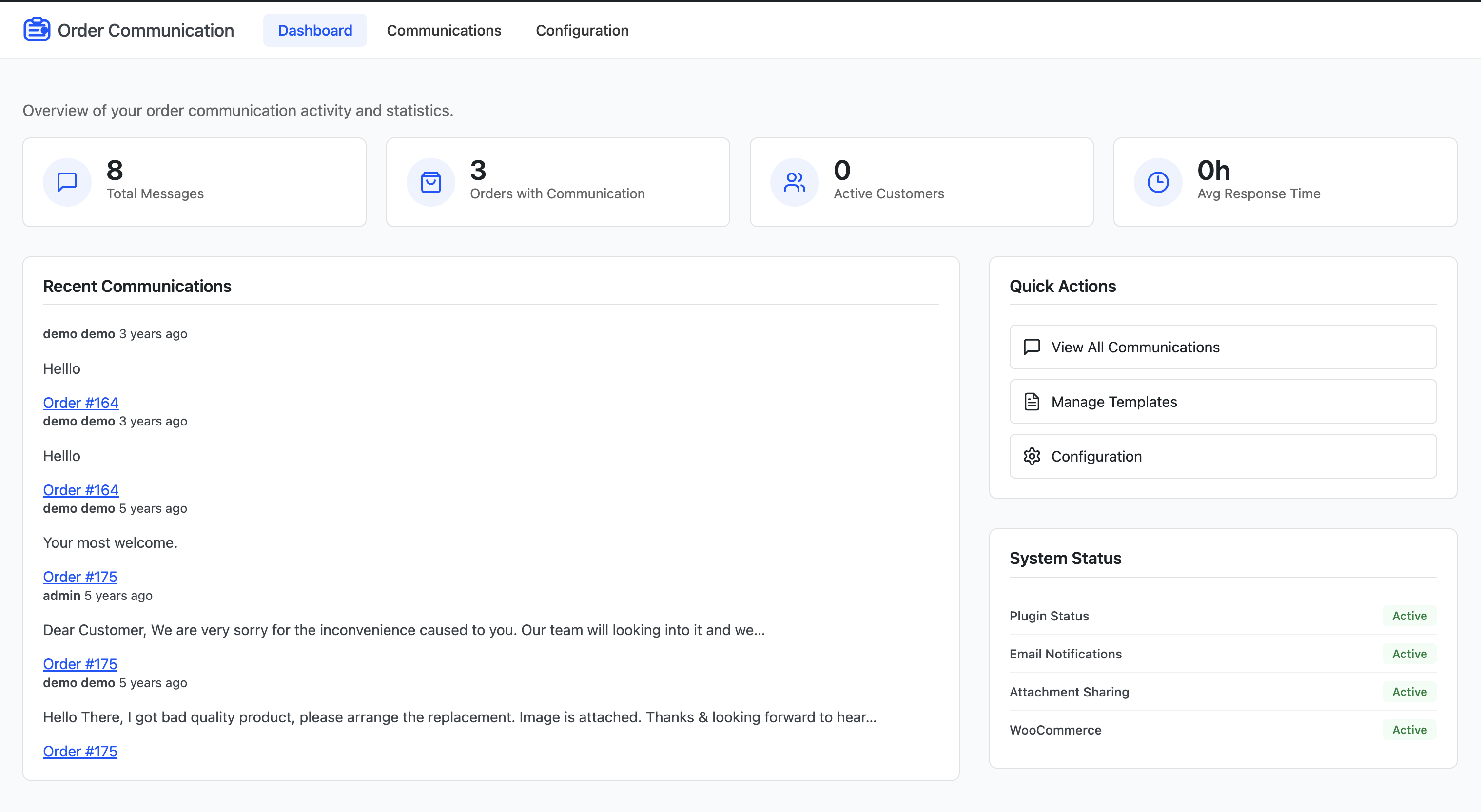
Here, you can view the overview of your plugin activities and statistics.
Communications – WooCommerce Order Communication
Here, you can find all your communications for the respective orders with the details like order ID, customer name, recent message, total messages, recent message date and the status of the message.
WooCommerce Email Template – WooCommerce Order Communication
Admin can configure Email Templates for the WooCommerce Order Communication notification mails which will be delivered to customers.
Admin End Communication – WooCommerce Order Communication
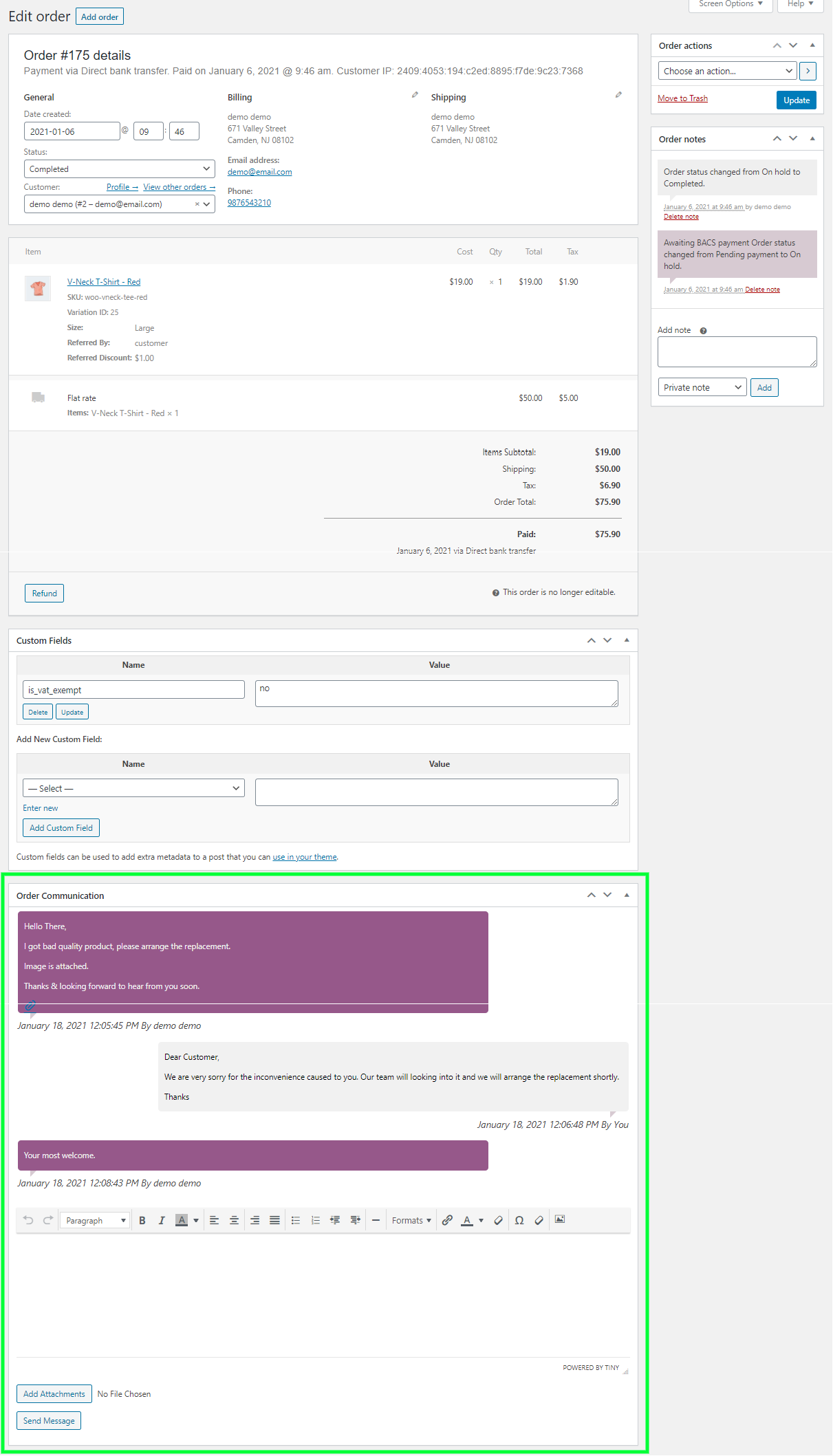
On edit order page at backend, admin can find a meta box for Order Communication from where admin can send message to the customers for their query for that particular order. Admin can also send attachments if enabled from configuration.
Customer End Communication – WooCommerce Order Communication
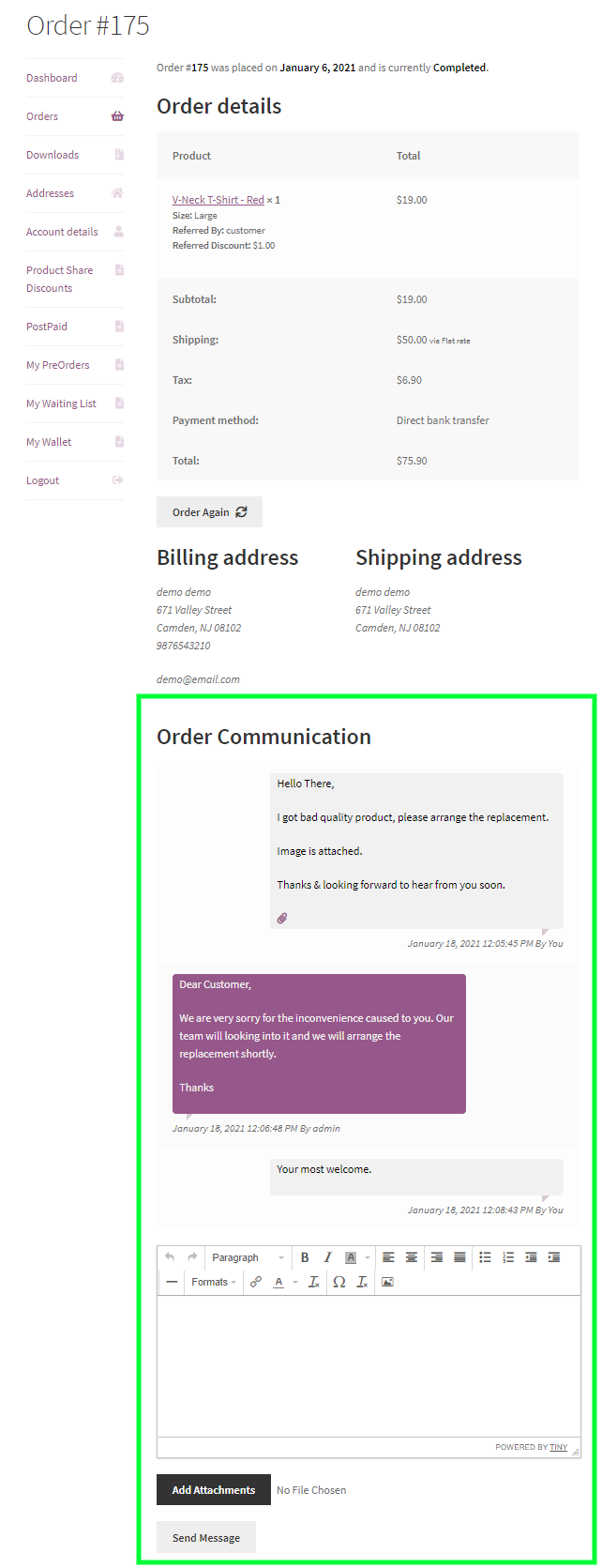
On order view page at frontend, customers can find a area for Order Communication from where they can send messages to the admin for their query for that particular order. Customers can also send attachments if enabled from configuration.
Email Notification – WooCommerce Order Communication
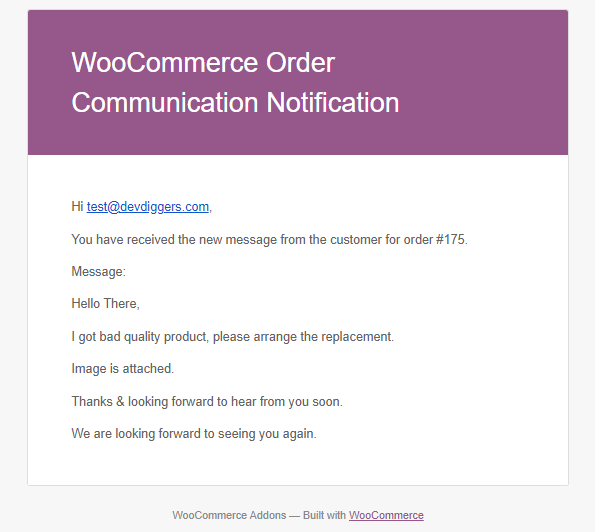
Both admin and customers will be notified via mail if enabled from configuration for the message respond in the communication.
Multilingual – WooCommerce Order Communication
Admin can use .pot file which is provided within the plugin in the languages folder from which they can translate the plugin.
Support
Dear Customers, if you have any questions or queries or need assistance with our WooCommerce extensions or development services, kindly connect with us from our contact page or mail us at support@devdiggers.com. We will do our best to answer as quickly as possible. If you have a moment, please rate our plugins, We’ll appreciate it very much!....Thank you.
Change Log
v 1.3.0
Added compatibility with the latest WordPress and WooCommerce.
Added WooCommerce HPOS compatibility.
Resolved security issues.
v 1.2.0
Added WordPress translation in the communication editor.
Added compatibility with the latest WordPress and WooCommerce.
Resolved security issues.
v 1.1.2
Added compatibility with the latest WordPress and WooCommerce.
Resolved security issues.
v 1.1.1
Added compatibility with the latest WordPress and WooCommerce.
Updated license API.
Resolved security issues.
v 1.1.0
Added compatibility with the latest WordPress and WooCommerce.
Added chat box on order received page.
Added compatibility with attachment icon with all themes.
Added new hooks.
Resolved security issues.
v 1.0.2
Added compatibility with WooCommerce 5.7.x
Added new hooks.
Fixed security issues.
v 1.0.1
Added compatibility with WordPress 5.8.x
Added compatibility with WooCommerce 5.5.x
Added empty message check.
Added new hooks.
Removed notice display on all pages from the backend.
Fixed security issues.
v 1.0.0
Initial Release

This item was featured on CodeCanyon

Elite Author
Contact the Envato Market Help Team