Version 3 is here. We’ve been listening.
To everyone who waited: thank you. Version 3 is a complete rebuild that addresses what you told us in the comments and reviews. Real-time updates, proper multi-store, guest customers, modern admin, and a setup wizard that finishes setup. If you bought v2, your licence covers v3 at no extra cost. Message us in the comments and we will send you the download.
Brief description
WooCommerce module for Perfex CRM connects your WooCommerce stores to Perfex so you can stop copy-pasting orders, track customers across stores, and turn paid Woo orders into Perfex invoices in two clicks. Version 3 makes this fast, accurate, and friendly to look at.
You’ll be able to:
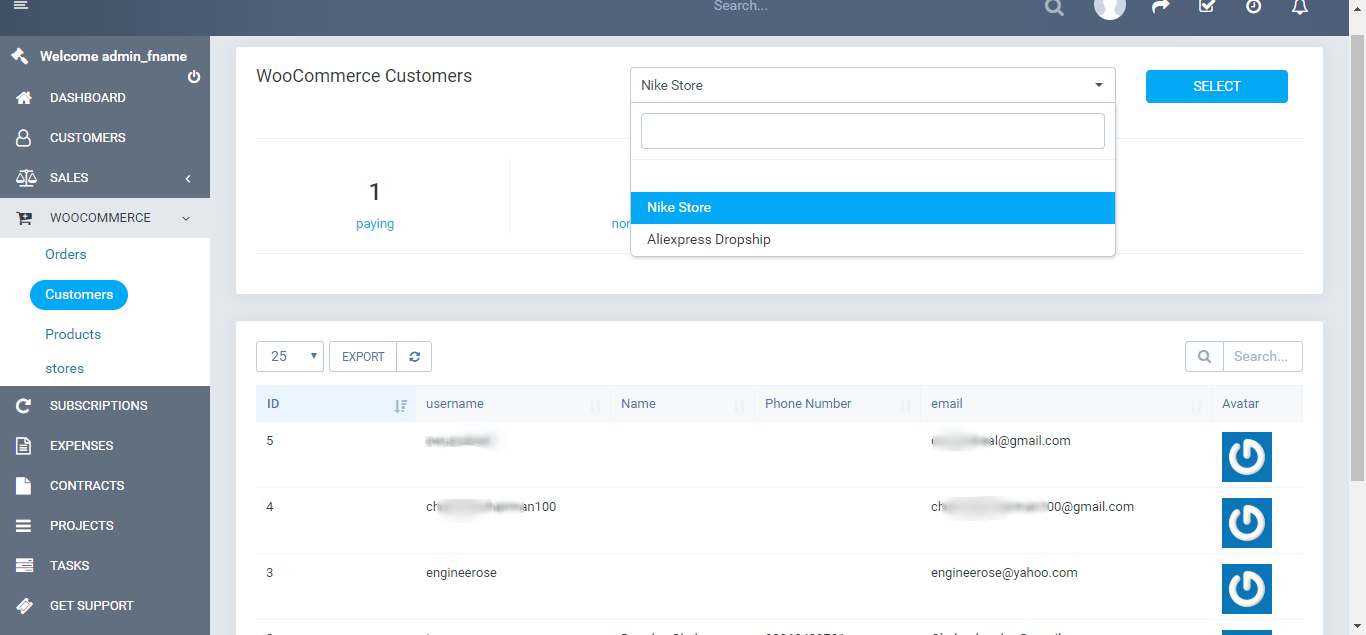
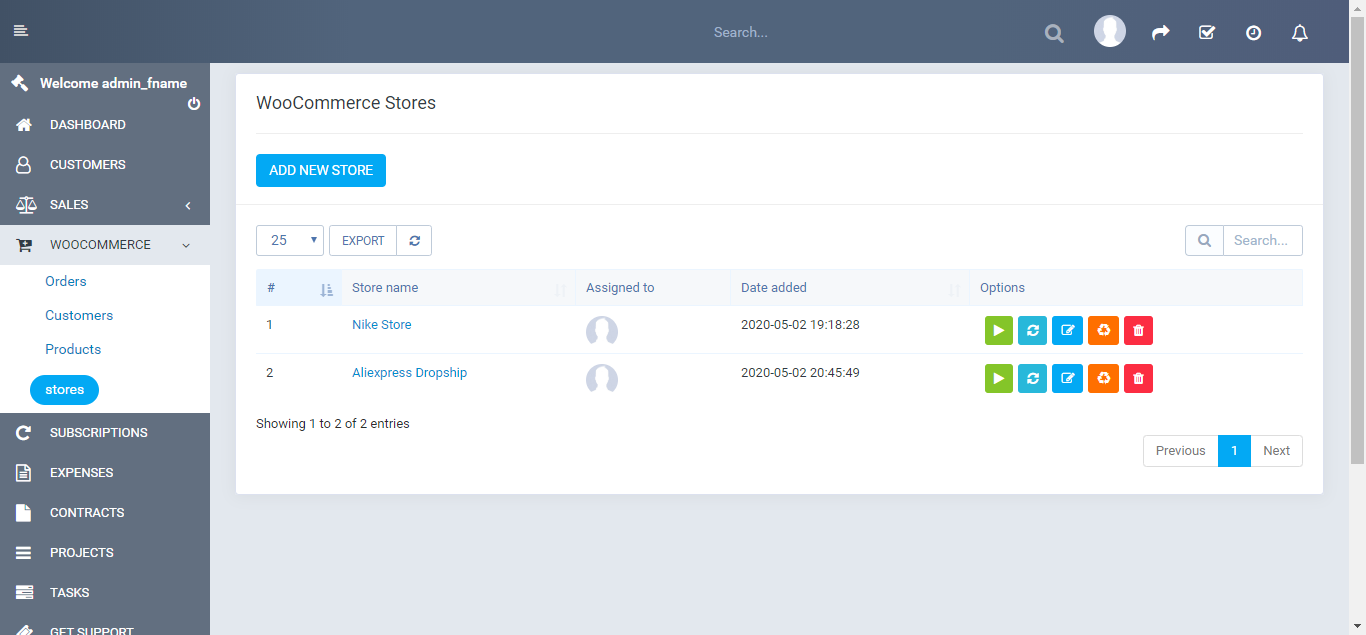
- Connect more than one store to a single Perfex install. As many as you want.
- Get real-time updates from WooCommerce. New orders, status changes, product edits, and cust signups appear in Perfex within seconds.
- Run a guided setup on first install. Connect a store, load preset mappings, enable webhooks you are done in five minutes.
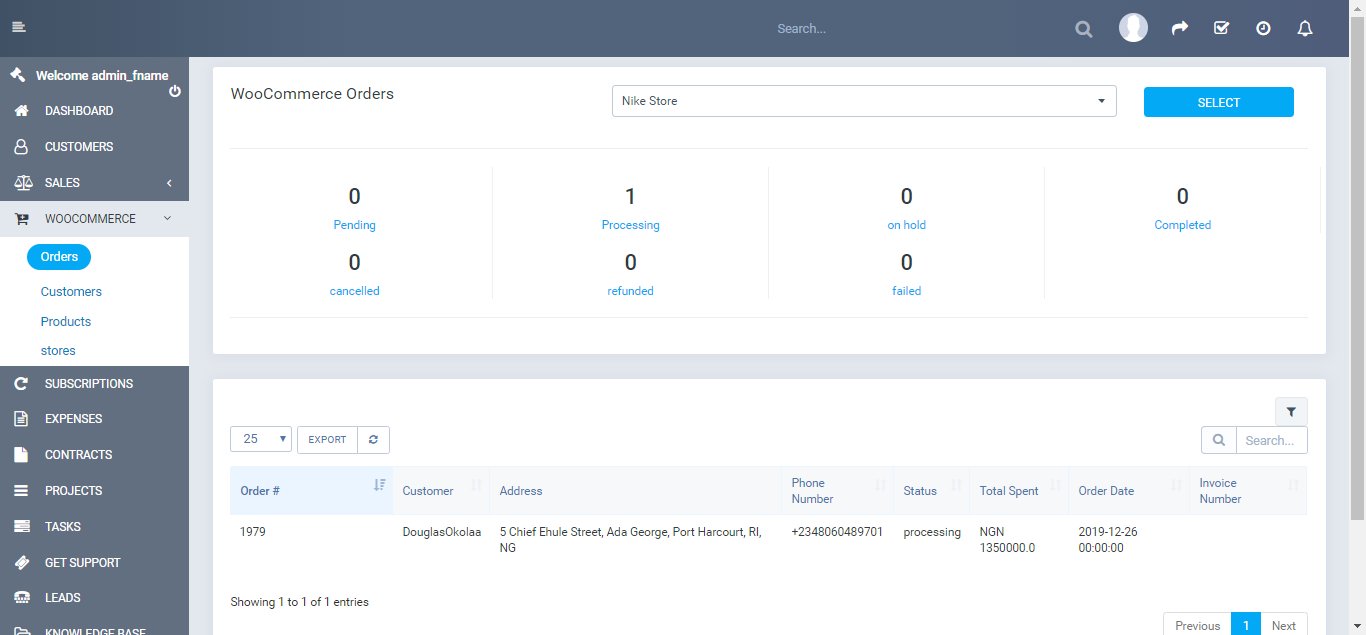
- Switch between stores from the page header on every list. No need to dig through settings.<
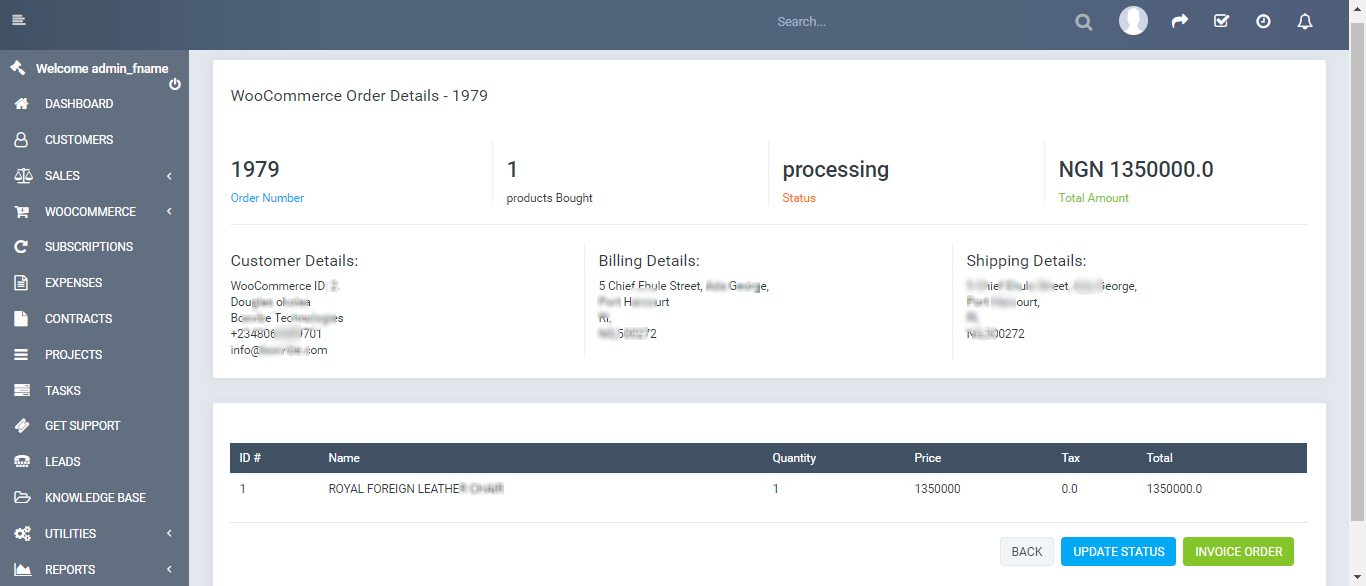
- Convert orders to invoices with a preview that shows you exactly what will land in Perfex b you click Create.
- Bulk convert orders and bulk mark them completed. Useful for backfills.
- Stop double-billing customers. Orders paid in Woo are flagged with a “WooCommerce” payment so Perfex does not chase payment again.
- Import guest customers. Apple Pay, Stripe Express, and every other wallet checkout becomes Perfex contact. Bulk import is included.
- Link Woo products to Perfex sales items with one click on the products list.
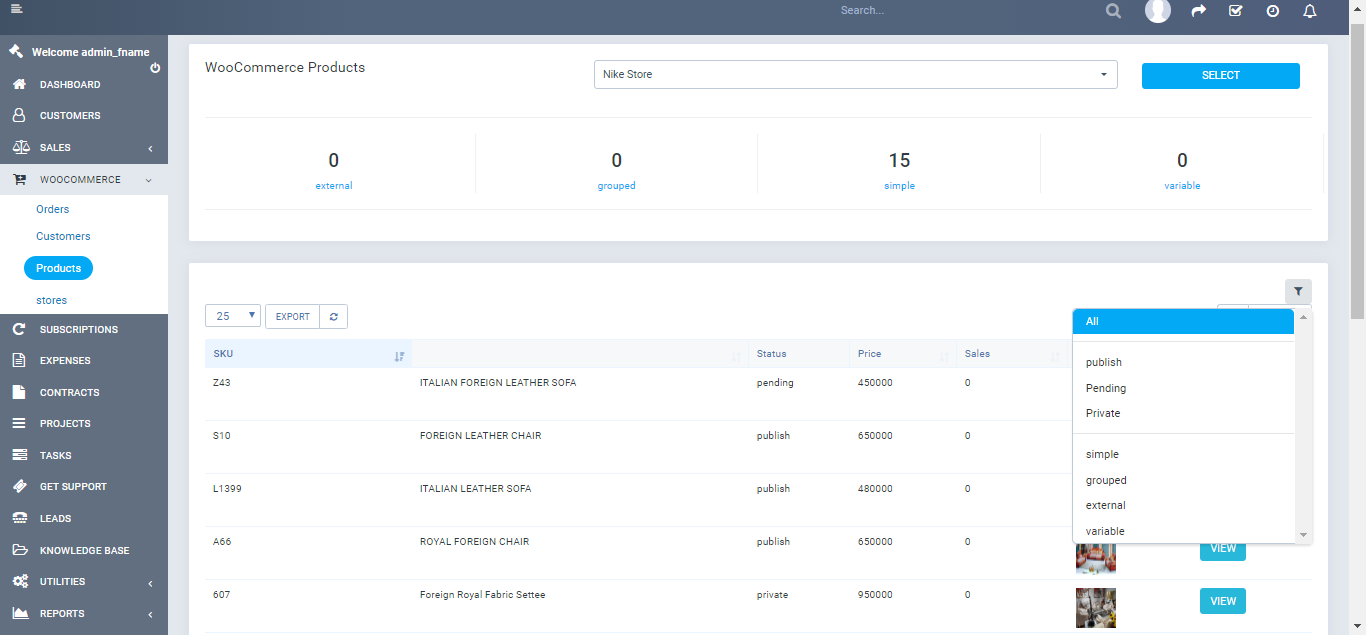
- Edit, delete, and filter products without leaving Perfex.
- Filter orders by status, store, date, and free text search.
- Filter products by status, type, low stock, or only those linked to Perfex items.
- See a customer’s order history on every customer detail page.
- Map any field from WooCommerce to Perfex. One-click presets for the standard fields. Pre-fl check warns you before saving a mapping that would break on import.
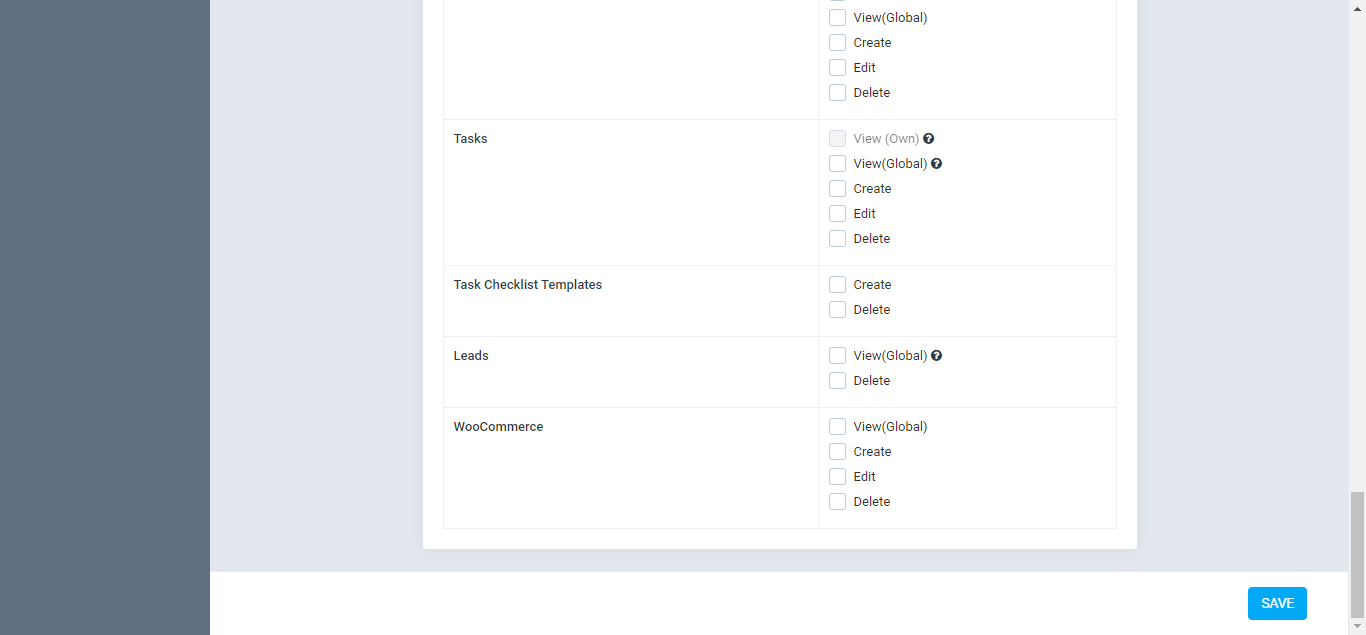
- Restrict staff access per store. Each store can have its own assigned team.
- Diagnose problems instantly. The new Diagnostic page shows you Perfex version, PHP version, signature health, last cron tick, and row counts. Click “Copy as text” and paste it into a support ticket. We usually reply same day.
- Read clear logs. Webhook deliveries and sync events are unified into one searchable Logs pa with correlation IDs.
- Use the module in your language. English, Danish, French, German, Italian, Spanish.
- Multisite WordPress support.
What’s new in version 3
- Multi-store, properly. Run two stores, ten stores, or a portfolio of client stores. Each on keeps its own credentials, mappings, webhooks, and team.
- Signed real-time webhooks. Every payload arrives signed and is verified before we touch you data. Replays cannot be processed twice. Out-of-order updates are handled cleanly.
- Modern admin. Every screen rebuilt for speed and clarity. Works at phone size. Looks at hom the latest Perfex theme.
- Guided setup wizard. Four steps, with skip options, that walk you from “fresh install” to ” sync working” without opening the docs.
- Diagnostic page. One screen, all the answers your support ticket needs.
- Field mapping presets. Click “Load Presets” and you have working defaults for Customers, Products, and Orders. Tweak per row only when you need to.
- Better order conversion. Confirm modal previews the exact line items, taxes, discounts, and shipping that will land in Perfex. No surprises in your books.
- Active development. Quick reply on tickets, monthly point releases, public roadmap.
Set-up
- Requires Perfex CRM 3.4.1 or later (tested on 3.4.1, 3.5, 3.6).
- WooCommerce 5.x or later.
- PHP 8.0 or later.
- WordPress 5.0 or later.
- Recommend use of SSL.
- Cron Job (the module runs inside Perfex’s existing cron, no extra setup needed).
- Pretty permalinks in Settings > Permalinks so the custom endpoints work.
You will not need any coding skills to set this module up. The setup wizard takes you through every step, and a bundled PDF walks through everything in detail. We are available for installation help on request.
FAQ
-
I bought v2. Do I get v3 for free?
Yes. Your CodeCanyon licence covers all updates inclu the v3 rebuild. Download v3 from your CodeCanyon downloads page after purchase. -
Will my v2 settings carry over?
Yes. Your store credentials, field mappings, and cron sc all keep working after the upgrade. The included migration runs automatically on first activation. -
Why are the Orders, Products, or Customers tables empty?
Wait a few minutes for the cron to run, or click “Refresh” on the store card. After that the tables will populate. -
I customised a previous version. Can I upgrade?
Yes, but custom changes will be overwrit the v3 update. We strongly recommend taking a backup before upgrading. If you need to keep a customisation, contact us before updating and we will help port it. -
How do I update to the latest version?
- Back up your database (use Perfex’s built-in backup option).
- Upload the newly downloaded version on the Modules page.
- Click “Upgrade database” on the module option.
-
Webhooks or cron, which should I use?
Both. Webhooks deliver updates in seconds. Cron ru the background as a safety net so nothing is missed during downtime. -
Can I sync from more than one WooCommerce store?
Yes. Version 3 supports any number of s in one Perfex install. -
Does this work with guest checkouts (Apple Pay, Stripe Express, etc.)?
Yes. Version 3 im guest customers as Perfex contacts and tags them with a “guest” pill so support can see at a glance which contacts came from a checkout. -
How do I tell if everything is working?
Open the Diagnostic page in the module. It shows signature health, last cron tick, row counts, and version info. Green across the board means you are good.
Support
If you have any questions, raise a support ticket at our support area. Our reply window is one business day. The Diagnostic page’s “Copy as text” output usually gets us to a same-day fix.
Limitations
We will tell you what version 3 still cannot do, so you can decide before buying:
- If you use taxes in WooCommerce, the order conversion preview shows you the exact tax amount that will land Perfex. Because Perfex CRM does not have a per-line-item tax structure, taxes are added to the invoice as a single adjustment line. The total stays correct. You may want to rename the “Adjustment” label to “Tax” in your Perfex settings.
- Shipping fees are surfaced on the order detail in Perfex but cannot be edited as a separate Perfex object, b Perfex CRM does not model shipping as a first-class field.
- Marketplace mode (assigning stores to your end customers instead of admins) is not supported.
- Pushing orders from Perfex back to WooCommerce is on the v1.1 roadmap, not in version 3.
- Two-way inventory sync (Perfex stock to WooCommerce) is on the v1.1 roadmap.
If any of these is a blocker for your workflow, message us in the comments before purchasing and we will give you a straight answer.
Changelog
VERSION 3.0.0Major release. Complete rebuild from the ground up. New - Connect more than one WooCommerce store to a single Perfex install - Real-time webhook delivery for orders, products, and customers - Webhook signature verification, replay protection, and de-duplication - Guided 4-step setup wizard on first install - Diagnostic page with signature health, row counts, and copy-as-text support output - Order to invoice conversion with confirm preview - Bulk convert orders and bulk mark completed - Bulk import customers (including guest customers from Apple Pay, Stripe Express, etc.) - "Add as Sales Item" link for Woo products - "WooCommerce" payment mode prevents double-billing customers who already paid in Woo - Field mapping presets for Customers, Products, and Orders with one-click load - Pre-flight check warns you before saving a mapping that would break - Per-store staff assignments - Per-store cron locks prevent overlapping syncs - Unified Logs page with correlation IDs across webhook and sync events - Six-language pack: English, Danish, French, German, Italian, Spanish Improved - Modern admin layout, mobile friendly down to phone size - Faster product, order, and customer lists with proper filtering - Better translation coverage - Quieter logs (retention prunes old rows automatically) Fixed - Sync now actually works in real time. No more "manual entry" workarounds. - Guest customers now import correctly. No more skipped checkouts. - Order totals match exactly between WooCommerce and Perfex on every conversion. Compatibility - Perfex CRM 3.4.1, 3.5, 3.6 - WooCommerce 5.x and later - PHP 8.0 and laterVERSION 2.2.2
  add payment mode on order
  show order shipping, tax and discount
  Add fallback connection mode
  General improvements
  Fix client import
VERSION 2.2.1
  fix: import, not auto-selecting customer company and country
  fix: invoice import, not auto-selecting currency, client, payment gateway name
  fix: auto-fill customer permission during import based on default
  fix: order table does not show time of order
  feat: order table now shows the imported invoice
  fix: duplicate order on the table when converted to invoice multiple times
  optimization for webhook support in the next release
VERSION 2.2.0c
  fix: sometimes products and customers, not auto synchronised
  fix: added optimised JS for some outdated browsers
VERSION 2.2.0
  Added support for multiple stores
  Added Multisite WordPress support
  added option to test individual stores
  Assign stores to selected staff
  moved settings to store page
  added status filter for orders
  added status filters for products
  added type filter for products
  improved Italian translation
  moved existing stores to the new store page and DB table
  assigned existing orders, products, customers to the existing store
  assigned imported orders, products, customers to the existing store
  bug fixes
VERSION 2.1.0
  added delete/edit customers
  added delete/edit products
  added import product
  made more text translatable
  some woocommerce plugin conflict resolved
  preparation for support of multistore
  improved imports.
  other fixes
VERSION 2.0.0
  Major update.
  all orders are now available
  updated to WC/V3 API
  woocommerce Settings page moved to Perfex Settings Page
  staff permission issue fixed
  fixed order id showing instead of formatted order number set by custom plugins
  the issue with Perfex CRM running slow with stores having 1,000,000+ orders resolved. CRM now loads faster [secs].
  added summary for orders, products and customers
Note: This is a module for Perfex CRM. Not a standalone script. Perfex CRM can be
purchased here.