<!DOCTYPE html> <html lang=”en”> <head> <meta charset=”UTF-8”> <meta name=”viewport” content=”width=device-width, initial-scale=1.0”> <title>Win-Wave UI Template</title> <style> body { font-family: Arial, sans-serif; line-height: 1.6; margin: 0; padding: 0; background-color: #f4f4f4; } .container { width: 80%; margin: auto; overflow: hidden; } header { background: #333; color: #fff; padding-top: 30px; min-height: 70px; border-bottom: #77aaff 3px solid; } header a { color: #fff; text-decoration: none; text-transform: uppercase; font-size: 16px; } header ul { padding: 0; list-style: none; } header li { display: inline; padding: 0 20px 0 20px; } .main-content { padding: 20px; background: #fff; margin-bottom: 20px; border-radius: 5px; box-shadow: 0 0 10px rgba(0, 0, 0, 0.1); } h1, h2, h3, h4 { color: #333; } p { margin: 10px 0; } .features, .requirements, .installation, .usage, .state-management, .firebase-integration, .customization, .support, .architecture { margin-bottom: 20px; } </style> </head>
<header>
Welcome to Win-Wave UI Template!
- Overview
- Features
- Requirements
- Installation
- Usage
- State Management
- Firebase Integration
- Customization
- Architecture
- Support
</header>Overview
Welcome to Win-Wave! This comprehensive and user-friendly mobile application template offers a variety of popular casino games, providing an immersive gaming experience. Built with Flutter and Firebase, our app ensures high performance, reliability, and seamless integration.
</section> <section id=”features” class=”main-content”>Features
- Multiple Games: Enjoy a variety of games including Teen Patti, Rummy, Cricket Fantasy, Call Break, and Jhandi Munda.
- User Authentication: Secure login and registration using Firebase Authentication.
- Interactive UI: Engaging and intuitive user interface designed with Flutter.
- State Management: Efficient state management using BLoC architecture.
- Drag and Drop: Intuitive drag-and-drop functionality for card games.
Requirements
- Flutter SDK: Version 3.4.3 or higher.
- Dart: Version 3.4.3 or higher.
- Firebase Account: For authentication, Firestore, and other services.
- Code Editor: Visual Studio Code, Android Studio, or any preferred code editor.
Installation
- Install Dependencies
flutter pub get - Configure Firebase
Follow the official Firebase documentation to set up Firebase for both iOS and Android. - Run the App
flutter run
Usage
User Authentication
- Login: Users can log in using their email and password.
- Registration: New users can register by providing their email, password, and other necessary details.
Main Dashboard
- Game List: Browse and select from a variety of available games.
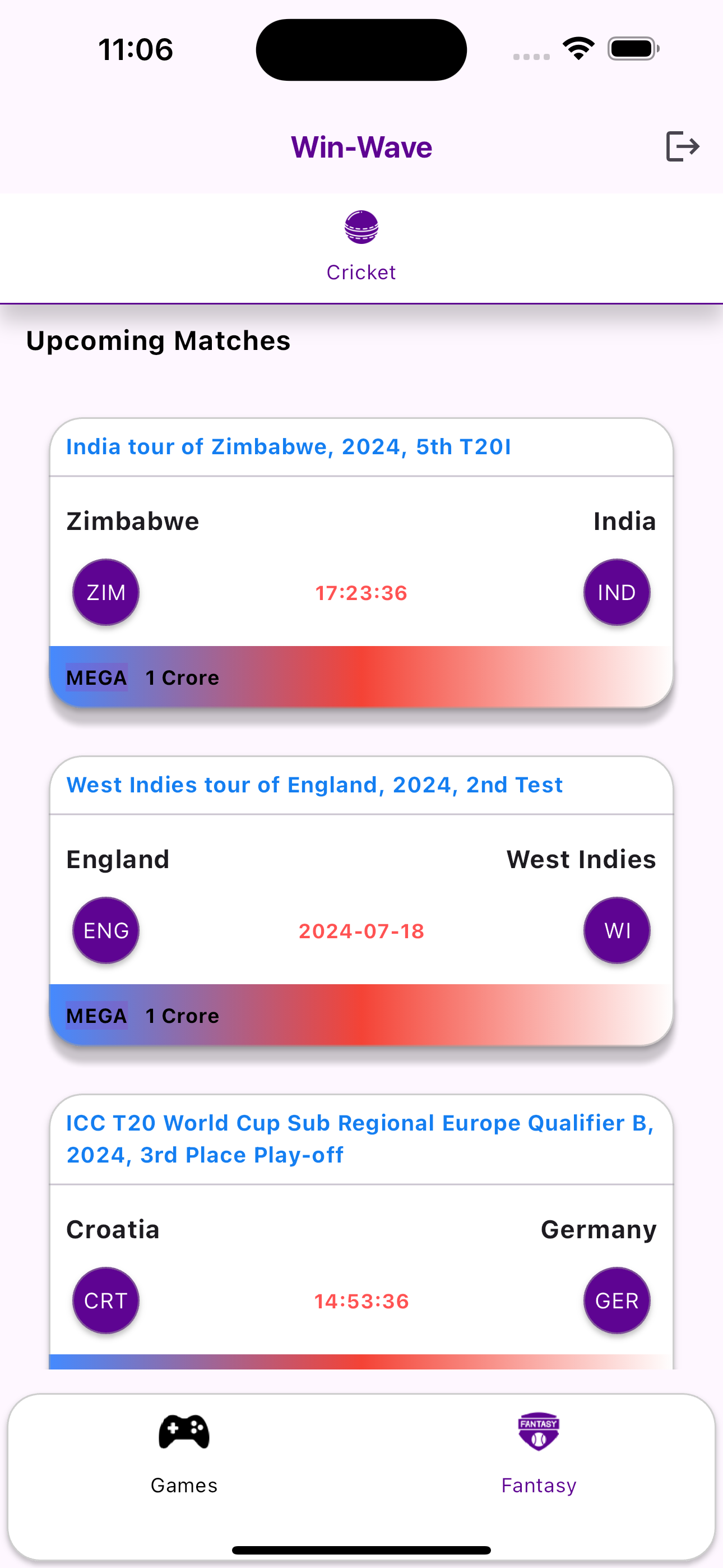
- Fantasy: Cricket fantasy game UI
Teen Patti Game
- Game UI: Select Teen Patti game
- Game page: Use interactive controls to place bets, view cards, and interact with other players.
Rummy Game
- Game UI: Select Rummy game
- Drag and Drop: Use drag-and-drop functionality to manage your cards.
Call Break
- Game UI: Select Call Break game
- Drag and Drop: Use drag-and-drop functionality to manage your cards.
Jhandi Munda
- Roll the Dice: Enjoy the traditional game by rolling the dice and betting on outcomes.
- Game UI: Use interactive controls to place bets and roll dice.
Cricket Fantasy
- Live game: Live game from APIs
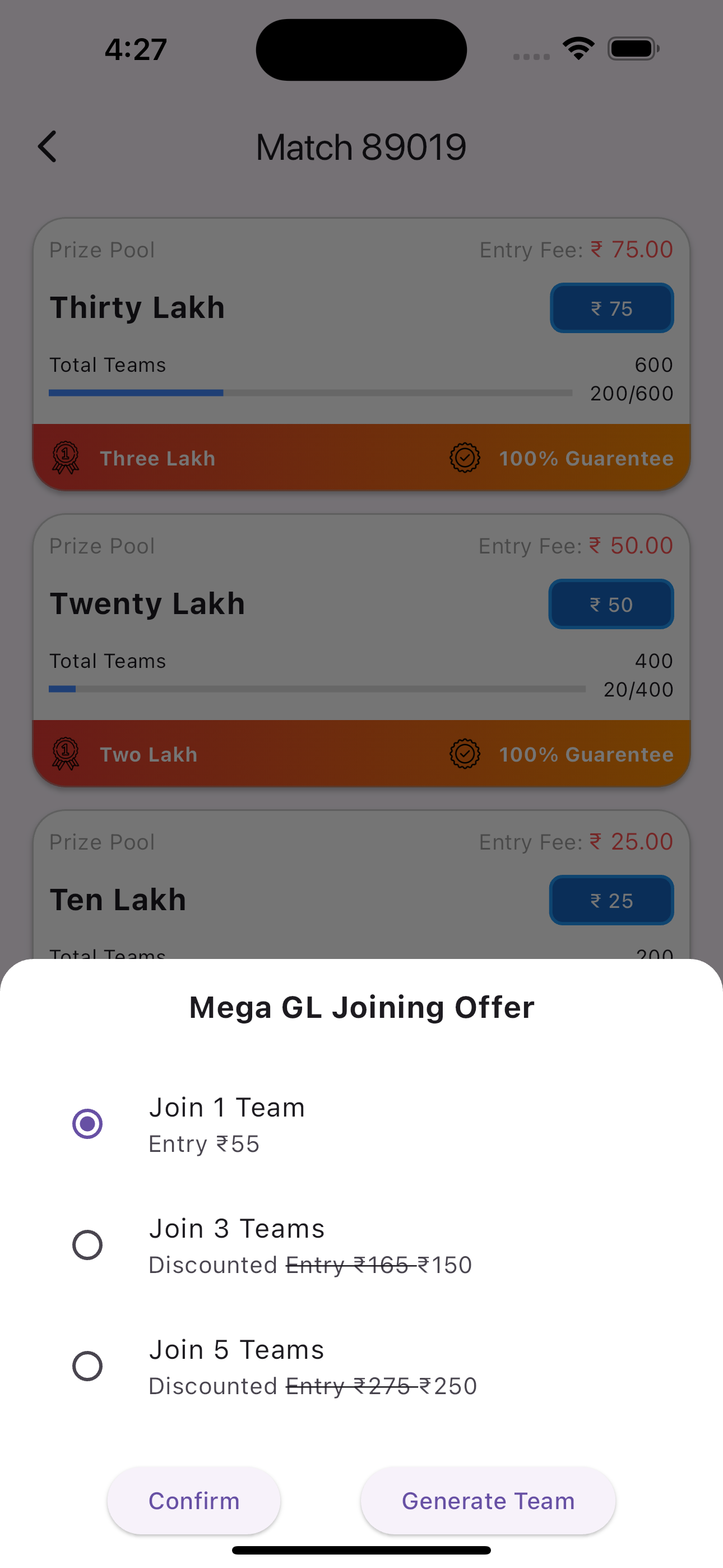
- Select contest: Select contest from
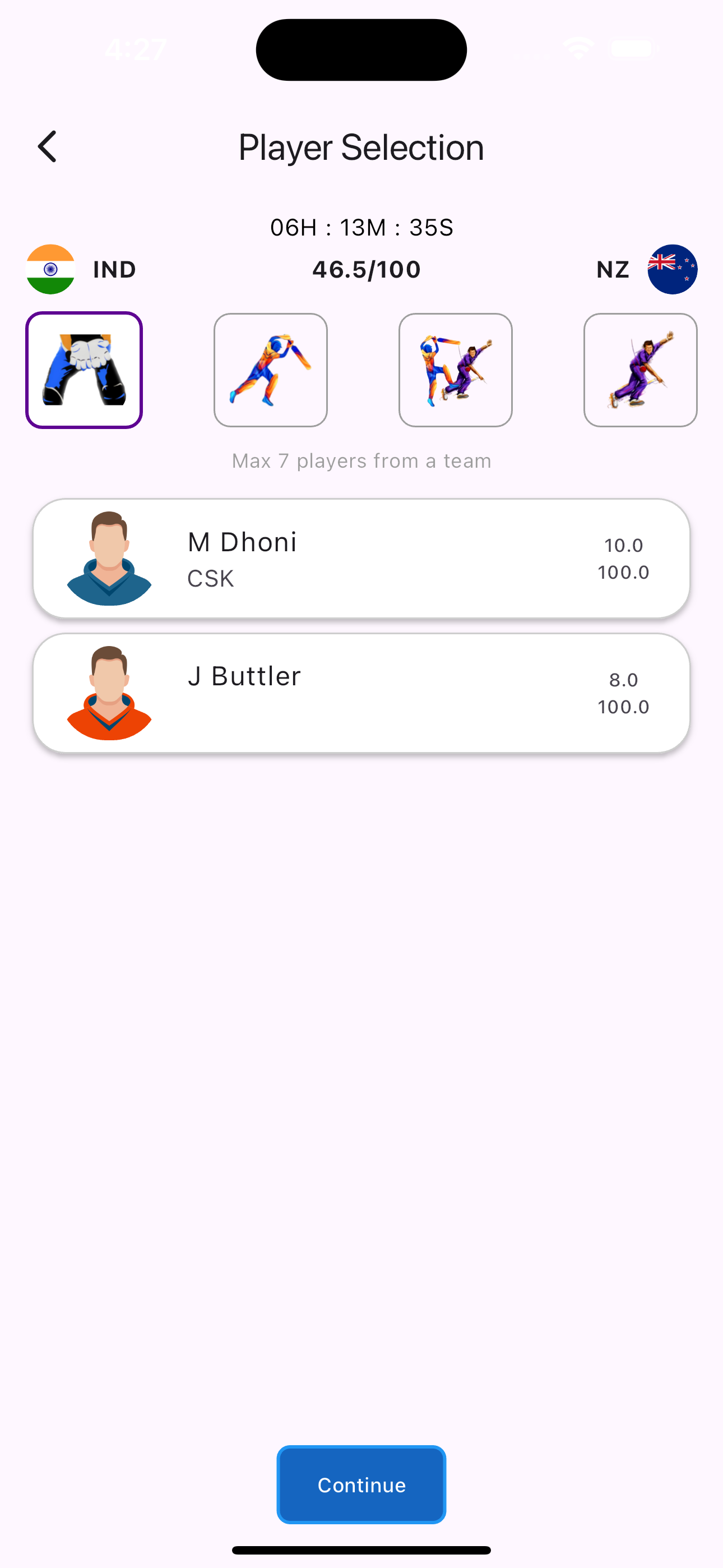
- Select players: Create your own team
- Preview player: Preview your team
State Management
BLoC Architecture: Our app uses BLoC (Business Logic Component) for state management, ensuring a clear separation between business logic and UI.
</section> <section id=”firebase-integration” class=”main-content”>Firebase Integration
- Authentication: Firebase Authentication is used for secure login and registration.
- Firestore: Store user data in Firestore and add base setup.
Customization
- Theme: Easily customize the app theme by modifying the
theme.dartfile. - Widgets: Well documented custom widget created.
- App Info:
AppInfocan be edited incore/constants/AppInfo.dartfile.
Architecture
</section> <section id=”support” class=”main-content”>Support
For any issues or inquiries, please contact our support team at https://wa.me/message/DDQRAP2HRYPBB1
</section>