79 comments found.
Strange issue, posting here as it may help others: I move items, update the vision board, but despite hard clearing of cache, front end never changes, plus one simple jpg never appears. So strange, how do I completely clear cache for the vision boards? Thank you in advance.
What worked was to remove the image layer that wouldn’t appear, create the new layer, add the same image, and that worked. To make the board “refresh” and reflect new content, I simply zoomed out in Admin view, and sized up the images. The result was perfect. 
Sometimes your comments literally scare me.
 so sorry about that – plugin is pretty much flawless, can probably ignore my trial and error
  Thanks, Avirtum!
Just bought last week, enjoying the plugin! But on mobile or small screens, all images overlap each other and don’t properly resize. What is the solution? Thank you!
Ooops, my bad, I had custom css overriding the zoom function. Great, great plugin, already rated 5-stars
Ok
Is it possible that an Author or Editor role could interact (make a comment) on a the vision map created by Admin role? Would that be an Editor or Author, or ? Thank you in advance.
What do you mean by ‘make a comment’? Do you mean that an editor can edit the vision map on the admin side?
Would like to understand if admin creates a vision map, can someone with the role of Editor or a new role with certain capabilities (which capabilities?) can log in and add more notes or information to the linked tooltip and popover to add additional info. Thank you for your assistance, Avirtum.
Hello again. The plugin has these settings – https://ibb.co/21jdrt5r. You can check the role Editor, but in this case each editor can create and edit only their maps (access is per user), the admin can see and edit all records.
Excellent! Per user access is great. That is what I was hoping for – many thanks, Avirtum, will be purchasing asap
Admin can view and edit all records (it’s admin), other users (if you give them access by role) can create and edit only their records.

Just bought and tested the plug-in. WARNING: If you come from the old ImageLinks plug-in and you are planning to upgrade because of the development stopping. Be aware that this Vision plug-in has significantly less features for markers, styling (example: border-radius for backgrounds) etc. I really hope the dev tries to equalize the features.
Hello! Thx for the comment. I’d be glad to hear any feature suggestions you have.
Great job with the plugin. Worked great for me.
Thank you! I’m glad it worked well for you.
Hello does your plugin allow frontend map creation and saving of these maps to the user profile?
If you are asking about the ability to create maps on the site itself (frontend), then no. You can only create them in the admin part of WordPress if you have rights of course, and then publish with shortcode.
Ok yes front endsubmission is essential for all of our projects, thats a shame as look great apart from this critical issue. many thanks for your reply
Hi there,
We are having issues with our tool tips immediately disappearing. We’ve used this app for a while and haven’t had this issue until now. Any ideas on a fix for this?
If you click on any of the wood species you’ll see what I’m talking about
Thanks!
https://monarchcabinetry.com/style-guide/cabinetry-basics/#:~:text=Click%20on%20any%20of%20the%20wood%20types%20below%20to%20learn%20more%20about%20its%20unique%20characteristics.%C2%A0Hello. Please use the support form, not the comments. As I rarely respond to them. Plus you can share screenshots through the support form, but it’s impossible in the comments.
Hello Avirtum,
Before purchase, i have a question. Do you have wayfinding feature also?
Thank you
Hello. Sorry, but this feature is not supported. Anyway you can test the free version from here – https://wordpress.org/plugins/vision
I received this message “Vision: You can create only 3 maps. If you need more, upgrade to the pro version.” but I have a valid license… So???
This is because you updated the plugin from wordpress.org, where the free version is located. To update the pro version, you must download it from your codecanyon profile and update manually or use this official Envato plugin – https://www.envato.com/lp/market-plugin/.
Hi,
Is it posible to hide and show several image maps on button click? I tried with css class for display:block; and display:none; The problem is that it does hide the map but it doesn’t show it again despite removing the class and adding another one. Is there a way to achieve this with JS or CSS?
Thank you,
.vision-map {
    display:none !important;
}
Then use this test code to show/hide in loop on body click
const $ = jQuery;
let visible = 0;

$(() => {
    $('body').on('click', () => {
        $maps = $('.vision-map');
        $maps.each((i, el) => {
            const $map = $(el);
            $map.attr('style', 'display: none !important');

            if (visible === i) {
                $map.attr('style', 'display: block !important');
                $map.resize();
            }
        });

        visible = visible + 1 >= $maps.length ? 0 : visible + 1;
    });
});
Hi Max I sent you email an you check it when you get chance please ? Happy new year to you and your family.
Ok
There’s no demos. How am I supposed to see what I’m buying?
Hello. You can try the free version – https://wordpress.org/plugins/vision/, plus there is video on youtube – https://www.youtube.com/watch?v=NoQCkmznF4E
Hi You installed the script for me and helped me set things up but you added light version which only let’s me add 3 forms. How do I add paid version without loosing custom work I paid you to have done?
Thank you
Hi. Just download the pro version from codecanyon and install it manually. All items will remain, only a user can delete them manually.
Thank you for fast response will that not mess up custom modifications you did for me ? And what do I need to do exactly just upload 0lugin and select replace ? And everything yiu done will remain same ?
Yes, just download and replace. All custom modification should work, if not ask me, I will check it. The plugin activation and deactivation doesn’t affect on items, only plugin code.
I am writing directly to support but they are not responding to me, I have already purchased the plugin, but when installing it it does not allow me to activate it having the free version, but with the free version I have things and active maps that I would not like to move or delete. Is it possible to perform a clean installation? without losing the progress I had made with the free version?
Hello. We didn’t receive your email. Anyway, to install the pro version you need to download the package from codecanyon, then delete the lite version (all items will remain, only users can delete them), then install the pro from downloaded package.
I have some Pre sale questions please.
I want to build custom map for game map I want to know following.
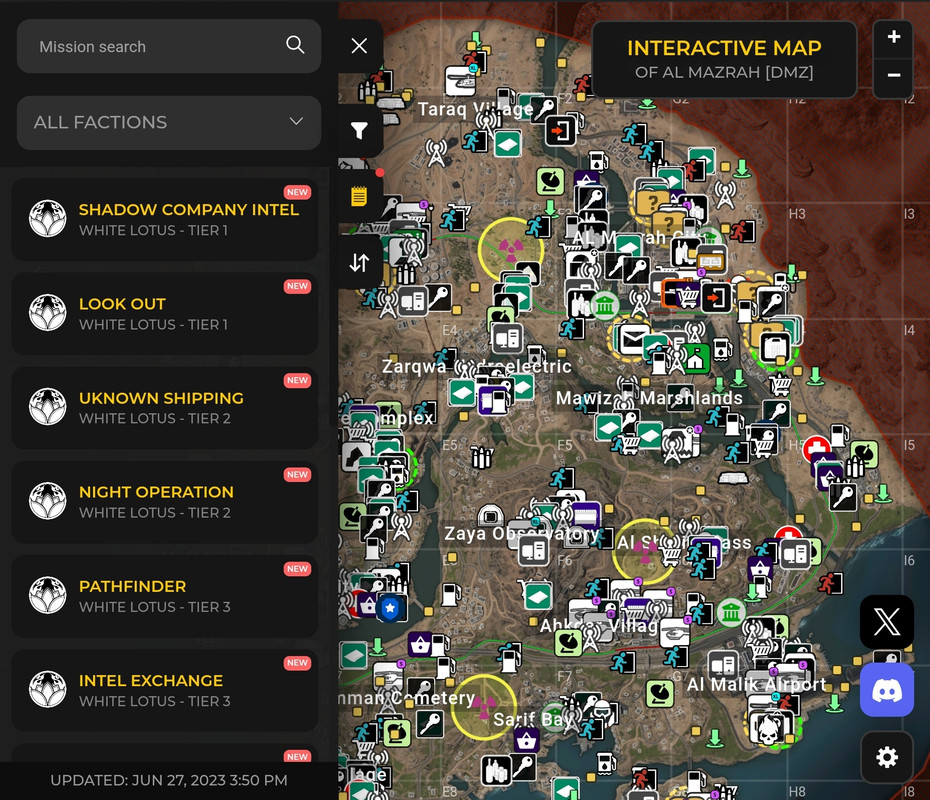
1. Can you add button of the navigation similar to what you have now So list is visble with map so list of things will be on left navigation of the screen similar to this screenshot
https://i.postimg.cc/LXm4WQpw/Screenshot-20240816-144121-Chrome.jpg
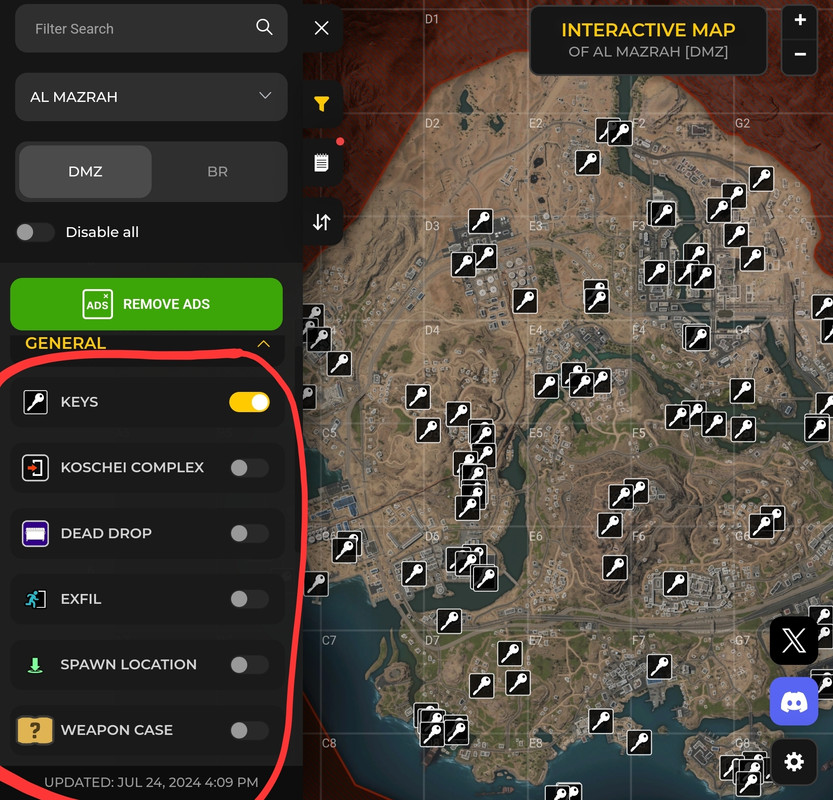
2. Is there a way I can add set of filters similar to this
https://i.postimg.cc/C1v0QFJn/Screenshot-20240816-154830-Chrome.jpg
for example
1. Weapons stash
2. Spawn location
3. Exfil location
4. Under ground bunker
I want to have filter so if player wants to see only locations of Underground bunkers they can disable other markers and only show Underground Bunkers location
Same goes for spawn locations I want to have filter optiin so tehy disable what markers they don’t want to see and only leave enabled things they want to see.
Is this possible with this?
How much would you charge to have set of filters similar to screen shot posted with switcher so players can enable what they want to see and disable things they don’t want to see.
Thank you
I see. One moment, the vision doesn’t have the zoom feature. All other stuff (list and filter) can be done for 50$, I can show an example tomorrow or after tomorrow on my site.
Yes please Im very intrested and I will I be able to add everything from admin panel? Custom icon markers I will send you website link I sent you s reenahots for. With PM I will add subject there as Spike
You can write me to avirtum[@]gmail.com. First I will create a sample, as I said above, you will test it and decide to make a deal or not. If you have any images or assets, send them to my email.
Already sent you email
Since 1.7.3 does not show on any page. Just shows shortcode. Does not work.
Hello. Is plugin active? Maybe some errors or warnings inside console?
Hi. Is there an option to rollback the plugin, because after updating to a v.1.7.3 have on page issues , have erorrs in console too many requests, the images/bloks dont want show or its very slow , or is there some way to resolve this issue? Thank you
Hi I am looking for a plugin like this. Our requirements are to 1: use our own picture (of a tree) 2: The tree would be bare, until authorized user enters information, and then a leaf would appear on the tree with their information 3: Ideally the user should be able to access a place to add their information with a qr code. (as each user would have a unique code)
Is this something that could be done with your plugin?
All the best and thanks in advance!
I see. I think that would require too many changes, so you should probably look for something else for that.
I have the paid version, but the plugin is telling me to buy the pro version. I can’t find a place to add my license. ??
Hello. Just download the new version from codecanyon and install it manually. There is no license field, the pro version is hosted on codecanyon.
If I deactivated the plugin and uploaded it again. It works. Also, I was able to a second cop of the plugin active to the site without it asking if I wanted to replace the existing copy. ??
Only one active plugin can work on the site, they cannot be activated at the same time. Just delete both and install the copy from codecanyon package. All items will remain.