WP Duplicate & Bulk Post Generator—duplicate posts/pages fast with Find & Replace and CSV/TXT bulk creation. SEO‑friendly slugs. Save hours.
Stop repeating yourself. Duplicate smarter. Create in bulk. Ship faster.
Let me tell you a quick story. It’s Monday. You need 20 similar pages and 50 new posts for your campaign. Normally, that means copying, pasting, and fixing the same words over and over. Hours vanish. With this plugin, you click once, swap the words you need, or upload a simple keyword list—and the work is done. No fuss. No repeated clicks. You keep control. You gain time.
What this plugin does
- Duplicate any post or page in seconds.
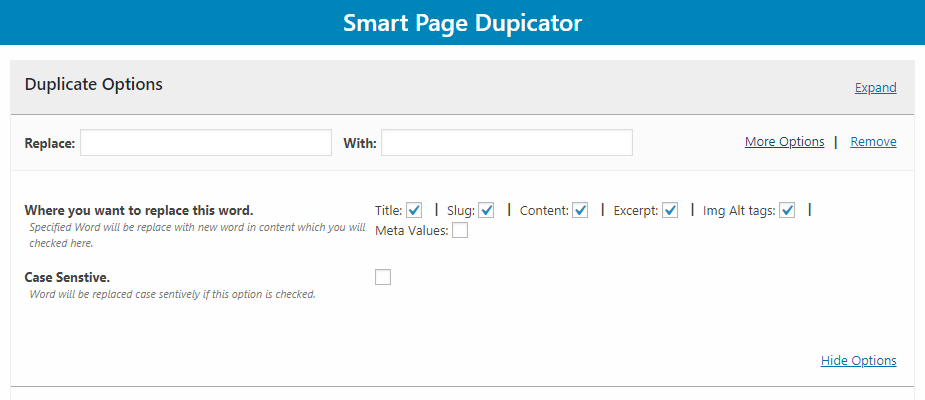
- Find & replace while you clone (titles, slugs, content, links, shortcodes, and more).
- Bulk-create posts from a keyword list (CSV/TXT, comma-separated).
- Works with posts, pages, and most custom post types.
- Beginner-friendly: clean UI, no technical setup.
- SEO-friendly workflow: update slugs, titles, and internal links as you duplicate.
⭐ Why people choose it
- One workflow, two wins: duplicate with perfect edits + generate posts in bulk.
- No more manual fixes: change names, cities, prices, URLs—during duplication.
- ⚡ Mass content, zero drudgery: 10 keywords = 10 posts. 100 keywords = 100 posts.
- Consistent results: same structure, same layout—without copy-paste mistakes.
- Made for speed: get more done today, not “someday.”
Core features (the essentials you’ll use daily)
- ⚡ One‑click duplicate for posts/pages
- Find & Replace while cloning
- Replace words, phrases, brand names, city names, prices, phone numbers
- Update titles, slugs/URLs, content, and (where supported) custom fields
- Bulk post generator from keywords
- Upload CSV/TXT with comma‑separated keywords
- Each keyword becomes a new post—automatically
- Custom post type support
- Works with posts, pages, and most custom post types (e.g., listings, portfolios)
- SEO‑smart
- Create clean slugs, keep structure, avoid duplicate content issues caused by pure copy-paste
- ️ Safe by design
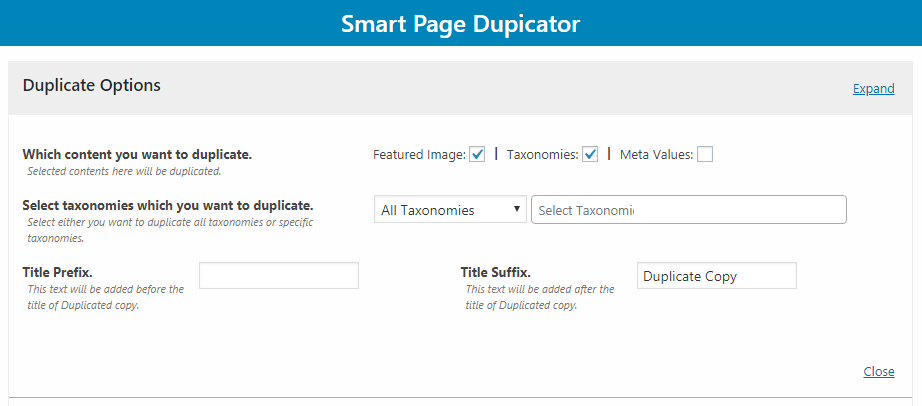
- Your originals stay intact; duplicates are created as new items
⚙️ How it works
A) Duplicate with Find & Replace (fast edits, perfect copies)
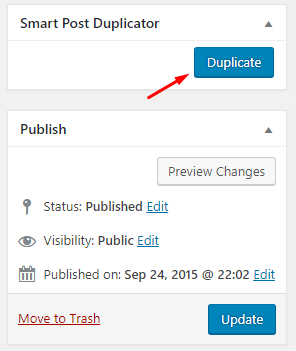
- Open any post or page you want to replicate.
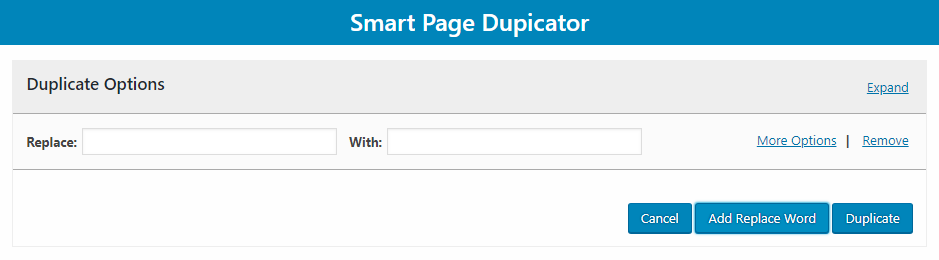
- Click Duplicate.
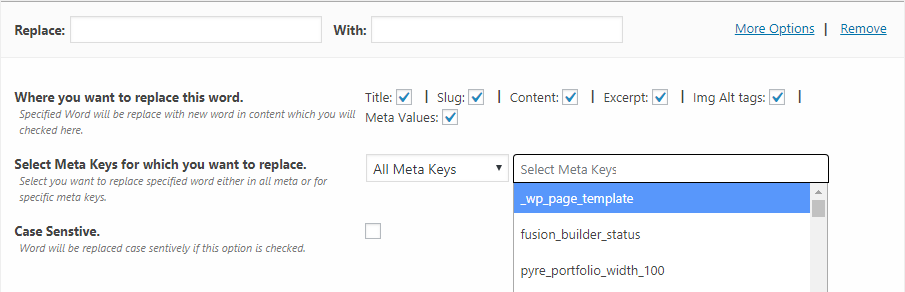
- Enter your Find & Replace pairs (e.g., “New York” → “Chicago”; “$199” → “$149”).
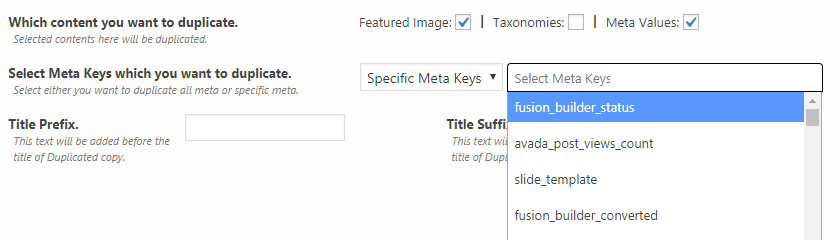
- Choose what to update: title, slug, content, and supported meta.
- Click Create. Your new post is ready—already updated.
Bulk-create posts from a keyword file
- Prepare a simple CSV/TXT file with comma-separated keywords.
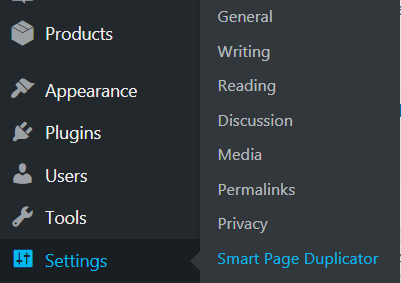
- Upload the file in the plugin screen.
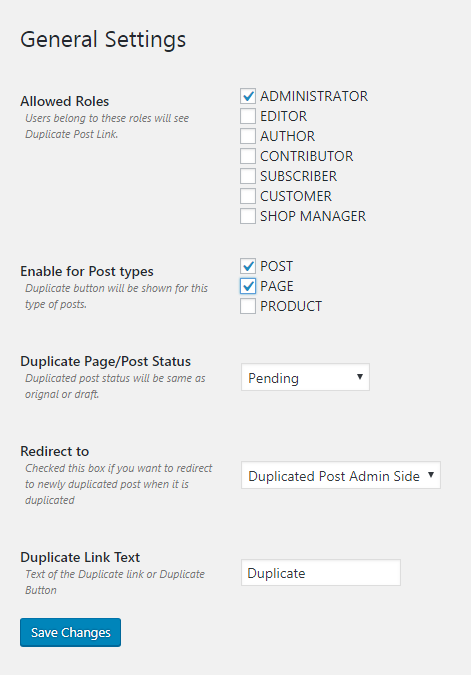
- Choose the post type (Post/Page/Custom), default status, and author.
- Click Generate. The plugin creates one post per keyword—instantly.
Real‑world use cases
- Local SEO pages: “Plumber in {City}” across dozens of cities—done in minutes.
- ️ Product/location variations: Change prices, SKUs, or regions as you duplicate.
- Landing page testing: Duplicate a winner, swap headlines and CTAs on the fly.
- Campaign bursts: Upload keywords and auto‑create posts for time‑sensitive pushes.
- Service directories and listings: Scale content without repetitive edits.
Designed for clarity and control
- Simple, clean interface: no clutter, no confusion.
- Human‑readable flows: you’ll know exactly what will change before you click.
- Works with your stack: Gutenberg or Classic; most themes and plugins.
❓ FAQ
-
Does it work with custom post types?
Yes—besides Posts and Pages, it works with most custom post types. -
Can it update titles and slugs during duplication?
Yes. You can replace text in titles and slugs, not just the content. -
Will it touch my original content?
No. Duplicates are created as new posts/pages. Originals stay untouched. -
What file formats are supported for bulk creation?
CSV or TXT with comma‑separated keywords. -
Does it copy images and formatting?
Yes. Duplicates preserve your formatting and media references from the source item. -
Is this SEO‑friendly?
Yes—because you can create unique titles, slugs, and content while you duplicate or generate. That helps avoid thin/duplicate content pitfalls.
✨ What you’ll feel after installing it
- A clear plan: duplicate what works, change what matters.
- Less busywork: your day isn’t eaten by copy‑paste.
- More output: new posts and pages live faster.
- Peace of mind: clean slugs, correct names, no sloppy errors.
Summary (so you can decide fast)
- Duplicate Post/Page with Find & Replace: change titles, slugs, content as you clone.
- Bulk Post Generator: upload a CSV/TXT keyword list and auto‑create posts.
- Simple, fast, SEO‑smart: scale content without the grind.
If you’re tired of repeating yourself, this is your shortcut. Install it, run it once, and feel the difference today.
It depends upon your requirements how you will use this plug-in. On users valuable feedback we will make it more better in latest versions.
Change Logs
1.2.8– 09 August 2025
-Fix: duplicate post status.
-Fix: slug replace word
1.2.7– 05 June 2025
-Fix: Minor bugs
-Compatibility Check: Verified with WordPress 6.8
1.2.6 – 07 Jan 2025
- Fix: Added support for the latest WordPress version.
1.2.5 – 11 Aug, 2023
-Fix: slug find and replace
1.2.3 & 1.2.4 – 18 Oct, 2022
-Add: Bulk post duplicate option
-Add: Comma separated search replace option
-Fix: Elementor page duplicate issue
1.2.2 – 28 July, 2022
- Add: Support for Elementor
1.2.1 – 04 Jan, 2022
- Add: Support For PHP 8
1.2.1 – 20 Nov, 2021
-Fix: Minor bugs in backend
-Add: License Verficaion for codecanyon
-Add: Support Pages in the plugin
1.1.0 – 12 Jan, 2019
- Compatibility with WordPress 5.0
- Compatibility with Gutenberg
- Add Actions and filters for customization
1.0.0 – 14 June, 2018
- Initial Release