Enhance your WooCommerce Smart Coupons – Extended Coupon Generator with this powerful extension, designed to enable seamless generation and import of large-scale coupon batches—perfect for handling volumes in the millions. Ideal for businesses looking to streamline bulk coupon management while maintaining efficiency and precision.
Key Features:- Effortless generation of bulk coupons in quantities ranging from thousands to millions.
- Seamless import of pre-existing coupon data using CSV file for streamlined management.
- Optimized performance to handle high volumes without compromising speed or reliability.
- Perfect for large-scale promotions.
How To Install
- Download the .zip file from your CodeCanyon account.
- Go to: WordPress Admin > Plugins > Add New and Upload Plugin with the file you downloaded with the Choose File button.
- Install Now and Activate the plugin.
Important Note
This plugin serves as an extension to the base plugin Woocommerce Smart Coupons – Extended Coupon Generator. Please note that the base plugin, WooCommerce Smart Coupons – Extended Coupon Generator, is required for this extension to function. To use this plugin, ensure that the base plugin is purchased, installed, and activated. Without the base plugin, this extension will not operate.
Usage
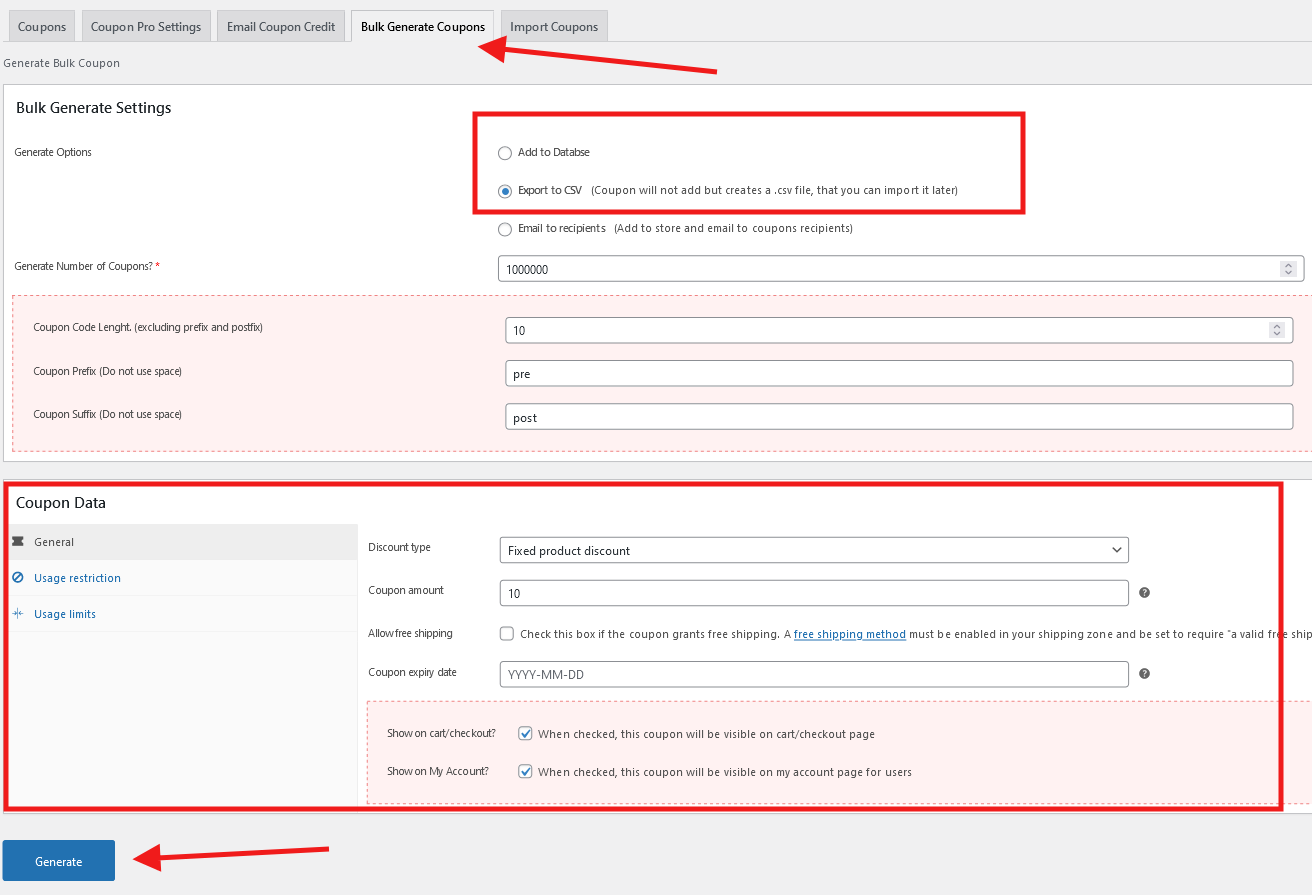
Go to the WooCommerce Coupons page inside the admin panel and click on the “Bulk Generate Coupons” tab. Select the “Add to Database” or “Export to CSV” option and configure the coupon data below. After that, click on the “Generate” button:
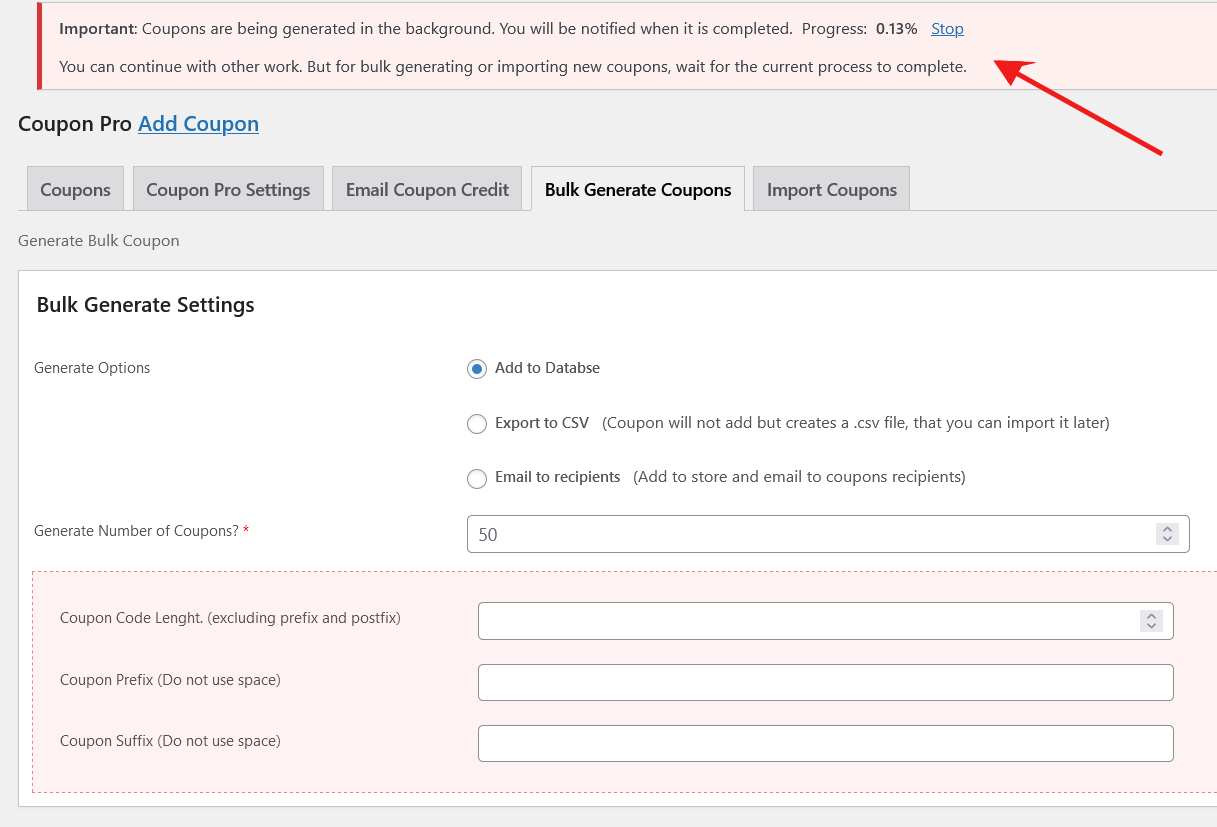
The coupons will start to generate in the background and you will see the progress at the top of the page:
Once, the export is complete, you will be notified in the same way.
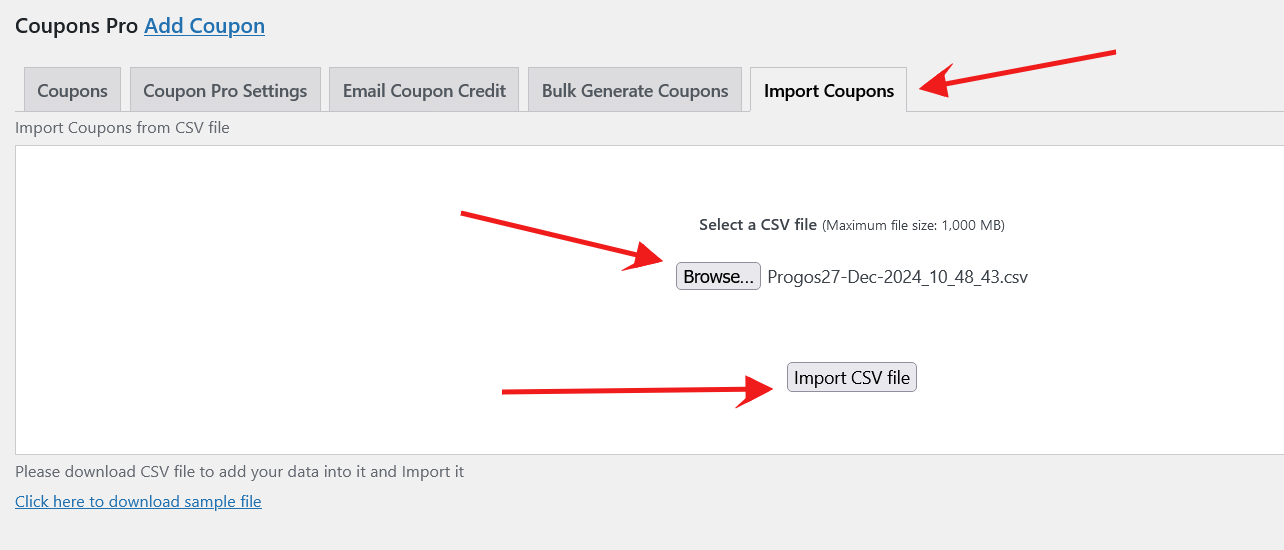
To import the coupons using the CSV file, go to the “Import Coupons” tab. Click on the “Browse” button and select the CSV file:
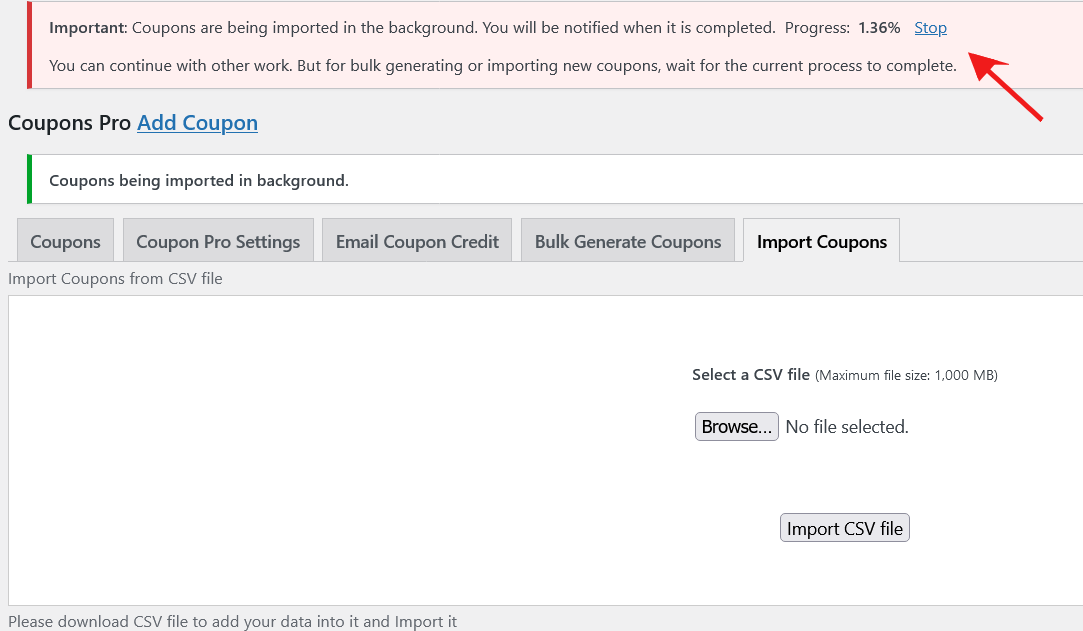
The coupons will start to import in the background and you will see the progress at the top of the page:
Once, the import is complete, you will be notified in the same way.
Please note that you can only run one process of import or export at a time. You can not run multiple import or export (or both) processes at the same time. Wait until one process is complete and you can run another after that.
Request a Feature
Please contact our support team at support@progos.org to request another feature or any customization.
Read our blog posts about this plugin here: Smart Coupons
Changelog
Version 1.0.0
* Initial Release.