SecureEntryHub
Enterprise-Grade Security Operations Center (SOC) Frontend Template
28 Security Modules | Mock Data Layer | Backend-Ready Architecture
View Live Demo⚠️ Please Read Before Purchasing
- This is a React front-end template. It includes client-side code only (React, TypeScript, Tailwind CSS, Vite).
- No backend, server, database, or authentication service is included. All data is simulated using a built-in mock data layer.
- Authentication in the demo is hard-coded for evaluation purposes. You must integrate your own auth provider (Firebase Auth, Supabase, Auth0, etc.) for production use.
- The term “production-ready” refers to the completeness of the UI, module architecture, and code quality — not a plug-and-play SaaS with a live backend.
- Third-party tool names (Splunk, CrowdStrike, etc.) illustrate UI screens and mock workflows only. No real API connections are included.
- This template is ideal for: demos, training environments, portfolio projects, prototyping, and as a starting point to build your own SOC platform by connecting your backend.
What You Get
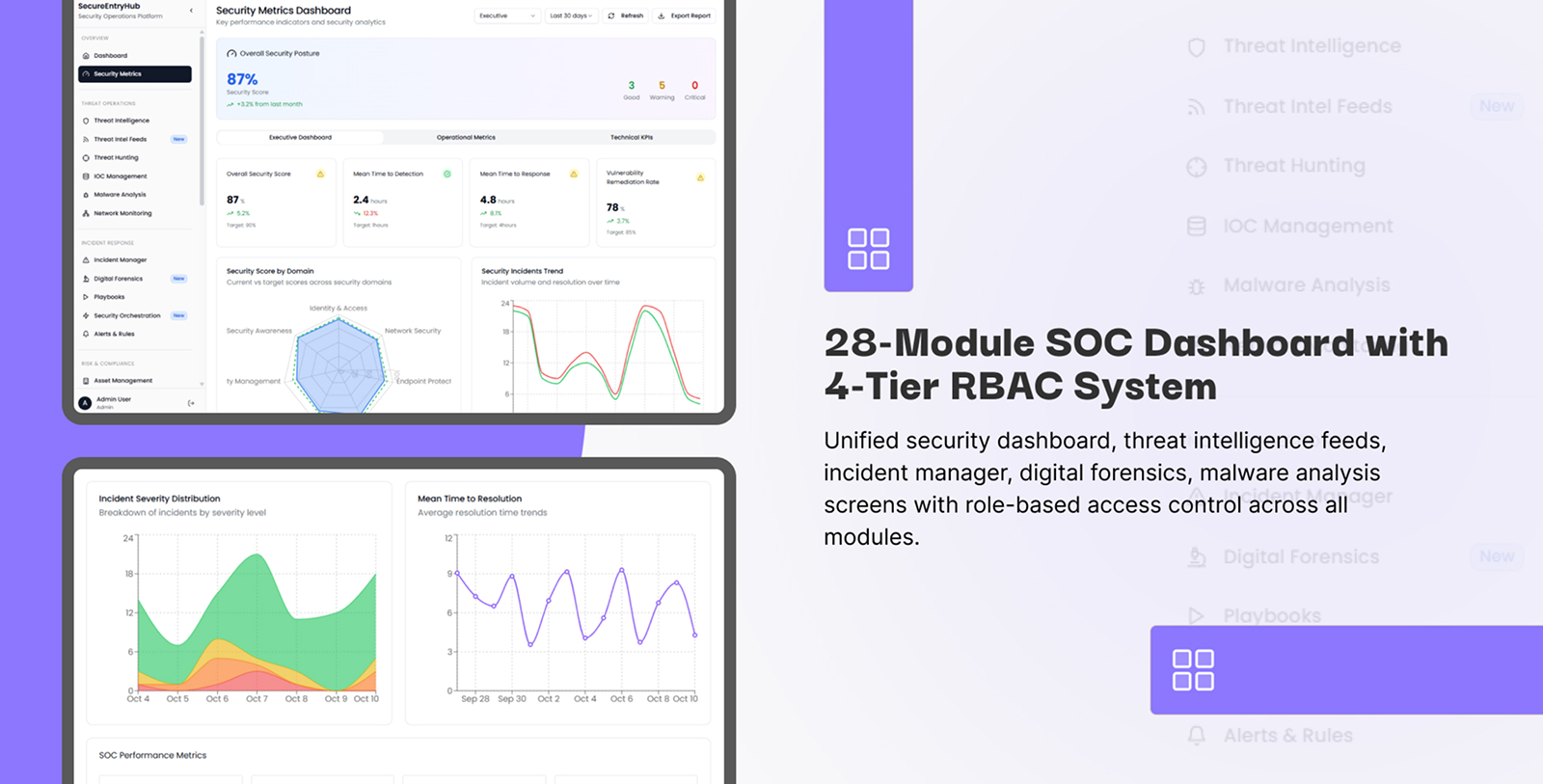
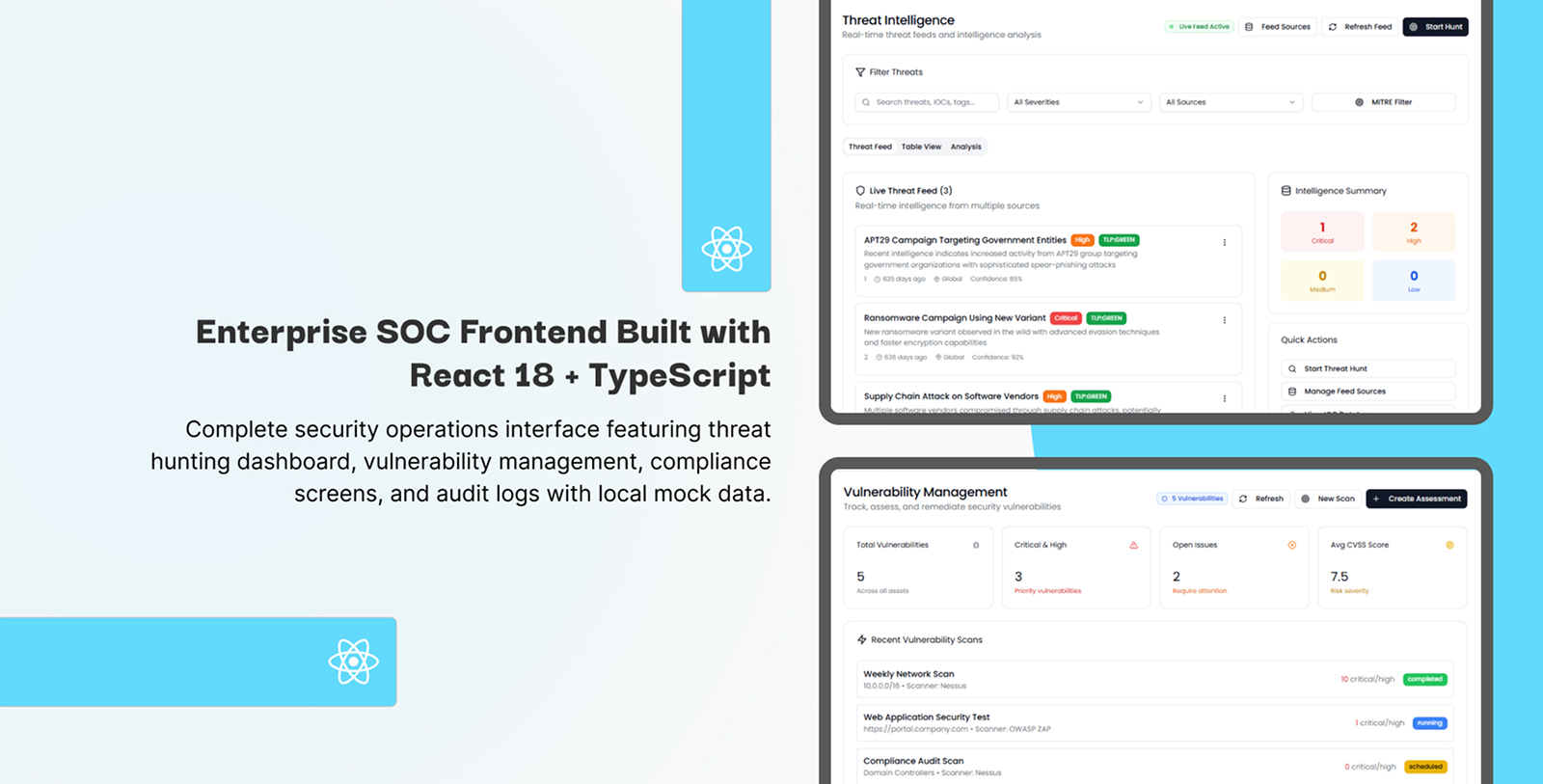
SecureEntryHub is a modern React + TypeScript Security Operations Center (SOC) frontend template with 28 specialized security module UIs. Built for developers, cybersecurity consultants, MSSPs, and teams who need a complete, polished frontend to build on — without starting from scratch. Every module is fully designed and wired to a local mock data layer so you can run the full demo instantly without a backend.
Connect your own REST API, GraphQL service, Firebase, or any backend to replace mock data and go live. The architecture is designed for clean separation between UI and data layer, making integration straightforward.
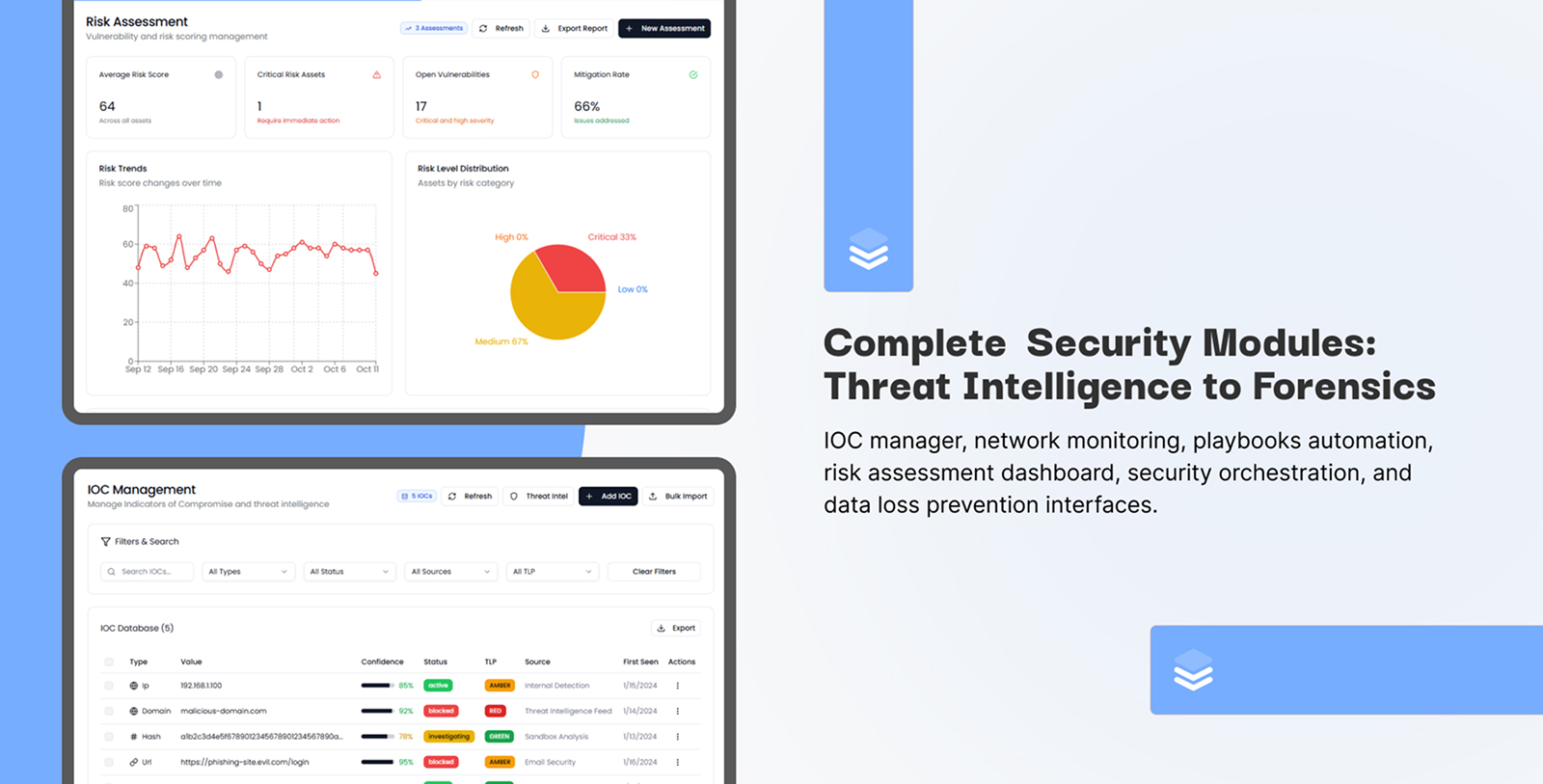
28 Security Module UIs Across 10 Categories
- Threat Intelligence & Analysis – Feed dashboards, IOC tables, enrichment views
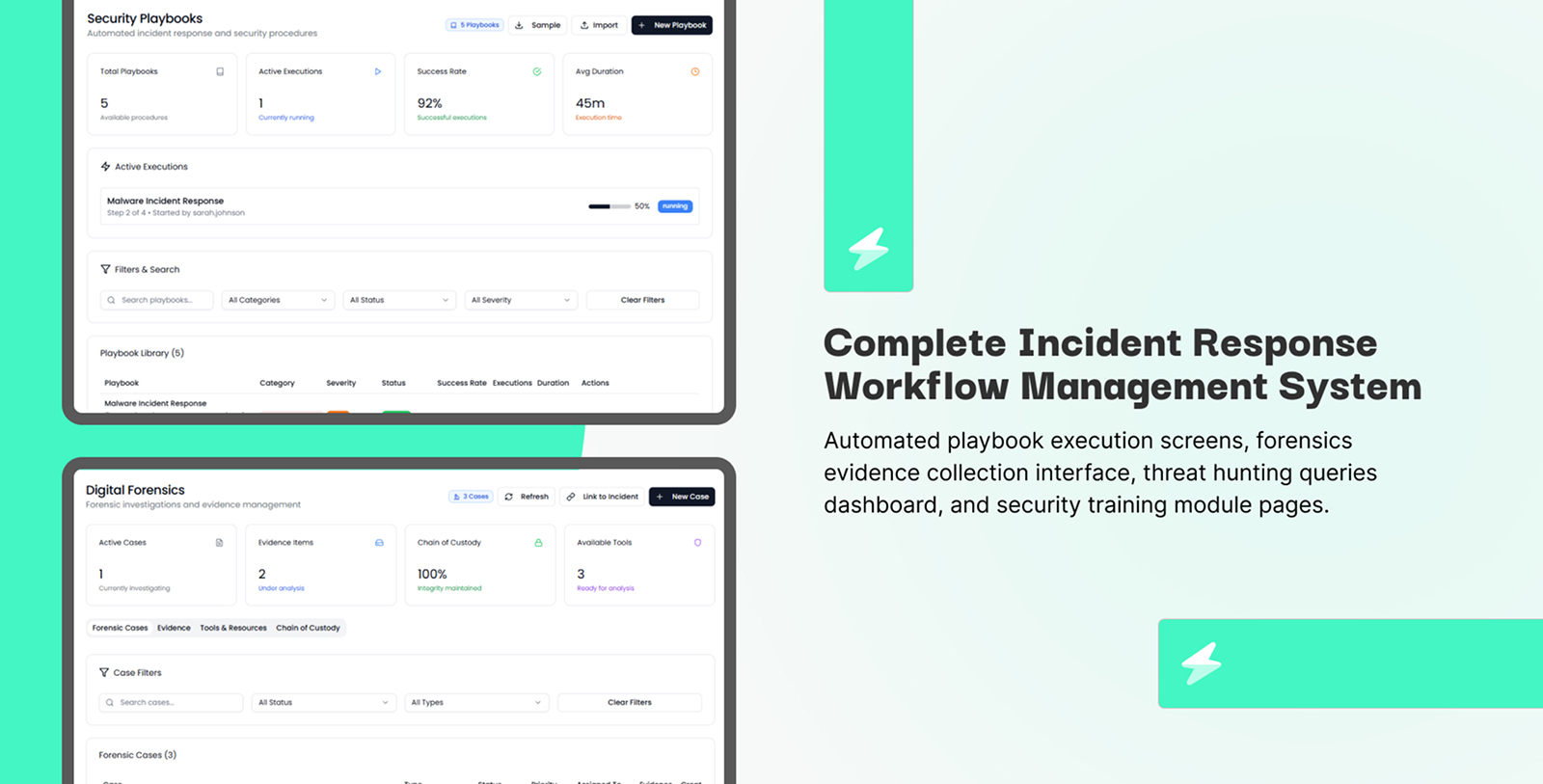
- Incident Response & Management – Lifecycle tracker, playbook UI, case management
- Digital Forensics & Malware Analysis – Evidence viewer, analysis workflows, custody log UI
- Alert Detection & Correlation – Alert queue, rule builder UI, multi-source correlation view
- Threat Hunting & APT Detection – Hunt workspace, behavioral timeline, threat tracker
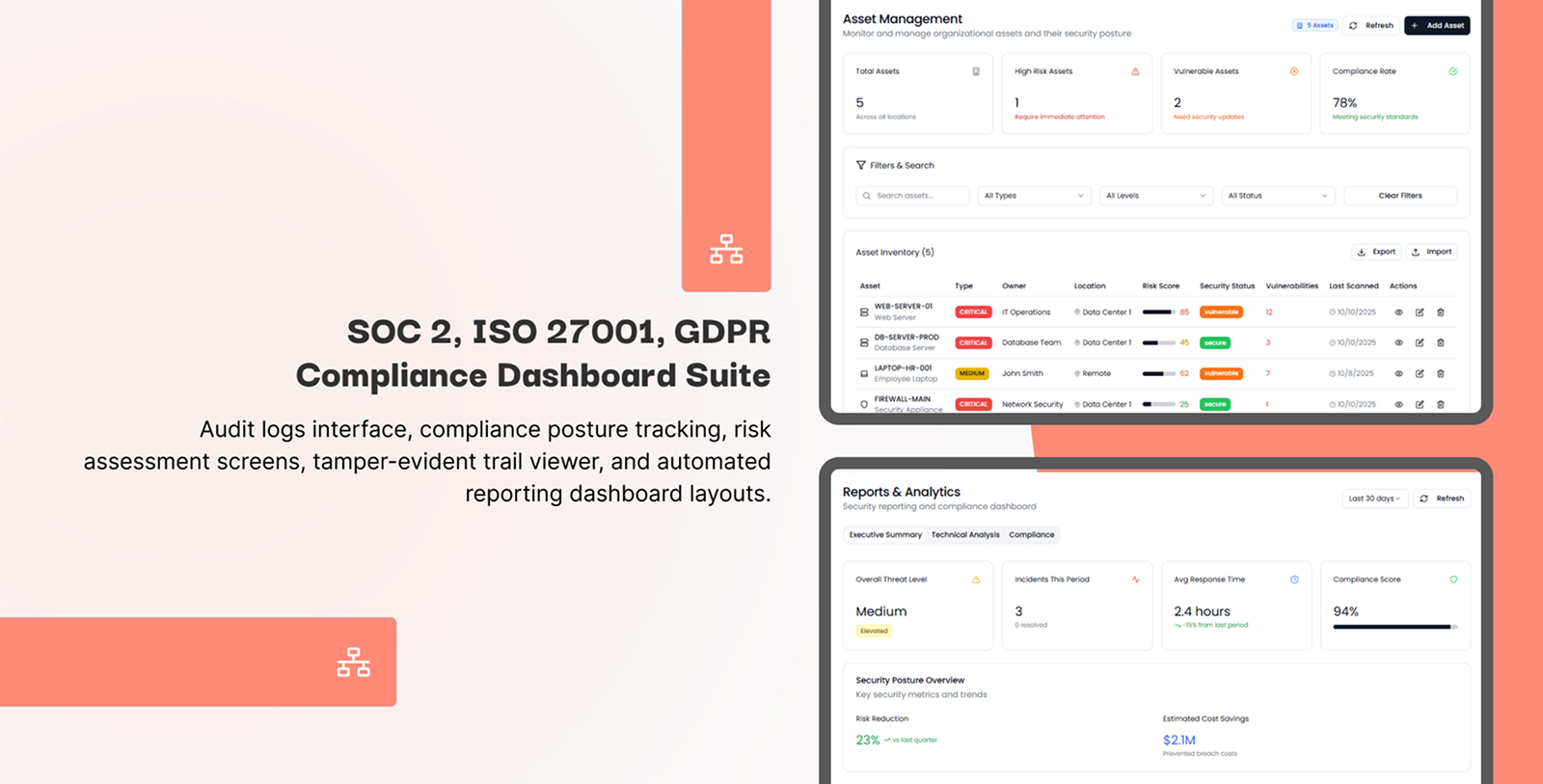
- Compliance & Risk Management – SOC 2, ISO 27001, NIST, GDPR report UIs
- Vulnerability & Asset Management – Asset inventory, vulnerability list, remediation tracker
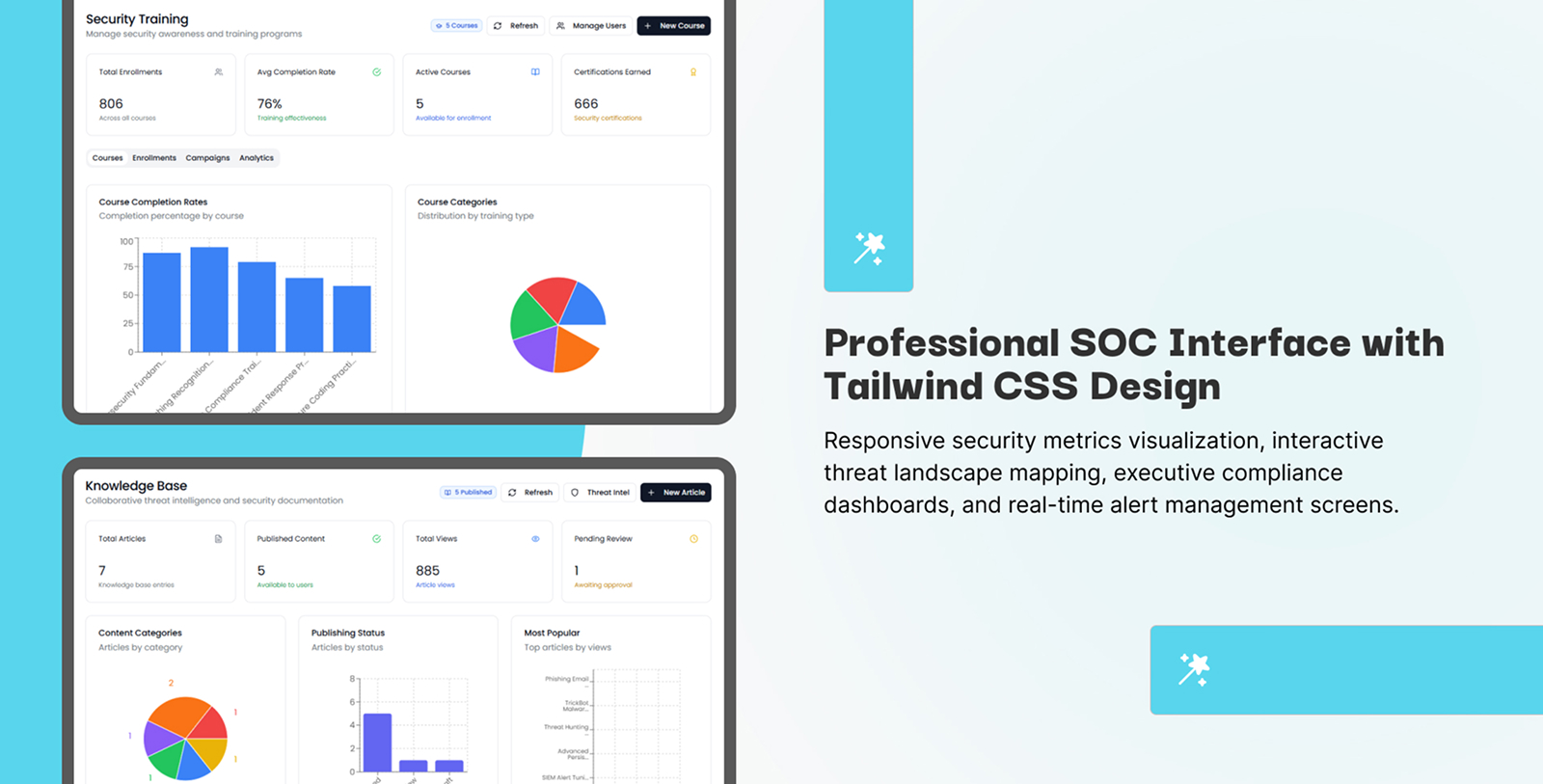
- Security Awareness Training – Course management, competency tracking, certification views
- Access Control & Administration – Role management UI, audit trail viewer, user lifecycle
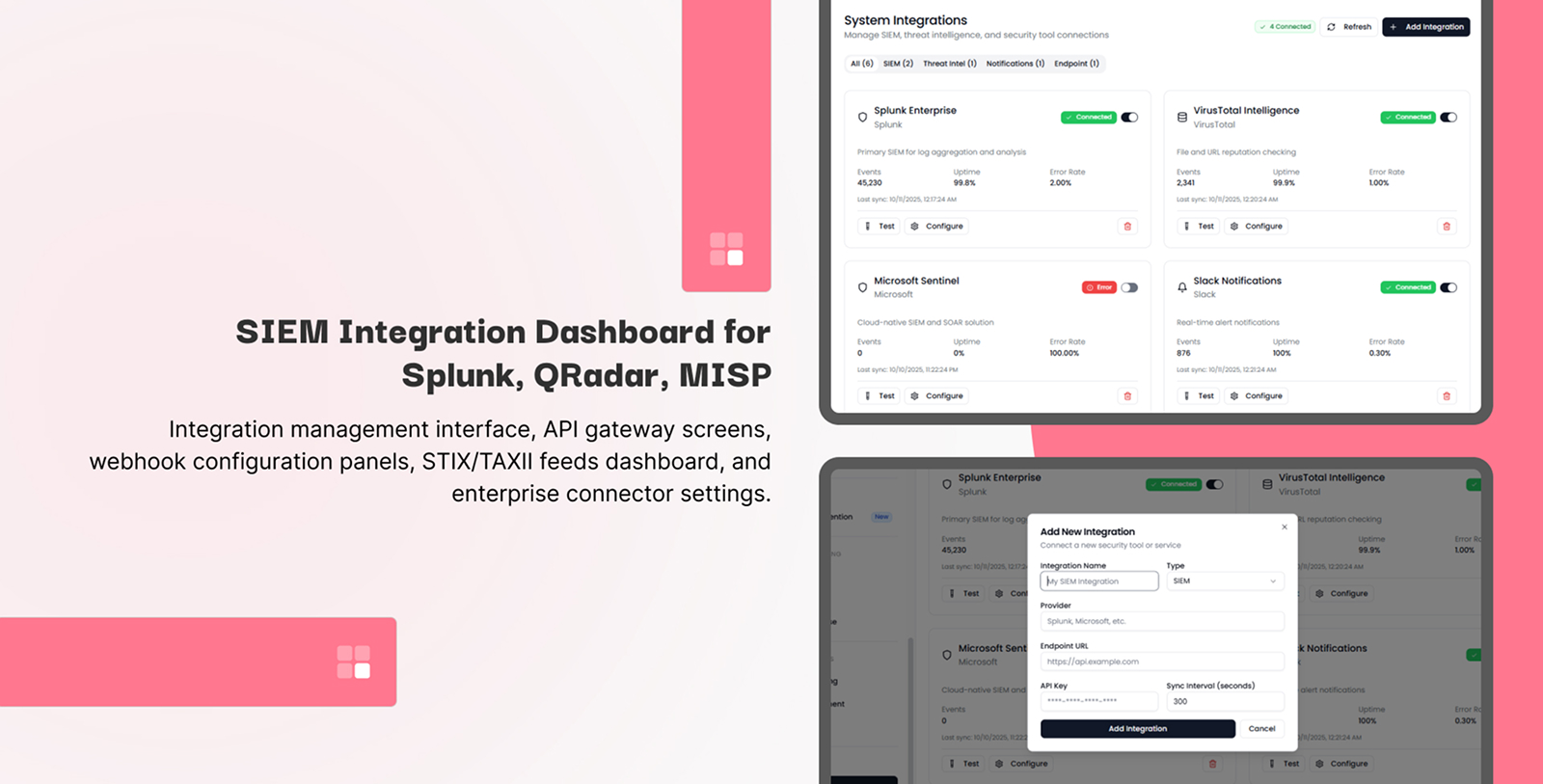
- Enterprise Integration & SOAR – Integration dashboard, webhook config UI, connector screens
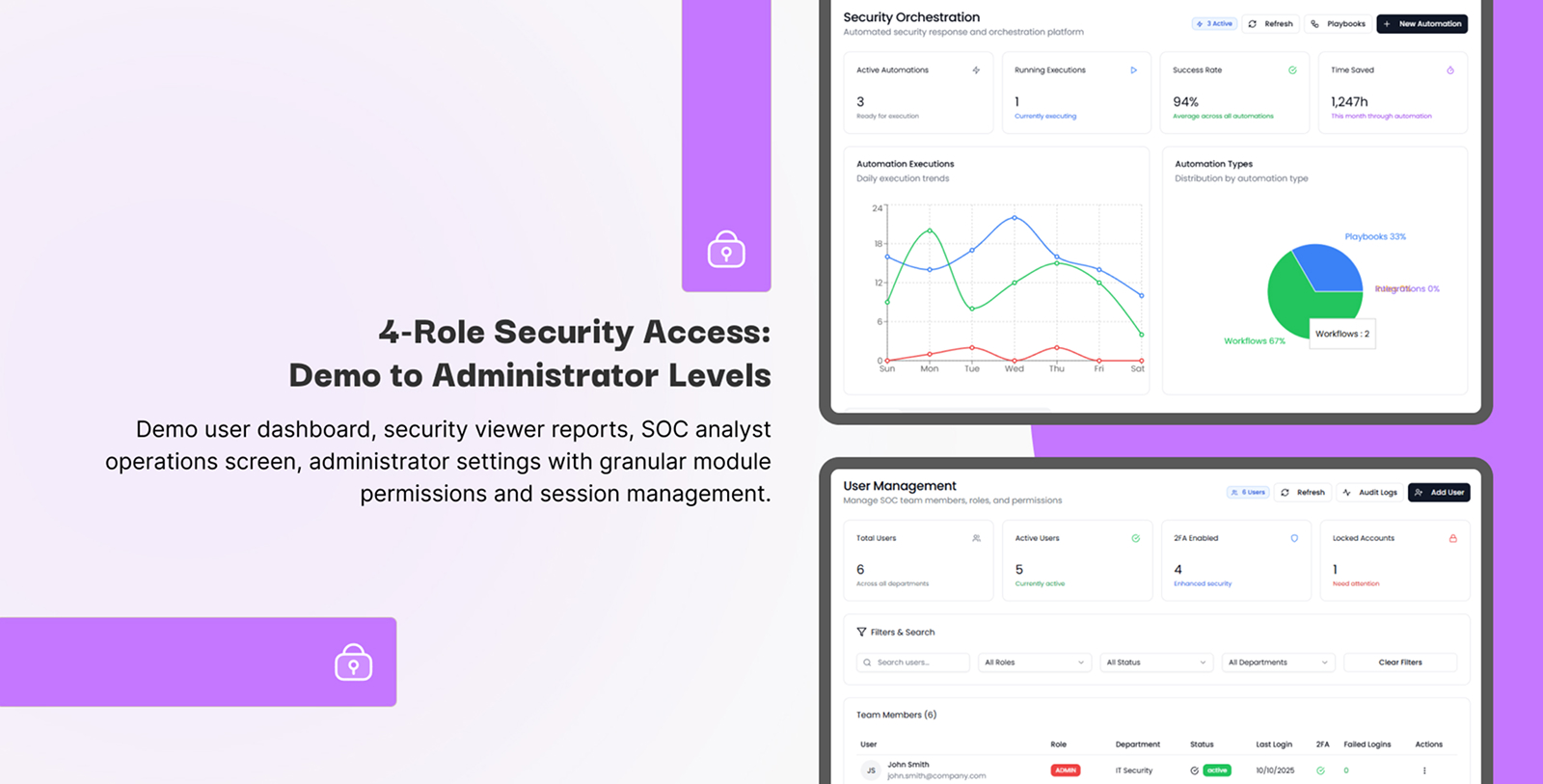
Role-Based Access Control (4 Demo Roles)
The demo ships with 4 hard-coded roles for evaluation. Role logic is centralized in the codebase and can be refactored to connect to your own auth and permissions backend.
| Role | Module Access | Demo Purpose |
|---|---|---|
| Demo User | 8 modules | Limited evaluation access |
| Security Viewer | 9 modules | Read-only reporting view |
| SOC Analyst | 21 modules | Full operations access |
| Administrator | 28 modules | Complete platform access |
Technology Stack
- React 19 with modern concurrent rendering
- TypeScript — full type safety across all 28 modules
- Tailwind CSS — utility-first, fully responsive design
- Vite — fast development and optimized production builds
- Mock Data Services — structured local data simulating enterprise security datasets
- Local Storage — demo persistence (replaceable with your database)
Use Cases
- SOC Platform Development: Use as your frontend foundation and connect your own backend
- Team Training: Hands-on security operations training with realistic UI
- Client Demos: Show stakeholders a complete SOC workflow without live data
- MSSP Presentations: Demonstrate platform capabilities to prospects
- Prototyping: Rapidly prototype and validate SOC tool concepts
- Portfolio Projects: Showcase a full-scale security platform UI
Installation & Setup
Prerequisites
- Node.js v18+ (LTS recommended)
- npm v8+ or yarn v3+
- Modern browser: Chrome 90+, Firefox 88+, Safari 14+, Edge 90+
Step 1: Run the Demo
npm install
npm run dev
Application launches at http://localhost:5173 with all 28 modules running on mock data.
Step 2: Demo Login Credentials
These are hard-coded demo credentials for local evaluation only. They are not connected to any auth service.
| Role | Password | |
|---|---|---|
| Admin | admin@entryhub.local | Admin@123456 |
| Analyst | analyst@entryhub.local | Analyst@123456 |
| Viewer | viewer@entryhub.local | Viewer@123456 |
| Demo | demo@entryhub.local | Demo@123456 |
Step 3: Connecting Your Backend (Integration Guide)
The mock data layer is located in src/services/mock/. Replace any mock service file with your real API calls (REST, GraphQL, Firebase, Supabase, etc.) to go live.
No architectural changes are needed — the UI components consume data through service interfaces, not hard-coded values.
Example: Connecting Firebase Auth
The demo auth is hard-coded and local. To connect Firebase Authentication, install the Firebase SDK and replace the auth service layer with your Firebase config.
A sample firebase.config.ts template is included in the docs/ folder as a starting point.
npm install firebase
Step 4: Integration-Ready UI Screens
SecureEntryHub includes pre-built UI screens and mock workflows designed around industry-standard security tools. These are frontend interfaces only — no live API connections are included out of the box. You can wire these screens to real APIs from tools such as:
- SIEM: Splunk, QRadar, ArcSight, Elasticsearch — UI screens ready for API integration
- Threat Intelligence: MISP, ThreatConnect, Anomali, AlienVault OTX — feed display UIs included
- Endpoint Detection: CrowdStrike, SentinelOne, Carbon Black, Tanium — alert and endpoint UIs included
- Vulnerability Management: Nessus, Qualys, Tenable, Rapid7 — scan result and remediation UIs included
Connect these by replacing the corresponding mock service in src/services/mock/ with your real API client.
Step 5: Build & Deploy
npm run build
npm run preview
-
Firebase Hosting:
firebase deploy - Vercel: Push to GitHub, connect Vercel, auto-deploy
-
Custom Server: Copy
dist/folder to Apache/Nginx webroot
FAQ
Q: Is this a live SOC platform or a frontend template?
A: It is a frontend template — a complete, fully designed React application running on mock data. You connect your own backend to make it live.
Q: Is authentication included?
A: The demo uses hard-coded local credentials for evaluation. To deploy with real users, integrate your preferred auth provider (Firebase Auth, Supabase, Auth0, etc.).
Q: Can I customize roles and permissions?
A: Yes. Role logic is centralized in the codebase. You can modify role definitions and wire them to your own backend permissions system.
Q: Are the third-party integrations (Splunk, CrowdStrike, etc.) actually connected?
A: No. These are UI screens with mock data showing what integration dashboards look like. You connect real APIs by replacing mock services with your own API clients.
Q: What data storage is used?
A: Demo mode uses browser local storage with mock data. For production, connect Firestore, PostgreSQL, or any backend of your choice.
Q: Does it work offline?
A: Yes — the demo runs fully offline on mock data. Production deployments with real APIs require internet connectivity.
Q: Can I white-label this?
A: Yes. Customize app name, logo, and brand colors through the theme and config files included in the source.
Q: What compliance frameworks are shown?
A: The UI includes screens for SOC 2, ISO 27001, NIST, and GDPR reporting workflows — all populated with mock data as demonstration UIs.
React 19 • TypeScript • Tailwind CSS • Vite • Mock Data Layer
Live Demo
Keywords: SOC platform frontend, cybersecurity dashboard template, incident response UI, threat intelligence React template, security operations admin template, SIEM dashboard UI, React TypeScript admin template