36 comments found.

Hello, please send me the code to fix menu to the top please.
Hello, you can find it below:
Below code change makes Ruby Menu fixed on scroll:
Put below code into your ruby-main.css:
.ruby-wrapper.fix-on-scroll { position: fixed; top: 0; width: 980px; margin: 0 0 0 -490px; left:50%; }
Put below code into ruby-main.js:
$(window).scroll(function(){
  if ($(window).scrollTop() >= 50) {
    $("#fixed-on-scroll").addClass("fix-on-scroll")
  }
  else {
    $("#fixed-on-scroll").removeClass("fix-on-scroll")
  }
});And finally in your html, change < div class=”ruby-wrapper” > with this < div class=”ruby-wrapper” id=”fixed-on-scroll” >
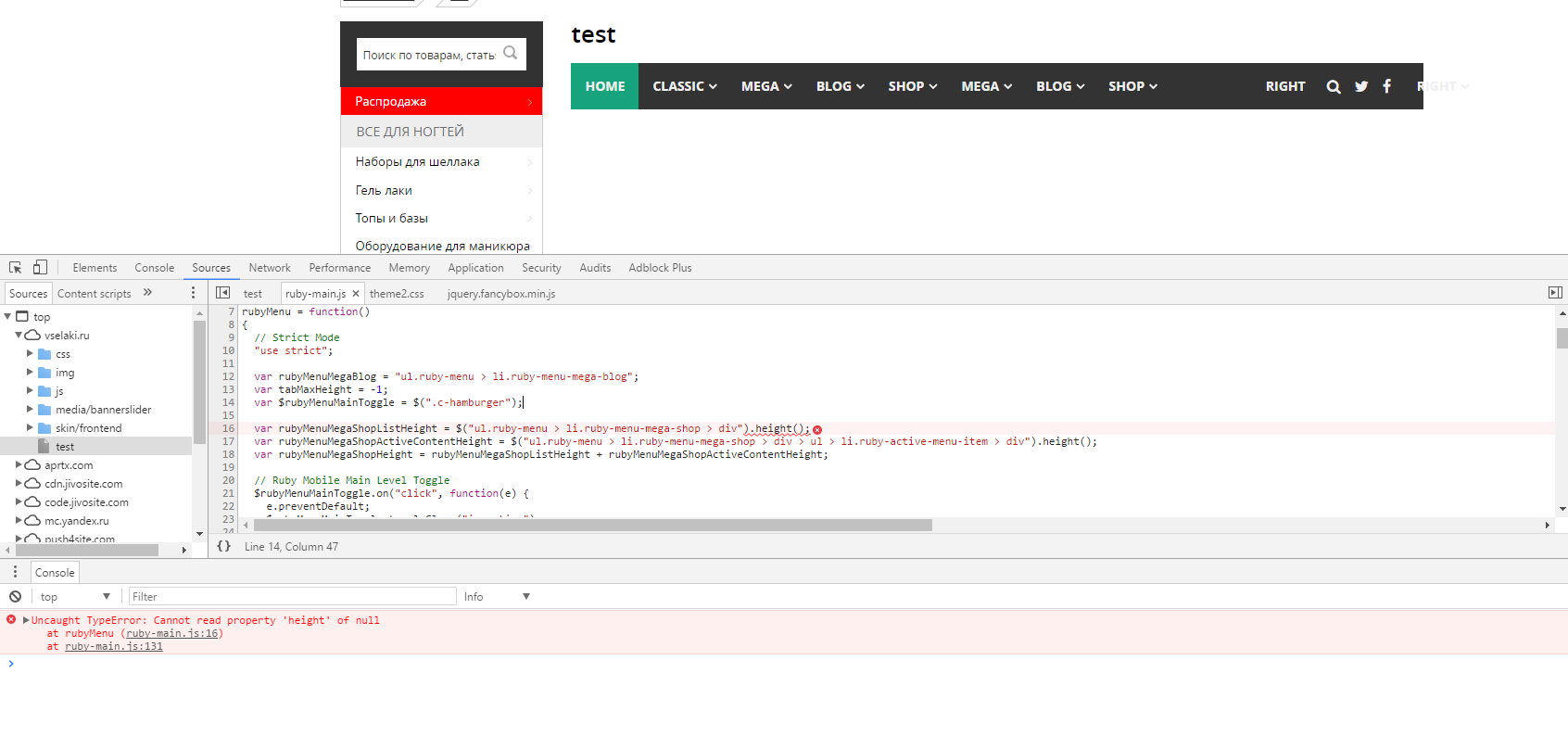
Thanks for such quick reply! One more question – why can this happen? http://c2n.me/3JMy77i.png We have also Prototype installed as part of our CMS, maybe it’s because of it?
Your welcome. I am not good at javascript, but calling height of the element seems empty. I couldnt get it
Figured it out, and looks like you have a bug – instead of rubyMenu(); in the end of JS file, you should write jQuery( document ).ready(function() {rubyMenu();}); otherwise, i’ve got zero height for shop block all the time.
Other than this, great product!
Wow, that is a good info. Thank you very much for your feedback. Hope you like the menu in the end
Hi, does this allow multiple instances, i.e. a horizontal and a vertical menu on the same page?
You can use one horizontal menu and one vertical menu in the same page. But only one of them will be visible at mobile view at your own preferance
Thank you for the response!
I have sent emails but have not received any reply for the issue in menu. Can I expect your reply sooner? Thank you…
Dear Sir,
It has been really long time since I have posted my issue. Kindly reply fast.
Thanks a lot.
Hello again, I am so sorry about my late response. I was extremely busy. If you could give me your ftp details by email, I will try to solve your issues within today. Thank you for your patience
”...I would like to know if this menu can be fixed at top and then scrolling to some point and shows up as a sticky simplified menu effect….” Hello, you confirm for me that you can do this? Thank you
Hello, i can give you instructions to do it, it is simple. Before purchasing, let me send you the instructions to your email. If you think that you can do the things in the instruction, then you will decide
Can you please write your email?
I ordered the software. You can now give me instructions to fix the menu at top when scrol the page. Thank you
Hello Sergio,
I am on a vacation right now. I will give you the instructions within 24 hours. Can you write me your email?
Hello, I sent you my email, but I have not received a reply yet
in your previous post you said that you answered within 24 hours … this did not happen … the seriousness of a seller is also measured by this.
Hello again, I am so sorry for the inconvenience. I had been through some tough days. Could you please change < div class=”ruby-wrapper” > with < div class=”ruby-wrapper” id=”fixed-on-scroll” > and let me know if this will work or not. (i.e. add id=”fixed-on-scroll” to that div)
@brienlabs
Hi.
I would like to know if this menu can be fixed at top and then scrolling to some point and shows up as a sticky simplified menu effect.
Good job.
Thank you.
Hi, yes i have made that modification, please send me your email adress so i will give you the instructions
Instructions have been sent to your email
Great code! saved me a loooot of time!
Works well!
One Question left:
Would you have a nice way to make the menue sticky on top?
There is a way for sticky feature, i am on a vacation right now, i will inform you
Give me your mail adress and I will send the code for fixed header
Thank you very much!
works well!
Great support!
.....
I’ve added a z-index: 99999 in order to not let the slider cover the menu.

Your welcome!
I purchased. i emailed you to know more about adding the menu in my site.Please help me.
Thanks.
Hi there, answer is emailed to you. Have a nice day!
Nice work.
Thanks!
Adobe Muse is not a CMS, it does not generate dynamic web pages, it does not use templates, neither work with a database it just creates HTML pages and uses “Master Pages” where you include common items to different pages, like the menu item.
How do you edit the menu items? do you have to manually edit code?
You have to edit manually, thank you for the information about Adobe Muse, since selling items on Envato is a hobby for me, I do not have widespread information. I had always thought that Muse is some type of framework or cms
how is this integrated into a website? Is it possibe to use with Adobe Muse?
Hello, this is a html menu, so you need to copy paste menu html into your existing webpage. However, this method won’t work for most of the content management systems. One need to know how to integrate it, because every cms has different templating, and unfortunately this is out of our scope.
Great work:)
Thanks!
Hi. Could you tell me if the top level text can also be hyperlnks? I see on a mobile you get the black side arrows downward. Does that mean the text on the right can be links to pages? So they can tap the text to go to the page, or the downarrows to expand?
Hi there.
Yes, they can be hyperlinks. When you click arrow, submenu expands, but when you click the text, it opens the link url
very nice, fantastic work ! i wish you all the best for your upcoming sales 
Thank you so much
Great work, GLWS!
Thanks! (:
Interesting Work! Congratulations
Thanks a lot

This item was featured on CodeCanyon
Contact the Envato Market Help Team