

Quick Order for WooCommerce
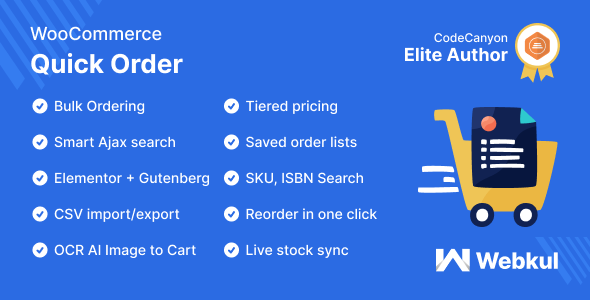
Quick Order for WooCommerce facilitates buyers to quickly purchase a bulk number of different products without visiting every product page. It is designed to reduce the number of steps required to place an order and allow customers to add products quickly.
It provides the most convenient steps for a wholesaler to place orders with an autocomplete search box and displays the auto-suggestions for products. When customers enter the product’s name into the field, it helps to pick up items instantly. Additionally, this allows customers to import CSV files to add a bunch of products to a cart.
WooCommerce Quick Order plugin enhances the overall shopping experience for your customer by adding a simple, intuitive way to purchase your products.
Note –
Quick Order for WooCommerce now supports the WordPress Block Editor (Gutenberg) with a dedicated Quick Order Block and an Elementor widget, making it easy to add the Quick Order form to any page with drag-and-drop.
The plugin is compatible with Multisite, HPOS, and Cart/Checkout blocks. Does not support External/Affiliate and Grouped product types.
This plugin is now compatible with Cart and Checkout blocks and High-Performance Order Storage (HPOS).
Check how to activate your WooCommerce plugin through the purchase code and How do you get updates on Webkul Modules directly on the Plugins page.
Video Preview
Why Use B2B Quick Order Plugin for WooCommerce
Support
Dear Customers, if you have a question/query, please raise a ticket at webkul.uvdesk.com. We will do our best to answer as quickly as it is possible. Do not give us a low rating without contacting support about the issue you have faced. We are always happy to help you.
Features of Quick Order for WooCommerce
- Allow customers to purchase products from a single page.
- The admin can allow the customer to view an empty set of fields while quickly ordering the products.
- Auto-suggestion along with AJAX search to find the product quickly.
- One click action to add multiple products to the shopping cart.
- CSV import feature to add a bunch of products in one go.
- Customers can search for a product using the product name.
- Update product quantity on the quick order page.
- Add multiple different products to quick order.
- Select variable product options such as – color, size.
- The customer can add additional rows as needed.
- Save Quick Order rows as reusable lists and reorder past orders in one click from My Account.
- Tier-based bulk discounts by total units, distinct line items, or cart subtotal.
- Search products using GTIN, UPC, EAN, ISBN — not just name or SKU.
- Live stock column showing real-time availability when product is added.
- Export current Quick Order rows as a CSV file.
- AI-powered OCR product search using Gemini model.
- Redesigned settings page with 6 organized tabs for easy management.
- Modern modal dialogs replace browser pop-ups.
Business Use
This plugin is convenient for customers to purchase bulk products from different sellers with a single click. There is no need to visit each product page to buy it.
It is also beneficial to search for any of the products with auto-suggestions. Customers will receive complete product information after entering the product name.
This module allows customers to import CSV files for adding bulk products to the cart. It helps to get the product details and buy products from different sellers.
This plugin makes the shopping process easy for the customers.
ChangeLog
"Initial release v 1.0.0", "Current release v 2.2.0 (29 July 2026)"
2.2.0 (2026-07-29)
Fixed: OCR now reads product details from PDF files, not only from images.
Changed: Removed the Midnight color palette from the Appearance presets.
Changed: The saved-order Quick Order button now opens inside the order View popup.
Improved: The Appearance live preview stays in view while you edit colors and button styles.
Improved: Added help tips to the Appearance button typography settings.
Updated: Tested with WooCommerce 10.9 and WordPress 7.0.
Added: New "Empty the Cart first" checkbox clears existing cart items before adding a Quick Order — on both the Quick Order page and the saved-order popup.
Added: The empty-cart checkbox text can be reworded from the Frontend Labels tab.
Added: Set default products that pre-fill the Quick Order table when blank rows are turned off.
2.1.0 (2026-07-01)

Fixed: Security nonce verification has been hardened across Quick Order requests.
Fixed: Variable product sale prices now display correctly in search results and variation rows.
Fixed: Appearance presets (including Midnight) now render correctly on the front-end shortcode.
Fixed: Appearance preset CSS no longer leaks into the My Account pages.
Fixed: Block registration race condition resolved, and the My Account "Quick Orders" endpoint rewrite rules now re-flush reliably.
Fixed: Increased CSS selector specificity so the chosen theme/preset renders consistently.
Changed: Gutenberg block category renamed to "Webkul Blocks".
Improved: Standardized UI components and theme variables across the Quick Order dashboard for a cleaner, more consistent look.
Improved: Faster CSV generation and more reliable front-end action handling.
2.0.0 (2026-05-18)

Fixed: Stock now shows on pre-populated rows (Last Order, Frequent Products, and no-blank-rows pre-fill), not only on searched products.
Fixed: Stock badge no longer overlaps the quantity field.
Fixed: Discounted price no longer overlaps the delete icon.
Fixed: Column visibility settings no longer allow hiding the SKU and Name columns at the same time.
Fixed: Button hover color stays readable when a custom Appearance color preset is used.
Fixed: Product search dropdown text is now readable on dark Appearance presets.
Fixed: The "lines · items" counter and panels stay readable on the Midnight preset.
Fixed: Quick Order table footer alignment.
Added: Quick Order search, CSV import, and OCR product matching now also recognise a product's Unique ID — GTIN, UPC, EAN, or ISBN.
Added: Info tooltip on the SKU/GTIN column header explaining the accepted product identifiers.
Added: Brand-new Quick Order shortcode design with a cleaner card layout, polished colors, and a system font.
Added: Live stock column on the Quick Order table — see "In stock: N" the moment a product is added.
Added: Save your current Quick Order rows as a named list straight from the page.
Added: New "Quick Orders" tab under My Account to view, re-run, or delete any saved list.
Added: One-click "Quick Order" action on My Account → Orders list and on the View Order page — adds those items back to your cart instantly.
Added: "Export CSV" button on the Quick Order toolbar to download your current rows.
Added: Last Order CSV and Frequent Products CSV now skip deleted, hidden, and out-of-stock items automatically and warn you about anything adjusted before download.
Added: Friendly modal dialogs replace browser pop-ups for confirmations and notices.
Added: Tier-based bulk discounts with three cart rules — by total units (e.g. buy 5–10 = 2% off, 11–20 = 5% off), by number of distinct line items, or by cart subtotal amount (e.g. spend 99–199 = 2% off, 200–299 = 3% off). Customers see the applied tier on the Quick Order table and a "Tier discount applied" line in the cart, checkout, and order emails.
Added: Hidden products (catalog visibility = Hidden) are now skipped from CSV exports and search.
Added: Variations now download with their own variation ID — no more "please choose product options" notices.
Added: Search dropdown no longer gets clipped inside the table.
Added: Submit button auto-switches between "Proceed to checkout" and "Go to Cart" based on your Skip Cart setting.
Added: Drag-and-drop the Quick Order block in Gutenberg, or use the Quick Order widget in Elementor.
Added: Six-tab settings page — General, Search & Catalog, OCR AI, Tier-Based Pricing, Frontend Labels, and Appearance.
Added: Frontend Labels tab lets you reword every button, title, and helper text on the Quick Order page.
Added: Appearance tab with color pickers, ready-made palettes (Slate, Emerald, Rose, Amber, Midnight), button typography, and a live preview.
Added: Toggle switches, status banner, sticky Save bar, per-tab "Reset to defaults" link, Save toast, and Ctrl+S to save.
Added: Faster searches and lists — built-in caching for product search, SKU look-ups, last-order products, and frequent products.
Added: Cart icon next to the new Quick Orders menu item under My Account.
Updated: Tested with WooCommerce 10.7 and WordPress 7.0.
Updated: Quantity selector redesigned as a compact, modern pill — takes less width.
Updated: CSV sample and exported file header now reads "SKU/Product Id/Unique ID (GTIN, UPC, EAN, or ISBN)".
1.3.0 (2026-03-11)

* Added: Implement OCR Models for product search.
* Added: Admin can allow product search by OCR.
* Added: Add Gemini Model for product search.
* Added: Allow Customer to upload Image for product search.
1.2.0 (2025-02-26)

 Added: Enhanced Security of the module.
 Added: WooCommerce Block Compatibility for cart and checkout.
Added: Optimized resources and assets.
Added: Scripts to show the plugin's update and one-click update using the Envato key.
Added: Registered Customers can download a CSV file for the products of the last order they placed from Quick Order Upload.
Added: Registered Customers can download a CSV file for frequently bought products.
Added: Registered Customers are able to see the frequently purchased products on the Quick Order page.
Added: Registered Customers are able to see their last order's products on the Quick Order page.
Updated: Module Settings tooltips.
Fixed: Showing the admin end setting fields tooltips.
v1.1.6 - 2024-06-14
Added: License management feature for using this module.
Added: Admin needs to register the module using the Envato Purchase code.
Added: Global Webkul WC Addons menu and registered plugin menu under this as a submenu.
Fixed: Issue with style assets loading.
Fixed: Notice due to deprecated PHP constant.
v1.1.5
1. Fixed minor issues
2. Updated coding structure according to WordPress coding standards
v 1.1.4
Update: Updated Plugin code structure.
Update: Hide Grouped and External Products.
v 1.1.3
Enhancement: Added WooCommerce activation check.
Enhancement: Responsive Quick order table.
Enhancement: Added feature to search products by SKU also.
Enhancement: Provide an option to show/hide the combination field.
Enhancement: Add a filter to show/hide the SKU field.
Enhancement: Added option to allow Quick order from CSV file, Quick order Table or both.
Enhancement: Admin can quick order template on any page just by pasting '[quick_order]' shortcode.
Enhancement: Admin can allow product search by SKU, Product Name, or both.
Enhancement: Added .pot file.
I updated: Error handling in a file upload.
Updated: CSV file direction.
I fixed: The popup and file upload CSS issue.
Fixed: Fixed issue loading all products.
v 1.1.2
Enhancement: Added product SKU in the temporary order table.
Fixed: Fixed Translation string issue.
Added: Added option to show default rows in quick order table blank or filled.
Fixed: Fixed Shortcode issue.
Fixed: Fixed adding a draft product in the cart.
Fixed: Fixed Price and SKU issue of variable products.
v 1.1.1
Fixed: Fixed bug regarding adding a variable product to the cart.
v 1.0.0
Initial release





