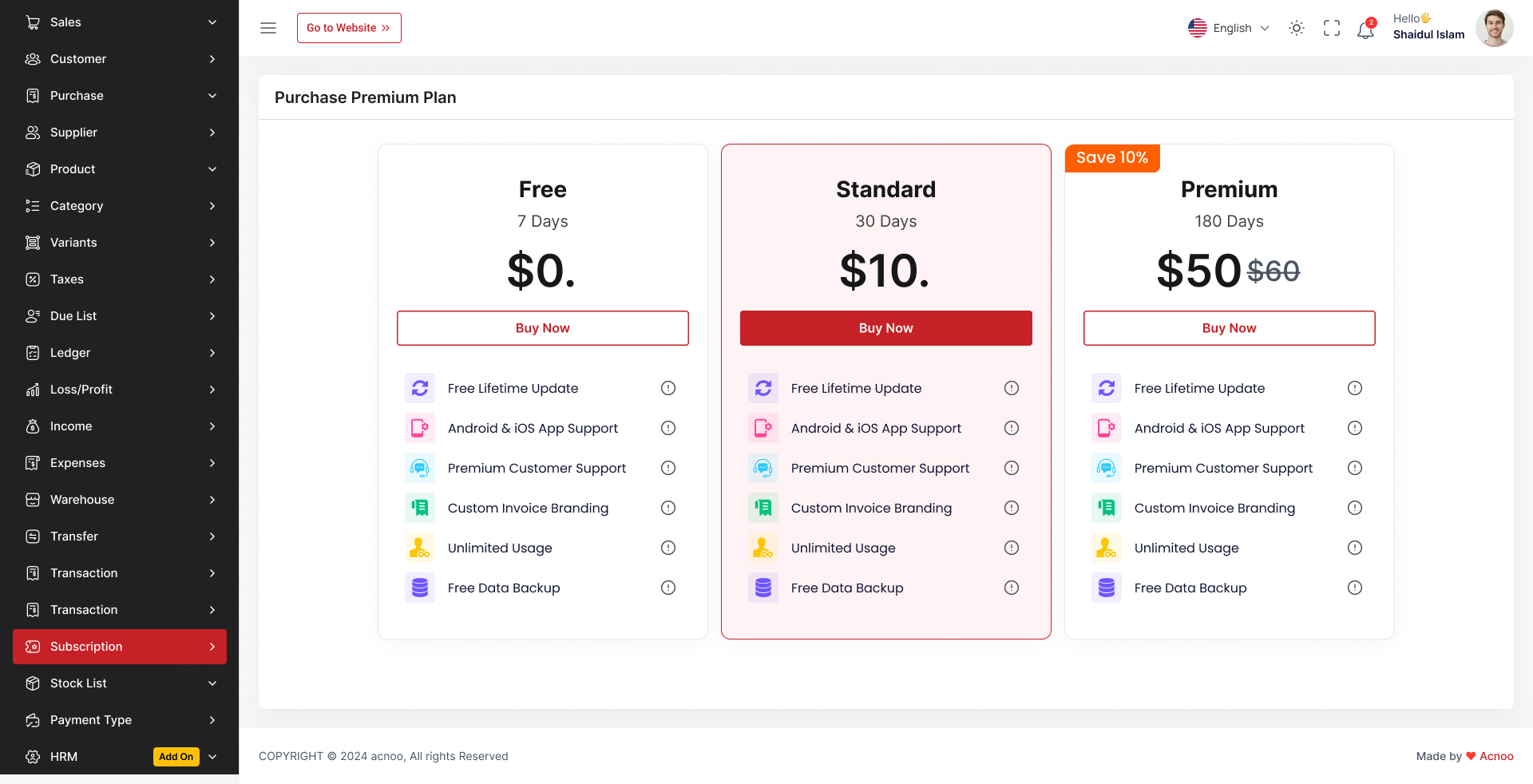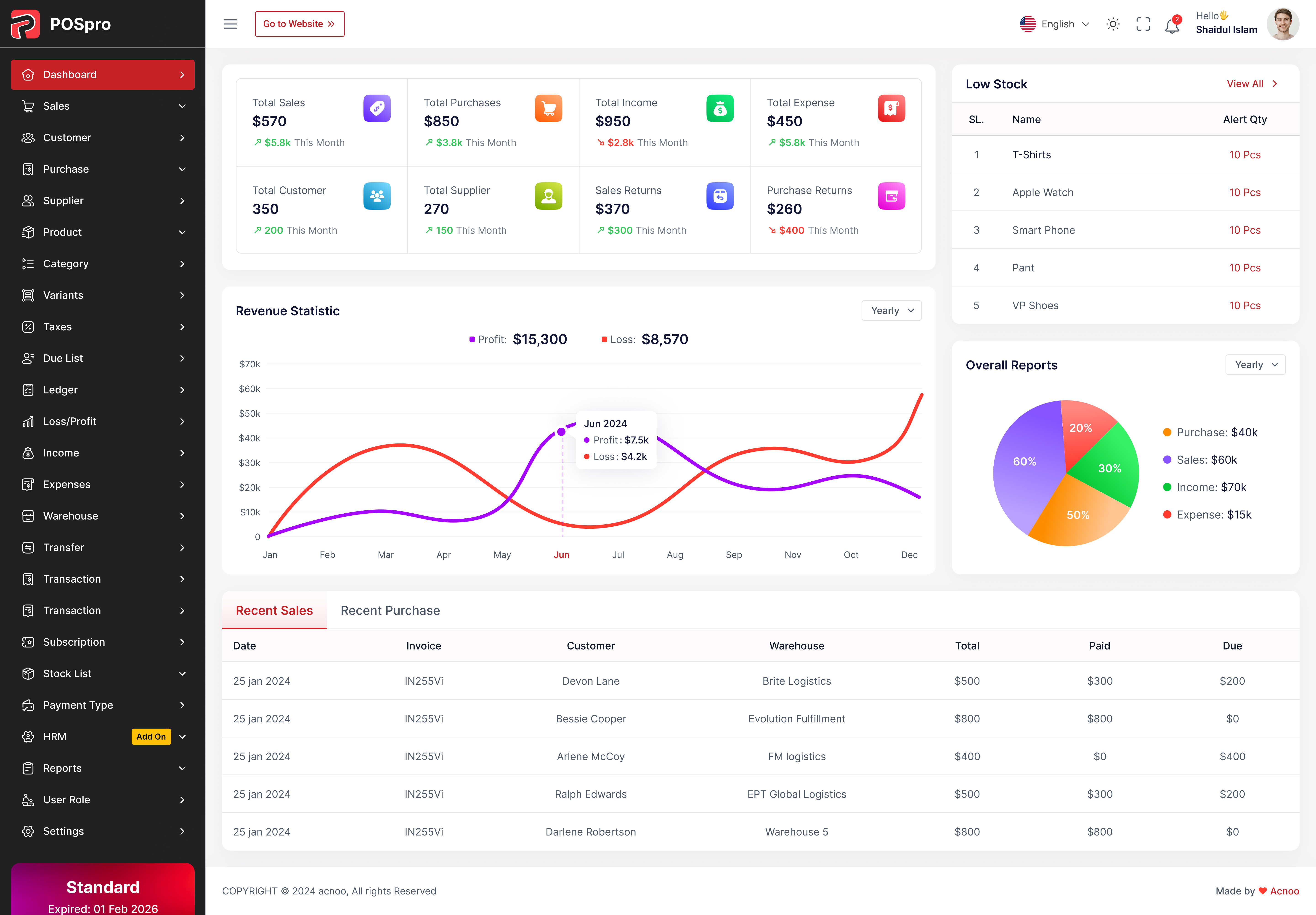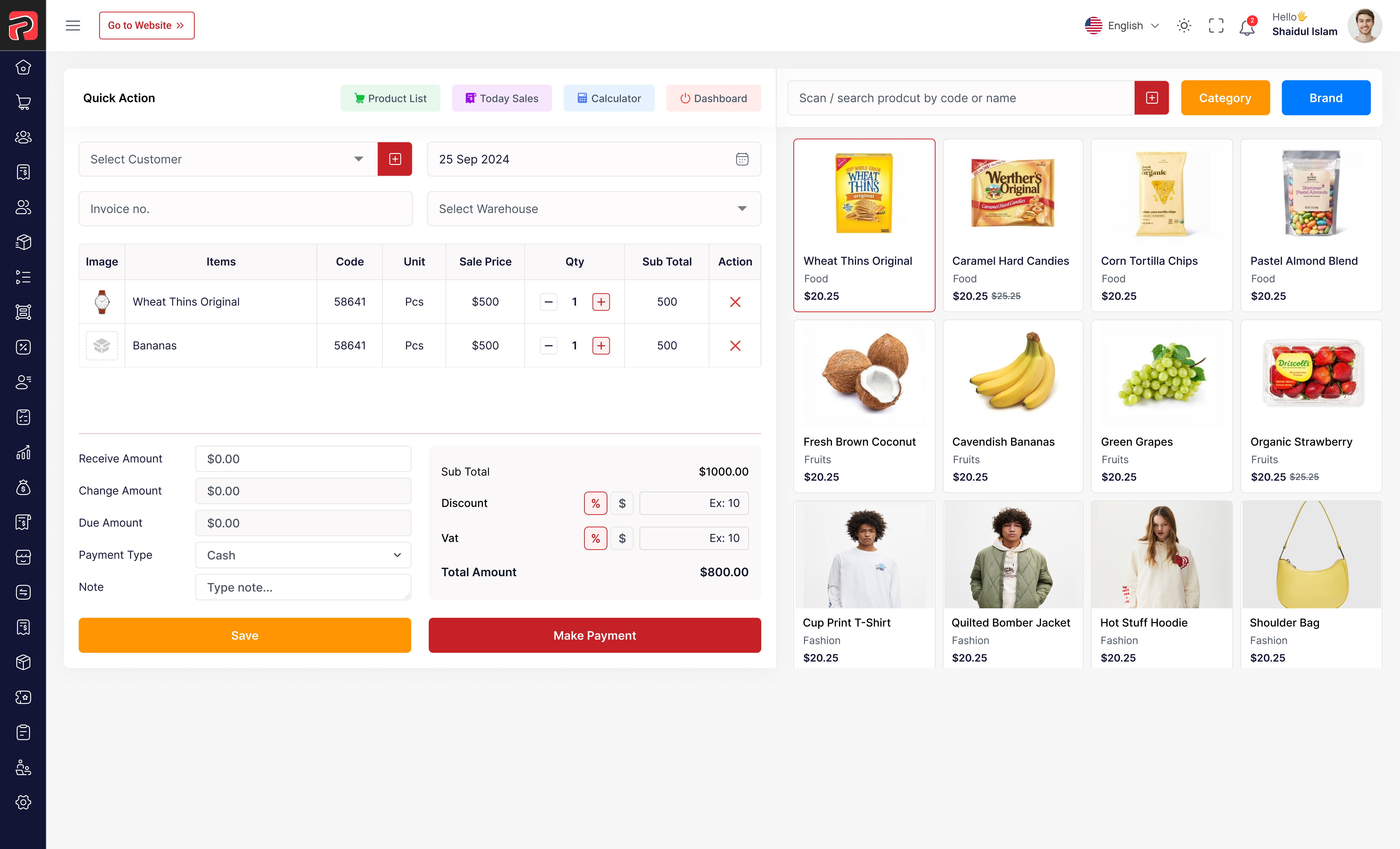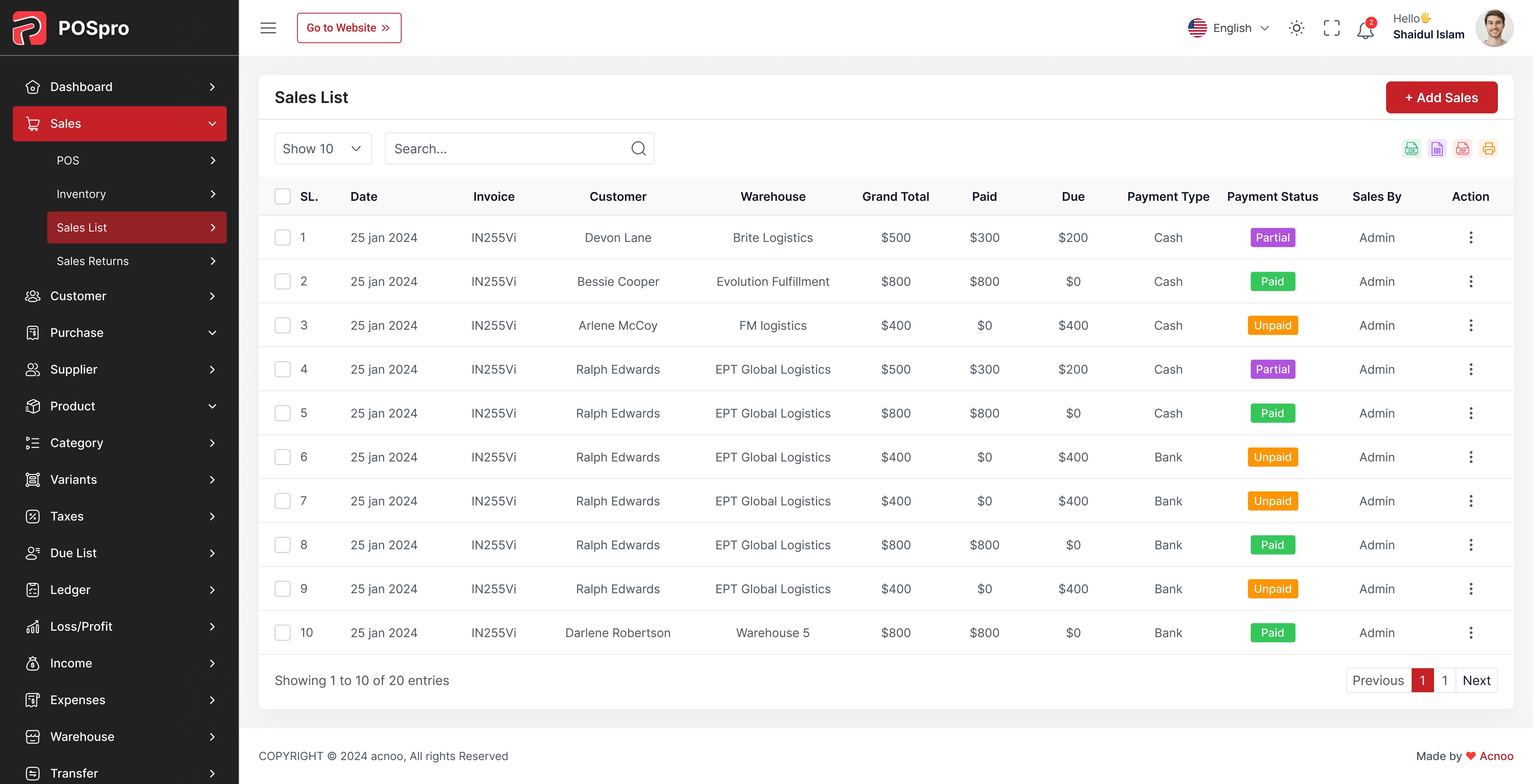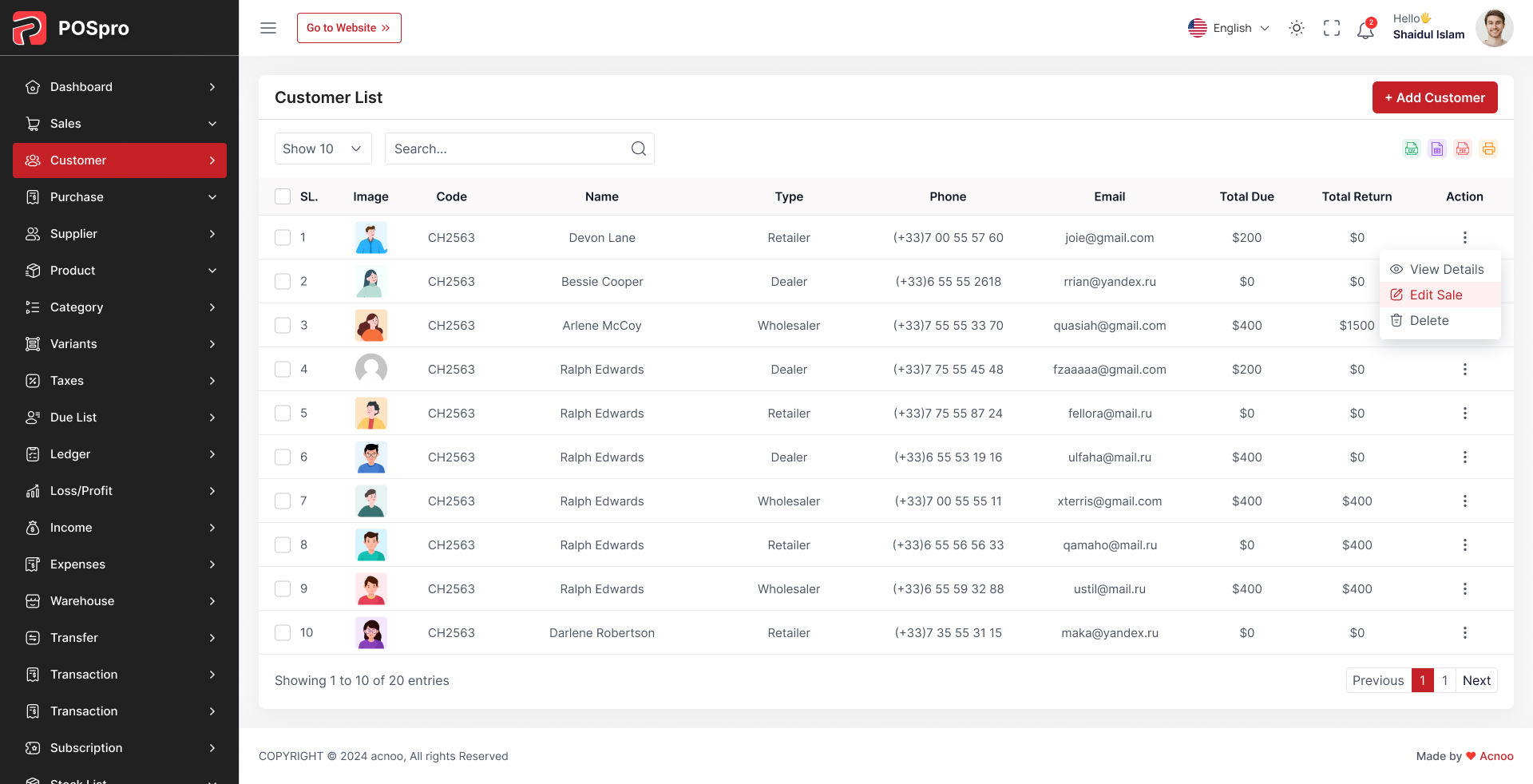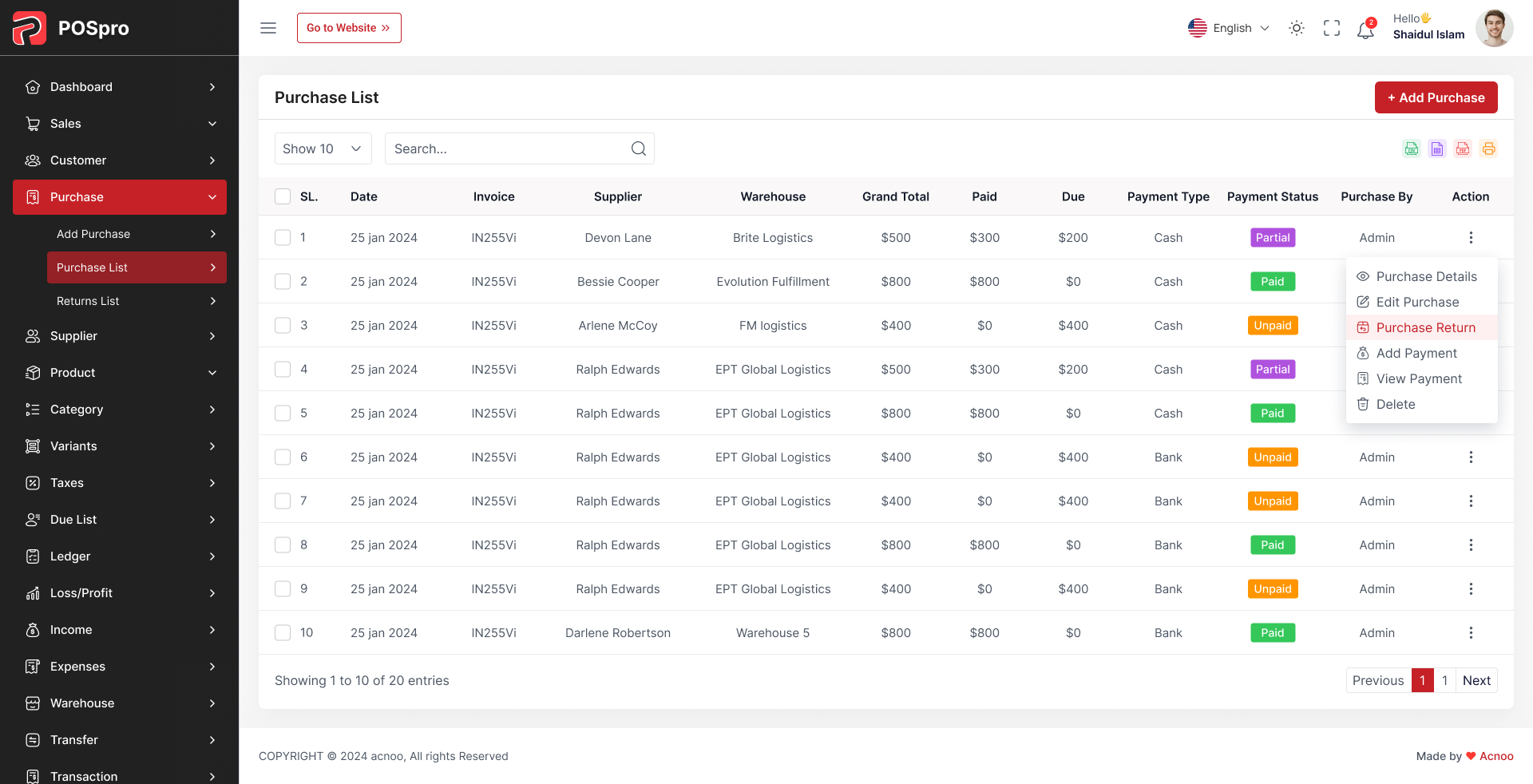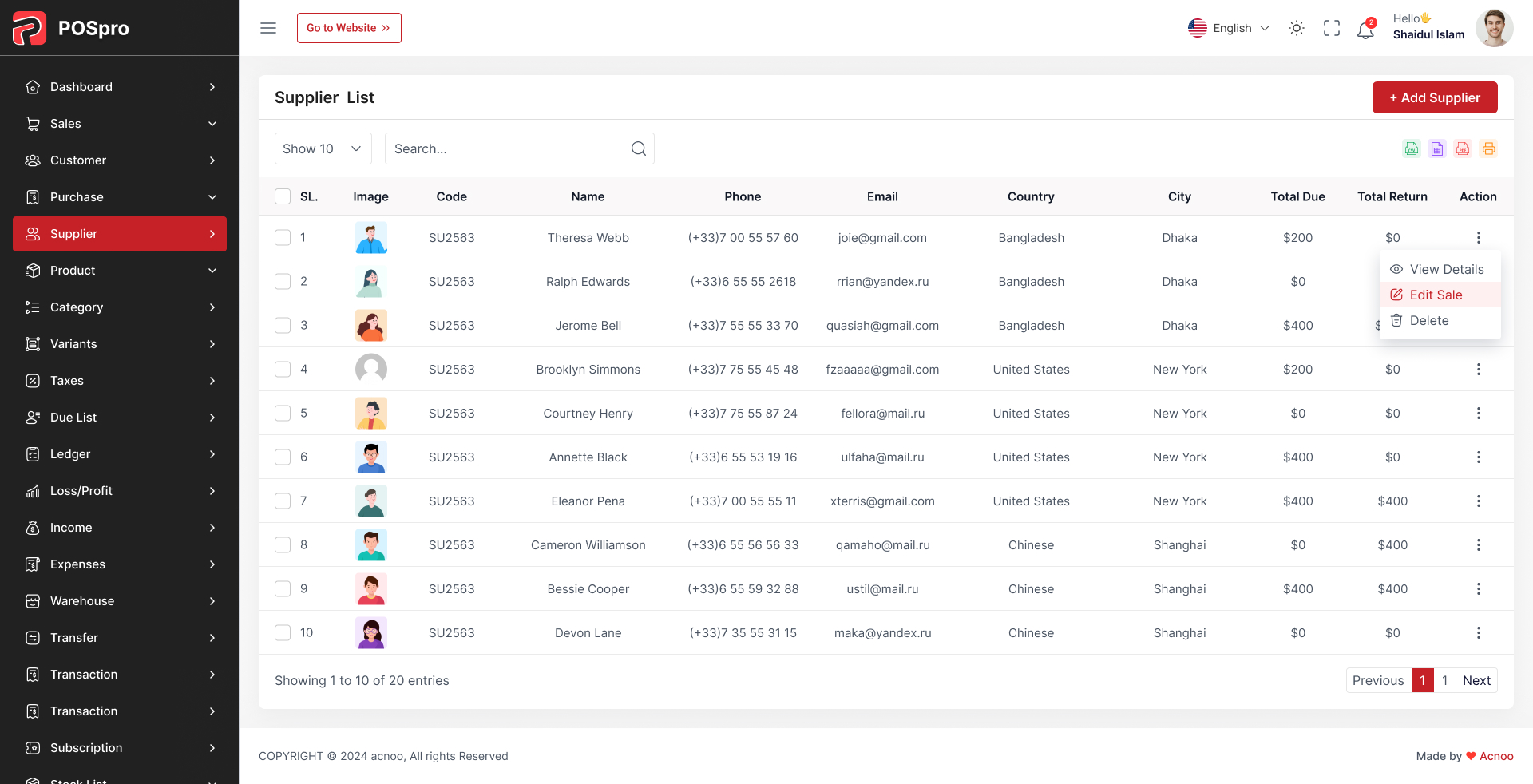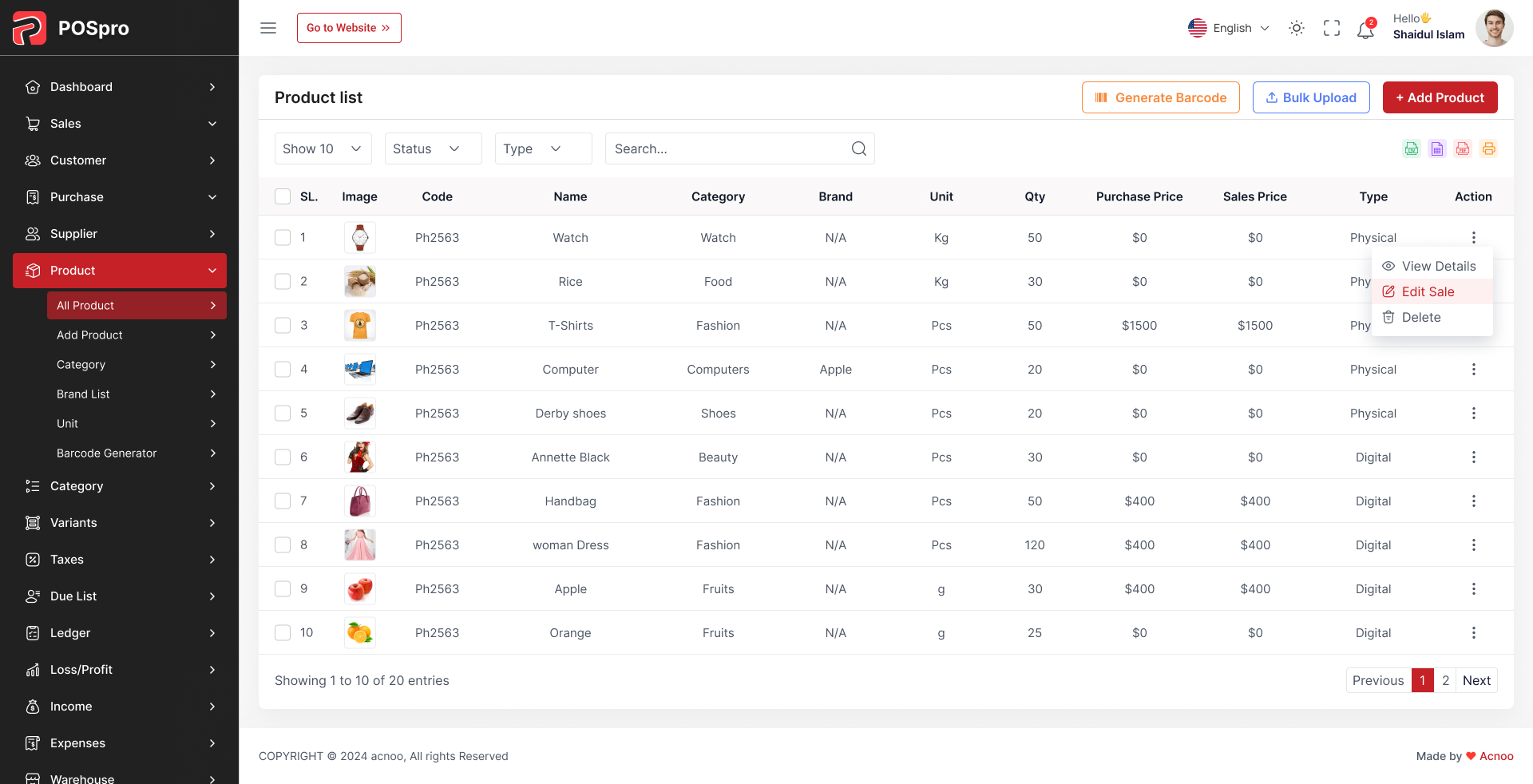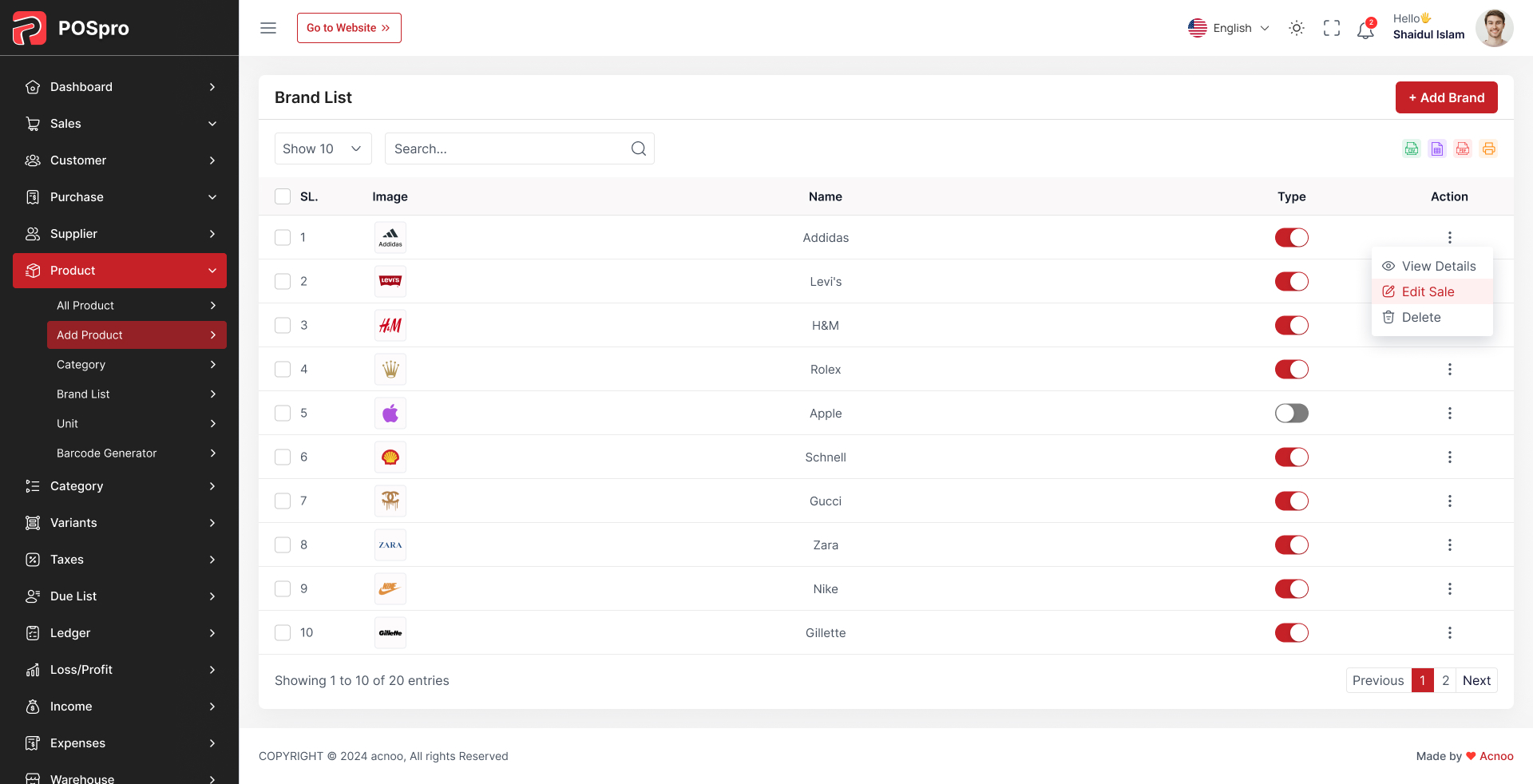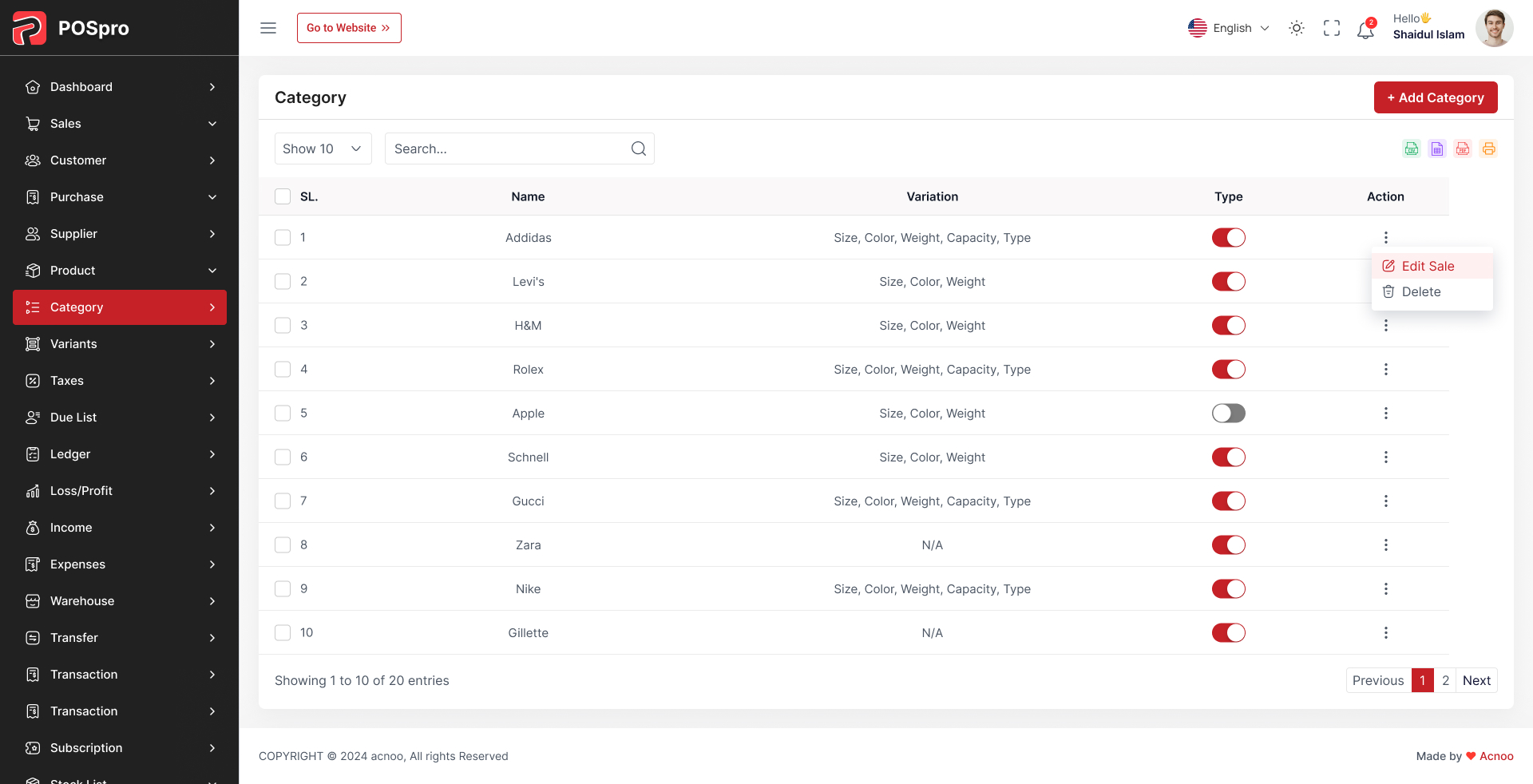
POSpro Web Add-on SAAS – is exclusively designed for the POSpro – POS Inventory Flutter App with Laravel Admin Panel. If you haven’t purchased POSpro yet, click here to purchase this item.
Take Your SaaS Business to the Next Level with the POSpro Web Add-on SAAS!
The POSpro Web Add-on SAAS introduces a powerful web-based user panel built with Laravel, extending the existing mobile-based POS functionality. With this addon, users can now access their POS dashboard and manage their businesses conveniently from a web browser. It’s the perfect upgrade for businesses using POSpro, offering both app-based and web-based management for seamless operations.
Demo Url: https://pospro.app/
Admin Url: https://pospro.app/login
App Demo Credentials
shopowner@acnoo.com123456
Super Admin Credentials
superadmin@superadmin.comsuperadmin
Admin Credentials
admin@admin.comsuperadmin
Manager Credentials
manager@manager.commanager
What’s New?
Key Features of the Web-Based User Panel:
How Does It Work?
Why Upgrade to the POSpro Addon?
Don’t Wait—Upgrade Today!
Purchase the POSpro Addon now and unlock the full potential of your SaaS platform with the new web-based user panel!
Demo Url: https://pospro.app/
Admin Url: https://pospro.app/login
App Demo Credentials
acnooteam@gmail.com123456
Super Admin Credentials
superadmin@acnoo.comsuperadmin
Admin Credentials
admin@acnoo.comsuperadmin
Manager Credentials
shopowner@acnoo.com123456
Offer: If you buy the extended license you will get free installation and full setup
Key Features:
1. Dashboard:
2. Pos Sale:
3. Table Management:
4. Order Management:
5. Item Management:
6. Users:
7. Coupon:
8. Expense:
9. Reports:
10. Roles & Permissions:
11. Settings:
Version: 3.2 ( 17 April 2026 )
Updated all invoice designs for improved layout and consistency.
Updated invoice settings with enhanced configuration options.
Updated guest due collection functionality.
Serial code feature added to Product, Sale, and Purchase modules.
Serial code support implemented in Sale Return and Purchase Return (when Serial Code Addon is enabled).
Updated general settings with additional customization options.
Enhanced Party section by adding new fields and improving data handling.
Advanced Due Collection and Payment system implemented.
Updated PDF, CSV, and Excel export features across multiple sections.
Improved barcode search functionality.
Fixed single delete modal issue in Banks module.
Added theme update feature for dynamic UI customization.
Fixed SSL issue in the eCommerce module.
Improved overall system performance and optimized database queries.
Enhanced validation and error handling across key modules.
Refactored invoice services for better serial number management.
Minor UI/UX improvements in different sections.
Resolved various small bugs and stability issues.
Please visit for change log: https://doc.pospro.app/#addon-change-logs
Version: 3.2 ( 31 March 2026 )
Updated all invoice designs for improved layout and consistency.
Updated invoice settings with enhanced configuration options.
Updated guest due collection functionality.
Serial code feature added to Product, Sale, and Purchase modules.
Serial code support implemented in Sale Return and Purchase Return (when Serial Code Addon is enabled).
Updated general settings with additional customization options.
Enhanced Party section by adding new fields and improving data handling.
Advanced Due Collection and Payment system implemented.
Updated PDF, CSV, and Excel export features across multiple sections.
Improved barcode search functionality.
Fixed single delete modal issue in Banks module.
Added theme update feature for dynamic UI customization.
Fixed SSL issue in the eCommerce module.
Improved overall system performance and optimized database queries.
Enhanced validation and error handling across key modules.
Refactored invoice services for better serial number management.
Minor UI/UX improvements in different sections.
Resolved various small bugs and stability issues.
Please visit for change log: https://doc.pospro.app/#addon-change-logs
Version: 3.1.1 ( 12 January 2026 )
License version updated issues fixed.
Fixed minor issues.
Please visit for change log: https://doc.pospro.app/#addon-change-logs
Version: 3.1 ( 10 January 2026 )
Sale create page filter updated.
Invoice design updated for sales, purchases, and due collections.
Sign-up issue fixed.
Settings page updated.
Dynamic VAT field added to sale, purchase, and invoice pages.
Design improvements applied.
Minor issues fixed.
PDF languages transactions issue fixed.
Invoice languages transactions issue fixed.
Change Log: https://doc.pospro.app/#addon-change-logs
Note: If you face any issues with the update, please contact us.
Version 3.0 ( 31/12/2025 )

Updated product structure with variation and combo product options during product creation.
Warranty and guarantee information has been added.
Warehouse filter added to the Sale page.
Multiple variation products can now be added to the cart at once.
Product-wise discount added in the cart.
Inventory sales structure update
While purchasing a product variant, variant selection is now available.
Payment type added in both Sale and Purchase return.
Print label issue has been fixed.
Multiple payment system applied across the project where payment exists.
New Finance & Accounts section added.
Bank, Cash, and Cheque are now shown individually.
Individual transactions for Bank, Cash, and Cheque are now visible.
All payment transactions are now displayed.
From Product Settings, it is now configurable whether product-wise discount and guest due sale will be allowed.
A large number of reports have been added.
Customer ledger and supplier ledger have been added.
Party Wise Loss & Profit report added.
Party Reports have been added as a new section.
Design issues have been fixed.
Common validation and form issues resolved.

Note: If you face any issues with the update, please contact us.
Version 2.8.1 ( 09/09/2025 )
Fixed product edit issue for warehouse and exclusive pricing.
Fixed purchase store issue for parties.
Fixed product import issue for profit percent rounding.
Updated filters across different project sections.
Resolved minor issues
Edit product issue Fixed
System Architecture updated

Note: If you face any issues with the update, please contact us.
Version 2.8 ( 20/09/2025 )
Dashboard issue fixed
Roles and permissions updated
Minor issue fixed
Layouts changed
System Architecture updated

Note: If you face any issues with the update, please contact us.
Version 2.7 ( 6/09/2025 )
Applied branch logic in Severel sections. Like products, sales, purchases, stocks, and due collection, employe(HRMAddon),
Transfer added (show if Multibranch Add-on or Warehouse Add-on exists)
Updated filters in different sections
Updated product settings
Fixed a few minor issues
Fixed invoice issue
Note: If you face any issues with the update, please contact us.
Version 2.6 ( 17/08/2025 )
Fixed expired product pricing issue.
Enhanced several validations.
Improved multiple design elements.
Resolved product list pricing issue in purchases.
Fixed a few minor issues.
Note: If you face any issues with the update, please contact us.
Version 2.5 ( 09/08/2025 )
Resolved PDF issue.
Fixed product bulk upload issue.
Fixed purchase page filter for 0-quantity products.
Improved several design
Documentation Url: https://posprodoc.acnoo.com/#addon-change-logs
Note: If you face any issues with the update, please contact us.
Version 2.4 ( 05/08/2025 )
Batch-wise stock management added
Bulk purchase import added
Product bulk upload updated
Business settings options updated
Product Settings added for products input options
Invoice settings added for default A4 size and 3 inch 80mm Thermal Printer Add-On
Changed design for lots of modules
Product Model Added
Products structure & design changed
System Ready for product variation
System Ready for Thermal Printer
Paypal payment gateway issue fixed
Inventory sales structure update
Batch wise sales added
Batch wise purchase added
Product purchase price update option added in purchase
Product search option added on inventory sales
Sidebar position fixed after reloading the page.

Note: If you face any issues with the update, please contact us.
Version 2.3 ( 26/05/2025 )
Fixed shipping charge issue in Sale.
Resolved issues on Sale pages.
Several minor issues have been addressed.

Note: If you face any issues with the update, please contact us.
Version 2.2 ( 15/05/2025 )
Expired Products list has been added.
Expire Date field added in Purchase when adding products.
Inventory Sale added.
Loss/Profit details report added.
Tax Report added.
Product Profit option in Settings → General Settings.
Sidebar design updated and fixed issues.
Products Bulk Upload feature has been added.
Optimized some codes and fixed some design issues.
Version 2.1 ( 16/04/2025 )
Added a dynamic sale rounding option and applied it to Sales, Sales Returns, and their invoices.
Enabled fractional quantity support across Sales, Sales Returns, Purchases, Purchase Returns, and all related invoices.
Integrated the CinetPay payment gateway.
Version 2.0 ( 16/04/2025 )
Applied "change amount" logic in Sales, Purchases and their invoices
Fixed some minor issues.
Version 1.9 ( 25/03/2025 )
Updated Sales and Purchase invoices.
Fixed some minor issues.
Optimized some codes.
 Version: 1.8 Update 18/03/2025
Customer phone unique removed.
Optimized some codes.
Fixed sales invoices
Party phone validation updated in Sales, Purchase, Supplier & Customer.
 Version: 1.7 Update 13/03/2025
Added Payment Type Module
Integrated dynamic Payment Type in Sales, Purchases, Incomes, Expenses & Due Collections
Updated Payment Type views in all Invoices & Reports
Applied User Role Permission in Dashboard
Fixed Sales Return & Purchase Return Discount Issues and updated invoices
Fixed minor bugs
 Version: 1.6 Update 28/02/2025
1. New VAT & Tax Section Added
2. Products Table Enhancements: Added  lot stock , expiry date, VAT, VAT type, and profit margin.
3. Purchase Price Update: Now split into exclusive and inclusive pricing.
4. Sales & Purchase Improvements: Added a dynamic VAT section and an extra discount option.
5. Shipping Charge: Now included in sales and purchases.
6. Inventory Management: Added low-stock product list and expired product list.
7. Reports: Introduced new filters for better insights.
8. UI/UX: Improved design and updates for a better user experience.
9. Shipping charge added to the invoice.
 Version: 1.5 Update 05/02/2025
1. Fixed barcode issue.
2. Barcode print issues fixed.
3. Invoices updated with vat name and vat number.
4. Total sale and total purchase added in report pages.
 Version: 1.4 Update 30/01/2024
1. Fixed brand creating issue.
2. Barcode generate module added.
3. Scanner added in sales and purchase.
4. Item added to the cart automatically after search.
5. Fixed some searching issues.
6. Low stock page added.
7. Pdf option added.
8. Fixed some design issues.
 Version: 1.3 Update 07/05/2025
Message showing issue fixed after payment.
Attachment issue fixed for manual payment.
Mobile menu logo issue fixed.
 Version: 1.2 Update 30/12/2024
1. Removed the logo and favicon change option from the settings module.
2. Updated some text in the purchase creation and editing process.
3. Sidebar logo and favicon will now use the ones set by the admin.
Note: Please update your addon,  If you encounter any issues during the update, feel free to contact us for assistance.
 Version: 1.1 Update 30/12/2024
1. Cart issue fixed.
2. Currency bug fixed on stock list.
3. Expire date added into profile page.
4. Notification issue fixed.
5. Languages issue
Version 1.0.0
Initial Release