Telegram Automation for Perfex CRM
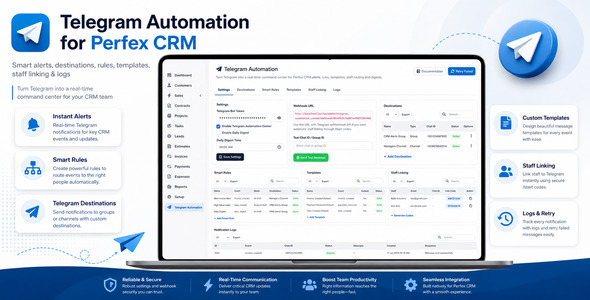
Telegram Automation for Perfex CRM turns your Perfex CRM into a real-time Telegram notification and automation hub. Send instant CRM alerts to Telegram users, groups, and channels, create smart notification rules, customize message templates, link staff Telegram accounts, and monitor delivery logs from one clean admin interface.
This module is ideal for sales teams, support teams, finance departments, project teams, agencies, service businesses, and companies that want to receive important Perfex CRM updates directly inside Telegram.
Live Demo & Documentation
Admin Demo:
https://perfex.rblxdrip.com/admin
Username: test@gmail.com
Password: test
Online Documentation:
https://perfex.rblxdrip.com/event-documentation/telegram/
Product by By8e Solutions
Telegram Automation for Perfex CRM is developed by By8e Solutions, a software development and CRM customization company focused on business automation, CRM modules, integrations, and custom web solutions.
Company Website:
https://www.by8esolutions.com
Why Use Telegram Automation?
Email notifications are often missed, delayed, or buried in inboxes. Telegram is fast, mobile-friendly, and widely used by teams for real-time communication. With this module, your important Perfex CRM activities can instantly reach the right staff member, team group, or department channel.
- Never miss a new lead notification
- Send invoice and payment alerts to finance teams
- Notify support teams when tickets are created
- Route task and project updates to the right staff
- Send daily CRM digest summaries to managers
- Track sent and failed notifications from logs
Main Features
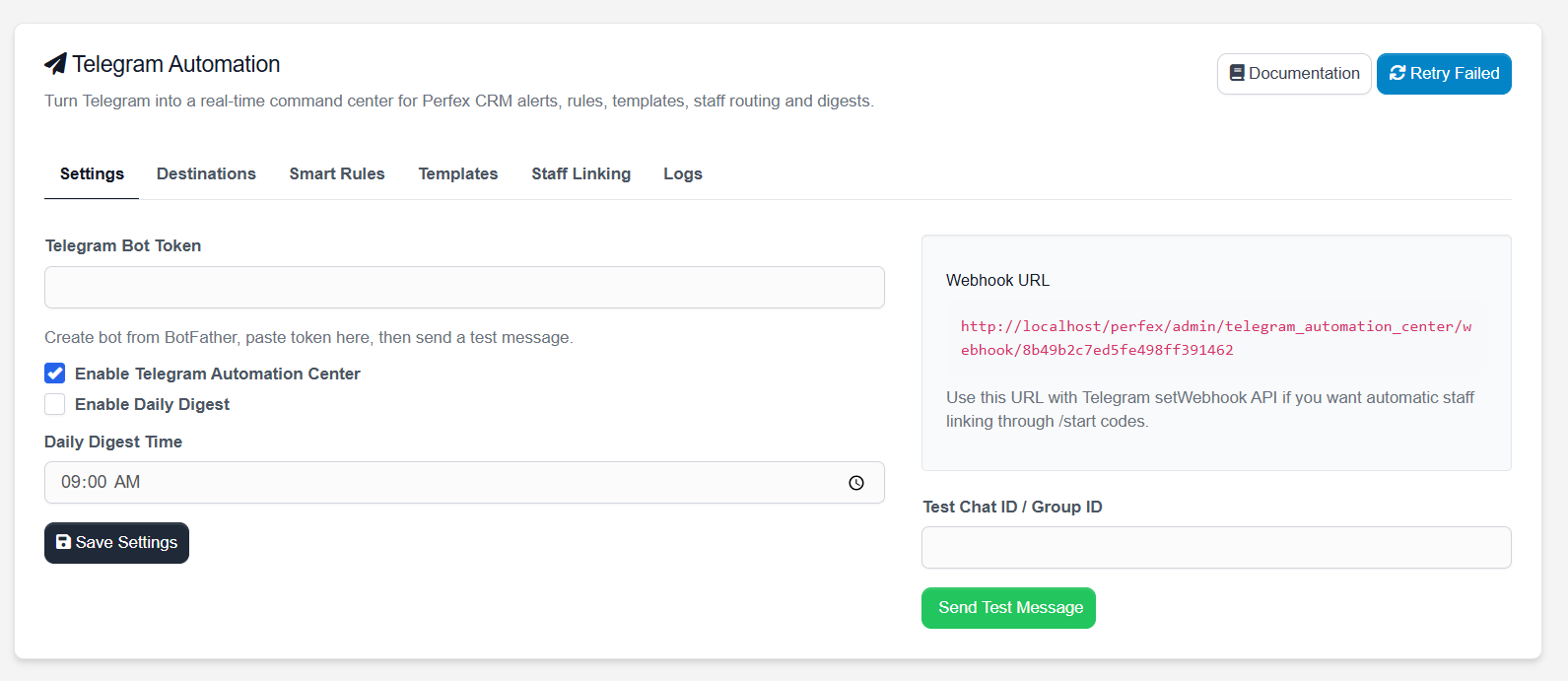
- Telegram Bot Token Setup – connect your Telegram bot with Perfex CRM
- Smart Notification Rules – decide which CRM event should trigger which Telegram notification
- Multiple Destinations – send alerts to Telegram groups, channels, or personal chats
- Staff Telegram Linking – generate staff linking codes and connect staff Telegram accounts
- Message Template Builder – customize notification content for different CRM events
- HTML / Markdown Parse Mode – format Telegram messages professionally
- Daily Digest Support – configure daily CRM summary notifications
- Notification Logs – review delivery status, attempts, and Telegram API responses
- Retry Failed Notifications – resend failed notification attempts
- Webhook URL Support – use Telegram webhook for automatic staff linking
- Clean Perfex Admin UI – tab-based settings interface inside Perfex CRM
Module Screenshots
Below are screenshots from the module admin area showing the main settings, destinations, smart rules, templates, staff linking, and logs screens.
Settings
Destinations
Smart Rules
Templates
Staff Linking
Notification Logs
Supported Notification Events
The module includes default templates and event support for common Perfex CRM workflows.
- Lead Created
- Invoice Created
- Payment Received
- Project Created
- Proposal Created
- Estimate Created
- Contract Created
- Task Created
- Daily Digest
Smart Rules Engine
The Smart Rules section allows you to control how Telegram notifications are routed. You can choose an event, select a destination, assign a template, define staff routing, and enable or disable each rule.
Example rules:
- Send new lead alerts to the Sales Telegram group
- Send payment received alerts to the Finance Telegram group
- Send new ticket alerts to the Support Telegram group
- Send task notifications directly to assigned staff
- Send daily digest updates to management
Telegram Destinations
Create and manage different Telegram destinations from the module.
- Group – for team-based notifications
- Channel – for announcement-style notifications
- Personal – for individual staff or admin notifications
Staff Telegram Linking
Staff members can be linked with Telegram using unique linking codes. The admin generates a code for a staff member, and the staff member sends that code to the Telegram bot using:
/start CODE
Once linked, staff members can receive personal Telegram alerts based on assigned CRM records.
Message Templates
Customize Telegram notification messages using templates. Each template can be assigned to an event and can use dynamic fields.
Common dynamic fields include:
- {admin_url}
- {lead_name}
- {ticket_subject}
- {invoice_number}
- {invoice_total}
- {customer_name}
- {assigned_staff}
- {due_date}
Notification Logs
The Logs tab helps you monitor notification delivery. You can review event type, chat ID, status, attempts, created date, and Telegram API response.
This makes it easier to troubleshoot wrong chat IDs, invalid bot tokens, failed requests, or inactive rules.
Best Use Cases
- Sales Teams: instant new lead and proposal alerts
- Support Teams: ticket creation and escalation notifications
- Finance Teams: invoice and payment updates
- Project Teams: project and task notifications
- Management: daily CRM digest and important activity alerts
- Agencies: keep departments updated without checking CRM all day
Basic Setup Flow
- Create a Telegram bot using BotFather
- Copy the bot token
- Paste the token in module Settings
- Create Telegram destinations such as groups, channels, or personal chats
- Create or review message templates
- Create Smart Rules for your CRM events
- Send a test message
- Start receiving Perfex CRM alerts inside Telegram
Important Note About Webhook
For Telegram webhook and automatic staff linking, your Perfex CRM installation must be accessible through a public HTTPS URL. Localhost URLs will not work with Telegram webhook in production.
Requirements
- Perfex CRM installed and working
- Admin access to Perfex CRM
- Telegram bot token from BotFather
- PHP version supported by your Perfex CRM installation
- Public HTTPS URL required for Telegram webhook functionality
Documentation Included
Full HTML documentation is included with the module package and is also available online. It covers installation, settings, destinations, smart rules, templates, staff linking, logs, webhook setup, and troubleshooting notes.
Online Documentation:
https://perfex.rblxdrip.com/event-documentation/telegram/
About By8e Solutions
By8e Solutions provides software development, CRM customization, business automation, web application development, and integration services. This module is part of our CRM automation product line for businesses using Perfex CRM.
Visit Website:
https://www.by8esolutions.com
Support
If you need support, please provide:
- Perfex CRM version
- PHP version
- Module version
- Screenshot of the issue
- Error message or Telegram API response
- Steps to reproduce the issue
Summary
Telegram Automation for Perfex CRM is more than a simple notification module. It helps your team stay updated in real time, route alerts to the correct people, customize notification messages, link staff Telegram accounts, and keep track of notification delivery from inside Perfex CRM.
Turn Telegram into your Perfex CRM command center and never miss an important lead, invoice, payment, task, project, or CRM update again.