241 comments found.

Hi,
I purchased the Miniature Earth | 3D Globe for JavaScript, but I’m not able — or experienced enough — to integrate it into my website.
Would it be possible to receive a refund or switch my purchase to one of your other products instead (specifically this one): https://codecanyon.net/item/hyper-globe-the-world-for-your-website-or-app/43371572I know this may be an unusual request, but since you are the contributor of both products, I hoped this might be possible.
Thank you in advance!
Hi! Of course, you can receive a refund. Please follow these instructions: https://1.envato.market/request-a-refund
I cannot exchange the product, please place a new order for Hyper Globe. Thank you!
Hi,can you provide instructions tot implement the globe in my wordpress website? It’s the following: Miniature Earth | 3D Globe for JavaScript.
To integrate Miniature into WordPress, you need to host the files on the same server and insert the integration code into a page.
But using Hyper Globe is much easier, so I would recommend that.
Good luck!
Hi I just had a general question under live preview on your “display page” mini earth ain’t appearing on my mobile phone and I had checked JavaScript settings were enabled and I believe they are. I don’t need support for my device if mini is working on mobile all good. I was just curious cause it’s been a few years since I logged in and I had built something pretty cool with 3D sphere to eventually create a custom app here in the near future but still working with this coding and model and for testing purposes does mini earth still work on all mobile devices or coding needs update. Anyhow thank you again
Hi, it should work, browser support has not changed. Please check if you can view other 3D content. What phone and browser are you using? Good luck!
Hi
I would like to enquire about the product integration and support in a normal Laravel based web application. Also how the support can help the development team if any problem arises during integration of the plugin. In case there are issues will there be any immediate support? Can we modify colors, images, fonts, and branding elements to align with our requirements? Is it possible to replace specific elements, such as the moving airplane, with other images or icons of our choice? What is the extent of customization supported? Are there any limitations? Does the plugin come with developer support? If so, is it included in the purchase or available at an additional cost? In case our required customizations are not feasible, is there a refund or money-back policy? Looking forward to your response.
Hi, Thank you for your interest! - You can get email support within one business day. If any issues arise, support will point you to the relevant section in the documentation or provide a short code snippet. Please note that customization services are not available. - Miniature Earth is designed for web developers, with every aspect well-documented and fully customizable. - If you’re not satisfied, you’ll receive a full refund—no questions asked! Good luck!
Hi, I started using Miniature Earth recently, and I’m working on code that is based on your hologram demo. I’m placing circles at various locations on the globe using addImage(). What I’m finding is that if these image circles overlap, unpleasant artifacts are created. For example, when solid blue circles overlap solid red circles, the overlapped area will have some blue and some red, and the distribution of blue and red will vary in a random fashion as the globe rotates.
I first noticed this when using images that were closer to the hologram-shine.svg provided in the hologram demo, with a radialGradient. This is really what I want to use, not solid circles. When these circles overlap, even when they use the same image, the overlapped area appears to have a kind of shimmering effect as the the globe rotates. I switched to solid circles in an effort to fix this, but then I got the problem described above.
Assuming that overlapped circles are a requirement, do you know how to fix or work around this issue?
I have found a work around for the solid circles example, to set `offset: 0.001` for the circles of one of the colors, so that they are above the other color’s circles. This does eliminate the artifacts. However, this only fixes the problem for the solid circles example. When using an svg with a radialGradient or setting opacity below 1, the artifacts still occur.
Hi, did you try Sprites instead (or Overlays if don’t have many circles to show)? The documentation topics “Object Types / Stacking” and “Transparent Rendering” are related the problem. If you send me a link showing the problem, I may be able to find a solution. Good luck!
Hello,
Am I able to use miniature earth and modify it for school project for free, or I need to buy the regular license for that purpose as well?
Thanks! 
Hi, I‘m sorry, I can‘t provide licenses or support for free. Good luck!
Hi there,
I have just purchased this, but when I try and install it doesn’t work. I was wondering how to fix this?
Hi, Miniature Earth is no WordPress plugin. Unzip your download and read the documentation in the /docs directory to get started. Good luck!
Hi, I have a few questions. Is there a zoom feature on this plugin, especially for mobile experience you know. Pinch with our finger to zoom in and out?
Also, can we put some pin on it, and give specific link in every pin?
Last but not least, can we customize the earth design with our own design?
Thank you.
Yes, you can add pins with specific links.
Yes, you can use your own map image in equirectangular projection or restyle the default map.
Good luck!
Dear Support Team,
We are encountering some jerking while scrolling to the 3D Globe component.
Could you please provide assistance or guidance on how to address this issue?
I have replied to your e-mail.
Yes, we are checking the provided solution.
Thank you!
Hi, is it possible to use the bubble tip overlay but minimize it in some way so there is a pin that you click to open the bubble tip? I would like it to work in a way similar to the ‘photo locations’ overlay but instead of an image/photo opening, the bubble tip opens instead. Thanks.
Hi, yes you could use the photo demo as starting point. Take a look at the source code and modify it to show text instead of displaying images. Good luck!
Hello! I created a script that monitors the FPS of the anitmated earth and I want to scale down quality of the FPS drop under 24 for a given amount of time.
Quality can only be changed at unit and so far I know I can change the quality, store it in a cookie and reload the page, making sure I read the quality form the cookie, to apply the change.
But I’d like to apply the changes without forcing a page reload. I tried the destroy method but the atmosphere stays in place, and the re-init isn’t working correctly.
Can you give me some pointers to make this work?
So, I am triggering a function that should destroy and re-initalize the globe. I moved all my init code to a custom function like this:
window.addEventListener( "earthjsload", function() {
    initEarth();
} );
And my FPS monitor calls this function with a new quality:
function changeGlobeRenderQuality(quality) {
    if (window.renderQuality === quality) return;
    window.renderQuality = quality;
    console.log('[Globe] ' +'Changing render quality to ' + quality);
    if (quality === 'disabled') {
        disableGlobeInSettingsAndReload(); // this sets a cookie so the globe won't get initialised on the next page load and reloads the page
        fpsWarnings = 0;
    } else {
        window.earth.destroy(); // this destroys the globe, but leaves the atmosphere around
        initEarth(); // this loads correctly but returns an error on the image map: "WebGL: INVALID_VALUE: texImage2D: no canvas"
        console.log('scale to ' + quality);
        fpsWarnings = 0;
    }
}
For reference, here is my FPS monitor function
// Performance check tool
let lastTime = performance.now();
let frameCount = 0;
let fps = 0;
let fpsWarnings = 0;
const fpsWarningsMax = 5;
let fpsThreshold = 24; // Set the FPS threshold
const checkInterval = 2500; // Check FPS every second

function calculateFPS() {
    if (typeof window.earth === 'undefined') return; // exit if earth is not defined

    const now = performance.now();
    frameCount++;
    const elapsed = now - lastTime;

    if (elapsed >= checkInterval) {
        fps = (frameCount / elapsed) * 1000;
        frameCount = 0;
        lastTime = now;
        console.log("[Globe] " +`FPS: ${fps}`);

        // check if FPS is between fpsIgnore and fpsThreshold
        if (fps < fpsThreshold) {
            // show a js alert
            fpsWarnings++;
            console.log("[Globe] " +'Low FPS detected ' + fpsWarnings + ' / ' + fpsWarningsMax);
        } else {
            fpsWarnings = 0;
        }
        if (fpsWarnings >= fpsWarningsMax) {
            // log warning
            console.log("[Globe] " +'Low FPS detected');
            // if window.renderQuality is > 3, set it to 3
            if (window.renderQuality > 3) {
                changeGlobeRenderQuality(3);
            } else if (window.renderQuality === 3) {
                changeGlobeRenderQuality(1);
            } else if (window.renderQuality === 1) {
                changeGlobeRenderQuality('disabled');
            }
        }
    }
    requestAnimationFrame(calculateFPS);
}
Hi, changing the quality doesn’t reduce the FPS, it controls the texture resolution and polygon count.
“requestAnimationFrame” is used, so the browser decides how many frames are rendered per second.
It is possible to override this function to have fixed lower frame rate, e.g. };
window.requestAnimationFrame = (callback) => {
     return window.setTimeout(callback, 42);
Maybe this is what you are looking for. Good luck!
Hello! Thank you very much for your reply. I’m looking for something else. As far as I can see FPS depend on the power of the cpu/gpu. The 3D globe with quality set to 6 does 120fps on a MacBook Pro 2023, and about 20-40fps on a MacBook Pro 2017.
If I drop quality to 3, the older MacBook renders at 50-60fps.
So the idea is that if the user has an older device and the frame rate drops below 20 for too long, I scale quality down from 3 to 1.
If at quality 1 the FPS is still too low, I destroy the earth instance and put up a static image to replace it.
The key is that at less than 20 FPS the whole site becomes unusable and the UX is terrible.
I can destroy the instance and show a static image without a reload, and I’d like to scale the quality without a reload too.
I hope this makes sense now.
To completely isolate the earth from the page, you can load it in an iframe. Then you only need to destroy/load the iframe. It is the easiest and most effective method for what you have in mind. Good luck!
Dear Author,
Thanks a lot for this terrific animation. Do you offer a React/Next.js integration?
Best, Jade
Hi, thank you! All code and examples are in native JavaScript so there are no dependencies. You can use a framework but need to call the native methods. Good luck!
Hi,
Purchased 29 Nov 2019
We have a problem on our website: worldriskmap.org It seems the CSV file with the data is no longer loaded after updating WordPress. What could be the reason? We had is sometimes after WordPress Updates and could solve it, but no we are lost.
The globe is so great, we don’t want to delete it from the website, because of this problem.
Thank you!
Hi, Miniature Earth does not depend on WordPress. Therefore, it should not be affected by updates.
Your website triggers this JavaScript error: “addMarkersFromCSV is not defined”. Please check this.
Good luck!
Dear Team,
Please help with an understanding whether there is any difference from code point of view between demo examples and purchased licensed version.
Dear Team,
Request you to please help with the mentioned query.
Hi, there is no difference between online demos and the purchased code. Let me know if you need any help. Good luck!
Dear Author,
Hope you had a great weekend!
Thank you for the response!
We have one query with respect to the globe image. Currently, the globe image which we are using from the library reference, seems to be blur. Following is the screenshot for your reference – https://prnt.sc/dvxZx0vD-ftX
We need a more clearer image, attaching the expected screenshot inline for your reference – https://prnt.sc/9VnCvTfM6eAb
Could you please check and lets us know if this is feasible or at the library level how it can be customized as per the use case?
Thanks!
Hi, the earths “quality” option can increase the image resolution for sharper images. Set “quality” to 4 or 5. For more information please see the documentation /docs/api/earth.htm and search for “quality”. Good luck!
Okay, we will check and let you know. Thank you!
hi, how can i display a map with actual earth tilt right now my map is not tilt properly i am using miniature Earth. i need the doc file for this integration
Hi, there is no option to apply an axial tilt to the earth. You could rotate the earth with CSS:
.earth-container canvas {
  transform: rotate(-10deg);
}
But it causes bugs with some features, e.g. with overlays, so this is useful in some special cases only.
Good luck!
thank you for the reply! this is working fine now
Hello dear, i want to ask if there is a trial version of this code Thank you
Sorry, we do not offer a trail version. You purchase without risk, as you get a full refund if you are not satisfied!
Hi there, I am working on a website that uses this plugin (v3) and unfortunately it seems the documentation was not stored somewhere after the original developer left, so I cannot refer to anything to help me make some changes to the globe on our website.
Is there anyway to have the documentation shared with me? I am happy to provide more details if needed. Thank you!
Hi, I replied by email. Thank you
Hello,
I trust this message finds you well.
I recently acquired a plugin and encountered an issue while attempting to add countries to the ‘countries.js’ file. Despite including the ISO country codes for several missing countries, I observed that the plugin did not respond as expected. Upon further investigation, I also reviewed the ‘miniature.earth.js’ file and noticed a lack of SVG codes or paths for these specific countries.
The countries I am seeking to add are:
- Bahrain - Cape Verde - Comoros - Malta - Mauritius - São Tomé and Príncipe - Seychelles
In efforts to resolve this, I kindly request your assistance in understanding how I can successfully integrate these countries into the plugin. For your reference, I have provided the link where I am currently working: https://dev-lemonadverts.pantheonsite.io/worldmap/distribution-oem-map.htmlYour prompt guidance on this matter would be greatly appreciated.
Thank you sincerely,
Hi, these countries are very small and take up only a few pixels on the map, so they can be barely seen or clicked.
Miniature Earth only includes countries with large land masses.
I recommend you add a small circle marker for each small country you need to show.
Or you can extent, replace or draw on the map. Please see the corresponding examples.
Good luck!
Hi,
Thank you for your response.
I can understand these countries are small. But should be appear on the map. For Example: Bahrain, despite its size, is prominently featured on various other maps. However, I’ve noticed that it is entirely disappear from this particular plugin’s map view.
I would greatly appreciate your guidance on resolving this issue. Your expertise in rectifying this matter would be immensely helpful.
Many thanks,
Hi, I recommend to draw a dot or polygon at the location of Bahrain. Please see the documentation for /examples/drawing-on-the-map.htm
Good luck!
Thank you for your reply
I will check that. I aim to display the name of each country individually. Could you please provide guidance on how to achieve this?
Many thanks,
To show the names on the map you can use Text Images: /examples/text-images.htm
To show the name beside the globe you can use an example like this as a startingn point: /examples/country-selector.htm
Good luck!
Thank you for your reply.
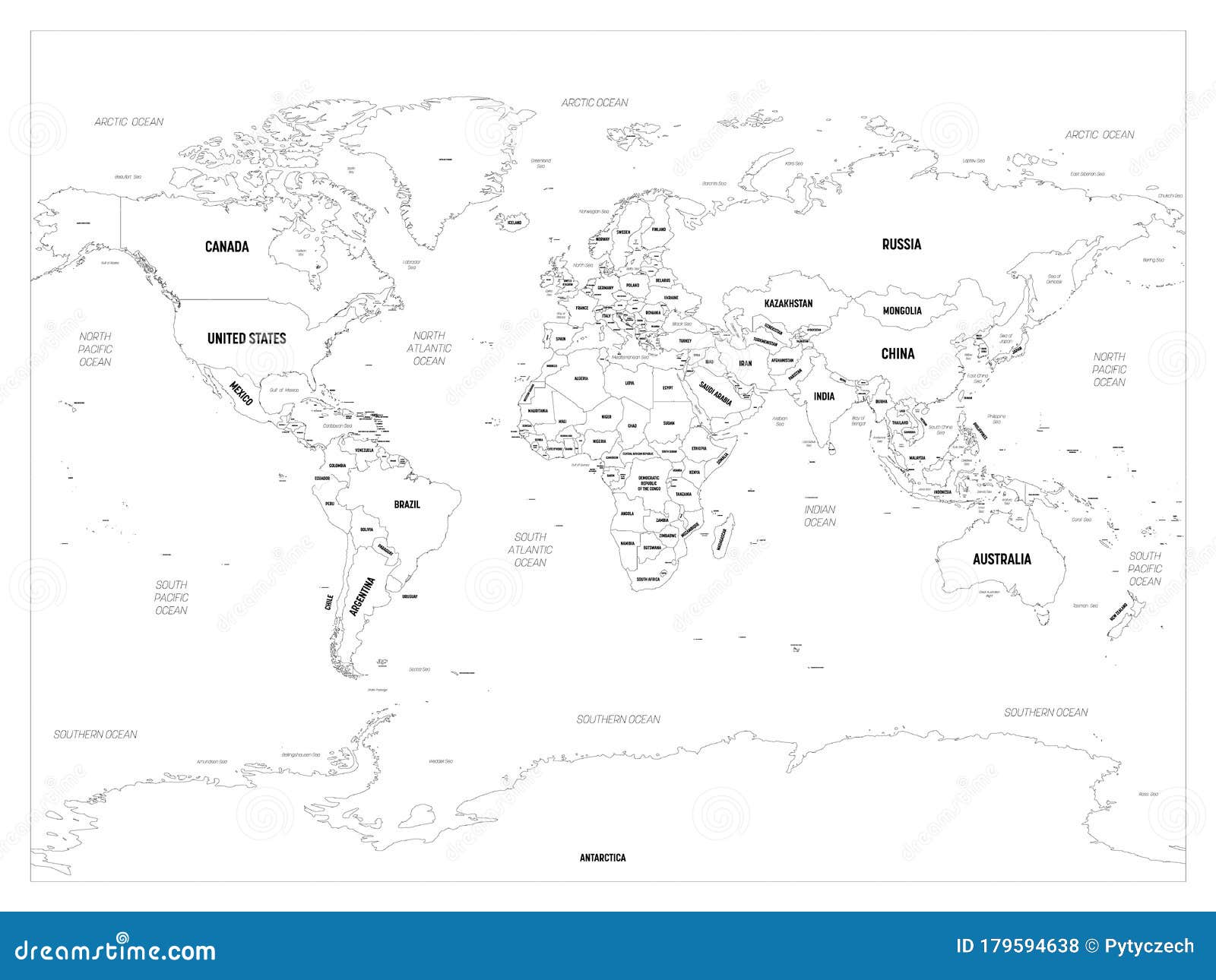
After looking at those examples, they don’t quite meet what we need. We’re looking for something more like what’s in this link. Can you take a look?
https://thumbs.dreamstime.com/z/world-map-high-detailed-political-country-capital-ocean-sea-names-labeling-179594638.jpgMany thanks,
Hi Team,
I hope this message finds you well.
I am following up on my previous request concerning the display of country names, as illustrated in the attached example. Despite four days having elapsed, I have yet to receive a response or solution to this matter. Could you please provide guidance on how to achieve this?
Many thanks,
Hi,
you can achieve a similar result with the “Text Image” module. Please refer to the documentation: /docs/api/module-textimage.htm
There is no ready-to-use code for this use case. Good luck!
Hey there,
How do we configure the earth?
Thank-you
Hi, please see the /docs directory. Miniature Earth is for developers and the setup is done in the code via JavaScript.
If you look for an easier solution with a configurator, please take a look at my other product Hyper Globe: https://hyper.ac/globe/ I can exchange your license if you like.
Good luck!
Hello,
the latest version of Miniature Earth is not working with the latest version of the chrome browser. It works fine in firefox and safari and it also used to work in chrome (before the chrome update). Just after one of the latest updates it stopped working. Even the examples in the download folder are not working in chrome.
Can you please provide a fix for this.
Hi, I just tested the demos at https://miniature.earth and they work fine with Chrome 116 on Windows and Mac. So there is no general problem. You could have made a mistake or there is a problem with your system. Thanks!
Hi. Thanks for the quick reply. None of the examples at https://miniature.earth work in chrome on my mac (Version 116.0.5845.96 (Offizieller Build) (arm64)). I am running a M1 MacBook with OS Monterey (12.0). I also tried running them in incognito mode to make sure there is no cache or plugin interfering with no luck.
Can you view any other 3D/webgl content like the demos of https://hyper.ac/3d/ or https://threejs.org/ ?
The problem seems to be that for some reason chrome had hardware accelleration turned off. So all WebGL content was not displaying. After turning it on everything works again. Thanks for pointing me in the right direction! And sorry for bothering you. It was not a problem with this plugin after all.