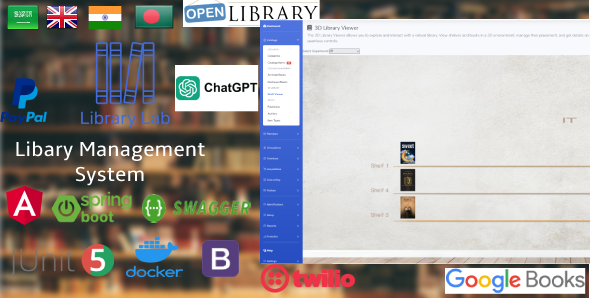
LibrayLab is a sophisticated web-based library management system designed to streamline the operations of libraries and educational institutions. It offers a comprehensive suite of features to manage books, patrons, checkouts, and more. The application is built on Spring Boot for the backend, utilizing Java, and Angular for the frontend. MySQL serves as the primary database for storing library data.
Key Features
- Book Catalog: Add, edit, and delete books with detailed information including title, author, genre, and availability.
- Checkout and Return: Facilitate easy checkouts and returns with an intuitive interface.
- Search and Filters: Allow patrons to search for books based on various criteria like title, author, or genre.
Demo
This app is hosted on the Heroku server and has a limited number of dyno hours per month. If the app is inactive for a while, it will automatically go to sleep to conserve usage.
⚠️ Important: If the app exceeds the monthly dyno hour limit, it will stop working until the next cycle begins.
Files
- Source code directory: Contains the frontend and backend directories.
- Documentation pages: Contains a read-only version of the full documentation for users. You can view it by clicking on the index.html file.
- Documentation MkDocs source file: Contains the MkDocs written in Python. Users can modify the documentation content and then generate the updated HTML files.
Modules
Dashboard
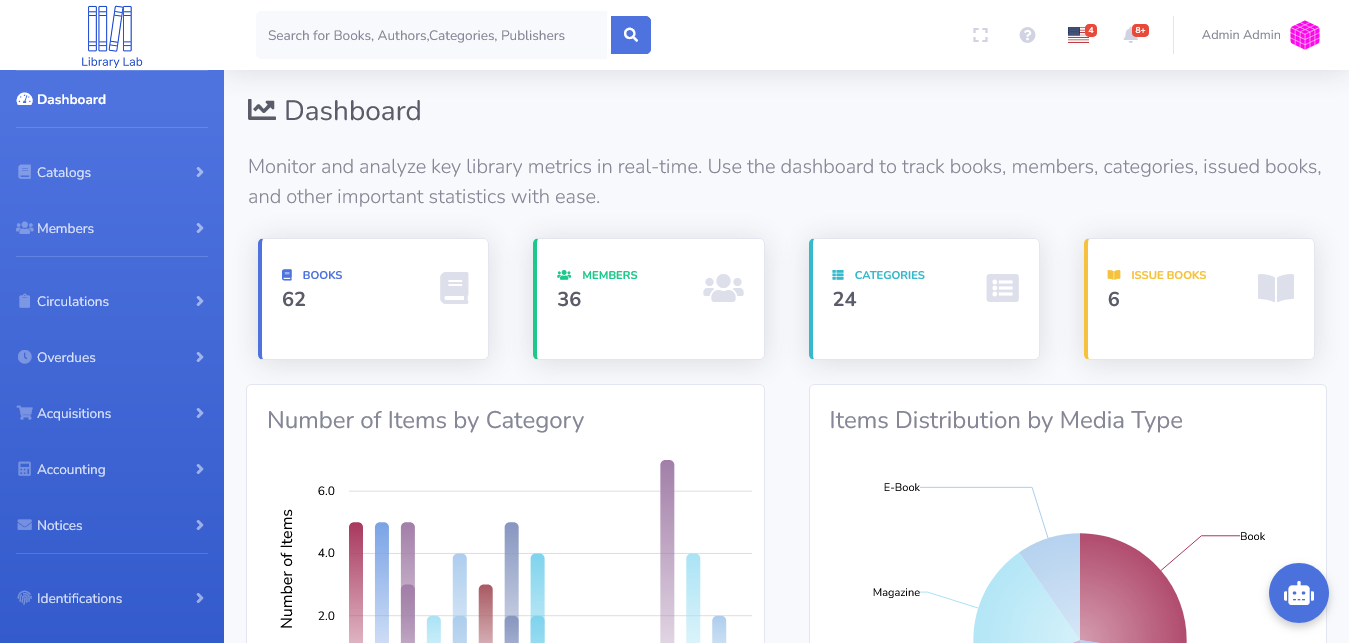
Monitor and analyze key library metrics in real-time. Use the dashboard to track books, members, categories, issued books, and other important statistics with ease.
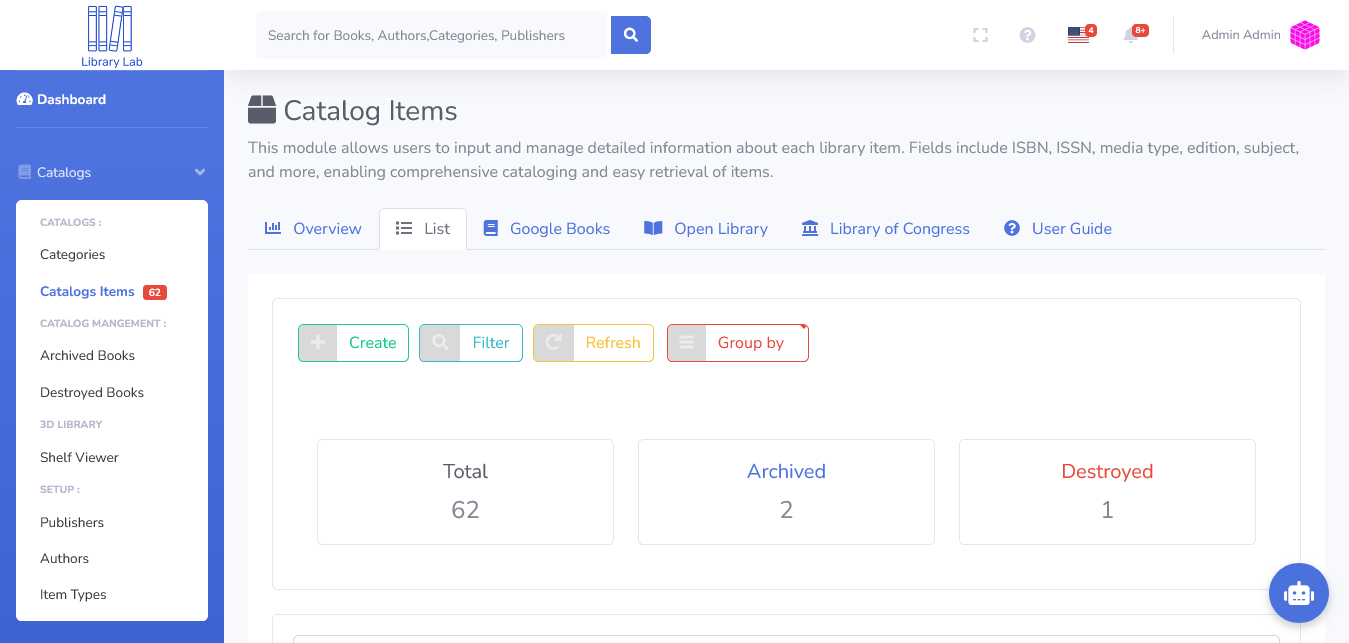
Catalog Items
This module allows users to input and manage detailed information about each library item. Fields include ISBN, ISSN, media type, edition, subject, and more, enabling comprehensive cataloging and easy retrieval of items.
3D Library Viewer
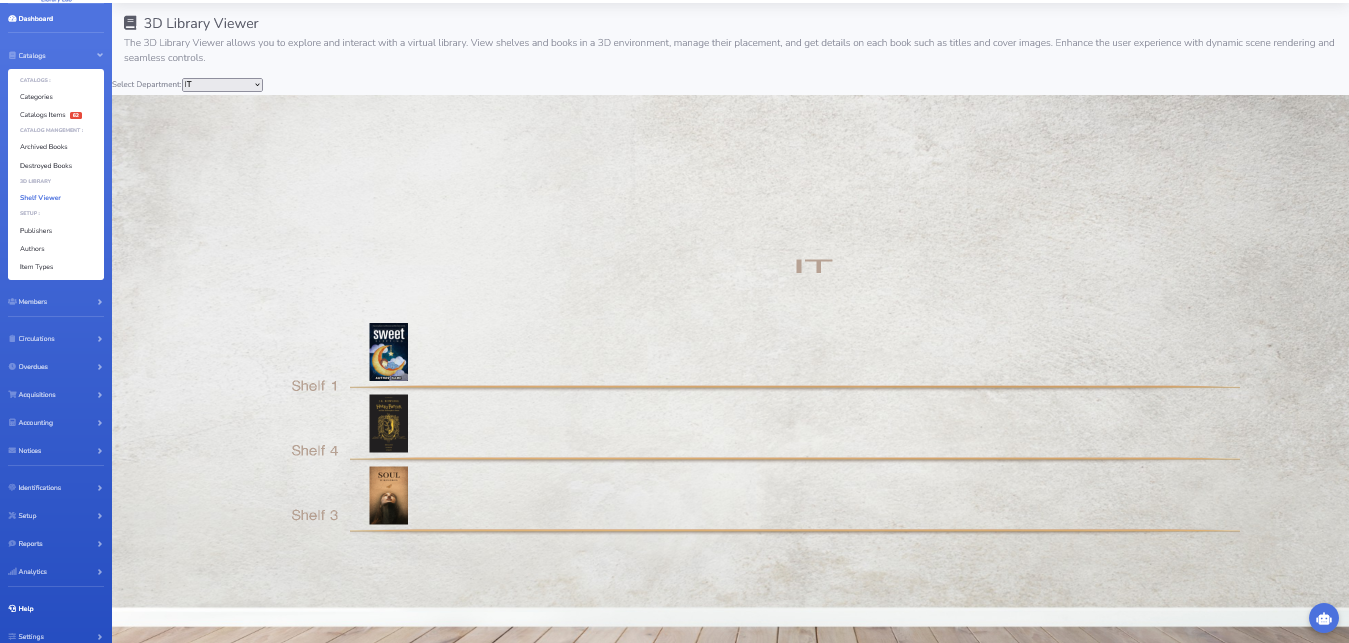
The 3D Library Viewer allows you to explore and interact with a virtual library. View shelves and books in a 3D environment, manage their placement, and get details on each book such as titles and cover images. Enhance the user experience with dynamic scene rendering and seamless controls.
Authors
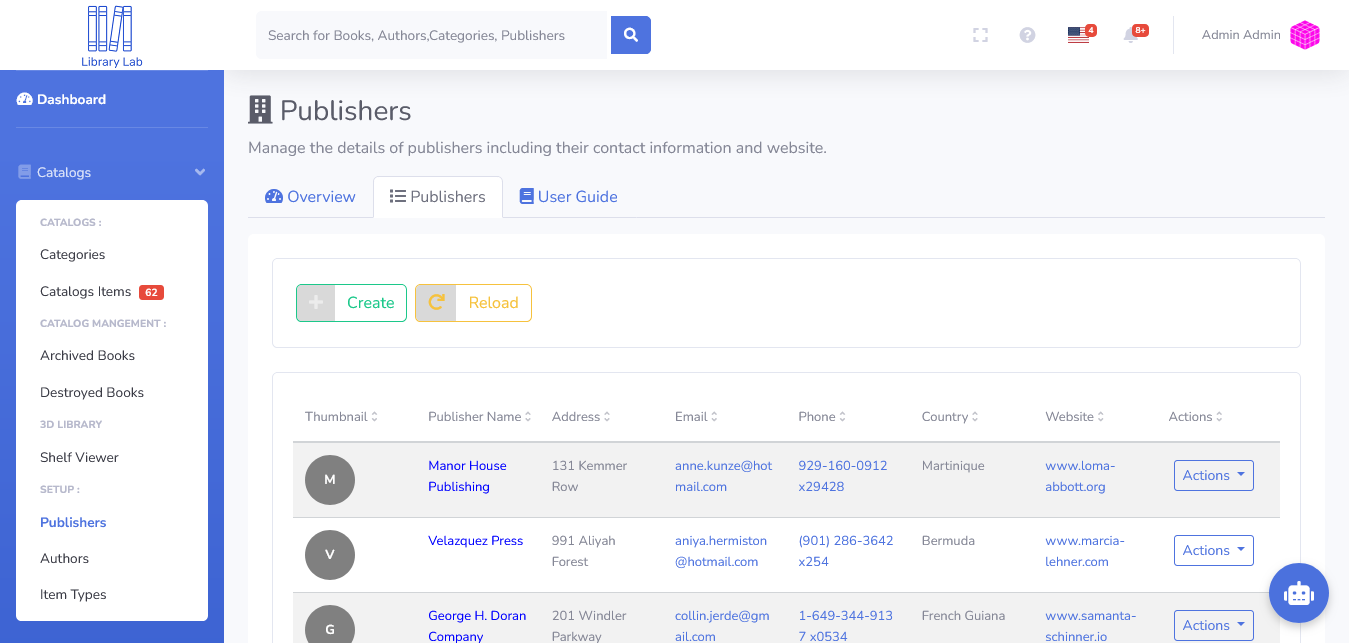
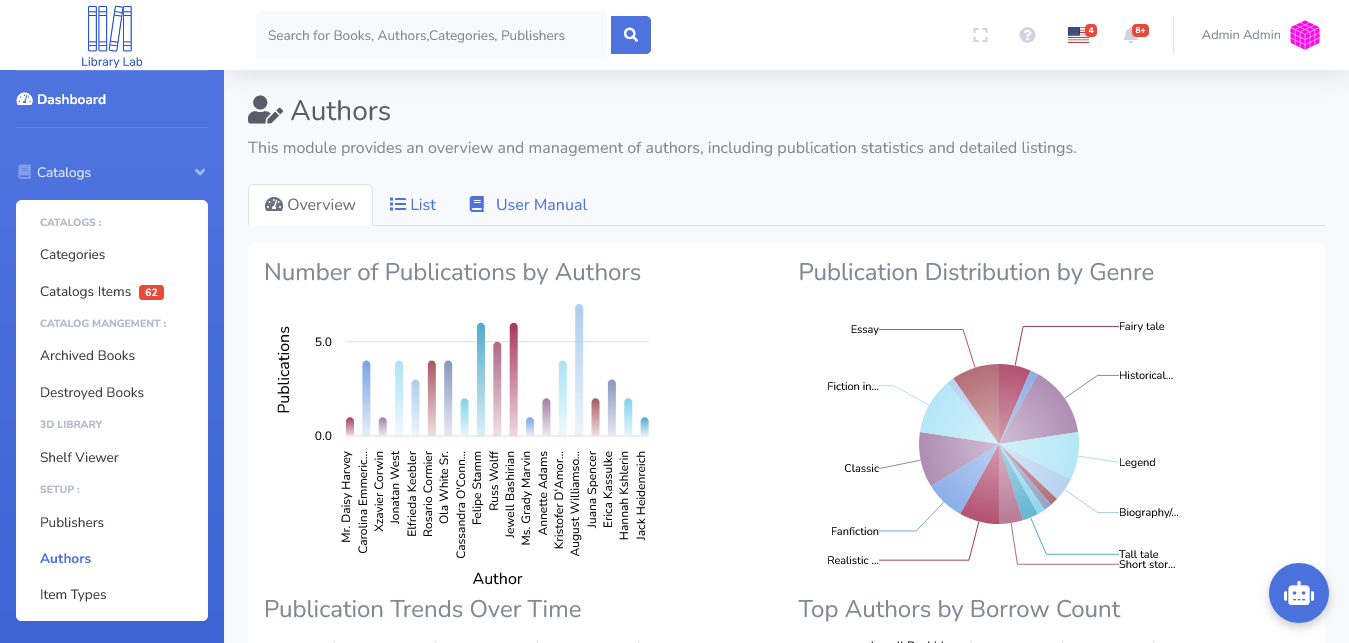
This module provides an overview and management of authors, including publication statistics and detailed listings.
Media Types
This module provides an overview and management of various media types in the library, including statistics and detailed listings.
Members
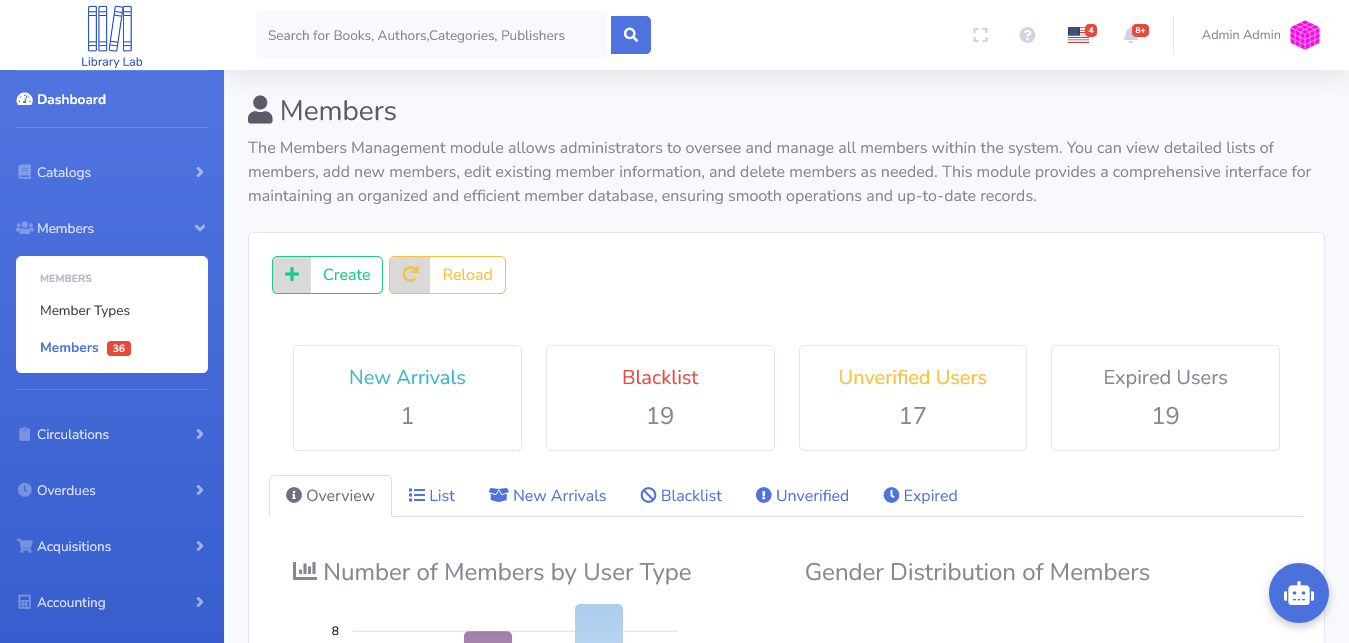
The Members Management module allows administrators to oversee and manage all members within the system. You can view detailed lists of members, add new members, edit existing member information, and delete members as needed. This module provides a comprehensive interface for maintaining an organized and efficient member database, ensuring smooth operations and up-to-date records.
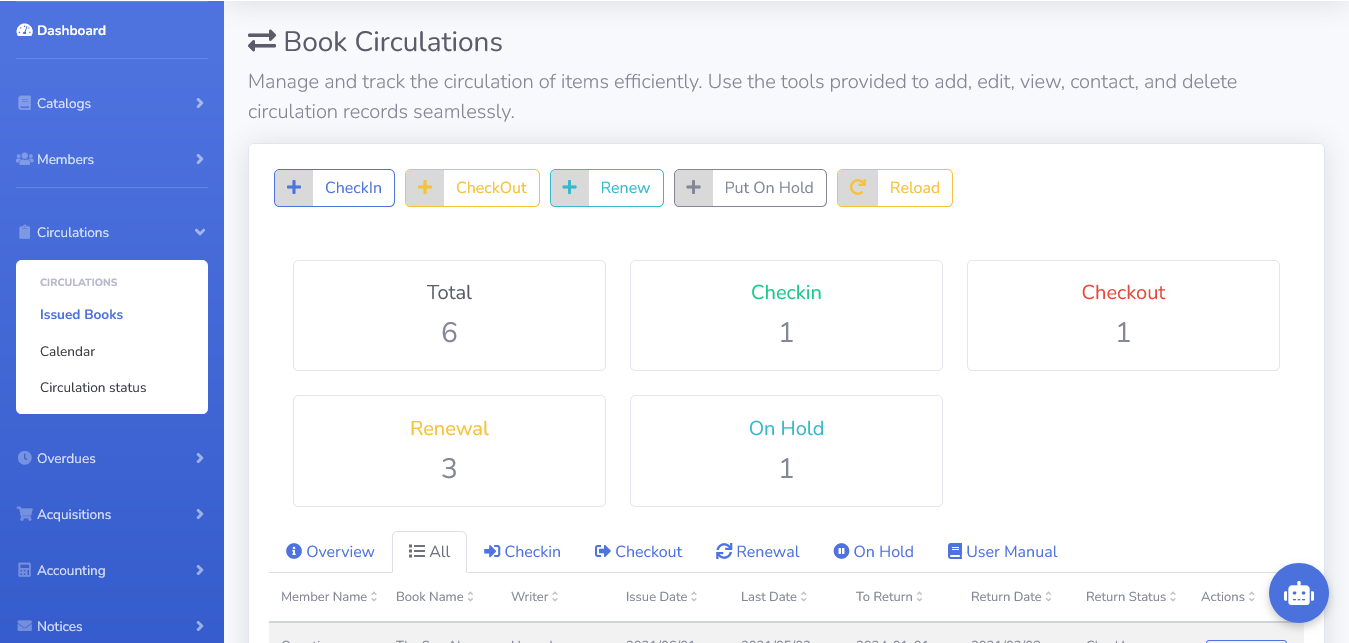
Book Circulations
Manage and track the circulation of items efficiently. Use the tools provided to add, edit, view, contact, and delete circulation records seamlessly.
Overdues
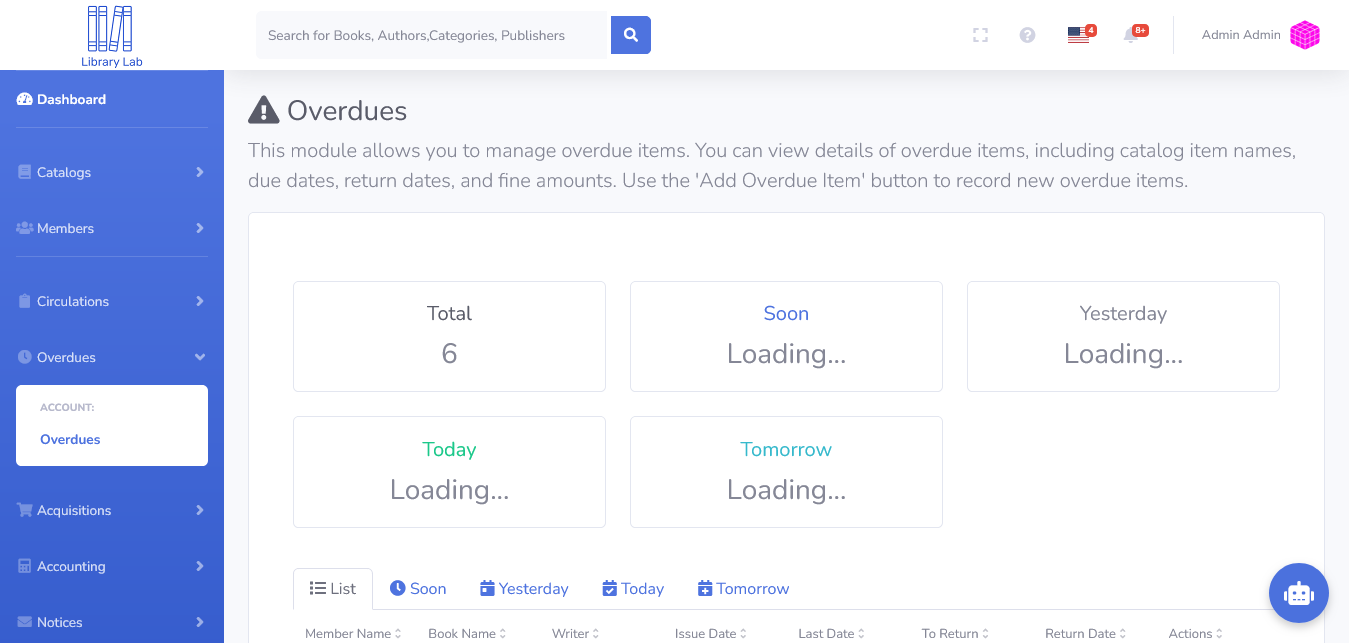
This module allows you to manage overdue items. You can view details of overdue items, including catalog item names, due dates, return dates, and fine amounts. Use the ‘Add Overdue Item’ button to record new overdue items.
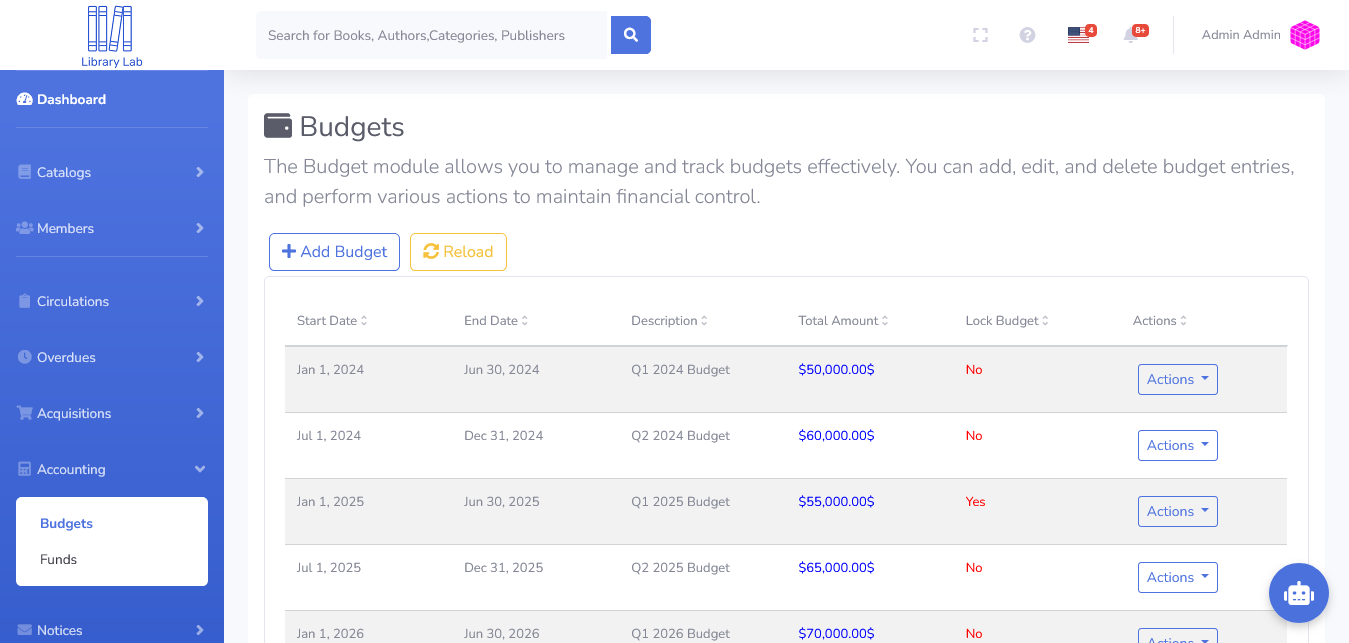
Budgets
The Budget module allows you to manage and track budgets effectively. You can add, edit, and delete budget entries, and perform various actions to maintain financial control.
Notice Templates
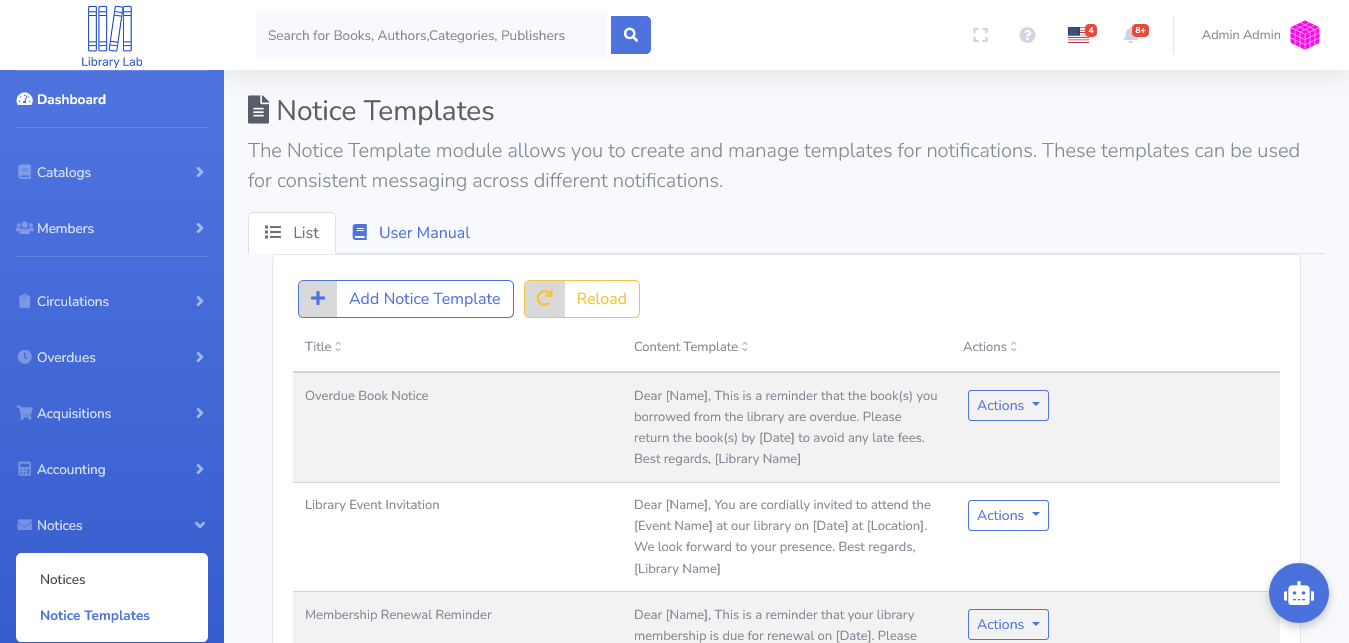
The Notice Template module allows you to create and manage templates for notifications. These templates can be used for consistent messaging across different notifications.
Notices
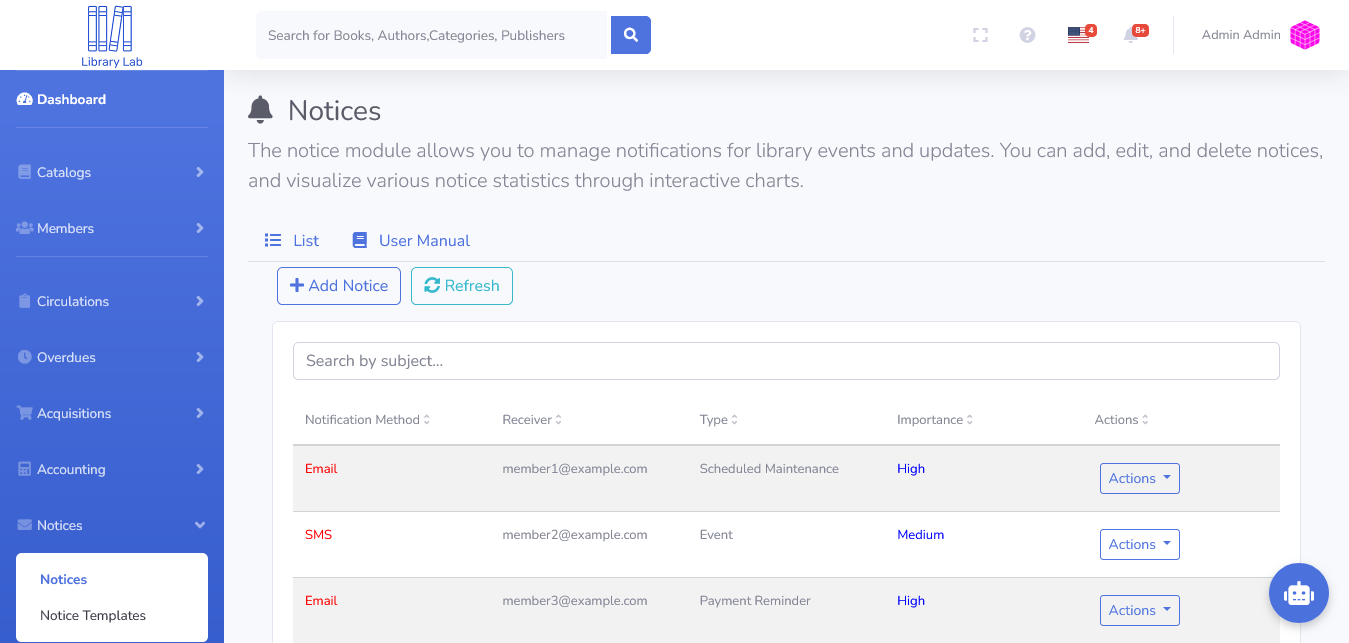
The notice module allows you to manage notifications for library events and updates. You can add, edit, and delete notices, and visualize various notice statistics through interactive charts.
Bar Codes
Manage and generate bar codes for various purposes. Use the tabs to navigate between a detailed list of bar codes and the user manual. Click “Generate Bar Code” to create new entries or edit existing ones.
QR Codes
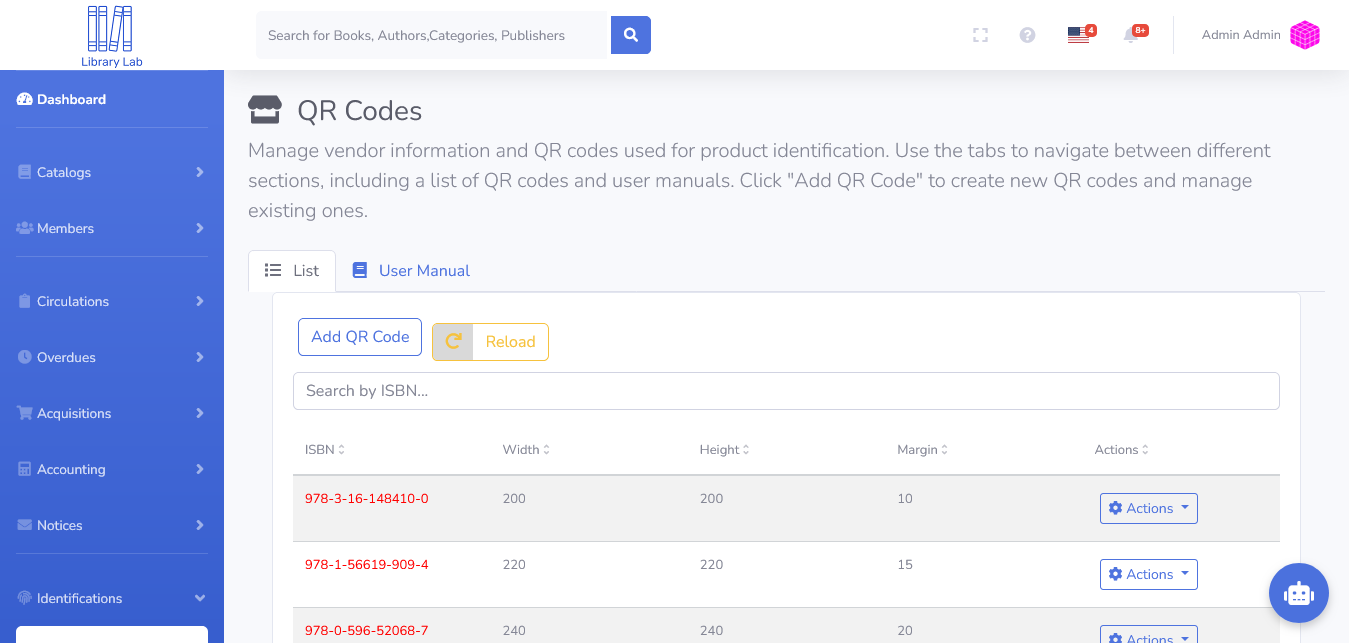
Manage vendor information and QR codes used for product identification. Use the tabs to navigate between different sections, including a list of QR codes and user manuals. Click “Add QR Code” to create new QR codes and manage existing ones.
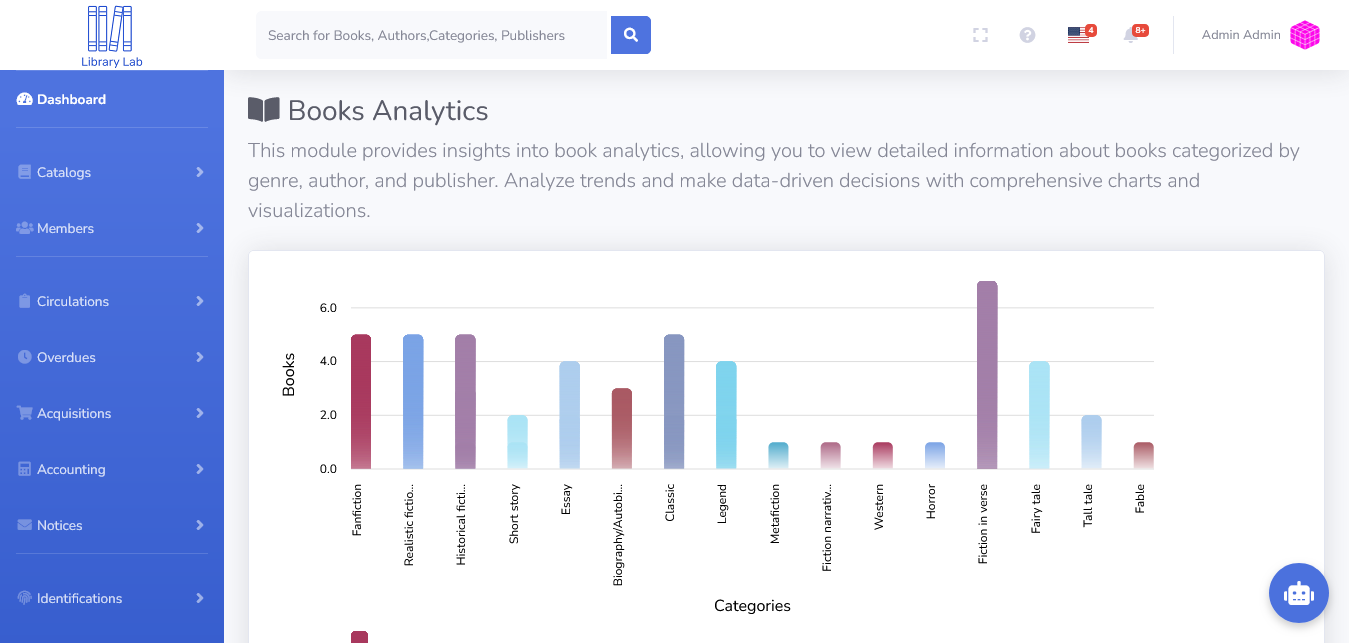
Books Analytics
This module provides insights into book analytics, allowing you to view detailed information about books categorized by genre, author, and publisher. Analyze trends and make data-driven decisions with comprehensive charts and visualizations.
Book Reports
This report provides detailed information on books, including their ISBN, titles, authors, categories, and publishers. Use the filters below to narrow down the report based on publisher, category, writer, or year. Click “Search” to view the filtered data.
Settings
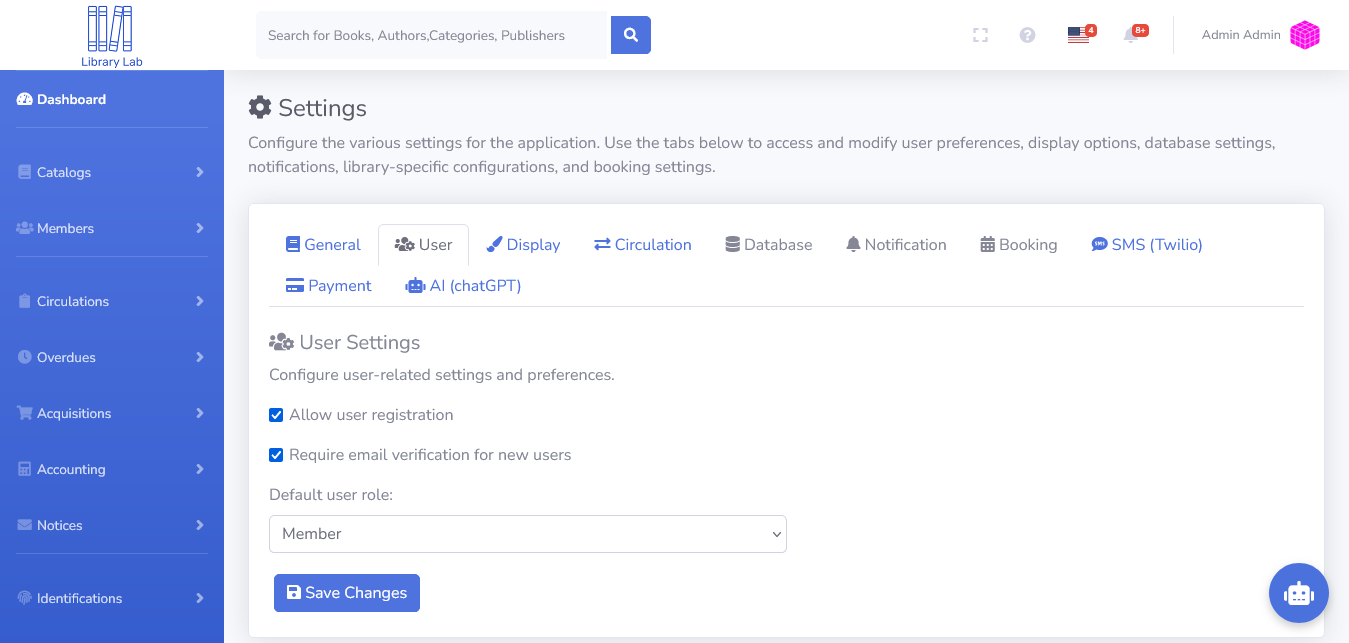
Configure the various settings for the application. Use the tabs below to access and modify user preferences, display options, database settings, notifications, library-specific configurations, and booking settings.
Changelog
- v1.1.0
Upgrading
- Upgrade Java 8 to Java 17 and Spring Boot 2.3 to 2.5
- Upgrade Node.js 14 to Node.js 18
New Features
- Google Books Integration – Import books from Google Books.
- Open Library Integration – Import books from Open Library.
- Library of Congress Integration – Import books from the Library of Congress.
- Shelf Viewer Module – Visual representation of book locations.
- Item Type Module – Manage different item types in the system.
- Barcode & QR Code Generation – Generate barcodes and QR codes for books and members.
- Department & Shelf Management – Add department, row, and shelf modules for better organization.
- Admin Profile Module – Manage administrator accounts with detailed profiles.
- Chatbot Module – AI-powered chatbot for assistance.
- Lost Password & Account Creation – Enable password recovery and new user registrations.
Dashboard Enhancements
- Additional Charts in Dashboard Module – Improved analytics with more visual charts.
Book Circulation Enhancements
- Check-in / Checkout / Renew / Hold – Streamlined book circulation process.
Financial & Membership Improvements
- Membership Card Printing – Print membership cards for users.
- Fine Payment via PayPal – Allow fine payments through PayPal.
- Budget & Fund Module – Manage budget allocation and fund tracking.
Orders & Vendor Management
- Basket & Vendor Contracts – Organize vendor contracts and book procurement.
- Purchase Suggestions & Invoices – Generate purchase recommendations and manage invoices.
Notifications & Communication
- Email & SMS Notifications – Notify users about book due dates, holds, and fines.
Temporary Changes
- Multilanguage Module Disabled – Temporarily disable multilingual support for improvements.
- v1.0.0
- Initial version



.png)