Fusion 2048 – Premium Android Puzzle Game
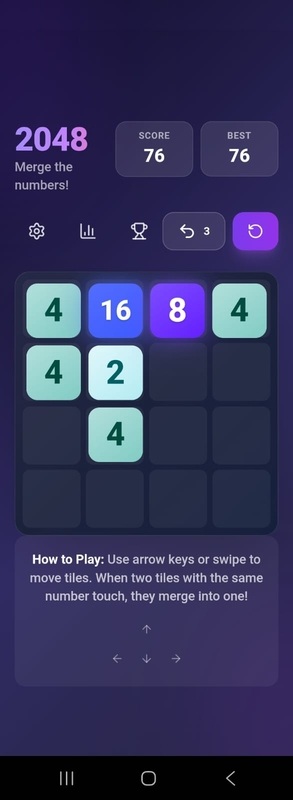
Fusion 2048 is a modern, high-performance Android puzzle game built with Capacitor, React, and TypeScript. The complete source code package is fully customizable and ready to publish on the Google Play Store with AdMob and In-App Purchase monetization.
Live Demo
Key Features
- Modern Tech Stack: React 18, TypeScript, Vite, Capacitor
- AdMob Integration: Banner, Interstitial, and Rewarded Ads pre-configured
- In-App Purchases: Remove Ads, Undo Pack, Premium Themes
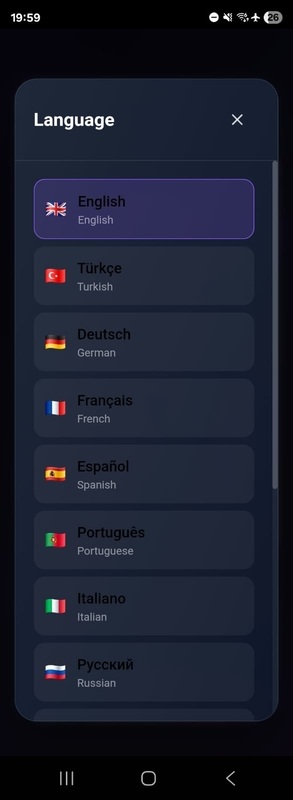
- 14 Languages: EN, TR, DE, FR, ES, PT, IT, RU, JP, KR, CN, AR, HI, ID
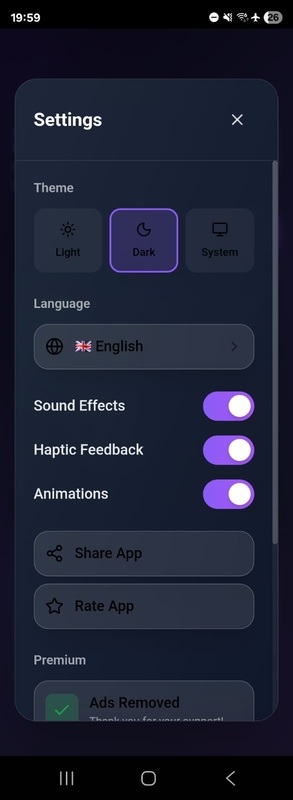
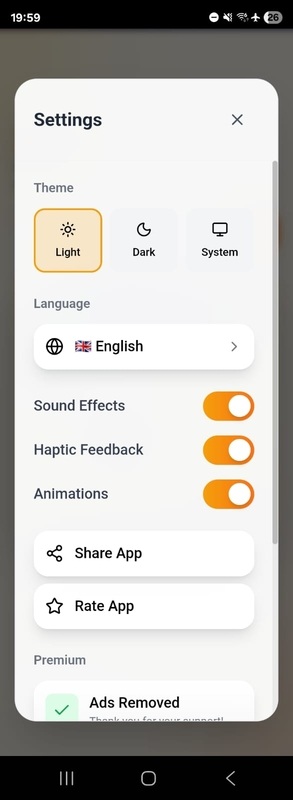
- Dark / Light Mode: Smooth gradient themes
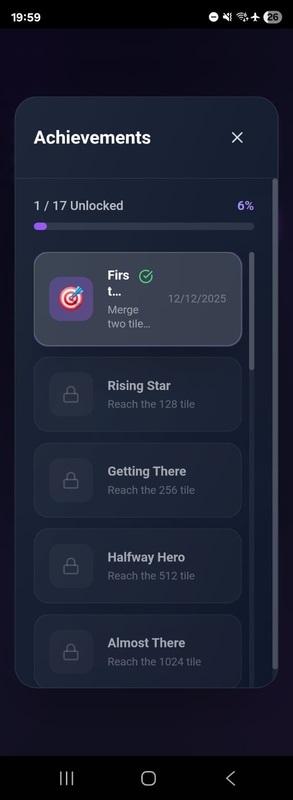
- 20+ Achievements: Reward player progress and increase engagement
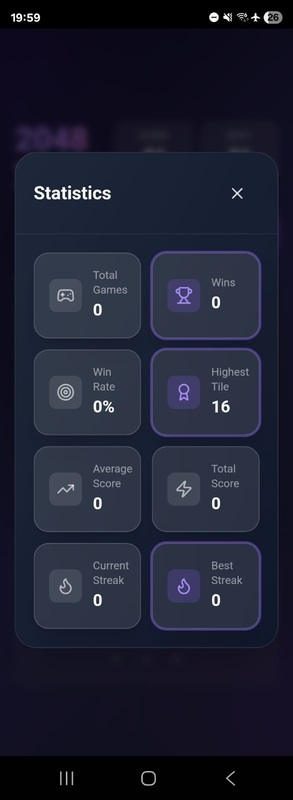
- Player Statistics: Track best score, total moves, wins, and more
- Haptic Feedback: Vibration effects for interactions
- High-Quality Sound Effects
- Onboarding Tutorial: Interactive guide for new players
- Offline Support: Fully playable without internet
- Responsive Layout: Works on all Android screen sizes
- Undo System: Earn undo moves through rewarded ads
- Auto-Save: Game progress saved instantly
Monetization
- AdMob Banner Ads
- AdMob Interstitial Ads (shown after game over)
- Rewarded Video Ads for earning undo moves
- IAP – Remove Ads (non-consumable)
- IAP – Undo Pack (consumable)
- IAP – Premium Themes (unlock exclusive themes)
Technical Highlights
- Clean & Organized Code: Well-structured TypeScript project
-
Single Config File: All settings in
app.config.ts - Production Ready: Optimized build and no debug logs
- Native Performance: Powered by Capacitor
- Smooth Animations: Framer Motion transitions
- Tailwind CSS: Easy UI customization
- React Context API: Efficient state management
- Capacitor Preferences: Persistent local storage
What’s Included
- Complete Android Studio project
- Full React + TypeScript source code
- All assets (icons, sounds, UI, screenshots)
- HTML documentation
- AdMob integration guide
- In-App Purchase setup guide
- Sample Privacy Policy & Terms templates
- APK build instructions
- 14 translation files
Requirements
- Node.js 18+ and npm
- Android Studio
- AdMob account
- Google Play Console account
- Basic knowledge of React and Android development
Setup Instructions
- Install dependencies:
npm install - Configure AdMob IDs in
src/config/app.config.ts - Configure In-App Purchase product IDs
- Customize app name, colors, branding, and assets
- Build the Android app:
npm run build→npx cap sync - Open the project in Android Studio and build the release APK
- Publish to the Google Play Store
Customization
- App name, package name & branding
- Themes, colors, fonts
- Language files
- Game settings (grid size, target tile, etc.)
- Ad frequency & placement
- Custom achievements
- UI components and layouts
Support
Full documentation is included. For questions or help, you can contact through the CodeCanyon comment section.
Tags
2048 game, android game, puzzle game, capacitor, react, admob, rewarded ads, in-app purchase, mobile game, typescript, tailwind, android studio, game template