

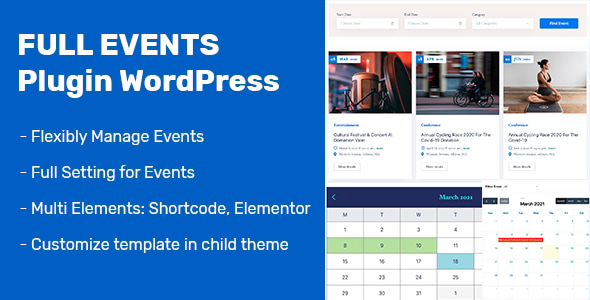
FullEvents – WordPress Event Calendar, Management & Booking Plugin for Elementor
FullEvents is an all-in-one WordPress event calendar, management and booking plugin built for Elementor. It adds a dedicated Events post type to your website and gives you 22 Elementor widgets and 20 shortcodes to display events as calendars, sliders, grids, countdowns and single event pages. You can take bookings through WooCommerce or link to any external ticketing service — all without writing a single line of code.
1. Problems Solved
Running events on WordPress usually means juggling several plugins, fighting rigid layouts and paying for expensive add-ons just to sell a ticket. FullEvents removes those headaches:
- No more rigid, one-size-fits-all event templates — design every page visually with Elementor.
- No separate calendar, countdown, search and booking plugins — it is all in one package.
- No coding to sell tickets — connect WooCommerce or an external link in a few clicks.
- No missed sign-ups from slow pages — AJAX filter, search and pagination load instantly without reloads.
2. Who is this plugin for?
FullEvents is made for anyone who needs to publish and promote events on WordPress: event organizers and agencies, conference and summit websites, music venues and concert promoters, training and workshop providers, webinar hosts, nonprofits, churches, clubs and community groups — as well as freelancers and web studios building event sites for clients.
3. Key Benefits
- Launch faster: a ready-made Events post type, calendars and single-event elements let you go live in minutes, not days.
- Full design freedom: 22 Elementor widgets and 20 shortcodes work with any theme, so your event pages match your brand exactly.
- Sell tickets your way: take paid bookings through WooCommerce or point free events to any external booking page.
- Better conversions: countdown timers, instant AJAX search and clean event pages keep visitors engaged and drive sign-ups.
- Global & future-proof: translation-ready with 30+ calendar languages, RTL support and full responsiveness on every device.
4. How It Works
- Step 1 — Create an event: add a new Event and fill in date, time, venue, price, organizer details, Google Maps location and a gallery.
- Step 2 — Choose booking: set the event to book via WooCommerce (paid tickets) or a custom external link.
- Step 3 — Build your pages: drop Elementor widgets or shortcodes to show calendars, sliders, grids, countdowns and single-event layouts.
- Step 4 — Publish & sell: visitors browse, filter and search events with AJAX, then book or buy tickets directly on your site.
5. Main Features
- Dedicated Events post type with Categories & Tags taxonomies
- 22 Elementor widgets + 20 shortcodes — works with any WordPress theme
- FullCalendar & simple monthly calendar views
- AJAX filter, live search & pagination — no page reloads
- Event booking & ticket sales via WooCommerce, or link to any external ticketing site
- Countdown timer to build urgency before each event
- Full event details: date, time, venue, price, organizer, phone, email, website
- Google Maps location per event
- Event gallery, related events, social share, tabs & navigation
- Assign a custom Elementor template to any single event
- Featured events, custom ordering, hide past events
- 12h/24h formats, primary color control, multi-language calendar (30+ locales)
- Translation-ready (.pot), RTL-ready, fully responsive
6. Use Cases
- Conferences & summits: publish agendas, speakers and sell tickets in one place.
- Concerts & music venues: promote shows with countdowns and instant booking.
- Workshops & training: list sessions with dates, prices and location maps.
- Webinars & online events: collect sign-ups and link attendees to the meeting.
- Community, nonprofits & churches: share a public calendar of upcoming activities.
7. Why Choose FullEvents?
Most event plugins force you into one rigid layout and lock ticketing behind pricey upgrades. FullEvents gives you complete Elementor design control, a full toolkit of calendars, search and countdowns, and WooCommerce booking out of the box — on any theme, in any language. Built and maintained by Ovatheme, it comes with clear documentation, dedicated support and regular updates, so you can launch a professional event website with confidence.
8. FAQ
- Do I need Elementor Pro? No — the free version of Elementor is enough.
- Can I sell paid tickets? Yes, through WooCommerce checkout, or link to an external booking page for free events.
- Will it work with my theme? Yes, FullEvents is theme-independent and works with any standard WordPress theme.
- Is it translation ready? Yes — a .pot file is included and the calendar ships with 30+ languages.
- Does it support RTL languages? Yes, FullEvents is fully RTL-ready.
- Is it mobile responsive? Yes, all layouts adapt to phones, tablets and desktops.
Changelog
Version 1.3.5 (11 July 2026)
- Fix some error security
- Fix other small error.

Version 1.3.4 (13 April 2026)
- Fixed date/time display in the upcoming events widget.

Version 1.3.0 - 1.3.3 (Aug 2025 - Feb 2026)
- Fixed event location editing, search form and category slide shortcode.
- Updated event slide element and documentation.
- Added filter hook for the get-events query.

Version 1.2.6 - 1.2.9 (Nov 2024 - May 2025)
- Security fixes and improved AJAX event search.
- Fixed date language, end date/time display and backend tags.

Version 1.2.0 - 1.2.5 (Oct 2023 - Sep 2024)
- Added countdown date and load-template filter (Divi compatible).
- Backend UX improvements, element option updates and code cleanup.

Version 1.1.0 - 1.1.9 (Jun 2022 - Aug 2023)
- Added RTL support, WooCommerce booking, category and search filter elements.
- Related events filter (All / Past / Upcoming); PHP 7.x/8.x compatibility.
- Various calendar, slider and search fixes.

Version 1.0.1 - 1.0.9 (Mar 2021 - Mar 2022)
- Initial releases: event templates in Elementor, AJAX search, booking element.
- Per-event templates, translatable calendar, first-day option and bug fixes.





