Welcome to Asl Enterprise Chat System, a cutting-edge Flutter application that brings seamless Enterprise Chat application functionalities to your fingertips. Asl Enterprise Chat System application is developed for Office, Business, Company, Enterprise, start-up, flutter developers, students and chat app dreamer who want an Excellent application for his office/company/enterprise/groups/community chatting.
Asl Enterprise Chat System application’s Features
Technologies Used
- Frontend: Flutter
- Backend: Node.js
- Database: MongoDB
Security
- Email Auth: For changing password
- Encryption: Password and Messages
- JWT: For token based login
Core Features of Admin Panel/Dashboard
-
1.Admin Login
Initial screen.
-
2.Showing Card
Card for showing Users, Groups, Online User List, Muted User List in Dashboard.
-
3.Dashboard
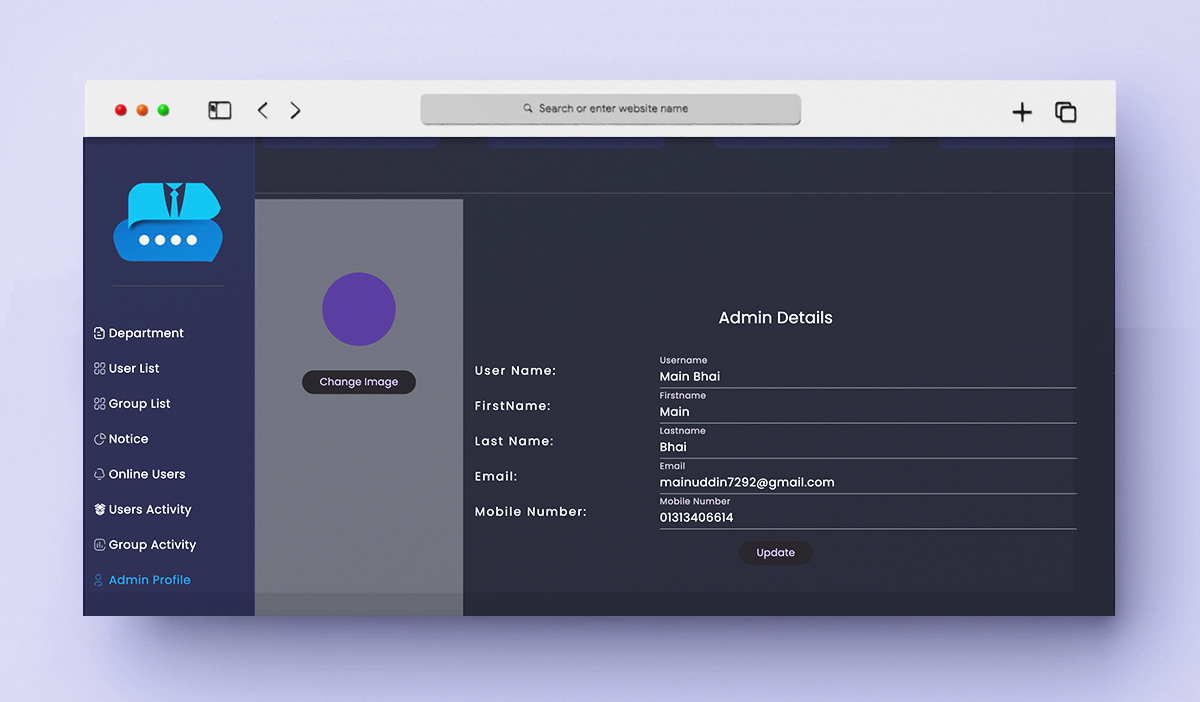
Showing Card, List of Department, Users, Groups, Activity, Notification and Admin Profile
-
4.Create Department/Section
Popup for create Department.
-
5.Making Department Head
Making department head from users
-
6.Create User
Popup for create User.
-
7.Create Group
Popup for create Group.
-
8.Create Notice
Popup for create Notice.
-
8.Showing Notice
Notice List with seen and unseen user list.Delete Notice
-
9.Showing User Activity
User Activity Show Dashboard
-
10.Showing Group Activity
Group Activity Show in Dashboard
-
11.Searching
Searching in Department, Groups, Users etc
-
12.Chatting
Chatting with single and multiple user at a time
-
13.Group Making
Add memeber, Remove member and Edit group, Delete Group
-
14.User Details
Edit User details and Mute Unmute user, Shwoing group list where user is a member
-
33. Dark and Light Mode
Appearence changing.
Core Features of User Application
-
1. Splash Screen
Initial app loading screen.
-
2. Onboarding Screens
Series of screens introducing app features.
-
3. Login Screen
User login with email or social media.
-
4. Registration Screen
Sign up with user details.
-
4. Authentication Screen
Verify User Email Authentication.
-
5. Forgot Password Screen
Password recovery options.
-
6. Home Screen
Dashboard with quick access to features.
-
7. Chat List Screen
List of recent conversations.
-
8. Group Chat Screen
Chat interface for group discussions.
-
9. Private Chat Screen
One-on-one messaging interface.
-
10. Archive Chat Screen
All archived chats interface.
-
11. Settings Screen
Settings interface.
-
12. Audio/Image/File Message
Interface for sending recorded messages.
-
13. File Sharing Screen
Send or view shared files.
-
14. Poll Creation Screen
Create polls for discussions.
-
15. Pin Message
Pin Unpin message in conversations
-
16. Forward/Remove/Reply/Copy on message
Message forward, Remove, Reply and Copy in conversations.
-
17. Activity message in group conversations
User added, leave, remove etc.
-
18. Is Typing Indication
Showing user is typing or not.
-
19. Recording audio
Recording audio for sending as message.
-
19. Showing message by date
Showing message by date/day/time.
-
20. Recent Chat Screen
Showing all recent chats.
-
21. Last message show
Showing last message on recent chat .
-
22. Archive/Delete/Block for Person
Showing dialog for all recent person chat.
-
23. Archive/Leave/Block for Group
Watch short user stories.
-
24. User Profile Screen
View user’s profile details.
-
25. Edit Profile Screen
Update personal information.
-
26. Account Settings Screen
Manage account preferences.
-
27. Block Chat Screen
Configure privacy options.
-
28. Friends Screen
View friend list.
-
29. Friend Profile Screen
View friend’s profile.
-
30. Groups Screen
List of user groups.
-
31. Group Creation Screen
Create a new group.
-
32. Group Details Screen
Details and posts in a group.
-
33. Dark and Light Mode
Appearence changing.
-
34. Tutorial
Applicaiton using tutorial/tour.
-
35. Notice
Notice board in recent chat with notification icon.