Want to create a professional document library on your WordPress website? FileBird Document Library Pro makes it easy to organize, display, and share your documents with visitors.
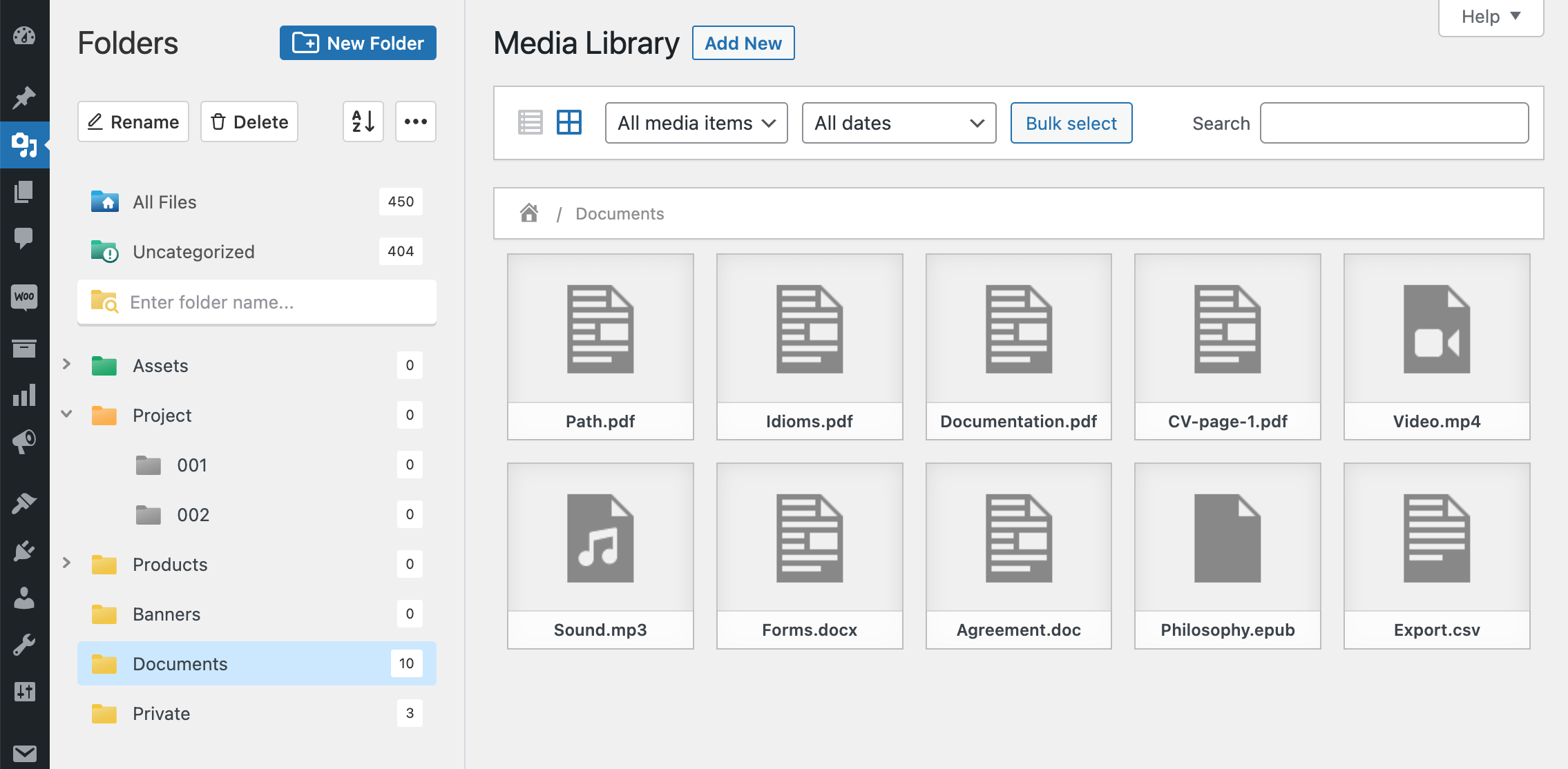
Built as an add-on for FileBird, this plugin lets you turn your FileBird folders into searchable document libraries. Simply organize your files into folders, then display them in a clean grid, list, or folder tree layout. Your library updates automatically whenever you add, move, or replace files in the WordPress Media Library.
Heads up: price change on Envato, here’s how to still pay less
Envato recently raised its marketplace fee to 50%, which pushed FileBird Document Library’s Envato price from $39 to $89 lifetime. We didn’t want that cost passed entirely onto you, so we kept the license affordable on our own site instead.
Get FileBird Document Library directly from NinjaTeam.org →
When you buy from us instead of Envato, you get:
- ✅ A lower price, plus coupon codes you can actually apply (Envato doesn’t allow this)
- ✅ Direct, instant support from the team that built the plugin, no Envato comment queue
- ✅ Multi-site licensing, cover more than one site per license
- ✅ Auto-update, get informed about new versions instantly, set auto-update or one click to update
- ✅ Free staging and dev site usage, your license key works on staging/development environments without counting against your activation limit
Same plugin, same updates, same lifetime license. Just a better deal and faster support.
Who needs FileBird Document Library Pro?
Whether you’re managing learning materials, company documents, or downloadable resources, FileBird Document Library Pro helps visitors quickly find and access the files they need.
- Schools, academies, and online courses: Display ebooks, lesson materials, worksheets, and downloadable resources in a well-organized library.
- Businesses and organizations: Share company profiles, brochures, presentations, policies, reports, and other important documents.
- Nonprofits: Publish annual reports, meeting agendas, event documents, grant applications, and public resources.
- Directories and service providers: Offer product catalogs, technical documents, user guides, forms, and downloadable files.
- Membership and community websites: Create a private or public resource center that is easy to browse and search.
Features
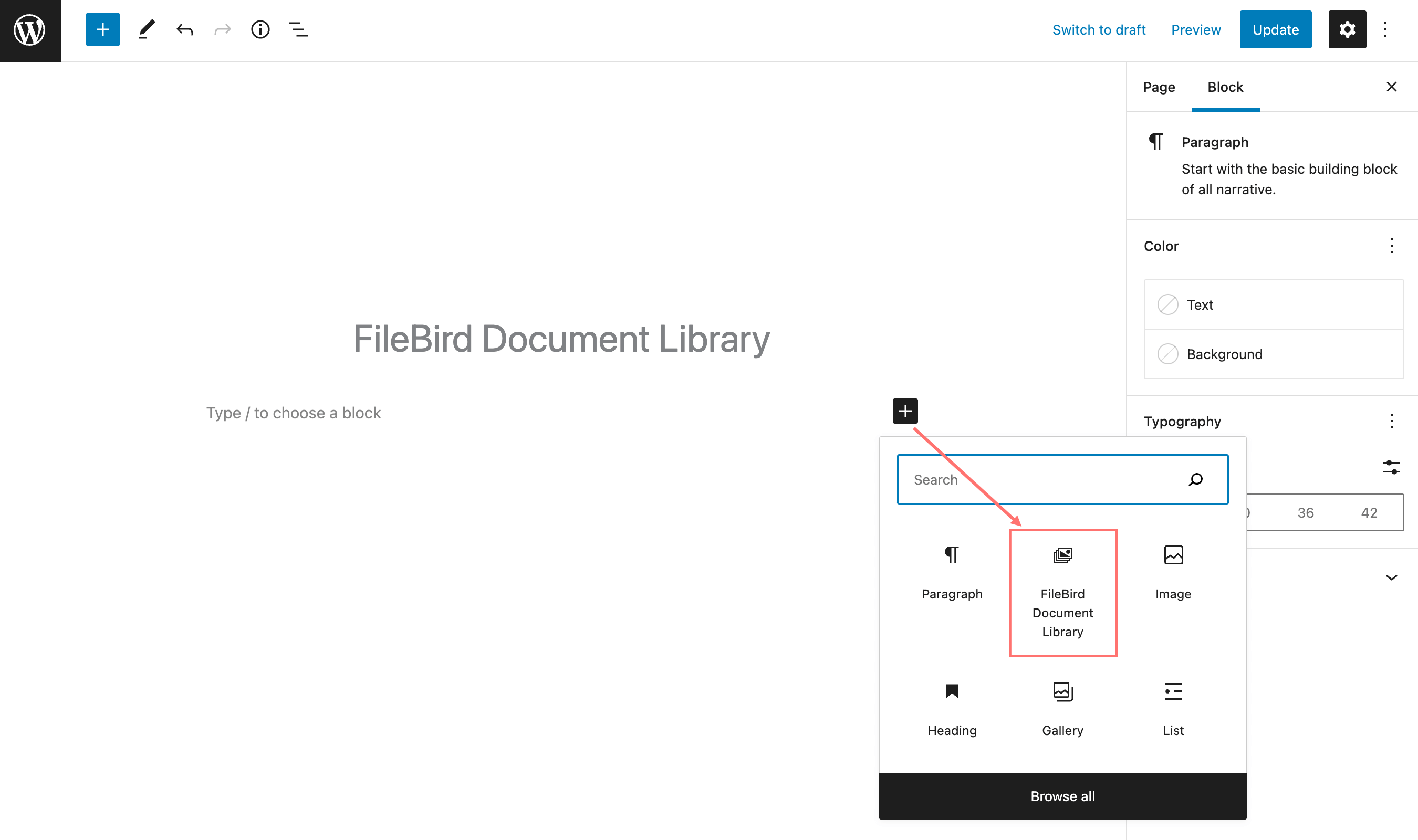
- Create unlimited document libraries with shortcodes and Gutenberg blocks.
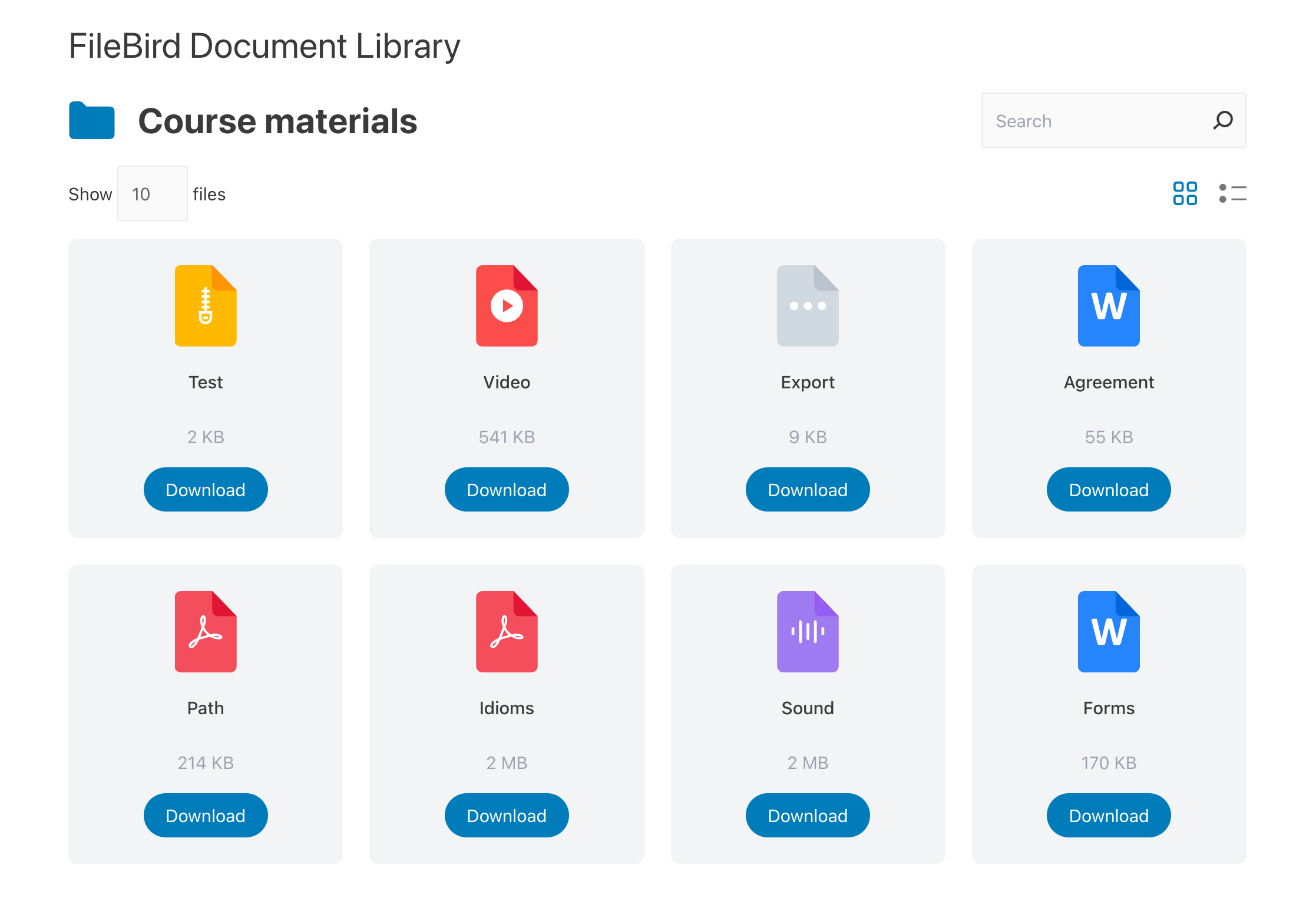
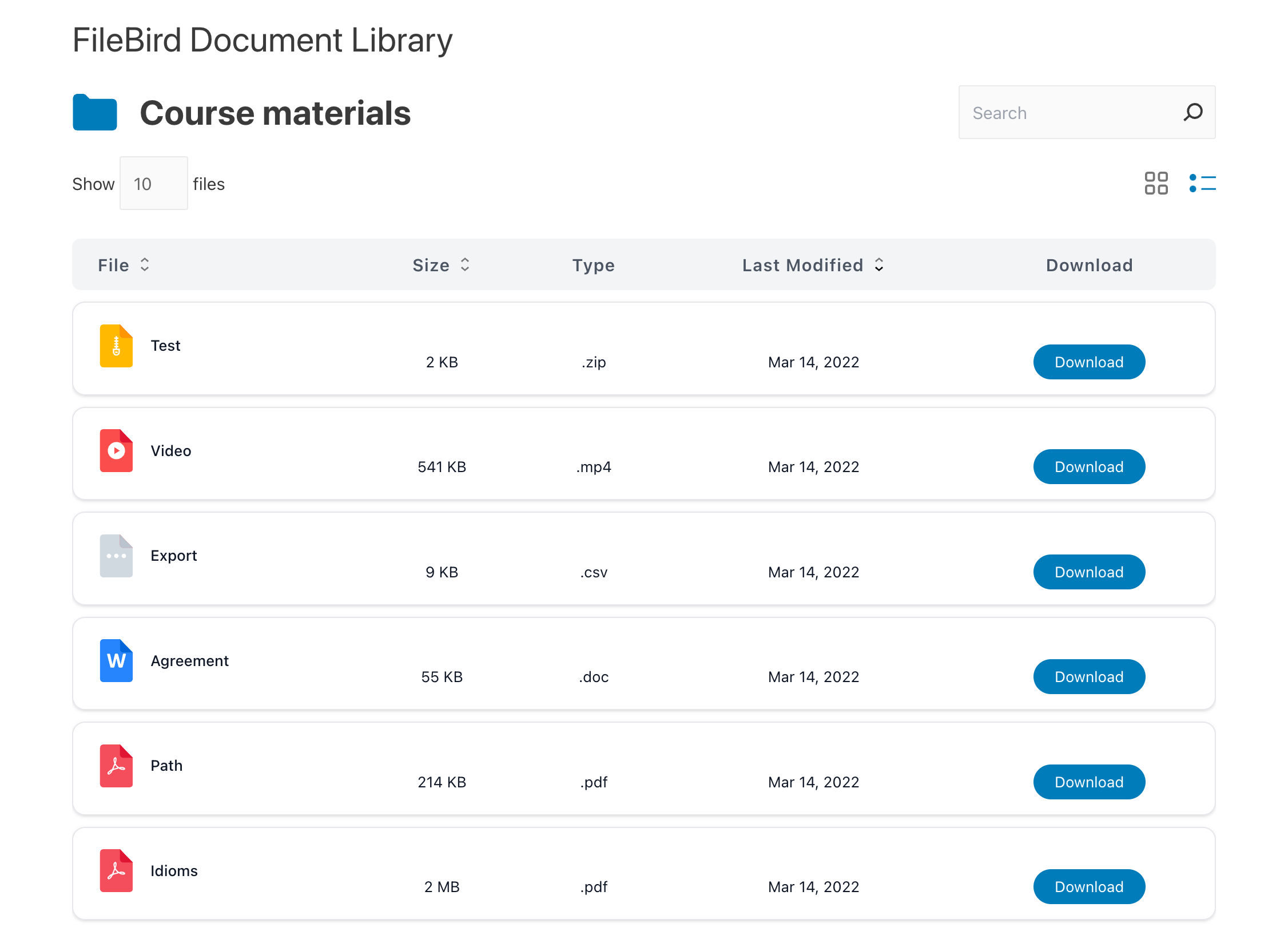
- Display documents in Grid, List, or Table layouts.
- Show an interactive folder tree with nested folders and breadcrumb navigation.
- Instant front-end search to help visitors find files quickly.
- Sort documents by name, file size, or modified date.
- Automatically sync with your FileBird folders. Changes in the Media Library appear instantly on the front end.
- Display file thumbnails, captions, descriptions, and custom metadata.
- Add custom folder icons to match your website design.
- Choose how files open, including Preview, Download, Popup, or Attachment Page.
- Show download buttons, download counts, or let users download multiple selected files.
- Protect file access with encrypted download links and customizable expiration times.
- Customize pagination, number of columns, items per page, search scope, and other display settings.
- Works with Gutenberg, Elementor, Divi, Bricks, Beaver Builder, Oxygen, and other page builders using shortcodes.
- Supports all document types stored in the WordPress Media Library, including PDF, DOC, DOCX, XLS, XLSX, PPT, PPTX, ODT, PSD, SVG, DWG, Apple document formats, EPUB, MOBI, AZW, DJVU, ZIP, and many more.
Why choose FileBird Document Library Pro?
A well-organized document library improves the user experience by making it simple for visitors to browse, search, preview, and download files. Whether you run an online course, business website, nonprofit organization, documentation portal, or resource center, your content stays organized and easy to manage.
Since the library stays connected to your FileBird folders, you only need to manage your files once. Every update you make in the WordPress Media Library is automatically reflected on your website, saving time and reducing manual work.
Searchable document libraries can also help improve your site’s visibility by making PDFs, ebooks, manuals, white papers, presentations, and other downloadable resources easier for search engines to discover.
How it works
1. Add a new Gutenberg block.2. Create a new page or post, then edit it using Gutenberg. In Gutenberg editor, look for the FileBird Document Library block and insert it to your page/post.
3. Choose a folder from the settings on the right sidebar.
4. Customize the built-in styling options.
5. Publish the document in list or grid layout.
Documentation
https://ninjateam.gitbook.io/filebird/filebird-document-libraryChangelog
May 25, 2026 – Version 3.0.9
- Fixed: UI issues with WordPress 7.0
- Fixed: A conflict where submit buttons are disabled
Feb 25, 2026 – Version 3.0.8
- Added: Custom column for YouTube or external links
- Added: Catalan language
- Added: Option to secure download URLs (Pro version)
- Added: Option to enable the Download button by file type (Pro version)
- Added: Option to change the Tree icon (Pro version)
- Added: Custom fields (Pro version)
- Added: Custom folder icons to show on the frontend library (Pro version)
- Added: Custom thumbnail used as placeholder when your server does not support generating thumbnails for PDF files
Sep 12, 2025 – Version 3.0.7
- Added: Download Count
Mar 29, 2025 – Version 3.0.6.1
- Fixed: Nonce error when cache plugin is enabled
Mar 9, 2025 – Version 3.0.6
- Fixed: Sorting did not work when clicking the arrow icon
- Fixed: Occasionally did not work with cache plugins
Jan 5, 2025 – Version 3.0.5
- Fixed: UI
- Fixed: Link to Popup
- Changed: Sorting function
Dec 24, 2024 – Version 3.0.4
- Fixed: Frontend UI
Dec 6, 2024 – Version 3.0.3
- Added: Support thumnail for videos
- Fixed: Run with FileBird Document Library for Members
- Fixed: Typo
- Fixed: Switch to grid layout on mobile issue
Sep 15, 2024 – Version 3.0.2
- New: Added an option to display the count of nested folders
- New: Added an option to set the type for nested folder count
- Fixed: Duplicate display of container items
- Fixed: The issue where the limit number input was not working as expected
Sep 7, 2024 – Version 3.0.1
- Added: Revert popup preview setting
- Supported: PolyLang + WPML
- Fixed: Missing tree select in mobile
- Fixed: Edit ShortCode doesn’t works properly if Gutenberg is not activated
- Fixed: Infinite warning log (Get lots of hosting storage)
Aug 27, 2024 – Version 3.0.0
- Added: Displaying file thumbnails
- Added: Displaying file counter of the folders on the front-end
- Updated: Shortcode interface
- Updated: Multiple gallery shortcode capability
- Improved: Front-end performance
- Improved: SEO + meta description
Jul 9, 2024 – Version 2.0.9
- Fixed: Mobile issue
Jun 25, 2024 – Version 2.0.8
- Added: "Required plugin" admin notice
Mar 21, 2024 – Version 2.0.7
- Added: Created Date column
Jan 19, 2024 – Version 2.0.6
- Removed: Rest_nonce
- Fixed: PHP warning when using extended search
Jan 9, 2024 – Version 2.0.5
- Fixed: CSS (when without Download column)
Dec 21, 2023 – Version 2.0.4
- Updated: Compatible with FileBird 6.0
Dec 7, 2023 – Version 2.0.3
- Fixed: Display no files when a folder is deleted, FileBird Document Library block remained
Nov 13, 2023 – Version 2.0.2
- Fixed: Compatible with PHP 8 and greater
Nov 9, 2023 – Version 2.0.1
- Fixed: Shortcode - Display as hierarchical folders doesn’t work correctly
Oct 31, 2023 – Version 2.0
- Added: New library type setting
- Added: New search scope
- Improved: Modify Nested Folder & Breadcrumb base on library type
- Fixed: Some small CSS conflict
- Updated: POT files
Oct 16, 2023 – Version 1.9
- Added: Nested folder for front end display
- Added: German language supported
Sep 7, 2023 – Version 1.8
- Added: Display folder tree on front end
Jun 1, 2023 – Version 1.7.1
- Fixed: Change limit items
Apr 27, 2023 – Version 1.7
- Added: Display Additional content (Caption, Description)
- Added: Popup Preview
- Improved: Performance
- Improved: Pot file
- Improved: Cover code into Typescript
- Improved: Gutenberg block
- Fixed: Cursor pointer when hovered
- Fixed: Icon search
- Fixed: Border focus search box
- Fixed: UI/CSS
- Fixed: Conflict query with Enerzee Theme
Dec 28, 2022 – Version 1.6
- Fixed: Conflict with Divi Builder
- Fixed: Choose folder (right side) in Gutenberg
Nov 29, 2022 – Version 1.5
- Added: Update new pot files, support Spanish Language
- Added: New setting - Auto switch to grid layout on mobile
- Added: Option show/hide Extra column in Shortcode
Nov 11, 2022 – Version 1.4
- Added: Show/Hide extra columns
- Added: Font size modify control
- Added: Padding modify control
- Added: Link file control
- Improved: Natural file name sort order
Oct 28, 2022 – Version 1.3
- Fixed: Open PDF link
Oct 21, 2022 – Version 1.2
- Fixed: Translate on frontend
Sep 14, 2022 – Version 1.1
- Added: Support translation
- Fixed: Bugs
Aug 11, 2022 – Initial Release