Expense Track
Complete Finance Tracking Solution
Professional Flutter App with Firebase Integration
Overview
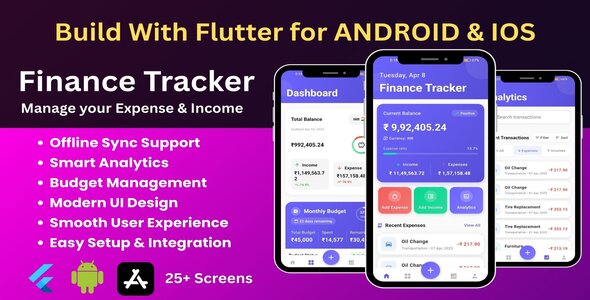
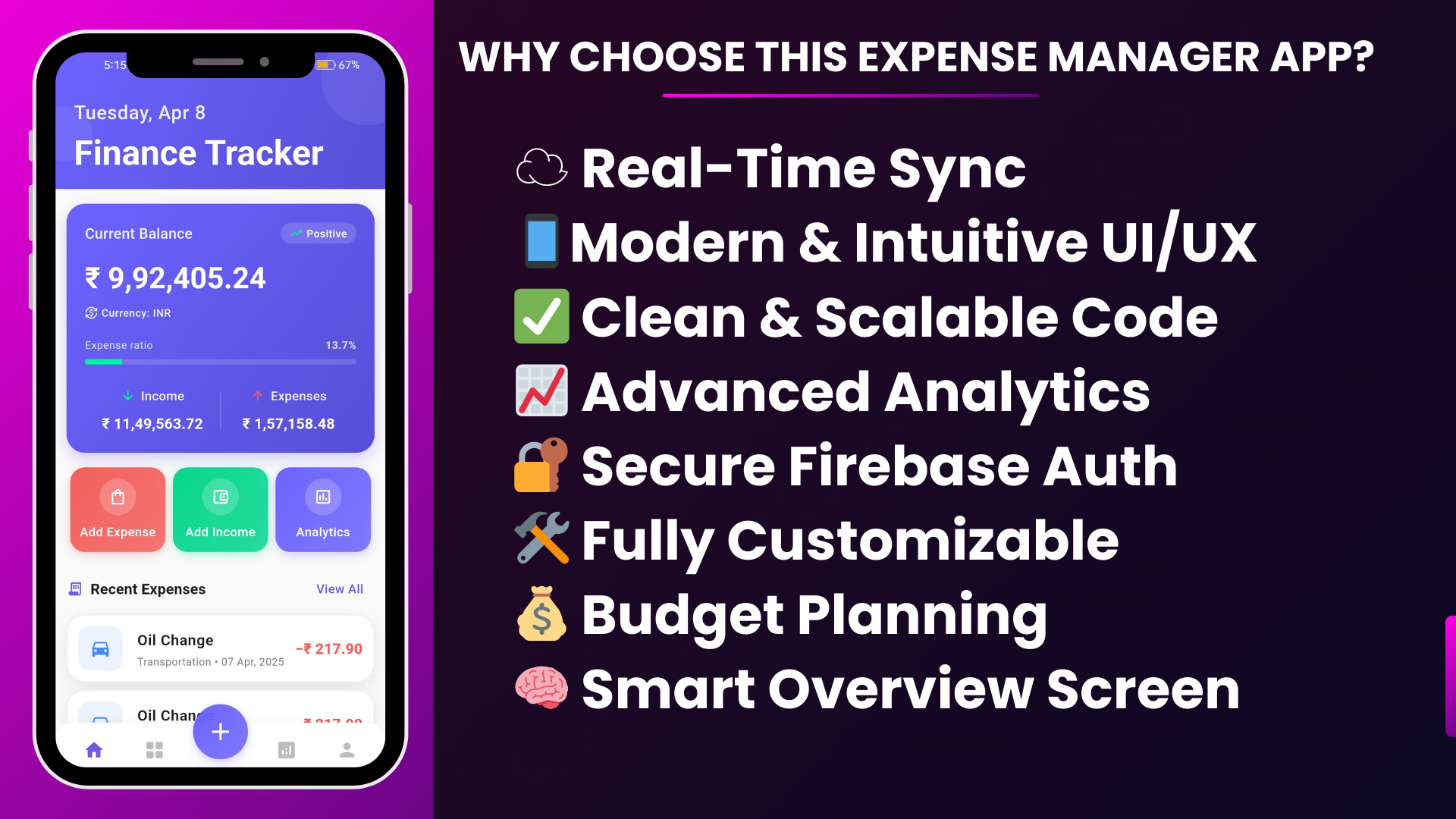
Expense Track is a comprehensive, production-ready expense and income tracking application built with Flutter and Firebase. This powerful finance management solution offers advanced analytics, budget planning, premium subscription features, and an intuitive user interface designed for both individuals and businesses.
Whether you’re a developer looking to launch your own finance app, integrate financial tracking into an existing system, or learn best practices for Flutter development, Expense Track provides a complete, well-structured codebase that follows industry standards and clean architecture principles.
The app features a beautiful Material Design interface, real-time data synchronization, offline support, and comprehensive financial analytics. With support for 200+ currencies, multiple authentication methods, and premium subscription management, Expense Track is ready for immediate deployment or customization.
✨ Key Features
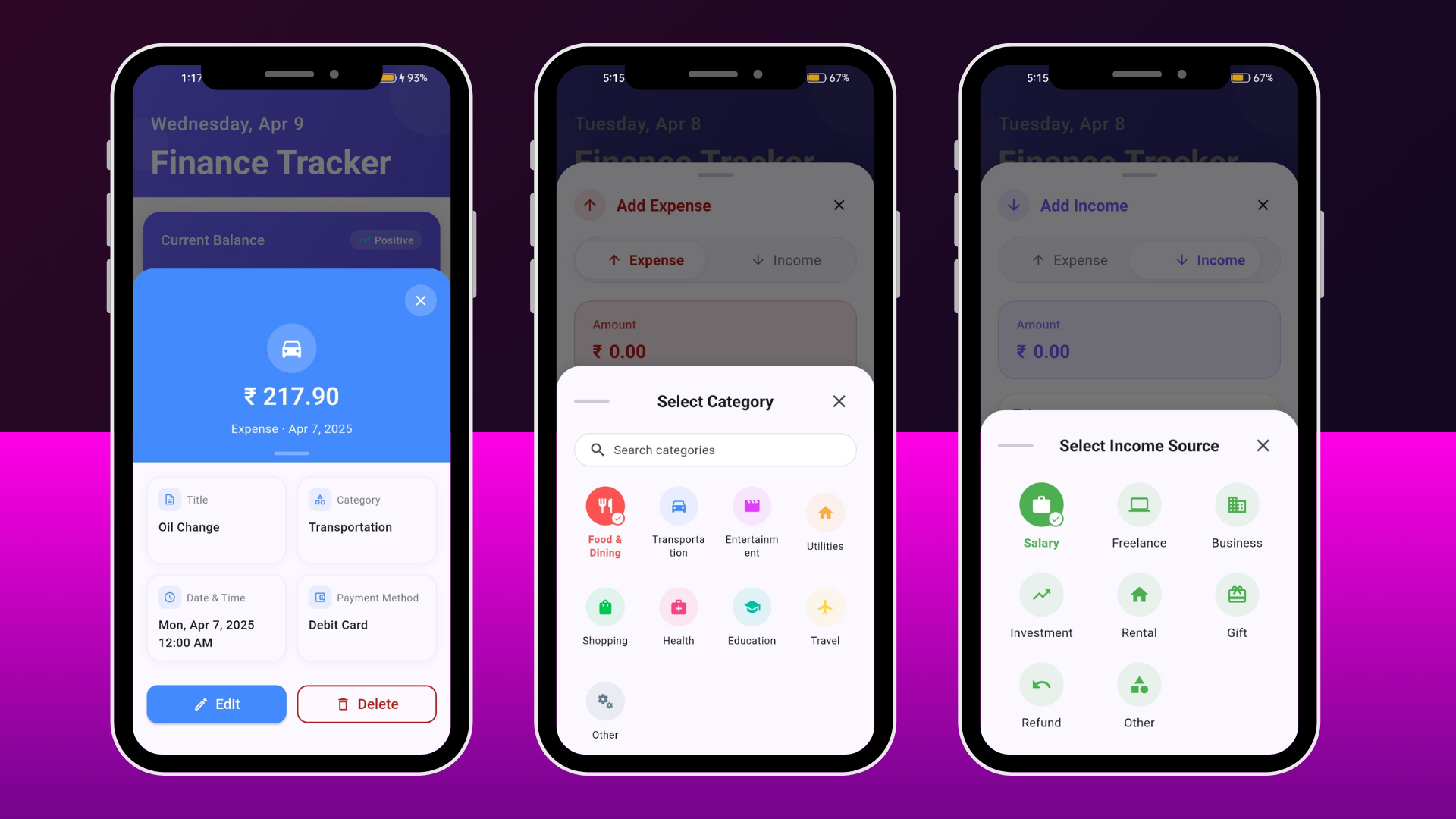
User Interface
- Material Design 3
- Responsive Layout
- Smooth Animations
- Dark/Light Theme
- Minimalistic Design
Authentication
- Email/Password Login
- Google Sign-In
- Facebook Authentication
- Password Reset
- User Profile Management
Expense Management
- Add/Edit/Delete Expenses
- Category Organization
- Datewise Filtering
- Payment Methods
- Notes & Attachments
Income Tracking
- Multiple Income Sources
- Income Categories
- Income History
- Recurring Income
- Income Analytics
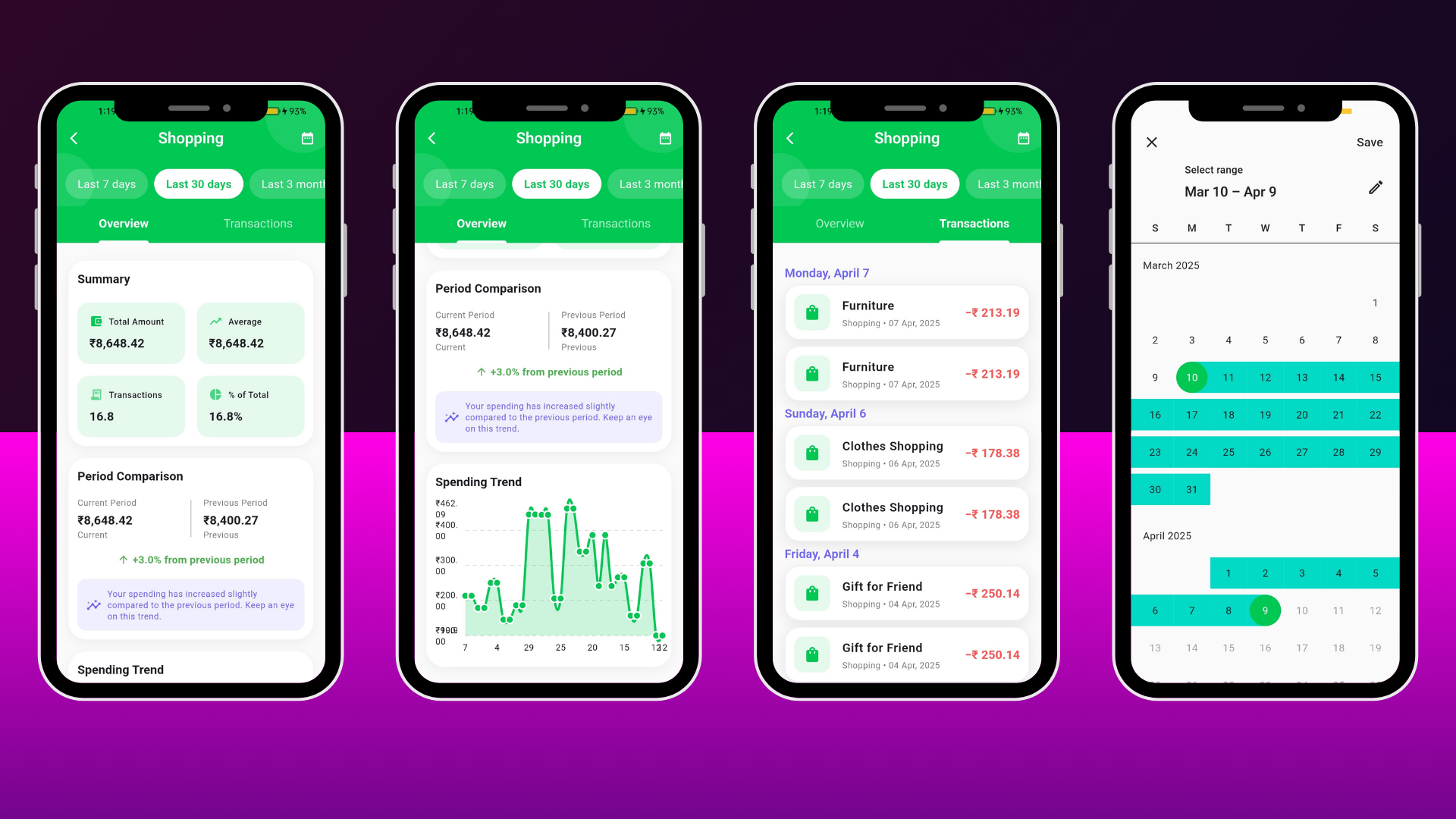
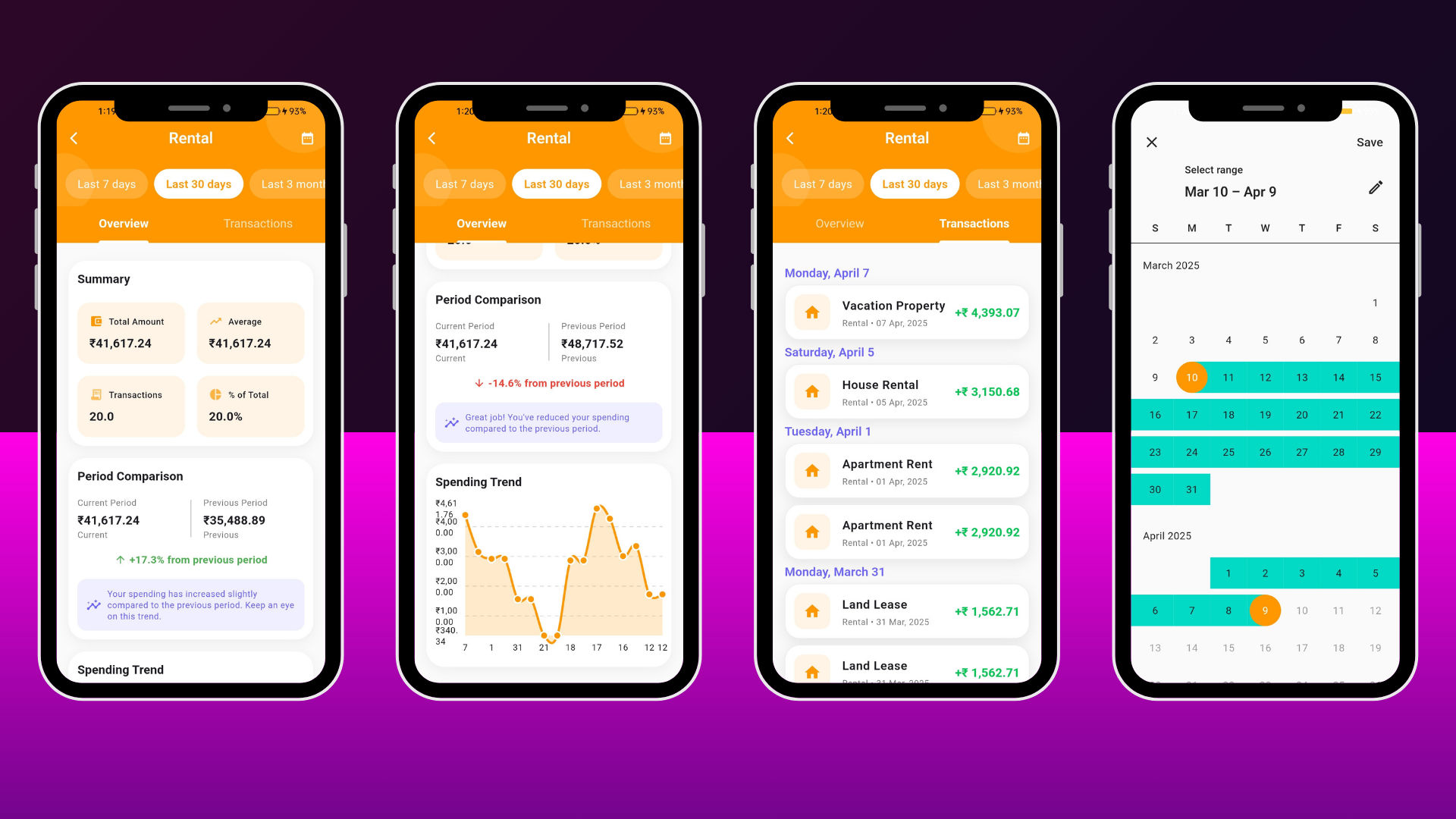
Advanced Analytics
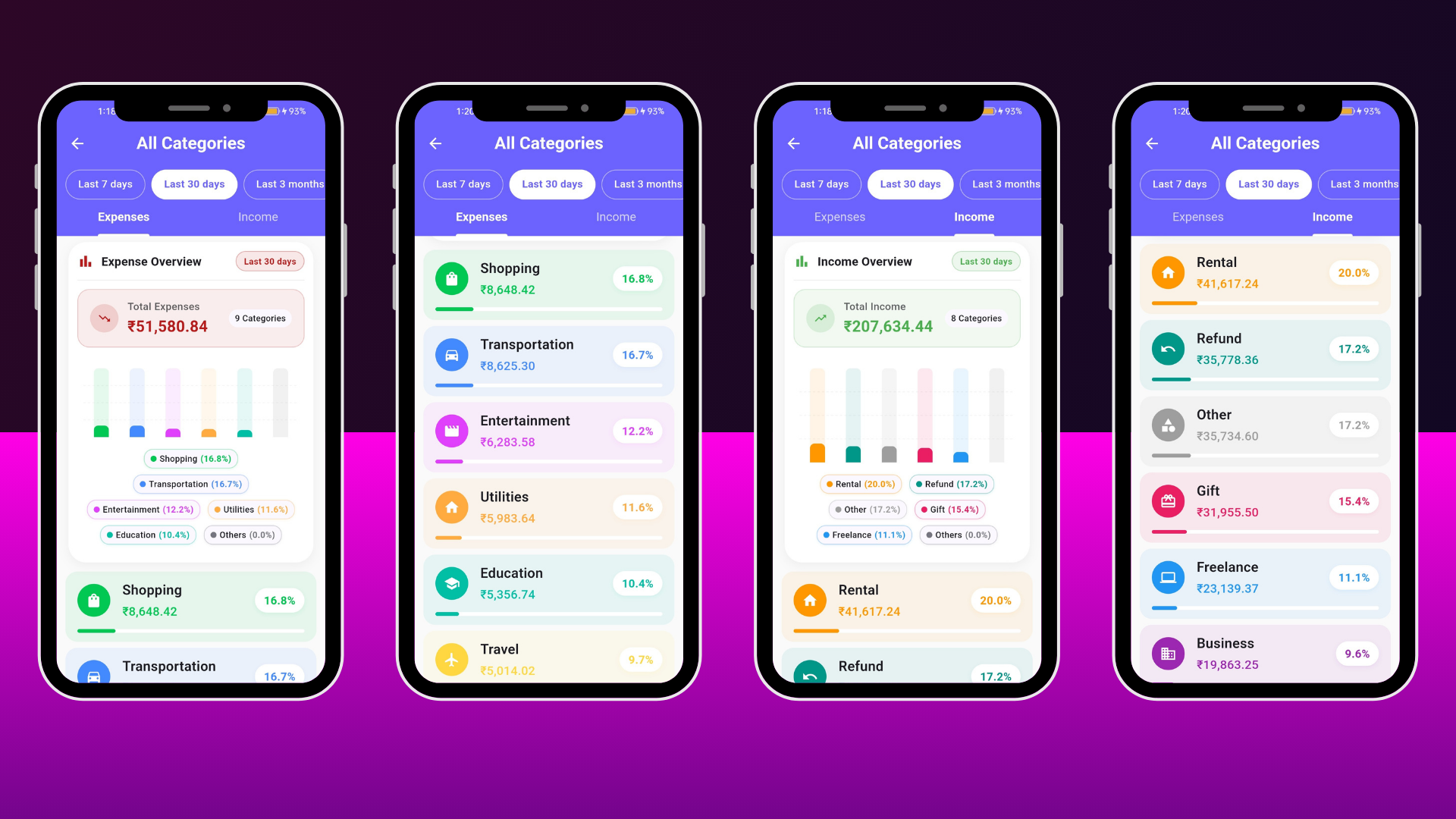
- Interactive Charts
- Category Breakdown
- Date Range Analysis
- Spending Trends
- Budget Analytics View
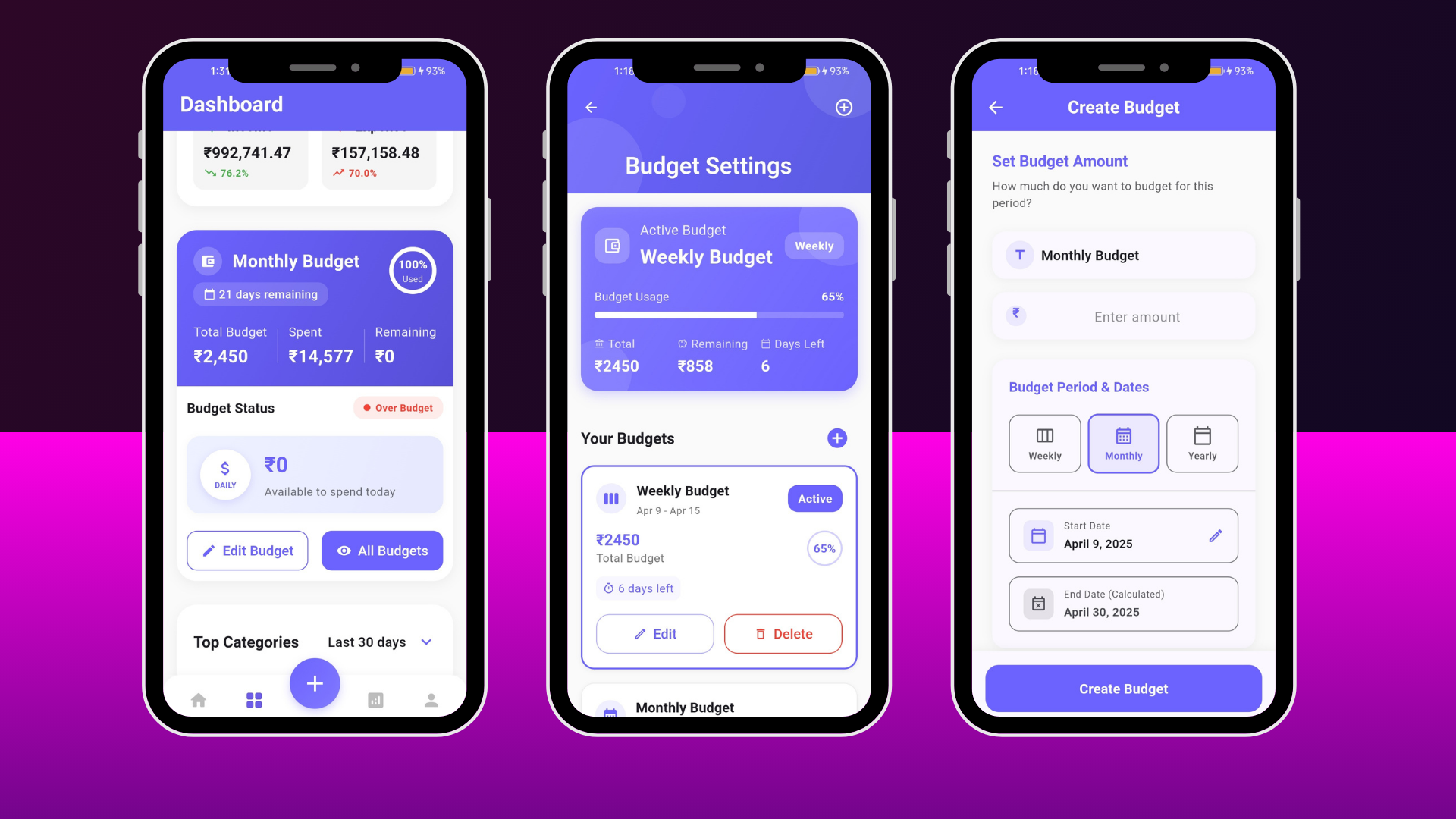
Budget Management
- Weekly Budgets
- Monthly Budgets
- Yearly Budgets
- Real-time Tracking
- Progress Indicators
Premium Features
- RevenueCat Integration
- Premium Budget Management
- Advanced Analytics
- Detailed Budget Views
- Subscription Management
Receipt Scanner
- Camera & Gallery Support: Take photos directly or select receipts from gallery
- Image Cropping: Crop and adjust receipt images before processing
- OCR Text Recognition: Advanced OCR technology using Tesseract to extract text
- Automatic Data Extraction: Extracts merchant name, date, total, subtotal, tax, and invoice number
- Smart Merchant Detection: Intelligent algorithm to identify merchant/business names
- Multi-Currency Support: Recognizes multiple currencies (USD, EUR, GBP, INR, and more)
- Date Parsing: Extracts dates in various formats (MM/DD/YYYY, DD/MM/YYYY, YYYY-MM-DD)
- Line Items Extraction: Automatically extracts individual line items with quantities and prices
- Manual Field Editing: Edit any extracted field manually if OCR results need correction
- Confidence Scoring: Visual indicators showing confidence levels for each extracted field
- Progress Tracking: Real-time progress indicators during image processing
- Error Handling & Retry: Comprehensive error handling with retry options
- Permission Management: Automatic camera and storage permission requests
- Save as Expense: Convert scanned receipt data directly into expense entries
Category Management
- Custom Categories
- Category Icons
- Color Coding
- Category Analytics
- Category Details
Transaction Management
- Unified Transaction List
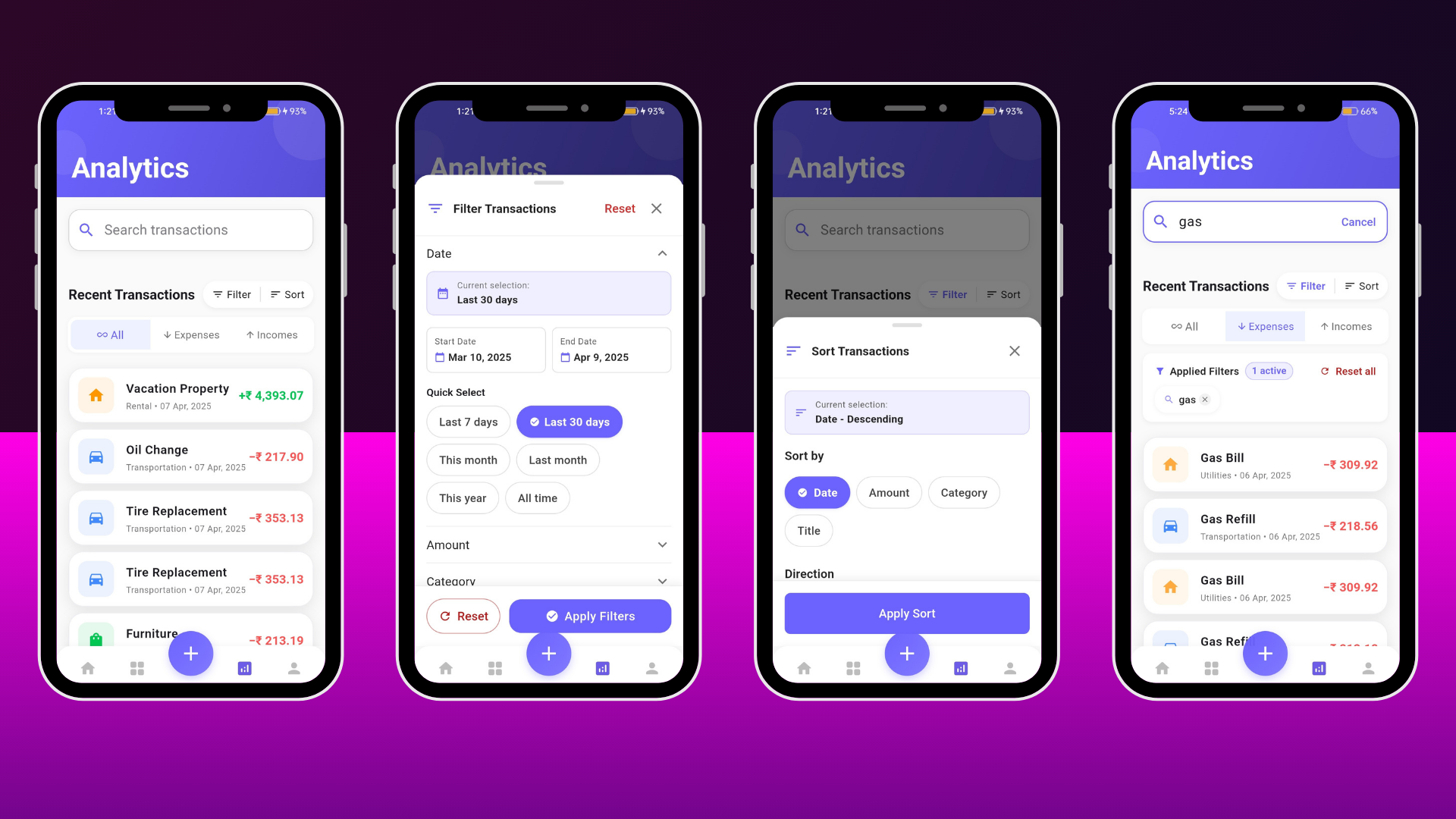
- Advanced Search
- Multi-Filter Support
- Date Range Filtering
- Transaction Sorting
Data Export
- CSV Export
- Excel Export
- Custom Date Ranges
- Filtered Exports
- Share Functionality
Data Sync
- Firebase Firestore
- Real-time Sync
- Offline Support
- Cloud Backup
- Auto Sync
⚙️ Settings & Configuration
- 200+ Currencies
- Theme Selection
- Account Settings
- Onboarding Flow
- Environment Variables
Technical Specifications
- Framework: Flutter 3.24.0+
- Dart SDK: 3.0.0 – 4.0.0
- State Management: Bloc/Cubit (flutter_bloc 9.1.1)
- Navigation: GoRouter 16.3.0
- Local Database: ObjectBox 5.0.1
- Cloud Database: Firebase Firestore 6.0.0
- Authentication: Firebase Auth 6.0.0
- Charts: FL Chart 1.1.1
- Subscriptions: RevenueCat (purchases_flutter 9.9.0)
- Architecture: Clean Architecture with Feature-based Structure
- Platform Support: Android, iOS, Web
- Minimum Android: API Level 21 (Android 5.0)
- Minimum iOS: iOS 12.0+
Detailed Feature List
User Interface & Experience
- Material Design 3: Modern, clean interface following Google’s Material Design guidelines
- Responsive Layout: Adapts seamlessly to different screen sizes and orientations
- Smooth Animations: Fluid transitions and loading animations for better UX
- Dark/Light Theme: Full theme support with system preference detection
- Minimalistic Design: Clutter-free interface with intuitive navigation
- Custom Widgets: Reusable, well-structured UI components
Authentication & Security
- Email/Password Authentication: Secure email-based login with Firebase
- Google Sign-In: One-tap Google authentication integration
- Facebook Login: Social authentication via Facebook
- Password Reset: Forgot password functionality with email verification
- User Profile: Manage user information, display name, and profile picture
- Secure Storage: Encrypted local storage for sensitive data
- Session Management: Automatic session handling and token refresh
Expense Management
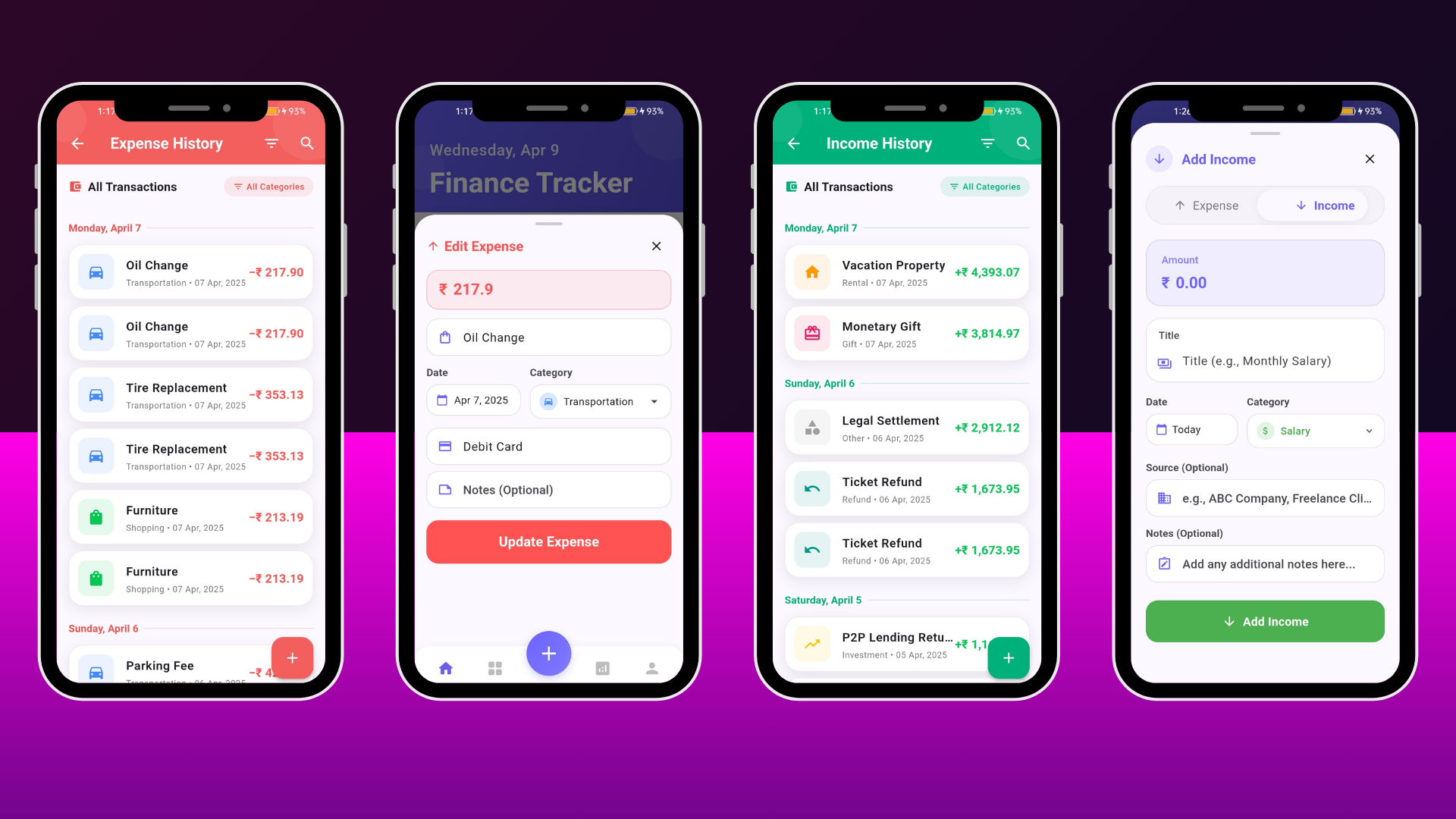
- Add Expenses: Quick expense entry with amount, category, date, and notes
- Edit Expenses: Modify existing expense records
- Delete Expenses: Remove expenses with confirmation
- Expense Categories: Pre-defined and custom categories with icons and colors
- Payment Methods: Track payment method (Cash, Card, Bank Transfer, etc.)
- Datewise Filtering: Filter expenses by specific dates, date ranges, daily, weekly, monthly, or yearly
- Expense Search: Search expenses by title, notes, category, or amount
- Expense History: Complete transaction history with sorting options
- Expense Analytics: Visual representation of spending patterns
Income Tracking
- Add Income: Record income from various sources
- Income Categories: Categorize income types (Salary, Freelance, Investment, etc.)
- Income Sources: Track multiple income sources with detailed information
- Income History: View complete income transaction history
- Income Analytics: Charts and graphs showing income trends
- Recurring Income: Set up recurring income entries
Analytics & Reports
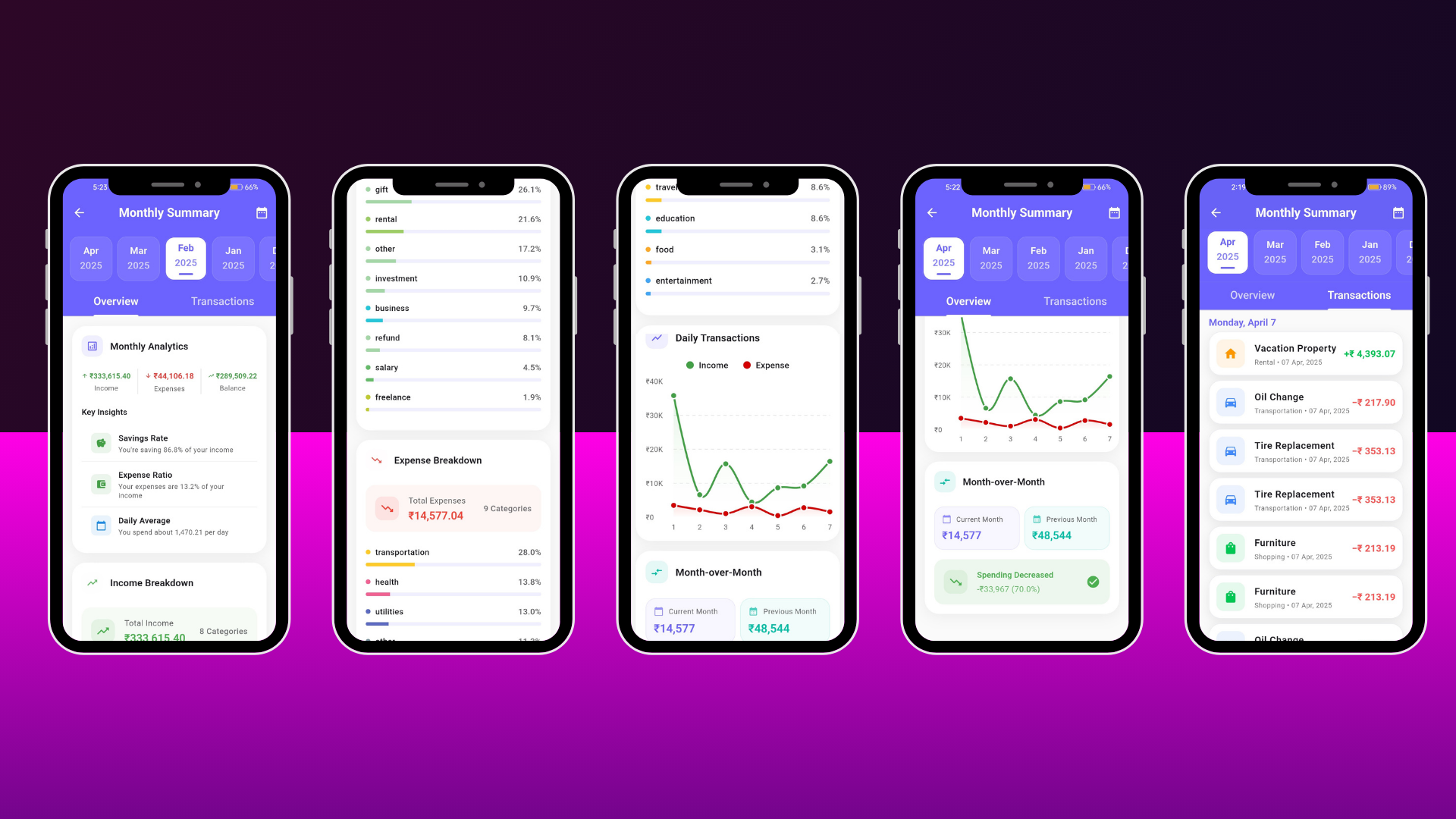
- Interactive Charts: Beautiful charts using FL Chart library
- Category Analysis: Visual breakdown of expenses and income by category
- Date Range Analysis: Analyze financial data for any time period
- Spending Trends: Track spending patterns over time
- Income vs Expense: Compare income and expenses side by side
- Monthly Summaries: Detailed month-by-month financial overview
- Budget Analytics View: Comprehensive budget analysis with spending patterns
- Category-wise Breakdown: Visual indicators for each category
- Progress Indicators: Visual progress bars and percentage displays
- Custom Reports: Generate reports based on custom filters
Budget Management
- Create Budgets: Set up budgets for weekly, monthly, or yearly periods
- Budget Tracking: Real-time monitoring of budget usage
- Budget Progress: Visual indicators showing budget status and percentage
- Budget History: View past budgets and their performance
- Active Budget Display: Real-time tracking of current period expenses
- Budget Alerts: Visual warnings when approaching or exceeding limits
- Budget Analytics: Detailed analysis of budget performance
- Multiple Budgets: Support for multiple active budgets
Premium Features (RevenueCat Integration)
- RevenueCat Integration: Seamless subscription management
- Premium Budget Management: Advanced budget planning for premium users
- Enhanced Analytics: Detailed analytics and insights for premium users
- Budget View: Comprehensive budget analysis with advanced insights
- Premium Indicators: Clear visual distinction between free and premium features
- Subscription Management: Easy subscription purchase and management
- Paywall Integration: Beautiful paywall screens for subscription
Category Management
- Custom Categories: Create and manage custom expense/income categories
- Category Icons: Assign icons to categories for visual identification
- Category Colors: Customize category colors for personalization
- Category Details: View category-specific analytics and spending patterns
- Color-Coded Organization: Visual organization with color-coded categories
- Category Statistics: View statistics for each category
Transaction Management
- Unified Transaction List: View all transactions (income and expenses) in one place
- Advanced Search: Search transactions by multiple criteria
- Multi-Filter Support: Filter by date, amount, category, type, and more
- Date Range Filtering: Filter transactions by specific dates or ranges
- Transaction Sorting: Sort by date, amount, category, or type
- Transaction Details: View complete transaction information
- Bulk Operations: Select and manage multiple transactions
Data Export
- CSV Export: Export all transactions to CSV format
- Excel Export: Export data in Excel-compatible format
- Custom Date Ranges: Export transactions for specific time periods
- Filtered Exports: Export filtered transaction data
- Share Functionality: Share exported files via email, messaging apps, etc.
- Data Backup: Export all data for backup purposes
Data Synchronization
- Firebase Firestore: Real-time cloud database synchronization
- Real-time Sync: Automatic synchronization across devices
- Offline Support: Full functionality without internet connection
- Offline-First Architecture: ObjectBox local database with Firebase cloud sync
- Cloud Backup: Automatic cloud backup of all financial data
- Auto Sync: Seamless synchronization when connection is restored
- Conflict Resolution: Smart conflict resolution for data sync
⚙️ Settings & Configuration
- 200+ Currencies: Support for 200+ currencies and countries
- Currency Formatting: Automatic currency formatting based on selection
- Theme Selection: Switch between dark and light themes
- Account Settings: Change display name and password
- Onboarding Flow: One-time onboarding with Shared Preferences
- Environment Variables: Secure configuration management for API keys
- Language Support: Multi-language support (extensible)
What’s Included
- Complete Source Code: Fully commented, production-ready Flutter codebase
- Firebase Configuration: Pre-configured Firebase setup files
- ObjectBox Models: Pre-defined database models and schemas
- UI Components: Reusable widgets and custom components
- State Management: Complete Bloc/Cubit implementation
- Navigation Setup: GoRouter configuration with all routes
- Authentication Flow: Complete auth implementation with multiple providers
- Documentation: Setup guides and code documentation
- Firebase Rules: Security rules for Firestore
- Build Configuration: Android and iOS build files
Installation & Setup
Prerequisites
- Flutter SDK 3.24.0 or higher
- Dart SDK 3.0.0 or higher
- Android Studio / Xcode (for mobile development)
- Firebase account (free tier available)
- RevenueCat account (for premium features)
Quick Start Guide
-
Install Dependencies:
flutter pub get
-
Firebase Setup:
- Create a Firebase project at Firebase Console
- Enable Authentication (Email/Password, Google, Facebook)
- Enable Firestore Database
- Download and replace configuration files:
- android/app/google-services.json
- ios/Runner/GoogleService-Info.plist
- Update lib/firebase_options.dart with your Firebase config
-
RevenueCat Setup (Optional for Premium Features):
- Create a RevenueCat account
- Get your API key
- Update lib/features/subscription/services/revenue_cat_const.dart
-
Generate ObjectBox Models:
flutter pub run build_runner build --delete-conflicting-outputs
-
Run the App:
flutter run
⚠️ Important: Make sure to configure Firebase before running the app. The app requires Firebase for authentication and data storage.
️ Project Structure
lib/
├── core/                    # Core functionality
│   ├── config/             # Global configurations
│   ├── router/              # Navigation setup
│   ├── theme/              # Theme configuration
│   └── utils/               # Utilities and helpers
├── features/                # Feature modules
│   ├── authentication/     # Auth screens and logic
│   ├── home/               # Home screen
│   ├── dashboard/          # Dashboard and analytics
│   ├── expense/            # Expense management
│   ├── income/             # Income tracking
│   ├── budget/             # Budget management
│   ├── analytics/          # Analytics screens
│   ├── subscription/       # Premium features
│   └── profile/            # User profile
├── data/                    # Data layer
│   ├── models/             # Data models
│   └── repositories/       # Repository implementations
└── packages/                # Local packages
Screenshots
Note: Screenshots should be added here showing:
- Home screen with balance cards
- Dashboard with analytics charts
- Expense/Income entry screens
- Budget management interface
- Analytics and reports
- Settings and profile screens
- Dark/Light theme examples
Customization
The codebase is designed for easy customization:
- Theme Colors: Modify colors in lib/core/theme/
- Categories: Add/edit categories in lib/data/models/
- UI Components: Customize widgets in respective feature folders
- API Endpoints: Update Firebase configuration as needed
- Branding: Replace app name, logo, and assets
Changelog
Version 1.1.8(Current)
- ✅ Complete expense and income tracking
- ✅ Advanced analytics with interactive charts
- ✅ Budget management (weekly, monthly, yearly)
- ✅ Premium subscription integration (RevenueCat)
- ✅ Datewise expense filtering
- ✅ CSV/Excel export functionality
- ✅ Environment variables implementation
- ✅ 200+ currency support
- ✅ Dark/Light theme support
- ✅ Offline-first architecture
- ✅ Firebase real-time sync
- ✅ Multiple authentication methods
Support
This is a complete, production-ready application. The code is well-documented and follows Flutter best practices. If you need assistance with customization or have questions about the implementation, please refer to the included documentation or contact support.
✅ Production Ready: This app is fully functional and ready for deployment. All features are implemented and tested.
License
This item is sold under the Envato Regular License. You can use it for personal or commercial projects. Please refer to the license terms for detailed information.
Perfect For
- Developers looking to launch a finance tracking app
- Businesses needing expense management solutions
- Developers learning Flutter best practices
- Startups building financial applications
- Anyone needing a complete finance tracking solution
Get Started Today!
Start building your finance tracking app with a production-ready codebase. All features are implemented, tested, and ready to use.
<head> <meta charset=”UTF-8”> <meta name=”viewport” content=”width=device-width, initial-scale=1.0”> <title>Expense Track – Complete Finance Tracking Solution | Flutter App</title> </head> lib/ ├── core/ # Core functionality │ ├── config/ # Global configurations │ ├── router/ # Navigation setup │ ├── theme/ # Theme configuration │ └── utils/ # Utilities and helpers ├── features/ # Feature modules │ ├── authentication/ # Auth screens and logic │ ├── home/ # Home screen │ ├── dashboard/ # Dashboard and analytics │ ├── expense/ # Expense management │ ├── income/ # Income tracking │ ├── budget/ # Budget management │ ├── analytics/ # Analytics screens │ ├── subscription/ # Premium features │ └── profile/ # User profile ├── data/ # Data layer │ ├── models/ # Data models │ └── repositories/ # Repository implementations └── packages/ # Local packages
Screenshots
Note: Screenshots should be added here showing:
- Home screen with balance cards
- Dashboard with analytics charts
- Expense/Income entry screens
- Budget management interface
- Analytics and reports
- Settings and profile screens
- Dark/Light theme examples
Customization
The codebase is designed for easy customization:
-
Theme Colors: Modify colors in
lib/core/theme/ -
Categories: Add/edit categories in
lib/data/models/ - UI Components: Customize widgets in respective feature folders
- API Endpoints: Update Firebase configuration as needed
- Branding: Replace app name, logo, and assets
Changelog
Version 1.1.4 (Current)
- ✅ Complete expense and income tracking
- ✅ Advanced analytics with interactive charts
- ✅ Budget management (weekly, monthly, yearly)
- ✅ Premium subscription integration (RevenueCat)
- ✅ Datewise expense filtering
- ✅ CSV/Excel export functionality
- ✅ Environment variables implementation
- ✅ 200+ currency support
- ✅ Dark/Light theme support
- ✅ Offline-first architecture
- ✅ Firebase real-time sync
- ✅ Multiple authentication methods
Support
This is a complete, production-ready application. The code is well-documented and follows Flutter best practices. If you need assistance with customization or have questions about the implementation, please refer to the included documentation or contact support.
✅ Production Ready: This app is fully functional and ready for deployment. All features are implemented and tested.License
This item is sold under the Envato Regular License. You can use it for personal or commercial projects. Please refer to the license terms for detailed information.
Perfect For
- Developers looking to launch a finance tracking app
- Businesses needing expense management solutions
- Developers learning Flutter best practices
- Startups building financial applications
- Anyone needing a complete finance tracking solution
Get Started Today!
Start building your finance tracking app with a production-ready codebase. All features are implemented, tested, and ready to use.