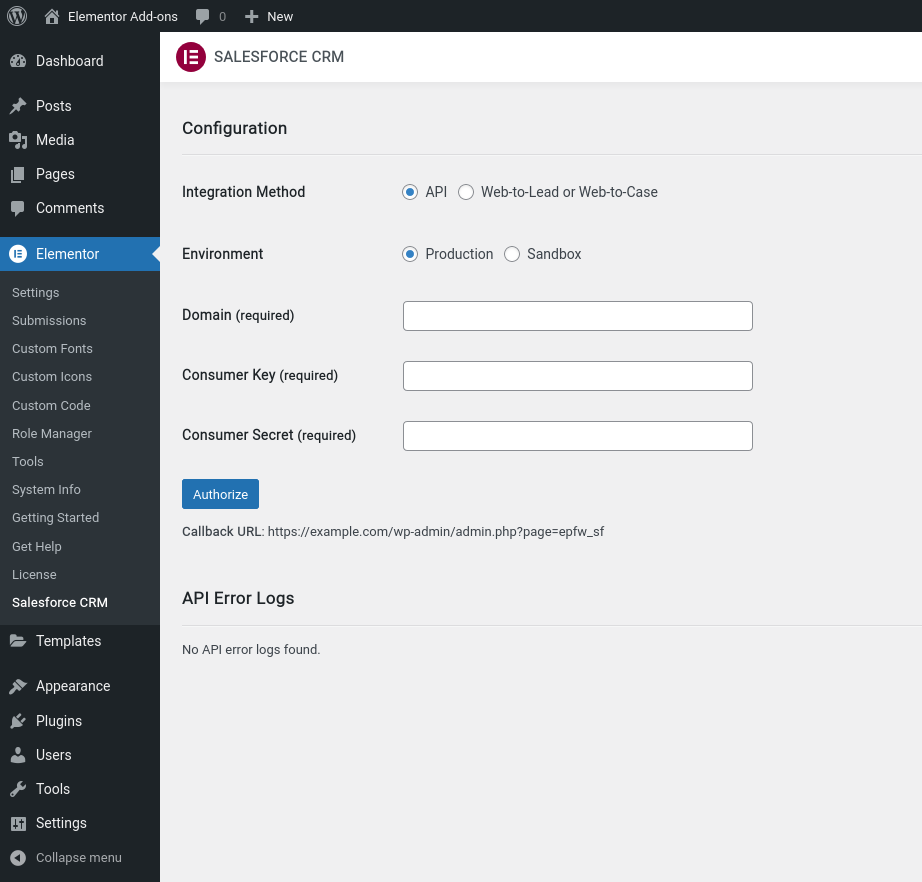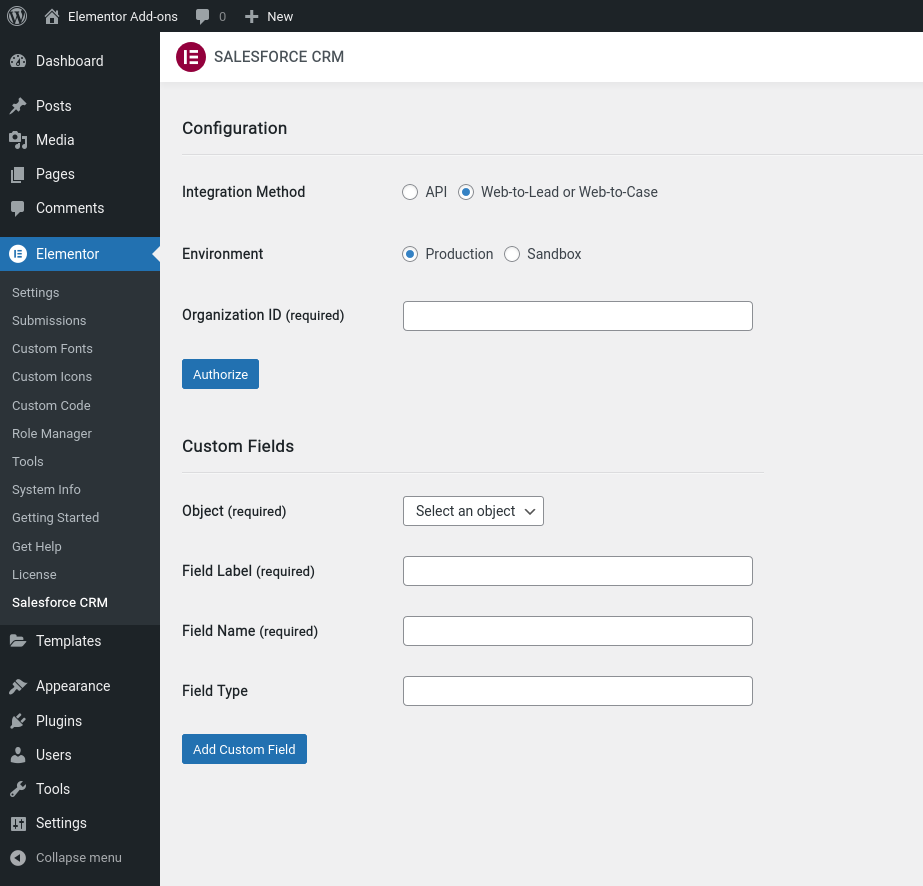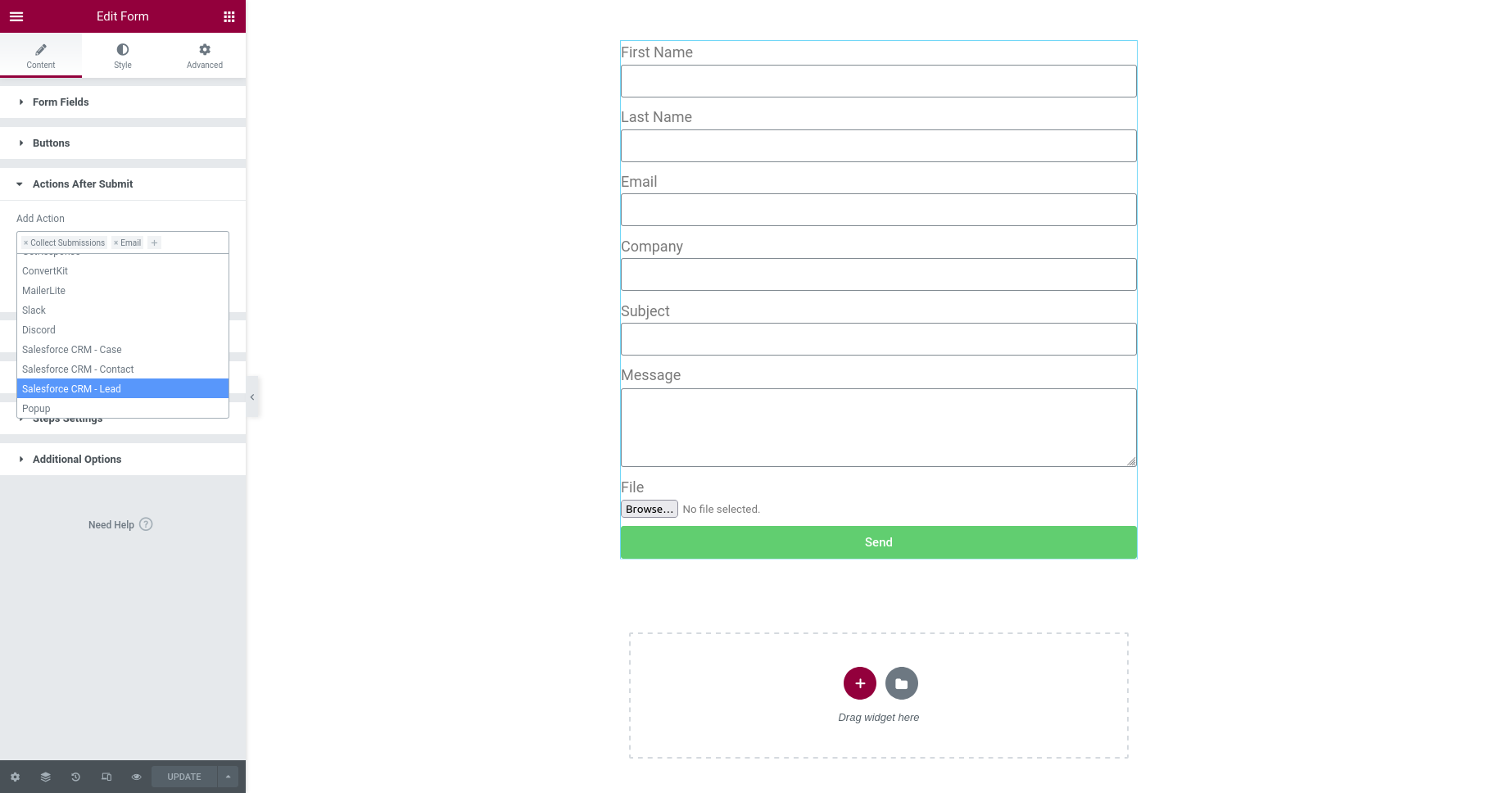
The Elementor Pro Form Widget – Salesforce CRM plugin allows you to connect WordPress forms and Salesforce. To automatically add or update form submissions in your Salesforce CRM account, simply integrate your forms with a Salesforce CRM Lead, Contact, or Case.
Features
- Easily integrate your Elementor Pro Form Widget form with Salesforce CRM Lead, Contact, or Case.
- Integrated Elementor Pro Form Widget form can automatically add or update your site’s new form submissions to your Salesforce CRM Lead, Contact, or Case.
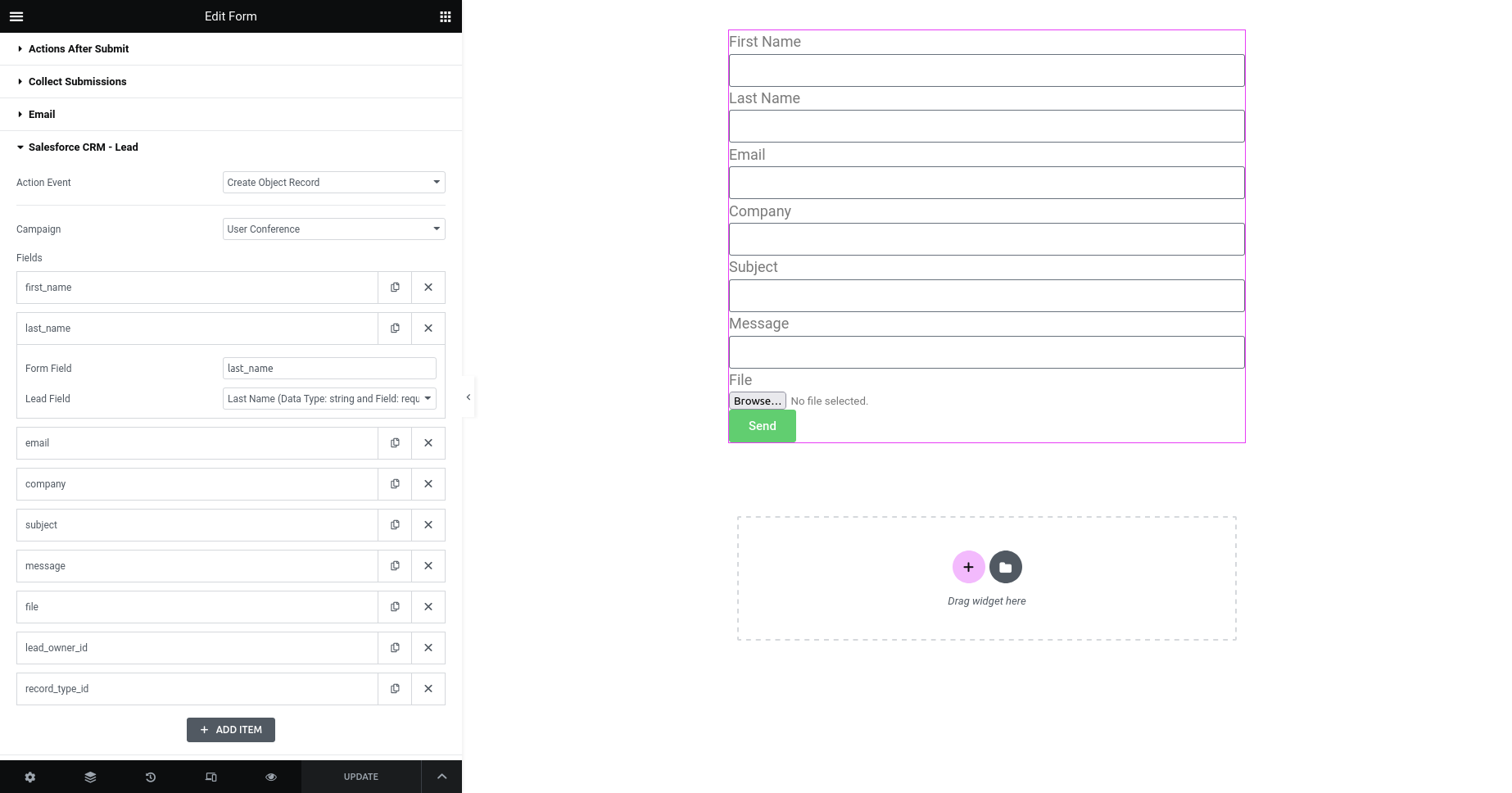
- Easily map your Elementor Pro Form Widget form fields to your Salesforce CRM Lead, Contact, or Case fields.
- Action Event option: ‘Create Object Record’ or ‘Create/Update Object Record’.
- Integration Method: for ‘API’ or ‘Web-to-Lead or Web-to-Case’.
- Salesforce CRM Environment: ‘Production’ or ‘Sandbox’.
- Supports Salesforce CRM Custom Fields (Phone, Picklist, Multi-Picklist, Date, Email, Text, etc.).
- Supports Elementor Pro Form Widget form ‘File Attachments’ and uploads them to your Salesforce CRM ‘Files’.
- Supports Salesforce CRM Campaign. Campaign select option for Contact and Lead. Add Contact or Lead to your Salesforce CRM Campaign.
- Supports ‘Lookup Relationship’ type fields (Lead Owner, Contact Owner, Record Type, Account, Contact, etc.) of Salesforce CRM Object.
- Section for viewing Salesforce CRM API error logs.
- Integrate unlimited Elementor Pro Form Widget forms.
Requirement
- Elementor Pro
Author Ratings & Reviews
Changelog
1.3.0
- Maintenance release.

1.2.0
- Maintenance release.

1.1.0
- Fixed - field map settings.

1.0.0
 - Initial release.