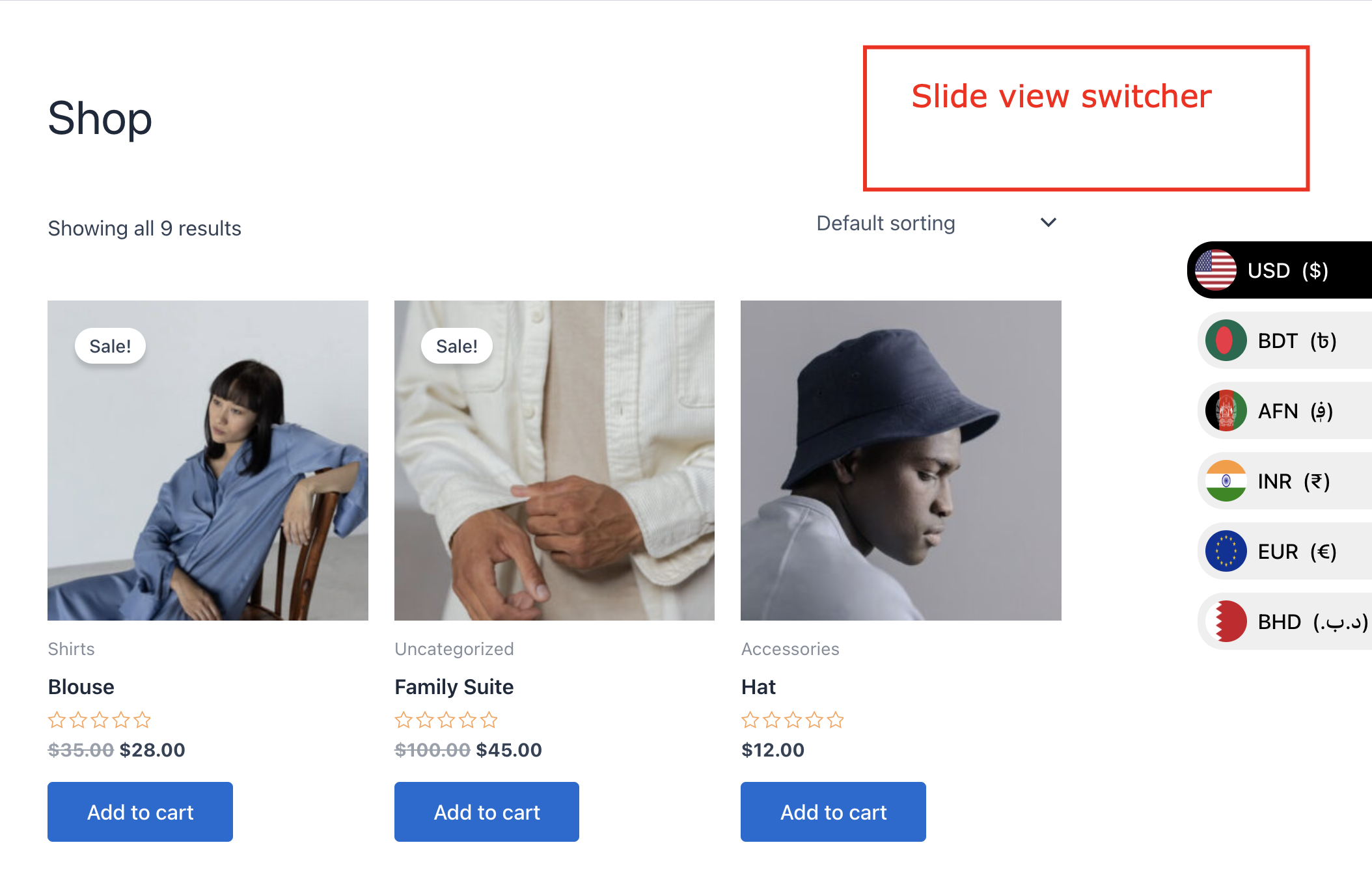
Easy Currency Switcher is a powerful WooCommerce multi-currency plugin that lets you create unlimited currencies, use custom or automatic rates, and allow customers to shop and pay in their preferred currency. With modern switcher designs, ready-made templates, and full customization, your store becomes global in minutes.
Check Video Tutorial
Live Demo |
Single Demo | Video Documentation |
Documentation
Why Choose Easy Currency Switcher?
Sell worldwide with confidence. Easy Currency automatically updates exchange rates and displays multi-currency prices across the shop, product, cart, and checkout pages. Customers can view prices and complete payments directly in their chosen currency.
Key Features
- Unlimited Currencies – Add as many currencies as you want.
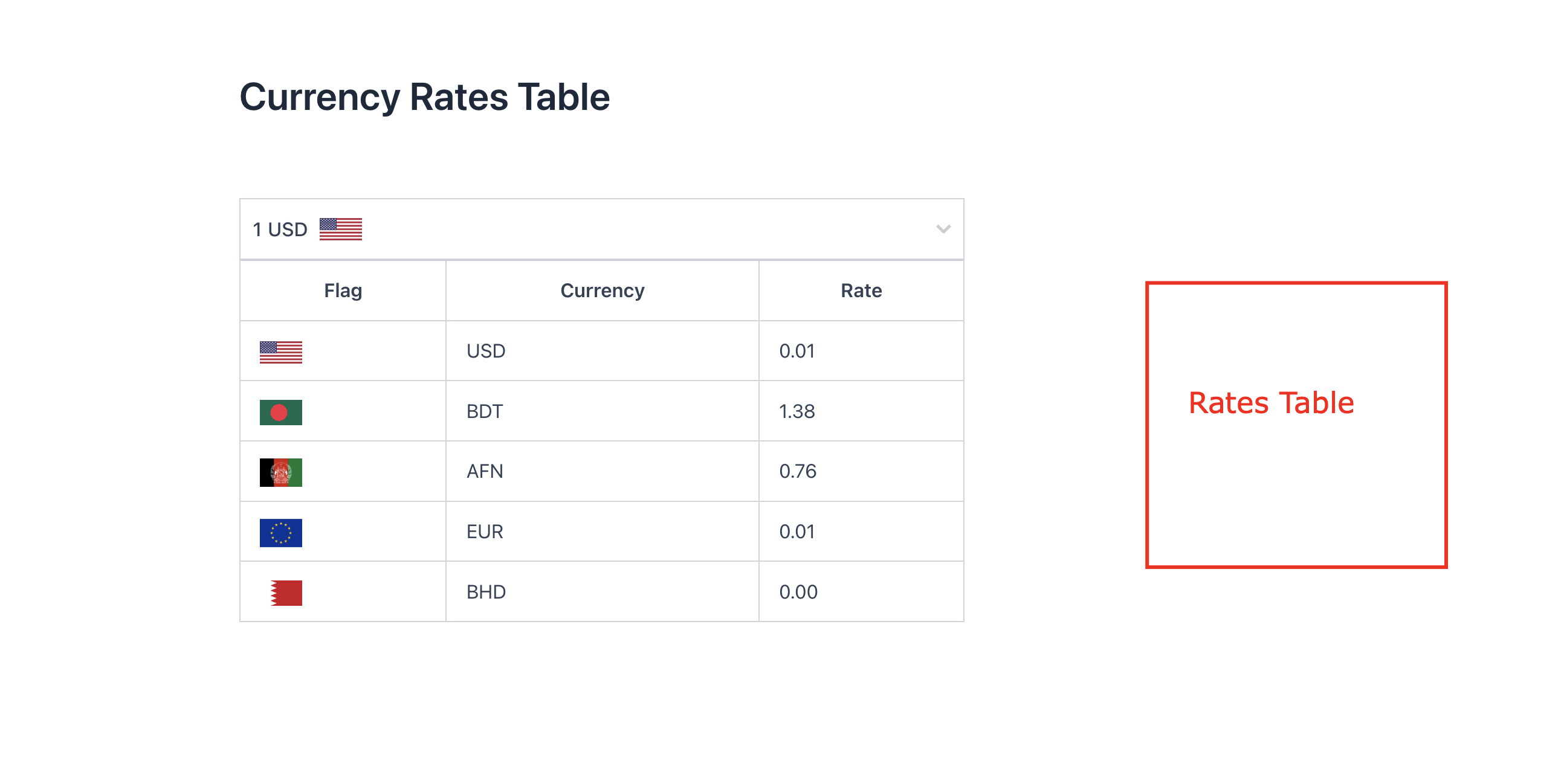
- Auto Update Exchange Rate – Keep exchange rates updated automatically.
- Update Interval – Choose how often rates update (e.g., every 5 minutes).
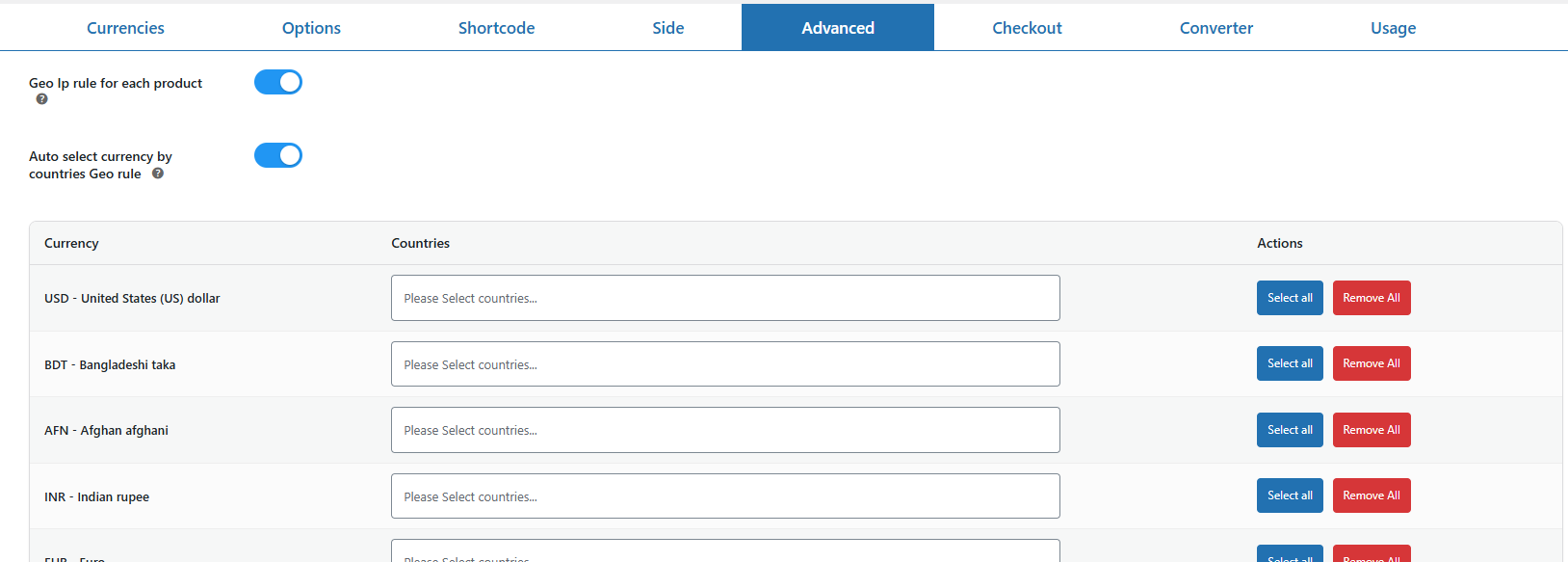
- Geo IP Rule for Each Product – Set custom prices for individual products based on the user’s country. (Fixed Price products are excluded.)
- Auto Select Currency by Geo IP – Automatically convert currency based on the visitor’s country. WooCommerce and Auto Select Currency must be enabled.
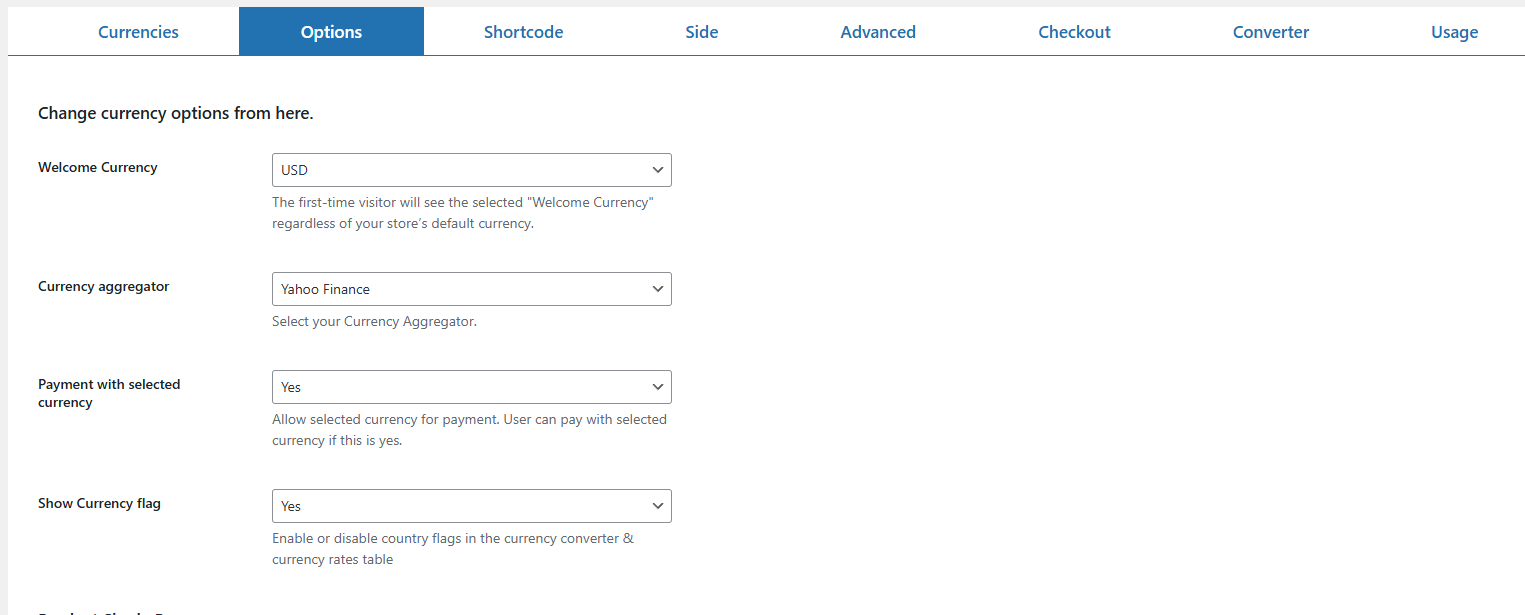
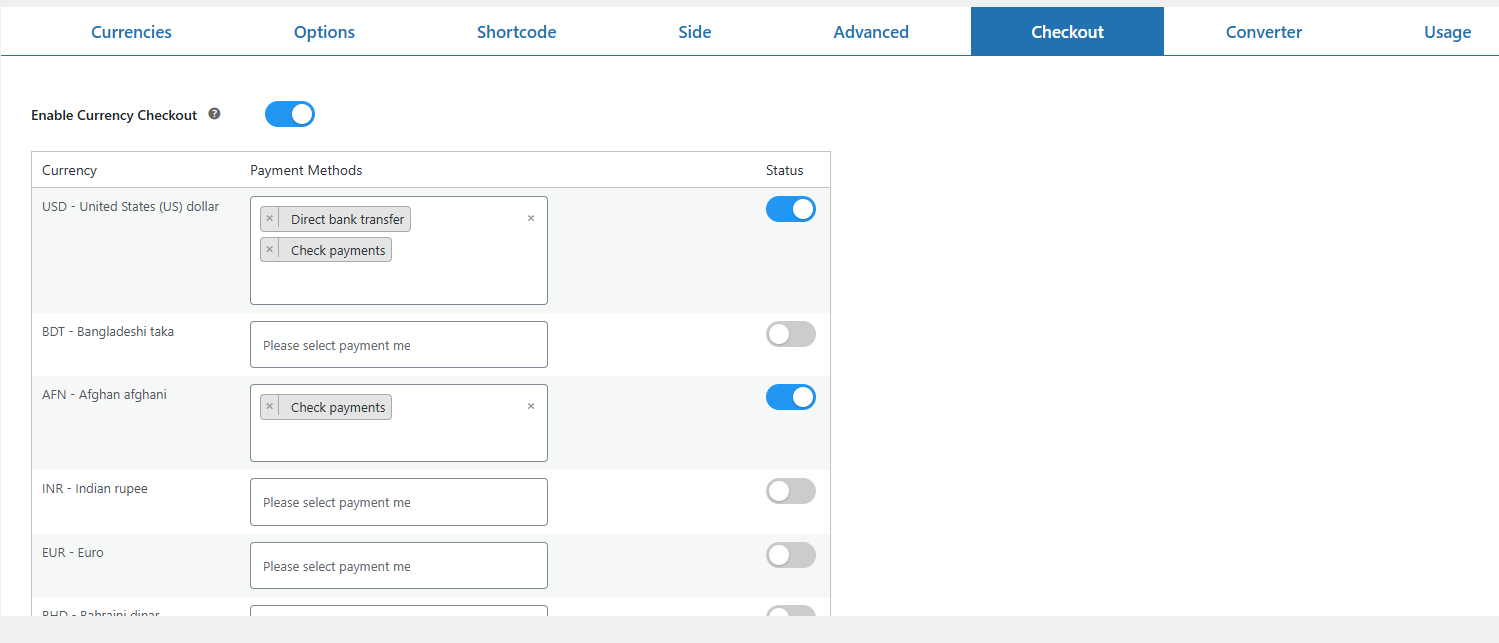
- Currency Checkout & Payment Rules – Enable “Currency Checkout” to display currency-specific payment methods. To allow currency changes based on the selected payment method, also enable “Payment with Selected Currency” in the Options tab.
- Payment Gateway Rules – Change currency based on selected payment method.
-
Currency Change Mode –
- Instant Change: Updates immediately when payment method is selected.
- On Place Order: Updates only after the order is placed.
- Shipping & Billing Currency Settings – Determine how currency updates based on customer address.
- Currency on Billing – Change currency by billing country or shipping country on checkout.
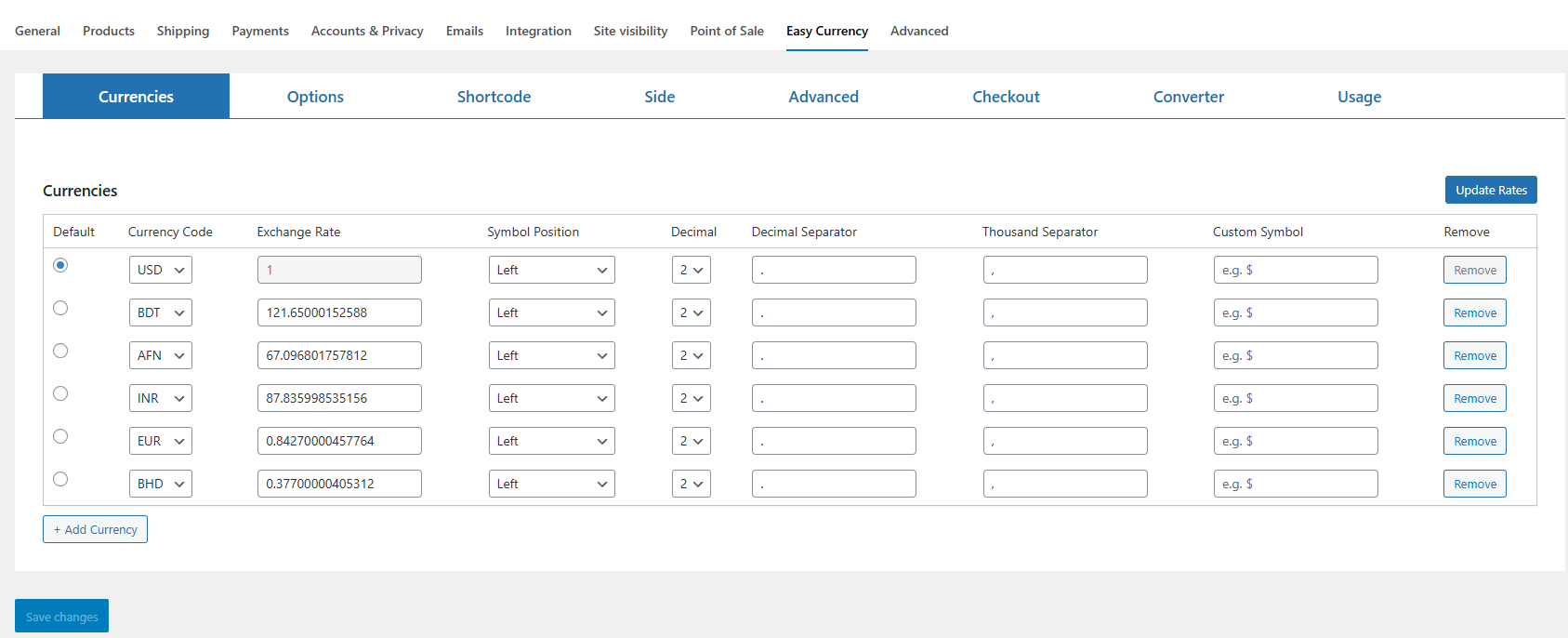
- Multi-Currency Support — Add unlimited currencies with custom rates or live exchange rates from 7+ aggregators.
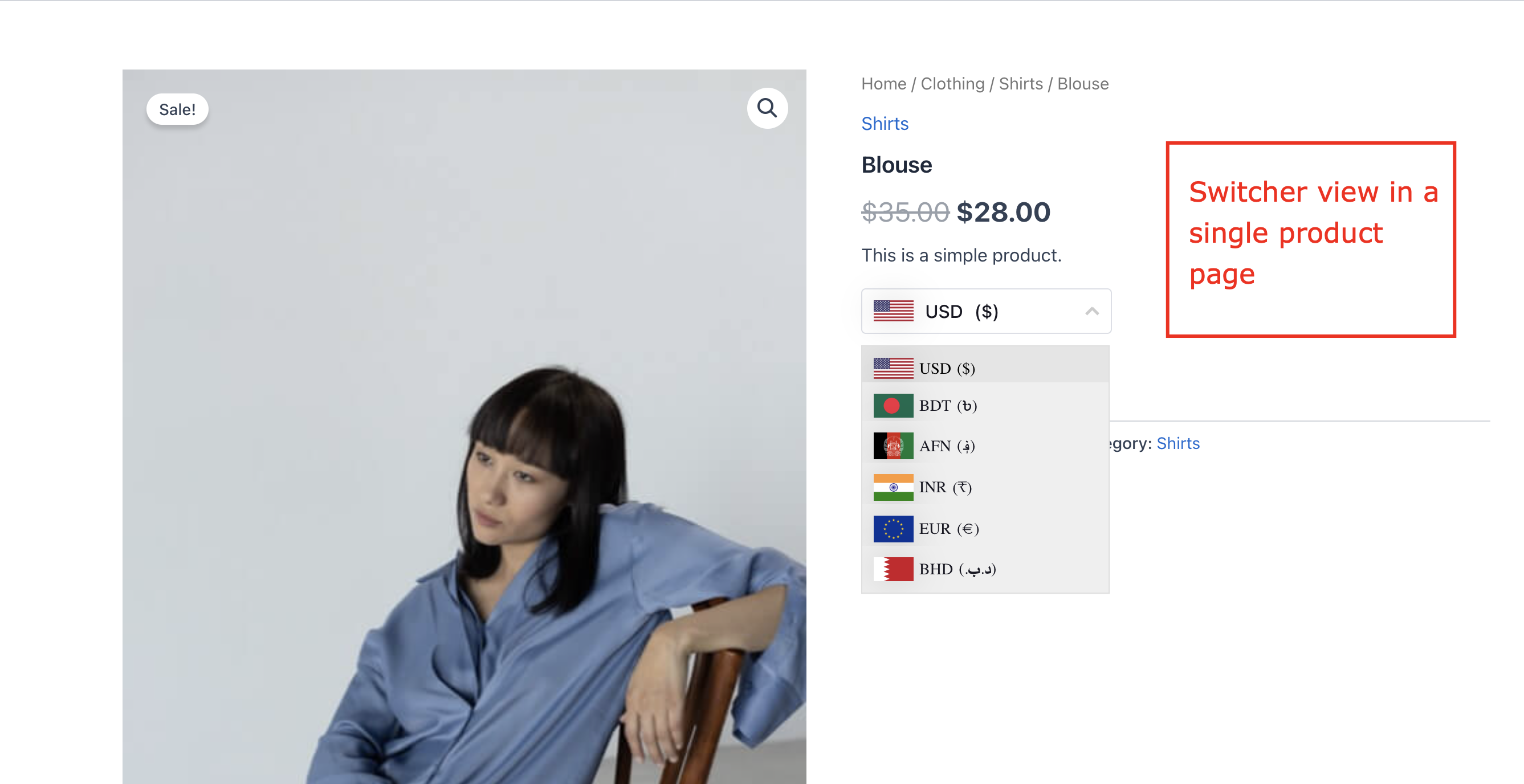
- Currency Switcher on Product Page — Place the dropdown above/below Add to Cart, product meta, or short description. Works with Quickview, filters, and more.
-
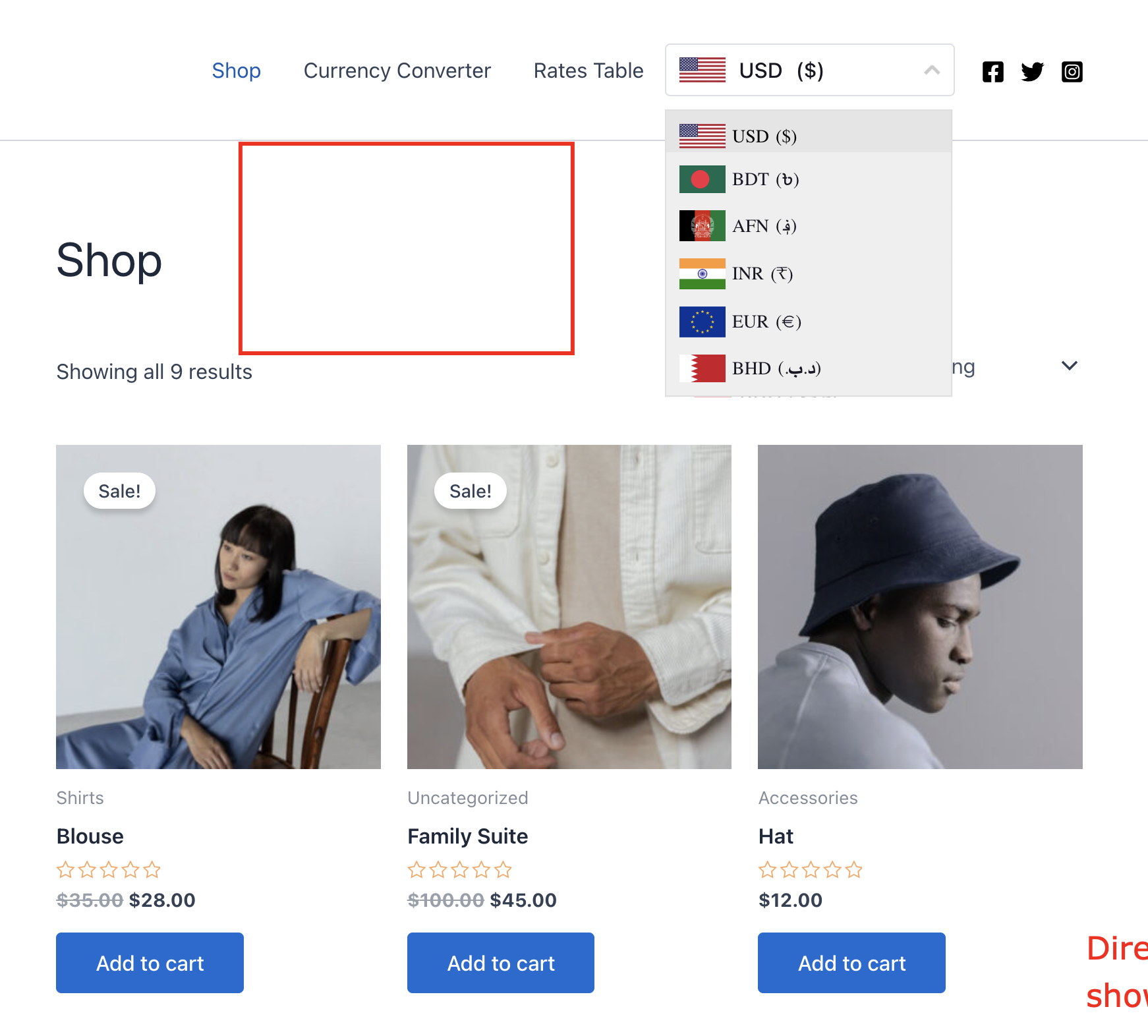
Switcher Dropdown — Show flags, symbols, codes, and currency names. Display anywhere using the shortcode
[easy_currency_switcher id=x]. Control number formatting (decimal and thousand separators). - Sticky Switcher — Eye-catching sticky switchers for screen corners (left/right) with 3 pre-made templates. Choose which pages display the sticky switcher.
- Shortcode Generator — Create, edit, and manage switchers with an intuitive builder. Customize the pre-designed templates.
- Full Design Control — Tweak background, colors, fonts, borders, padding, and margins for a perfect fit with your brand.
- Shortcodes in Menus — Insert Easy Currency shortcodes directly into WordPress navigation menus; even add full HTML sections for advanced layouts.
- Checkout in Selected Currency — Let customers pay in the currency they picked.
Included Templates
- 2 ready-made templates for shortcode switchers
- 3 ready-made templates for sticky sidebar switchers
External Services
This plugin uses APILayer to fetch up-to-date currency rates for accurate price conversions.
- Service: https://apilayer.com/
- Privacy Policy: https://www.ideracorp.com/legal/APILayer
- Terms of Use: https://www.ideracorp.com/Legal/Terms-of-Use
Make your WooCommerce store global, stylish, and customer-friendly with Easy Currency Switcher.
Change Logs
14 May 25(v1.0.8)
* Fixed: Resolved footer currency dropdown list display issue.
* Fixed: Resolved GeoIP pricing rule country selection saving issue.
12 May 25(v1.0.7)
* Added: Sticky top bar toast for failed exchange rate updates.
* Added: Drag & drop sorting support for currency table rows.
* Added: Default shortcode system added.
* Added: Geo location api system support.
* Added: Cryptocurrency compatibility.
* Added: Currency Popup shortcode system added.
* Added: Currency price info system added.
* Fixed: Checkout currency issue fixes.
22 April 25(v1.0.6)
Added: Approximate amount options added
Added: Currency storage php session/transient options added
Added: Extra Fee options based fixed/percentage price
Added: Price rounding options added
Added: Single update exchange rate options added
Added: Admin currency edit feature options
Added: Remove Currency Code from URL
11 Jan 25(v1.0.5)
- Fixed: Currency show hide option Fixed single Page Header Display Issues
Added: Gutenberg Widget for display swither
- Added: Latest WooCommerce Compatible
7 Jan 25(v1.0.4)
- Fixed: Currency show hide option Fixed for Product Page
- Added: Latest WooCommerce Compatible
6 Nov 25(v1.0.3)
- Fixed: Shipping methods price change based on selected currency
- Added: Latest WP Compatible
27 Oct 25(v1.0.2)
- Fixed: Sticky option active background & color
- Added: WPML Compatable
- Added: Polylang Compatable
22 Sept 25(v1.0.1)
Dropdown Style Active Color Issues Fixed
Dropdown Style Active Background Issues Fixed
17 Sept 25(v1.0.0)
Initial Release