Upgrade the Way Your Restaurant Works
The Mobile Solution Your Team Will Actually Use
In every busy restaurant, the biggest challenge isn’t the food — it’s communication and speed. Orders arrive nonstop, waiters juggle multiple tables, chefs rush to keep up, and managers try to coordinate everything at once. But when the entire workflow depends on a computer or POS counter, delays happen, tickets get missed, and service slows down.
Imagine giving your entire team the power to manage the restaurant from their phones — anytime, anywhere.
This mobile app is built for real restaurant operations. Your staff stays updated instantly, reacts faster, and works with more accuracy. No more running back and forth to check new orders, no more shouting across the kitchen, and no more miscommunication.
Why This App Changes Everything
- Chefs get new orders instantly — no more missed tickets.
- Waiters & Servers receive updates on their phones the moment a customer orders.
- Managers can monitor the entire operation without needing to be at a computer.
- Customers enjoy faster, smoother, and more professional service.
This is the modern restaurant workflow — fast, simple, and fully mobile. If you want your team to work smarter, not harder, this app is the smartest investment you can make.
DineQScan Flutter
Professional Mobile Restaurant Management Solution
Transform your restaurant operations with our powerful Flutter mobile app. Built with modern technology and designed for efficiency, DineQScan Flutter provides seamless order management, real-time updates, and intuitive staff workflows.
This addon isn’t an independent product. It only works with DineQScan web developed products.
DineQScan – Restaurant Food Ordering System
Demo Credentials
Admin Login:
- Email: admin@restaurant.com
- Password: 123456
Key Features
Cross-Platform Mobile App
Native performance on both Android and iOS devices. Built with Flutter for consistent user experience across all platforms with a single codebase.
Real-Time Order Management
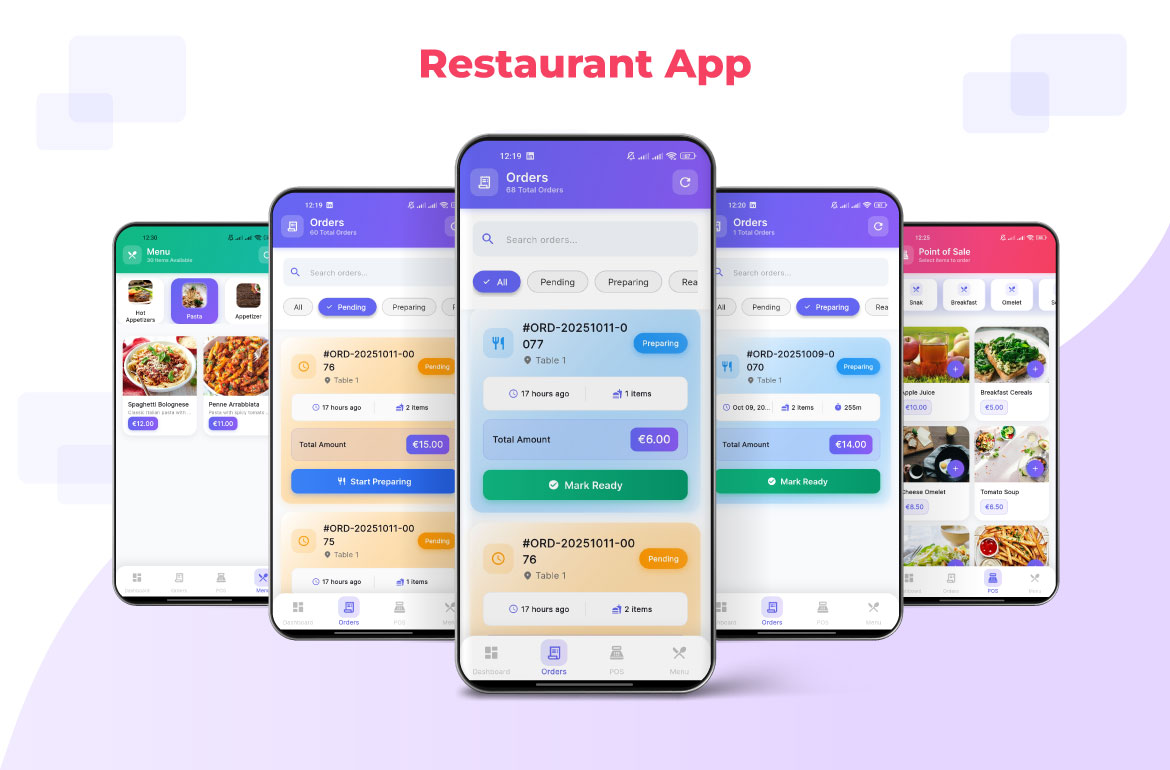
Instant order updates, status changes, and notifications. Staff can track orders in real-time with live synchronization across all devices.
QR Code Integration
Seamless integration with QR code ordering system. Customers scan, order, and staff manage everything through the mobile interface.
Role-Based Access
Secure authentication with role-based permissions. Different access levels for waiters, kitchen staff, managers, and administrators.
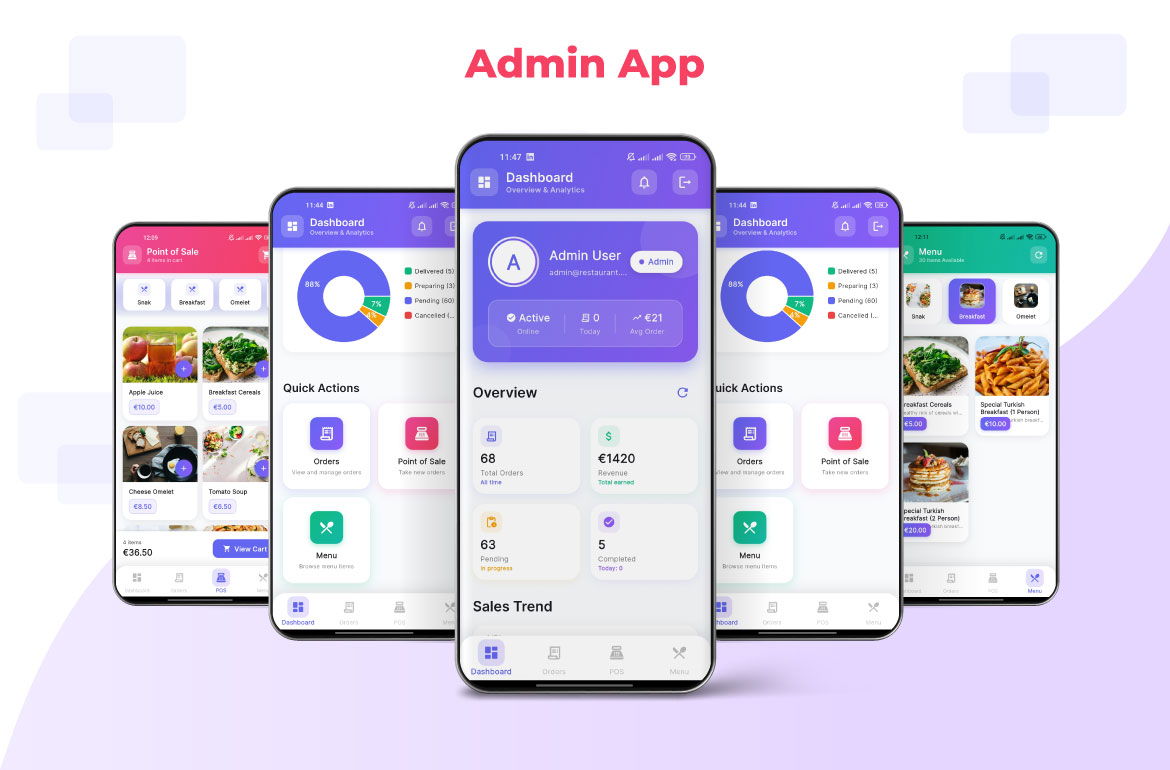
Analytics Dashboard
Comprehensive analytics and reporting. Track performance metrics, order trends, and staff productivity with beautiful charts and insights.
Smart Notifications
Intelligent notification system that alerts relevant staff based on order type, urgency, and role assignments. Never miss an important update.
Menu Management
Complete menu control with categories, items, pricing, and availability. Easy updates and real-time synchronization across all devices.
POS Integration
Built-in Point of Sale functionality. Process orders, calculate totals, and manage transactions directly from the mobile app.
Technology Stack
Flutter
Cross-platform framework for native performance
Why Choose DineQScan Flutter?
Lightning Fast Performance
Optimized for speed with instant loading and smooth animations. Built with Flutter for native performance.
Enterprise Security
Bank-level security with encrypted storage, secure authentication, and role-based access control.
Real-Time Synchronization
All data syncs instantly across devices. Orders, menu changes, and updates happen in real-time.
Offline Capability
Works offline with local data caching. Syncs automatically when connection is restored.
Easy Customization
Fully customizable colors, branding, and features. Adapt the app to match your restaurant’s identity.
Professional Support
Dedicated support team and comprehensive documentation. Get help when you need it.
Ready to Transform Your Restaurant?
Join thousands of restaurants already using DineQScan to streamline their operations, improve customer service, and increase efficiency.
Contact: arcadexit.tech@gmail.com
Note: This Flutter app works alongside the DineQScan Web Project. Both applications share the same backend for seamless integration.
App Modules
- Login: Staff authentication
- Dashboard: KPIs and quick actions
- Orders: Real-time order management
- Order Detail: Detailed order information
- Menu: Categories and items management
- POS: Point-of-sale flow
- Home: Auth-guarded landing
Key Capabilities
- Real-time order tracking and status updates
- Staff role-based permissions and access control
- Menu management with categories and pricing
- QR code integration for customer ordering
- Analytics and reporting dashboard
- Offline functionality with data synchronization
- Secure authentication and data storage
- Cross-platform compatibility (Android & iOS)
Demo Credentials
Admin Login:
- Email: admin@restaurant.com
- Password: 123456
Use these credentials to test the admin functionality and explore all features of the application.
System Requirements
- Flutter SDK 3.9 or newer
- Android Studio or Xcode for development
- Supabase backend (shared with web project)
- Internet connection for real-time features
Deployment Options
- Android: APK and Google Play Store
- iOS: App Store distribution
- Web: Progressive Web App support
DineQScan Flutter — Professional restaurant management made simple.