

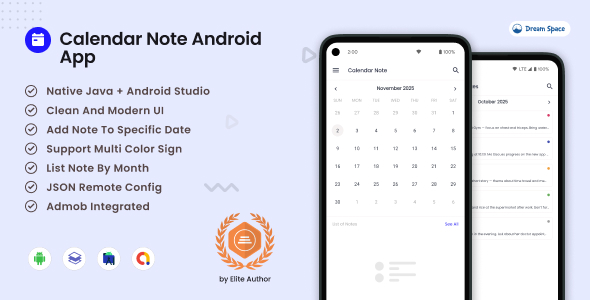
Calendar Note – Write & Organize Notes by Date
Calendar Note is a simple and beautiful Android app template that helps users write and organize daily notes directly on a calendar. Developers can easily integrate this project to create a clean note-taking experience where users can add, view, and manage notes for each day.
This template is perfect for building journaling apps, daily planners, productivity tools, or personal note applications with a calendar-based interface.
YOU MIGHT LIKE
Key Features
-
Daily Notes by Date
Add notes directly on the calendar for any selected date. Ideal for journaling, reminders, or daily planning. -
Clear Calendar View
Users can quickly see which days contain notes through simple dot indicators on the calendar. -
Simple and Clean UI
Designed with an intuitive and minimal interface so users can focus on writing notes without distractions. -
Multiple Notes per Day
Support for adding multiple notes on the same date, allowing better organization of daily activities. -
Color Indicators
Visual indicators make it easy to highlight and recognize important days. -
Offline Ready
The app works completely offline. All notes are stored locally on the device. -
Private and Secure
No login or internet connection required. User data remains private and stored safely on the device.
Use Cases
- Daily journaling and personal diaries
- Study or workout tracking
- Meeting notes and reminders
- Recording ideas and quick thoughts
- Personal daily activity tracking
Why Choose This Template
Unlike complex planner applications, Calendar Note focuses on simplicity and usability. It provides a clean calendar interface combined with a straightforward note system, making it easy for developers to customize and extend according to their project needs.
Use this template to quickly build a modern Android note application with a calendar-based experience.




