27 comments found.
Does it have search option and if no, can you add it for me? I want to add text and users can search for some words while they are reading a book.
Hi
There is no search function, but I can do it for you. Send me a private message after purchase.

Unable to add turn.js due to new security within WordPress. I disabled all my plugins and it will not upload. Is there anyway of you creating an update with the file within the plugin? Thank you!
Were you able to upload an update with the turn.js in the plugin?
The file is waiting in the queue. I sent you the email. Check your mail.
I downloaded and unistalled the one I had installed. Then I installed this new plugin and it still comes up with “turn.js is missing go to settings.”
Hi
Send me a private message and enter data into WordPress (host, user, password). Please Continue the correspondence by e-mail.
Bussiness FlipBook – jQuery for Wordpress Has stopped working. Help!?
Hi
Send me a private message and give me the data for WordPress (host, user, password)
When I purchased I wanted the 50% deal. I installed, and I’m trying to create my first flip book from comic book pages, and it doesn’t want to take with size nor a size adjustment. How can I get this to work? Did I choose the wrong flip book product that you have?
Hi
I do not understand. What do you want to change exactly? Send me a private message and provide a link to your project.
Scompattamento del pacchetto…
Installazione plugin…
Il pacchetto non può essere installato. Non sono stati trovati plugin validi.
Installazione del plugin non riuscita.
What can I do to install the plugin?
Hi
Unzip the pack “main.zip.” There is a plugin and documentation.
Can I make clickable part of the page?
No. Now this is possible only for “Newspaper Flipbook -jQuery”:
http://codecanyon.net/item/newspaper-flipbook-jquery/13953512
Newspaper Flipbook -jQuery works on wordpress?
This is not a WordPress plugin.
Why is the flipbook unvisible in mobile? Please help me
Hi
FlipBook works on mobile devices (iphone, ipad, etc)
can you able to get visual composer to work with the plugin got error
it is not display the content from visual composer i have enabled it in the theme settings
Hi
Setting Visual Composer. Did you turn on Visual Composer for custom posts?
yes
i’m also trying very hard to hide the about section but don’t work every time i update the functions .php the plugin failes
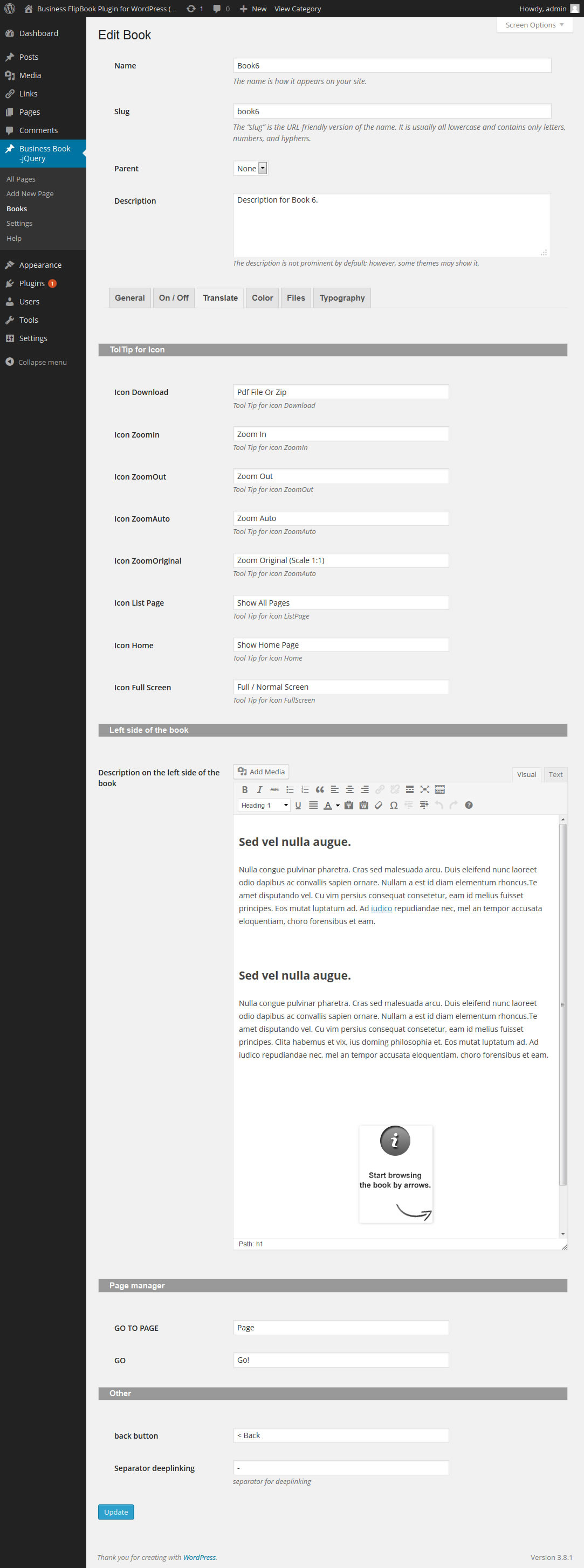
About section you can disable in the tab translate:
https://0.s3.envato.com/files/85609010/preview/06.jpg
( simply delete the text )
Regarding Visual Composer. Send me a private message.
Hi my friend, it is very nice your theme. But can I transform my posts in a magazine too? Like to let my client to do it himself with his posts, can I? Can I make a magazine from just one category too? Tks a lot!!!
Hi
You can not transform posts to pages flipbook. But creating flipbook is easy (just as simple as creating posts)
any way to have this flip like a calendar top to botom?
Hi
Requires custom coding.
If you need custom coding – send me a private message.
I deleted the color in Shadow book but that didn’t work. So, I changed it to the color of the blue border that I added. That didn’t work either. I tried the same thing with Background page- didn’t work. Please help.
Hi
It works for me. Send me a private message and enter the data into your WordPress (host, user, password)
You can disable it (if you know a little CSS) using css custom fields.
How can I get rid of the black border around the flipbook. I added a blue border, but parts of the black are still showing.
http://willamettewideangle.com/flipbook/#its-own-page/Thank you.
Hi
The “Shadow book” set empty.
Can we put interactive flash content inside the book?
Like a game or something we can click.
Because it doesn’t seems to work.
Hi
Need this version in Flash:
How do I make it so the flip book doesn’t move to where I can’t see part of the page when I flip the page on my iphone (like the example you have). Also, I have a huge space above and below the flip book on 320×480, 600×800, 768×1024 layouts. How can I fix this- like the example. The url is: http://willamettewideangle.com/flipbook/#its-own-page/title-page-3
Thank you.
It also depends on the theme (if it is not 100% the width of it may be the effects) I recommend showing book in the template. Here an example:
http://www.preview.flashmaniac.net/preview_jquery_flipbook_v6_wp/book-shortcode
This example works well on the iPhone.
Hi,
Just purchased the theme this week but can’t seem to install this on Wordpress 4.0. Get an error message that it’s missing a .css file.
Please let me know how to resolve this.
Dawid
Hi
It runs on Wordpress 4.0. Do not install the package “main.zip”. Need a unpack “main.zip” and there is the plugin.
Help please??
Hi
Send a private message and give data to WordPress.
Hello.
I just bought the pluging and when editing my book Primir can not save changes to the Translate tab. Displays the following error message:
Forbidden
You don ‘t have permission to access /wp-admin/edit-tags.php on this server.
However, in the Color tab and On / Off does leave update.
Thank you very much.
Hi
Field “Description on the left side of the book” in tab Translate. Do you use there links with the code “javascript: setPage (2)” etc ?? If so, try to remove these links.
Right. It worked.
Thank you very much.
Can the pages be moved around and can I delete and/ or add a page in the middle of the book?
Hi
You ask about the admin panel? So it is possible.
One last questions: for the demo, did you use turn.js 3rd or 4th release? (To make it zoom, do I need to buy the 4th release?)
You do not have to buy. FlipBook is working with library “turn.js 3rd”. (version 4 does not work)
Flipbook is based on the library turn.js 3rd release. Library “turn.js 3rd release” is not included. You need to download it separately here.This library is free to personal use. If you need for commercial use – here you can buy license “3rd release”.Cost of License “turn.js 3rd release” is 45$ for five domains ( 9$ per domain)
I’m assuming yes, but I have to make sure: can the pages be any size? I need the pages to be 390 × 645 each.
Also, can I make the corners square and add a border around each page?
Last, can the pages be moved around and can I delete and/ or add a page in the middle of the book?
Is there a tutorial for the plugin?
Thank you
Hi
You can set any size for the page.
You can also set the radius for the corners.
Documentation is included.
i have a requirement for my client where i want to give my client functionality to upload their monthly book in pdf or image format and it shoud display in book list in archieve automatically. like january 2014 ferbruary 2014 etc…. is it possible with you plugin explain in brief and i buy it now. also i want all images or pdfs watermarked with their logo. also i want it mobile friendly.
?????
Hi
You can create an unlimited number of book. As for the archives, you can create a post (for each book) and there to give you a link to the book (then you will be in the archive). Watermark need to create manually (no watermark function)