

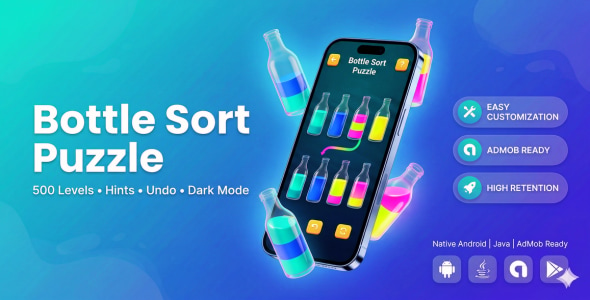
Calming bottle-sort puzzle with 500 handcrafted levels, undo/restart/hints, dark mode, smooth canvas bottles, and ready hooks for AdMob/IAP monetization. Built entirely in Android Studio (Java, API 23+).
Bottle Sort Puzzle is a complete, production-ready bottle sorting puzzle game where players tap bottles to pour colored liquid until every bottle contains only one color.
The project includes a deterministic 500-level progression system, smooth animations, sound effects, dark/light themes, star-based scoring, and persistent player progress.
The game is written entirely in pure Java using custom Canvas rendering. No external game engines or heavy third-party SDKs are used. This makes it lightweight, fast, and easy to customize or reskin for publishing on the Play Store.
Perfect for developers who want to quickly launch a puzzle game with ads, expand gameplay, or rebrand the project.
Key Features
- 500 Solvable Levels with progressive difficulty (3–8 colors, 5–10 bottles).
- Smart Hint System using BFS solver highlighting source and target bottles.
- ↩️ Unlimited Undo and instant restart for every level.
- ⭐ Star Rating System based on move efficiency.
- Automatic Progress Save using SharedPreferences.
- Dark Mode + Light Mode with in-app toggle.
- Responsive Bottle Grid (3 or 4 columns depending on screen).
- Custom BottleView with selection bounce, smooth pouring animation, shimmer effects, and win overlay.
- Sound Effects via SoundPool (pour, click, win, error).
- Level Select Screen with lock/unlock progression and star indicators.
- ⏸ Pause Menu, About screen, and How-to-Play overlay.
- Share Intent to share the game.
- ⚙️ ProGuard Optimized release build.
- Monetization Ready with prepared hooks for AdMob interstitials and in-app purchases.
Technical Details
- IDE: Android Studio Giraffe / Koala or newer
- Language: Java
- Android Gradle Plugin: 8.12.3
- JDK Compatibility: Java 8 (source/target)
- Compile SDK: 36
- Target SDK: 36
- Minimum SDK: 23 (Android 6.0+)
- Gradle: Wrapper included (auto download on first sync)
Dependencies:
- AndroidX AppCompat
- Material Components
- ConstraintLayout
- RecyclerView
- CardView
No external game engines or heavy libraries are used.
How to Run the Project
- Open Android Studio.
- Select File → Open and choose the project folder.
- Allow Gradle to sync and download required components.
- Select an emulator or device with API 23+.
- Click Run to build and launch the game.
How to Rebrand
- Change applicationId and namespace inside
app/build.gradle. - Edit app name and texts in
app/src/main/res/values/strings.xml. - Replace launcher icons inside the
mipmapfolders.
Customization
-
Colors: Modify palettes inside
ColorUtils.java. -
Levels: Adjust difficulty logic in
LevelGenerator.getColorCountForLevel(). -
Sounds: Replace WAV files in
res/raw.
Monetization
The project is prepared for easy monetization:
- Insert AdMob Interstitial in
GameActivity.showWinDialog(). - Add optional banner ads to layouts.
- Add In-App Purchases for extra hints or ad removal.
Build Release APK / AAB
- Go to Build → Generate Signed Bundle / APK.
- Select Release build variant.
- Provide your keystore.
- Build your APK or AAB for Play Store upload.
Perfect For
- Play Store puzzle game publishing
- AdMob monetization
- Reskinning and quick release
- Learning Android Canvas game development
Clean code, easy customization, and ready for publishing.
APK: https://www.mediafire.com/file/v84cnrc1s3cvos7/BSPUZZLEAV.apk/file





