Getting Started
Requirements
There are a few requirements you need to meet before you can use Bootstrap WYSIWYG Editor, those are jQuery (version 3.x.x), Bootstrap 5. Bootstrap WYSIWYG Editor can also be used with Bootstrap 4!
In this version, thecontenteditableelement is inside aniframe. As a result, the editable content will be isolated from the rest of the page.
Installation
Installing Bootstrap WYSIWYG Editor is pretty straight forward. Simply include the jQuery, Bootstrap 5, Bootstrap WYSIWYG Editor and CSS library file, like so:
<link rel="stylesheet" href="https://cdn.jsdelivr.net/npm/bootstrap@5.3.3/dist/css/bootstrap.min.css" type="text/css" media="screen" />
<link rel="stylesheet" href="css/wmwysiwygeditor.css" type="text/css" media="screen" />

<script type="text/javascript" src="https://code.jquery.com/jquery-3.0.0.min.js"></script>
<script type="text/javascript" src="https://cdn.jsdelivr.net/npm/bootstrap@5.3.3/dist/js/bootstrap.bundle.min.js"></script>
<script type="text/javascript" src="js/wmwysiwygeditor.js"></script>
Notice the jQuery library I included was google code library, We recommend using latest version.
It is highly recommended that all JavaScript be placed after all your content at the footer of the page, just before the end </body> tag. This ensures that all content is loaded before manipulation of the DOM occurs.
Usage
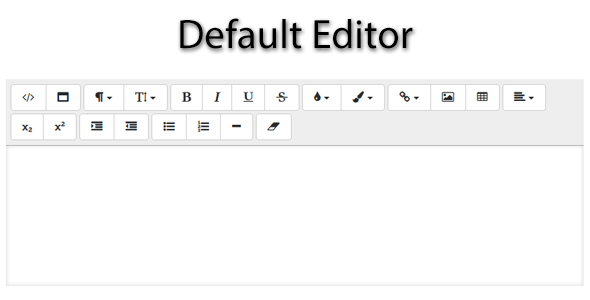
Basic
Create your <div> with an ID or Class.
<div id="wmwysiwyg-basic-use"></div>Now activate the Bootstrap WYSIWYG Editor like this
$('#wmwysiwyg-basic-use').wmwysiwyg();With options
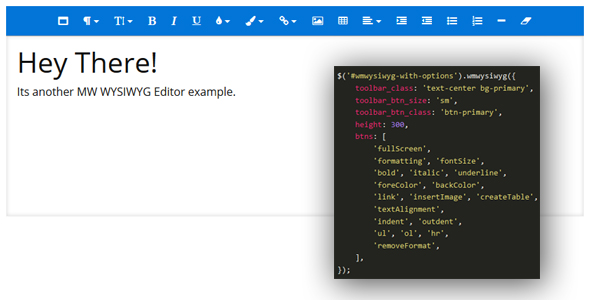
Another example with some options defined.
$('#wmwysiwyg-with-options').wmwysiwyg({
    class: 'border-primary',
    toolbar_class: 'text-center border-primary bg-primary',
    statusbar_class: 'border-primary bg-primary text-white',
    toolbar_btn_class: 'btn-sm btn-primary',
    height: 300,
    btns: [
        'fullScreen',
        'formatting', 'fontSize',
        'bold', 'italic', 'underline',
        'foreColor', 'backColor',
        'link', 'insertImage', 'createTable',
        'textAlignment',
        'indent', 'outdent',
        'ul', 'ol', 'hr',
        'removeFormat',
    ]
});