

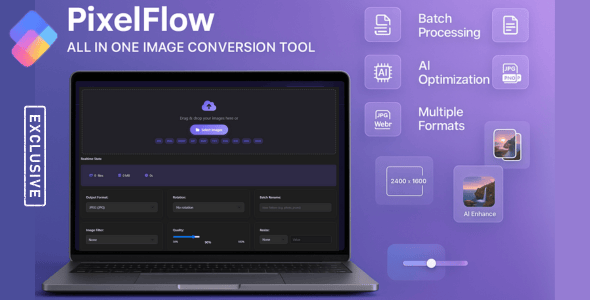
PixelFlow – All in One Image Conversion & Optimizer Tool
PixelFlow is a powerful, browser-based tool that lets you convert, enhance, and optimize multiple images in seconds. With support for 9 output formats and 10+ input formats, advanced processing features, it’s perfect for photographers, designers, and developers. All processing happens locally – your images never leave your device. Save time and get professional results with zero hassle!
Core Features
- Batch Processing – Convert multiple images simultaneously with progress tracking
- 9 Output Formats – JPG, PNG, WEBP, GIF, BMP, SVG, ICO, TIFF, HEIC
- 10+ Input Formats – JPG, PNG, WEBP, GIF, BMP, SVG, ICO, TIFF, HEIC/HEIF, RAW (CR2, NEF, ARW, DNG & more)
- Drag & Drop Upload – Easy file selection with drag and drop support
- Image Filters – Apply Grayscale, Sepia, Vintage, Invert, Blur, and Sharpen effects
- Resizing Options – Resize by percentage or exact dimensions
- Rotation – Rotate images 90°, 180°, or 270°
- Quality Adjustment – Fine-tune output quality from 10% to 100%
- Batch Renaming – Custom naming patterns with {num}, {date}, {time} placeholders
- Real-Time Stats – Live file count, total size, and estimated processing time
- Dark Mode Toggle – Easy on the eyes with automatic preference saving
- Preview System – Side-by-side before/after comparison with size reduction stats
Advanced Features
- Compression Level Control – Adjust compression from 0% to 100%
- Web Optimization – Toggle web-optimized output
- Watermarking – Add custom text watermarks with position, color, size controls
- ZIP Download – Download all processed images in a single ZIP archive
- Share Functionality – Share results using Web Share API or clipboard
Security Features
- XSS Protection – All file names sanitized before DOM insertion
- Magic Number Verification – File signature checking beyond extension validation
- CDN Integrity Checks – SRI hashes for all external library resources
- Local Processing – No server uploads, files never leave the browser
- Privacy Notice – Built-in privacy consent dialog
Technical Specifications
- Pure HTML5/CSS3/JavaScript – no server requirements
- Works on all modern browsers (Chrome, Firefox, Safari, Edge)
- Fully responsive design – mobile to desktop
- Easy to integrate – single HTML file
- Comprehensive documentation included
Why Choose PixelFlow?
PixelFlow offers professional-grade image conversion tools with unmatched privacy protection. Unlike cloud-based solutions, your images are processed locally for maximum security. The intuitive interface makes batch processing effortless, while 9 output formats and 10+ input formats provide all the flexibility professionals need.
Perfect for: Web Developers, Photographers, E-commerce, Content Creators, and Designers.
CHANGELOG
=================
version 1.02
date 08-05-2026
=================
* CRITICAL FIX: HTML structure validation - meta tags properly placed
* SECURITY FIX: XSS vulnerability patched - file names sanitized
* SECURITY FIX: CDN integrity checks added with SRI hashes
* SECURITY FIX: Magic number verification implemented
* NEW: HEIC output format added (9 output formats total)
* ENHANCEMENT: TIFF output conversion with proper wrapper
* ENHANCEMENT: RAW file support - 15+ RAW formats
* ENHANCEMENT: ICO output for favicon compatibility
* ENHANCEMENT: SVG output with proper XML structure
* FIX: Removed non-functional features (EXIF, DPI, CMYK, AI enhancement)
* FIX: Replaced fake statistics with honest numbers
* ENHANCEMENT: Improved responsive layout
* ENHANCEMENT: Privacy notice with consent mechanism
=================





