34 comments found.

When will you update with GPDR patch?
You’ll be notified when we release any new update. If you need any customizations Please reach us on mail : support@andromob.in
or
WhatsApp : https://wa.me/+919725868313
Hello, If any one Download the book then could it open where, In the APP or Stored in Mobile Phone. Could we read the Downloaded Book without the internet connection. Please Reply.
Hello,
Downloaded books will show in My Library option, no to open the app internet connection is must required.
If you need any customizations, Please reach us on mail : support@andromob.in or WhatsApp : https://wa.me/+919725868313
Hi,
What is target sdk?
Thanks
Hello,
It’s 33
Will it be updated to SDK 34?
You’ll be notified when we release any new update.
Can’t access downloaded files when offline
Hello, It’s possible with customization.
Please reach us on mail : support@andromob.in or WhatsApp : https://wa.me/+919725868313
I try to upload book url with g drive and can’t read or download it. What cloud storage can we use? Thanks
Hello,
Gdrive link will not support, you’ve to add direct links not embedded links, or you can upload books to your server with admin panel.
If you want gdrive link support feature it’s possible with customization, please reach us on mail : support@andromob.in or WhatsApp : https://wa.me/+919725868313
How to add App Open ad and rewarded ad on book download button when user click on download button ,the rewarded ad shows to user?? Or what if we add some paid books to download function?
Hello, This is possible with customization, please reach us on mail : support@andromob.in or WhatsApp : https://wa.me/+919725868313
Hello developer i want to purchase the Application But I Want to Know Is There is any way to add Sub Categories & If Pdf is from google drive then it is working or Not Because all my data is in drive And Size is huge if all condition is satisfied i will buy
Hello,
Both features are possible with customization. Please reach us on mail : support@andromob.in or WhatsApp : https://wa.me/+919725868313
I get this error(Invalid Packagename or Purchase code) when I run the ebook app, I know I set it up correctly because I have a similar one to this
Hello,
You’ve to use same package name in Android Studio as you’ve used at the time of admin panel activation.
Please reach us on mail : support@andromob.in or WhatsApp : https://wa.me/+919725868313
Worked thanks
Hey i really like your app, but i have a problem: when i open my app, it´s not load the pictures. No book Picture or Category Picture
Hello,
please reach us on mail : support@andromob.in or WhatsApp : https://wa.me/+919725868313
i write you an email Thanks
Best service on codecanyon for me
Thank you for appreciation ❤️
How to add different categories
You can add different categories with admin panel
Please check demo admin panel with below link
http://andromob.co.in/envato/cc/ebooks/Username: admin Password: admin
My Friend purchase your Source code, but He told me that bigger size PDF not working properly in this source code,
thatswhy i don’t buy your Source code,
if I purchase Your Source Code, how I am able to Upload PDF file size more then 300MB ?
Hello dear,
It depends on your server, you need to change max upload size for this, or try uploading manually with ftp and then add the url of book.
hi can add in apps purchase for book? or subscriber version? also add open ads
Hello,
Yes it’s possible with customization, please contact us on support@andromob.in or WhatsApp https://wa.me/+919725868313
hi, can you add huawei ads to code?
Hello,
Possible with customization, please contact us on support@andromob.in or WhatsApp https://wa.me/+919725868313
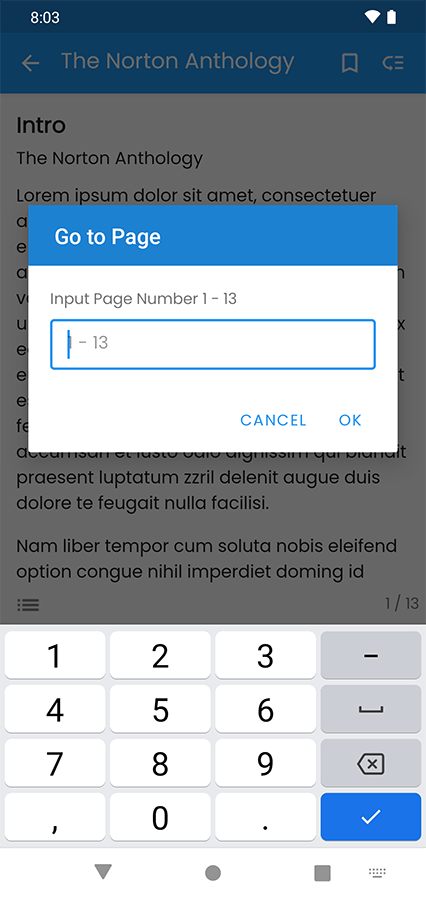
Hi sir there any upcoming update? please add bookmark option and goto page option
Hello Dear,
Yes we’re working on the update, it’ll be released within current month.
Thanks
Hello,
New update is released please check, have a good day.
Hi but there is no option to bookmark book or goto page number
Favorite option is available, other features are possible with customization please reach us on support@andromob.in
But sir you was mentioned that you are working on the update and its a general and required feature please check https://s3.envato.com/files/423238321/Screenshot_1636635840.png
Currently this feature is not available, if you want we can do customization for you..
Thanks !
How to display Favorite books? Can you add a button same as “My Library” that contain downloaded books
Hello Dear,
Please check side navigation favourite option is already there, yes we can add same button like my library, please contact us on support@andromob.in
Hi, what is required to create an iOS version?
Just for Android Only, if you want iOS version for same app please contact us on : support@andromob.in
Today, when I open the app, I get an error: purchase verification failed please contact the app owner
please check
Hello Dear,
Please contact us on support@andromob.in
Is it possible to disable the download function? I just want people to view, not download the ebook
Hello Dear,
Yes it’s possible with customization, please contact us on support@andromob.in
please add .epub Integration. thank you
It’s possible with customization, please reach us on support@andromob.in