105 comments found.

<event>
    <date>07.11.2013</date>
    <title>Ausw\E4rtsspiel gegen den TVR (20:30h)</title>
    <thumb>images/auswaertsspiel.jpg</thumb>
    <link><a href="http://myleague.org/index.php?id=teaminfo&teaminfo=1&team_id=242">TVR</a></link>
  <content></content>
</event>
laughing you can’t see the special entities in my previous comment … Use the Ampersand-lt; for all html-GreaterThan signs between the link-Tag and content-Tag. And of course Apersand-gt; for all tag closing html-LowerThan signs. If your URL includes more than one GET-Variable the seperator Ampersand needs to be replaced by Ampersand-amp; too.
works great with html, but with xml contains errors, I would like to know if you have a version that works with xml, thanks.
Is it possible to put more timelines on single page? I’ve tried with 2 differed div’s: $(’#my-timeline’).timelinexml({ ... $(’#my-timeline2’).timelinexml({ ....
???
Hello, It is possible to put more timelines on single page? I’ve tried with 2 differed div’s: $(’#my-timeline’).timelinexml({ ... $(’#my-timeline2’).timelinexml({ ....
but puts all entries in the same timeline
if (settings.src.length != 0) {
     settings.mode = 'html';
     model.getHTMLContent();
     ...
So if I set the source of the XML document it will try to parse (non-existent) html. Seems like a small bug. I changed the if statement to:
if (settings.src.length == 0) {
...
It works as expected once I change that line.
As an aside, would it be possible to exclude years that have no events plotted?
Thanks again for a great script!
Where is the support page? I went to the link provided but there isn’t anything on the pages. Ugh! Just need to show years not days or months. How can I do that
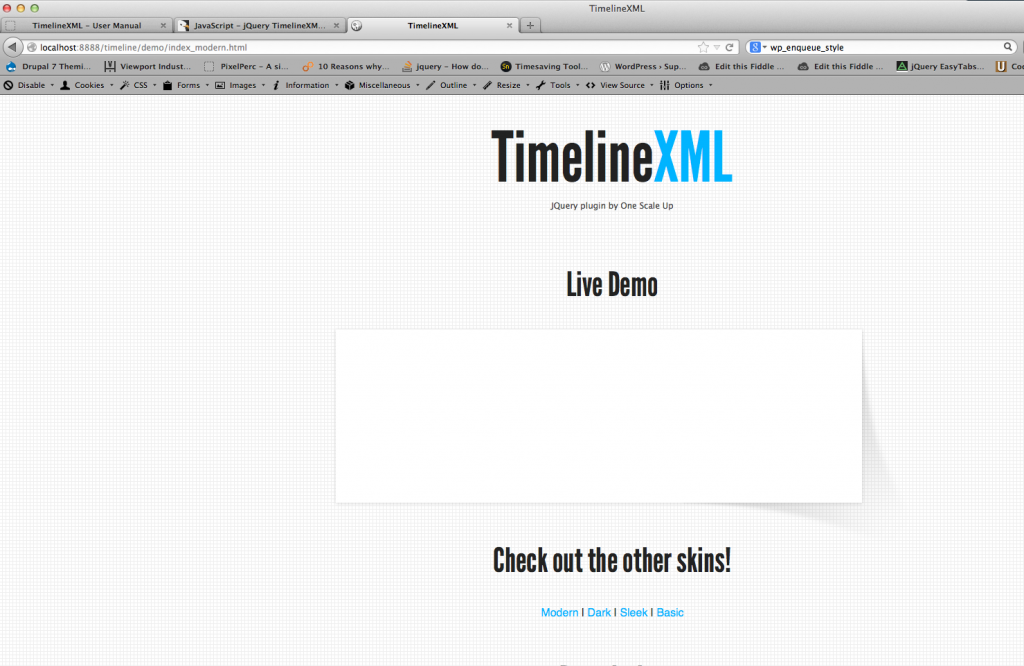
I just purchased this file. I have pretty good experience with jQuery. All of the files work with the exception of the index_modern. It does not pull in the xml file.
I dumped the complete download from here onto my MAMP htdocs and viewed it locally. I don’t mind using the html way but would ultimately like to use the xml way.
possible to make it for one month detailed ?
How can I change the red dots and caption boxes from red to another color for the dark timeline? Is it the XML file? I looked through comments and didn’t see.
Thanks
Hi! I get : TypeError: ‘undefined’ is not an object (evaluating ‘c.events[c.events.length- 1].position’)
been trying all day.. didnt think I was such a noob 
running iis 7.5 with basic setup on the timeline
the modern theme demo is also having this exact problem, the others work
I love the plugin and finally got it working. It conflicted with another jquery plugin in the same page.
I do have an issue though, some of my items to be listed in the timeline are not showing on the dates they correspond to. For instance, items dated in 2009 show up in 2010 and 2011. Have any idea why?
Thanks much.
Are you sure the dates are correct in the XML/HTML? I have tested this thing to death 
Great plugin, thanks a lot. A nice to have feature would be the customization of the time span. Example : if all my events fit in 3 months in 2013 and instead of having 2012 an 2013 at the extremities, I want to have another date, or my first event date… Thanks again.
Dear nickys, Thank you for a great plugin. I have an additional request if your time permits it will be great to talk about it further. I need the timeline to display scroll arrows for users to navigate along the timeline with an additional option to display monthly or yearly.
Please let me know your availability and your charges. I really hope you can accomodate my request.
Thank you for your support
Thanks for this awesome stuff. Although I’m having a bit trouble implementing it. I’ve added a ticket in the support forum. The issue is with the .css conflicts and media query. I’ve attached a screenshot there. If you ask I can also send you the html. Again, excellent product.
This product is great, but the documentation is not as good as you think it is, I hate to say it. I’m only giving you this feedback so you can create a better product.
Please work with people like @lwdeddie to create better documentation. There are many people who buy this who don’t have advanced knowledge of jQuery, and these are the people you must cater for.
I’ve used jQuery on dozens of projects, I would say I have a decent level of understanding with it, and even I struggled. I tried following the documentation exactly – word for word – and it simply would not work. Even still I simply cannot get the XML to work. The only way I could get it working was to use your example file with HTML input and strip away the code that I did not need.
I hope you understand. I am trying to be constructive to help you.
This is fantastic! Didn’t even think about creating a timeline for my site. Congrats on file of the month!
Followed your directions very closely can’t seem to get it to work. There are lots of files provided that aren’t documented so I’m not so sure. It’s hosted on a webserver and I’m familiar with jquery but still can’t get it to work. Very frustrating.
From the documentation:
There are three things that you need to do:
1. Add an HTML element that will hold the timeline 2. Fill the content 3. Call the plugin
Step 1: The HTML
A simple tag with an ID will do just fine:
div id=”my-timeline” /div (brackets removed because they don’t show up here)
Step 2: Fill the content using an XML file.
[...] You can also reference the sample .xml file that came with the plugin. When you are done, save and close the file and that’s all there is to the .xml file
Step 3: Call the plugin
The final step is to call the plugin, like this:
$(’#my-timeline’).timelinexml({ src : ‘timeline.xml’ });
Parameters:
- src: specify the path to the .xml file, relative to the file from which you call the plugin. For example, if you put that line in script.js, which is included in index.html, the path should be relative to index.html
I really can’t write the documentation in any simpler words. If you have basic knowledge in installing a jquery plugin, you can make it work. Don’t bother with the files that aren’t documented, they are not critical for the plugin to work.
I’ve gone through it a dozen times. Clearly there is something I’m missing but all the file and paths look correct. I’m testing with the xml file provided. Can you take a look and tell me what is wrong? http://198.1.103.120/~thcllc/index.php?id=48
Yeah I just don’t get it. Your example file has this in the script.js that loads the timeline:
src : ‘timeline.xml’
Yet if you remove that line, and all the HTML lines – it still works?! I have followed your documentation as closely as I could, and it should be loading from XML, but it still loads the HTML. Any idea why?
Whoops – I purchased this today but it was free! Oh well – it’s great. But I’m having a lot of trouble with it I must say. If I edit your demo files and remove all the HTML content, but leave the src as the xml nothing loads. No idea why. Trying everything and nothing is allowing me to load the xml on my computer or server.
Hi, Well, though it is freebie in Feb. But may I use it for commercial purpose for free?
Thanks.
I believe you can do that, yes.