918 comments found.

i have problem to update to last version i’m removed all files and keep just one config.php he contain db connection but when i upload new files he tell me i have rached limit
this error
The installation limit for this license key has been reached. \n\nPlease reach out to support@altumcode.com and make sure to specify your license key.
Hello,
Good day to you,
Your license is cleared!
Regards
AltumCode.
Dear, About the update tutorial: Here are some diffirence betwon document with youtube
1、document : Do not upload/overwrite the config.php file.
2、Youtube https://www.youtube.com/watch?v=b8wUpW2ebJM Do not upload/overwrite the config.php, debug.log , installwhich is newst ?
YANG
Hi,
Both are correct, the end result will be the same. The only essential is that you do not rewrite the config.php file.
Regards,
AltumCode.
I uploaded new files, went to /update v44 to v45 and see a message box, Requested update does not exist for 66toolkit
You should be able to do it now.
Regards
AltumCode.
Hi, Can I edit the title, meta description, keywords, and description of individual tools?
Hi,
Good day,
Yes, you can
There are a few exceptions, which are the tools that are programatically built the same (https://66toolkit.com/demo/data-converter-tools for example) – for which you can edit one field (description, keywords…etc) and use dynamic placeholders. So that you do not edit hundreds of them manually.
Hope it makes sense,
Let me know if you have any other question.
Regards,
AltumCode.
Hello, I have read through the support questions and it is clear that your script has Nothing to do with WordPress, Got it!
What was my original hope was to install the script in a subdirectory under WordPress directory and create pages with Elementor Pro and insert an html or a code block in a page and call the script that way.
My question: is there a problem with installing the script on a subdomain as in https://toolkit.maindomain.com and linking to it inside a link or just send traffic to it directly.
I don’t see an issue, just checking – what are your thoughts? – Chris
Hi there, cashpot
Good day to you,
There is no problem if you install it on a subfolder or subdomain, while you have wordpress on your main root domain.
Let me know if you have any other questions for me, happy to answer
Regards
AltumCode.
Thank you for the prompt reply. Appreciated! Now for the real question, which on my quest to discover an app to convert png files to svg, I discovered your precious gem. Btw, I plan to purchase your toolkit regardless of your answer to my question. Which is Do you plan to introduce a conversion to svg file format?
Thank you again, -C
Hey, Cashpot
Thank you as well,
Unfortunately, converting to svg file format is not really possible realistically. PNG,JPG and other formats are built completely different than SVG.
Regards,
AltumCode.
I want the entire site to be RTL when I add the Arabic language, and LTR when I set it to English. I need to align the languages to the right. How should I do this?
Hello,
Good day to you,
Admin panel – languages – select language – translate app -> direction feature
Regards,
AltumCode.
Hello, I have a few questions.
How do I edit Online Web Tools?
Instantly boost productivity with our 507 free web tools. Fast, easy, and straight to the point.
How do I add the privacy and contact pages to the homepage? Also, can I remove the copyright notices from the website footer?
Hi,
Good day to you,
1 – Admin panel – languages – select language – translate app
2 – Admin panel – resources – pages
3 – Yes, from the page mentioned in point 2
Regards,
AltumCode.
Is there an explanation for request number one?
1- Control Panel – Languages - Select Language – Translate Application
Hey,
I’m sorry, what do you mean?
Regards,
AltumCode.
1. Is there an explanation for changing the “How do I edit Online Web Tools” section?
Instantly boost productivity with our 507 free web tools. Fast, easy, and straight to the point.
How do I add the privacy and contact pages to the homepage? Also, can I remove the copyright notices from the website footer?
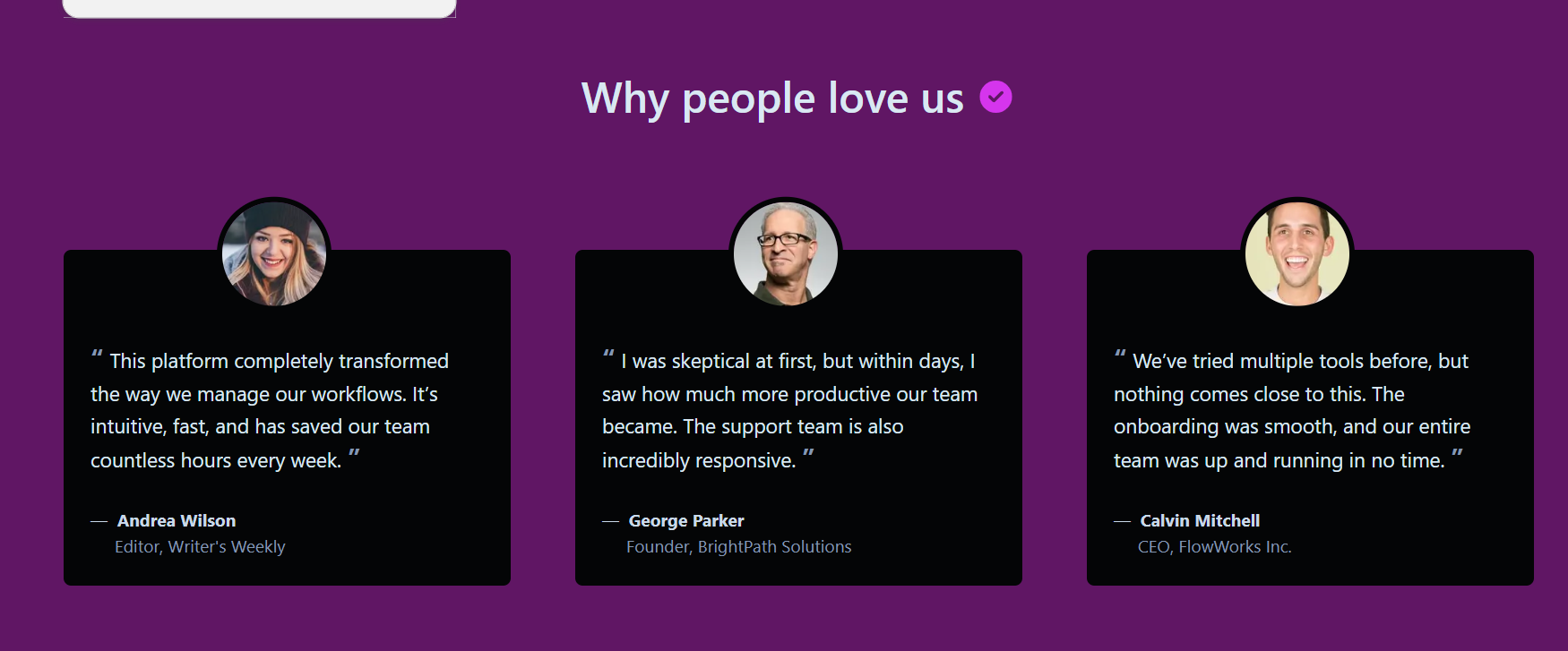
2. I want to change the names in the “Why people love us” section.
If you dont want to lose your changes in future updates, create a new language pack for English – and disable the original default one. Only edit the created one (this way you wont lose custom changes)
2 – I already explained above this as well, you go to the admin panel – resources – pages and you have there the links / pages that you can remove and then also have the button to create.
3 – Refer to the video on point 1
Regards,
AltumCode.
I have three questions
First: When I click on Language, then click on English, and then the translation applies,
upon saving, I get a browser error message (Forbidden).
Second: How do I activate the paid plan?
Third: I want to change the sections and the three images in the “Why people love us” box.
1 – Thats because your webhost blocks the request. Get in touch with your host provider, show them whats happening and tell them to not block the request (its a false positive on their side).
2 – You must purchase the extended license from codecanyon to do so.
3 – Yes, I explained as per the point one – thats also where you change that text.
Regards,
AltumCode.
I couldn’t find a way to edit the sections in the link below. Could you please explain further?
https://mrkzgulfup.com/uploads/177222234068311.pngYour screenshot link does not work.
Regards,
AltumCode.
After updating the template, the pages disappeared from the footer. When I move them from the bottom to the top, they reappear.
Hi,
Please send me an email with your website link, admin login and FTP
I will check it for you
Regards,
AltumCode.
Hello AltumCode Support Team,
I would like to inform you that I have just purchased your script and uploaded it to Hostinger. However, I am not sure how to use it properly or how to create articles with all the tools available on the website in order to rank well in search engine results.
I would really appreciate your guidance and assistance.
Thank you in advance.
Hey, chadliamine
Good day to you first of all,
If you wish to add custom content for tools and edit their SEO tags
You can do so from the admin panel – languages – select language (or create one – suggested) – and use the translate app functionality to edit everything you need
In case you need more details or have any other question, happy to answer or get more in details if needed
Regards,
AltumCode.
Issue with Google Analytics Tag Integration (G-Tag appearing as text)
I am using the 66Toolkit script and I’m trying to install my Google Tag (gtag.js) for Google Analytics.
When I add the script into the “App custom JS” field under Settings, the code appears as visible text at the very top of my website’s frontend instead of being executed in the <head> section. Consequently, Google Analytics is unable to detect the tag.
I have already tried clearing the cache (both script and server-side), but the issue persists.
Could you please advise on:
The correct way to inject the Google Tag into the <head> section via the admin panel.
If I need to edit the files manually, which specific file (and path) should I modify to ensure the tag is placed correctly within the <head> tags without being overwritten by updates?
My Tracking ID: G-FZ7K2ZL8P3 Website URL: [https://proutilshub.com/]
Thank you for your support.
Hi,
Hope you’re doing good,
Please kindly share the code that you tried to add in the admin panel so I can do a check for you
You can share it via the contact form on my profile page
Regards,
AltumCode.
Request Entity Too Large The requested resource does not allow request data with POST requests, or the amount of data provided in the request exceeds the capacity limit.
413 request entity too large , can i enable all tools in just 1 click from sql ?
Hi there,
Good day to you,
This can easily be solved if you message your webhost provider and ask them to remove this limit,
As you will need it in multiple places.
Regards,
AltumCode.
Webhost provider increased the resources now i am getting this error—Forbidden You don’t have permission to access this resource.
Hi,
Same answer, issues comes from the host.
Its most likely that it triggers a false positive on some kind of firewall. Ask them to disable mod_rewrite or any other firewalls that might trigger this false positive.
Regards,
AltumCode.
I just purchased a VPS specially for your script, copied all files and the database, and connected the domain. The website is working, but when I click to enable tools , it shows “setting saved,” but there will be no new tool added. After 988 tools, that’s the old server limitation. Do I switch to a dedicated server now?
Hey,
You do not need a new server,
You just need to configure your current one properly.
Make sure to edit your max_input_vars php ini configuration to a higher value and it will work with no issues
Regards,
AltumCode.
How to change 2k to 2000?
Hi,
themes/altum/views/index/index.php file
Find:
nr(settings()>tools>available_tools_count ?? 0)
replace with:
(settings()>tools>available_tools_count ?? 0)
Regards,
AltumCode.
Does this use composer? are used packages still maintained by authors & exploit free?
Hi,
Yes, the project uses composer to manage packages – as with majority of php scripts.
I can not speak for their maintenance and what they will do in the future – but all of them do their job risk free until found otherwise, when they will be removed or changed if needed.
Regards,
AltumCode.
Hello, recommend add some chinese tools,refer link :https://github.com/netcccyun/toolbox YANG
Hi,
Good day to you,
Can you please be more specific as to what tools exactly?
Regards,
AltumCode.
Where do i get the licence key for the first field in the installation setup?
I figured it out. The naming was different than what Envato had provided.
Hey,
Thank you for confirming that you found it,
Enjoy!
Regards,
AltumCode.
the css issue is your development there is no other issues . i confirm this with my hostinger support . i delete old file manager files and uploaded new one and connect db also. then why the CSS issue is coming. all are done correctly . this issue comes because your file not correct. if your file are perfect then this issue wotn comes becuase i have another wbe tools site there is no such issue lik this . same model i did your case. you must solve this issue its not support . its your file issue. i took hosting and domain . but site not working well. you have to bare this loss.
Hi,
There are no CSS issues if an update is done right. I do not know what you did and what you did not do. I can not assume what’s going on inside of your host or what steps you might have missed.
66toolkit.com/demo is working with no issues, as well as all other customers.
This is my last comment on the matter, as I’ve already explained this countless times and it seems you do not want to understand.
Regards,
AltumCode.
Hello! I purchased the 66toolkit – Ultimate Web Tools System (SAAS) script from you – CodeCanyon Item for Sale 66toolkit – Ultimate Web Tools System (SAAS) with both an extended and a standard license, but I lost access to my domain. Can I reinstall the script on a new domain? The domain it was installed on is no longer functional and inaccessible.
Hi,
Good day to you,
You can reinstall – as long as you make sure to delete the old installation, yes.
Regards,
AltumCode.
There are no active installations with this license key. Please go in the /admin/settings/license page and re-enter your license key to validate your current installation.
we cant see admin logi option also there.
when i try to update the script its says like this ? site home page erro : Internal server error
Our website is having some issues right now.
We are actively working on fixing the issue.
uploaded all new files to file manager except “install folder” , includes config.php and add our db details to there. but not working site .
Hi,
Good day to you,
What is your current version (before updating)?
Regards,
AltumCode.
I think 36 .
Send me an email and I will send you the in-between updates to do them in steps.
Regards,
AltumCode.
Share mail id
altumcode.com/contact
Regards,
AltumCode.
solve the css issue ? UI not working
Any update for css issue ?
Hi,
Please keep in mind, that CSS issue you have has nothing to do with the product.
I’ve explained that I would need to do a deeper check to see whats going on with your system if you want me to, but you would need to renew your support as it’s expired for more than 6 months now.
Regards,
AltumCode.
If the css issue is not related to your then the UI must be shows . Your are products have css issue that’s why the css issue comes. Im using your same updation given files nothing else .
I can not know how you updated or whats going on in your webhost.
66toolkit.com/demo – latest version, no css issues
Regards,
AltumCode.
I don’t Renew your support for already purchased product. It’s your file bug. Not me. I didn’t even make any single money using your script . Again you are asking money . You don’t need to give Support you just tell what’s I need to fix to solve the css. Because it’s your products you know very well than me.its your responsibility to fix the bug. This is not first time. This same happen before one year. Your script have problems that’s why this happens. I bought many script same codecanyon there is no issue like this Css . If they have issue they will solve and give latest file. You just have to give steps I will do myself
It’s your responsibility to fix the bug u. Your file. If we upload front end files and update database then there there is no such issue comes if the script are proper . So first fix the script.
I’ve given my time to help you send all the updates and gave you a diagnostic already.
I’ve already shown you there is nothing wrong with the script -> 66toolkit.com/demo
If you need further support, then you need to renew it. You’ve got constant monthly updates for free, the least you can do is renew your support as a sign of respect – since its already expired for 6 months now.
Regards,
AltumCode.
its not about support. there is nothing you take as time . its your responsibility to set up or make the infra in single updates inead of updating one by one . in that case you should add docs for one by on steps updates. so there is no time for it. so what other tim you spend for here ? .
you juts tell me how to fix the css issue. i did all perfeclty in my webhost. nothing else. so the issue is yours not mine . i uploaded all detaisl to file manager correctly and add config.php file my db . after go to site/update and did the update. so here nothing is wrong in my case. if any wrong then i cant use 42 version . but im using latest verion . its your script issue.
im waiting for your reponse to fix that. again i renew the domain so you must fix the this site as soon as possible . if you cant help me out about this issue let me know . i know what i do .i dont renew support or anything for your irrelevant excuse.
Hello,
You must renew your support if you want to get support.
Any further support will not be provided as your support has been expired for a long time.
Regards,
AltumCode.
im not asking your support . im asking bug solution.
Hi there, There is a critical issue with the login system on the website.
Admin login shows Internal Server Error (500) after submitting the form.
The admin password was reset correctly using bcrypt, so this is not a password issue.
Google login for regular users is also not working.
Since both login methods fail, this points to a server-side PHP error (sessions, redirect, config, or OAuth logic).
Please check the server error logs (error_log) during login attempts and identify the cause.
This issue currently blocks all access, so it’s urgent.
Best regards, Ahmed
https://toolkitnow.info/Hi,
Good day to you,
I have checked the demo and there are no such issues,
Can you replicate it on the demo?
Are you properly updated to the latest version?
Kindly renew your support, as it shows expired for more than a year now.
Regards,
AltumCode.
Hello, I edit the second free plan , and select all the tools,but when I save, the changes is not work,why?
Hi again,
They definitely do work if there are no issues with the webhost,
Email me via the contact form on my profile page with your website link and admin login and I will check it for you.
Regards,
AltumCode.
Hello,
I’m waiting for a response on this, as your rating that you have left is inaccurate and deceiving – you are not required to pay anything to enable all your tools.
Regards,
AltumCode.
Solved, thank you
Thank you as well,
Glad we came to the solution!
Regards,
AltumCode.
What’s going on? Why am I getting this message? Your current plan does not allow you to access this feature.
Hello to you too,
Merry Christmas first of all,
I would highly appreciate if you could wait for an answer before rushing to leave a 1* / 3* rating on a matter that would’ve been easily explained via the comments section.
You are not required to pay,
You are the ADMIN of your own site, and you can control your own plan settings on your own website – which can be done from the admin panel – plans section or admin panel – users – update user (if the user is on a custom plan) and simply give yourself the permissions to use any tools on the site.
Kindly rectify your rating, or ask for more guidance (if needed) – as your are no required to pay, you simply must allow your plan to use that tool.
Regards,
AltumCode.

This item was featured on CodeCanyon

Power Elite Author
Contact the Envato Market Help Team